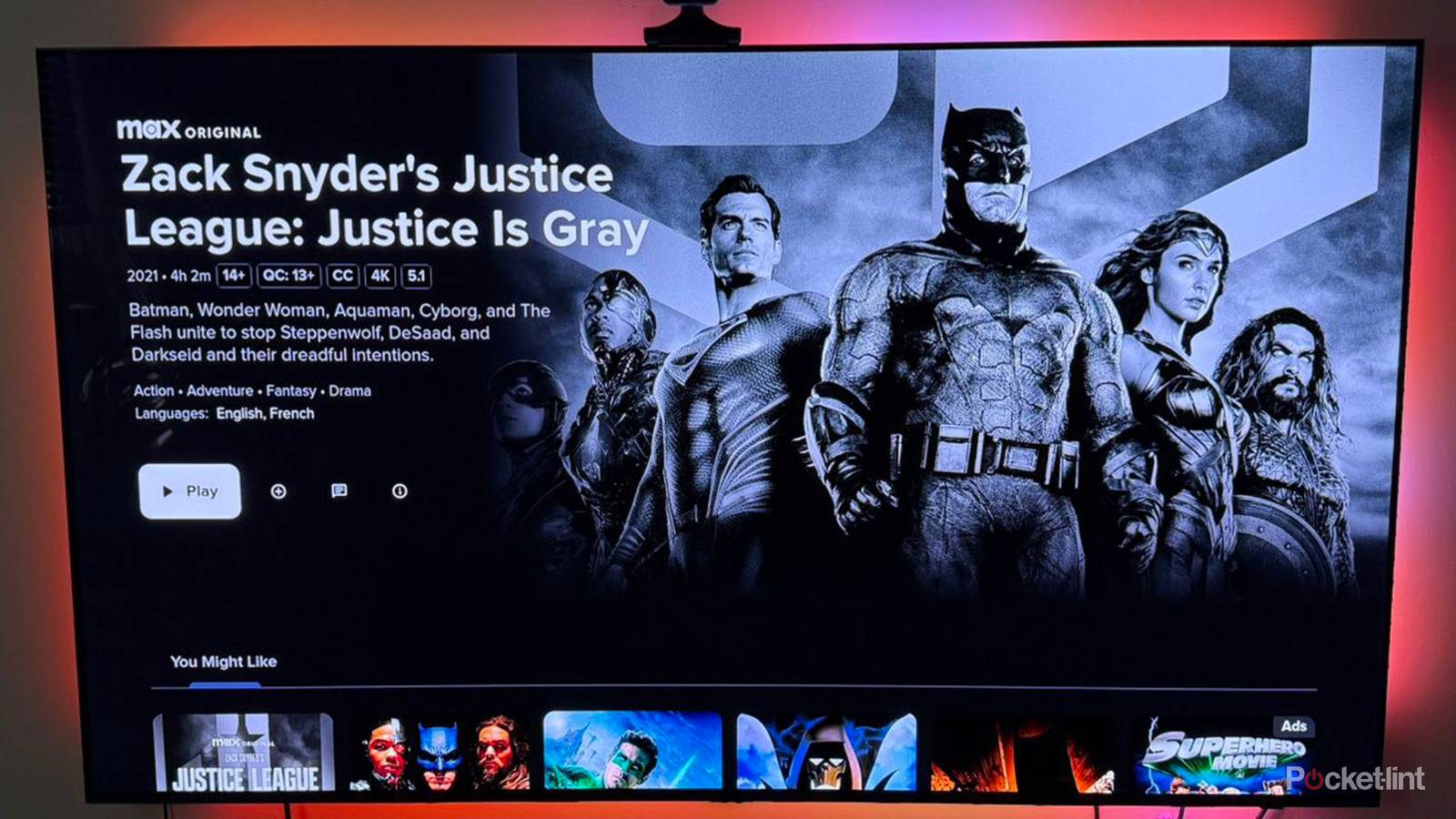
As TV shows and movies try to set themselves apart from all the many options consumers have available, you may come across some titles that are available to be viewed not only in color, but in black and white. This is often done for stylistic and tonal reasons; such a look creates a specific mood and evokes certain feelings. Horror, thrillers, or noir stories are often served by such a ploy.
As studios and streaming services don’t want to deter consumers, however, they typically make sure that anything available in black-and-white is also available in color. Marvel’s Werewolf at Night was originally shot in black-and-white before it was restored in color; Spider-Noir by AmazonStudios was desired by its creators to be black-and-white, but the studio was nervous so it was shot in both styles.
So, when you’re presented with the option, which one do you choose? There is a lot that goes into making the right decision.
 Quiz
QuizTV settings and smoothing
Trivia challenge
From motion interpolation to refresh rates — find out how much you really know about what’s happening behind your screen.
Picture ModeMotionDisplay TechSettingsCalibration
What is the common nickname given to the artificial smoothing effect applied by many modern TVs that makes film content look like cheap video?
Correct! The soap opera effect is the name given to the hyper-smooth, overly fluid look that motion interpolation creates. It gets its name because the result resembles the look of low-budget daytime soap operas shot on video rather than film.
Not quite — the answer is the soap opera effect. Motion interpolation generates extra frames between existing ones, removing the natural cinematic cadence of 24fps film and replacing it with a look many viewers find jarring or artificial.
Which TV picture mode is generally considered the most accurate for watching movies in a darkened room without heavy post-processing applied?
Correct! Cinema or Movie mode is typically calibrated closest to industry colour standards like Rec.709, with reduced sharpness enhancements and more neutral colour temperature — ideal for an accurate, filmmaker-intended viewing experience.
The correct answer is Cinema or Movie mode. Vivid and Dynamic modes boost brightness and saturation far beyond reference levels to look impressive on a showroom floor, but they distort colour accuracy significantly in a real home viewing environment.
What does the term ‘motion interpolation’ actually describe in the context of TV processing?
Correct! Motion interpolation works by analysing two consecutive frames and using algorithms to create one or more new frames between them. This artificially raises the perceived frame rate, which is what produces that controversial over-smooth look.
Not quite — motion interpolation means generating new frames between existing ones. The TV’s processor predicts where objects are moving and synthesises intermediate frames, effectively multiplying the frame rate beyond what the original source contains.
What colour temperature setting is closest to the D65 white point standard used by most professional video and broadcast calibration?
Correct! The D65 standard sits at approximately 6500 Kelvin, which corresponds to the ‘Warm’ settings on most consumer TVs. Most TVs ship with a cooler, bluer default that looks punchy in stores but is technically inaccurate.
The answer is Warm 1 or Warm 2. D65 is roughly 6500 Kelvin, and warmer colour temperature presets on TVs approximate this best. Cooler settings push the white point toward 9000–10000K, making whites appear bluish and skin tones inaccurate.
What is ‘black frame insertion’ (BFI) used for in TV displays?
Correct! BFI mimics the shutter behaviour of a cinema projector by inserting a brief black frame between each content frame. This reduces the sample-and-hold motion blur inherent to flat panel displays, making fast motion appear crisper.
The correct answer is that BFI inserts a black frame between image frames to sharpen perceived motion. It comes at the cost of reduced peak brightness and can introduce visible flicker, so it’s a trade-off best suited to those sensitive to motion blur.
Why do most TV manufacturers recommend enabling ‘Game mode’ when connecting a games console, even on TVs with otherwise excellent picture processing?
Correct! Picture processing takes time to execute, and all that computation adds input lag — the delay between your controller input and the on-screen response. Game mode bypasses most of this processing, reducing lag from potentially 80–120ms down to under 10ms.
The right answer is that Game mode reduces input lag by disabling most processing. For watching films this processing is fine since you’re passive, but when gaming even 30–40ms of extra lag can make controls feel sluggish and unresponsive.
What is ‘judder’ in the context of TV and film playback?
Correct! Judder is the stuttering, uneven motion that occurs when a TV’s refresh rate doesn’t divide evenly into the source’s frame rate. A classic example is 24fps film on a 60Hz TV, where frames must be unevenly repeated using a 3:2 pulldown pattern.
Judder is the uneven, stuttering motion caused by a mismatch between source frame rate and TV refresh rate. It’s most noticeable during slow pans in cinema-shot content. Many TVs offer a 24p or film mode specifically to address this by running at 48Hz or 120Hz instead.
What does adjusting the ‘sharpness’ control above its neutral midpoint typically do to a TV image in practice?
Correct! Sharpness controls on most TVs apply an edge enhancement algorithm that draws bright and dark halos along contrast boundaries. This creates the illusion of sharpness but is actually adding artificial detail not present in the source, which can look unnatural on close inspection.
The correct answer is that it adds artificial edge enhancement halos. Rather than resolving genuine detail, the sharpness circuit finds edges and over-emphasises them. Most calibrators recommend setting sharpness to zero or its midpoint to let the source content speak for itself.
Your Score
/ 8
Thanks for playing!
What the options really mean
There is typically one ideal choice

It’s important to consider that no studio or director is really making a black and white version of a movie or show for mass appeal. It’s being done for artistic purposes; it wants to emphasize a tone, a setting, a style, all to make you feel a certain way. Black and white isn’t commercially popular, it’s part of an immersive film experience.
That means then that directors would prefer you watch the black and white version. That’s the goal. That’s the version that is closest to a faithful vision as possible. Actually, they want you to watch both versions, but the black and white version surely has a special place in their hearts. For as great as Mad Max: Fury Road is in its original form, the black and white version is quite special. In the case of Godzilla Minus-One, the black and white version evokes a sense of nostalgia for the original kaiju films from decades past.
Even the recent Spider Noir would prefer you watch in black and white because, well, noir is right in the name. Filmmakers are trying to use every tool possible to create a memorable viewing experience.
Which is why you should try your best to create a suitable environment for the black and white version. Turn down the lights, find a quality source, maintain a stable connection, and forgo the color and enjoy something at least a little special and different.
Contrast is the most important picture setting
Shadows and backgrounds need detail

Perhaps the most important factor in deciding whether to enjoy color or black and white comes down to the quality of your TV’s contrast. When you remove color from your TV screen, then it’s up to the other settings to make sure the image looks good. One of the reasons people opt for QLED TVs over OLED models is that they prefer quality brightness and color over superior contrast.
So, without color, it’s vital that you have contrast that is good enough to make shadows and light distinct. You don’t want to be watching something in black and white and not be able to discern key details. There will be a lot of shades of gray and without quality contrast, you won’t be able to really enjoy what’s being offered.
If you have an OLED TV, you’re set up for success. These models do not have a back panel for lighting; instead they feature individual pixels that can fully turn on and off. By turning off a pixel completely, and not just dimming it like an LED TV does, you’re significantly improving your contrast.
If you do have an LED TV, however, you’re not entirely out of luck. A mini-LED smart TV with numerous lighting zones may serve you well. However, if you’ve a generic LED TV with edge lighting, then the image on screen probably won’t look the best.
Check your TV’s brightness capability
Make sure black and white images stand out

It’s important not to overlook brightness either, as black and white titles may not appear as bright as those saturated with color. Without color to create as many boundaries on screen, it’s important for brightness to create depth. This setting will work in tandem with contrast.
Playing around with brightness is a tricky proposition. That’s because if you turn it too far up, you risk washing out the image entirely, blurring boundaries and losing sharpness. Too much brightness is often a bad thing. However, it’s still worth checking out how far you can reasonably push it before you start missing out on details.
If you can increase brightness to such an extent that the black and white image looks good, then it’s worth trying that out. You don’t necessarily need to boost brightness a lot if you have quality contrast with an OLED TV. However, if you’ve invested in a TV that champions its vast color spectrum, then you’ll want to consider what you might be losing out on if you aren’t watching the color version of the title.
Consider your viewing environment
Be mindful of ambient lighting

Your entertainment space will play a factor in what version looks better. If you’re watching during the day with lots of ambient light shining into the room, then you’ll probably want to avoid the black and white version. It may not be able to withstand the light that has filled the room, and as a result, some of the detail will be lost. Instead, something with lots of color will likely stand out more.
If you’re watching in a dark room, however, and perhaps with just a bit of bias lighting, then the black and white version will be better. Turn on a faint warm light such as a table lamp, or employ a TV backlight, to give you some perspective. The theater-like environment provides a more immersive viewing experience and should be the goal anytime you sit down to watch a movie.
Check the source material
How you watch influences quality

You’ll want to make sure that you’re watching the best quality version possible, and that you have all the compatible devices to make the show or movie look its best. When it comes to black and white titles, you want to make sure you’re avoiding any extra compression, buffering, or lagging that may reduce the quality of the product on screen.
If you are streaming, you’re best served by a physical LAN connection as opposed to using Wi-Fi. If there are any issues with the latter, then you may lose quality. Streaming services will lower the resolution of what you’re watching rather than stop the stream entirely; that means even if you’re supposed to be streaming in 4K, if the Wi-Fi is slow, then you’ll end up in HD.
Ideally, you’re using physical media to watch your black and white titles. Discs allow for much larger files and offer more cinematic fidelity. Streaming services have to compress files in order to get them to you quickly and conveniently. That compression often results in a loss of detail, which can become more pronounced when you’re watching something in black and white.
If you have to stream on a less than reliable Wi-Fi network, then opt for the color production. If you can ensure a stable connection, or you’re enjoying physical media, then go for the black and white version.


