Your iPhone is a sophisticated device designed to deliver exceptional performance, but certain habits can unintentionally harm its functionality, battery life, and security. By recognizing and addressing these common mistakes, you can maintain your device’s efficiency and extend its lifespan. Below, we explore frequent errors and provide actionable strategies to help you optimize your iPhone’s performance and usability.

Overusing Low Power Mode
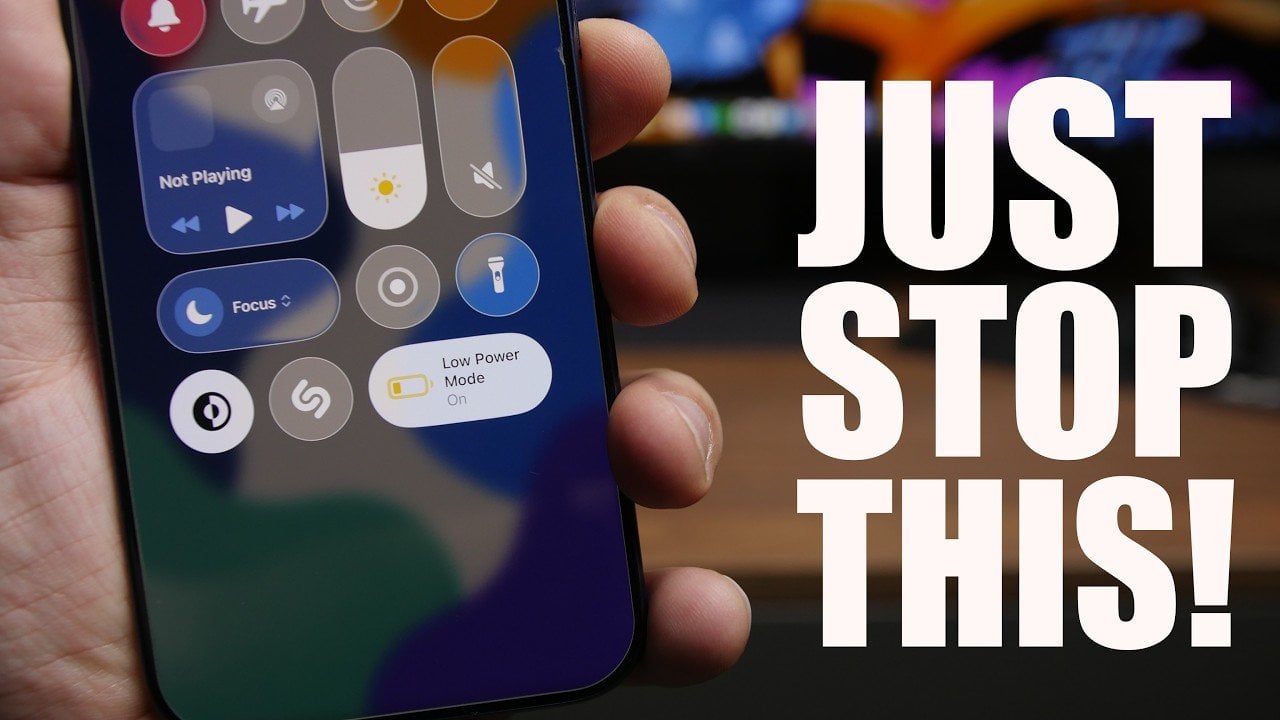
Low Power Mode is a valuable feature that helps conserve battery life when your charge drops below 20%. However, keeping it enabled for extended periods can have unintended consequences. This mode disables essential features such as background app refresh, email fetching and visual effects, which can reduce your device’s overall performance and limit its functionality.
What to do:
- Use Low Power Mode only when your battery is critically low.
- Turn it off once your device is sufficiently charged to restore full functionality and performance.
Storing Sensitive Data in the Notes App
The Notes app is a convenient tool for storing information, but it is not designed to securely handle sensitive data such as passwords, financial details, or personal identification numbers. Without advanced encryption, this information is vulnerable to unauthorized access, putting your privacy at risk.
What to do:
- Store sensitive information in the iOS Passwords app, which offers robust security features like Face ID, Touch ID, or passcode protection.
- Avoid using apps that lack encryption for storing critical data.
Neglecting Regular Reboots
Over time, your iPhone accumulates temporary files and system clutter that can slow down its performance and reduce storage efficiency. Regularly restarting your device clears these unnecessary files, refreshes the system, and helps maintain optimal functionality.
What to do:
- Restart your iPhone at least once a week to clear temporary files and improve overall performance.
Saving Screenshots Inefficiently
Screenshots taken in HDR (High Dynamic Range) format consume significantly more storage space compared to those in SDR (Standard Dynamic Range). If you frequently take screenshots, this can quickly lead to storage issues, especially on devices with limited capacity.
What to do:
- Switch to SDR format for screenshots to save storage space.
- Regularly review and delete unnecessary screenshots to free up memory.
Mismanaging Background App Refresh
Background App Refresh allows apps to update their content even when they are not actively in use. While this feature is useful for certain apps, it can drain your battery and consume system resources unnecessarily if left enabled for non-essential applications.
What to do:
- Navigate to Settings > General > Background App Refresh and disable the feature for apps that do not require real-time updates.
- Keep it enabled only for essential apps, such as messaging or navigation tools.
Manually Adjusting Brightness
Manually controlling your iPhone’s brightness can lead to excessive battery consumption and potential eye strain, especially in environments with fluctuating lighting conditions. Auto-brightness, on the other hand, dynamically adjusts the screen brightness based on your surroundings, optimizing both battery life and visual comfort.
What to do:
- Enable auto-brightness by navigating to Settings > Accessibility > Display & Text Size.
- Allow your iPhone to handle brightness adjustments for improved efficiency and usability.
Charging in Hot Environments
Charging your iPhone in hot conditions, such as under a pillow, on a car dashboard, or using a wireless charger in high temperatures, can cause the battery to overheat. Heat is one of the primary factors contributing to lithium-ion battery degradation, which can significantly shorten your device’s lifespan.
What to do:
- Always charge your iPhone in a cool, well-ventilated area to prevent overheating.
- Avoid using wireless chargers in hot environments or exposing your device to direct sunlight while charging.
Maximizing Your iPhone’s Potential
Your iPhone is a powerful and reliable device, but improper usage can compromise its performance, security, and longevity. By avoiding common mistakes such as overusing Low Power Mode, storing sensitive data insecurely, neglecting regular reboots, and mismanaging storage or background processes, you can ensure your device remains efficient and secure. Implement these practical tips to enhance your iPhone’s functionality, protect your data, and extend its lifespan for years to come.
Discover other guides from our vast content that could be of interest on iPhone Battery Optimization.
Source & Image Credit: iReviews
Filed Under: Apple, Apple iPhone, Guides, Top News
Disclosure: Some of our articles include affiliate links. If you buy something through one of these links, Geeky Gadgets may earn an affiliate commission. Learn about our Disclosure Policy.


