Summary
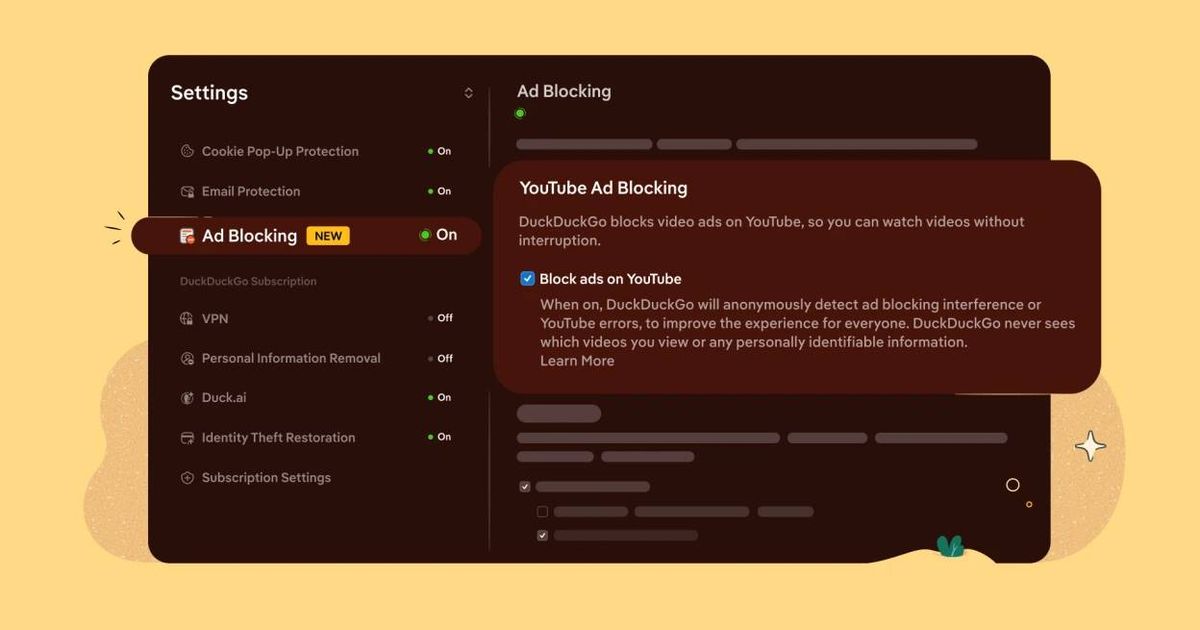
- YouTube Ad Blocking is live: DuckDuckGo blocks ads that play before and during videos, based on open-source community filter lists from uBlock Origin, with its own compatibility rules added on top.
- On by default for iOS, Windows, and Mac: Android doesn’t have it enabled by default yet — but you can turn it on manually by navigating to Settings and selecting YouTube Ad Blocking.
- Works on YouTube’s full website, not a stripped-down player: Watch history, playlists, and account features remain fully functional.
- One catch for mobile users: YouTube links may still open in the official YouTube app by default — where the ad-blocking feature will not work. You need to open YouTube in the DuckDuckGo browser.
- This is different from Duck Player: Duck Player is DuckDuckGo’s built-in video player that opens YouTube videos in a distraction-free theater mode. YouTube Ad Blocking is a separate, complementary feature.
What This Actually Is
Viewers may see longer buffering times when using the blocker — a known trade-off as the browser filters ad requests before playback starts. Once the video loads, mid-roll interruptions should be absent.
The Google Response Question
Google periodically updates YouTube to render ad-blocking ineffective — which is typically countered by ad-block developers soon after — or even slows down the site or breaks the page if it detects ad-blocker use. DuckDuckGo’s approach is more deeply integrated than a browser extension, but it faces the same cat-and-mouse dynamic. Google has the tools and motivation to break this — the question is when, not if. Google has not commented publicly on DuckDuckGo’s announcement.
The Bigger Picture
I suppose the honest caveat is straightforward: this works until Google decides to break it. For now, it works.


