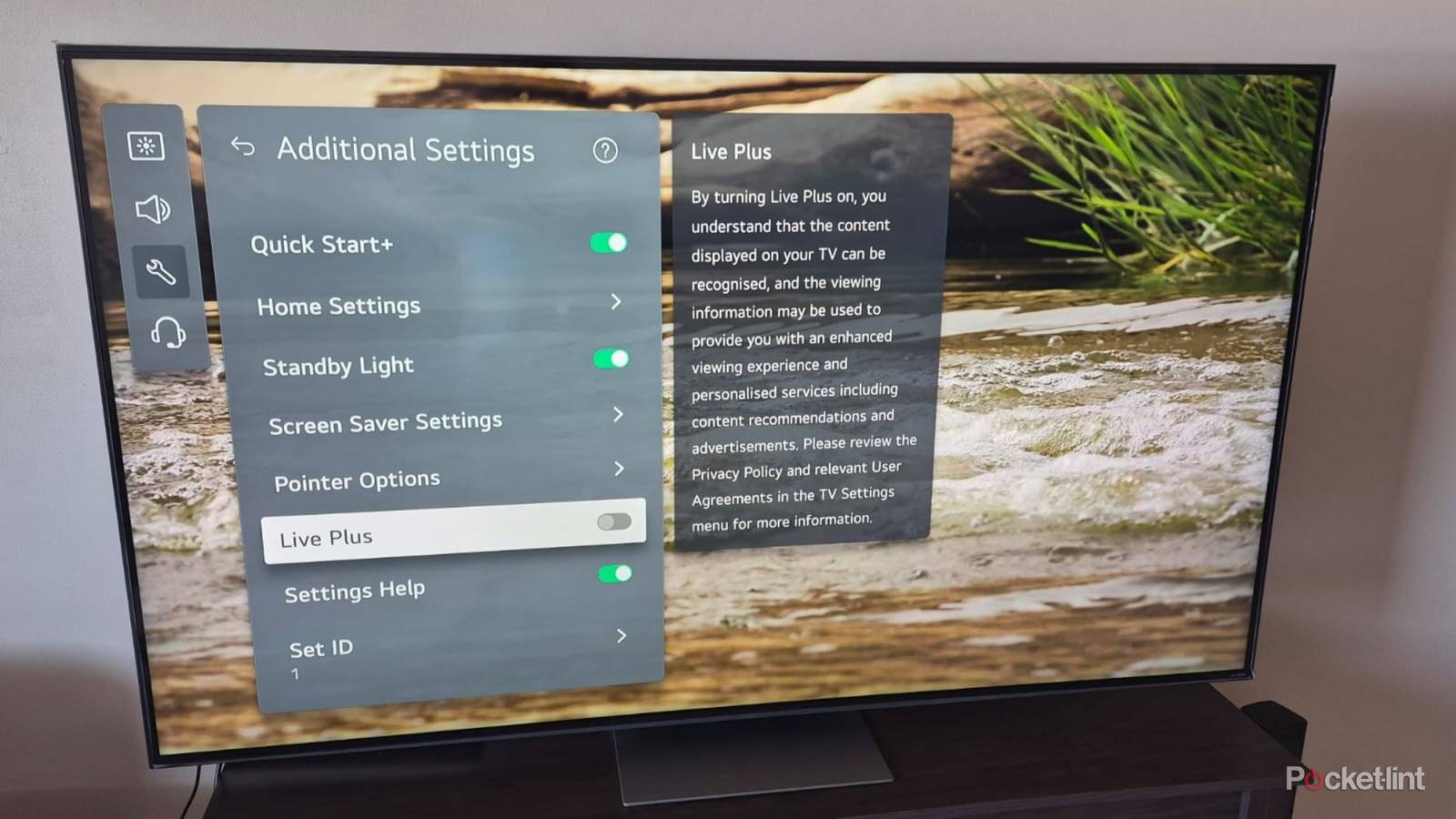
I immediately change these settings on a new TV to boost the picture quality and improve the sound. I also disable some TV features to prevent my viewing data and other personal information from being gathered and shared with third parties.
These changes are necessary because the out-of-the-box settings dial up the brightness and contrast and enable features like motion smoothing, which I don’t like. I also don’t like my TV snooping on me and using my internet bandwidth for dubious purposes. These are the settings I change on any new TV.
Picture Modes
Customize your image quality
My TV offers various picture modes to choose from, and I try to find the best one to handle different content. Some modes, like Vivid and Standard, are too cool and give the picture an unnatural whitish tinge. I prefer settings like Cinema or Filmmaker mode, which provide a warmer, more natural look.
I prefer settings like Cinema or Filmmaker mode, which provide a warmer, more natural look.
My LG TV includes a Personalized Picture Wizard tool to help me decide which settings to use. It asks me to choose the images I prefer from various sequences and then creates a new personalized picture mode based on my choices. I can easily change from the stored custom profiles to the default ones in the settings menu. This feature isn’t bad, but I still prefer using manual settings.
Energy-Saving
You don’t need it

A TV’s energy-saving settings play a huge role in how bright it can get. I can choose between Minimum, Maximum, Medium, and Auto energy-saving settings on my LG TV. The Maximum setting dims my screen and disables the individual brightness setting.
A TV’s energy-saving settings play a huge role in how bright it can get.
The Auto setting is interesting because it adjusts the brightness depending on my room’s ambient lighting. It also lets me set the minimum brightness to mitigate its aggressiveness. I prefer to disable the energy settings entirely to ensure the best performance at all times. I can always manually adjust the brightness to my liking if I feel like it.
Sound Settings
Clearer voices with less background noise

I prefer using a soundbar or surround sound system to enhance my TV’s audio quality. If I don’t have them, I still tweak my TV’s sound settings for optimal performance.
I can choose presets, like Music, Cinema, and Standard, depending on what I’m watching. Music is fine for watching concerts or playing songs on YouTube. I prefer the Clear Voice Pro mode for watching movies and shows. This mode separates and enhances the voices, so other sounds don’t overpower them. I also ensure the DTV settings are set to automatic, so the TV selects the best audio format based on the source.
Motion Smoothing
Makes visuals worse

Motion smoothing inserts extra frames into my video content to reduce motion blur. For example, most movies are shot at 24 fps, and motion smoothing will add extra frames to increase them to 40 or 120 fps. This effect might work well for fast-paced sports, but it creates the unnatural “soap opera” effect in movies and shows, and ruins immersion.
This effect might work well for fast-paced sports, but it creates the unnatural “soap opera” effect in movies and shows.
Like most settings, I can select presets, like Natural, Smooth Movement, or Cinematic Movement. There’s often a User Selection option with manual de-judder and de-blur options. I prefer to keep motion smoothing disabled to keep the picture looking natural.
I also ensure the Black Frame Insertion setting (BFI) is off. This setting inserts individual black images between frames to reduce motion blur. I find the constant flickering irritating and think it ruins my viewing experience.
Disable privacy risks
Don’t take chances

Automated Content Recognition (ACR) is probably the biggest privacy risk hiding in your TV. This feature tracks your viewing habits and takes snippets of what’s on your screen. These snippets are then compared against a massive content library to create a record of what you’re watching and its duration.
The content is then uploaded to external servers, where it’s analyzed and used for targeted ads, content recommendations, and audience tracking. ACR has different names depending on your TV brand. I always disable it because it offers no benefits and poses a privacy risk.
TV brands conveniently tick user-agreement options I don’t want by default, and it’s easy to forget about them later.
I also scrutinize any agreements to see if anything is hiding in the fine print. Many TV brands conveniently tick user-agreement options I don’t want by default, and it’s easy to forget about them later. These include things like voice information agreements, which give brands access to my voice commands, which they can share with third parties, and marketing agreements, which open the door to unwanted pop-ups and other ads. I examine each user agreement clause and opt out of anything that isn’t compulsory.


