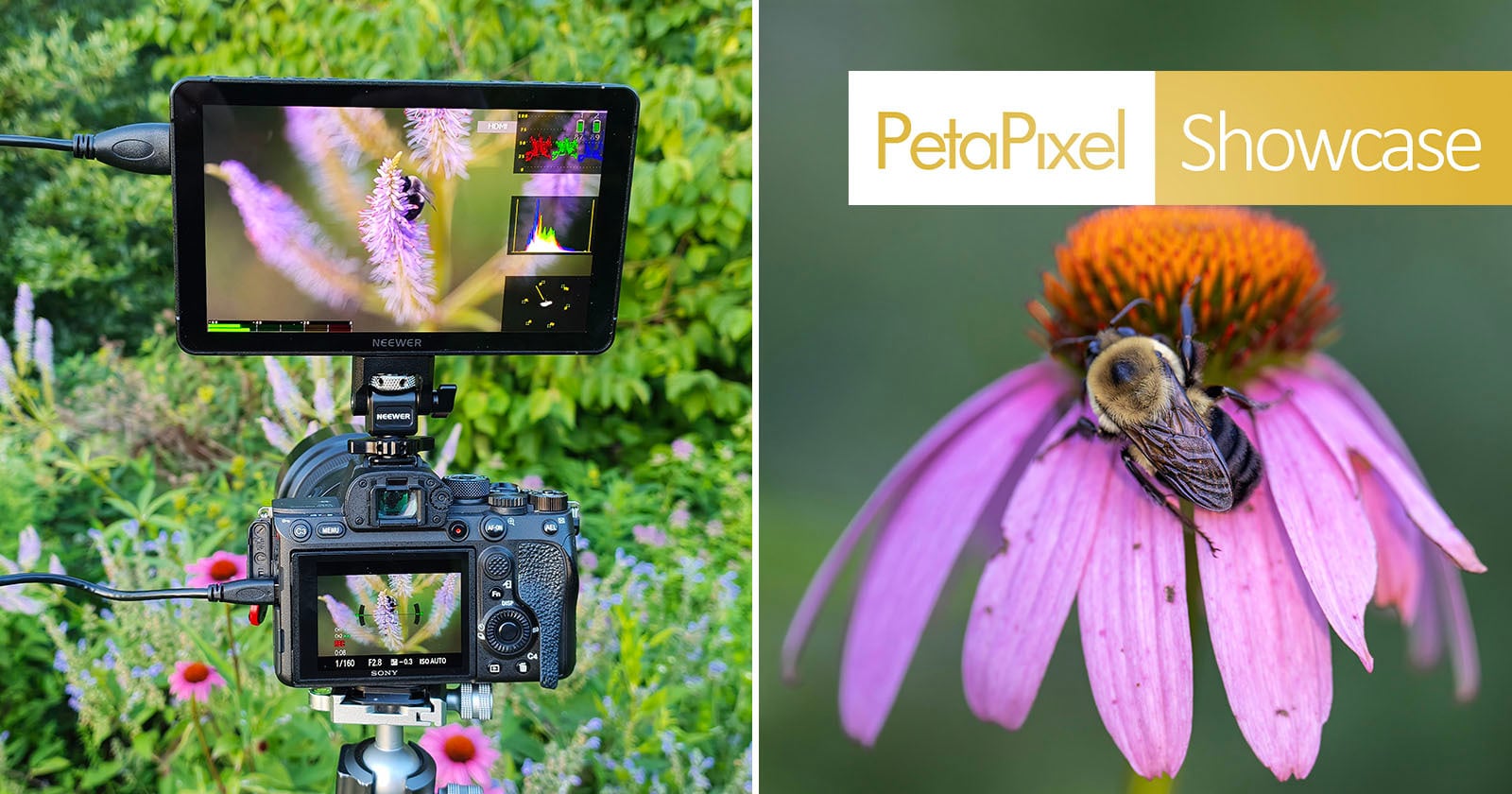
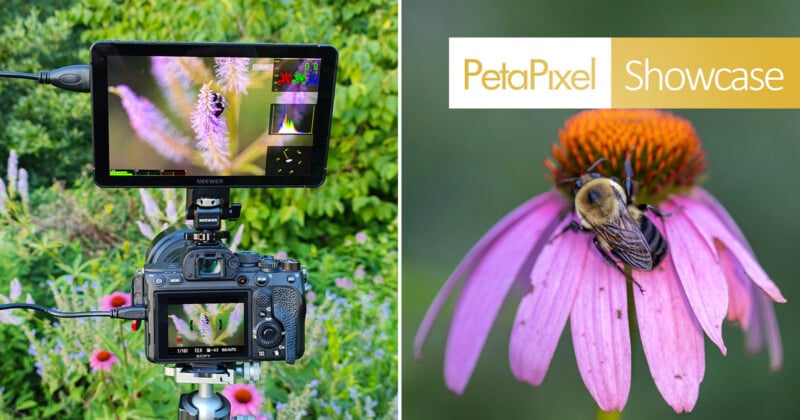
Field monitors have long been considered an essential tool for videographers, but they’re becoming increasingly useful for photographers as well. For this hands-on showcase, I spent time using the Neewer F700U during both photography and video sessions to see whether adding an external monitor to my kit would genuinely improve my workflow or simply become another accessory to carry.
The Neewer F700U is built around a 7-inch OLED touchscreen with a Full HD (1920 × 1080) resolution, 1,200 nits of brightness, a 100,000:1 contrast ratio, 10-bit color depth, and viewing angles exceeding 160 degrees. It supports both HDMI and 3G-SDI input and output, includes professional monitoring tools such as focus peaking, false color, waveform, vectorscope, zebras, audio meters, HDR preview, and custom LUT support, while offering multiple power options through NP-F batteries, USB-C, or DC input. While these specifications make it an attractive option for video creators, I was particularly interested in seeing how it would perform as a photographer who frequently shoots landscapes, wildlife, macro subjects, and outdoor content.
First Impressions
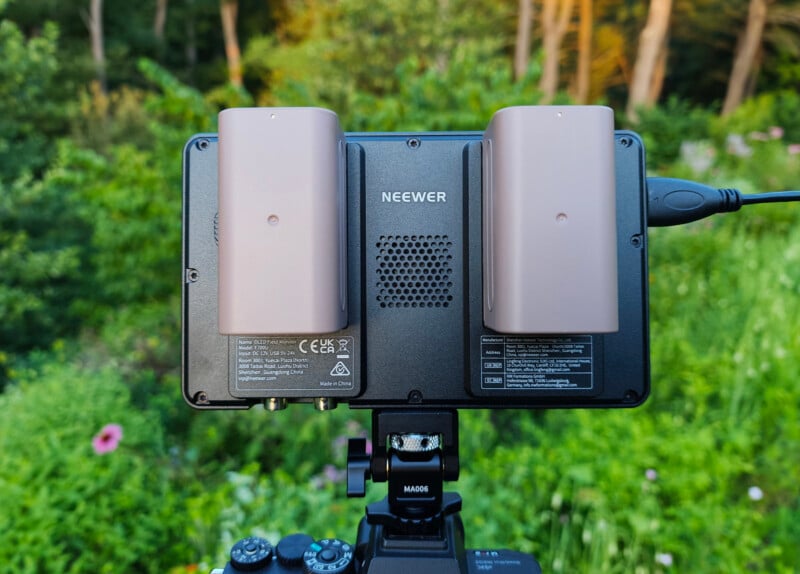
The first thing I noticed after taking the F700U out of the box was its size and weight. Measuring 7.1 x 4.2 x 1.1 inches (180 x 107 x 29 millimeters), it’s a substantial monitor with two included batteries for the 7-inch OLED touchscreen display. It weighs 15.7 ounces (445 grams) on its own, increasing to 23.1 ounces (654 grams) with one NP-F750 battery or 30.2 ounces (857 grams) with both batteries installed.
With both included batteries attached, I initially questioned whether the monitor would feel too heavy sitting on my camera’s cold shoe. It certainly feels more substantial than many smaller field monitors, and my first impression was that it might become cumbersome during longer outings.
Fortunately, those concerns were balanced by the benefits of the larger screen. Often, my video and even some of my photo work is done from a tripod, where the tripod, rather than my hands, supports the added weight. Likewise, many videographers build their cameras around cages, top handles, microphones, wireless transmitters, and other accessories, making the monitor feel like a natural part of a larger production setup instead of an awkward addition.
The monitor itself feels well made, with mounting points on both the side and bottom for horizontal or vertical mounting. Physical shortcut buttons complement the responsive touchscreen, providing quick access to commonly used tools without constantly diving through menus.
The F700U also includes a built-in cooling fan designed to help manage heat during extended use. Since fan noise can be a concern when recording video, I was paying close attention to whether it would become noticeable during operation. Throughout my testing, I never once heard the fan, even while hiking with the monitor during a heat wave with temperatures exceeding 100°F (37.8°C). For video creators who need quiet operation while recording audio, the near-silent performance of the cooling system is a welcome advantage.
A Larger Screen Makes a Bigger Difference Than I Expected
The biggest surprise during testing wasn’t one specific feature. It was simply how much easier a larger display makes evaluating your work while you’re still on location.
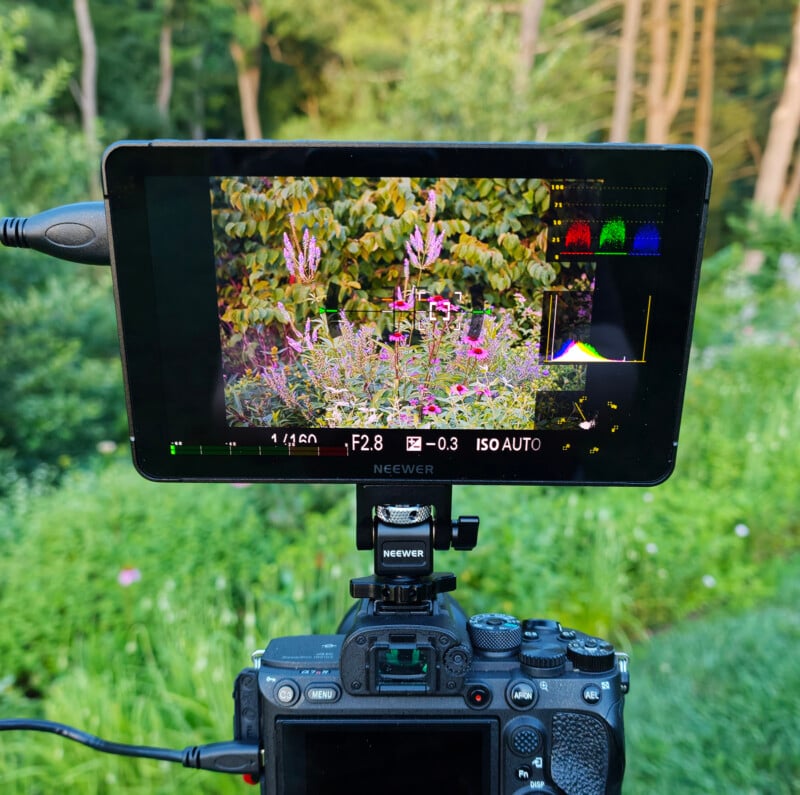
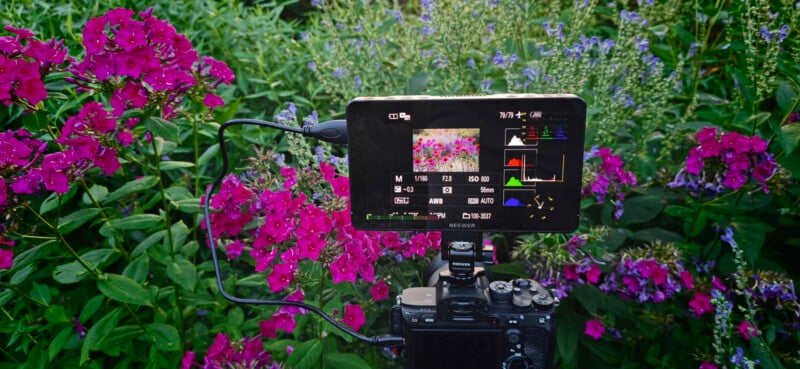
Coming from the relatively small LCD on the back of my camera, the 7-inch OLED display made an immediate difference when checking focus, composition, and overall image quality. Fine details that can sometimes be difficult to judge on a camera screen became much easier to evaluate, particularly when photographing shallow depth of field subjects.
As photographers, we’ve all experienced the frustration of getting home, loading images onto a computer, and realizing focus landed just behind an eye or that a slight adjustment to composition would have created a stronger image. Even after years of photographing professionally, those moments still happen.
The F700U doesn’t replace reviewing images on a calibrated monitor back at the office, but it does provide significantly more confidence while you’re still in the field. Having that larger display allowed me to make small compositional adjustments and verify critical focus before moving on to the next subject.
A Natural Fit for Macro Photography
While I tested the monitor across a variety of subjects, macro photography quickly became the area where I appreciated it the most.
My primary camera uses a tilting rear LCD rather than a fully articulating display. While that works well for creating horizontal footage, it becomes limiting when photographing subjects close to the ground, particularly if I’m composing vertically. Flowers, mushrooms, insects, and other macro subjects often require awkward camera positions where the rear LCD isn’t visible from a comfortable angle.
The F700U solved that problem almost immediately.
One of my favorite tests involved creating footage of bumblebees moving between wildflowers. Working with a shallow depth of field meant the focus plane was incredibly thin, and the bees were often on the move collecting nectar, grooming, and interacting. The larger 7-inch OLED display made it significantly easier to confirm that focus was landing exactly where I wanted it, allowing me to maintain pinpoint focus on the bee while still using a wider aperture to create the soft, natural background separation I prefer.

This was especially helpful because macro subjects rarely stay perfectly still. Instead of relying on a small camera LCD and hoping the focus was accurate, the larger display gave me the confidence to make precise adjustments in real time and continue following the bees as they moved throughout the flowers.
Being able to position the monitor independently from the camera also made low-angle compositions considerably easier while still allowing me to accurately judge focus throughout the frame. It encouraged me to experiment with camera positions I may have otherwise avoided because I could actually see what I was composing instead of trying to guess based on my camera’s rear LCD.
By the end of testing, I found myself reaching for the monitor specifically when photographing macro subjects, and I can already see it becoming a permanent part of that workflow moving forward.
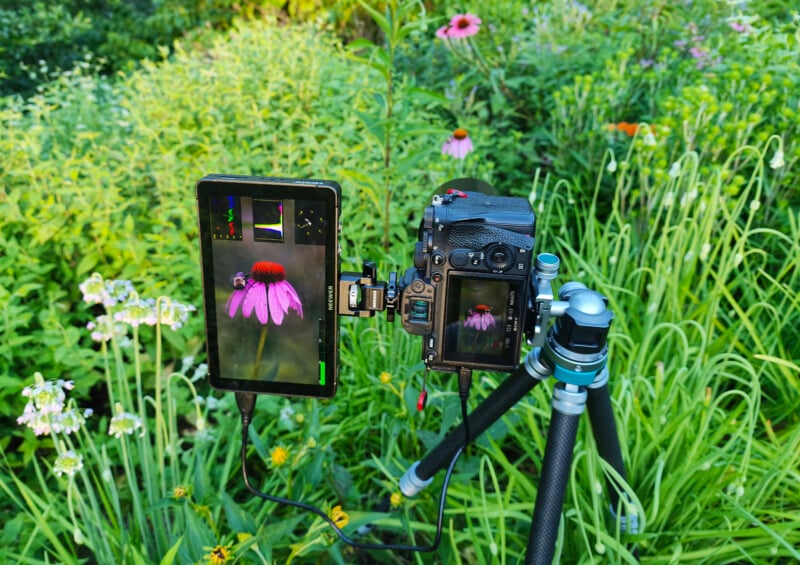
OLED Display Quality
The OLED display is unquestionably the highlight of the F700U.
The combination of deep blacks, excellent contrast, and vibrant colors gives the monitor a noticeably richer image than a typical rear camera LCD. The 100,000:1 contrast ratio helps subtle tonal transitions stand out, while the Full HD resolution keeps details looking crisp when checking focus.
The rated brightness of 1,200 nits also proved more than adequate during my outdoor testing. The F700U supports both manual and automatic screen brightness adjustment, allowing users to fine-tune the display depending on their shooting environment. While automatic adjustment can be convenient when moving between different lighting conditions, I personally preferred manually setting the brightness to maintain a consistent viewing experience while evaluating exposure and focus for testing.
Even in brighter conditions, glare was surprisingly well controlled. On the occasions where reflections became noticeable, simply adjusting the monitor’s angle slightly restored a clear view of the display.
Out of the box, I did feel the image appeared slightly oversharpened for my personal preference. Fortunately, this took only a few seconds to correct by reducing the sharpness within the monitor’s settings. Once adjusted, the display felt much more natural, and I never found myself needing to revisit those settings again.
I also enjoyed the larger screen with its adjustable brightness when working in low light situations. Being able to increase or decrease the display brightness depending on the environment made it easier to maintain a comfortable viewing experience whether shooting outdoors during the day or working in darker conditions.
Professional Monitoring Tools
While photographers will immediately appreciate the larger display, videographers will likely spend more time exploring the F700U’s extensive collection of monitoring tools.
The monitor includes focus peaking, false color, zebra patterns, waveform, vectorscope, histogram, HDR preview, monochrome display, audio meters, anamorphic support, and pixel-to-pixel viewing for critical focus evaluation.
Focus peaking quickly became one of my most-used tools, particularly during macro photography where even slight focus shifts can dramatically change the final image.
The F700U also includes 15 built-in 3D LUTs while supporting up to 60 custom LUTs loaded through the SD card slot. While the included LUTs are useful, I generally recommend loading your own grading LUTs whenever possible to maintain consistency between what you’re seeing on the monitor and your editing workflow later.
Navigation throughout the menus is straightforward. The touchscreen is responsive, and the three programmable function buttons make frequently used tools easy to access without slowing down the shooting process.
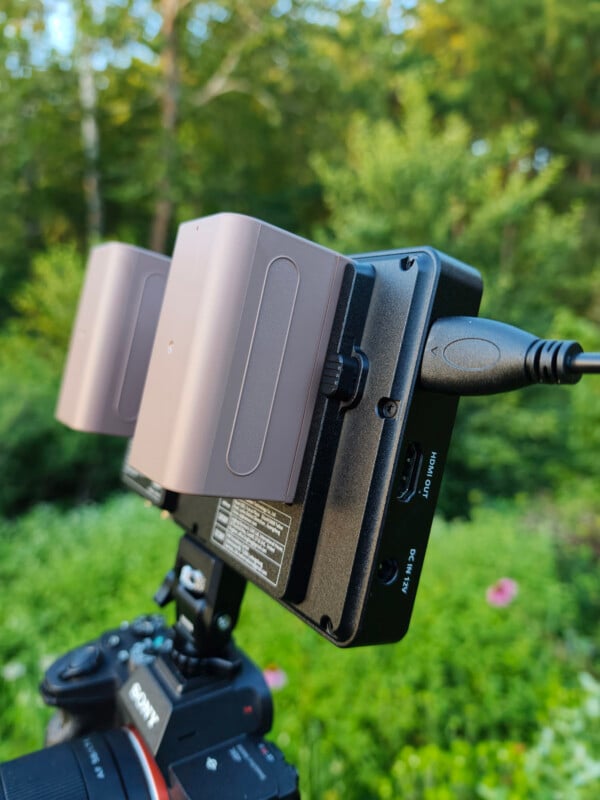
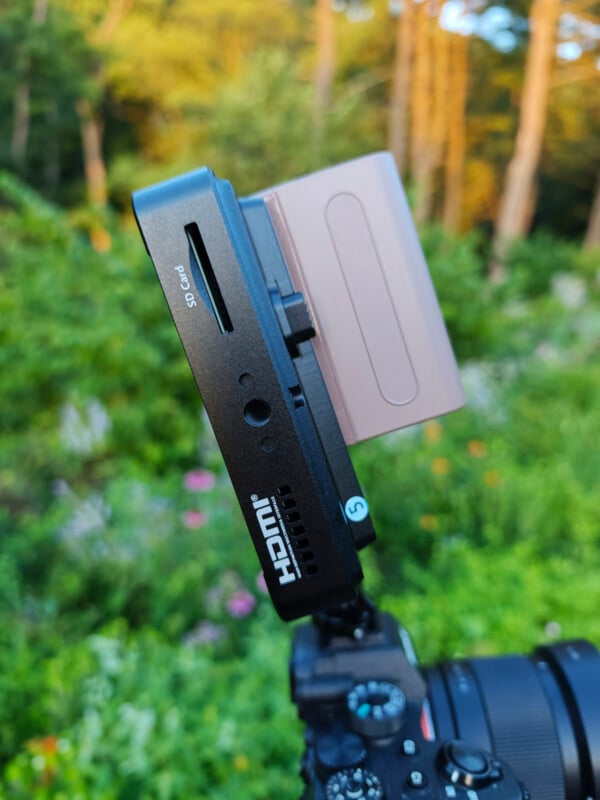
Connectivity and Power Options
The F700U offers a level of connectivity that makes it suitable for everything from solo creators to more advanced production environments.
HDMI input and loop output make it easy to connect to most mirrorless and DSLR cameras while supporting 4K signal input, allowing footage to be viewed on the monitor and simultaneously passed through to a second display or recorder. The addition of 3G-SDI input and output further expands compatibility into more professional video workflows. Even if many photographers never use SDI, it’s a welcome inclusion that adds flexibility for future projects or mixed-camera productions.
Another welcome feature is the built-in 3.5mm headphone jack, which enables real-time audio monitoring directly from the monitor. For videographers recording interviews, events, or other productions where audio is just as important as the image, having a convenient way to monitor sound without relying solely on the camera is a valuable addition.
Power options are equally versatile. The monitor can be powered using the included NP-F750 batteries, through a DC power adapter, or directly via USB-C using a compatible 5V/3A charger or PD power bank. Having multiple powering options makes it easy to adapt whether shooting in the studio, on location, or while traveling.
Although the monitor ships with two batteries, only one is required for operation. While a single battery is enough to power the F700U, I preferred using both batteries installed during my testing because the added weight helped balance the monitor when mounted on my camera setup. For photographers or videographers working in a studio environment, having two batteries is also convenient because one can be charging while the other is in use, helping ensure you always have a ready power source available.
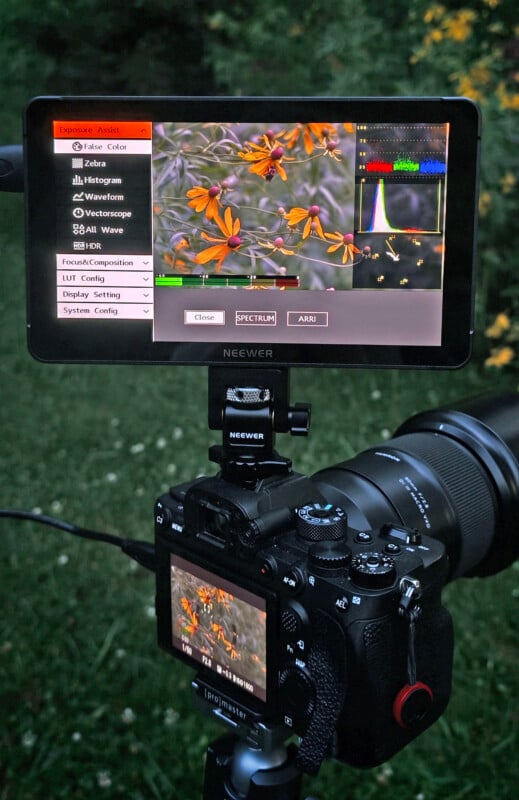
Working in the Field
One of the things that impressed me most was how quickly the monitor became part of my normal workflow.
Initially, I was conscious of the additional size mounted above the camera. After only a short time, however, that awareness disappeared as the advantages became much more apparent than the extra weight.
The larger display encouraged me to slow down slightly and evaluate my compositions more carefully before pressing the shutter. It became easier to verify focus, fine-tune framing, and review lighting while remaining on location rather than hoping everything looked right once I returned home.
I also appreciated how little glare I experienced while working outdoors. Combined with the excellent contrast of the OLED panel, the monitor remained comfortable to use throughout the day.
Perhaps the biggest compliment I can give the F700U is that it quickly stopped feeling like a review product and started feeling like another piece of gear I simply expected to have available.
Things to Consider
No product is perfect, and there are a few areas where I think the F700U could be improved.
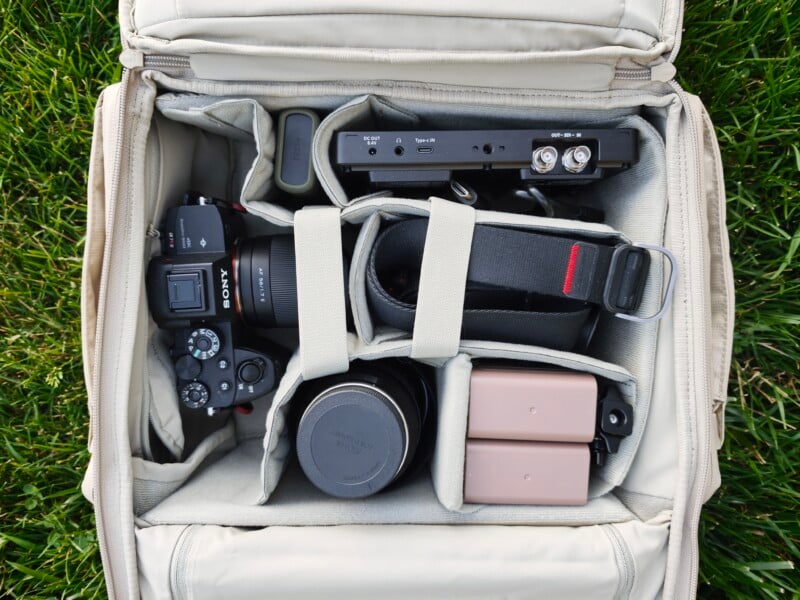
My biggest criticism is the lack of a dedicated carrying case. Considering the quality of the display, I would have liked to see Neewer include a padded pouch for transporting the monitor and its accessories. Since I frequently hike with my equipment, I found myself wanting additional protection against scratches while the monitor rode alongside lenses and other gear inside my backpack.
The included HDMI cable also works perfectly well but feels a little cumbersome for handheld shooting. During testing, I found it easier than expected to accidentally disconnect while moving around. I’d recommend investing in a shorter coiled HDMI cable, which would create a cleaner setup and reduce strain on both the monitor and camera ports.
I also noticed a brief delay or pause on my Sony a7R IV when switching between certain camera modes while using the F700U. For example, changing from Manual exposure mode to Aperture Priority mode or switching into the camera’s playback menu to review images would cause the monitor feed to briefly go black before returning. The interruption was only momentary and did not affect normal shooting, but it is something to be aware of when quickly changing settings or reviewing images while the monitor is connected.
Fortunately, these were relatively minor observations and didn’t take away from the overall experience.
I’m Now a Believer in External Monitors
Before spending time with the Neewer F700U, I never considered an external monitor to be an essential part of my photography kit. After working with it over multiple shoots, my perspective has changed.
The larger OLED display, thoughtful feature set, responsive touchscreen, and professional monitoring tools all contribute to a much more confident shooting experience. More importantly, the monitor solved genuine workflow challenges, particularly during macro photography and low-angle compositions where my camera’s rear LCD often becomes limiting.
While videographers will undoubtedly appreciate features such as waveform monitoring, SDI connectivity, audio monitoring, and LUT support, I think photographers may be pleasantly surprised by how much easier a field monitor makes evaluating composition and critical focus before leaving a location.
There are certainly a few things I’d like to see improved, most notably the inclusion of a carrying case and a more field-friendly HDMI cable. However, those are relatively small criticisms in what is otherwise a thoughtfully designed monitor.
By the end of my testing, I wasn’t simply impressed by the F700U. I had already decided it would become a permanent addition to my camera bag, particularly for macro photography, low-angle work, and video projects where a larger, brighter display makes all the difference.
Pricing and Availability
The Neewer F700U OLED 7-inch Camera Touch Screen Monitor retails for $360. The package includes the monitor, two 4,400mAh NP-F750 batteries, an adapter mount, a USB-A to USB-C cable, HDMI to HDMI, HDMI to Mini HDMI, and HDMI to Micro HDMI cables, making it ready to use right out of the box.
Image creditsPhotographs by Kate Garibaldi


