For as long as we’ve taught programming, the student’s code has provided a window into the students’ thinking. Errors, the code structure, the awkward working solution—all of it showed how someone reasoned and where they got stuck.
It was never a clean window. Students have always copied, crammed, and borrowed, sometimes turning in work they didn’t fully understand. But the code still left clues. Generative AI has changed that: A finished program now tells us more about a student’s prompts than their ideas. And here’s the part that should unsettle us—often, the better the code looks, the less we can say about what the student actually learned.
This raises a bigger question: If AI can write code, should we still teach coding? I believe the answer is yes, at least for some students and situations. But that’s another topic. Here, I want to focus on the next step: If we continue teaching coding in a world with AI, how can we know if students are really learning?
Some schools have responded by trying to catch students. They use AI detectors, surveillance tools, locked-down browsers, stricter rules, and clearer honor codes. This has also led to more suspicion.
Some of these responses make sense. Teachers want to protect learning, and schools want to keep things fair. But using detection as the main way to assess students is weak. Stanford researchers found that popular AI detectors often falsely flagged writing by nonnative English speakers, with 61.22% of TOEFL essays in one study marked as AI-generated. OpenAI even retired its own AI Text Classifier in 2023 because it wasn’t accurate enough. If the company that created the tool can’t reliably detect AI, it’s probably not a good idea to base your honor code on it.
But detection isn’t the real issue. Even if we had a perfect detector, we’d still be asking the wrong question. Instead of asking, “How do we stop students from using AI?” we should ask, “How do we teach coding in a world with AI, making use of its benefits, while still being able to see if students are learning?”
Borrowing from the studio
We’re seeing this challenge with students at AET, the Arts and Entertainment Technologies Department at the University of Texas at Austin. Although my usual home is Computer Science, it so happens that AET is within the College of Fine Arts at UT, which offers many other ways to learn and assess: studio work, critique, rehearsal, revision, and performance.
In the arts, the final piece has never been the whole story. A painting doesn’t explain the choices behind it. A performance doesn’t reveal the rehearsals. A design board doesn’t show the discarded versions. A composition doesn’t tell you where the student struggled or what they finally learned to hear.
Art education has developed practices that focus on visible progress. Students bring in sketches and drafts, discuss influences, revisions, and failures, and rehearse, perform, and critique each other’s work while it’s still in progress.
At AET, we teach creative coding, which means programming to create art, design, games, or experiences. That doesn’t mean coding for poets. Our students—game designers, web developers, and programmers—start from scratch and learn advanced concepts in tools like Processing and p5.js. In the creative coding tradition, a program is often called a sketch, borrowing the term from the art world. It means something temporary, exploratory, and open to change—something you make, test, revise, and share.
So in creative coding, we were already leaning toward the studio model of sketches, experiments, iterations, and critique. Now we’re pushing that further as we rethink how we teach coding in an AI world. Here are three things we’re already using or actively developing.
Make the work public
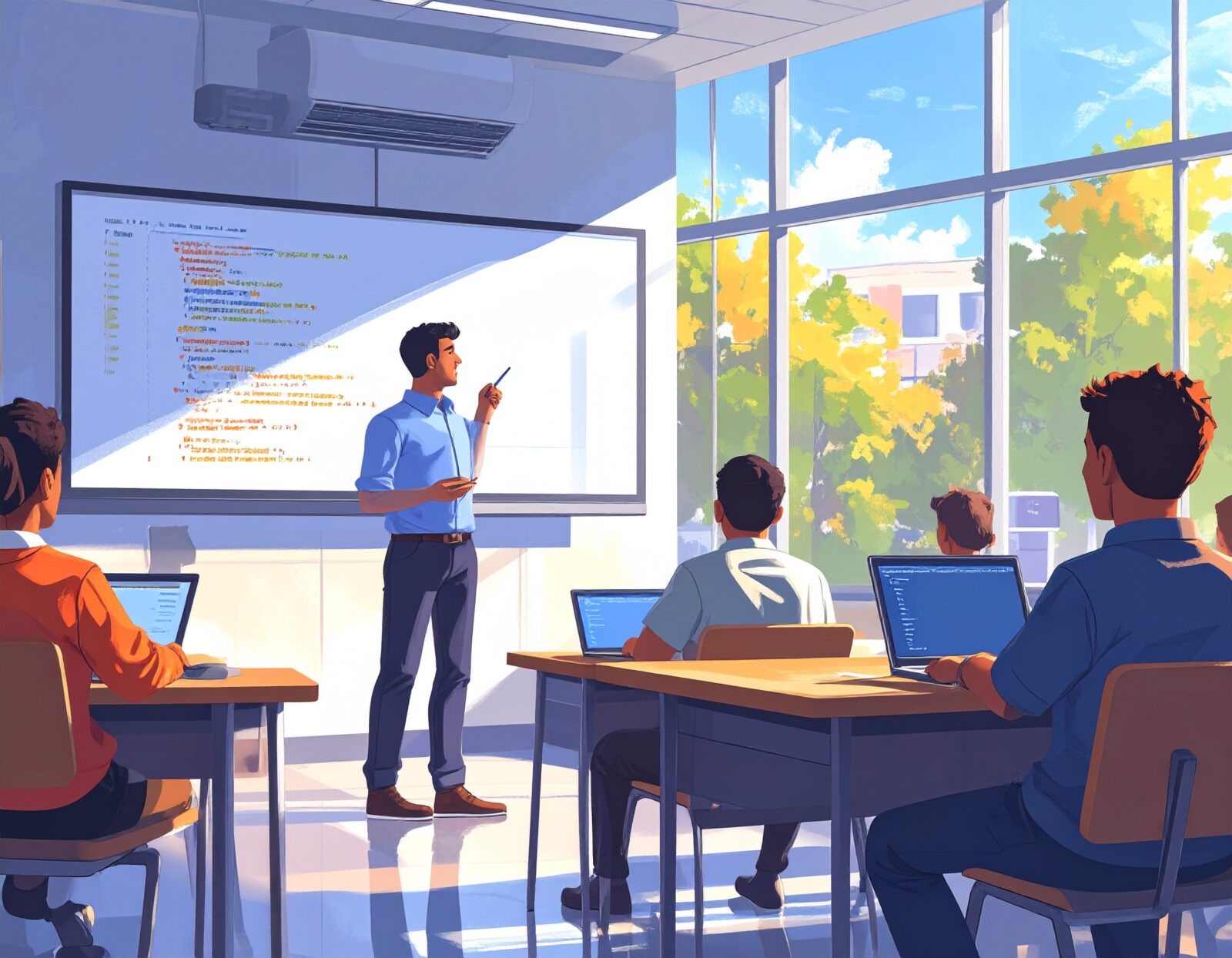
We run the class like a studio. It’s not that work never happens at home, but the most important work needs to be seen in the classroom. Students show their code, including false starts, revisions, the choices they made, and the reasons behind them. Assignments are no longer just things you submit—they become projects you develop in public.
AI isn’t banned from the classroom. Instead, it’s treated as a helpful assistant to learn from. Students share prompts and techniques. They use AI, Google, Stack Overflow, classmates, or any other resources.
But you still need to take responsibility for your work. If you submit or present it, you must explain what the code does, why you made those choices, and how it works. If I need to ask your AI to understand your code, something is wrong. Getting help is fine, but hiding behind that help is not.
You can’t outsource to AI what the whole room watched you build.
A real studio needs students talking out loud together in the room every day. This also helps with another issue that isn’t about AI. Many people say students today are quieter than in the past. While this is mostly based on stories rather than long-term studies, these stories are common and consistent. Faculty on all types of campuses talk about silent classrooms and students who hesitate to speak up, especially since 2020.
Whatever the reason, this silence can be changed, and the solution is the same as for AI challenges: encourage students to participate. Communication is one of the most important skills in any career, including explaining ideas, defending choices, and persuading others in real time. Students don’t develop these skills by just submitting AI-guided work online. When they share their work publicly, it not only prevents AI misuse but also helps them build the skills they need most.
Invert the roles: AI as teacher and assessor
We know the usual pattern: A student asks, AI answers, and the student copies. We’ve tried to invert this. In our new approach, the AI works with the student on a set of topics, engages them in a conversation they must navigate, and ultimately assesses how well they understand the material, which leads to a grade.
This idea has a research background that goes back before ChatGPT. Teachable-agent systems like Betty’s Brain showed that explaining—even to a software agent—forces students to organize their knowledge, make connections clear, and find gaps. Our model uses this insight differently. The student isn’t teaching the bot. Instead, the student is having a conversation with it, learning, discussing, debating, and showing what they understand.

How did we do this? With fairly simple prompt engineering, we created an avatar chatbot of Vera Molnár (1924–2023), a pioneer of algorithmic art. The bot takes on Molnár’s role, drawing students into conversations about randomness, computation, generative art, and creative choices. Her practice sits exactly where creative coding students need to think: between rule and variation, system and choice, computation and visual judgment.
A system prompt sets the topics and types of questions to ask. The bot goes through these with the student, asks for more detail on unclear answers, and keeps following up until there is proof of understanding. At the end, it reviews the conversation against a rubric, giving us a clear record of which ideas the student covered, where they struggled, and how well they improved.
Besides the assessment, which is often accurate, the transcript becomes a different kind of proof, showing what a typical assignment might hide. What did the student notice? What did they misunderstand? Could they connect the concept to the code? Could they defend their choices? Could they revise their explanation when challenged?
When we switch the roles, something surprising appears: the one thing a finished submission can’t show.
A student thinking out loud.
Make understanding performative: Make students perform
Programming has never really had a tradition of performance. Musicians have it, painters have it, and dancers have it. Live coding is starting to change that.
Every semester at AET, students from different disciplines stage an algorave together—short for algorithmic rave. Audio sets, projection pieces, game demos, lasers, drones, experience design. The creative coding class brings live visuals into the live-coding tradition: Code is written and modified in real time, the screen is projected, and the audience watches the editor change as the visuals respond to the music other students are playing.

No prerender. No hiding the machinery.
The Live Coding manifesto, written in 2004 by TOPLAP, includes a line that fits every AI-era assessment conversation: “Obscurantism is dangerous. Show us your screens.” This is not just a performance ethic; it’s also an assessment strategy.
A student walks on stage. The projected screen is their editor. The room can read it. The music starts. And they build up a line of code on screen like:
osc(18, 0.08, 1.2).modulate(noise(3), 0.25)
.rotate(() => time * 0.1)
.out()
This is JavaScript building visuals in real time. FFTs, chained functions, higher-order manipulations. When you’re manipulating code like that on stage, you’d better know what you’re doing.
AI can help you prepare. Good. Let it.
But once you’re on stage, the question shifts from “Can you copy and paste code?” to “Can you control it?” You can paste code into a file, but you can’t paste your way through three minutes of public debugging while the whole projection turns into a beige rectangle. In a live build, understanding has nowhere to hide.

Can you read the code, make changes on purpose, and recover when something unexpected happens? That’s fluency: knowing what to do next while the system is still running.
It is very hard to plagiarize panic.
A note on assessment
So far, our results are based on our own observations. We haven’t conducted a controlled study or compared different groups, so what we have seen might just be early variation rather than patterns that apply more broadly. For now, these efforts are experiments, not final answers.
Assessment in studio and live performance settings is always subjective and focused on people. It relies on monitoring students’ progress, providing feedback, and observing how they handle challenges. We do not plan to change this core approach.
For the Molnár conversation assignment, students discussed Molnár using an AI system. The AI then created a summary and analysis of each student’s understanding. Teaching assistants reviewed this analysis, conducted their own assessments, and assigned grades. In our small experiments, the AI’s assessments using the rubric matched closely with the teaching assistants’ own evaluations.
We also used AI to help grade the end-of-term coding assignment. In this project, students improved an object-oriented game by adding strategies like heuristics, search algorithms, and learned behaviors. Since our teaching assistants had limited experience with object-oriented programming, we developed a detailed rubric and had an AI model use it to evaluate each submission. The AI’s analysis was given to the teaching assistants as support. It helped them see how each project was structured, spot important OOP design choices, and use the rubric with more confidence. The teaching assistants still made their own grading decisions. I was available as the OOP expert for any questions they could not answer. From what I observed, this substantially helped the teaching assistants understand and grade the students’ OOP design work.
More broadly, both approaches appear to enable substantive feedback at a scale that would otherwise be difficult given our current student-to-teaching-assistant ratios.
The process is the proof
We spent the first two years of the generative AI panic asking how to catch students using AI—or prohibit it altogether. Wrong question.
The real question is whether the assignment gives students a real way to show and develop their understanding. This view isn’t limited to educators. NVIDIA CEO Jensen Huang recently argued that students should not focus on finding an “AI-proof” subject. Instead, he suggested they consider how AI can help them learn more deeply and develop their skills and sense of purpose. He highlighted storytelling, creativity, design, and judgment as abilities that will stay important even as AI takes over more tasks. This supports a key idea in coding education: The aim is not to prove you didn’t use any tools, but to help students show how they think, make choices, revise, and take responsibility for their work.
These three practices are experiments, not universal solutions. They work especially well in creative coding, where code already has a public, visual, and performative aspect. But they suggest a broader principle: As finished work becomes easier to generate, assessment needs to focus more on process, explanation, revision, and mastery.
This matters outside of school too. A polished memo no longer proves there was real thinking behind it. A working prototype no longer proves product sense. A passing pull request no longer proves the developer made the change carefully and thoughtfully. AI makes production easier, so evaluation must focus more on how people think, choose, revise, and recover—in code review, hiring, and performance management. The artifact is no longer the proof. The process is.
Generative AI didn’t make assessment impossible. It just made a hidden weakness obvious. We were putting too much trust in finished work. The arts always knew better.
Show us your screens.
Acknowledgements
Thanks to Mike Loukides, Michael Baker, Mk Haley, Elisabeth Robson, and Honoria Starbuck for feedback on this article.
References
OpenAI. “New AI classifier for indicating AI-written text.” OpenAI Blog, January 31, 2023. Updated July 20, 2023, to note the classifier was no longer available due to low accuracy.
Liang, Weixin, Mert Yuksekgonul, Yining Mao, Eric Wu, and James Zou. “GPT detectors are biased against non-native English writers.” Stanford HAI, July 10, 2023.
Winthrop, R. (2026, May 27). Writing with A.I. weakens your creativity. The New York Times.
TOPLAP. “TOPLAP Manifesto.”
Schell, J., Ford, K., & Markman, A. B. (2025). Building responsible AI chatbot platforms in higher education: An evidence-based framework from design to implementation. Frontiers in Education, 10, Article 1604934. https://doi.org/10.3389/feduc.2025.1604934
Biswas, Gautam, Daniel Schwartz, John Bransford, and the Teachable Agents Group at Vanderbilt. “Technology support for complex problem solving: From SAD environments to AI.” In Learning to Solve Complex Scientific Problems, 2001.
Leelawong, Krittaya, and Gautam Biswas. “Designing learning by teaching agents: The Betty’s Brain system.” International Journal of Artificial Intelligence in Education, 2008.
Tan, Huileng. “Jensen Huang Says It Doesn’t Matter What Kids Study in the AI Era.” Business Insider, May 26, 2026. https://www.businessinsider.com/nvidia-jensen-huang-what-kids-should-study-ai-education-advice-2026-5
DAM Digital Art Museum. “Vera Molnár.” Artist biography and timeline.


