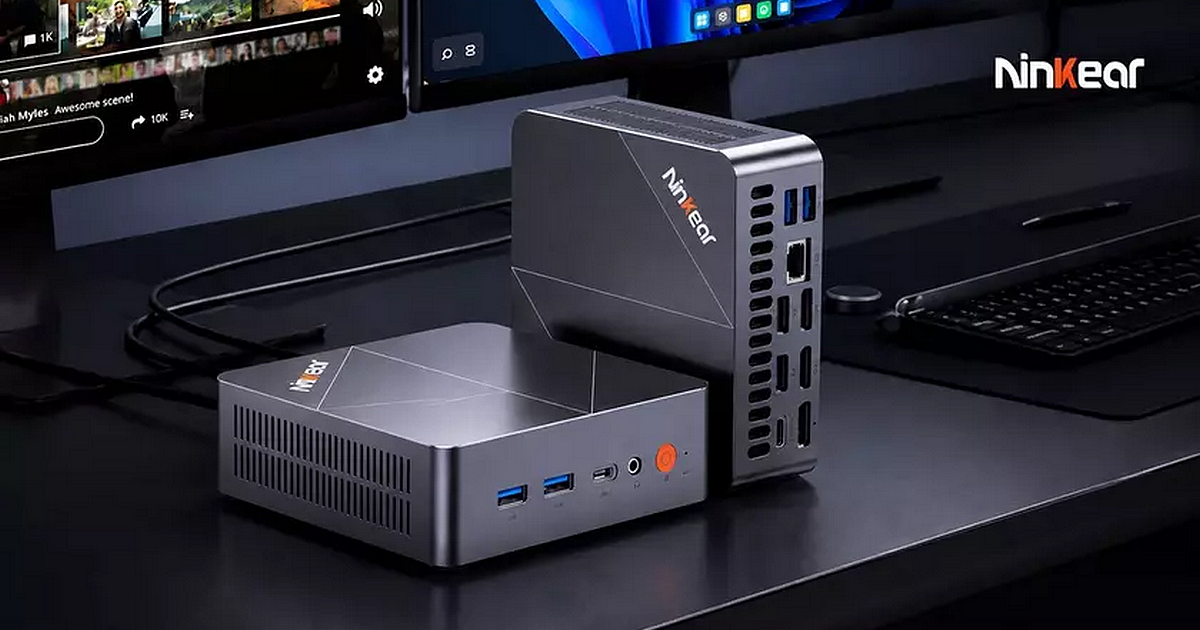
have come a long way from being simple low-power computers designed primarily
for web browsing and office work. The Ninkear L20 is a good example of
this evolution, packing Intel’s modern Core Ultra platform, dedicated AI
acceleration, and Arc graphics into an extremely compact 0.66-liter chassis.
the Ninkear L20 is powered by the Intel Core Ultra 5 226V, an 8-core, 8-thread
processor with boost speeds of up to 4.5GHz. It also features Intel Arc 130V
integrated graphics and an Intel AI Boost NPU, delivering up to 97
TOPS of combined AI performance.
Despite
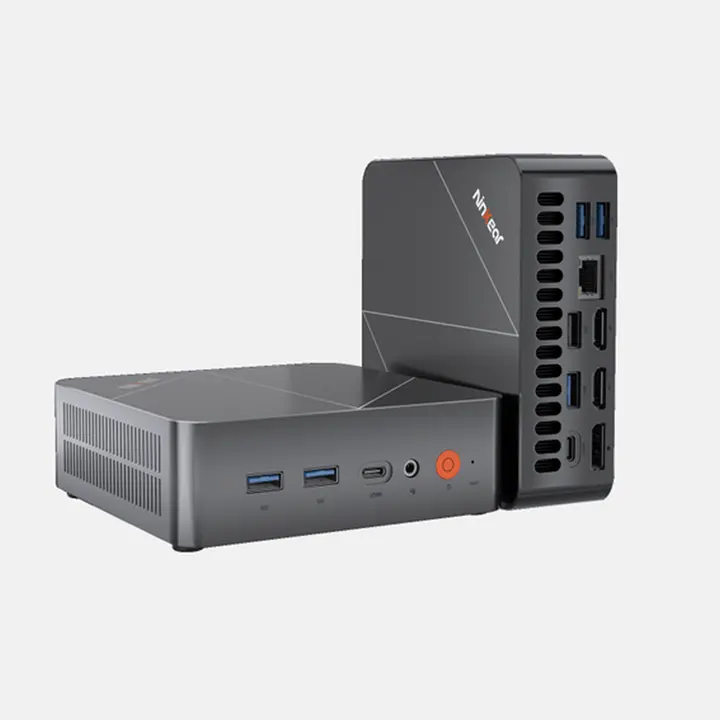
measuring only 129 × 129 × 43mm, the L20 offers a surprisingly complete
selection of ports, support for three displays, 2.5Gbps Ethernet, Wi-Fi 6,
Bluetooth 5.3, and two M.2 SSD slots.
Intel Core Ultra 5 226V Brings Lunar Lake To A
Tiny PC
One of the
major highlights of the Ninkear L20 is its Intel Core Ultra 5 226V processor. The
chip features eight cores and eight threads, with a base frequency of 2.1GHz
and boost speeds reaching 4.5GHz. It is manufactured using TSMC’s N3B process
and has a 17W TDP according to Ninkear’s specifications.
For a mini
PC, this is an appealing combination. Rather than using a high-power desktop
processor that would require a much larger cooling system, the L20 uses a
platform designed around efficiency.
That makes
the Core Ultra 5 226V particularly well suited to a machine that is only 43mm
thick.
The L20
should therefore have little trouble handling everyday productivity, web
browsing, office applications, programming, multimedia, and other workloads
that traditionally required a much larger desktop.
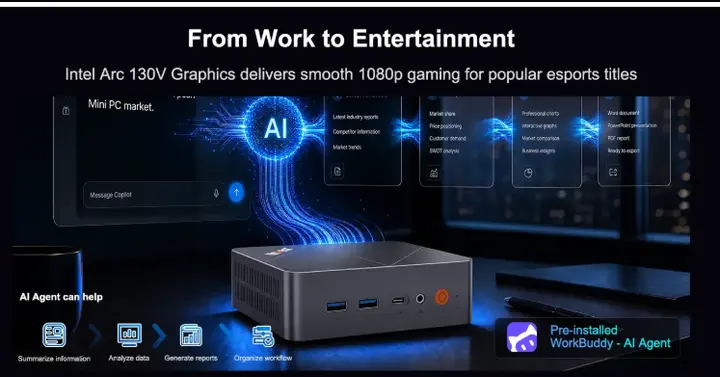
Intel Arc 130V Graphics
The
processor is paired with Intel’s Arc 130V GPU, giving the L20
substantially more graphics capability than the basic integrated graphics found
in many inexpensive mini PCs.
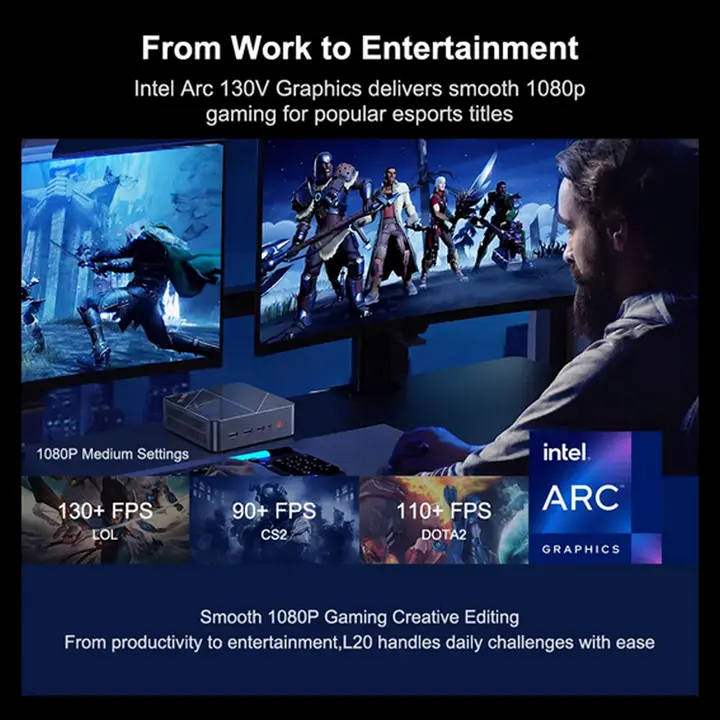
130V features seven Xe cores and operates at up to 1.85GHz. This makes the L20
more versatile than a conventional office mini PC. It can handle creative
applications, multimedia workloads, hardware-accelerated video processing, and
1080p gaming in appropriate titles and settings.
Naturally,
buyers should keep expectations realistic. This is still an integrated GPU
sharing system memory, rather than a dedicated graphics card. The L20 is not
designed to replace a gaming desktop with a discrete GPU.
the combination of Lunar Lake and Arc graphics makes it an interesting machine
for users who want a compact computer that can do more than run Windows
and office applications.
97 TOPS Of AI Performance
AI is one
of the biggest selling points of the Ninkear L20. The Core Ultra 5 226V
includes Intel AI Boost, a dedicated NPU designed to accelerate compatible
artificial intelligence workloads locally. According to Ninkear, the complete
platform can deliver up to 97 TOPS of AI performance.
The
advantage of having dedicated AI acceleration is that compatible workloads
don’t always need to rely exclusively on the CPU or GPU.
That can be
useful for applications involving image processing, audio processing,
productivity features, generative AI, and other local AI workloads. The L20 is
also marketed with Copilot+ PC support, putting it firmly in the newer
generation of AI-focused Windows PCs.
For users
concerned about privacy, local AI processing can also be attractive because
compatible tasks can potentially be performed directly on the PC rather than
requiring every operation to be sent to a remote cloud service.
16 GB of Fast Memory
Ninkear
offers the L20 with 16GB of LPDDR5X memory, paired with either a 512GB or
1TB PCIe 3.0 SSD. The 16GB configuration should be enough for typical
productivity, browsing, programming, multimedia, and general-purpose use. It
also gives the integrated Arc GPU a reasonable amount of system memory to work
with.
The more
interesting upgrade path is storage. The L20 includes two M.2 2280 SSD slots,
with one occupied by the factory SSD. This means users can add another NVMe
drive without replacing the original storage.
That is a
useful feature for anyone planning to use the L20 as a media center, home
server, development machine, emulation system, or compact gaming PC.
Triple-Display
Workstation
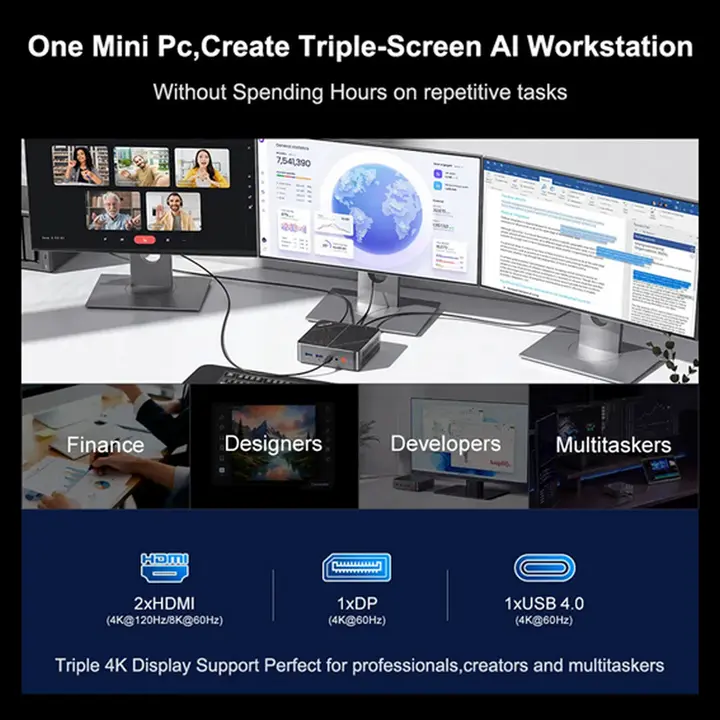
For
productivity, the Ninkear L20 is surprisingly well equipped. The system can
drive up to three displays through its combination of HDMI, DisplayPort, and
USB4 connectivity.
Its video outputs include:
- HDMI
2.1 - HDMI
1.4 - DisplayPort
1.4 - USB4
The HDMI
2.1 output supports up to 4K at 120Hz or 8K at 60Hz, according to
Ninkear, while HDMI 1.4 supports up to 4K at 30Hz.
This makes
the L20 particularly appealing as a small workstation. A user can keep the
computer almost completely hidden while running a multi-monitor setup from a
machine that occupies very little desk space.
A Surprisingly Complete Selection Of Ports
Ninkear has
also avoided the common problem of making a mini PC physically small at the
expense of connectivity.
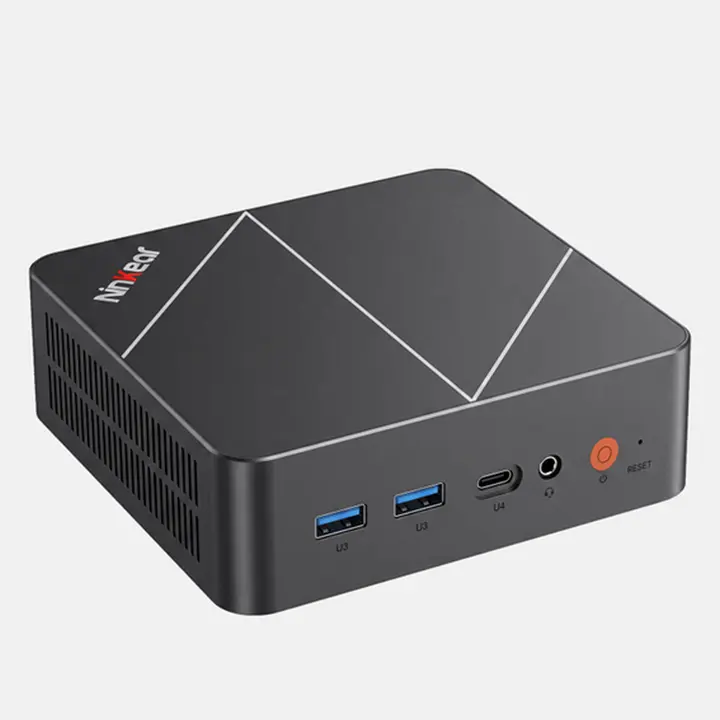
The L20 includes:
- 1×
USB4 - 4×
USB 3.2 Gen 1, 5Gbps - 1×
USB 3.2 Gen 2, 10Gbps - 1×
USB 2.0 - 1×
HDMI 2.1 - 1×
HDMI 1.4 - 1×
DisplayPort 1.4 - 1×
2.5Gbps Ethernet - 1×
3.5mm audio jack - 1×
USB-C power connector
There is
enough connectivity here to use the L20 as a full desktop replacement without
immediately needing a USB hub. The inclusion of USB4 is particularly useful for
high-speed peripherals and modern docking solutions.
2.5Gbps Ethernet And Wi-Fi 6
The
networking hardware is also well suited to a modern home or office. The L20
includes 2.5Gbps Ethernet, allowing considerably faster wired network
transfers than traditional Gigabit Ethernet when paired with compatible
networking equipment.
Wireless
connectivity comes from Wi-Fi 6, while Bluetooth 5.3 handles wireless
peripherals and accessories.
For users
with a NAS or fast local network, the 2.5Gbps Ethernet connection could be
especially useful.
Tiny 0.66-Liter Chassis
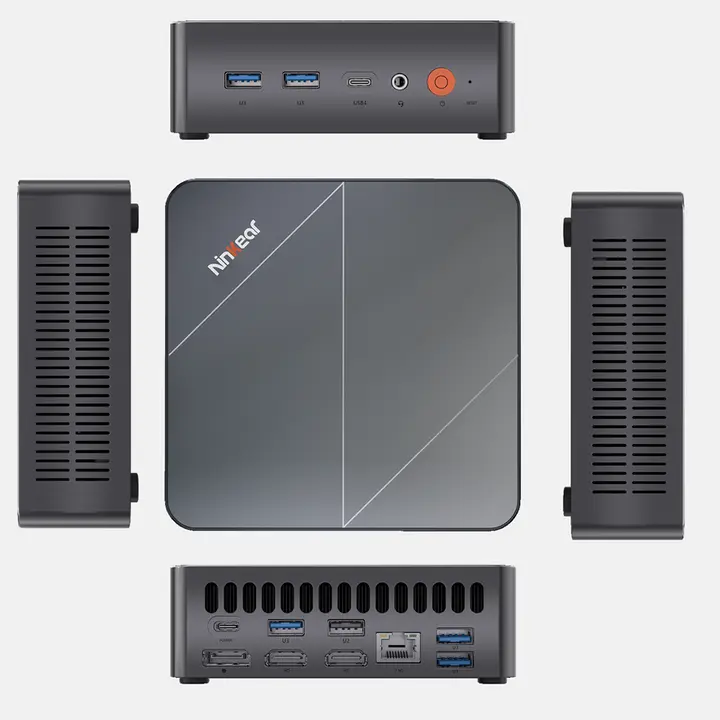
Perhaps the
most impressive aspect of the L20 is simply its size. The machine measures only
129 × 129 × 43mm, giving it a volume of approximately 0.66 liters.
It weighs
625 grams, making it small enough to disappear behind a monitor or sit
unobtrusively on a desk. Ninkear also supports VESA mounting, allowing
the L20 to be attached to the back of a compatible monitor.
That makes
the computer particularly attractive for businesses, reception desks, offices,
digital signage, and home users who want a clean workspace.
100W Power Adapter
The L20 is
powered by a 20V/5A adapter, providing up to 100W. Considering the Core Ultra 5
226V’s relatively low power characteristics, this is a sensible power solution
for a computer of this size.
It also
means the L20 can remain considerably smaller than a conventional desktop while
still providing enough power headroom for its processor, integrated graphics,
storage, memory, and connected peripherals.
Who Is The Ninkear L20 For?
The Ninkear
L20 makes the most sense for someone who wants desktop-class versatility
without a desktop-sized computer.
It could
work particularly well as:
- A
compact office workstation - A
programming and development PC - A
multi-monitor productivity system - A
home theater PC - A
media server - A
compact emulation machine - A
lightweight gaming PC - A
secondary computer - A home or small-business server
- An
AI-capable Windows PC
Its
integrated Arc graphics also give it considerably more flexibility than the
typical low-end mini PC.
An Impressive Mini PC
The Ninkear
L20 is an impressive example of just how much computing power can now fit
inside a machine measuring only 129 × 129 × 43mm.
The
combination of the Intel Core Ultra 5 226V, Arc 130V graphics, Intel AI
Boost NPU, 16GB LPDDR5X memory, dual M.2 storage support, USB4, 2.5Gbps
Ethernet, and triple-display capability gives the L20 a remarkably complete
feature set.
Its biggest
appeal is not necessarily raw performance. Instead, it is the combination of
performance, efficiency, connectivity, and size.
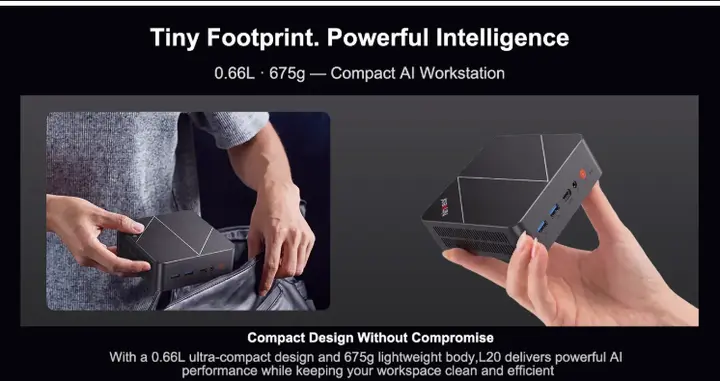
At around 0.66
liters, the Ninkear L20 can serve as a full Windows workstation while
taking up less space than many desktop accessories.
Key Specs Summary
Processor: Intel Core Ultra 5 226V, 8 cores / 8 threads, up to 4.5GHz
GPU: Intel Arc 130V, 7 Xe cores, up to 1.85GHz
AI: Intel AI Boost NPU, up to 97 TOPS combined AI performance
Memory: 16GB LPDDR5X
Storage: 512GB / 1TB PCIe 3.0 SSD
Expansion: 2× M.2 2280 SSD slots
Display: Up to 3 displays
Video: HDMI 2.1, HDMI 1.4, DisplayPort 1.4, USB4
Networking: 2.5Gbps Ethernet, Wi-Fi 6, Bluetooth 5.3
USB: 1× USB4, 1× USB 3.2 Gen 2, 4× USB 3.2 Gen 1, 1× USB 2.0
Size: 129 × 129 × 43mm
Volume: Approximately 0.66 liters
Weight: 625g
Power: 100W (20V/5A)
Mounting: VESA support
OS: Windows / Copilot+ PC support
The Arc
130V is what makes the L20 more interesting than a typical office mini PC.
While it obviously cannot compete with a desktop equipped with a dedicated GPU,
seven Xe cores give this tiny machine enough graphics capability to venture
into 1080p gaming and emulation without immediately requiring an external
graphics solution.


