
Holding onto a smartphone for three, four, or five years is hardly unusual in 2026. Trade-in promotions and annual launch cycles can make upgrading feel routine, yet plenty of people wait until their battery begins fading, software support nears its end, or the phone simply stops keeping up.
That context matters for the Google Pixel 11 Pro. Memory costs are rising, inflation continues to shape household spending, and the cost of living gives buyers good reason to question a $1,099 phone. A generous trade-in can soften the impact, but someone carrying an older device may receive considerably less for it and face most of that price directly.
Viewed as a yearly update, the Pixel 11 Pro is tougher to recommend. It looks familiar, its performance gains are modest, and its most visible new hardware feature arrives with limited functionality. But, when viewed from the perspective of someone replacing a Pixel 7, Pixel 8, or another phone from several years ago, it makes far more sense.
Google has built a polished Android flagship with an excellent camera system, a bright display, dependable battery life, seven years of support, and a growing collection of AI tools that can remove small bits of friction throughout the day. The Pixel 11 Pro rarely feels like a dramatic new chapter, but it may be one of Google’s clearest attempts to make the smartphone demand less attention from its owner.
Design
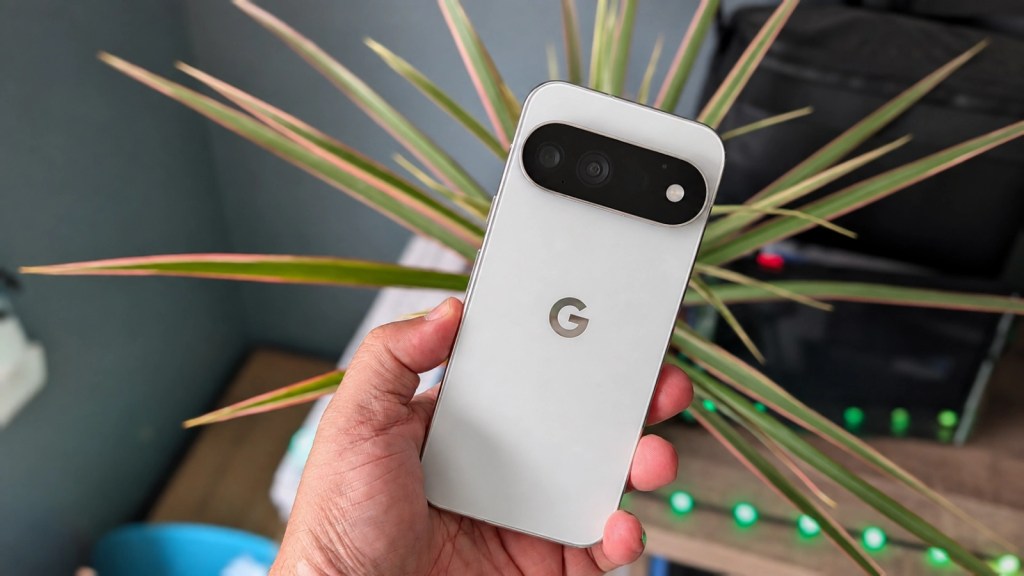
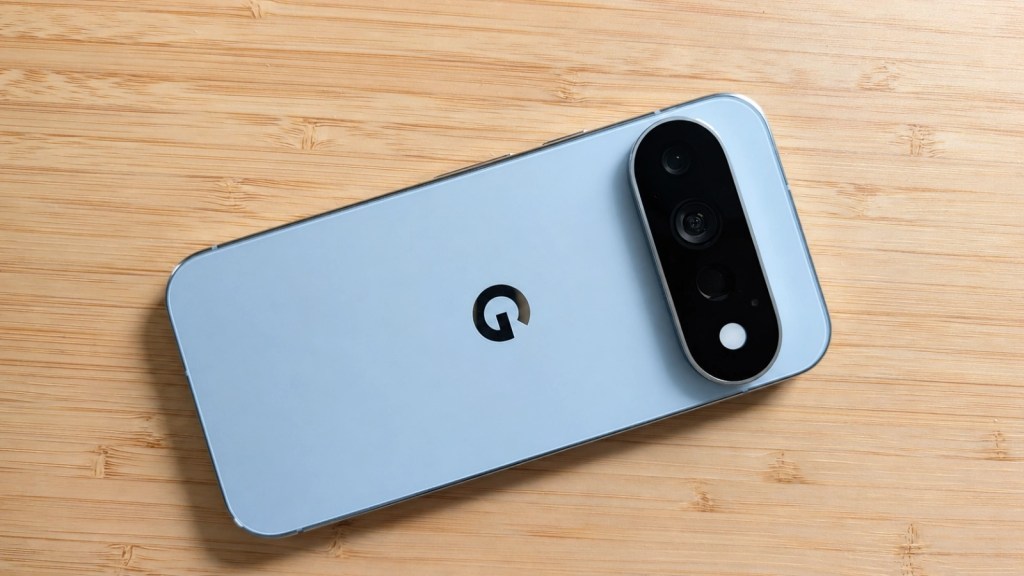
Google has stayed close to the shape established by recent Pixel generations. The rounded corners, flat display, matte rear glass, and horizontal camera bar are immediately recognizable. And I love that.
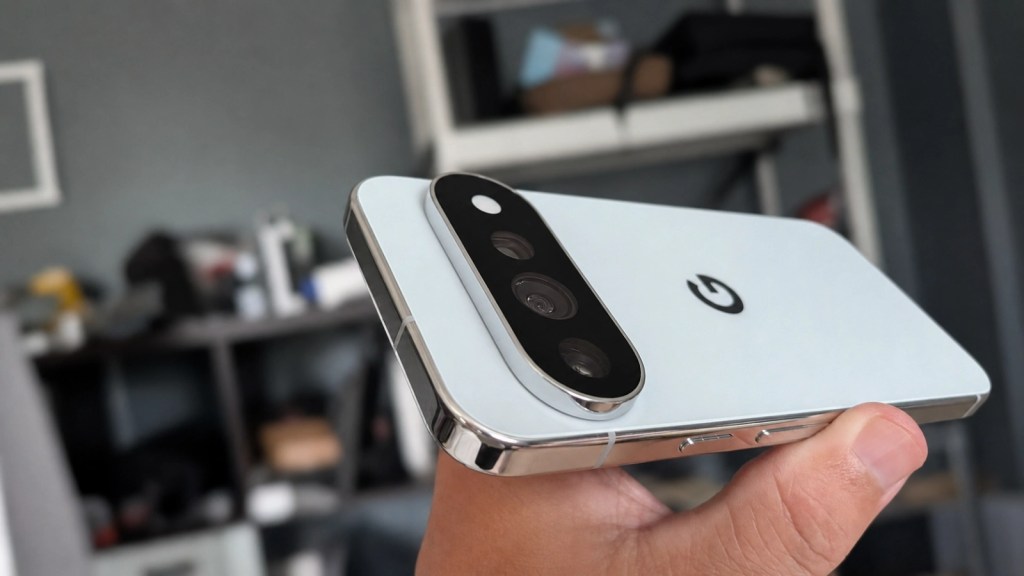
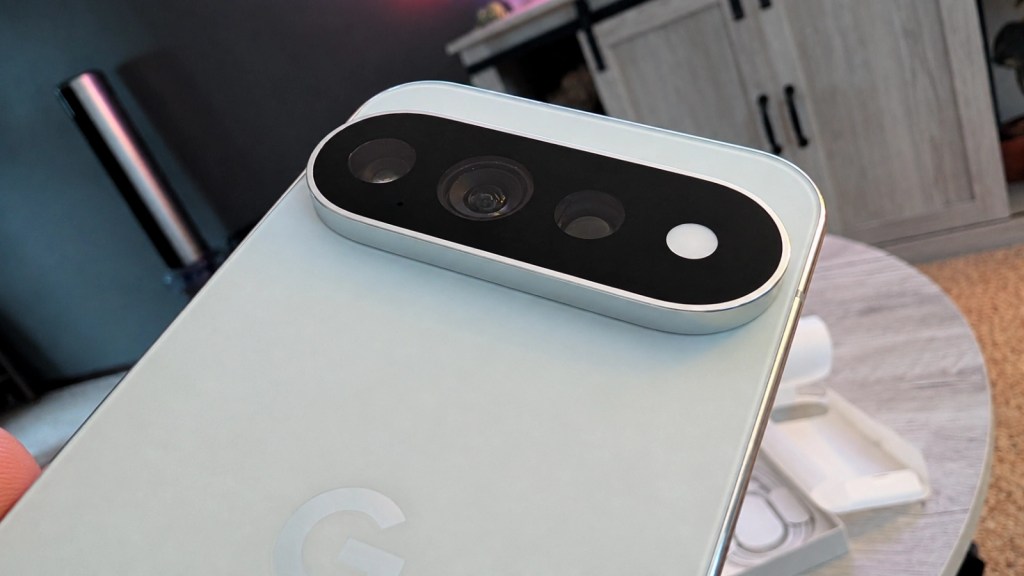
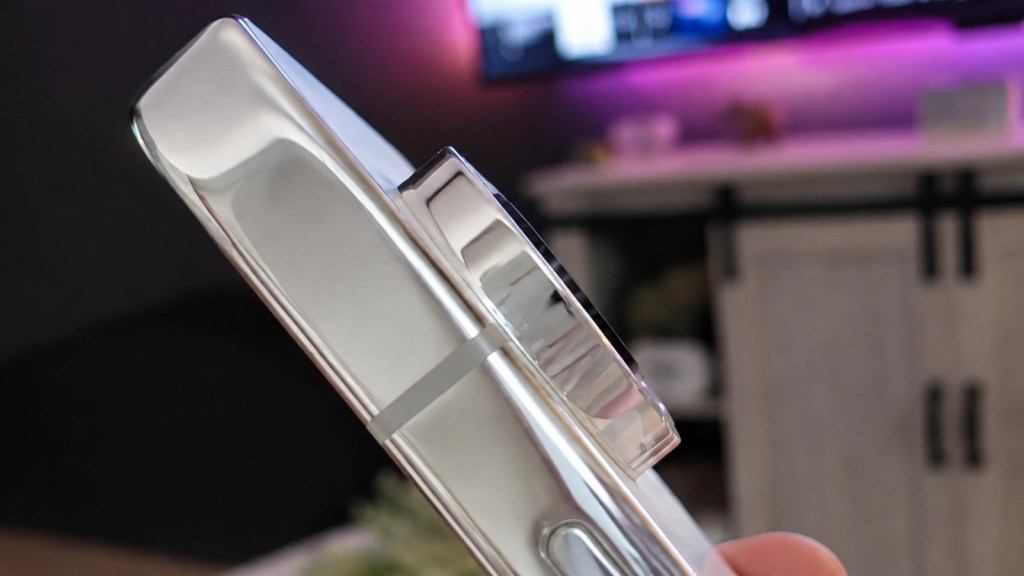
The biggest visual change is the new edge-to-edge glass treatment across the camera bar. It incorporates the lenses, flash, and new HiLight notification system into a cleaner single surface. The bar is thinner than before and protrudes less, though it still collects dust around its edges and remains a defining part of the phone’s silhouette.
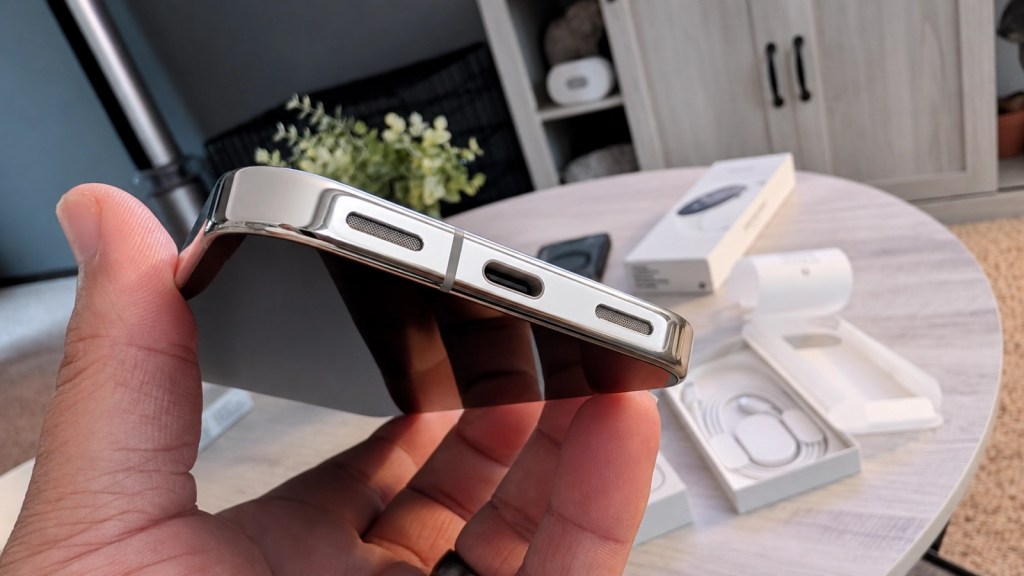
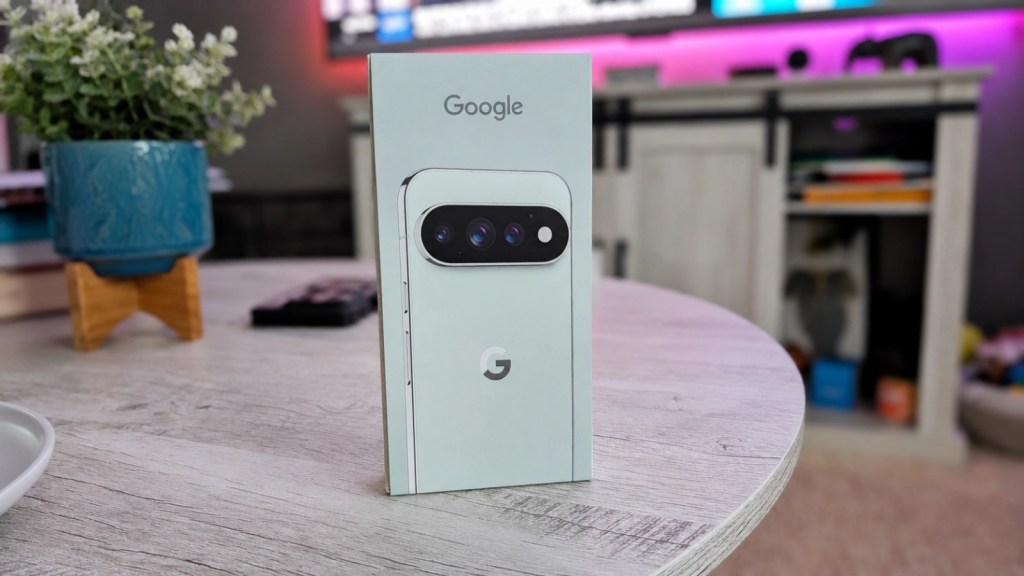
The Fog (which we received), Canyon, Olive, and Obsidian finishes give buyers a restrained color selection. Fog has polished aluminum rails and accents that catch fingerprints, whereas Obsidian uses a fully matte treatment that looks cleaner and feels better suited to the design.
The Pixel 11 Pro is easier to defend as a phone you’ll keep for four or five years than one you buy simply because Google made a new Pixel.
At 152.7 x 71.9 x 8.4mm and 207g, the Pixel 11 Pro is one of the few premium Android phones that delivers a full flagship camera system in a relatively compact body. Buyers who prefer a larger display can choose the Pixel 11 Pro XL without giving up camera or processor features.
Gorilla Glass Victus 2 protects the front and rear, and the IP68 rating covers dust and water resistance. Google says its new screen coating offers twice the scratch resistance of the prior Pro models. Normal use during my review period left the display clean but it’s too early to treat that as permission to introduce the phone to a pocket full of loose change or keys.
HiLight
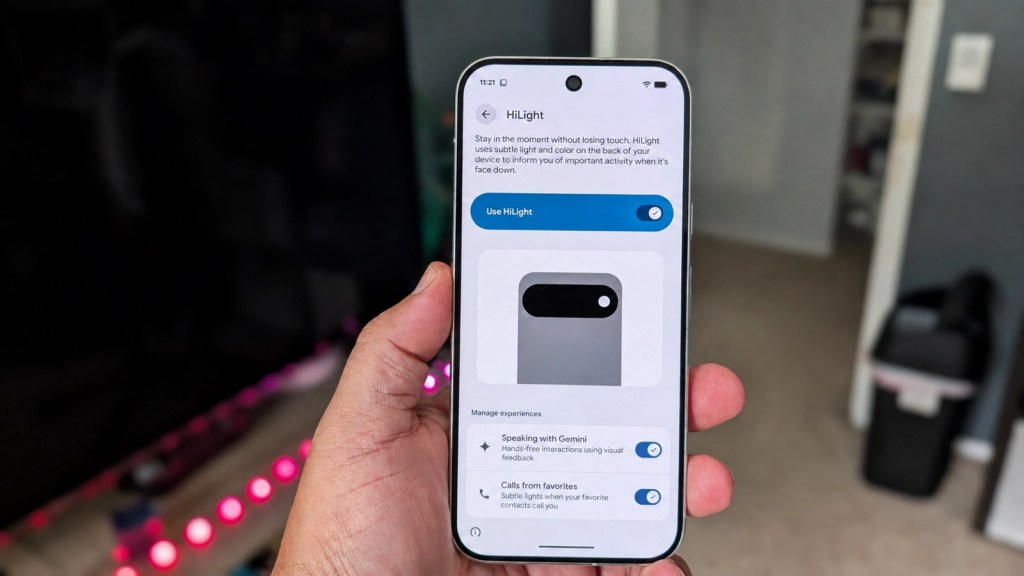
HiLight is the Pixel 11 Pro’s most noticeable new hardware feature. A ring of RGB lights surrounding the rear flash illuminates when the phone is placed face-down.
Users can assign one of five colors to favorite contacts, allowing them to identify certain incoming calls without turning the phone over. HiLight displays animated patterns when Gemini is listening, processing, or responding.
The idea fits Google’s larger direction for the Pixel. Rather than prompting another screen check, the phone conveys a small amount of information from across the table. That can help during dinner, meetings, or any moment when repeatedly glancing at a display feels distracting.
I am reminded of how much I used to love LEDs on phones, particularly going all the way back to the Nexus One. Simply seeing a glowing color was all I needed to understand what might await me when unlocking the phone. That’s the promise on offer here but it feels like we’re only getting a hint of what’s ultimately in store.
Its usefulness at launch is limited. HiLight supports incoming calls and Gemini status, but it cannot yet signal a priority text, work email, calendar reminder, or notification from a chosen app. Google says messaging support is coming, though it has not detailed the timing or broader plans.
Were this sort of thing available in the glory days of ROMs and tinkering I can imagine developers going nuts with the tech. Alas, we’ve only gotten a taste thus far and I am not in the mood to go modifying my phone like I used to a decade ago.
That is all to say this leaves the hardware feeling unfinished. Calls are only a small part of how many people communicate, and Gemini’s status lights are pleasant without being necessary. HiLight could become a thoughtful notification system if Google gives users control over apps, contacts, colors, and persistent alerts. Right now, it is a good concept waiting for enough software to justify the space it occupies.
There is a practical wrinkle, too. Using HiLight requires placing the display against a surface. That feels harmless on a bed or couch, but setting an expensive phone face-down on a desk takes some adjustment, particularly without a case. That Gorilla Glass Victus 2 sounds great in theory but I never want to find out the hard way where limitations are in terms of protection.
Display
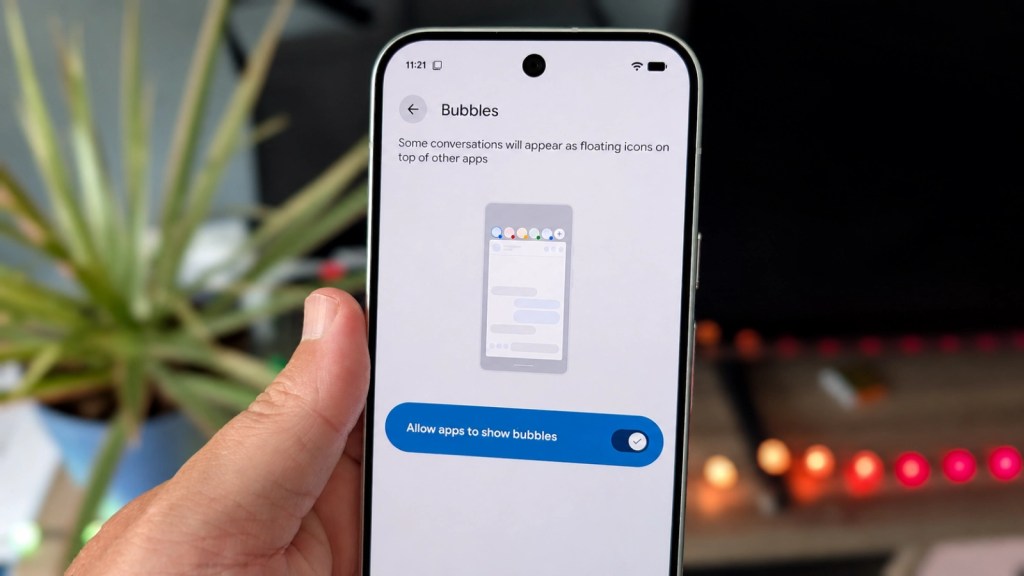
The 6.3-inch Super Actua display remains one of the Pixel 11 Pro’s strongest pieces of hardware. The LTPO OLED panel has a 2,856 x 1,280 resolution and dynamically adjusts between 1Hz and 120Hz.
Text looks crisp, scrolling is smooth, and colors stay consistent from different viewing angles. The adaptive refresh rate helps the phone feel responsive without running at 120Hz when the content does not require it.
Peak brightness rises from 3,300 to 3,600 nits. The difference will not be obvious during indoor use, but it helps outdoors and when framing photographs in direct sunlight. Automatic brightness has responded reliably during testing, and the display stays comfortable at lower levels in darker environments.
To my personal pleasure, Google resists the idea that the best phone must come with the largest available screen. The 6.3-inch panel offers enough room for video, games, and multitasking without turning the phone into a two-handed commitment. The Pixel 11 Pro XL is available ($1,299+) for buyers who prefer a 6.8-inch canvas.
Software and Gemini Intelligence
The Pixel 11 Pro ships with Android 17 and Google’s clean, cohesive take on the operating system. There is no pile of duplicate app stores or third-party software to clear away during setup. Features such as Call Screen, Hold for Me, Recorder, Now Playing, Personal Safety, and Pixel Screenshots are still part of the appeal.
Google promises seven years of operating system, security, and Pixel Drop updates. That matters far more to someone planning to keep the phone for four or five years than it does to an annual upgrader. A Pixel 11 Pro purchased at launch should be supported into 2033, making the price easier to spread across a longer ownership period.
Gemini Intelligence pushes Google’s AI deeper into everyday interactions. Proactive Assistance can surface calendar availability, flight details, restaurant information, directions, and other contextual material without requiring users to jump between several apps.
The presentation is better than a generic AI suggestion floating above a conversation. Tapping a prompt can open a bottom sheet containing the relevant calendar view, place listing, or travel detail. Users can review the information and control what is shared before acting on it.
Its value varies by situation though. A restaurant listing inside a conversation can save several taps. A suggested destination passed into a ride-sharing app can prevent copying and pasting an address. But I can imagine that were I in a hurry, manually opening an app may be faster than waiting for Gemini to interpret the task.
Live Translate for Media is one of the more convincing additions. It can translate and dub audio from videos, podcasts, and voice messages in real time, including an approximation of the original speaker’s voice. Testing with French-language video definitely showed potential, but the occasional missed phrase or gap reminded me that we’re still dealing with machine translation. Since we cannot squeeze a bilingual person inside the phone just yet, it’s the next-best thing
Rambler takes a different approach to voice input. Instead of transcribing every pause, filler word, and correction, it processes a natural stretch of speech and turns it into cleaner written text. Users can change their minds midway through a sentence, replace an item, or ask for a different tone without starting over.
The results can be tidy and rather fascinating at first, but the workflow requires adjustment. Rambler does not display the transcription in real time. Users speak, tap a checkmark, and wait briefly for the completed text. Anyone accustomed to watching dictation appear word by word may forget to finish the recording or miss the ability to correct text with the keyboard during the session.
These features share a useful purpose: they reduce the amount of app switching, careful dictation, copying, and manual cleanup normally involved in common tasks. They do not work perfectly, and some require users to change established habits before the benefit becomes apparent. Similarly, this the type of stuff that slowly and surely improves over time.
Performance
The Tensor G6 processor pairs with 12GB of RAM in the 256GB Pixel 11 Pro. The 512GB ($1,219) and 1TB ($1, 419) versions move to 16GB of RAM and use Zoned UFS 4.0 storage.
To the surprise of no one, everyday performance is quick and fluid. Apps open promptly, web pages scroll smoothly, and multitasking does not create noticeable slowdowns. Google claims 15 percent faster app launches and 25 percent faster browsing, though those changes are difficult to isolate during ordinary use.
From everything I have gathered, Tensor G6 still trails current flagship Snapdragon processors in raw CPU and graphics testing. Sustained graphics workloads can produce heavier throttling, too, based on what I’ve seen. Fortunately for me, I’ve never been one to push my devices to their limits and performance has been right in line with expectations thus far.
The Pixel 11 Pro is capable of running modern games, but buyers who prioritize long gaming sessions and maximum frame rates can find stronger hardware elsewhere for similar money.
Google’s processor makes a better case through the experiences it supports. The upgraded image signal processor and 50 percent increase in TPU compute contribute to faster Night Sight, Magic Capture, live translation, portrait video, and other on-device AI functions. Those are the areas where Tensor G6 feels less like a benchmark and more like part of the Pixel’s larger design.
The MediaTek M90 modem is another practical improvement, with reliable call quality and data performance reported across AT&T, T-Mobile, Verizon, Telus, and smaller carriers. US models rely entirely on dual eSIM and do not include a physical SIM tray. Buyers who routinely move a physical SIM between devices should account for that before switching.
Cameras
The Pixel 11 Pro uses a 50-megapixel main camera, 48-megapixel ultrawide, 48-megapixel 5x telephoto, and 42-megapixel front camera.
The main and telephoto cameras receive the most meaningful hardware attention. The redesigned 5x telephoto uses a larger sensor that Google says captures 30 percent more light. It supports 5x portraits and extends Pro Zoom to 120x.
Images from the main camera retain the Pixel qualities many users expect: balanced exposure, controlled highlights, natural skin tones, and consistent color across lenses. Some scenes can lean toward the bright, saturated side, but results are largely very dependable across daylight, indoor, and evening conditions.
The larger telephoto sensor pays off before reaching the headline-grabbing 120x setting. Photographs at 5x retain strong texture and detail as light begins to fade. The 10x setting is useful for wildlife, concerts, signs, and distant architecture, though sharpening becomes more visible.
At 30x and beyond, Google uses an on-device generative model to reconstruct detail that the optical system cannot capture directly. The phone saves both the processed and unprocessed versions, letting users compare them. That transparency is welcome, since a 120x image increasingly reflects the phone’s interpretation of the subject. In my testing it does an admirable job most of the time but an occasional overprocessing does happen.
The maximum zoom is entertaining and can help identify distant objects, but 5x and 10x are where this camera earns its keep.
Magic Capture and Night Sight
Magic Capture records video and high-quality still images at the same time, analyzes hundreds of frames, and suggests what it considers the strongest moments. The original video remains available, and users can manually select another frame afterward.
This works particularly well for moving subjects. Pets, children, group photographs, gym activity, and candid expressions rarely cooperate with a carefully timed shutter press. Magic Capture increases the odds of leaving with a clean photograph rather than a perfectly framed shot of someone blinking.
The selected stills look like Pixel photographs rather than low-resolution video screenshots. Detail, exposure, and facial sharpness hold up well, including when the subject is moving quickly.
There is a degree of trust involved. The phone may choose the technically cleanest frame rather than the expression or moment the photographer preferred. Keeping the video and manual frame controls prevents that automation from becoming a one-way door.
Instant Night Sight may matter more often. Google says low-light capture can be up to 4.5 times faster, and the difference is easy to notice. Photographs that once required several seconds of stillness can be captured in roughly a second under the right conditions.
That shorter wait improves more than convenience. It reduces blur from moving people, restless pets, and unsteady hands. Rather than asking the user to become a better low-light photographer, the phone removes one of the conditions most likely to spoil the image.
Camera Looks gives users some influence over Pixel processing before the image is captured. Original, Natural, Shadows, and Vanilla adjust details such as warmth, contrast, shadow rendering, and sharpening within the imaging pipeline. Six temporary stylistic options offer stronger interpretations.
The default Pixel rendering is still a safe choice for most, but setting a preferred look can reduce editing for users who regularly adjust every photo before sharing it.
Video and Creator Suite
The Pixel 11 Pro supports 8K recording at 30 frames per second, 4K portrait video, Video Boost, and Pro Stable Video. Stabilization performs well during walking and faster movement, though Google’s cloud-assisted Video Boost can take too long to process footage for creators who need immediate results.
Creator Suite provides a built-in teleprompter, audio meters, speech processing, social-media framing guides, and project folders that can arrange clips into a rough sequence. These tools will not replace a full editing package, but they can help someone record a scripted clip or organize footage without carrying separate equipment.
It’s worth pointing out for the select users who care that it still lacks a proper manual video mode with LOG recording. For a phone positioned toward creators and sold at a four-figure price, that omission will prove difficult to ignore.
Battery and Charging
The 4,850mAh battery reliably lasts through a full day of normal use and can extend into the following morning on lighter schedules. Heavy camera use, gaming, navigation, or repeated AI processing may still require charging before bedtime.

Google rates the Pixel 11 Pro for more than 30 hours. Real-world reports suggest a modest improvement in endurance rather than a major change, which is enough to make the phone dependable but not a class leader. Most days I go to bed with plenty of gas left in the tank but I’ll typically do a quick charging in the morning as I get my day started.
Wired charging is capped at 30W, reaching roughly 55 percent in 30 minutes with a compatible adapter. Speaking of which, there is no charger in the box. Competing phones can replenish considerably faster, and Google’s conservative wired speed feels dated at this price.
On the other hand, Qi2.2 magnetic charging through Pixelsnap rises to 25W. In testing, wireless charging approached 50 percent in about half an hour, bringing it close to the phone’s wired performance. Or at least close enough for my tastes. The magnetic connection makes stands, battery packs, and car mounts easier to align and may prove more useful every day than another theoretical bump in peak charging speed.
Reverse wireless charging, for its part, is no longer available.
Value
The Pixel 11 Pro starts at $1,099 with 12GB of RAM and 256GB of storage. The move away from 128GB is welcome, particularly as photographs, 4K video, AI models, and offline media consume more space. Yes, clouds exist and data backups are easy, but nothing beats the speed and convenience of local storage.
The price still demands scrutiny. Google has cited current memory-market pressure when discussing its configurations, and rising RAM costs are likely to affect much of the phone industry. That does not make $1,099 easier to absorb for households already dealing with higher prices across housing, groceries, insurance, and other monthly expenses.
Trade-in promotions can change the calculation. Someone receiving several hundred dollars for a recent Pixel may find the net cost manageable. Yet that same person probably owns a phone that already performs well, takes excellent photographs, and receives current software.
Pixel 10 Pro owners have little reason to move. The faster Night Sight, larger telephoto sensor, Magic Capture, and HiLight do not add up to a necessary annual replacement. Some software features may eventually reach older Pixels or other Android phones, and Google has not provided a firm roadmap.
Owners of a Pixel 9 Pro face a similar decision. The accumulated changes are easier to appreciate, but the existing device is still capable enough that waiting another year would be reasonable.
The Pixel 11 Pro makes its strongest case to someone carrying a Pixel 8 or older model, an aging Galaxy phone, or another device nearing the end of its useful life. That buyer receives a brighter 120Hz display, a much stronger telephoto camera, faster low-light capture, magnetic wireless charging, dependable performance, contemporary connectivity, and seven years of updates.
A low trade-in value makes the purchase more expensive up front, but long support can make it sensible across several years. At $1,099, keeping the phone for four years works out to roughly $23 per month before service. Stretching ownership to five years drops that closer to $18. The Pixel 11 Pro is easier to defend as a long-term purchase than as a yearly indulgence. And yes, I know that carriers will not spread payments out over those lengths, but that’s perhaps a better way to frame your investment.
Verdict
The Pixel 11 Pro is an excellent phone packaged as a modest annual update. Its compact design, bright display, strong camera system, clean software, and long support window make it one of the most complete Android options available. Tensor G6 handles daily work without complaint, though serious mobile gamers can find faster silicon elsewhere.

Pinnacle Selection represents our highest honor, one reserved for products that stand out in design, performance, and overall value.
Products earning this distinction exemplify excellence across the board, delivering an experience that truly rises above the rest.
When you see the badge, you’re looking at the best of what’s available in its category.
Google’s larger idea is more interesting than any single specification. Instant Night Sight reduces waiting. Magic Capture worries about shutter timing. Gemini can keep information inside the conversation where it is needed. Rambler cleans up speech, and HiLight attempts to prevent an unnecessary screen check.
Not every feature reaches that goal. HiLight capabilities feel unfinished, Gemini requires some trust and patience, wired charging is slow for the category, and the $1,099 starting price lands at an awkward moment for consumer spending.
Anyone who bought a Pixel Pro last year should keep it. The Pixel 11 Pro does not provide enough improvement to justify another four-figure purchase, particularly when trade-in promotions are doing much of the sales pitch.
For someone replacing a phone from three or more years ago, the answer changes. The Pixel 11 Pro offers the camera quality, software support, storage, and daily reliability needed to carry another long ownership cycle. It may ask a lot from the buyer at checkout, but during use, Google has built a phone that increasingly tries to ask less.
The Review
Pixel 11 Pro
PROS
- Dependable all-day battery life
- Seven years of software and security support
- Pixelsnap magnetic charging adds real everyday convenience
- Excellent camera system, especially at 5x and 10x zoom
- Faster Night Sight makes low-light shooting noticeably easier
CONS
- $1,099 starting price is hard to justify for recent Pixel owners
- HiLight feels underdeveloped at launch
- 30W wired charging is slow for the price
- No physical SIM tray on US models
Review Breakdown
- Design
- Features
- Performance
- Battery
- Software & Support
- Display
- Audio
- Camera
- Warranty


