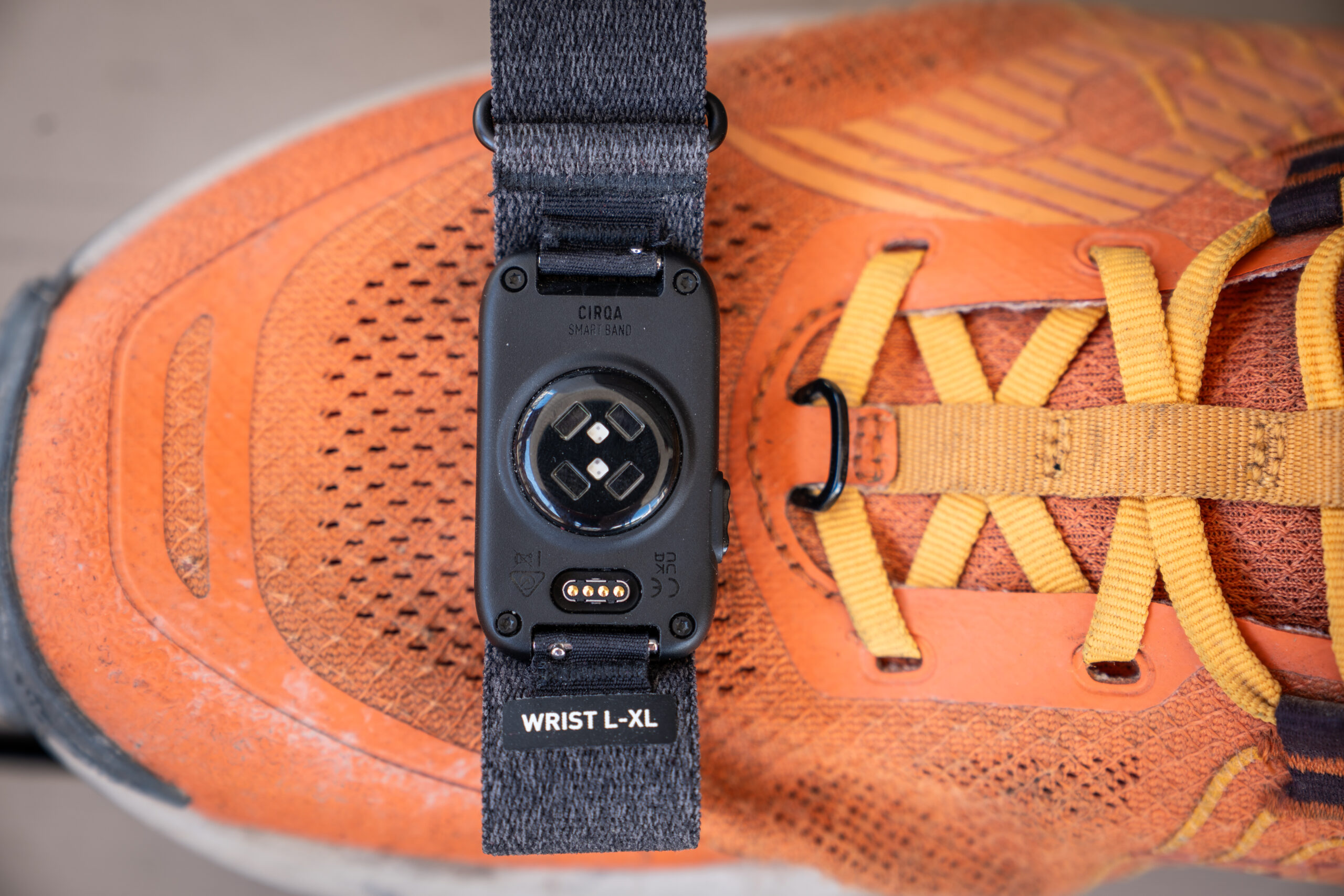

It’s been precisely one month since the Garmin Cirqa was announced, during which time it’s been on my wrist just about 24×7. Over that time period, I’ve come to all sorts of realizations about where Cirqa fits in (or in some cases, doesn’t).
One of the challenges to being one of the industry heavyweights is that people associate certain expectations with your products. Equally challenging, when you’re late to a product category, they associate expectations of what your competitors already did, with how your just-announced products might work. In Garmin’s case, this becomes a bit of a mixed bag of things to counteract.
In this review I’m going to dive into all of those expectations, with the reality of actually testing the crap out of this device over endless workouts, and day-to-day life. And more critically than that, testing it side-by-side with Whoop 5.0, Fitbit Air, Polar Loop, and the Amazfit Helio. Even testing two Cirqa’s concurrently (one on wrist, one on biceps). And all of that is backed by 7 years using Whoop, 17+ years using Garmin, Fitbit, and Polar wearables, and years using Amazfit wearables. Meaning, I have the biggest bag possible of expectations and historical reality, to figure out if Garmin stuck the landing here.
With that, let’s get right into it!
The Key Specs & Bits:
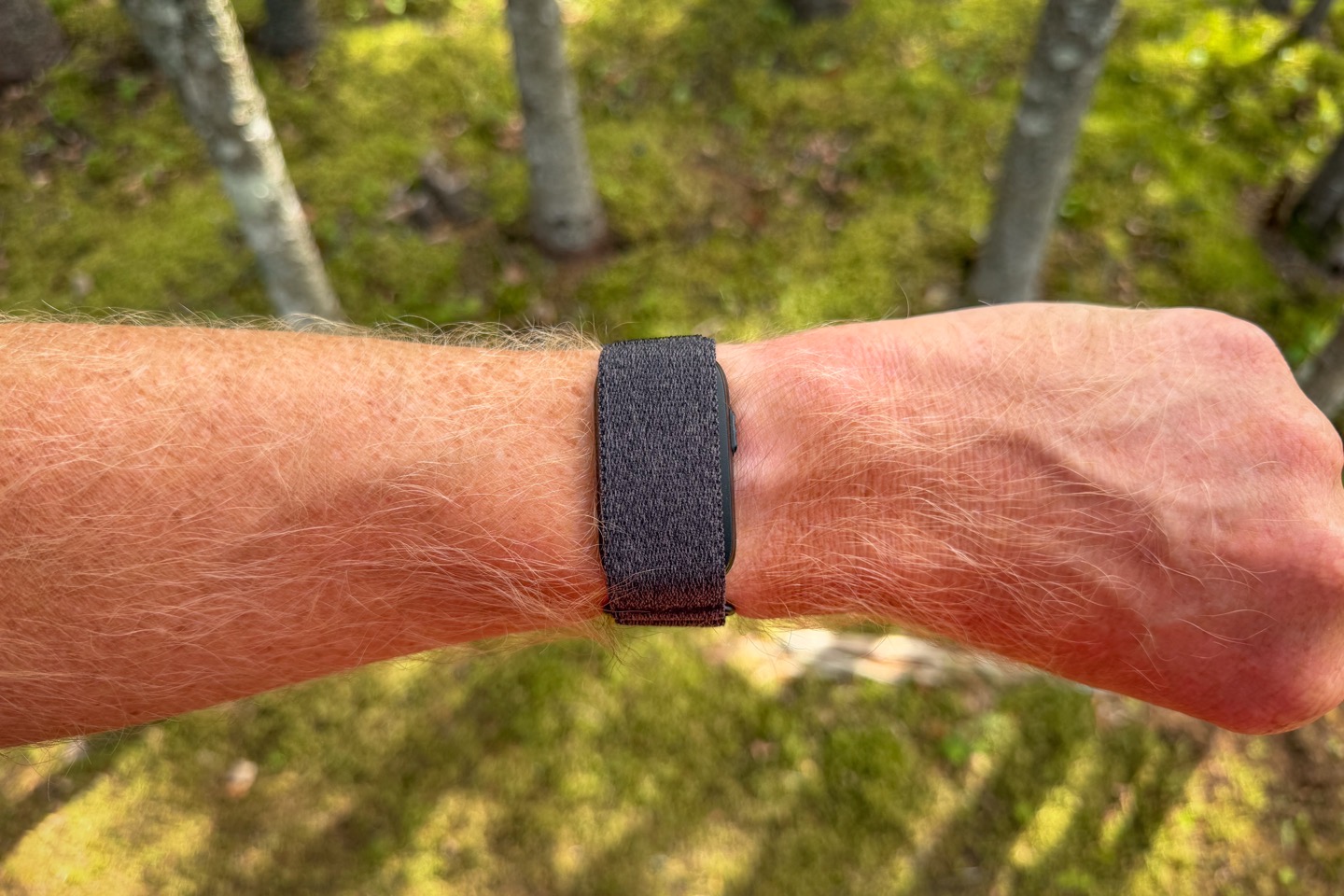
The Garmin Cirqa essentially has all the same health/wellness tracking features as any other recent Garmin watch (except ECG), so if you’re familiar with those features, then the answer is essentially ‘yes ’ to all of them. The key difference here to other watches is obviously the lack of a display/screen.
Price: $199USD/€199/£179/CAN$279
Battery Life: 10 days claimed
Weight: 20g
Sizing: Each color is offered in two sizes: Small/Medium, and Large/XL
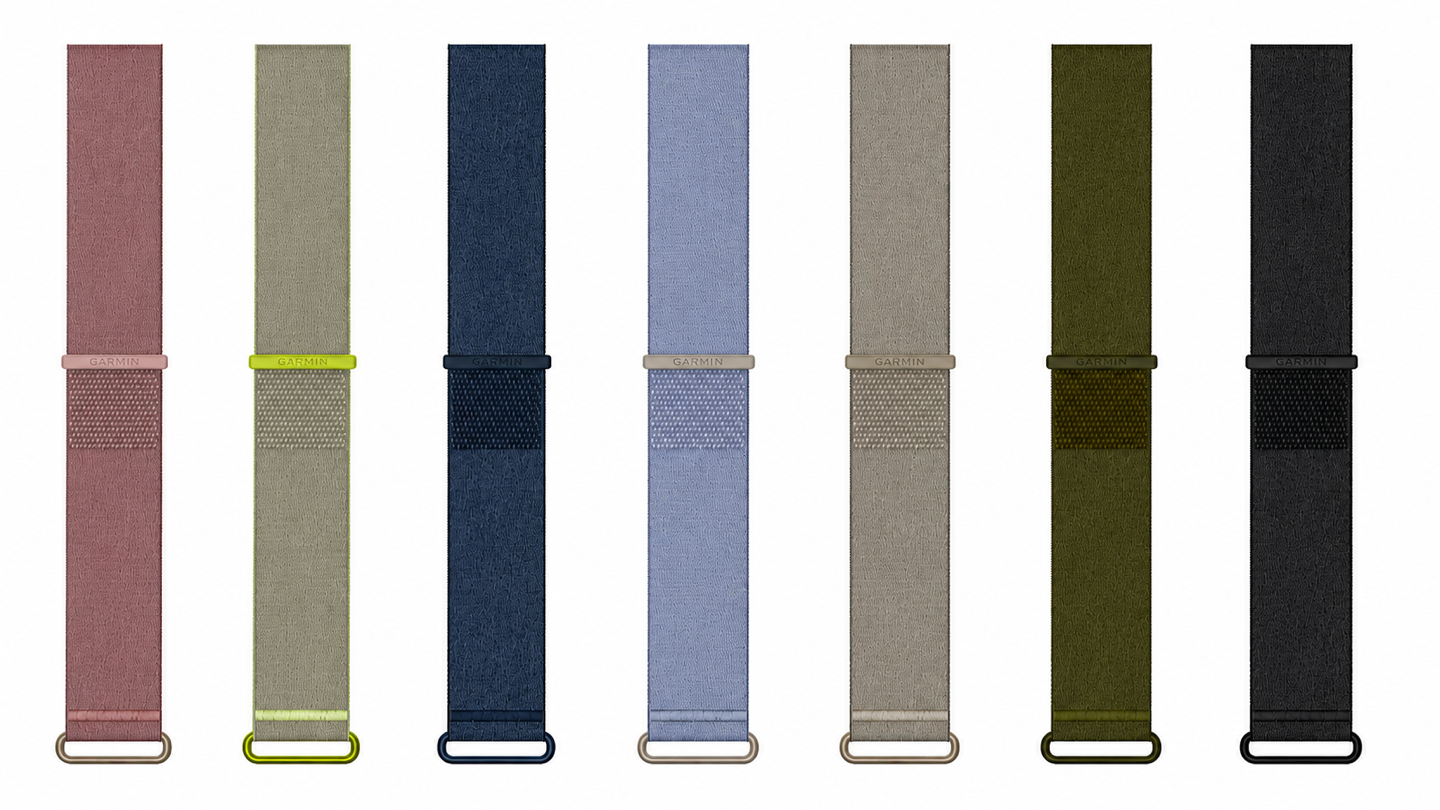
Colors: 4 colorways, seen below, Black, Grey, Red/Pink, Navy Blue
Biceps Band Option: Yes (two sizes), $59 (or, $209 total with Cirqa pod if bought on Garmin’s site, instead of regular band)
Button: Yes, for manually starting activities, snooze, HR broadcasting, and more.
Daily Steps & Activity Tracking: Yes
Calorie Tracking: Yes
Sleep Tracking: Yes, including sleep phases/stages
Nap Detection: Yes
Smart Wake Alarm: Yes
HRV Tracking: Yes
Skin Temperature Tracking: Yes (nightly)
SpO2 Tracking: Yes
Respiration Rate: Yes
Stress Tracking: Yes
Women’s Cycle Tracking: Yes
Journaling/Logging: Yes
Health Status: Yes
Nacho Cheese Dispenser: No, due to size, this can only do parmesan sprinkles
Heart Rate Broadcasting: Yes (ANT+ & Bluetooth Smart)
Automatic Workout Tracking: Yes
Automatic Sport Detection: Yes
Automatic Rep Counting: Yes (an update coming shortly will bring manual rep editing to non-GC+ users)
Manual Workouts: Yes, via button/app, 80+ workout types
Structured Workouts: Only with Garmin Connect+
GPS: Not in unit, with app as Connected GPS
Altimeter/Barometer: Not in unit, thus, no stair counting
Intensity Minutes: Yes
VO2Max Estimates: Yes
Live GPS Tracking During A Workout: Yes with app, sharable to friends/family
Combines data with other Garmin devices via App: Yes, Unified Training Status/Physio TrueUp
Training Readiness: Yes
Acute Load (Training Load): Yes, including Load Ratio & Load Focus
Recovery Time: Yes
Training Effect: Yes, including Primary Benefit, Workout Benefit
And lastly, here’s a look at all the color options you’ve got (including bands):
Got all that? There’s a bunch of other more minor features under/tied to some of the above, things like Sleep Coach & Sleep Alignment features, or the app-based Jetlag Advisor. But the above is the core of it all. So instead, let’s take a closer look at what’s inside the box.
In the Box:
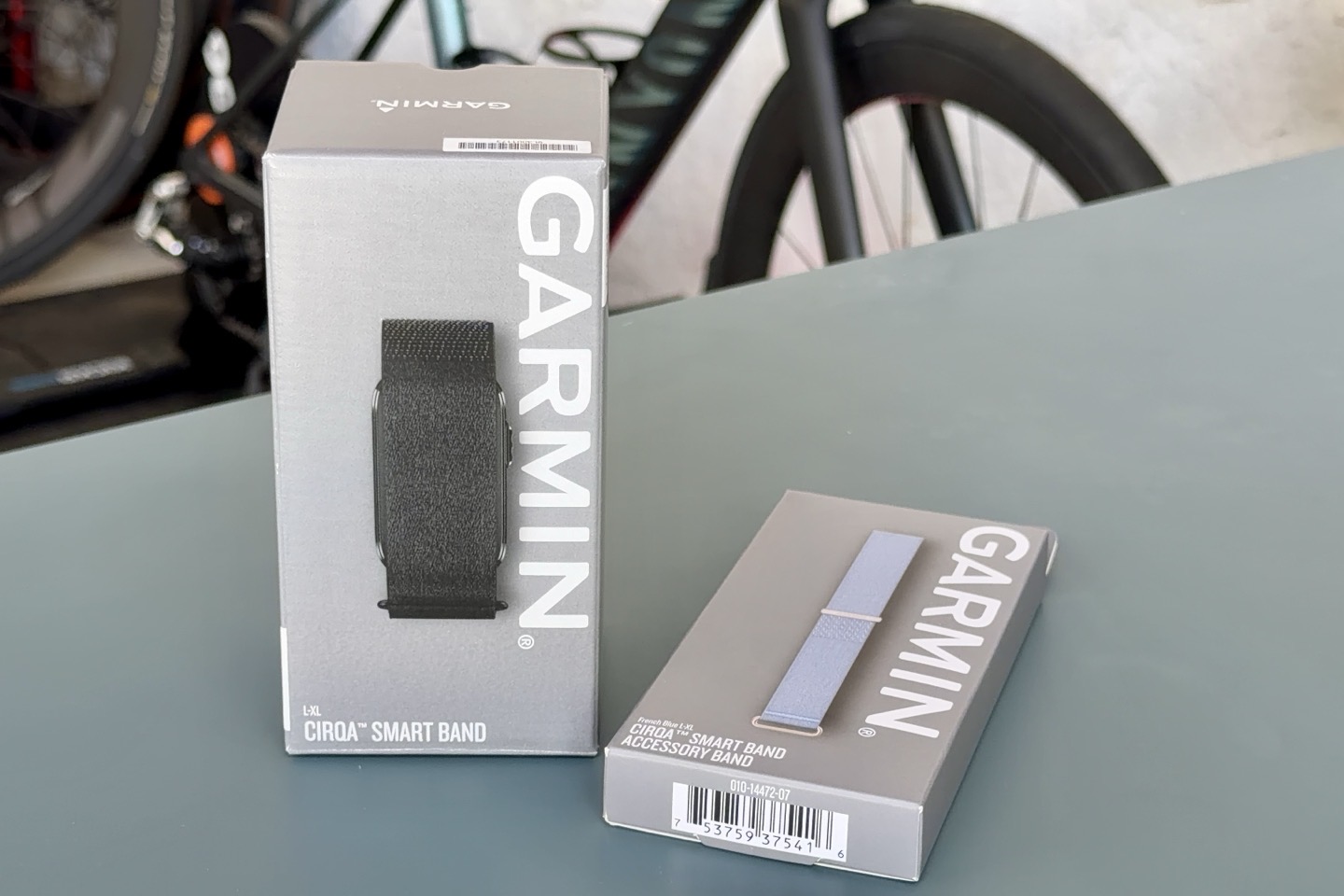
The Garmin Cirqa box is not a complicated affair. Like most Garmin boxes, it’s key minimal. Above you can see the Cirqa box, alongside an accessory strap. Below, I’ll also show the arm band box too, as simplistic as that’ll be.
Here is the contents of the box:
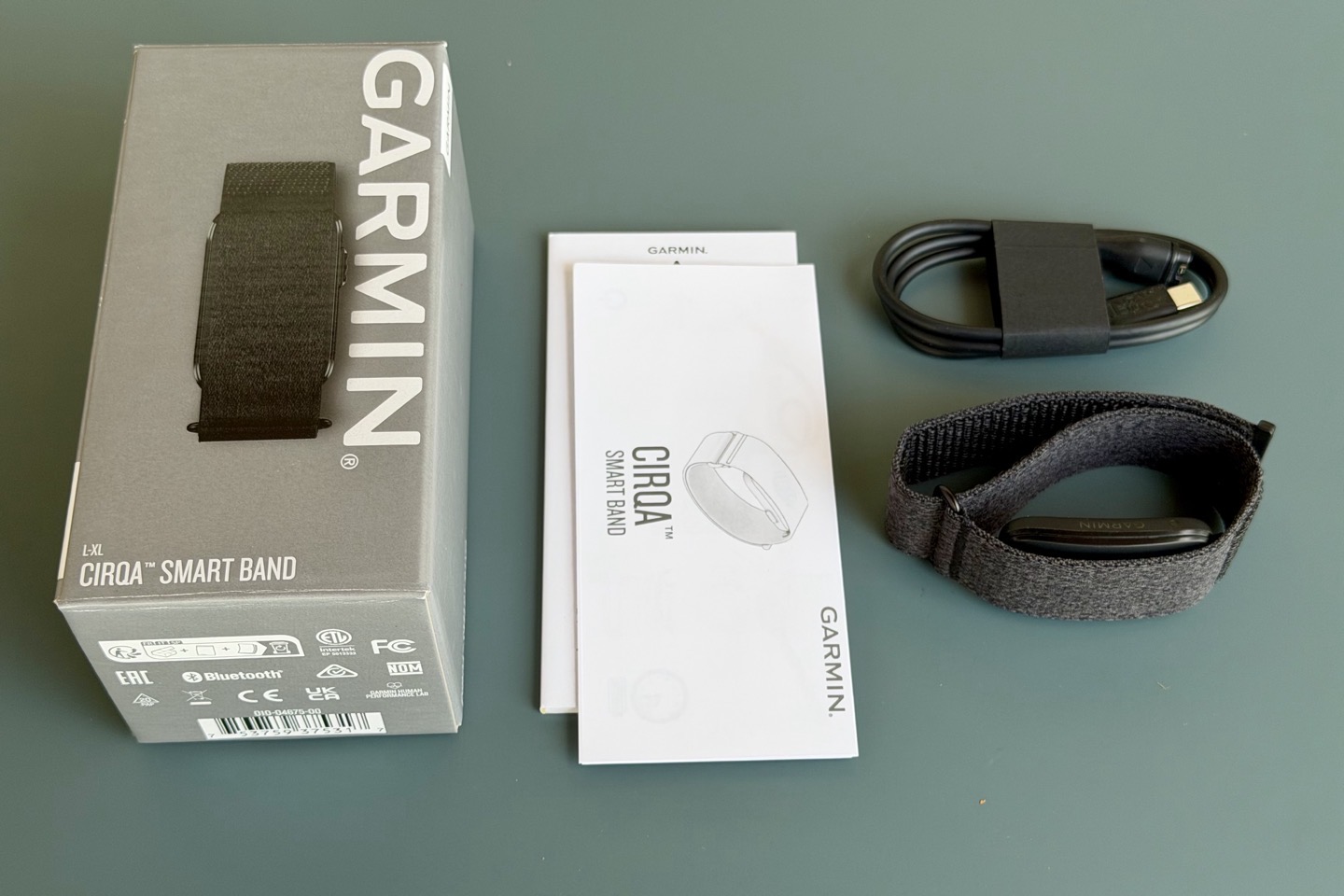
As you can see, you’ve got:
A) Cirqa pod+band
B) Standard Garmin charging cable (USB-C on one end, Garmin charging port on the other)
C) Some paper stuff
That’s it; it’s as simple as that. Here’s a close look at a ‘clean’ pod/band, though; it doesn’t really look any different weeks later:
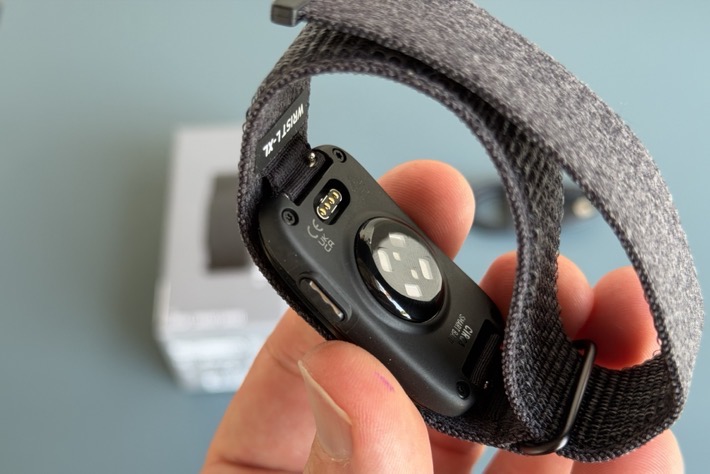
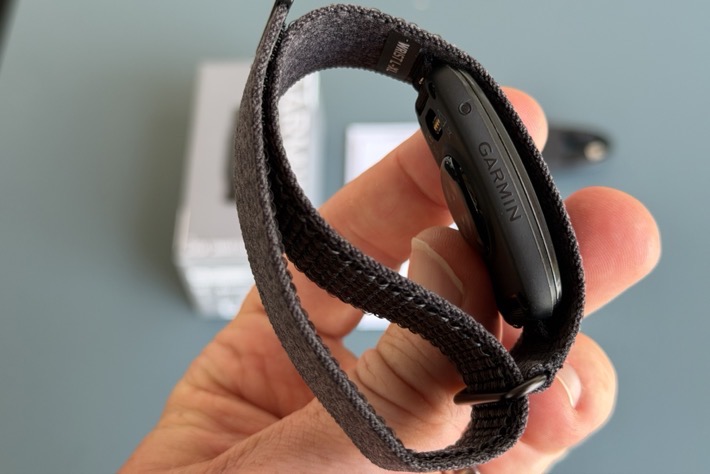
Unboxing mission accomplished, that’s all there is to it.
The Hardware:
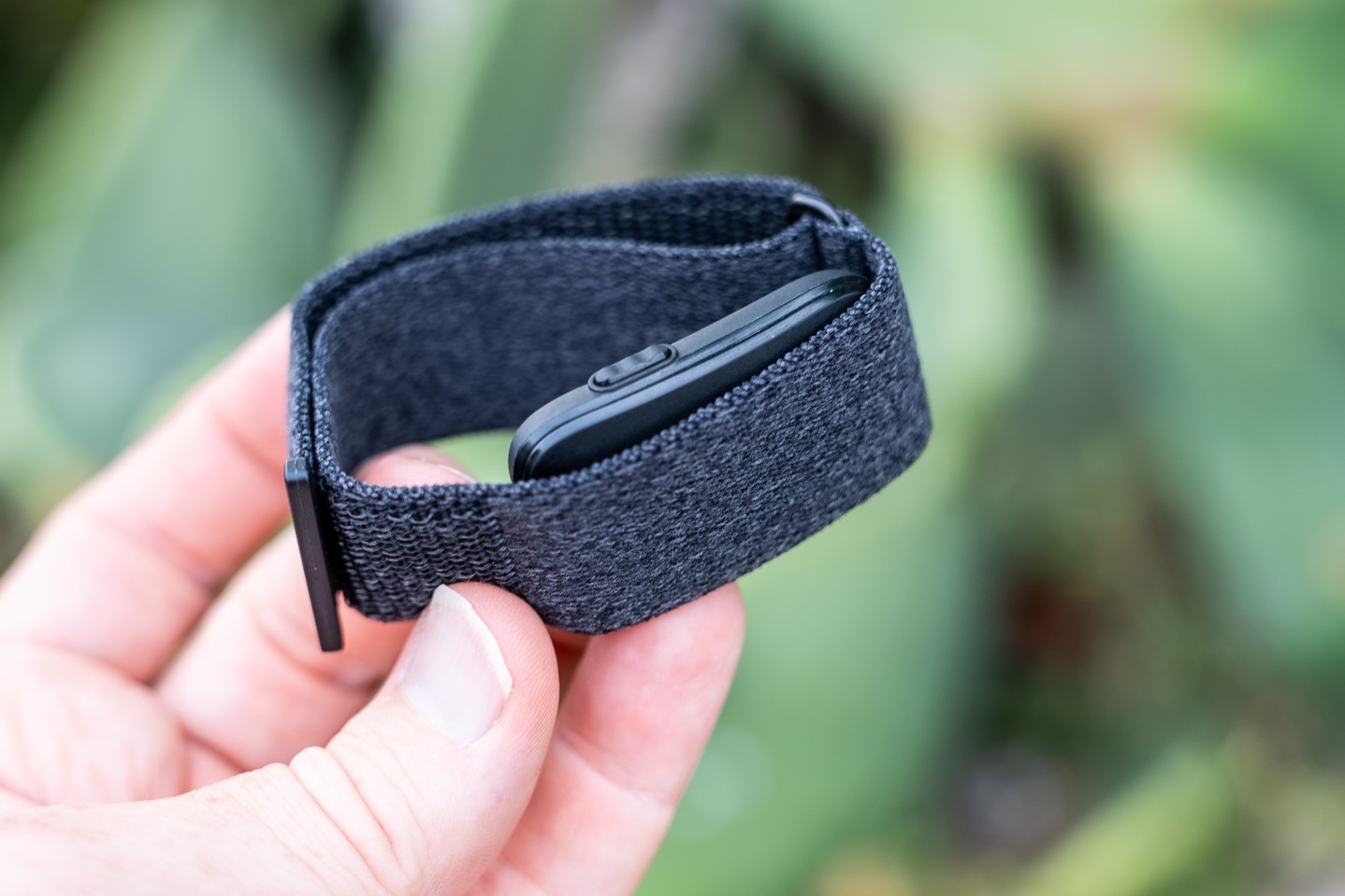
First up, let’s look at the hardware itself. The band measures 27mm across, thus a touch bit wider than the Whoop 5.0 band, and comes in four colors as noted earlier.
Here’s my wife’s pinkish colored band. I will say this seems a bit more like a ‘dirty pink’ than a clean-slate pink. She’s perfectly fine with it, though; I was kinda surprised by how it looked in real life. Some people prefer that though, so as always, to each their own.
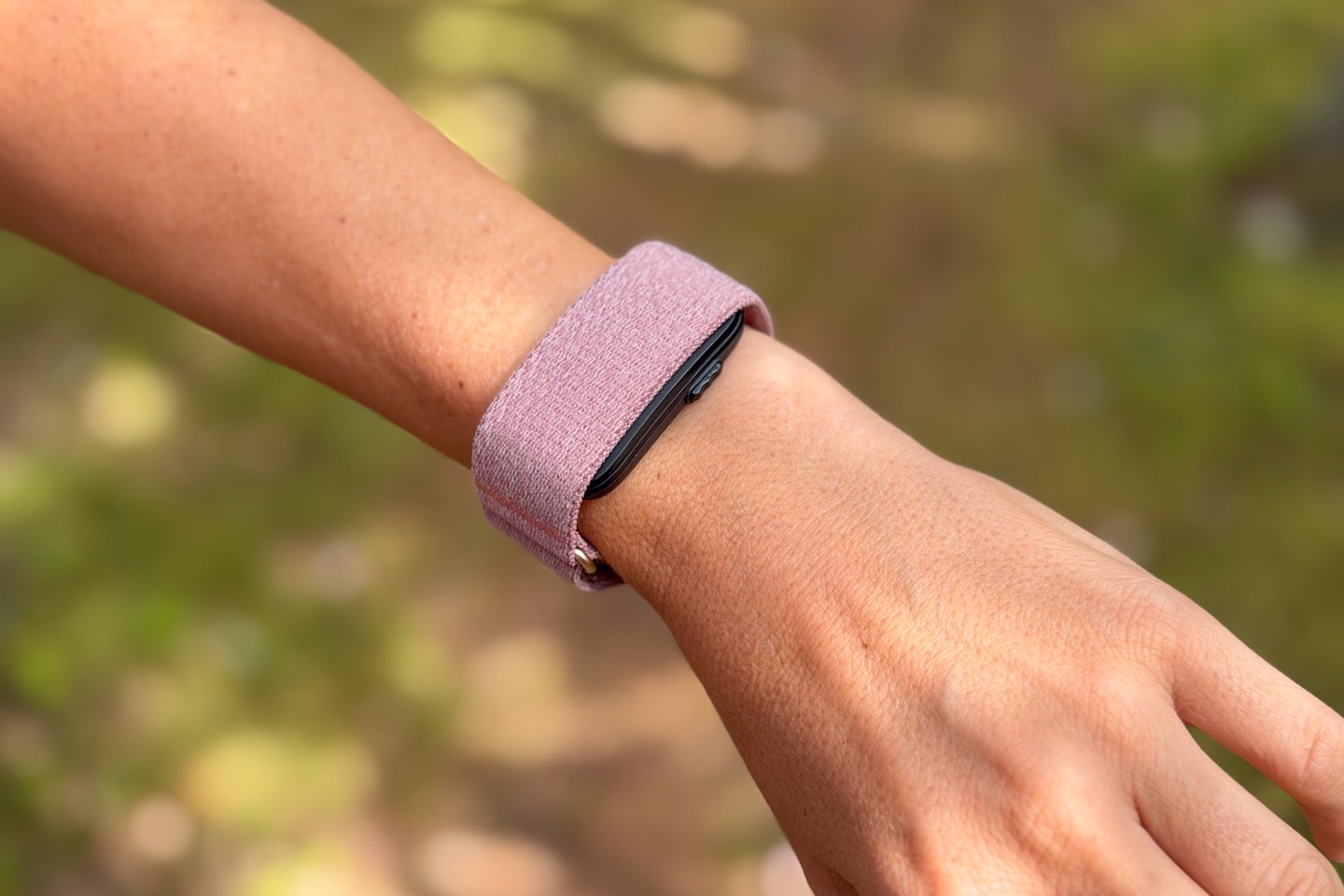
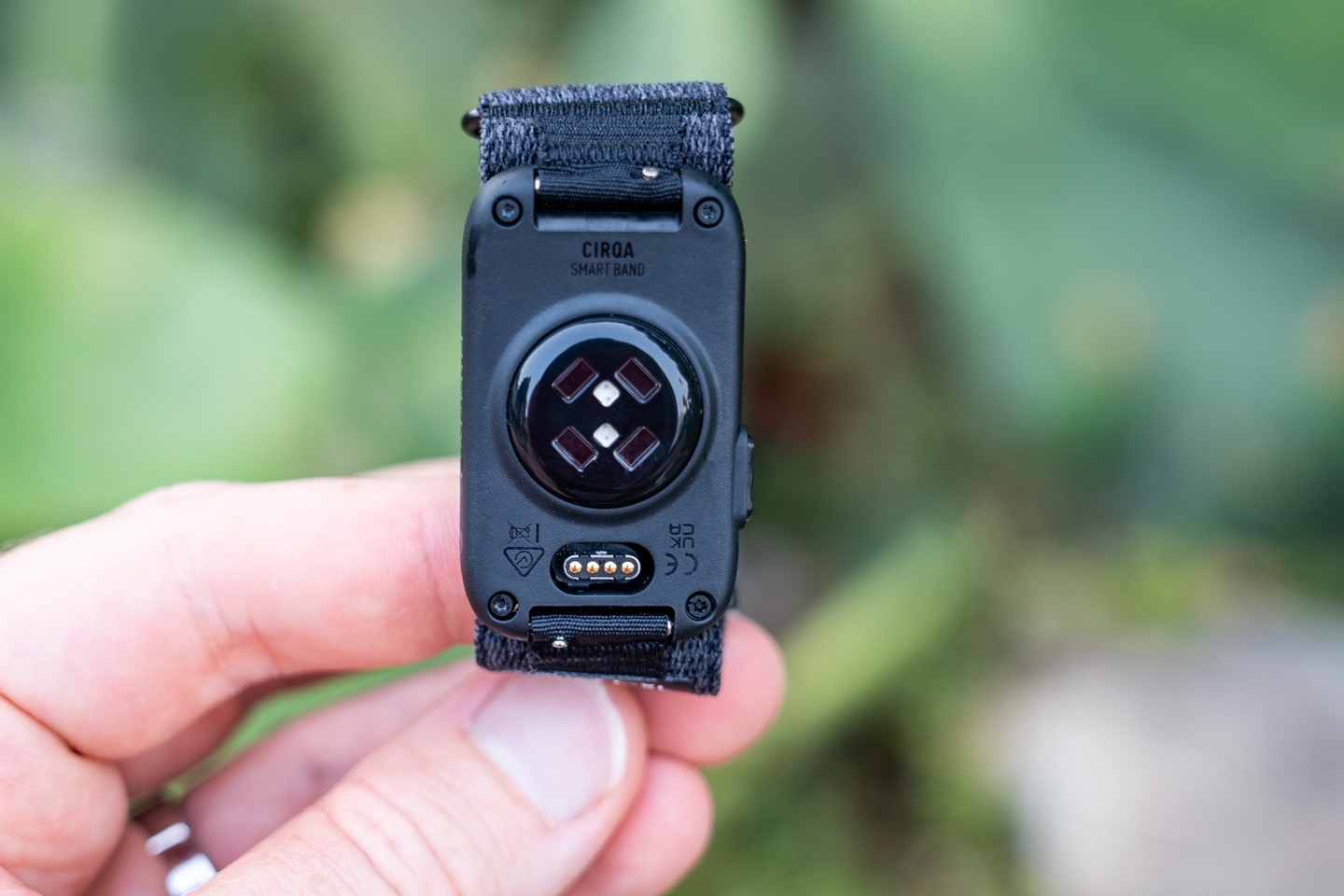
The band covers up the pod that sits below the strap, which contains the sensor, of course, as well as the button on the side.
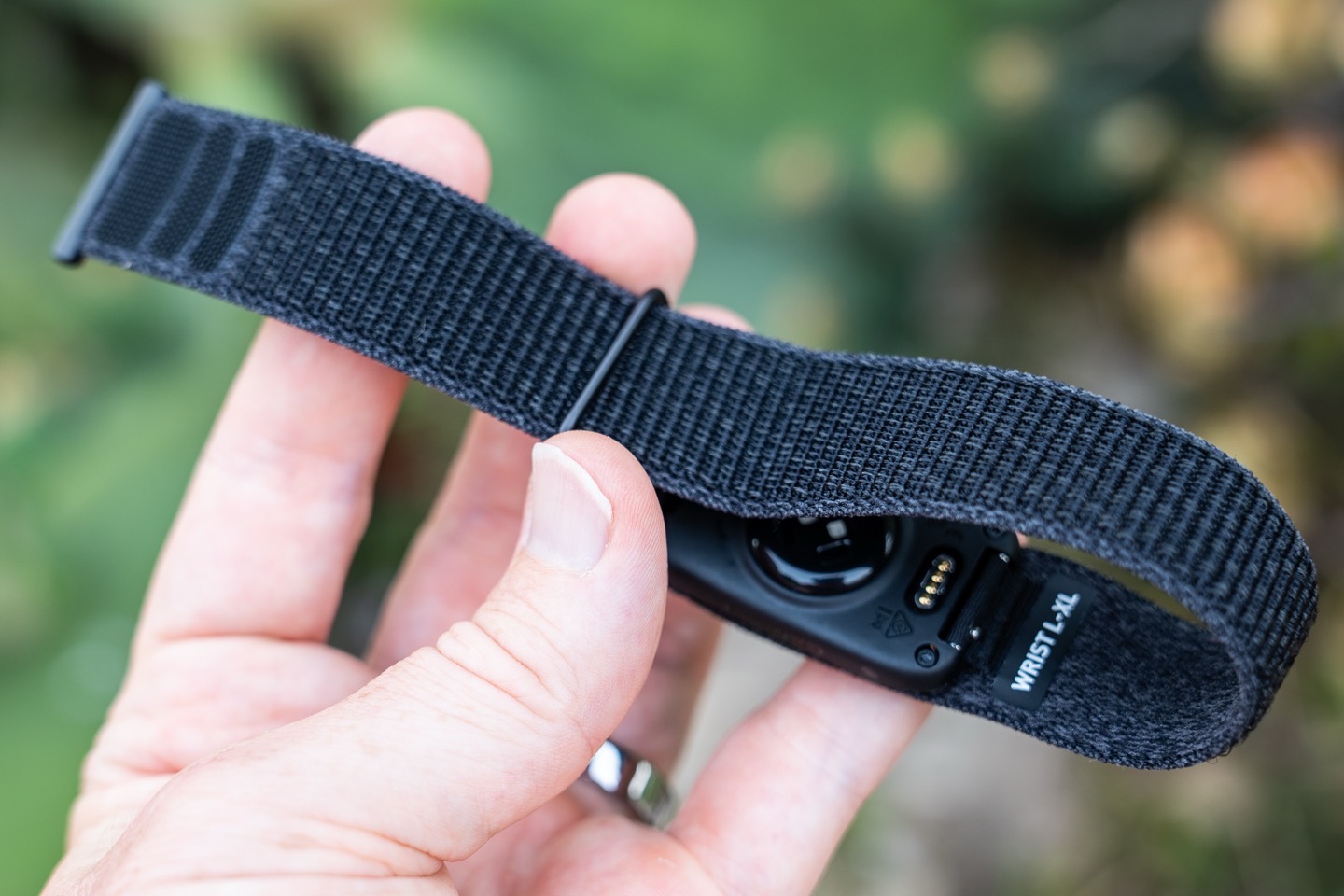
You can adjust the tightness of the strap by undoing the Velcro and then simply loosening it. Complicated this is not.
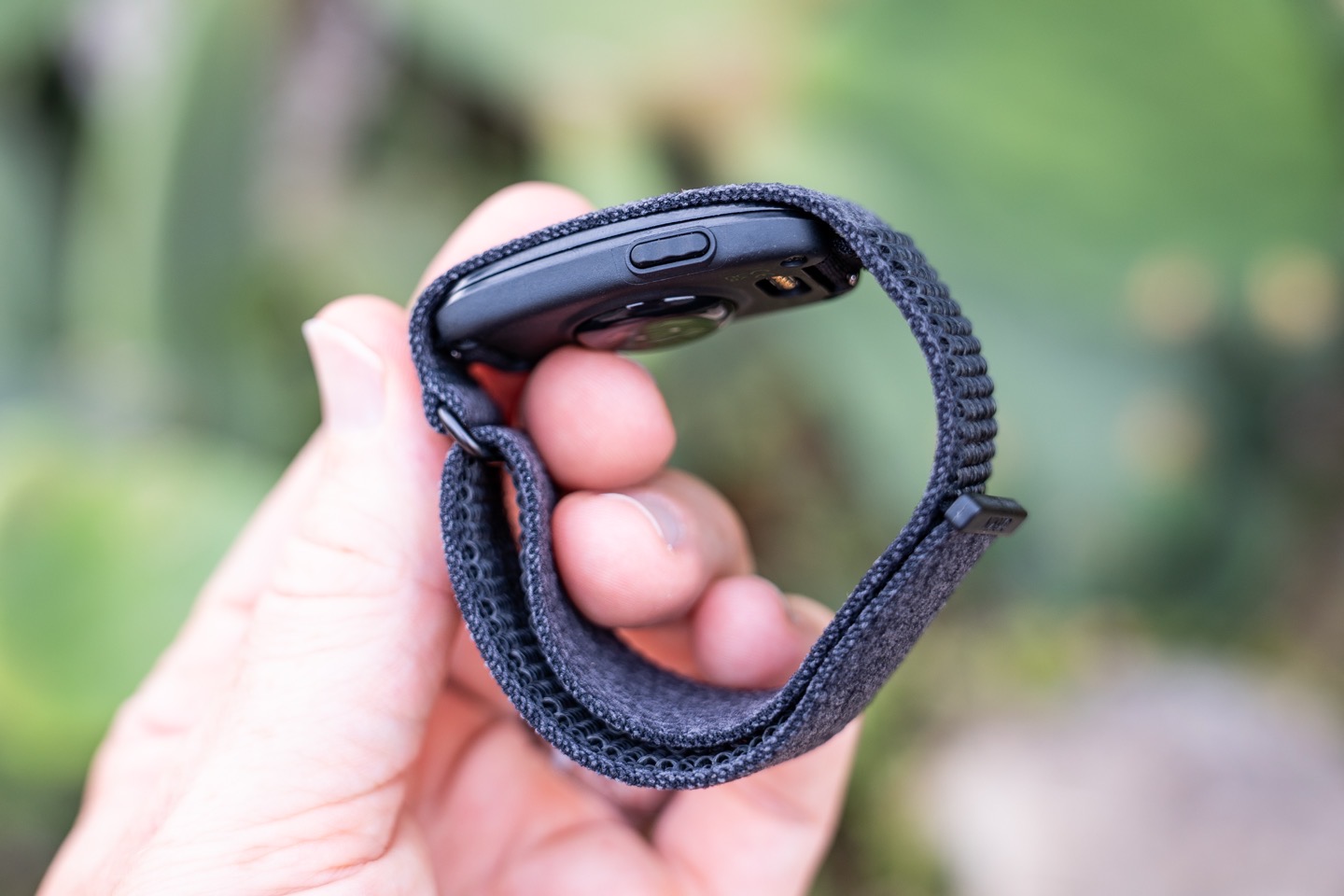
The button allows you to start a workout manually, though again, it’ll do that automatically as well. This just ensures it catches the start of the workout, useful for activities that may be hard to detect initially (such as yoga, or even a walk). It can also be used to snooze an alarm.
The pod portion is detachable, allowing you to swap it to different bands. You do this with the little pins on the inside.
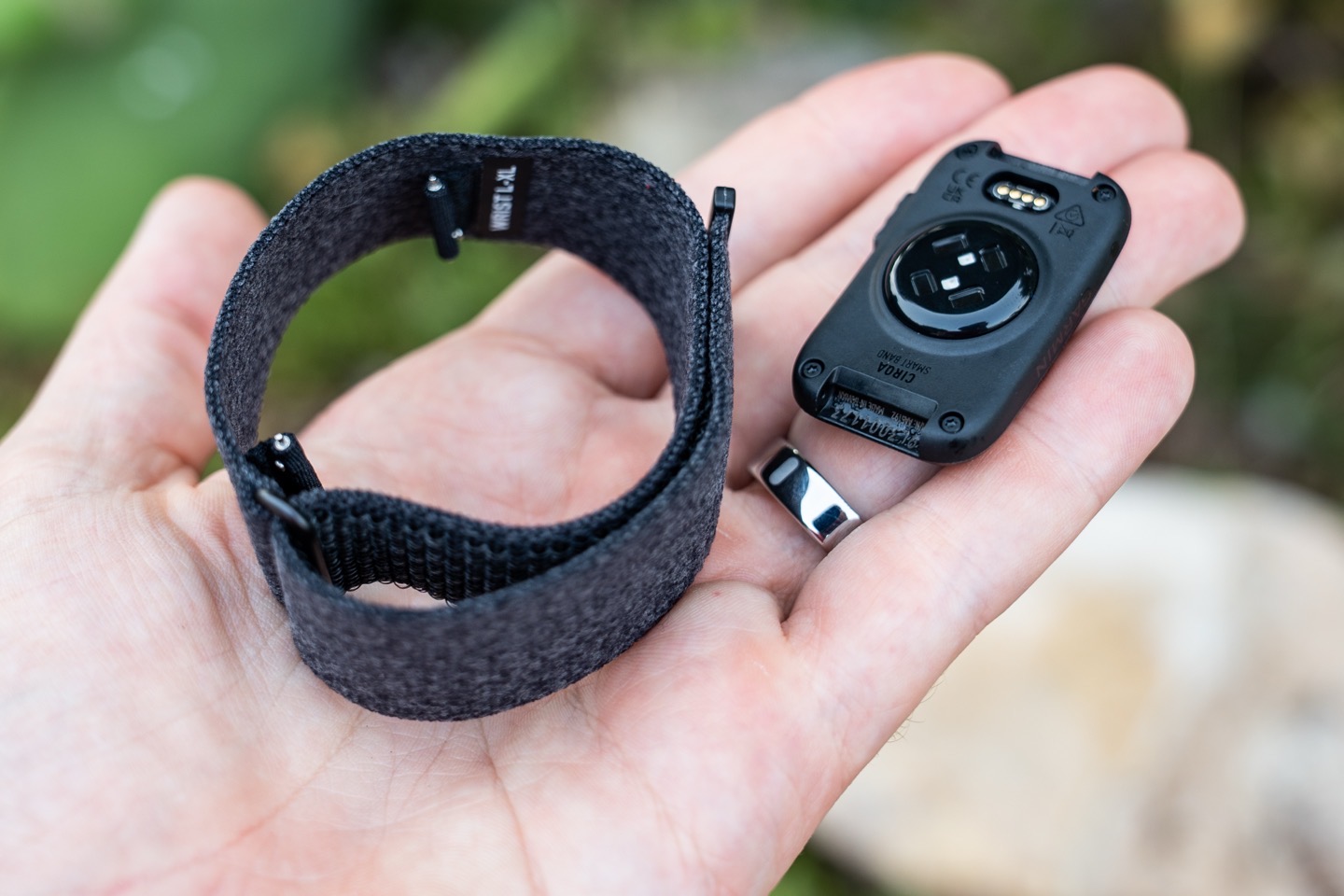
I’ll say that in terms of the hardware, these pins are by far the suckiest part of the hardware. Yes, they are theoretically standard watch pins, but in practice, the way they rotate within the fabric means getting your fingernails in the right spot to pop it out is cumbersome at best. Swapping between the wristband and armband isn’t anywhere near as clean as Whoop. I’d even bet money on a Garmin Cirqa 2.0, this will be the first thing that goes, in favor of Garmin’s more premium QuickFit system (which is *FAR* better for quick swaps). Perhaps they did this to save space/weight, but it’s just not awesome.
The pod uses Garmin’s Elevate Gen4 optical heart rate sensor, which is their older module (Gen5 is the latest, found on their higher-end Fenix & Forerunner watches). The key difference between Gen4 and Gen5 is the inclusion of medically certified ECG on most Gen5 watches. Gen5 also has better accuracy in certain edge cases (e.g., running downhill on a cool day). But I’ve got an entire section (actually, an entire post) on accuracy.
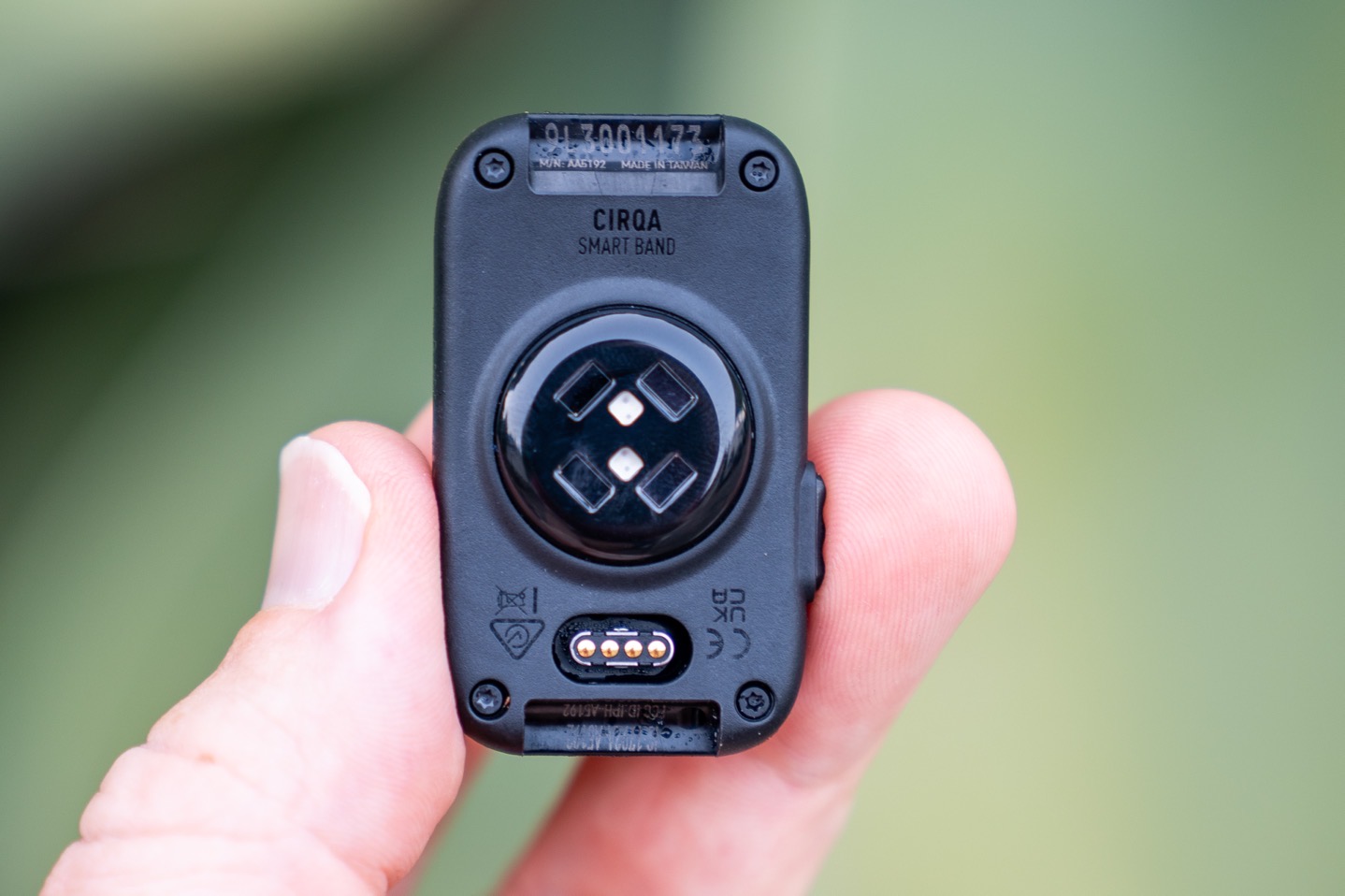
While much ink will be spilled about Gen4 vs Gen5 here, I don’t really think it’s that big of an issue from a pure accuracy standpoint. At this price point, Gen5 would have only given ECG (medical-grade Afib detection), which, while useful to some, Garmin seems to believe isn’t really that applicable to most. I somewhat agree there. The key thing that’s in Cirqa that has historically been tied to Gen5, is skin temperature. Garmin has included an extra hardware layer atop the Gen4 sensor in Cirqa, adding in skin temperature. Note that the underlying optical HR sensor is identical, according to Garmin. Lastly, while Gen5 might have greater accuracy (though, Garmin says it wouldn’t have fit), I don’t think the accuracy is the biggest issue here.
Instead, I think the biggest downside to Gen4 will simply enumerate as battery burn times, rather than accuracy. We don’t actually have any context if Gen5 is more battery efficient in this platform, but no matter how you slice it, Garmin’s sensor here is far less battery efficient than what Whoop has, or arguably even Fitbit. More on that later.
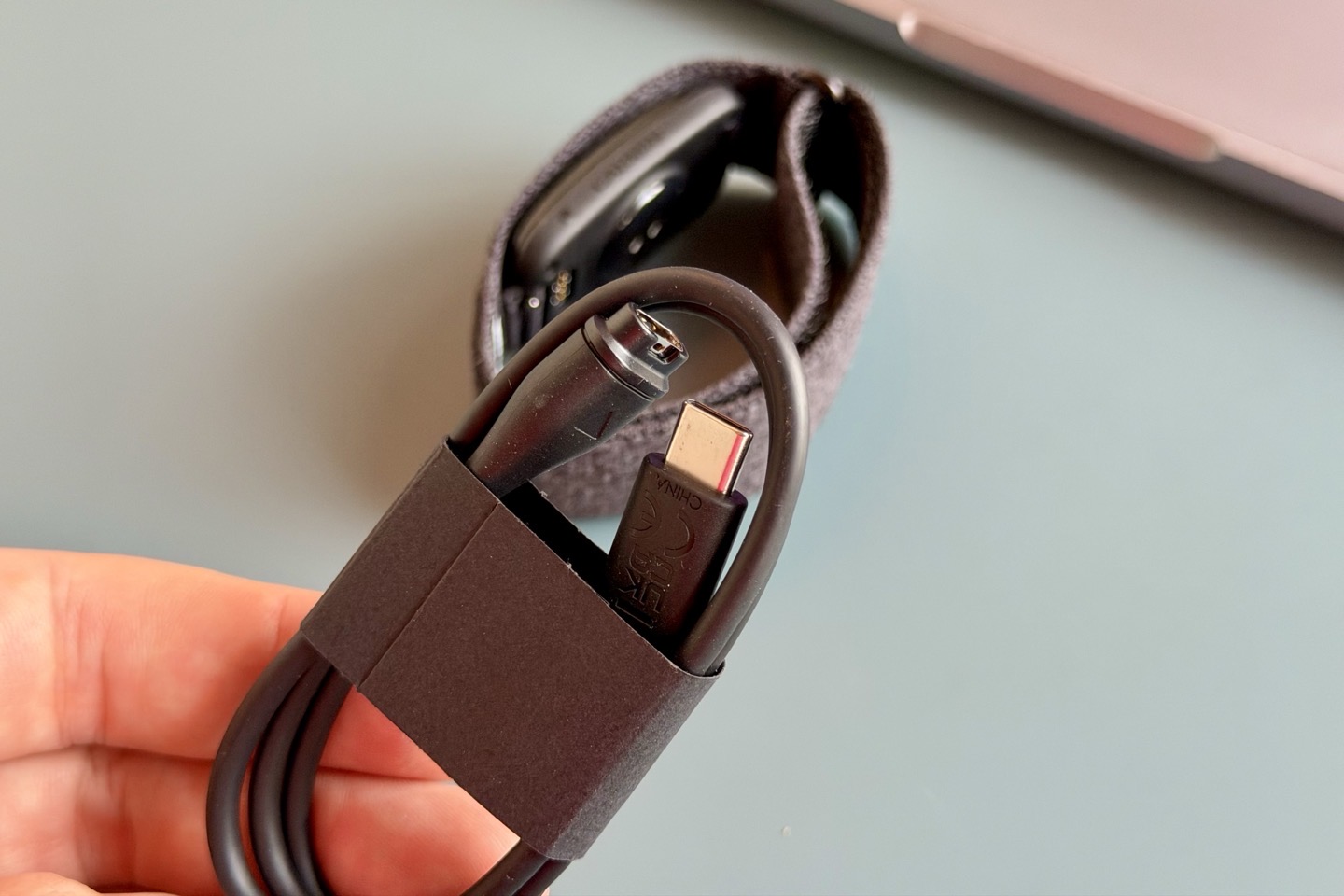
In terms of charging, Garmin it uses the same proprietary Garmin charging port as other watches. The other end of that cable is USB-C:
Here’s how it compares side-by-side with the Whoop 5.0/MG and Fitbit Air:
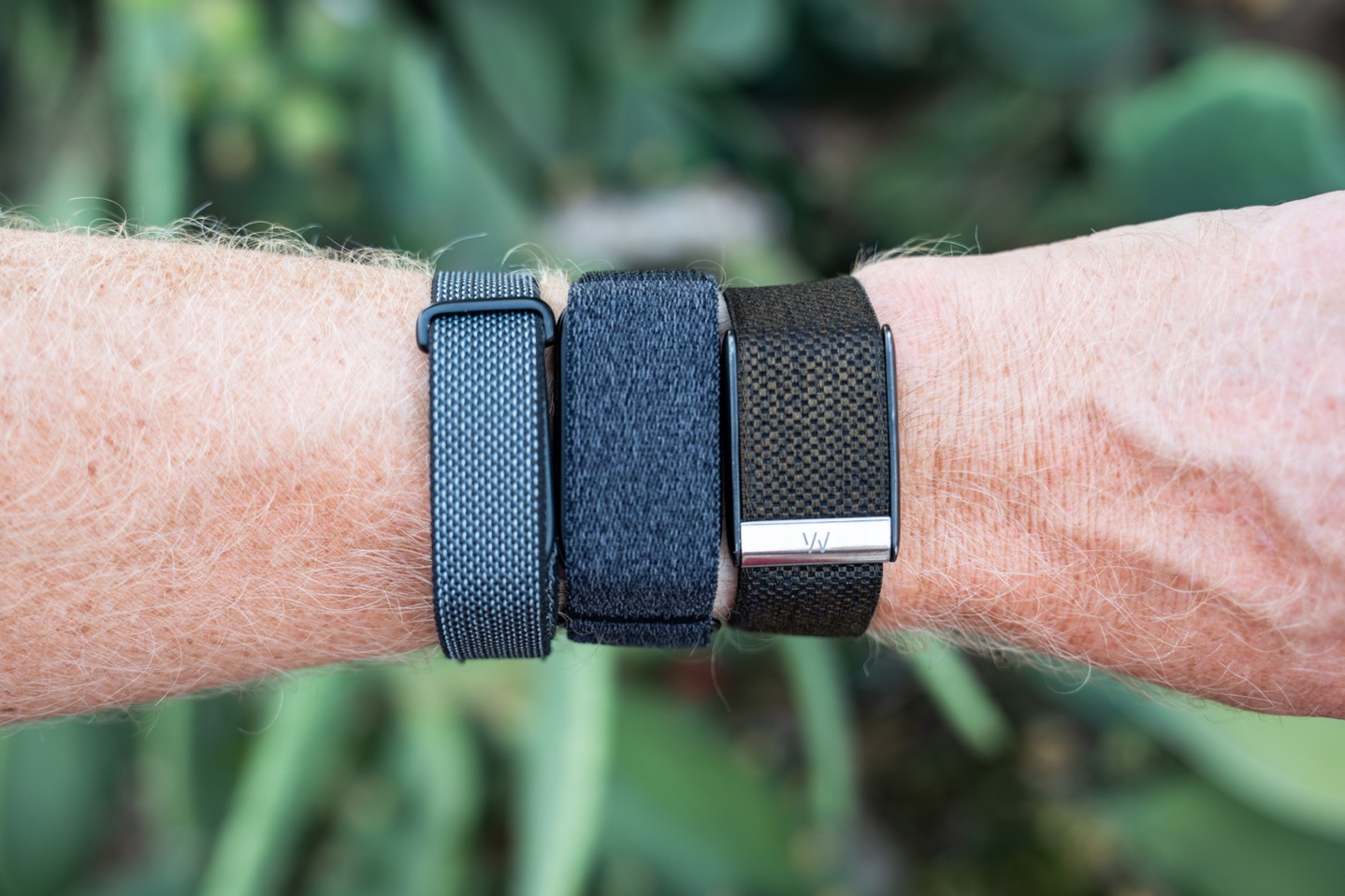
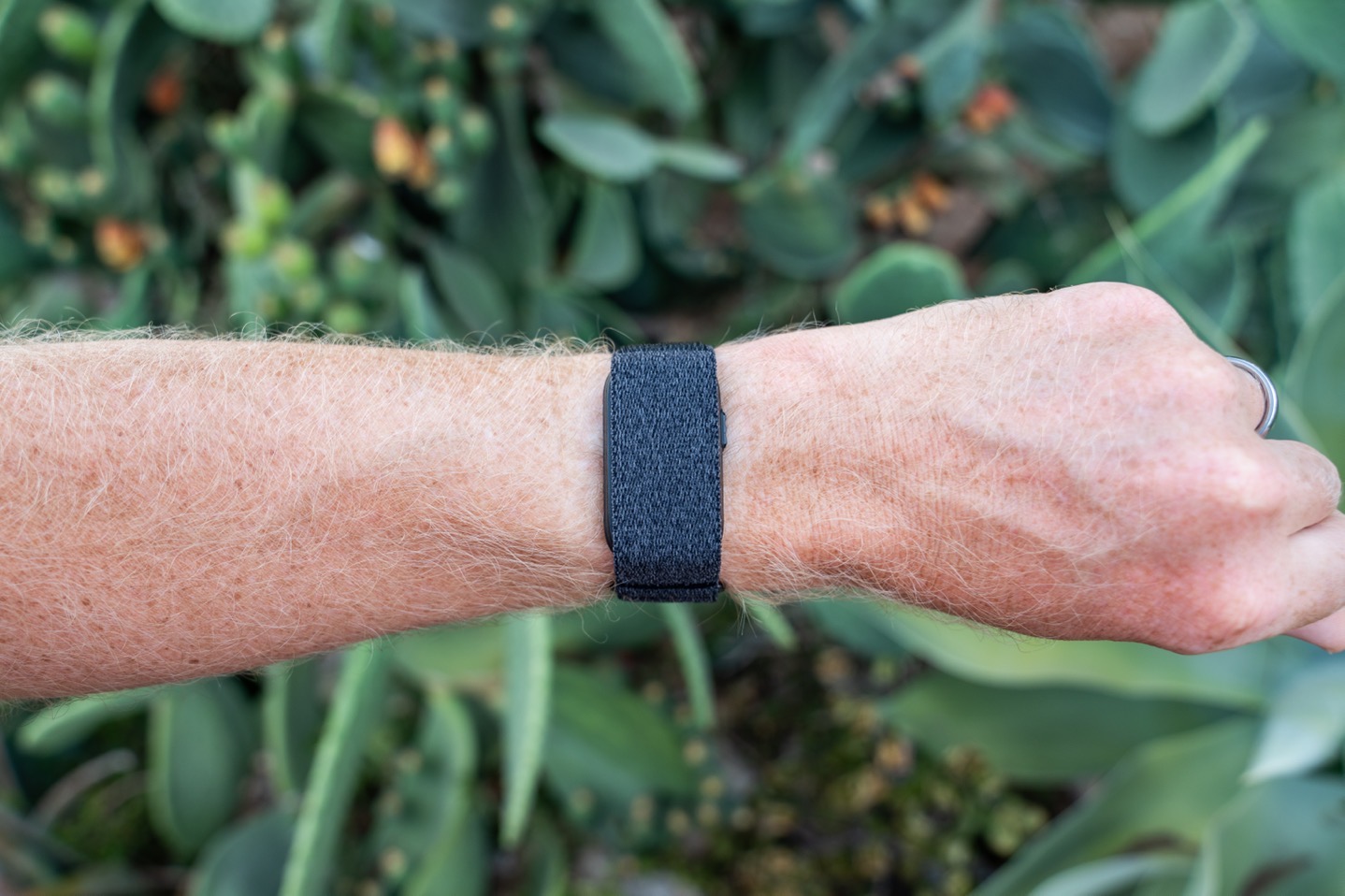
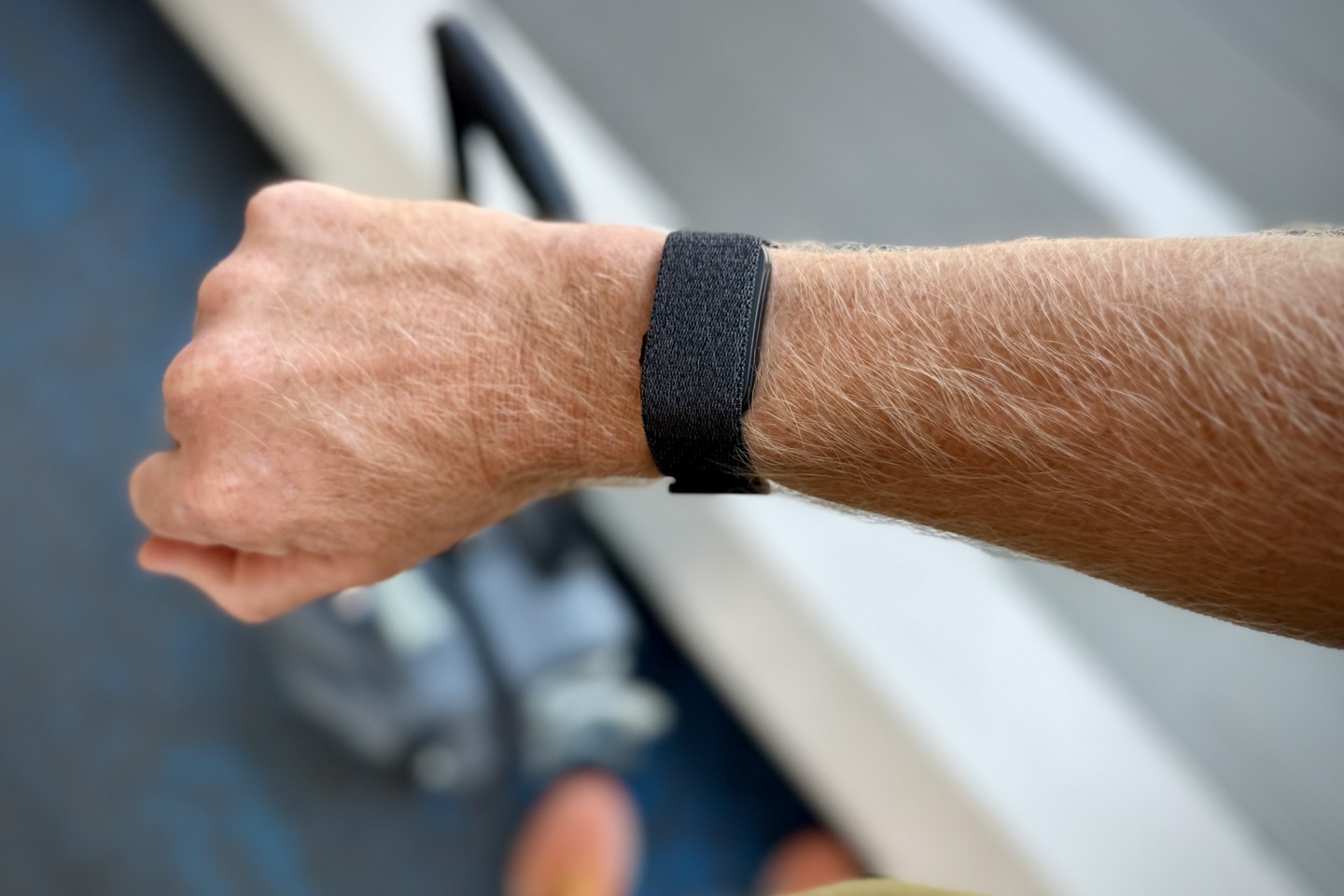
Then how it looks on my wrist (17cm, 6.5″):
And then here’s how the S-M band looks on my wife’s wrist (remember, the pod size and width are identical, just strap/band length changes):
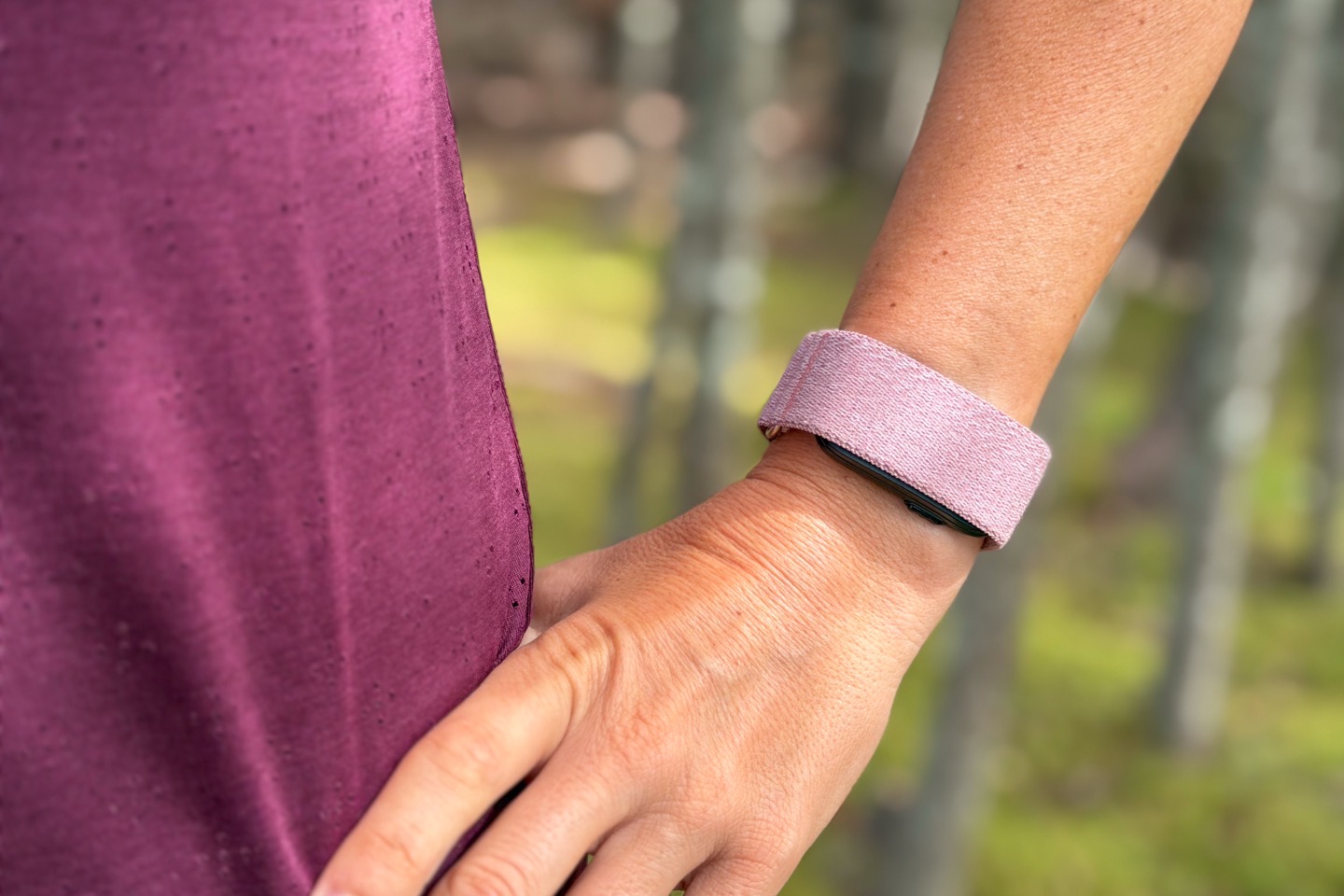
Ultimately, when it comes to the size aspects, I think on her wrist, it does look a bit larger than most of the competitor devices, primarily due to the longer length of the pod (meaning, across the wrist). It doesn’t bother her at all, and she’s been totally fine wearing it, but certainly the pod length is visually noticeable on the internets as being larger.
For me and wearing it, it’s perfectly fine, though, it’s obviously just not as sleek visually as Fitbit or Whoop. But in terms of practical ‘do I care/notice while wearing?’ Nope. Just like I don’t really care that much that the Fitbit Air is slimmer/sleeker than the Whoop 5.0/MG. All three are quite light overall
Now, with the hardware covered, let’s move to the most important part here, the software app. As with all screenless trackers, the app is really what matters.
General Daily Usage & Metrics
In this section I’m going to cover daily usage and general health/activity metrics. Then, the next section will be sleep, and after that we’ve got workout bits.
To start with the obvious, given there’s no screen on it, everything you see will come via the app (Garmin Connect Mobile), or be seen on the Garmin Connect web/desktop site. Behind the scenes, just like other Garmin watches, it’s tracking steps, calories, heart rate, stress, and a slate of metrics while you sleep. In fact, if I were to simply hand you a phone with Garmin Connect on it, it’d be impossible to tell this was a Cirqa device from a full-blown Garmin Fenix watch (in terms of daily metrics). They’re virtually identical, save one exception: Cirqa does not measure stairs (flights of stairs). That’s because it lacks a barometric altimeter like most watches.
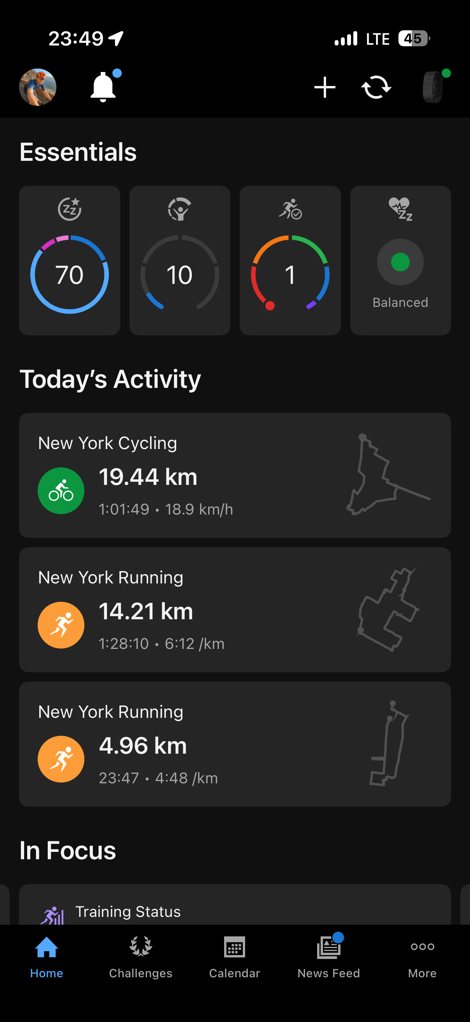
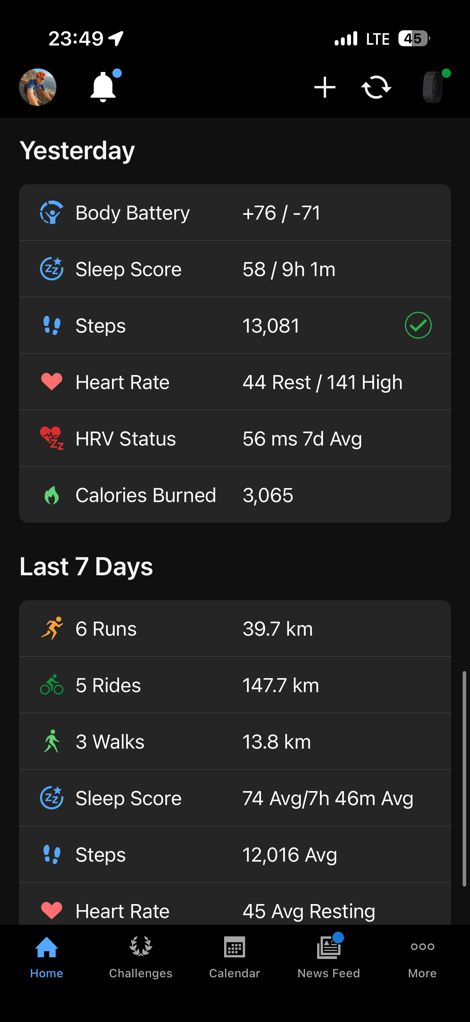
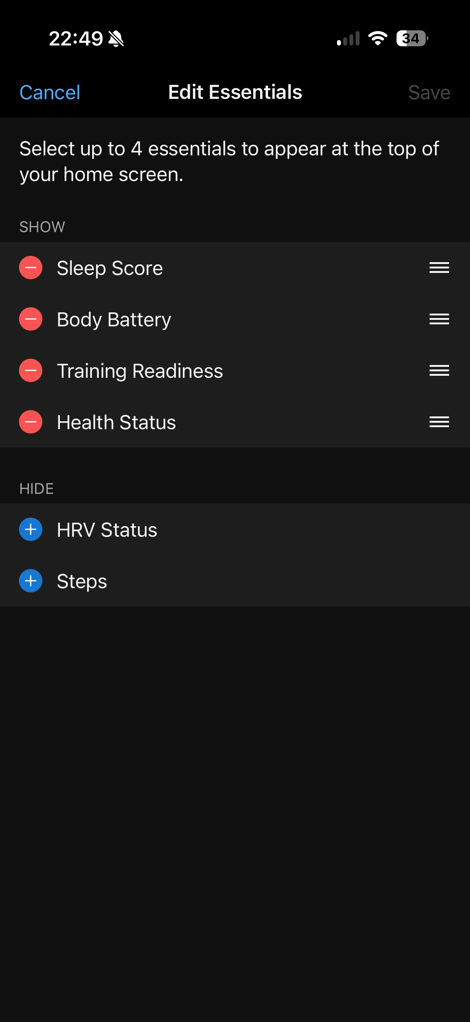
In any case, below is the main Garmin Connect Mobile dashboard. You’ll see the new ‘Essentials’ strip along the top, which you can lightly customize (it has 4 slots, but only 6 potential data fields, which is a pretty big disappointment). Below that you’ve got Today’s Activities, which is basically your workouts from today. If you don’t have any, this section disappears. After that is ‘In Focus’, where you can swipe left/right through tiles that you’ve specified.
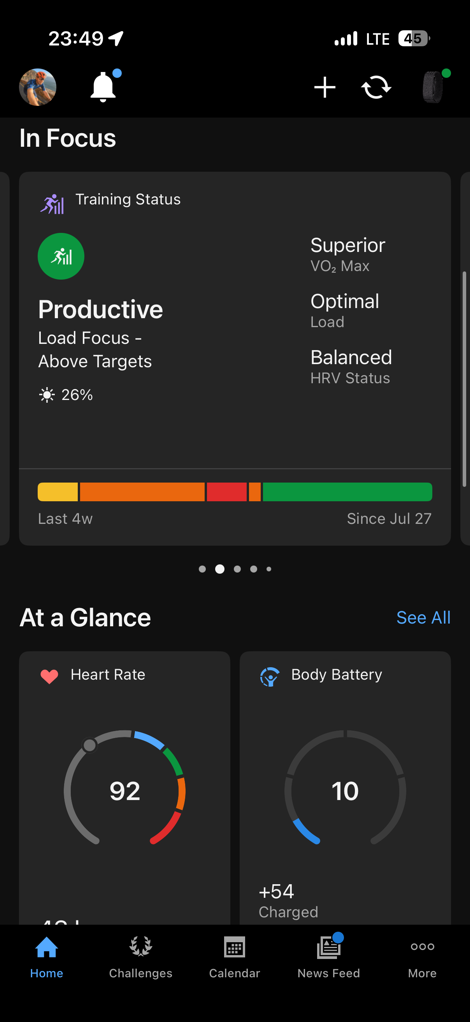
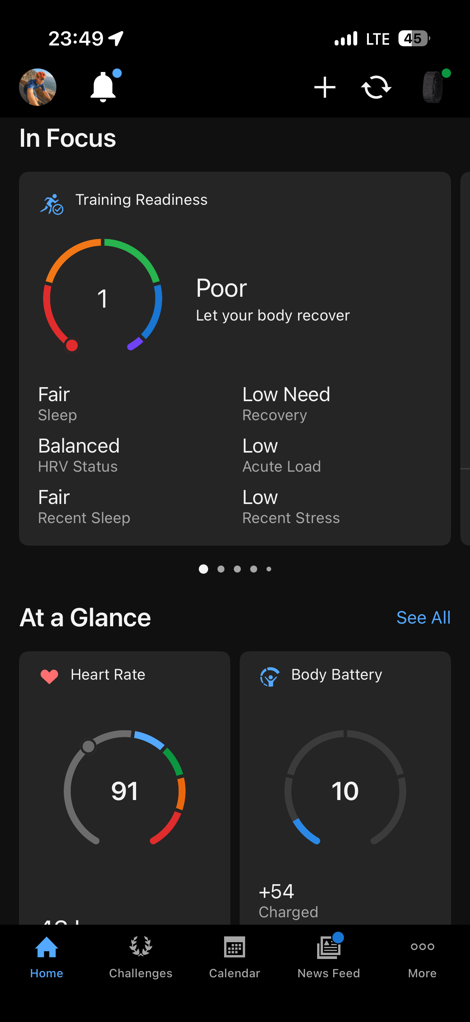
Following that, you’ve got ‘At a Glance’, which are more customizable tiles with all sorts of key metrics. And finally, you’ve got sections for yesterday and last 7 days:
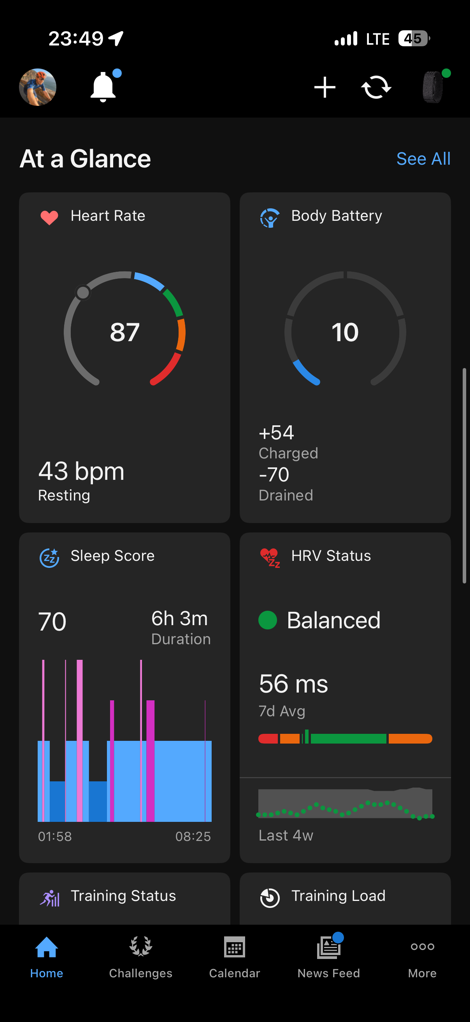
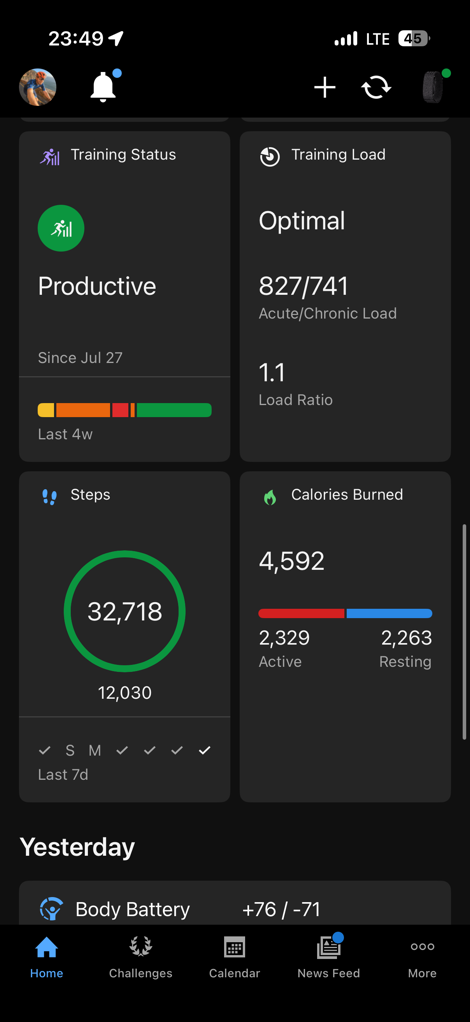
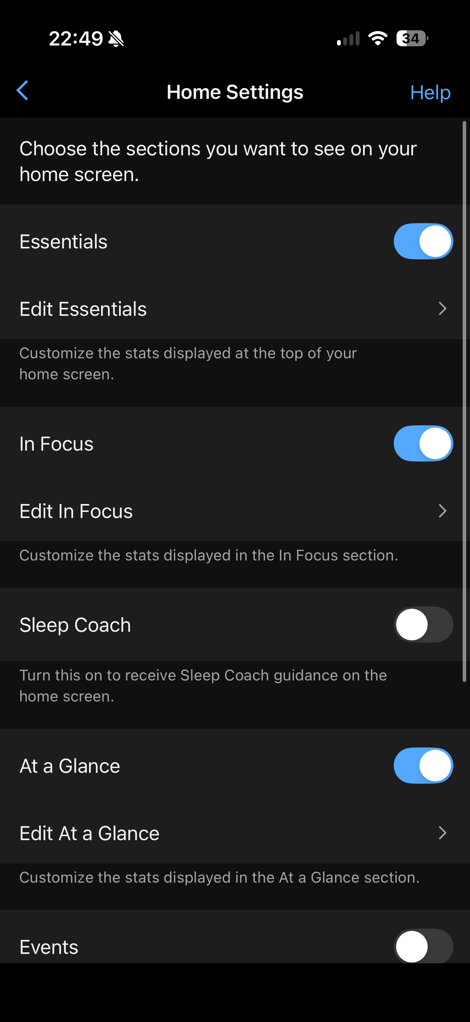
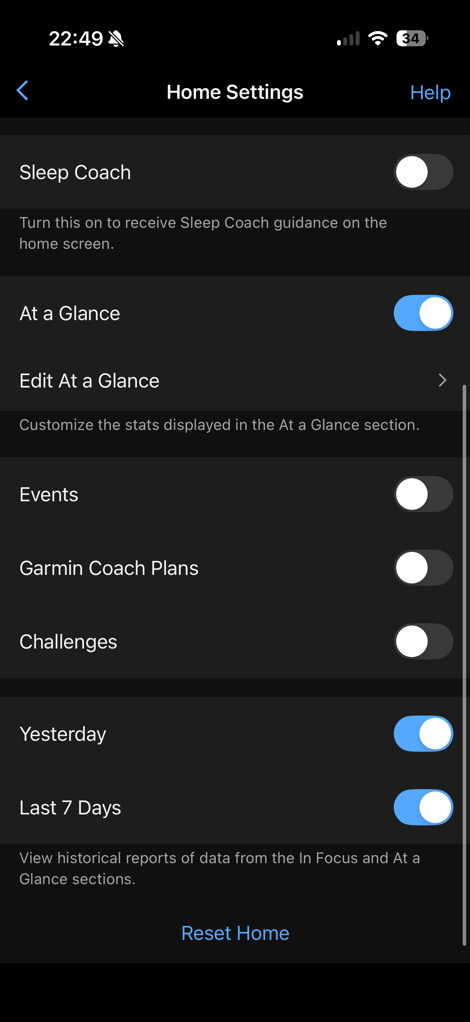
You can edit this dashboard to add/remove pieces. For example, I’ve removed the Sleep Coach, Events, Garmin Coach Plans, and Challenges. And you can edit what happens in each of the different sections. While there are certainly opinions on the Garmin Connect app, no other wearable offers this much customization to the dashboard. Whoop and Fitbit only have very minor customization.
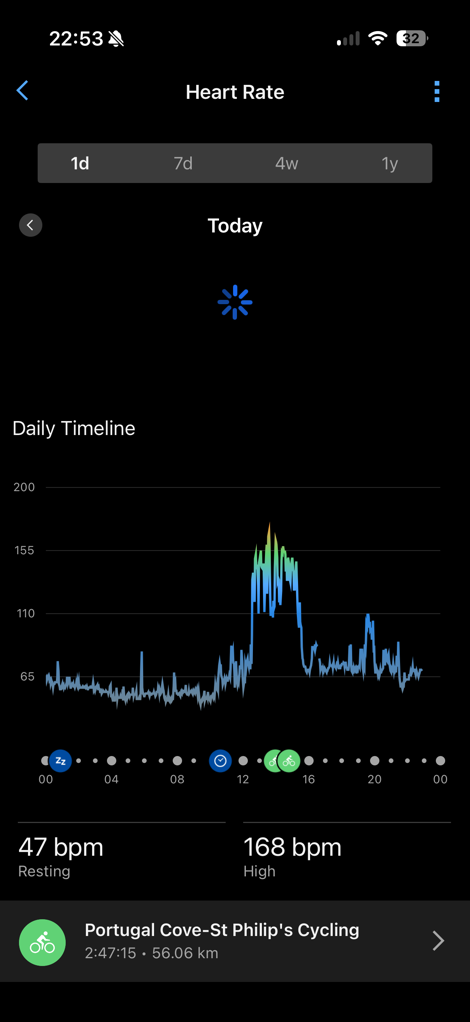
Of course, this is just the main dashboard, you can tap into any of these given metrics to get more details. For example, if you want to tap into the steps dashboard, you can see today’s steps, and then chart various timeframes.
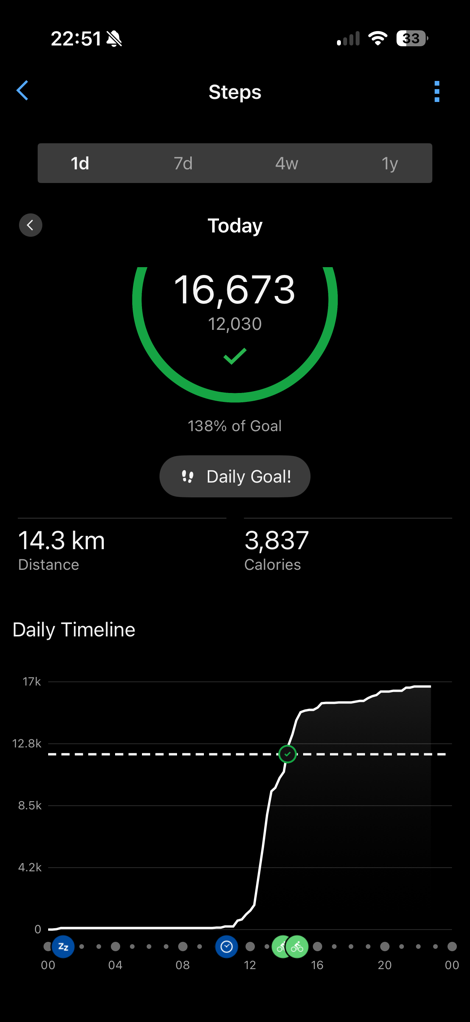
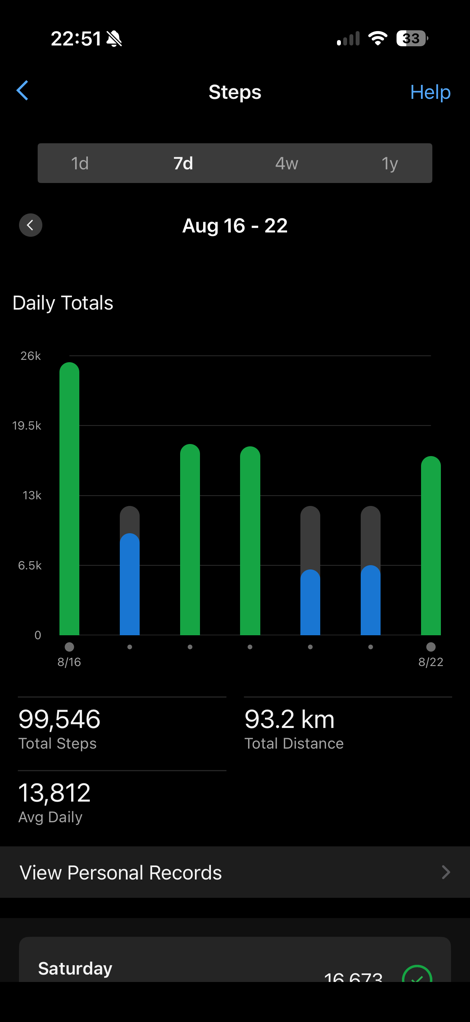
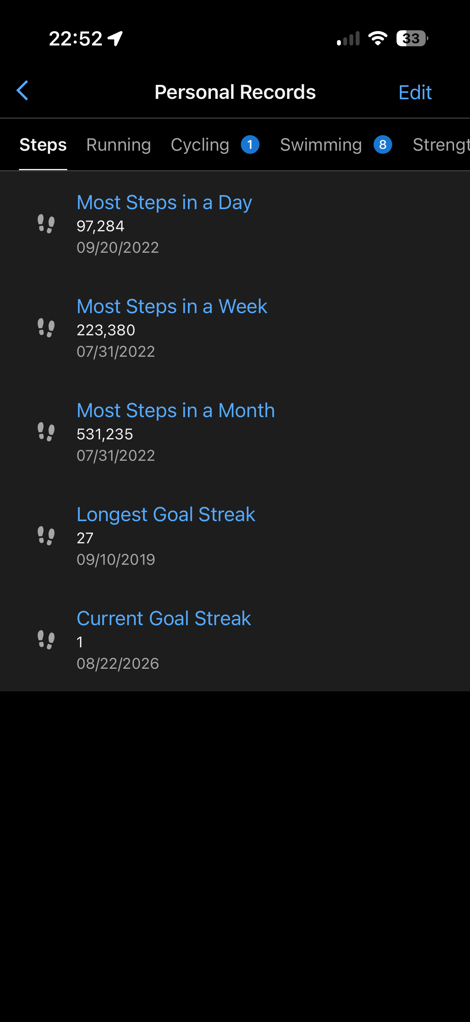
Same goes for heart rate data, or calories, Body Battery, or many other health metrics:
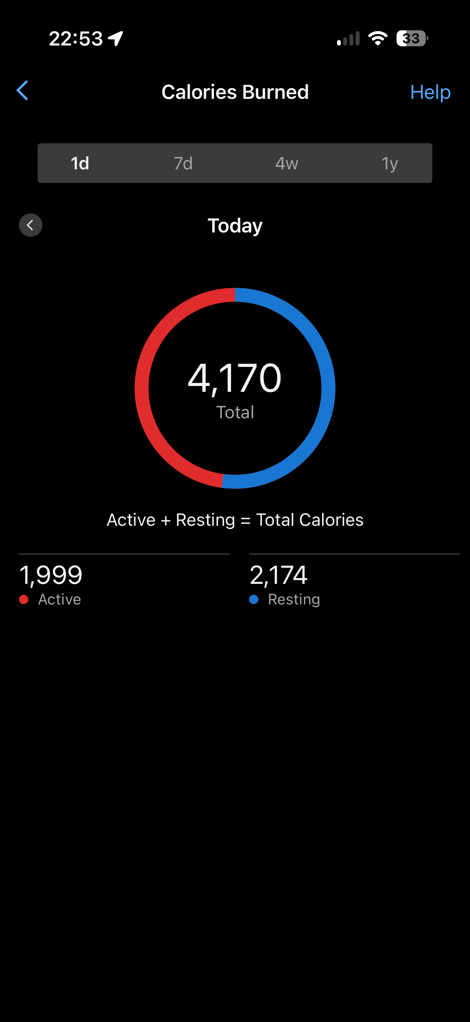
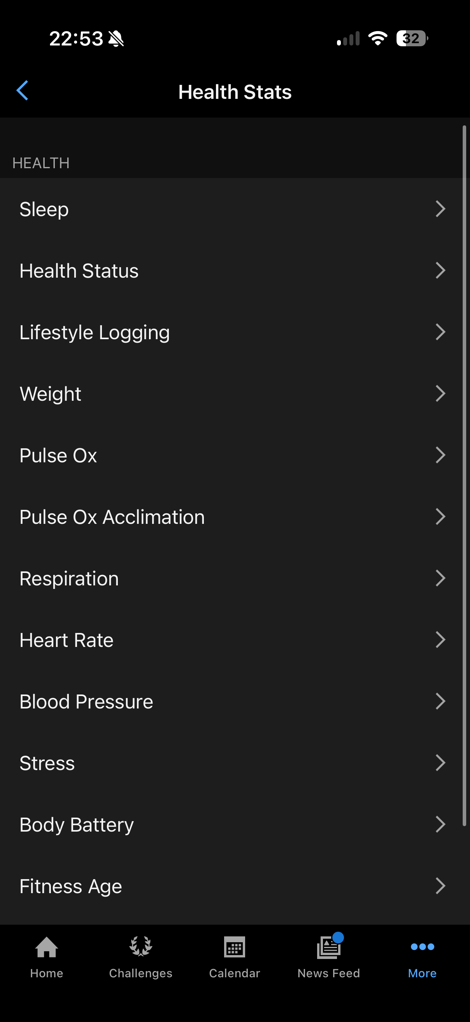
(Note that Blood Pressure in this list comes from the Garmin Index Blood Pressure monitor, not from Cirqa)
Speaking of Body Battery, that’s the first of a few different Garmin features that tracks how your body is holding up on a daily basis. Essentially, it’s an energy level that changes throughout the day. You’ll fill up that battery at night while you sleep. Usually, you won’t get to 100%, but some portion of that, depending on your sleep. From there, activities throughout the day drain the battery. Likewise, relaxing on the couch might slightly increase the battery. Same goes for a nap. Within that, you can toggle to see stress overlaid:
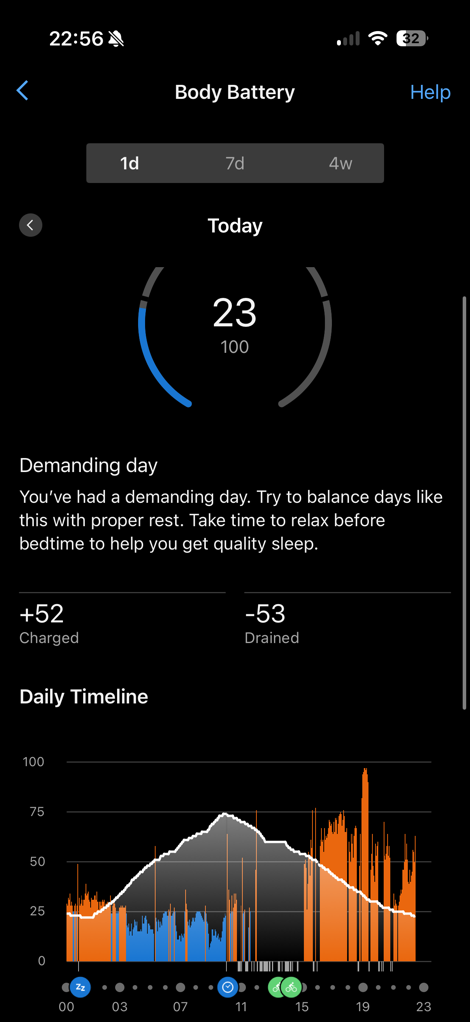
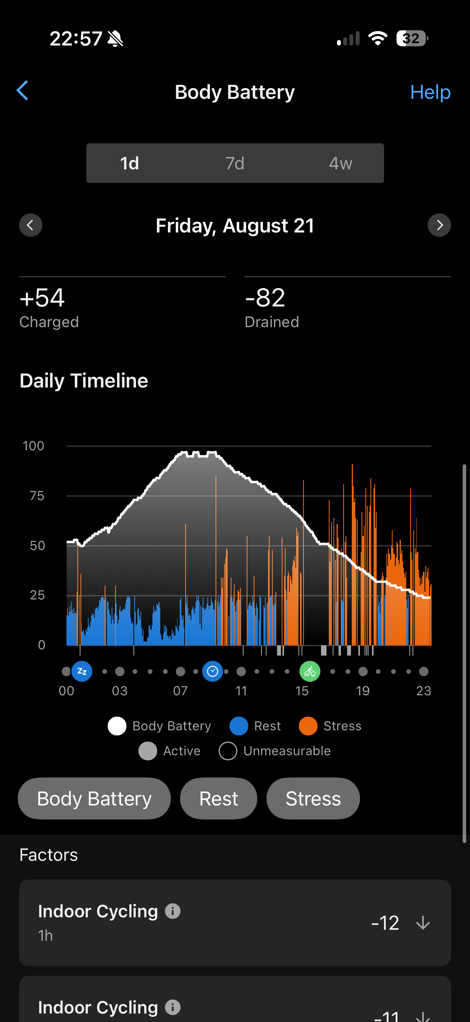
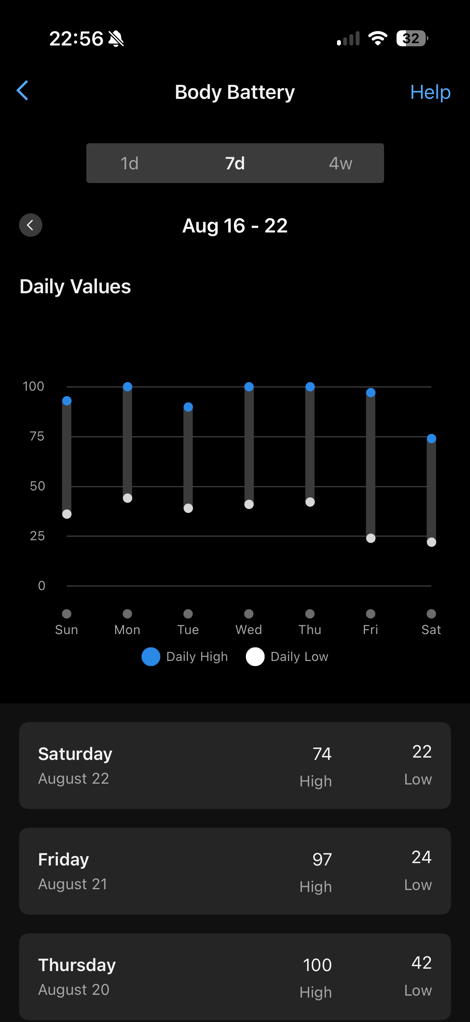
I find that this is generally pretty good, though, I find when I get close to the bottom, things get a bit funky. I can often go far longer than Garmin thinks I can, when it comes to operating on reduced sleep, and/or longer activities that flatline/drain the Body Battery.
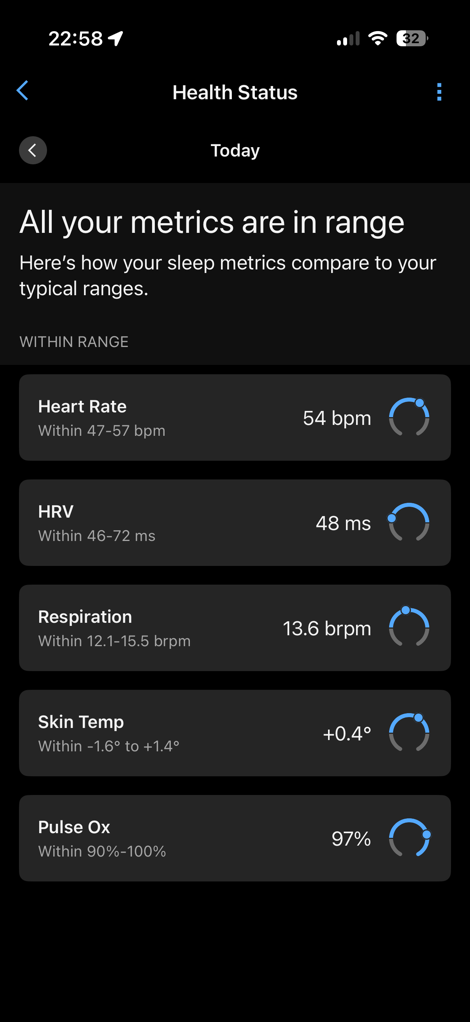
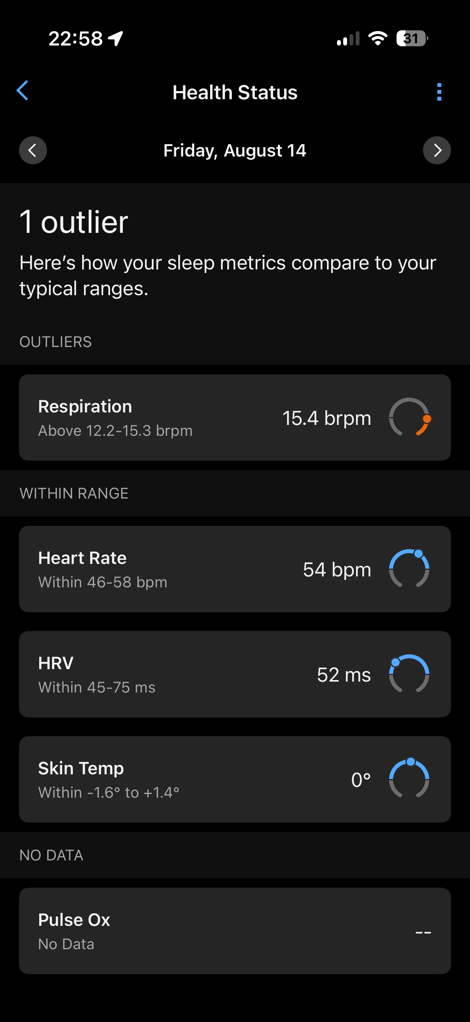
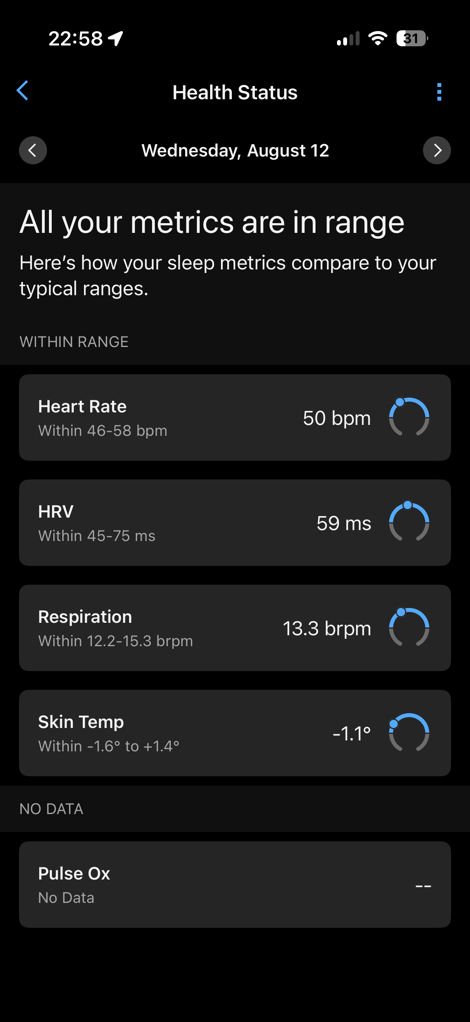
Next, I want to briefly mention Health Status. This is accessed from a number of different ways in the dashboard, but it essentially trends your vital stats and shows whether you’re in your normal ranges. Critically, these are *your* normal ranges, not some other random population portion. You’ll see that you’re ‘In Range’ on the Essentials dashboard, and then you can see the details. Equally, if you pop-out of one of them, you’ll see a notice about that. Notably, the PulseOx one does require you enable that, which I’ll dive into in the next section (I’ve included a screenshot below, if you don’t have it enabled).
Now, it’s worth noting that there’s a whole slate of settings you can tweak on Cirqa. In many ways, it’s almost the same set of core settings you’d find on a Garmin watch, displayed in much the same way. Here’s a big ole gallery of them.
In any case, let’s shift into the sleep metrics, because there’s a ton of those that feed into things like Body Battery and Health Status.
Note that in terms of battery life (which I usually include in the ‘basics’ section), I’ve got a separate section a bit later down on that. So check that portion out for how things trend day to day.
As far as using it with a Garmin watch (going back and forth), I might do a whole seperate post on that. But the reality is that it’s simple: The data will seamlessly merge together, even aspects like Body Battery, steps, and Training Load data. For Edge devices, it’s an even better dance partner, as the Edge will take priority with manual workouts (over automaic workouts) to ensure you have the most accurate data.
About the only thing to be aware of, is that for older watches (where ‘older’ is defined in Garminpland as basically Forerunner 955/Fenix 7 Pro and earlier), it won’t dynamically update your Body Battery/Stress stats on your watch, but they will merge properly on the app. That’s really the only catch.
Sleep Metrics and Alarms:
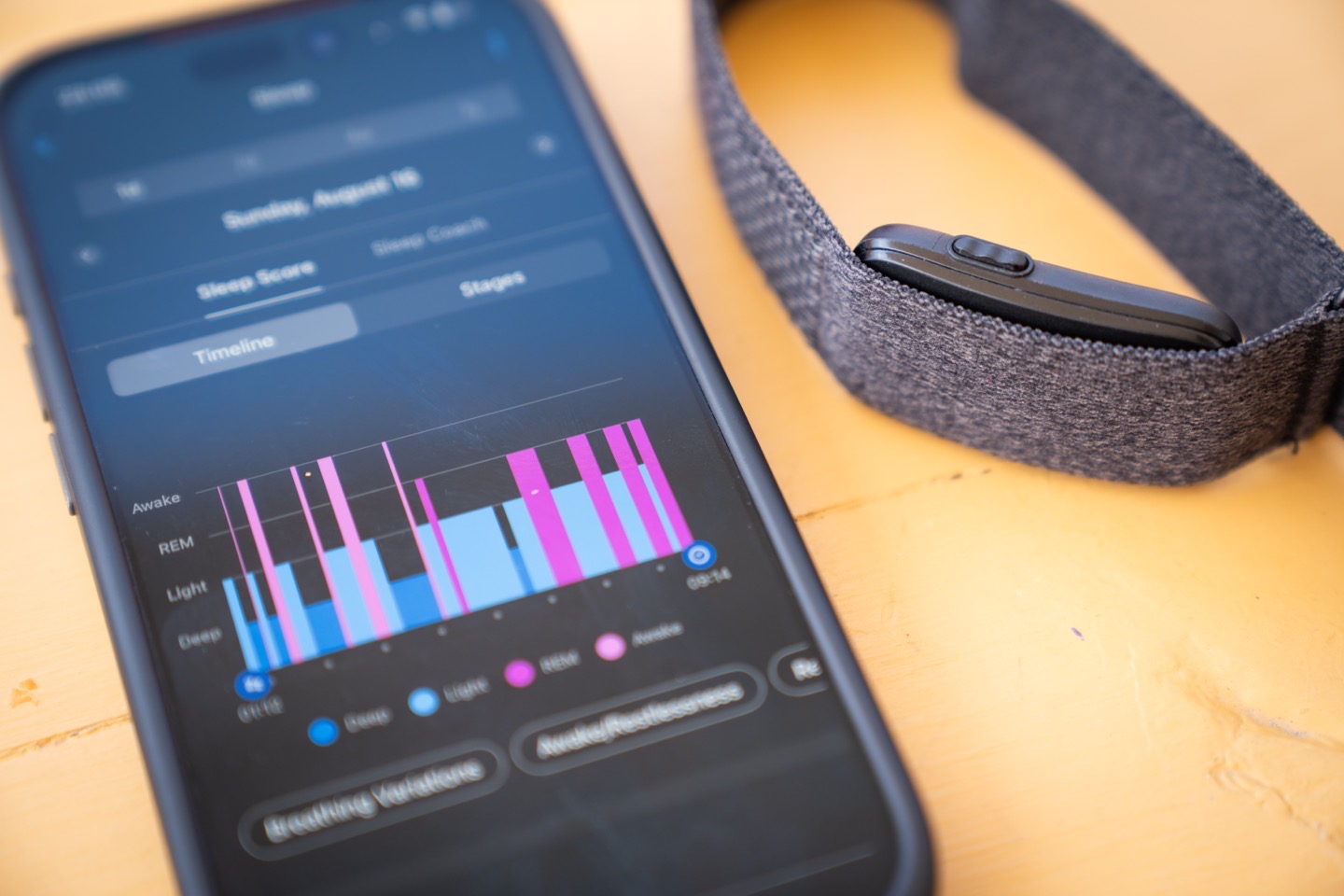
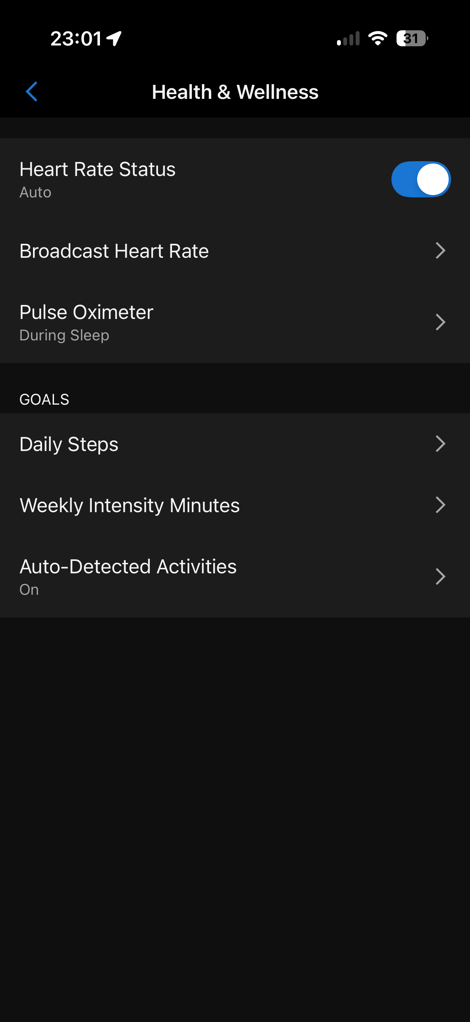
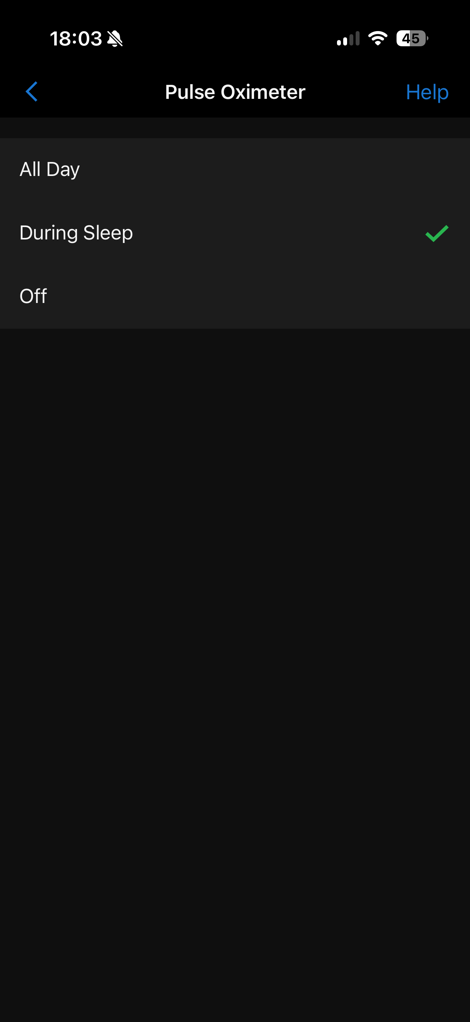
In terms of receiving sleep metrics, there’s really nothing you’ll need to do, other than fall asleep. However, there is one choice that you can make related to sleep, which is whether or not to enable SpO2 blood oxygenation monitoring (called PulseOx in Garmin lingo). Within that, you’ve got three options:
A) Not enabled (default)
B) Enabled for sleep (my preference, burns very little battery)
C) Enabled for 24×7 usage (mostly useless, burns a ton of battery)
The middle option is what I do, because it then lights up the PulseOx data seen within the Health Status page. This is accessed within the ‘Health & Wellness’ settings section (of the Garmin Cirqa device in Garmin Connect Mobile).
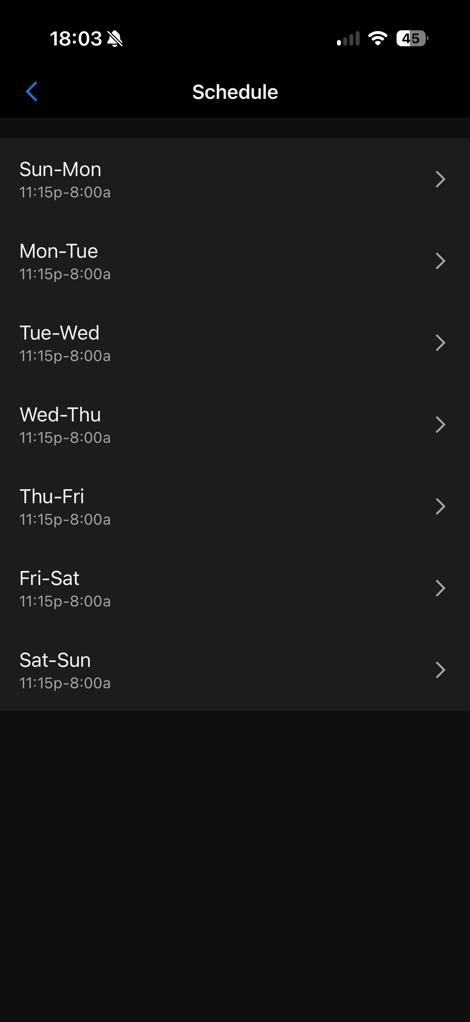
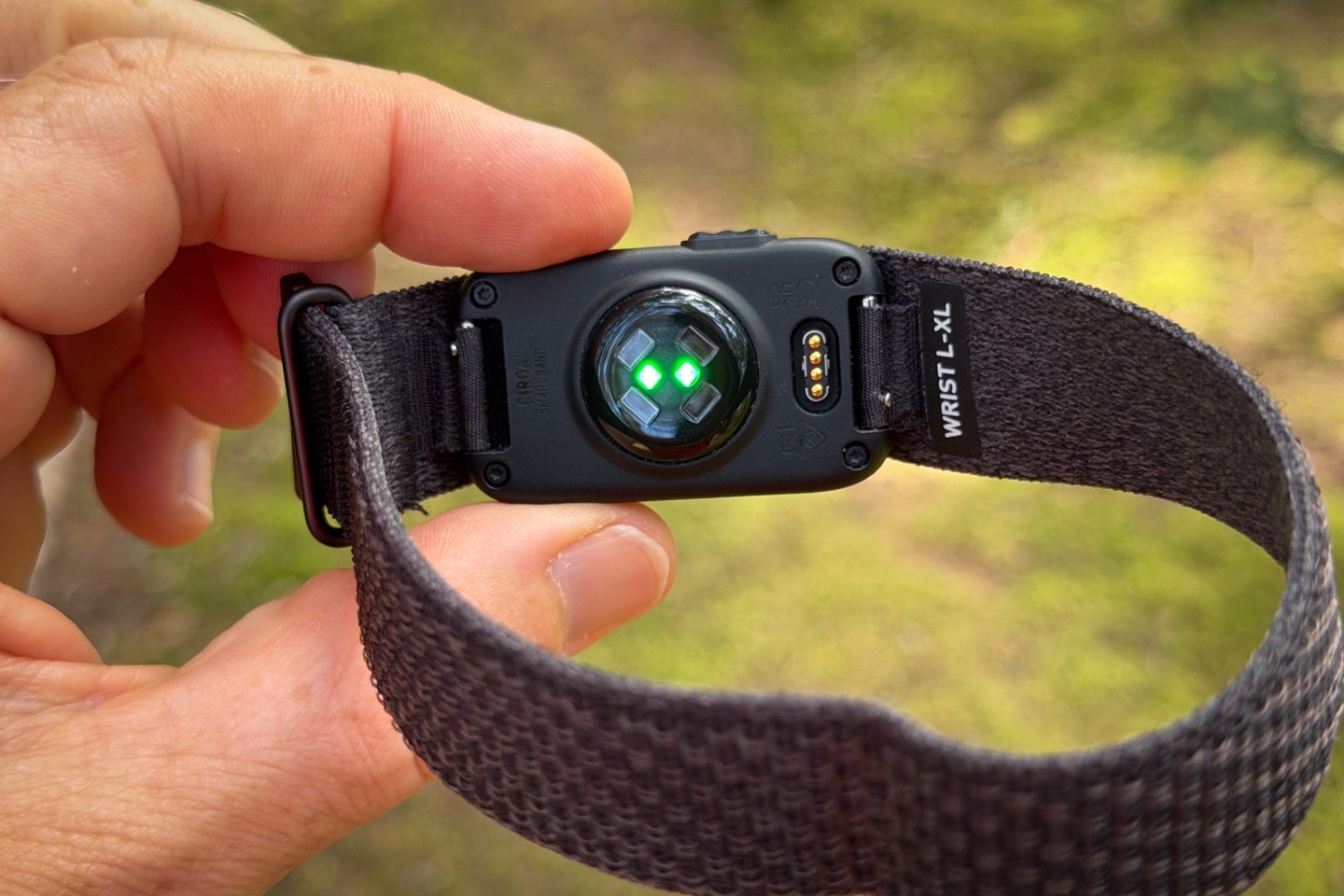
The other piece that’s tied to this and worth a mention is your ‘Sleep Hours’. In practice, this has no bearing/meaning on whether or not Garmin tracks your sleep. You can sleep whenever the heck you want, and it’ll track it. However, what this does do is enable PulseOx during that time period (even if not asleep). Garmin says this should only happen when actually sleeping, but a months worth of data and seeing the tell-tale red light from my wrist as I cross that threshold but am still awake, indicates this is not the case.
Here’s a blurry shot of that in the dark, as I walked up some stairs:
With all that sorted, it’s time to fall asleep. The Cirqa will simply track all that as you’d expect. I cover the accuracy of this in my sprawling Cirqa Accuracy In-Depth post, as well as briefly later on in the accuracy section. Short version: It tracks the time I woke up and went to sleep basically the same as every other device on the market. Same went for my wife, who also wore it for many weeks.
Once you wake up, a few things will happen. First, you’ll see your sleep metrics within Garmin Connect Mobile. But equally, you’ll get a push notification from Garmin Connect that says “Your Sleep Score is ready to View”, which simply takes you to your sleep summary pages. Below, are these pages, which outline all your sleep stats:
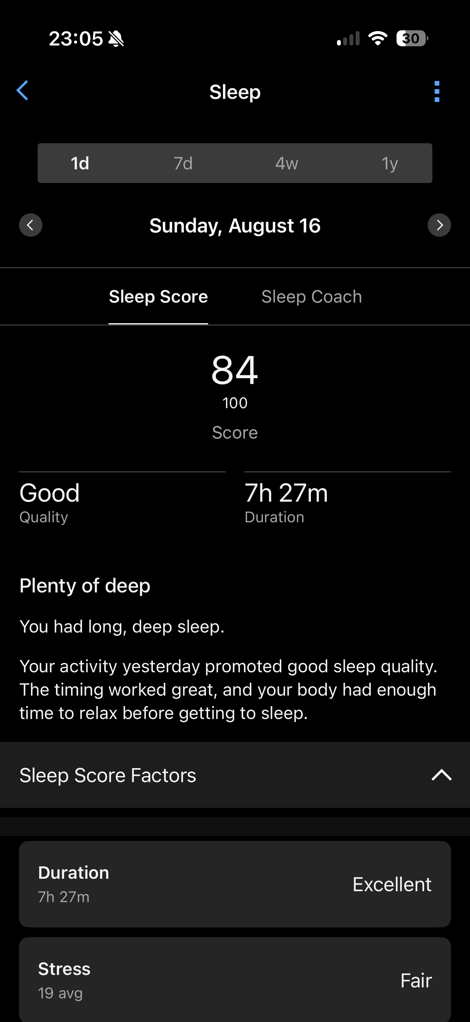
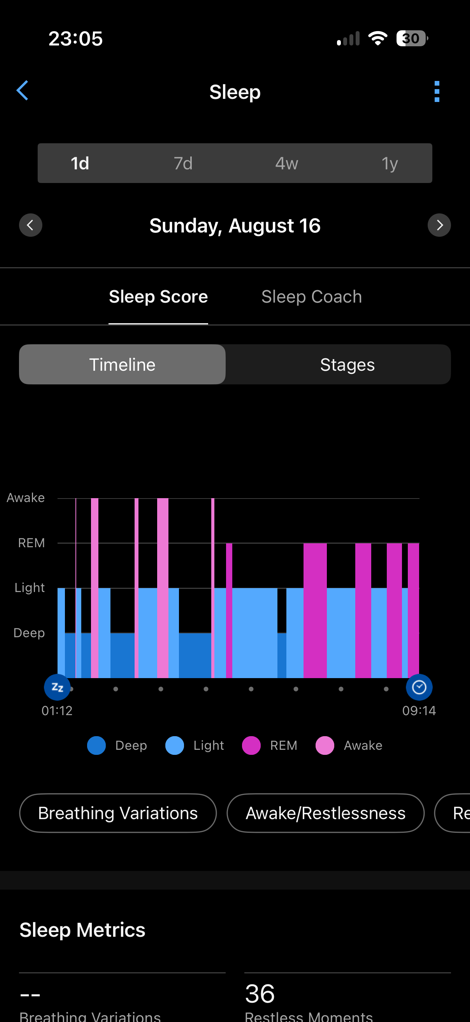
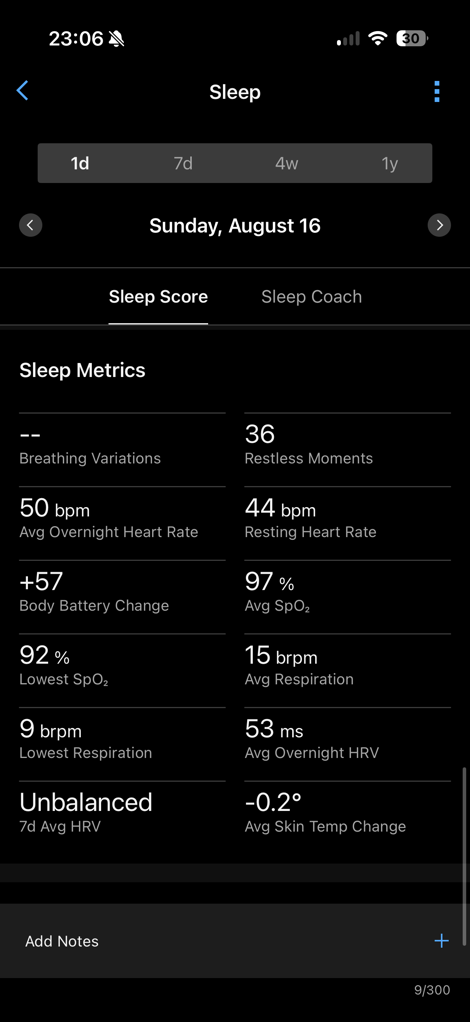
You’ll see your sleep score, sleep quality rating, duration, as well as sleep phases/stages. You’ll also see metrics like resting heart rate, HRV, SpO2 (PulseOx, if enabled) and skin temperature. As with other metrics, you can trend this over various timeframes if you’d like.
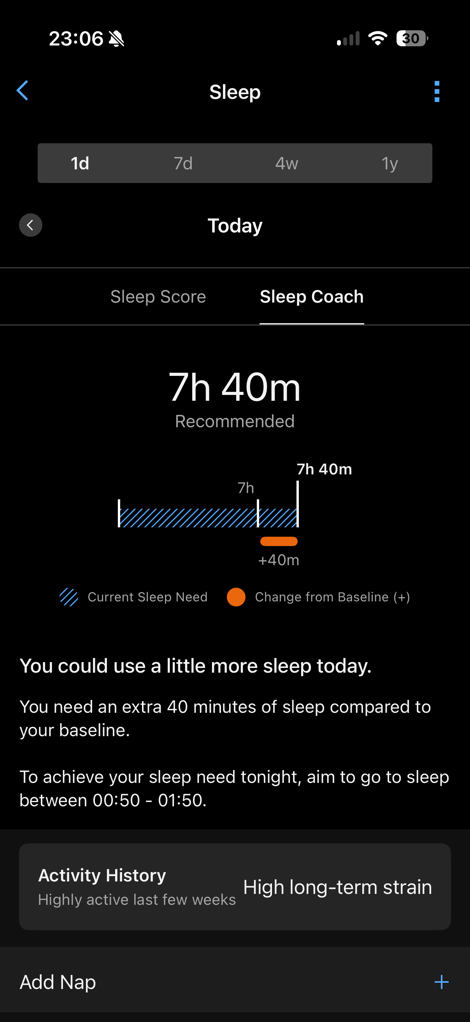
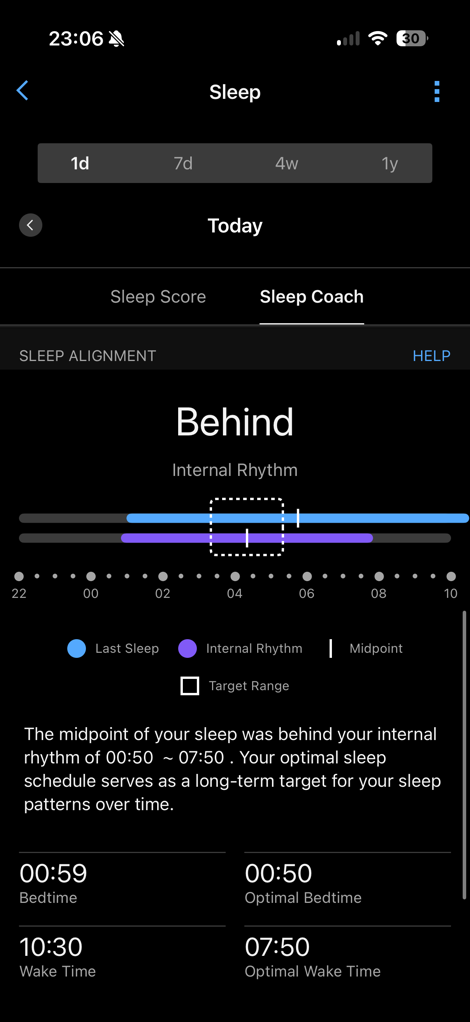
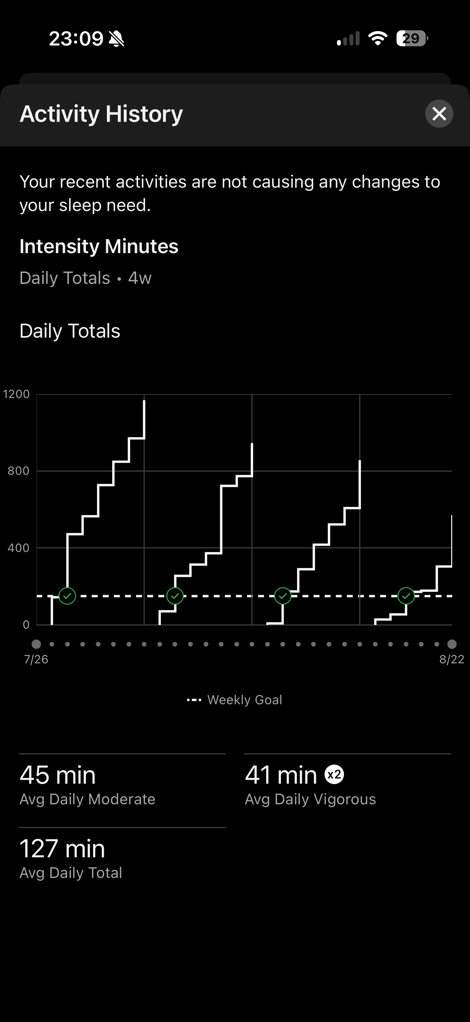
There’s also the Sleep Coach feature, which you’ll see on that same tab (as well as on your homepage if enabled). This will basically perpetually tell me that I need more sleep than I had, and this won’t meaningfully shift outside a tiny range for your age bracket. Hence why I don’t enable it on my homepage. Instead, what’s actually more interesting is the Sleep Alignment bits you’ll see below it:
Likewise, I do find the Heart Rate Variability (HRV) tracking super useful for spotting abnormalities that usually turn into sickness. HRV measures the time between heart beats, and specifically, the change in that spacing (over time). Garmin requires 19 nights of sleep to develop your baseline, which then stretches out 90 trailing days. You’ll still get your HRV numbers during that first 19 nights, but you just won’t get the color-coded scoring (e.g. balanced/etc…).
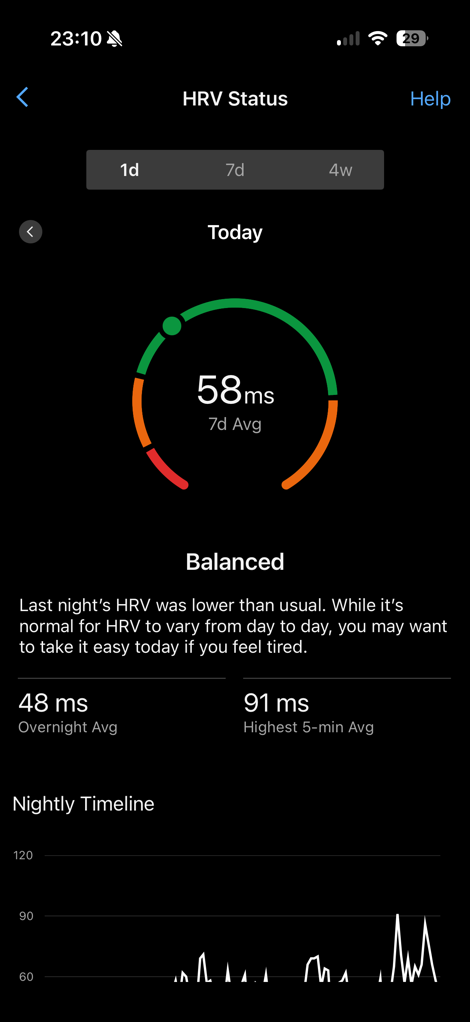
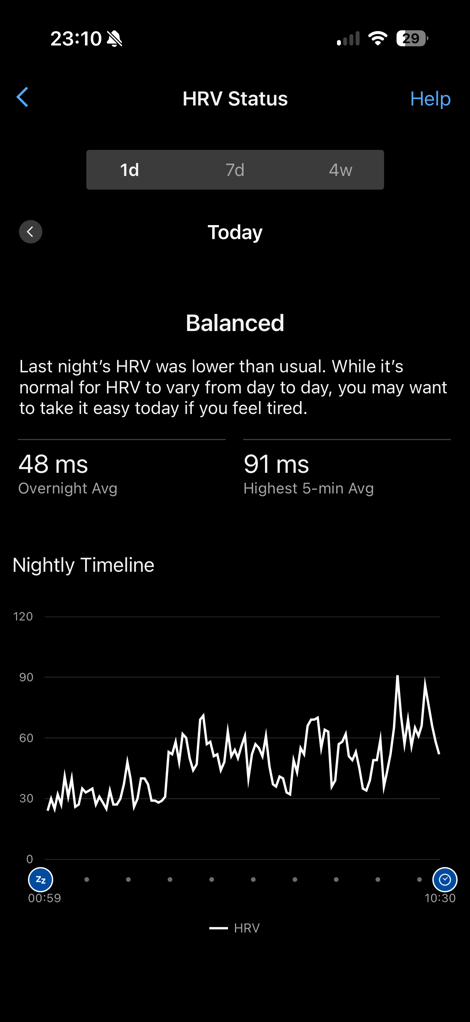
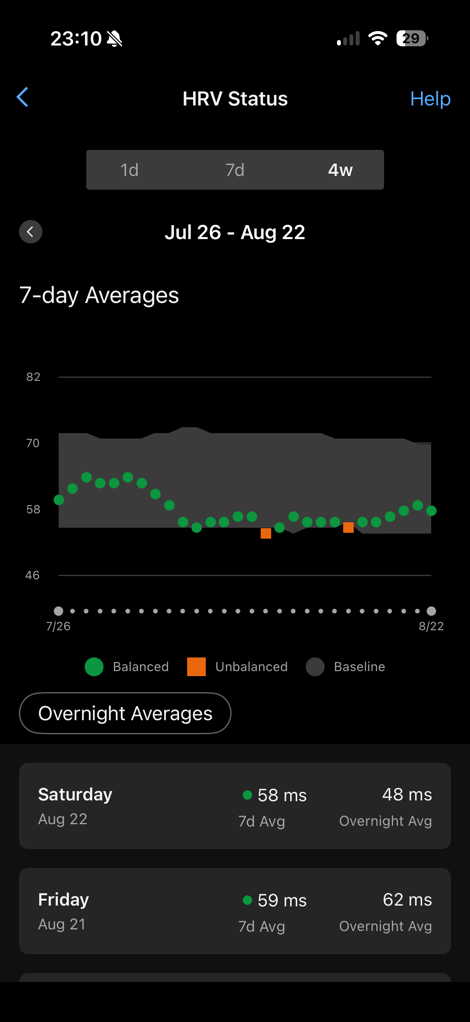
In my case, I usually float between 55 and 75ms, and when training or fatigue is catching up, I’ll see my numbers dip (e.g. down into the 40’s). Inversely, a nice week of relaxing vacation might see me slide up into the 70’s or so. Keep in mind that many factors will impact your HRV, including alcohol (quite heavily), as well as any other drugs (both good drugs and bad drugs). Same goes for a redeye flight, running a marathon, etc… So, you’ll still likely need to piece together yourself why your HRV value has plummeted. And again, remember your ranges will differ to mine. My wife’s ranges float in the 60-90ms for her normal baseline, and a good friend of mine floats in the 30-50ms range for his baseline. Further, a small slice of the population has things ‘inverted’, whereby going up is bad, and going down is good. Got all that? Good.
When it comes to alarms, you can create both static alarms and smart alarms. Smart alarms will trigger anytime up to 30 minutes prior to your designated wake-up time, based on the best sleep cycle/stage to minimize that pain. There’s no audio from Cirqa, so it’s purely vibration alarms, but they were pretty strong to me. You can use the button to snooze the alarm, or long-press it to end the alarm.
I do wish though, that Garmin would pull in its ‘Morning Report’ concept on their watches to the app for Cirqa. Basically, instead of the boring sleep stat page it sends me to with the morning push notification to my phone, consolidate things like upcoming workouts, training readiness, etc… Perhaps that’ll come at some point, seems like a natural evolution.
Finally, the unit will track naps automatically. Though like other Garmin watches, I’ve found that it struggles to do so when simply falling asleep (upright) in a chair (be it a couch, car, or plane). But does so really well if lying down in a bed. This hasn’t changed over the past few years, and is no different here on Cirqa.
Workout Usage:
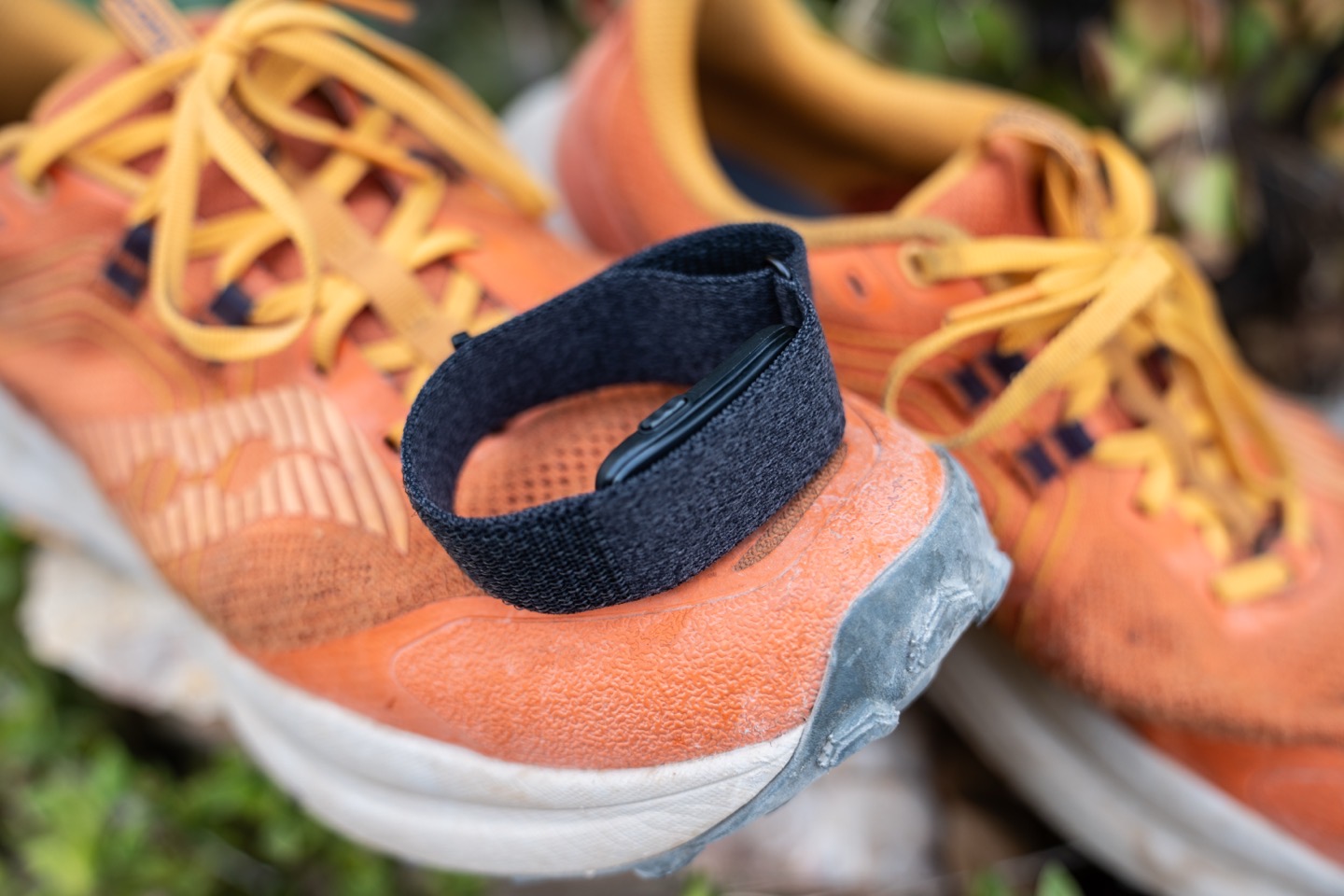
Being a Garmin device, Cirqa obviously has a stake in covering your workouts, and to its credit, it actually overachieved here a bit – especially compared to its competitors in terms of training metrics. But unfortunately, it also falls (substantially) short when it comes to automatic detection of workouts, a key part of a screenless wearable. So, let’s get right into things.
When it comes to tracking a workout, you have three core methods:
1) Start the workout manually using the button (your phone doesn’t have to be with you)
2) Start the workout manually using the Garmin Connect app (phone required)
3) Let it automatically detect the workout for you, showing up later (your phone doesn’t have to be with you)
I’ve used all three variants more times than I can count. When it comes to the most surefire way to track a workout, it’s using the app. So, let’s start there. The reason I say ‘most surefire way’, is because you get to choose the exact workout type upfront, and control when the workout starts/ends.
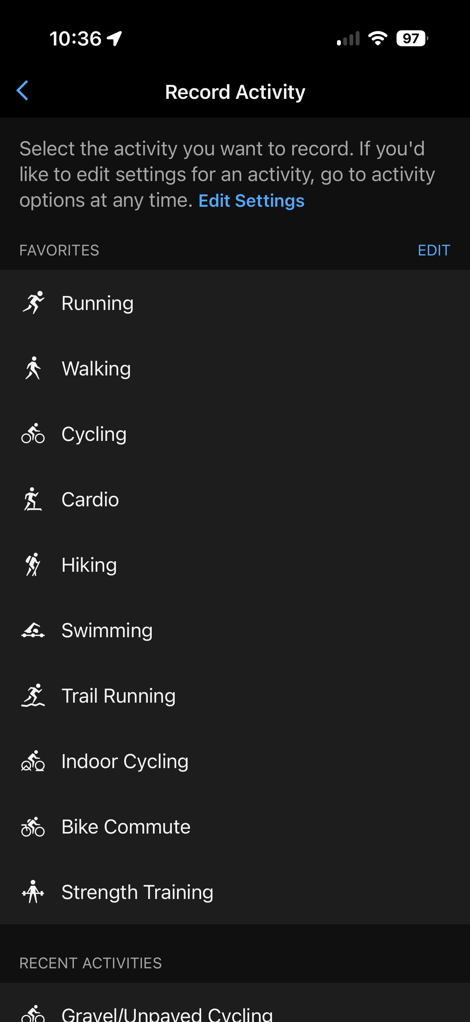
To begin, I should briefly back up and note that there are some 80+ different sport profiles/types you can choose from. From there, you can save 10 sports for quick access, though you can always choose anything. For each activity type you save, you can very lightly customize a few settings, including the alerts (only time), laps (only distance), and whether you want the phone to save GPS tracks. Plus, the band position.).
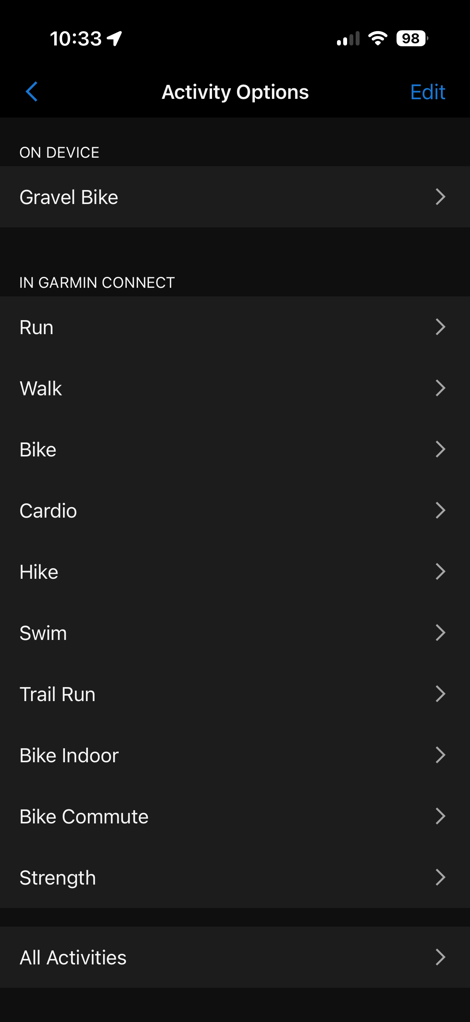
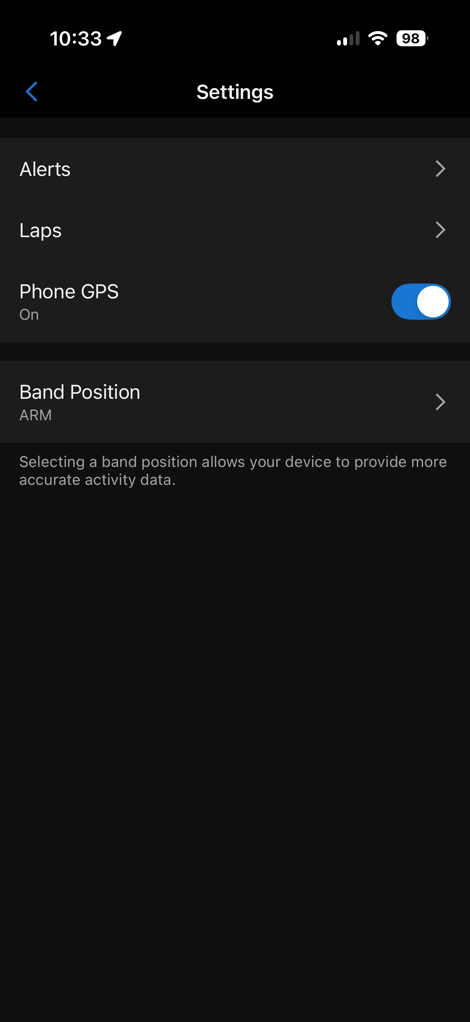
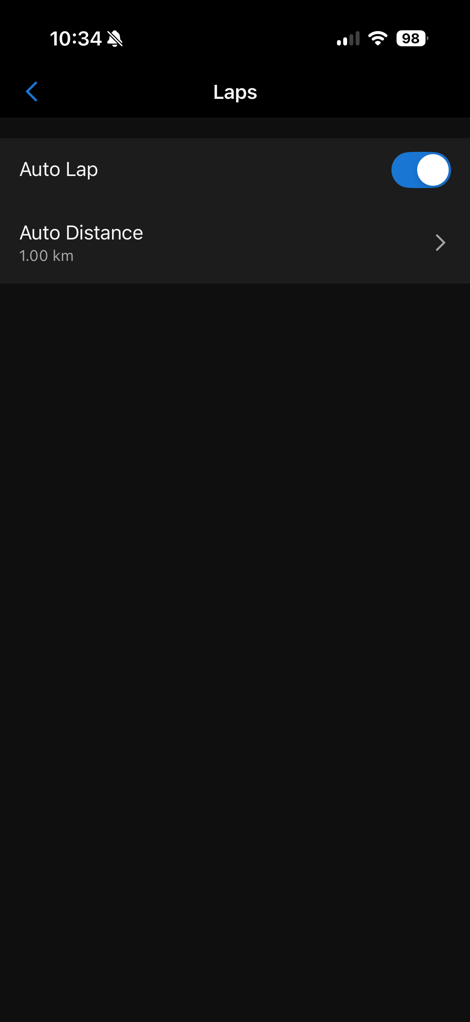
(The activity type listed as ‘On-device’, is the one that triggers when you press the button)
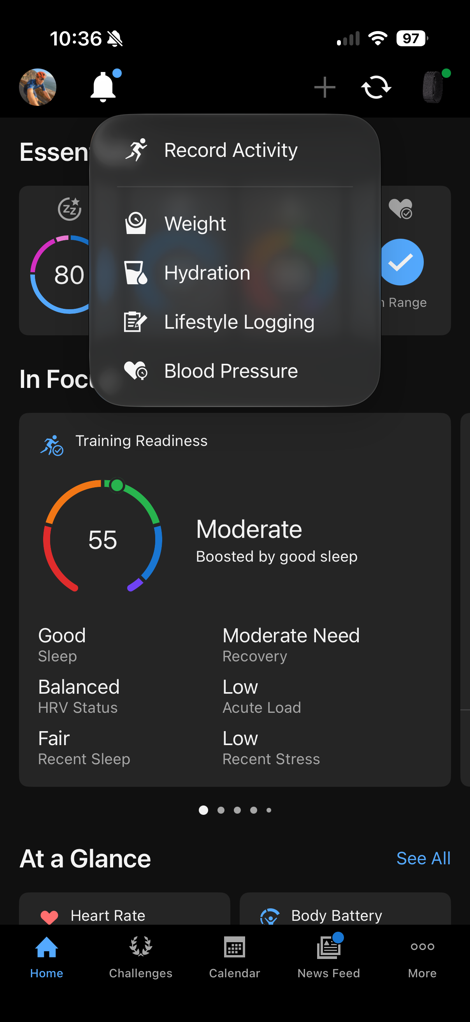
To start an activity, you can simply hit the little + in the upper right corner of the Garmin Connect app, then choose ‘Record Activity’, then the sport type. From there, you’ll see this screen, which shows your activity details, including Live HR & battery life.
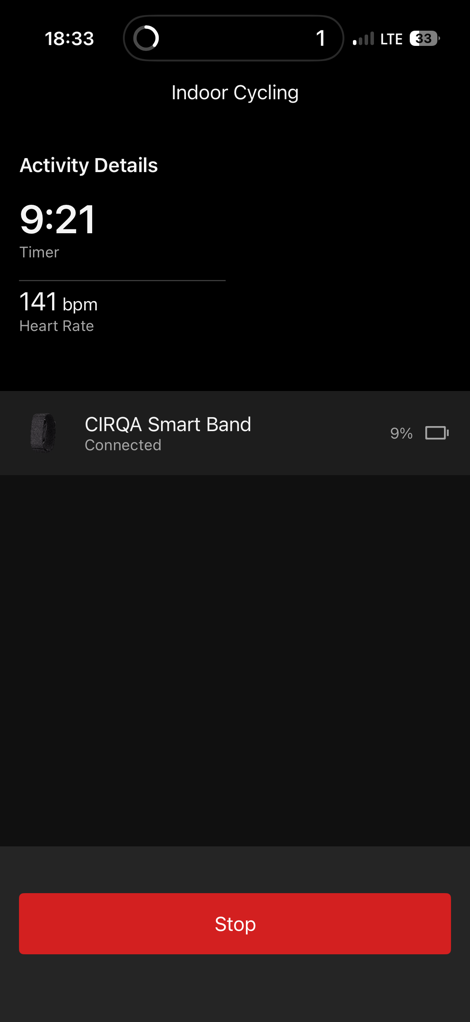
If you have a Garmin Connect+ account, you also have an extra heart rate graph page. But even setting that aside, Garmin’s live activity details are woefully behind every one of their competitors (especially Whoop, Amazfit, and Polar, less so Fitbit Air). All of those companies offer a huge slate of details, even customizable ones, as well as map details and more. Garmin should dominate this arena given their history, and instead, it feels half-baked at best.
Note that during your workout, you’ll be unable to access any other Garmin Connect pieces within the app. That’s in line with all of their competitors, though. Also note that if you’ve enabled GPS (such as for an outdoor ride/run/etc…), it’ll leverage your phone’s GPS for this.
Once an activity is saved/complete, you’ll get full details of the activity, just as with any other watch. Here’s an example of that from a recent trail run. This one is actually an automatically detected Trail Run, with the only difference being that automatic laps trigger properly in a manually started one.
Next, the second way to start a workout is via the button. The button is tied to a specific sport type that you configure. So you press it once, and it immediately starts manually recording whatever sport type you’ve set it to. If you’re a cyclist, for example, you’d probably choose cycling (and have it automatically start GPS too). Likewise, if you do lots of strength or yoga workouts, you’d set that as your preferred one. Once you press the button again, it stops the workout. It’s super simple.
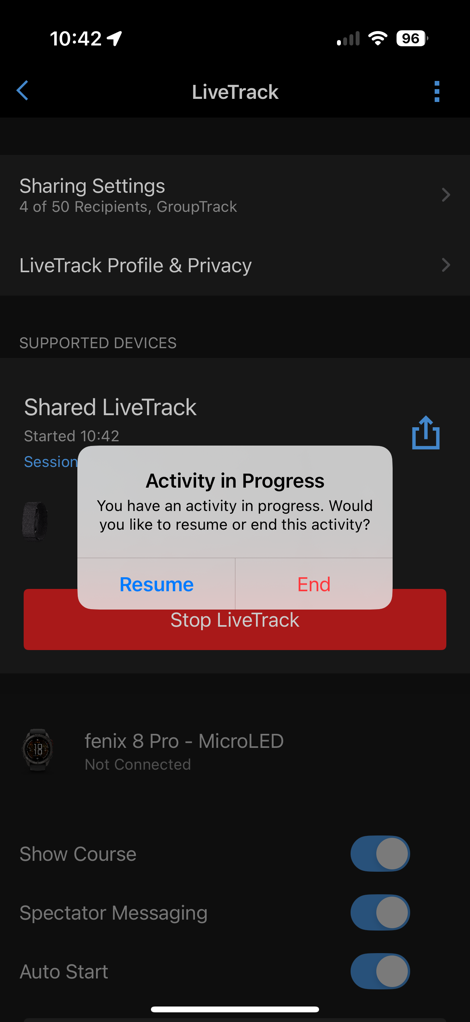
You’ll get a push notification to your phone (or two, if you have LiveTrack enabled), and see a note in the Garmin Connect app that a workout is being recorded, just in case you’re unsure. If you have automatic LiveTrack sharing enabled, this notification will take you to the LiveTrack page, whereas the second notification will just take you to the activity details:
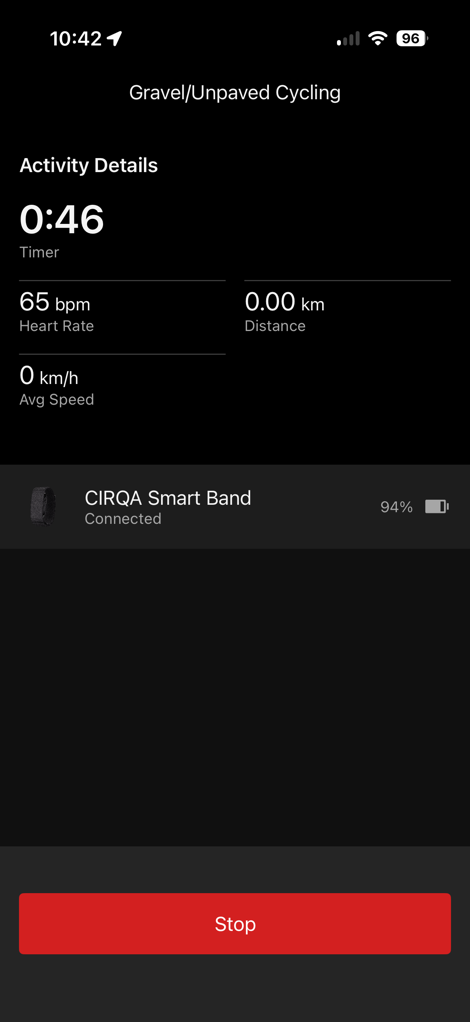
Otherwise, everything is identical to the previous app-based starting, except that you don’t need to touch your phone.
Which, ultimately, takes us to the most challenging workout piece: Automatic detection. This is by far the most difficult thing for companies to get right in the screenless space, with really only Whoop nailing it (and Fitbit very close behind, albeit with less sport types detected). The idea here is that you simply go out and do your workout, and it automatically detects it – even enabling GPS if the sport type it detects has it configured (such as outdoor running). That automatic GPS piece is very unique to Garmin Cirqa, none of their competitors have it.
But here’s a huge catch: If it doesn’t detect that workout (or a portion of it), you’re left with *NO HEART RATE* data for that portion of the workout. As a result, none of your training load and recovery stats are right, they’re all missing the data. Yes, you can adjust the timeframes on the Garmin Cirqa afterwards, but this *WILL NOT* magically get your the missing heart rate data back. This is unlike Whoop (and Google, and Amazfit), which allows you to seamlessly and endlessly adjust the times, and the full fidelity heart rate data is there.
Got it? Meaning, it’s really darn important that Garmin detects a workout upfront, especially the end-point (I find it rarely misses the starting point). Whether or not the heart rate is a few bpm off later on isn’t a much lesser deal than missing entirely.
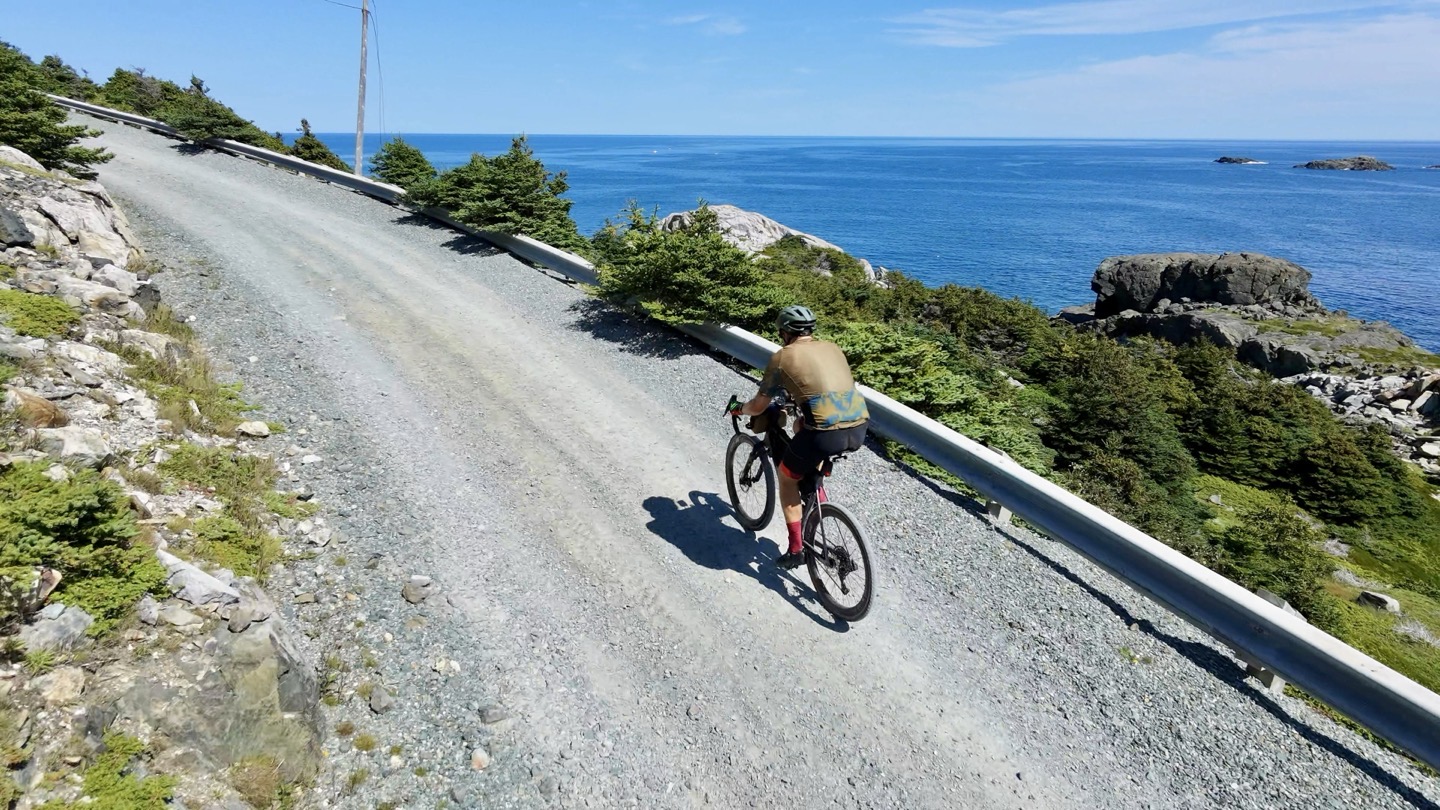
Ok, so let’s say you go out for a run or ride, what happens during the run/ride itself? Nothing – at least nothing visible to you. There’s no notification in the Garmin Connect app that it’s detected a workout and is recording it (though, tech-savvy people can look in their iOS control panels for location services, and will see a purple icon next to Garmin Connect, indicating live GPS data). The only way you’d know is if you’ve got time alerts enabled, which do actually trigger during automatic workouts (they aren’t supposed to, but a bug means they currently do). So you’ll get a notice that you’ve gone a certain duration (e.g. 1 hour).
Instead, everything happens after the fact. Some minutes after it thinks your workout is done, your phone will push a notification saying a workout has been detected, and asks you to confirm it. If you miss that notification, you’ll simply see it on your homepage to check:
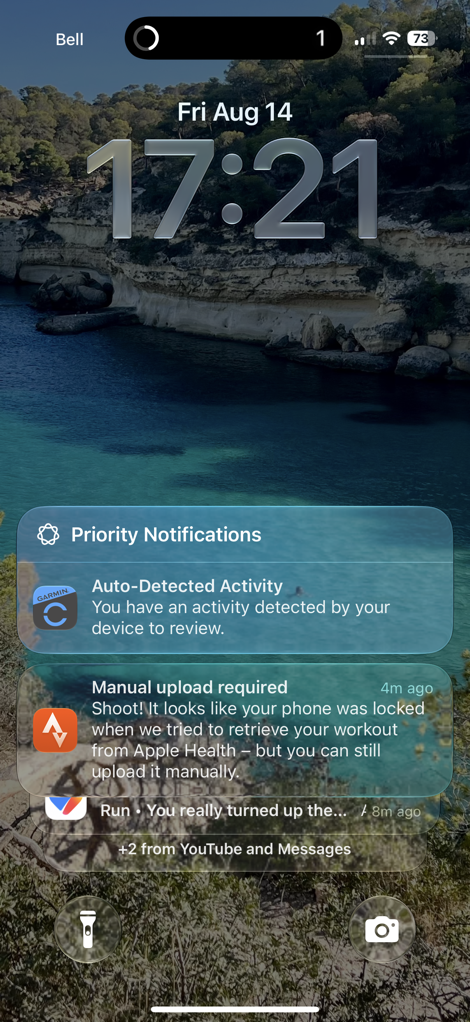
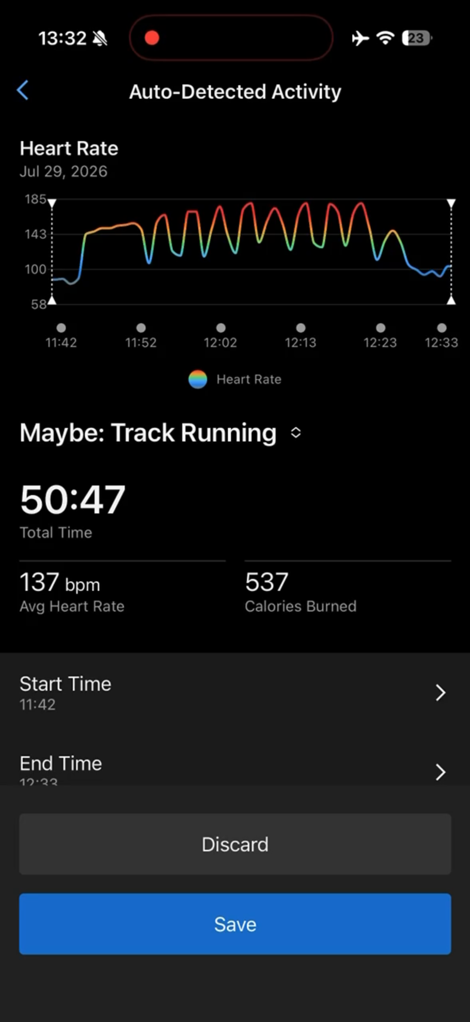
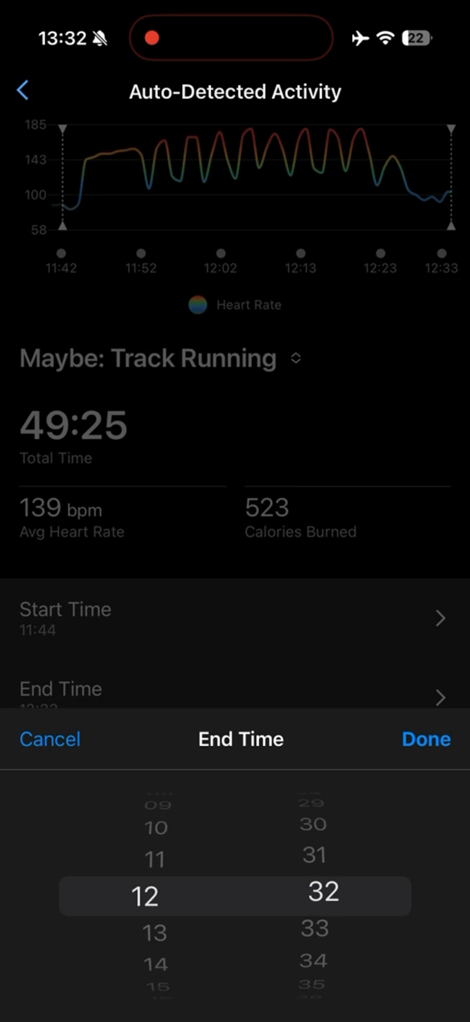
Once you tap into that, you can see whether or not the detection start/end was correct, as well as activity type. You can change these things, including shifting the timeframe sooner/later.
However, as was the case on my ride today, it missed massive chunks of it. Or more specifically, it broke it up into three separate activities: Unknown, Hike, Gravel Ride (the third part showed up an hour later, not in the below screenshot). Mind you, the longest time period I stopped was a mere 3-4 mins, otherwise, it was basically stops no longer than a short traffic light. Whoop autodetected the entire ride perfectly, to the minute.
You can see below how I tried to extend the longer (first) activity (after changing it to cycling), but the heart rate doesn’t show up, nor the other GPS track portions.
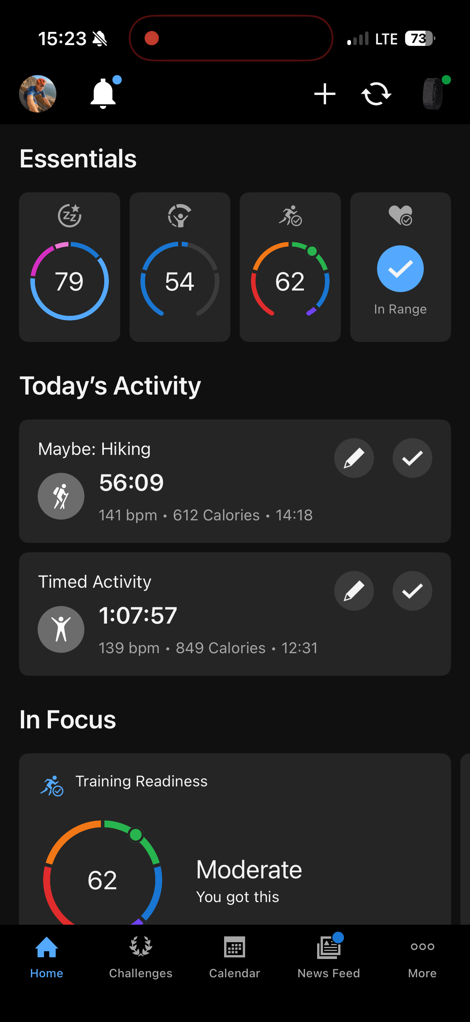
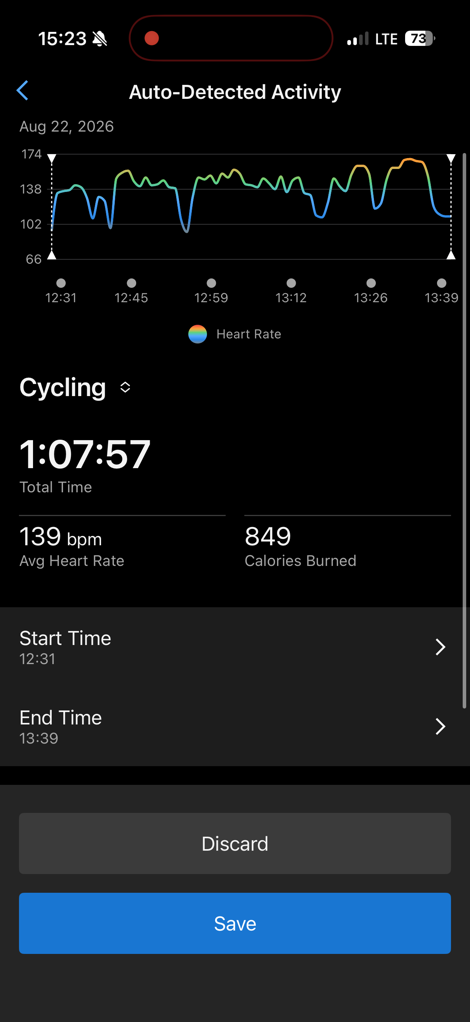
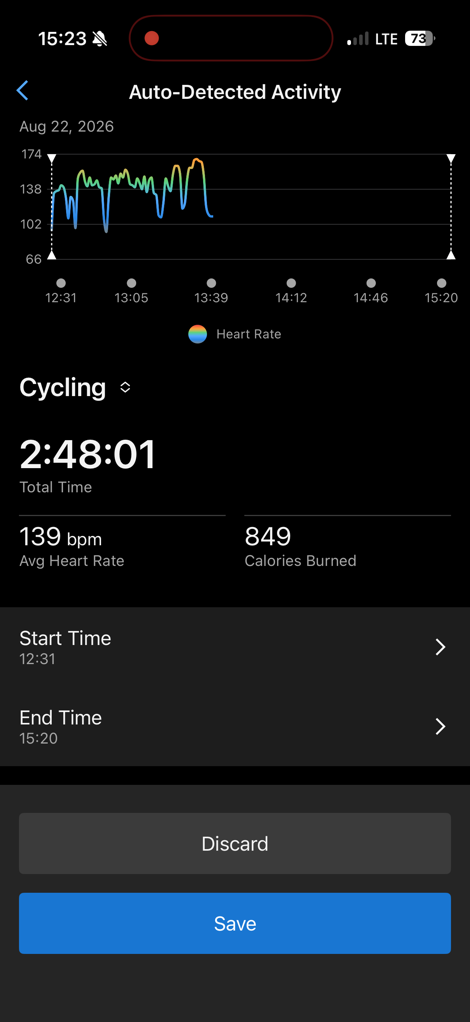
The problem here is that if I were to extend the first activity to cover the length of all three (nearly 3 hours), it doesn’t pickup heart rate beyond the originally auto-detected time period. It won’t even ‘pull in’ the data it has from the other split-up activities. Just for clarity here, when it comes to Whoop & Fitbit, they don’t care, you can extend/reduce the timeframes all day long, even creating activities that weren’t detected at all, because the heart rate data was recorded in high fidelity for the entire day. Versus Garmin only shifts to that higher fidelity mode when it thinks a workout is occurring.
Here you can see two of the three chunks, which I can’t combine together (neither HR, GPS, or any other stats). You can also see the Whoop 5.0 correctly got the entire thing in one shot:
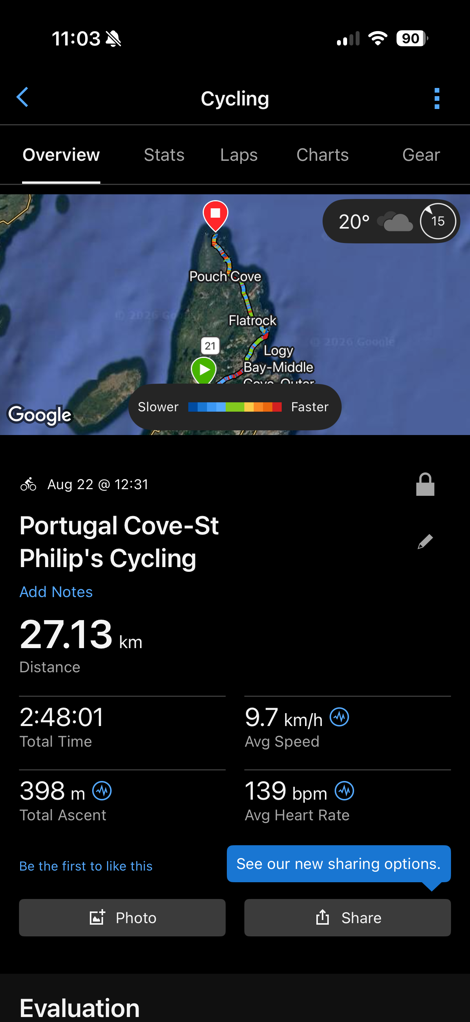
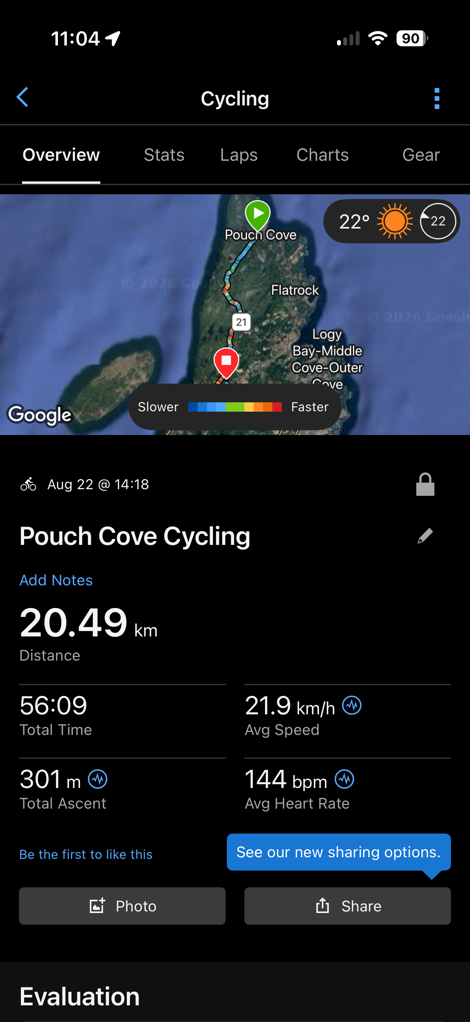
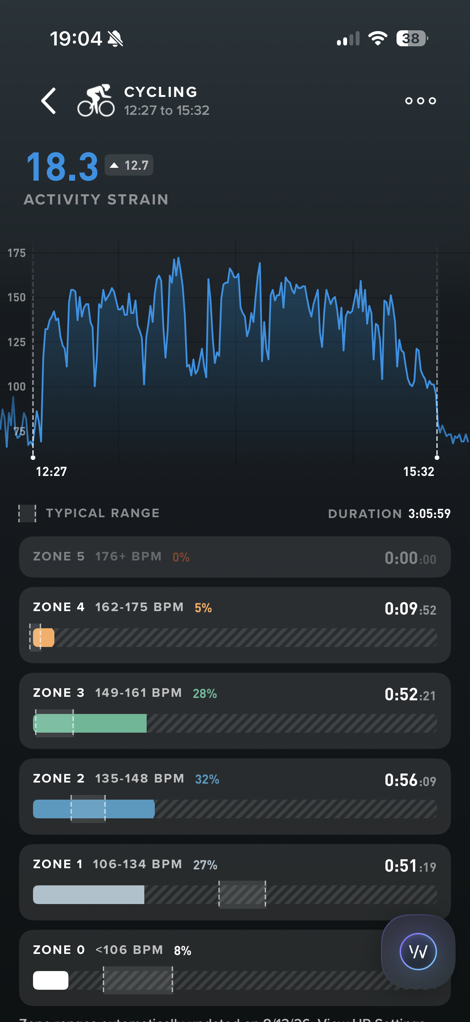
This is a really big gap, and puts Garmin massively behind Whoop for the athlete that doesn’t want to mess with an app to start/stop activities, or the button. And all of this ignores the fact that Garmin routinely mis-categorizes sport types, whereas Whoop rarely does. Fitbit rarely does for me, though; my activities mostly fall within their very small list they know (e.g. running and cycling)
I know Garmin has some tough choices to make here between battery tradeoff and automatic activity recognition. Roughly speaking, it burns about 1-2%/hour in workout mode (usually closer to 1%/hour). So if they did that 24×7, that’d basically be a mere 4 days of battery life. The Gen4 optical HR sensor is likely to blame for that, as it was designed in an era for watches, not tiny screenless wearables.
One last area to mention is heart rate broadcasting. Cirqa can broadcast your heart rate to other apps/devices on both ANT+ & Bluetooth Smart. It can support three current Bluetooth Smart connections (plus the phone), and unlimited ANT+ connections. This means you can easily broadcast it to a Peloton Bike, Strava app, another bike computer, a gym treadmill (if it supports Bluetooth or ANT+), or basically just about anything.
To enable broadcasting, you’ll simply long-hold down the button for about 4 seconds, and then you’ll feel a buzz. Concurrently, you’ll get a notification on the Garmin Connect app on your phone (if nearby) that broadcasting is enabled. Further, the little LED on the side of the unit will blink orange. I’ve paired it to TrainerRoad, Zwift, and a few other random apps. And here’s another example paired to a gym treadmill:
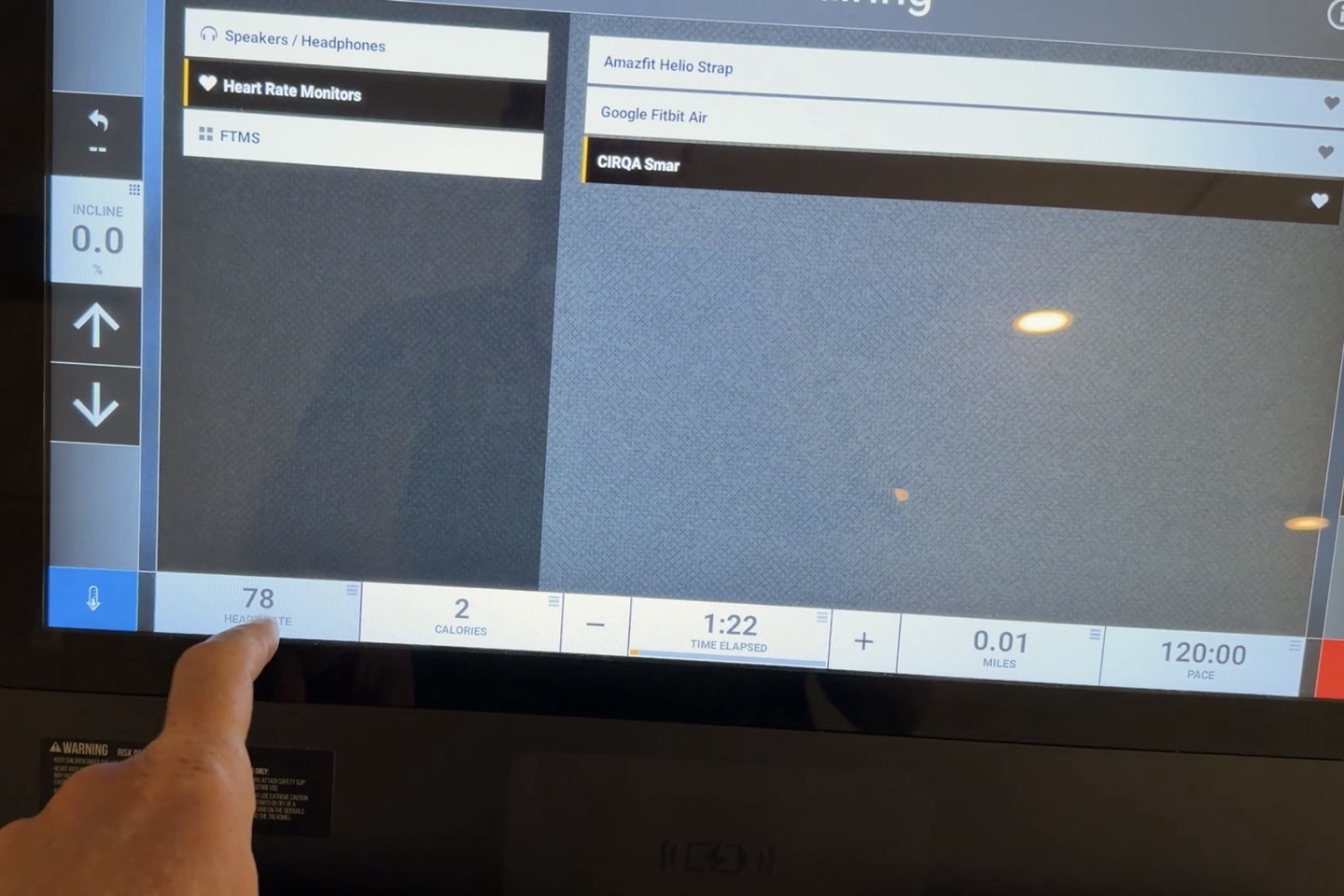
There didn’t seem to be much of an impact to battery in the grand scheme of things, perhaps shifting it from 1.5% to 2%/hour at most (in workouts), but other times I got just 1%/hour with broadcasting.
In any case, moving on to Garmin’s stronger areas, it’s Training Status & Training Readiness. These could be part of the sports section, but in this case for cleanliness, I’ll split them out.
Training Status & Training Readiness:
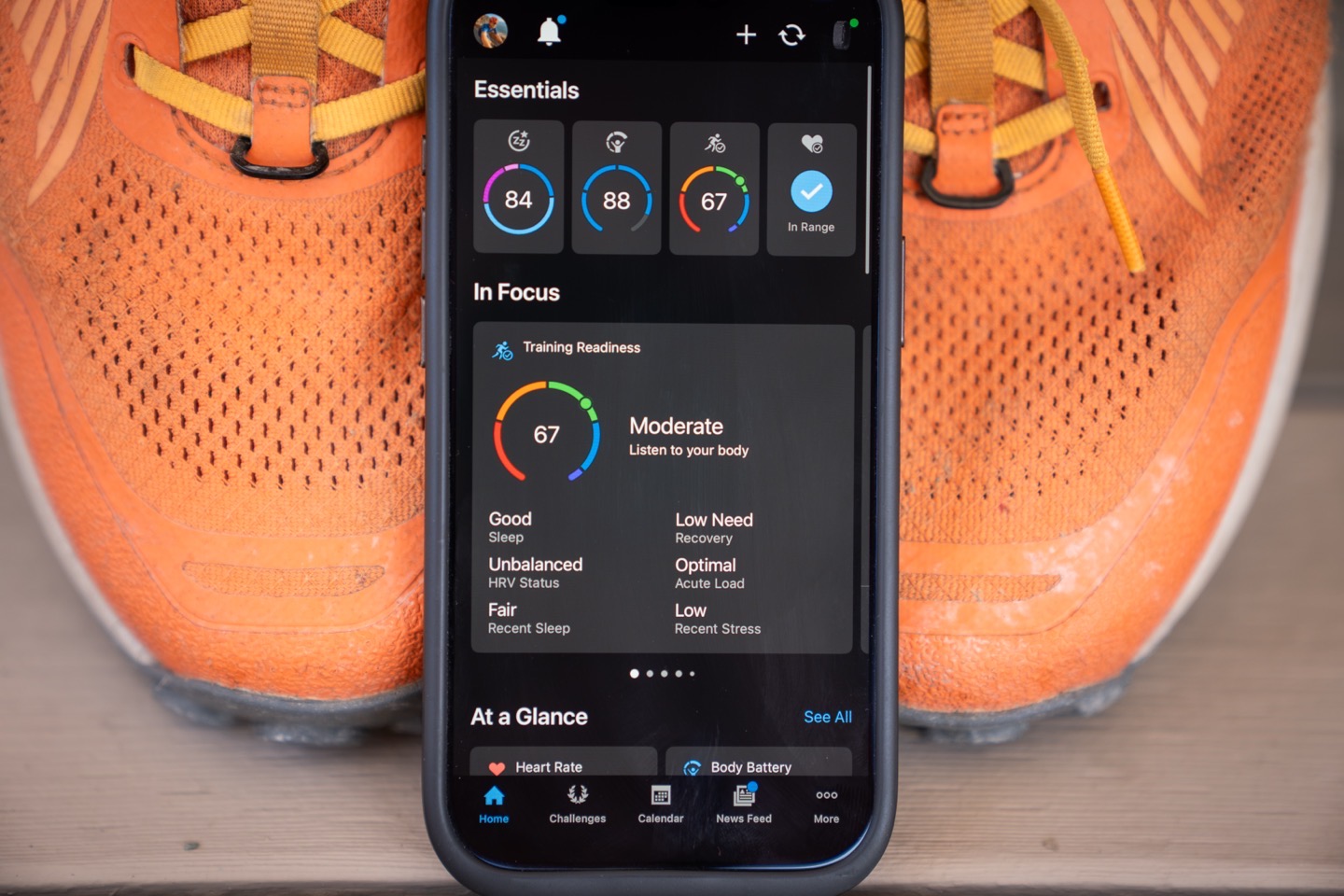
These two pieces are arguably Garmin’s biggest advantage over every one of their rivals. They started as top-end features on Garmin Forerunner & Fenix watches, and have slowly trickled down to Garmin’s budget running watches this past spring.
The first we’ll talk about is Training Readiness, which looks at a few key metrics each day to figure out how ‘ready to train’ you are at any given minute in the day. This score shifts throughout the day, based on recovery time, if you just finished a workout, and so on. Meaning, you might wake up with a Training Readiness score of 60, and it might slowly climb to 71 by early afternoon (because your recovery time from the previous workout has improved). However, once you complete that hard interval workout, it might drop down to 12, because now your literal “readiness to train” again is very low. A few different examples, below:
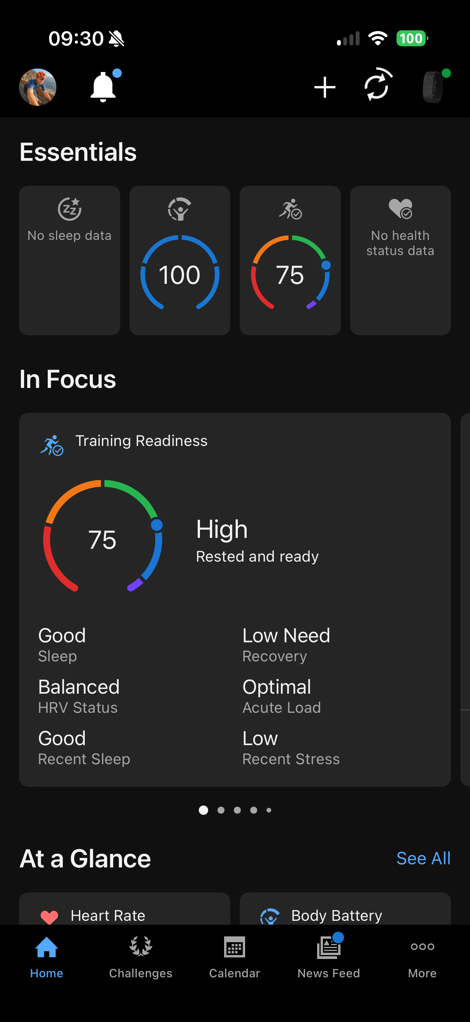
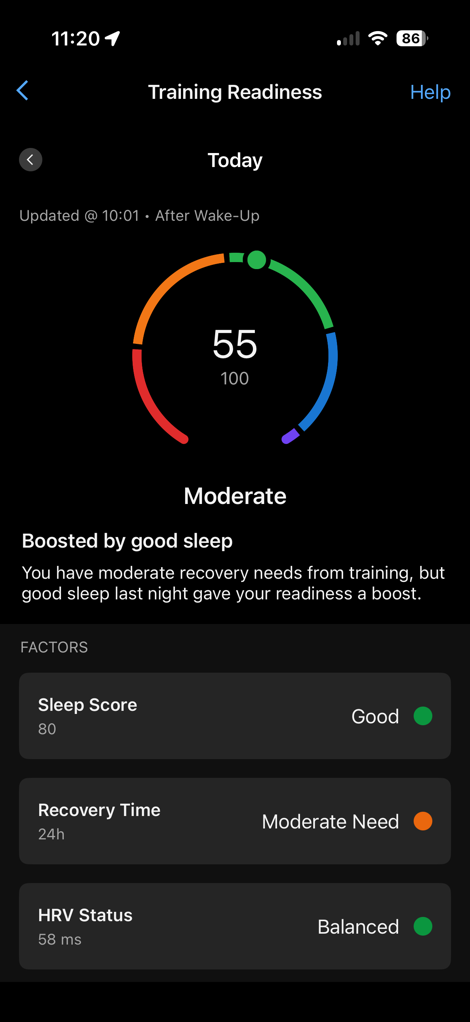
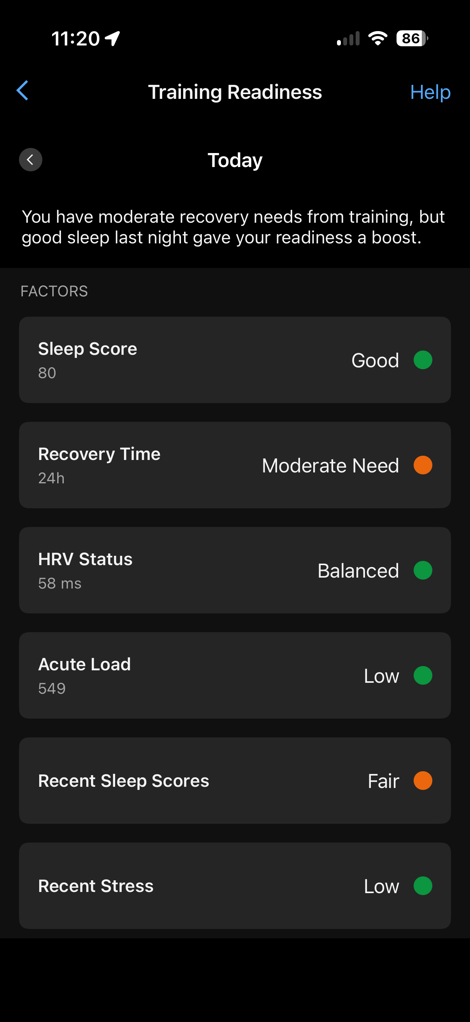
Training Readiness is based on the following factors:
– Sleep (last night)
– Recovery time (from last workout)
– HRV Status
– Acute Load (training load)
– Recent Sleep scores (over the past 7 days)
– Recent Stress (over the past 7 days)
The score is most heavily weighted based on recovery time and sleep, meaning if you go out and do a marathon, it’s going to show a low training readiness score, regardless of your acute load, HRV status, etc… That is, unless your effort was low-enough intensity that it didn’t make a dent because you do marathons every day or such. Again, it’s all based on what the norm is for you.
Garmin has had Training Readiness for a few years now, and generally speaking, I find it a very good indicator of how ready I am to train. Which doesn’t mean I always listen to it, but I’ll use it as one tool in my shed. If I wake up and it’s showing a score of ‘8’, and I feel rough, it’s probably time to do something easier. Whereas if I wake up and feel good and the score is 20 or 30, I’ll likely rally. Again, remember Garmin skews conservative when it comes to trying to keep you uninjured. This is a big piece of that.
One of the metrics that make up Training Readiness is Acute Load, which is perhaps the best overall metric for looking at your Training Load. This metric shows your historical load range over the past 30 days as the green range, and then the last 7 days trending line atop that. It’s super helpful for figuring out how things compare to your baseline:
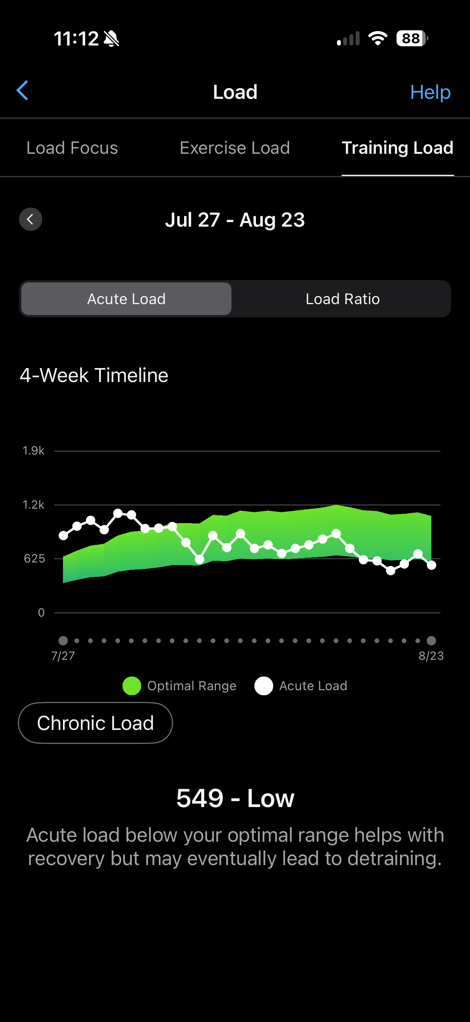
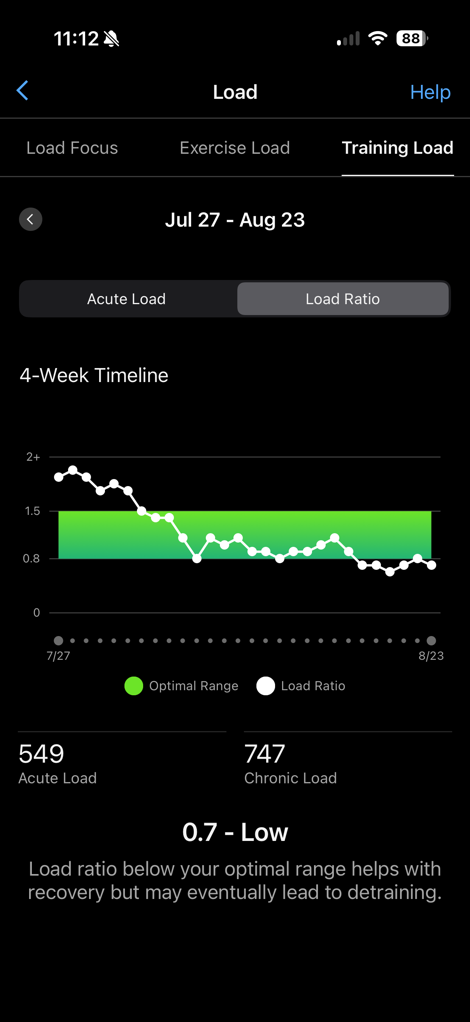
(You can see the last 7 days has been quieter, out camping with the family, and since as of this screenshot I haven’t done my planned long-run today yet, which would/will likely add about 200 units of load)
With that, you can see your Load Ratio (above middle), which shows whether you’re trending up or down. Generally speaking, you want to keep your upward increase in training load at upwards of 1.2ish (meaning, you’re doing 20% more in the last 7-days, than the average 7-day period over the last 30 days).
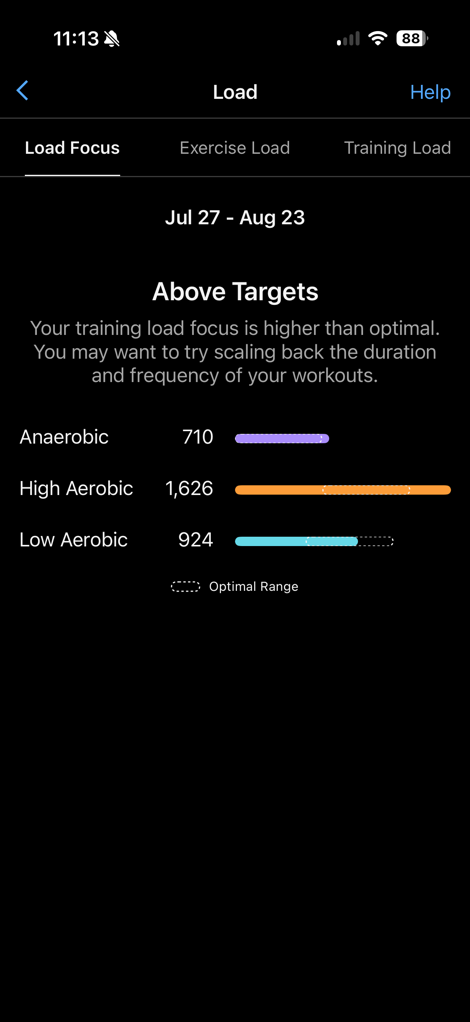
Which then carries into Training Status. Training Status is more like a true coach that just focuses on whether the ‘type’ of training you’re doing is going to make you faster. Meaning, is it a balanced diet of easy workouts, hard workouts, etc… It mostly ignores factors like sleep/stress (except it does account for HRV). Whereas Training Readiness is looking at all those factors together.
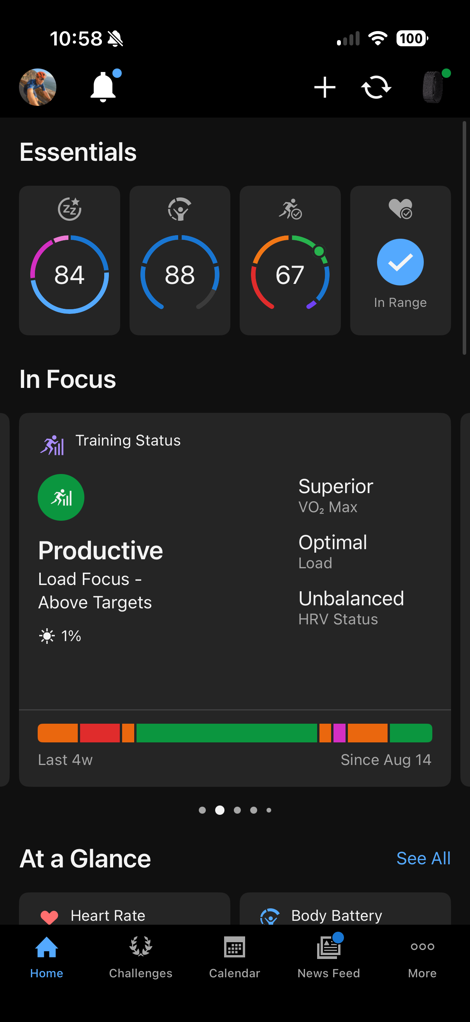
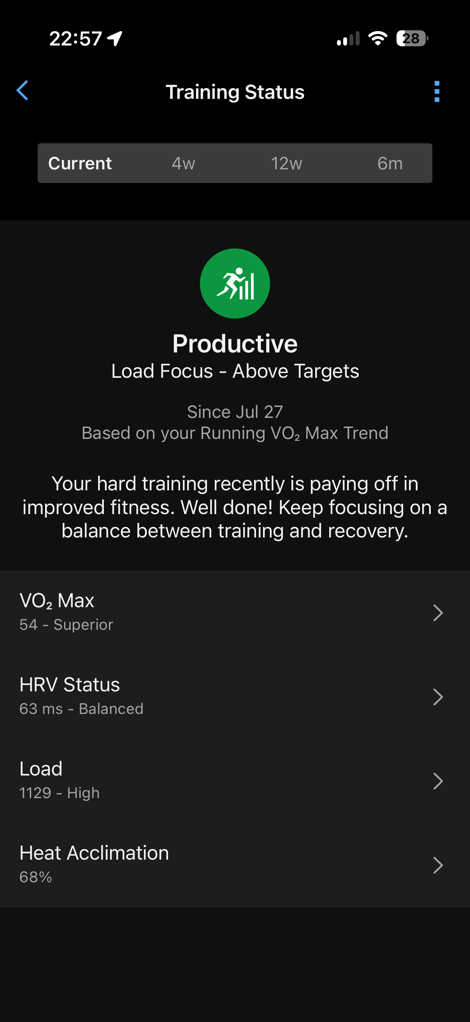
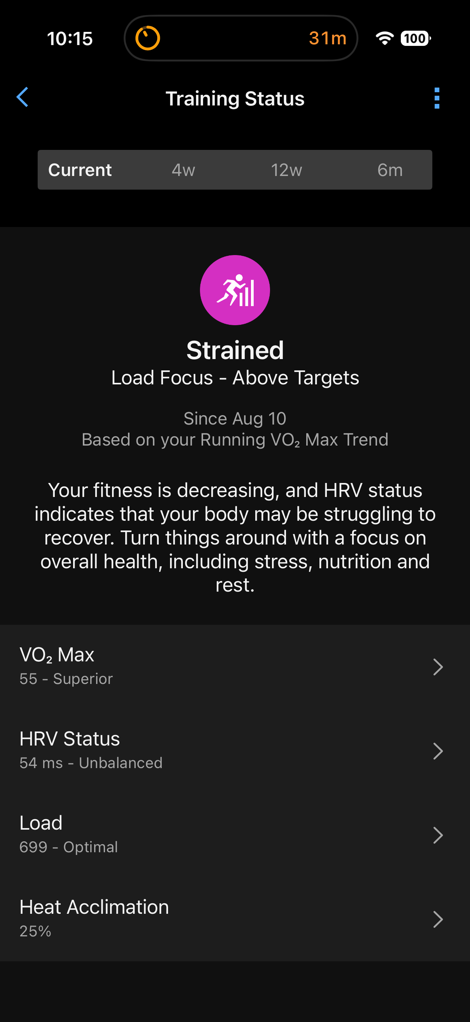
Training Status is going to give you scores like Productive, Unproductive, Maintaining, Peaking, and Recovery. In my case, I generally speaking, for the last few years, I float between Productive or Maintaining most of the time, with occasional Peaking or Recovery if I’ve cut a lot of training load quickly (such as going on vacation, or before a race).
Of course, one really important thing to understand about Training Status is that it’s heavily reliant on a varied diet of workout intensity types. So, if we were looking at running, that’d mean interval runs, tempo runs, easy runs, long runs, etc… This is true of other sport types as well… If you’re only running a steady-state moderate intensity 30-minute run every other day, it’s going to struggle to be super accurate.
And again, like any real-world coach, there will be differences in training philosophies. Garmin’s Training Status will always error on the side of caution when it comes to ramping up training, to reduce injury. A more experienced athlete with a bigger training history, can usually scale-up faster than Garmin is happy with. But again, Garmin’s philosophy here matches many real-world coaches. But not every coach will match your training preferences.
Now finally, there’s one key exception to remember here: Garmin’s Training Status only accounts for workouts recorded (manually or automatically). If you have workouts less than 15 minutes, even things like moving boxes, etc… that doesn’t trip it, it won’t count. Whereas both Fitbit & Whoop do add up all of these short activities. It’s a gap worth noting when you compare how Cardio Load (Fitbit/Google) and Strain (Whoop) capture the day. I suspect long-term, Garmin will shift towards that model, because frankly, it just makes sense.
Nonetheless, assuming you don’t have a bunch of random unaccounted-for load on the regular, then Garmin’s Training Status & Training Readiness are leagues ahead of every one of their competitors.
The Biceps (Arm) Band:
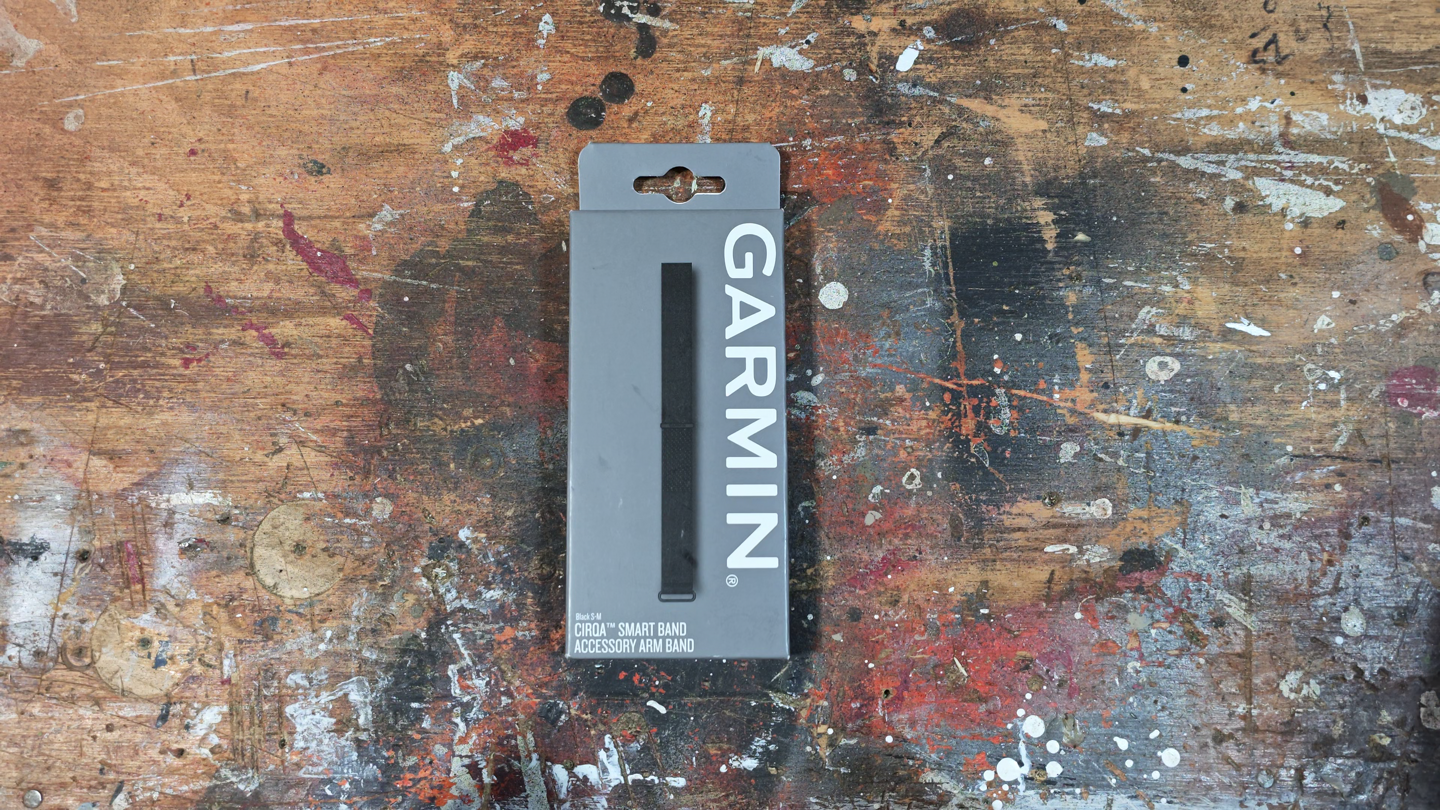
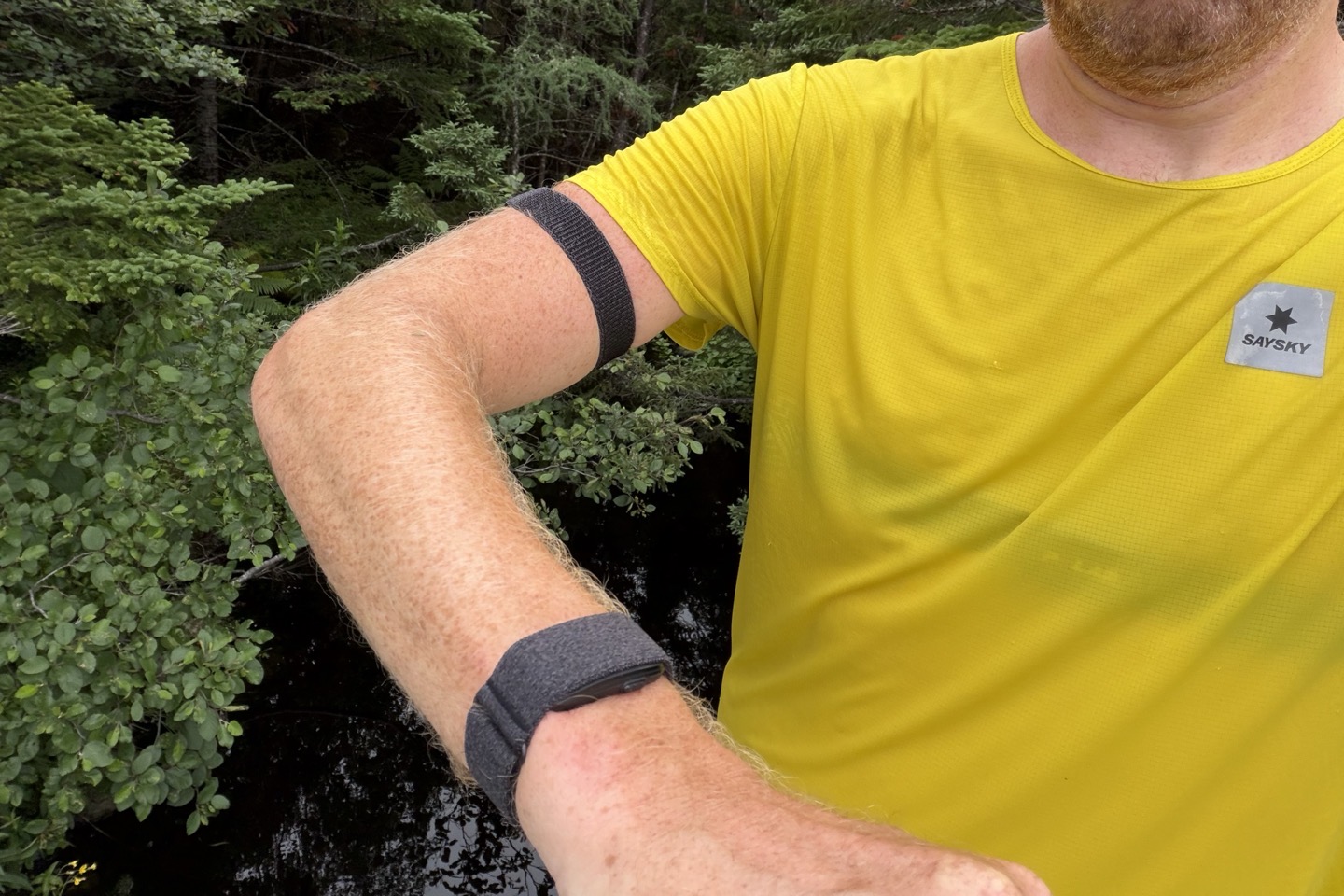
This won’t be a very long section, but I do want to at least briefly cover it, since it can be useful for increasing accuracy during workouts, as well as simply hiding the band for 24×7 usage. I’m a long-time wearer of the Whoop bicep band (years), and the Garmin one is arguably the best bicep band out of any that I’ve tried. The reason is simple: The fabric is much better.
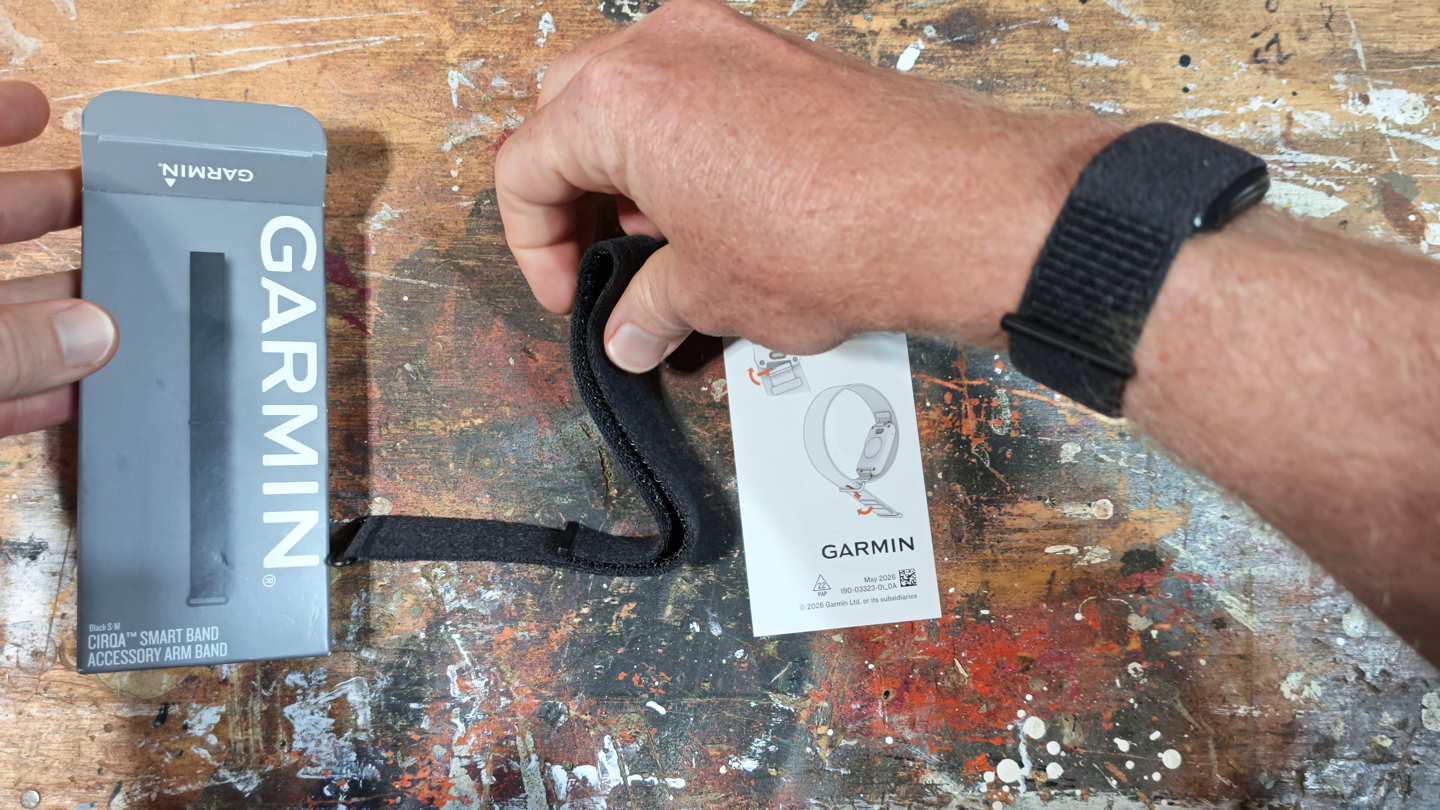
Below is what’s in the bicep-band box. It’s just the bicep band itself and a piece of paper. The band comes in two sizes, in my case with my cyclist arms, I’m easily able to make the S-M size work (with about 1.5”/4cm of extra length at the thickest part of my biceps). Perhaps if you have big beefy guns you’ll need the L-XL size.
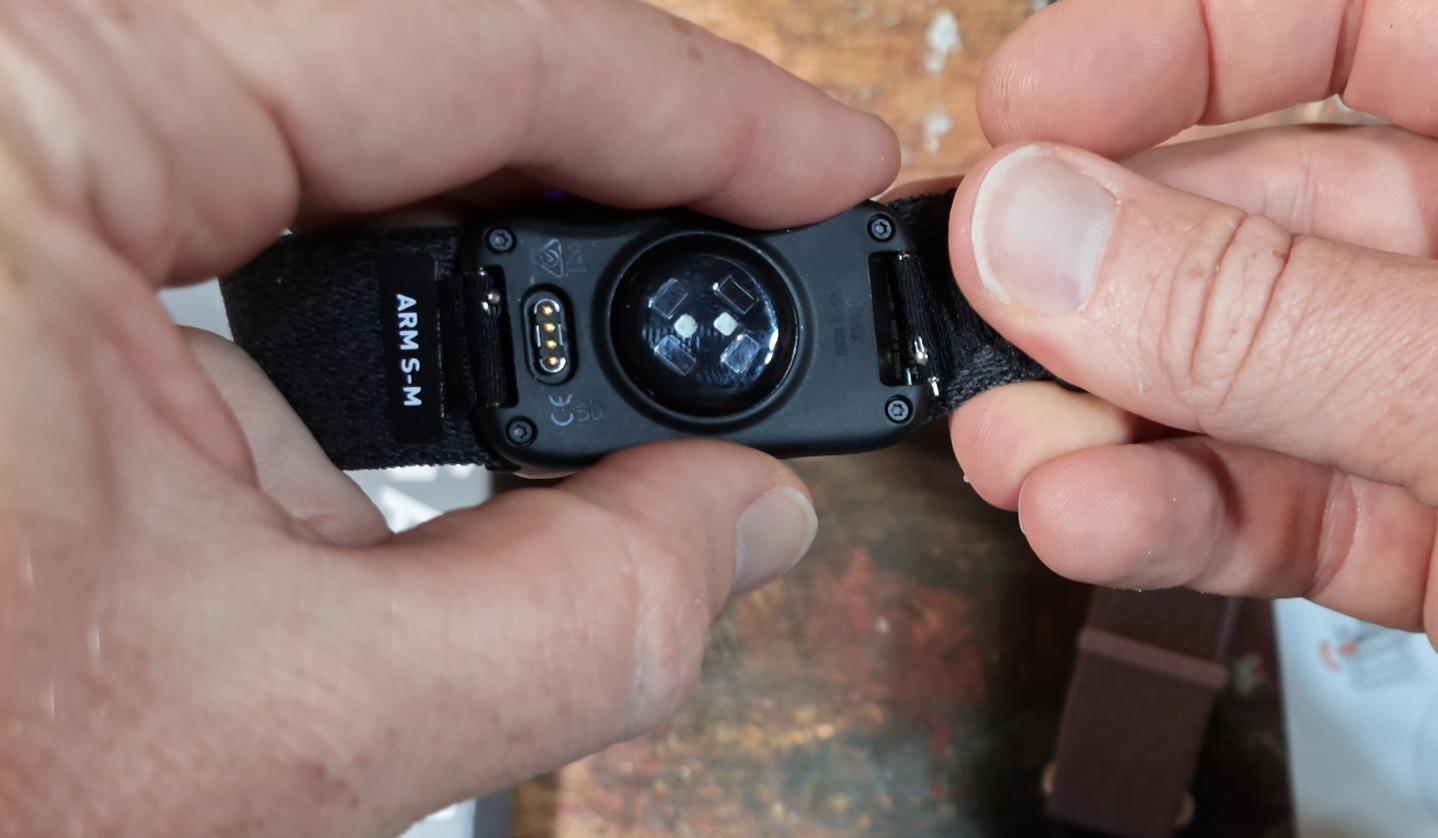
To swap the bicep band you’ll simply use undo the two pins on either side of the pod. While I find Garmin’s pins more fiddly than Whoop’s overlapping lasp system, it’s not a huge deal either way. That said, if you were swapping it just for workouts, the Whoop system is *far* better in terms of speed of swap.
But what Garmin lacks in speed, they make-up for in comfort. The Garmin band is much more stretchy, and much more comfortable texturing than Whoop. Also note that this is a very different fabric than Garmin’s wrist-band, which doesn’t have as much give.
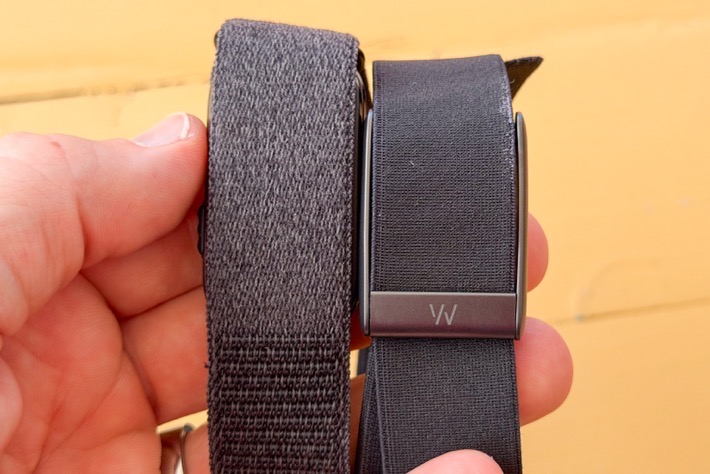
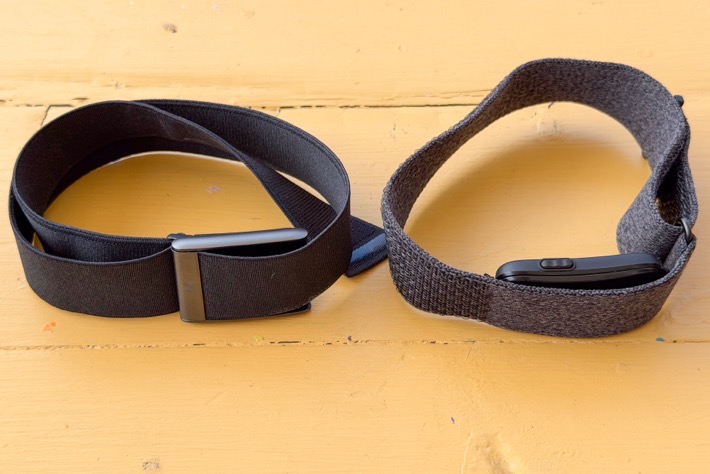
One of the other benefits to the Garmin flexibility/stretch, is that it seems to prevent any sort of sensor flippage. With Whoop’s bicep band, the fabric has slightly less give, and can be prone to flipping over occasionally. Not a ton, but enough that it can be a legit problem and is well documented. Whereas due to Garmin’s flexible nature, it doesn’t seem to allow the flip, but just a bit of give instead.
Now in the Garmin Connect app, there’s a setting for where you’re wearing the Cirqa pod (wrist or biceps). This setting essentially optimizes algorithms for that location. It also disables rep-counting in strength workouts, as Garmin found (logically) it wasn’t quite as accurate for certain arm movements where the bicep doesn’t move much. Also notably, you can actually change this per sport type, which is kinda nifty (so if you always do weight lifting with the bicep band, it’ll defer to that versus your normal wear position).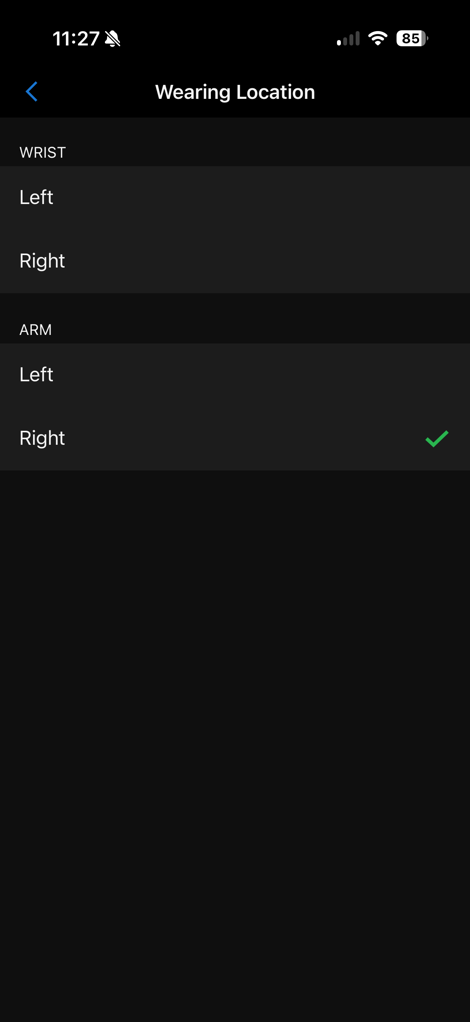
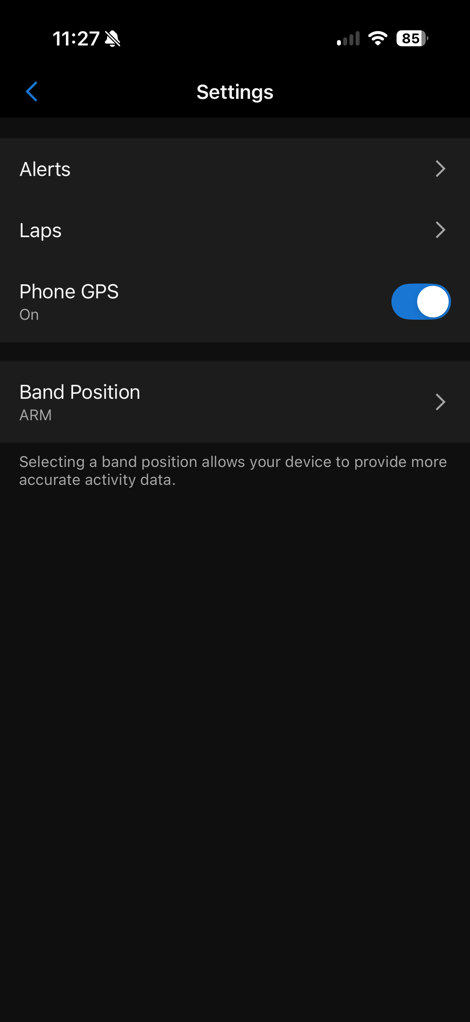
(Left – the general wear position, and right, the per-sport profile position)
Now it should be noted that you can wear the Garmin Cirqa on your biceps 24×7 using said bicep band. In fact, I’ve got two Cirqa units, one on my biceps and one on my wrist (same arm) to compare side-by-side. Here’s the key takeaways from the:
A) Sleep Metrics Accuracy: I find it a bit less accurate on the biceps, usually having my sleep times be about 10-20 mins offset. This matches exactly what I see from Whoop, Amazefit, and especially Polar. Wrists simply have more movement during late night/early morning in-bed phone scrolling or book reading, that the bicep location doesn’t often pickup, and mistakes for sleep.
B) Workout accuracy: By far, the Cirqa band on the biceps is more accurate as I’ll show below in the accuracy section. Especially in more challenging conditions like colder temps, outdoor cycling, or wrist deflection movements. Again, this matches what I see in Whoop and others.
C) Daily step tracking: In this case, I’m not seeing much of a difference here in most day to day scenarios.
Got all that?
In general, my recommendation here would be to wear it on your wrist, except for workout types that demand the biceps for more accuracy (such as wrist-focused strength workouts, or outdoor cycling especially in cooler temps). In those cases, it might be worthwhile to switch to the biceps band for the improvement in HR accuracy.
Accuracy of Data:
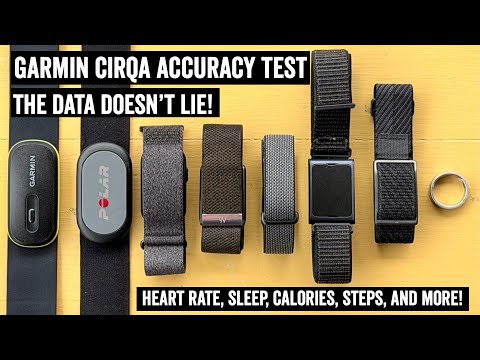
I’ve actually written an entire dedicated post (and video above) just about the accuracy of the Garmin Cirqa, covering the following areas:
1) Accuracy of heart rate during workouts
2) Accuracy of workout/activity recognition
3) Accuracy/differences of sleep data
4) Accuracy/differences of step data
5) Differences in Calories
Within the post, I compared it to the following other sensors concurrently:
1) Garmin Cirqa (wrist, and 2nd on bicep same arm)
2) Whoop 5.0/MG
3) Fitbit Air
4) Polar Loop (bicep)
5) Amazfit Helio (bicep)
6) Chest Strap (switching between Polar H9 & Garmin HRM-600)
Now, normally I don’t like splitting things apart into different posts and making you run around to view them all. I like all things in one place. But in this case, if I paste that massive post here, it’ll basically double the length of this already long post.
That said, if you want the super quick summary version, here we go…
When it comes to accuracy, on the whole, things are pretty good and entirely in line with both other Garmin devices using the Gen4 sensor, as well as all of their competitors in this category. The exception here seems to be my running high-intensity intervals in cooler weather, which for whatever reason just isn’t catching for me on the wrist. Beyond that though, and more simply put: Nobody is really some top faraway leader or such. For Garmin/Fitbit/Whoop, they’re all roughly in the same bucket accuracy-wise. Each with their own quirks, as you might expect.
In the case of Garmin, while they have clearly made gains in the automatic workout detection since launch, there are still some areas for improvement. And more critically, Garmin absolutely needs to figure out how to increase the heart rate fidelity, so that you can tweak those exercise times (before/after) to not be missing data (especially after). This simply isn’t an issue on Whoop or Fitbit. Beyond that, I had a few running interval workouts where accuracy just didn’t align with expectations (especially in cooler-temp scenarios). I don’t think that’s a Gen4 thing per se, since I’ve done gazillions of other workouts on other Garmin watches with Gen4 in identical conditions without any issue.
That said, for most other categories, Garmin is right in the mix and perfectly accurate. Plus, having the ability to enable GPS behind the scenes for workouts can increase accuracy in areas like distance, which its competitors simply can’t do (especially for cycling, but also running/walking). That’s something I didn’t really touch on above, but is notable. GPS distance will virtually always beat wrist-based distance estimates in most environments.
In terms of bicep band or not, the answer is super simple (and identical to my years of testing with Whoop, as well as my year+ experience with Amazfit and Polar on the wrist and bicep band). For workouts, the bicep band will generally produce heart-rate strap-level accuracy. In fact, it often exceeds it, since it’s not susceptible to various chest-strap quirks (such as dryness in cooler temps, heavy sweat artifacts in hotter temps). Conversely, for bedtimes, the wrist is better, as the bicep band tends to miscalculate sleep start/end points if on a phone/book. Again, all these companies are identical in this regard. Lastly, for daily usage outside of workout/sleep, it simply doesn’t matter; it’s a wash.
Battery Life:
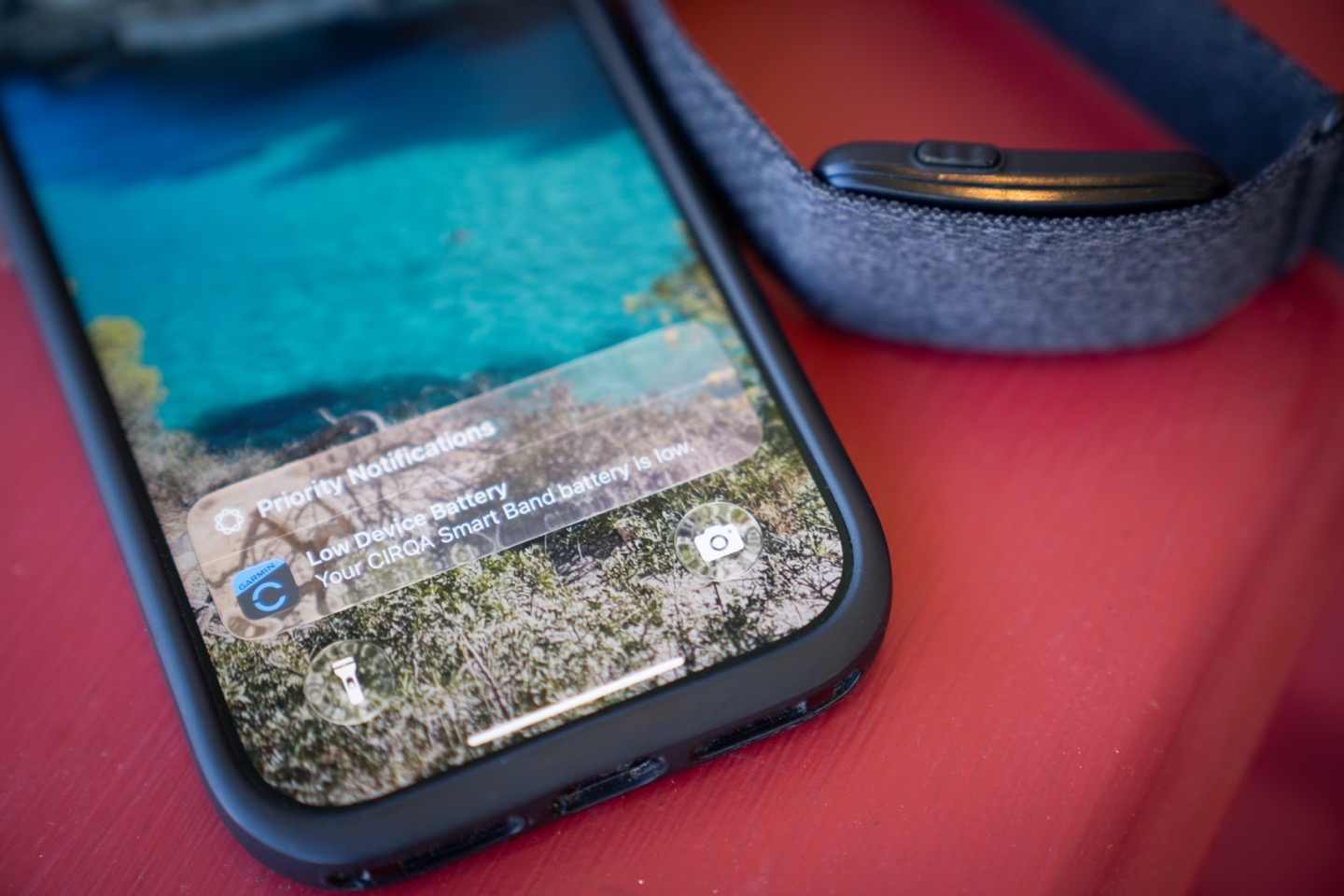
So what about battery life? Well, it falls far short of their official claims/specs (which state 10 days). In reality, my battery life burn rates have been all over the map. I’m taking screenshots every few hours, day after day. I have so many battery screenshots it’s silly.
Some days, I’ve hit upwards of 30% battery burn (for a 24hr period). Other days, the lowest has been about 15%. Most days, float around 20%/day, or a smidge higher. There’s no obvious single culprit here. Workouts tend to be about 1-1.5%/hour for me (rarely, but occasionally up to 2%/hour). Sleep also tends to be all over the place, sometimes just 1-2%/night, and others like last night at 5% for the night (6-8hrs of sleep is the norm). It’s the variability here that’s made things so hard to pin down.
While there have been the rare day that I only burned 10% battery (on-track for the claimed 10-days battery), those days have numbered low single-digits during this entire 30-day period.
Thus realistically, on average, this has put me at about 5-7 days with the most recent firmware (in a best-case scenario, with sleep PulseOx enabled to light up Health Status). Compare that to Whoop’s 14 days, which I very regularly and consistently get – even when doing multi-day treks with 14-17/hours a day of hiking/etc… Like, it’s scary good how efficient their battery is.
Either way, don’t expect 10 days of battery life here on Cirqa.
The Bugs:
This is, by far, the buggiest launch of a Garmin product in years. Garmin needs a wake-up call here.
While Garmin’s product team has been relentless in trying to fix many of these over the last month, prominent ones still make the user experience stumble at times (including just today, August 23rd). And even then, bugs fixed over the last 2-3 weeks doesn’t really excuse the launch situation. Thankfully, many of these bugs can be solved via app and back-end platform updates, with very few being on-device issues. Note that there was a firmware update 2.50 in the last weekish, though that seemed focused on HR items.
A quick peek at some of what I’ve been running into:
1) Garmin Connect UI hangs when manually starting an activity with ‘low connectivity’: If I’m in a bad cellular spot that *barely* has connectivity when I press start on a manual activity, the app will entirely hang visually, though behind the scenes it’s perfectly fine. Killing and re-opening the app works, and no data is lost. Note that if I have zero connectivity, it’s totally fine. A fix should release by the end of the month for this (to the app).
2) Not detecting entire/numerous bike rides of 30+ minutes: This continues to be hit or miss. I can go for some rides that are great, and others that are hot mess territory. Two weeks ago I missed an entire 60-minute ride of reasonable intensity. Just today (Aug 22nd), it fumbled a 3-hour ride.
3) Time-based alerts in sports modes don’t actually alert (such as the hourly chime) when in manual mode: In short, there’s some logic behind the scenes that’s flipped. Alerts aren’t firing in manual mode, but are oddly firing in Auto mode. This should be the opposite.
4) Garmin Connect mobile unable to handle timezone changes when traveling: This has caused JetLag Advisor to think my travel day is still in the future despite already happening (and yes, my dates are definitely correct). Garmin says they’ve found the cause for this, and it’ll be in the next update.
5) Garmin Connect Sleep Coach notifications triggering mid-day: These notifications should only appear close to bedtime. Both myself, DesFit, and numerous users have reported this. I haven’t had this happen in the last few weeks, so perhaps this one can finally be marked as fixed.
6) Random Garmin Connect app speed graph bugs that appear to show me going roughly 600,000KPH (or going 000,000KPH…it’s hard to tell): They’re looking into what’s happened here, though I haven’t seen it happen again.
7) Un-figure-out-able high battery burn days: Some days have had crazy high battery burn (upwards of 30%), with many at 20%. Garmin isn’t quite clear why. Though things have seemingly settled down more in the last two weeks.
8) Triggering PulseOx (SpO2 monitoring) when it shouldn’t: You’ll see the red light illuminate when you’re not actually asleep. Even last night, as I put on the band upon taking it off the charger, it immediately started triggering sleep-only PulseOx, despite not being asleep. This continues every night.
9) Running distances are horribly off if GPS isn’t used (e.g. a 10.0KM run was a mere 6.30KM): It appears some of my earlier walks/runs weren’t calibrating the stride length, so my distances were crazy far off. Even with my most recent runs, distances are often off by 20%+.
10) Some auto-detect running workouts don’t bother to record GPS: This might be linked to a phone’s low-power mode, as I haven’t seen this otherwise. Either way, it should notify if it’s not going to record GPS due to iOS low power mode. Garmin is looking into this.
11) Issues with heart rate broadcasting dropping in/out: Literally just today as I went to hit publish, I tried to broadcast my heart rate, and now other apps are seeing it briefly before dropping the connection. It worked yesterday, last week, and last month. Today, not so much.
12) Numerous other minor things I’ve seen and already forgotten about: Look, there’s a lot of minor quirks I’ve seen, but either weren’t big enough to remember beyond a day or so, or have already been fixed.
The thing is, most of these are easy to fix. But it’s clear there aren’t enough people (or the right people) in Garmin’s pool of pre-release testers to spot these issues. This isn’t an isolated incident; it’s a clear pattern over the last 18 months that’s gotten worse with most releases from virtually all product groups.
Over the last year or so, as Garmin has shifted its policies on external testers prior to launch, a very clear trend has emerged: The devices at launch have gotten more and more buggy. Be it the Garmin Venu X1, the Instinct 3, the Forerunner 970, and more (including the inReach Mini 3 series). Yet ironically, the devices that allowed larger tester pools such as the Forerunner 70/170, Garmin Edge 550/850, and Garmin HRM-200 were all very solid at launch. Patterns? Of course. And this pattern continued, if not escalated, with Cirqa.
Garmin had really improved their launch software quality about 3 years ago, and arguably peaked about 2 years ago. It had legit gotten really good compard to where it was 4-7 years ago. They had a big pool of external testers, they listened to them, and that made a real tangible difference to the product launch quality. But that’s clearly dwindled, with the goal of minimizing leaks.
One of the things I talked about in a semi-recent Amazfit video around software quality, is that it’s not enough to just have beta testers. You need to have beta testers that are willing to make a stink, and put their foot down when something is either broken – or something is just dumb. Having worked at one of the world’s biggest software companies, I know full well that internally, beta reports are all too often ignored as non-critical, or internal employees don’t bother to even file them. And then when it comes to external beta pools, testers are often reluctant to make a stink about something, because they don’t want to be removed from the secret device test pools.
I know Garmin’s product teams want these bugs fixed. And equally, I’ve seen that most times when bugs are raised (at least from me and other frequent testers), they get fixed real quickly. But currently, these product teams have their hands tied, and it’s clear it’s not working.
As I’ve said many times over the 15 years, I only include a ‘Bugs’ section in a review when things reach a bad enough point that I can’t otherwise just include the bugs in their applicable sections. Over the last 18 months, a lot more Garmin products have had this section than not.
Garmin Connect+ Subscription:
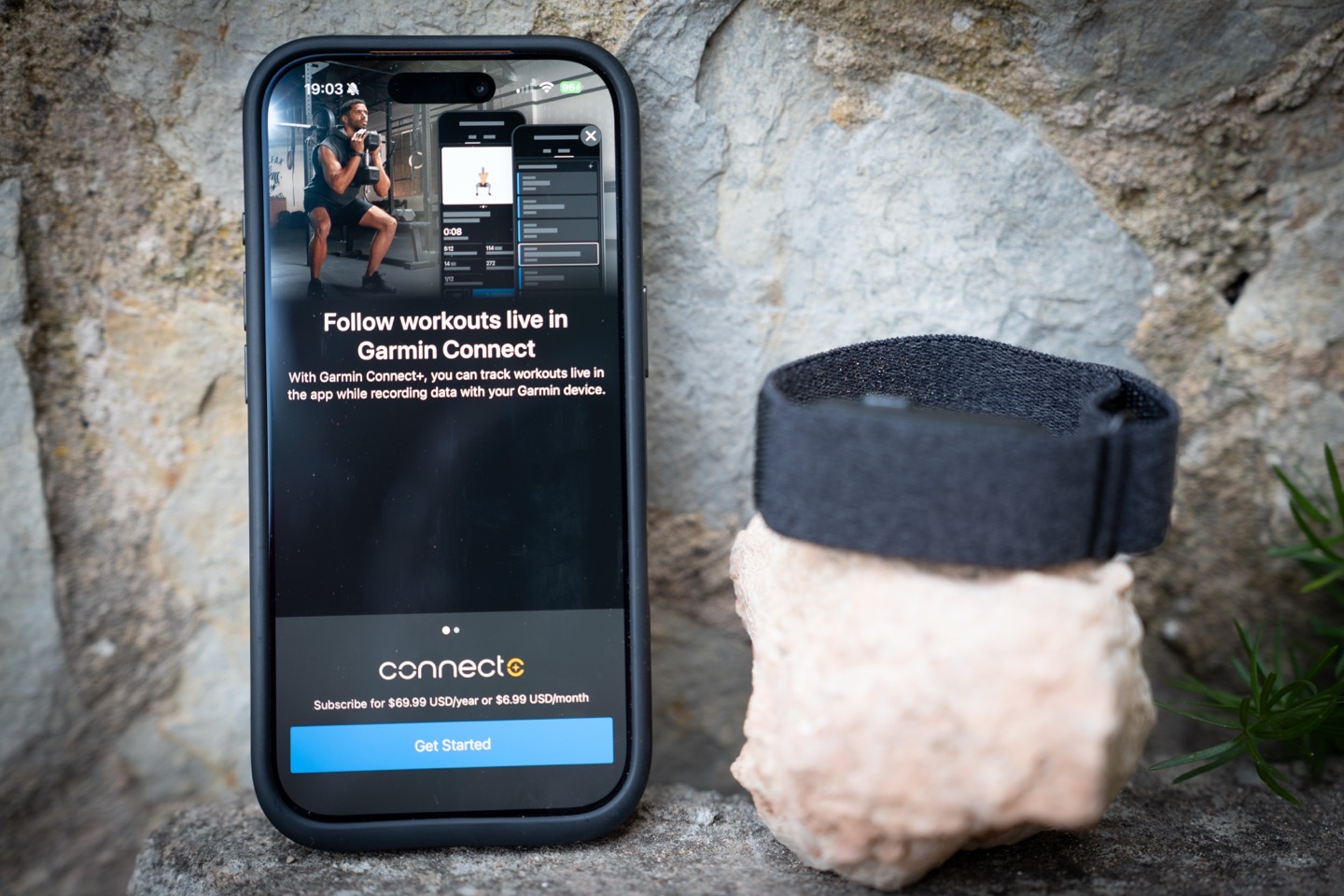
In short, very little. And more specifically, very little beyond what is already there over the last year.
As noted above, Connect+ isn’t required for the device, and instead, is only giving you a handful of extra features, mostly around coaching and nutrition tracking. Most of the coaching features seen here are usually free on Garmin’s watches with screens, but here they leverage the Garmin Connect app as your screen, and thus decide to charge you for it.
Here’s what Garmin Connect+ would add:
– Garmin Coach Workouts in app: Strength & Fitness specifically
– Additional Structured Workouts in app: Cardio, Yoga, HIIT, Strength, Pilates, Wheelchair
– Nutrition Tracking: Launched earlier this year.
– Manual Lap Creation: Via the Garmin Connect app during Live Activities
– HR graph in the app: For Live activities, it adds the heart rate chart/graph at the top
– Garmin Active Intelligence (AI) Insights: Very short couple-line snippets in the app dashboard
– Performance Dashboard (Web): Basically can create your own dashboard on the web
– Garmin Trails: Curated trail routes, not really applicable to Cirqa
– Enhanced LiveTrack Location Sharing: This will text (instead of e-mail, which is free), as well as a dedicated LiveTrack page
– 3D Maps in app: Again, for workouts with GPS only
– Discounts on Garmin accessories: Via app, very limited selection
– Extra Garmin Social Badges: Again, via app
– Annual Roundup of Activity Stats: At end of year, ‘Garmin Connect Rundown’ slideshow
As you can see, many of the features aren’t super applicable to Cirqa. Accessory discounts are things like Garmin cycling sensors (not applicable here), and Edge bike cases. There are also discounts on heart rate straps, but there’s an HR sensor here, and most of the time Amazon is still cheaper than the Garmin.com discount anyway.
Note that at Cirqa launch, Garmin had limited the live heart rate during workouts (your live HR in bpm) to just Garmin Connect+ users, but after substantial blowback, they issued an update 3 days layer to Garmin Connect Mobile, enabling all users to see live heart rate.
Instead, the most applicable Garmin Connect+ feature here is the Garmin Coach Workouts in the app, and then the manual lap creation. The Garmin Coach Strength workouts have been behind the Garmin Connect paywall since they were introduced. But here on Cirqa, any structured workouts require Garmin Connect+. But the lack of being able to do your own structured workouts without GC+, is pretty weird.
Meanwhile, aspects like nutrition tracking are very real, and if you were previously paying for some other nutrition tracking platform, this will generally be about the same price as that, plus you get all the extra bits outlined above. You can check out my full Garmin Connect+ nutrition post here, as well as my full Garmin Connect+ features rundown here.
Wrap-Up:
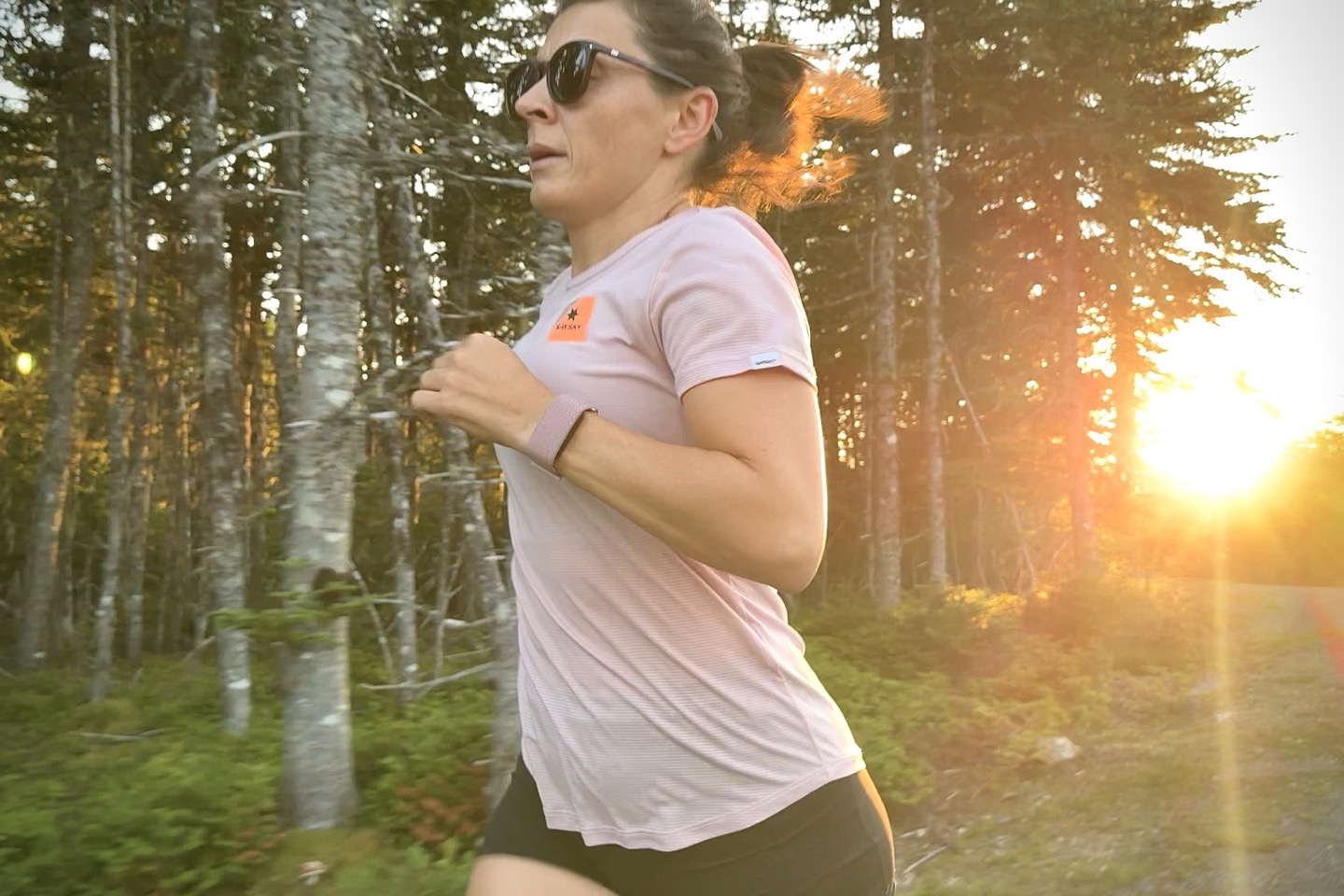
For most folks, the Garmin Cirqa device will do exactly what they expect a Whoop-like competitor to do. The screenless unit will track your steps, calories, sleep, and other metrics automatically. It’ll do so for likely a week per charge, and it’ll do so in a form factor that’s reasonably similar and just as comfortable. And it’ll do so without any subscription cost at all, which, as noted, is exactly how I used the Garmin Cirqa in the review (with no Garmin Connect+ on my account). Oh, and the accuracy will largely be a wash between it and the latest Whoop or Fitbit devices. Garmin has a handy button, while Whoop has a lot more band options to choose from.
However, the difference between Garmin & Whoop isn’t really the hardware. Or even the app features. When it comes to training metrics, training data, or even daily metrics – there’s really no comparison. Garmin simply has more, and more features with depth. But unfortunately, what Garmin lacks here is a bug-free product. The Cirqa of today is riddled with mostly small bugs, but equally many big ones around automatic workout detection. While Garmin internally might classify those not so much as bugs but limitations, to the end user a missed workout or splintered workout they can’t combine is a failure, regardless of whether you want to call it a bug. This product should have baked in the oven longer. If you manually start every workout, these issues won’t likely impact you. Perhaps the problem was my expectations.
One final question I’ve seen some ask is whether or not I’ll use Cirqa going forward. The answer is simple: Generally no. But not because Cirqa is bad or such, but because I’ll instead be reverting back to my Forerunner or Fenix watch. I use all the features of a watch on a daily basis, so for me having to depend on a phone for GPS tracks or to view heart rate/pace data, simply doesn’t make sense. In the same way it doesn’t really make sense for most sports tech reviewers in this category. Likewise, while some might prefer to sleep with a Cirqa band, I personally find value in the flashlight at night, or just seeing the time (as I *never touch* my phone until I wake up). So again, the use case doesn’t really fit my preference. But as always, to each their own.
With that – thanks for reading!
Found This Post Useful? Support The Site!
Hopefully you found this review/post useful. At the end of the day, I’m an athlete just like you looking for the most detail possible on a new purchase – so my review is written from the standpoint of how I used the device. The reviews generally take a lot of hours to put together, so it’s a fair bit of work (and labor of love). As you probably noticed by looking below, I also take time to answer all the questions posted in the comments – and there’s quite a bit of detail in there as well.
If you’re shopping for the Garmin Cirqa (Black) or any other accessory items, please consider using the affiliate links below! As an Amazon Associate I earn from qualifying purchases. It doesn’t cost you anything extra, but your purchases help support this website a lot.
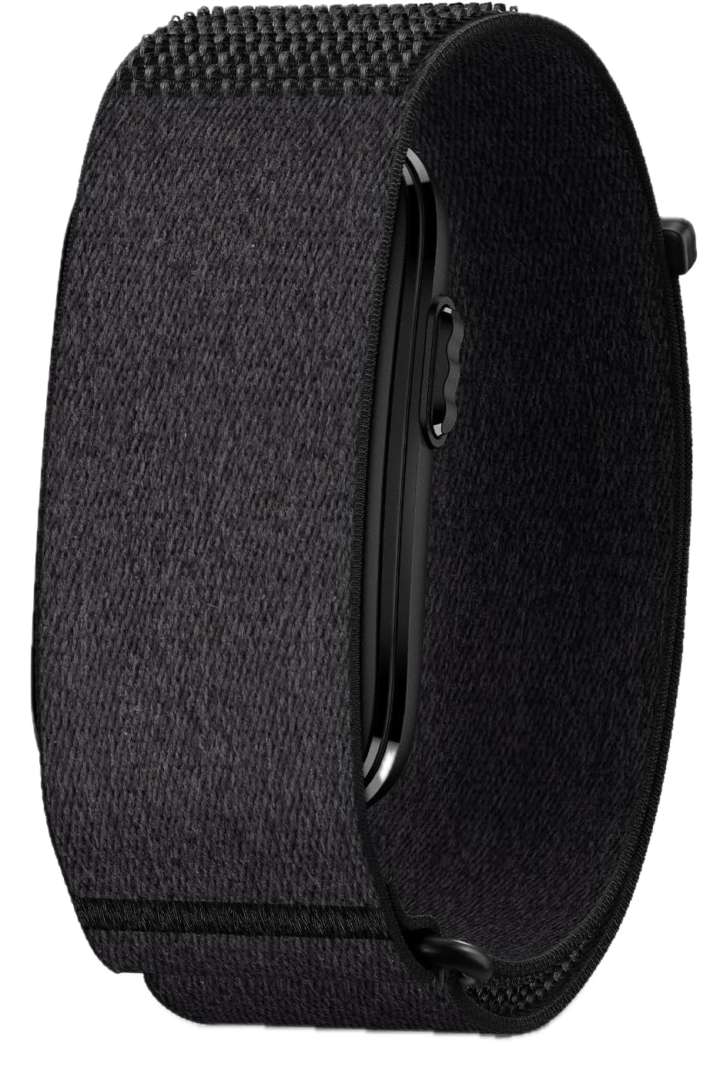
Here’s a few other variants or sibling products that are worth considering:
And of course – you can always sign-up to be a DCR Supporter! That gets you an ad-free DCR, access to the DCR Shed Talkin’ video series packed with behind the scenes tidbits…and it also makes you awesome. And being awesome is what it’s all about!
Thanks for reading! And as always, feel free to post comments or questions in the comments section below, I’ll be happy to try and answer them as quickly as possible. And lastly, if you felt this review was useful – I always appreciate feedback in the comments below. Thanks!


