
I love a clean and beautiful desk setup. As a tech nerd who has used Linux for over two decades, there is always one minor annoyance that bugs me. If you use a mechanical keyboard or a third-party keyboard, you lose that seamless fingerprint unlock experience we enjoy on modern mobile devices. That is where IMMUROK comes in to save the day with a wireless fingerprint authenticator that brings that exact biometric convenience to your Linux desktop.
The big idea behind IMMUROK is simple yet powerful. It wants to give you fewer passwords, more control, cleaner desks, and security that is backed by your actual physical presence. This is not just some basic unlocking tool. It is a dedicated security companion built specifically for power users, developers, and creators who want professional grade safety without the clutter. Let us dive in and see if this little device lives up to the hype.
Design
When you think of security hardware, you probably picture a bulky office dongle that looks like it belongs in a corporate cubicle from twenty years ago. Fortunately, IMMUROK did not take that path. This device is designed for elegant desks and looks absolutely stunning next to a high quality mechanical keyboard or a premium creator workstation. It is compact, minimal, and has a sleek look that feels right at home in any modern office or home setup.
The build quality is excellent and feels solid in the hand. It is small enough to carry on a keychain if you are working on the go, making it highly versatile for hybrid work setups. The surface has a premium finish that resists fingerprint smudges, while the physical button and LED status light are integrated beautifully into the overall shape. It is clear that the creators wanted to build a security tool that looks like it belongs on a clean, premium desk, and they definitely succeeded.


Setup
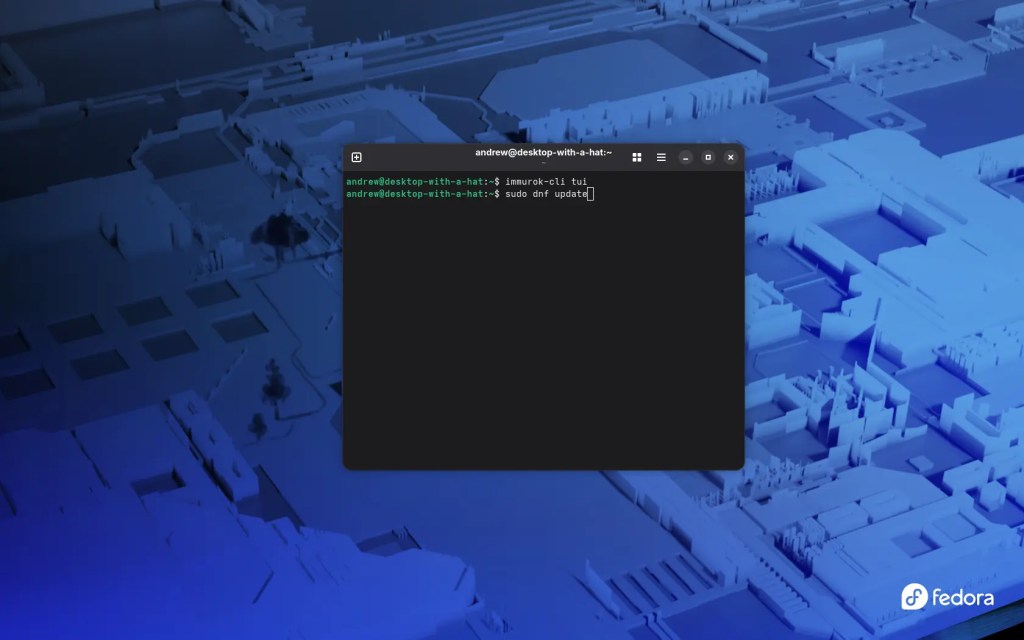
Getting the IMMUROK ready to go is a very straightforward process. Out of the box, you can optionally charge the device using a standard USB C cable before you begin your configuration. Once it has some juice, you get to work on your Linux machine by installing the system daemon and command line tools, which you build and install directly. It is a very developer friendly approach that fits right in with a Linux user workflow.
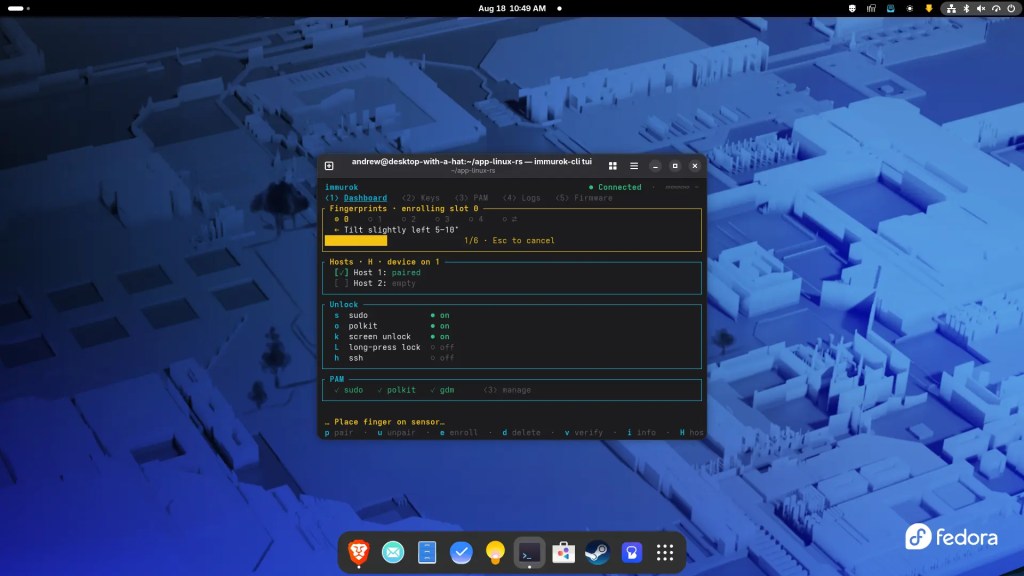

Once the daemon is running, you scan and connect the device using Bluetooth. You then launch the app using the command line interface with the text user interface tool. Pairing is incredibly easy. You start the pairing process from your terminal app and then press the physical button on the IMMUROK when the LED flashes. From there, the guided enrollment flow takes over and lets you register your fingerprints from multiple angles just like you would on a smartphone.
The IMMUROK is a gorgeous and minimal security device that brings seamless biometric convenience straight to your Linux desktop setup. It completely eliminates constant terminal typing by letting you authorize sudo commands and secure your private keys with a single physical touch.
Performance
This is where the IMMUROK truly shines. It brings convenient fingerprint authorization to your Linux machine without requiring you to use a specific keyboard. For developers who spend all day typing sudo passwords in the terminal, this device is a total game changer. It integrates directly through PAM, which is the system authentication module, to turn typing into a simple touch. If you use coding agents or AI tools, the device acts as a physical gatekeeper. It makes high risk actions visible and forces you to approve commands with a physical fingerprint tap before they can run.
Security on this device is top-tier and handles your private keys beautifully. Your SSH private keys, which are used to log into servers, stay entirely in the hardware vault rather than on your computer. The hardware can store up to 32 SSH keys, 50 sensitive API keys, and 128 two factor TOTP codes. These keys and codes never appear in the computer memory or disk and are only released with a verified fingerprint touch.

Moreover, your biometric data stays local on the device and is never sent to the cloud. The communication over Bluetooth is fully encrypted, and the device has physical tamper protection that clears your critical keys if anyone tries to open or disassemble it.
To build genuine trust, the desktop software and PAM module are open source and hosted on GitHub. This means security teams and curious developers can audit the code themselves rather than relying on empty brand promises. It is a brilliant way to assure users that their secrets are safe. Plus, this is a one time purchase with no annoying subscriptions or recurring fees, meaning you get free lifetime firmware updates and priority support with a single payment.
Battery Life
When you add another wireless accessory to your desk, the last thing you want is a device that needs to be plugged in every couple of days. Fortunately, IMMUROK uses Bluetooth Low Energy to connect to your computer. This wireless protocol is incredibly efficient and allows the device to keep its power consumption extremely low. The standby current is less than 50 microamps, which is practically nothing.
In everyday use, this translates to about three months of battery life on a single charge. I haven’t had the unit for but two weeks, but I should rarely need to think about charging it. When you finally do need to top it up, you can easily plug it in with a USB-C cable. Because it is wireless, it does not occupy a precious USB port on your computer, keeping your desk looking clean and organized.
Final Thoughts

Awarded to products with an average rating of 3.75 stars or higher, the AndroidGuys Smart Pick recognizes a balance of quality, performance, and value.
Products with this distinction deserve to be on your short list of purchase candidates.
The IMMUROK is a stellar accessory that bridges the gap between high-level security and everyday convenience. It shows that security hardware does not have to be ugly or difficult to use. By giving Linux users a premium way to authorize commands, manage keys, and unlock their screens without sacrificing their keyboard choice, it delivers massive value to both individuals and security-conscious organizations.
If you are tired of typing your password multiple times a day or want to keep your sensitive keys in a physical vault, this device is an easy recommendation. It is a stylish, open source, and subscription free tool that puts you back in control of your digital life. It is the perfect addition to any clean desk setup.
The Review
IMMUROK
PROS
- Beautiful and minimal design that fits premium desk setups
- Fingerprint convenience without needing a specific keyboard
- Keys and biometrics are stored locally on hardware
- Open source code builds genuine trust
CONS
- Linux configuration requires building from the command line
- Doesn’t integrate directly with GNOME or KDE PAM interfaces
- Wireless connection relies on Bluetooth
Review Breakdown
- Design
- Setup
- Features
- Performance
- Warranty
- Value
- Battery


