
Most technical SEO audits produce plenty of findings. Then the document sits in a shared drive for six months, and nothing gets deployed.
Sometimes that’s the client’s fault. More often, it’s the audit’s. The findings were never validated, ranked by a tool’s notion of severity, or written in a way no developer could act on.
Here are 10 mistakes that keep showing up — and what to do instead.
1. Crawling without JavaScript execution enabled
Screaming Frog will show you both versions of the page in a single crawl, as long as JavaScript rendering is on and you’ve enabled storing both the original and rendered HTML.
The comparison shows you any body copy, internal links, canonical elements, or meta robots directives that exist in the rendered DOM but not in the initial HTML response.
You can also see the diff side by side in the View Source tab.

Google renders most pages without issue, but content that only appears after JavaScript runs is still less reliable. A blocked resource, a script error, or a timeout can leave it out of the index entirely.
Most AI crawlers don’t execute JavaScript at all, so a page can rank in Google and still be invisible to the systems generating AI answers.
If you find a gap, confirm it with the URL Inspection tool in Search Console. That gives you Google’s own view of the rendered page, which is harder for a developer to argue with than a screenshot from a third-party crawler.
Track, grow, and measure your visibility across Google, AI search, social, local, and every channel that influences buying decisions.
2. Ignoring the Page indexing report in Search Console
You’ll find it under Indexing > Pages. It’s the only report where Google tells you directly whether a URL is indexed, crawled but not indexed, discovered but not indexed, a soft 404, or something else.
The Page indexing report looks like this:

Not every URL in the “Not indexed” bucket is a problem, which is where people go wrong with this report. Alternate page with proper canonical tag, excluded by noindex tag, and page with redirect are all normal outcomes of a site that’s set up correctly.
The exclusions worth investigating are the ones you didn’t expect. Pages you want ranking that sit in Crawled – currently not indexed, or a Discovered – currently not indexed count that keeps climbing.
3. Sampling URLs at random instead of by template
Pull URLs by page type rather than at random, so you’re covering product pages, category pages, blog posts, filtered views, paginated series, and whatever else the site generates. Most technical issues worth reporting are template issues.
Get the canonical rule wrong on a product template, and you’ve broken it on all 40,000 product pages at once. If your sample includes three blog posts and a contact page, you’ll miss that and report something trivial instead.
Sampling by template also makes the fix cheaper to scope. A developer can estimate “change the canonical logic on the PDP template” in about a minute. Nobody can estimate a list of 40,000 URLs.
Dig deeper: Technical SEO testing: How to build a stronger experiment
4. Auditing from a single data source
Every tool is blind to something. A crawling tool only finds what’s linked or what you feed it, so orphaned pages stay invisible unless you supply them.
Search Console tells you Google’s verdict but not the reason behind it. Analytics only records visits where the tracking code runs, so crawler activity mostly doesn’t show up.
Server logs are the only source that shows every request Googlebot or AI crawlers make to your server and what they get back. Rate limiting, intermittent 5xx errors, and crawl activity concentrated on URLs you don’t care about only turn up here.
If you don’t have server logs, use the Crawl Stats report in Search Console. It’s sampled data, but you can still use the crawl request breakdown to see examples of URLs Google requested.

You don’t need all of them for every finding. But anything you’re about to hand to a development team should be confirmed in at least two places, and when two sources disagree, that disagreement is usually the more interesting finding.
5. Treating tool classifications as facts
Crawlers report missing titles and H1s on pages where the content renders fine, and they log 429 and 503 status codes that the site only returned because the crawl was running too fast.
Before a finding goes in the report, open the page and check it yourself. To confirm a status code like the example above, run a curl command.
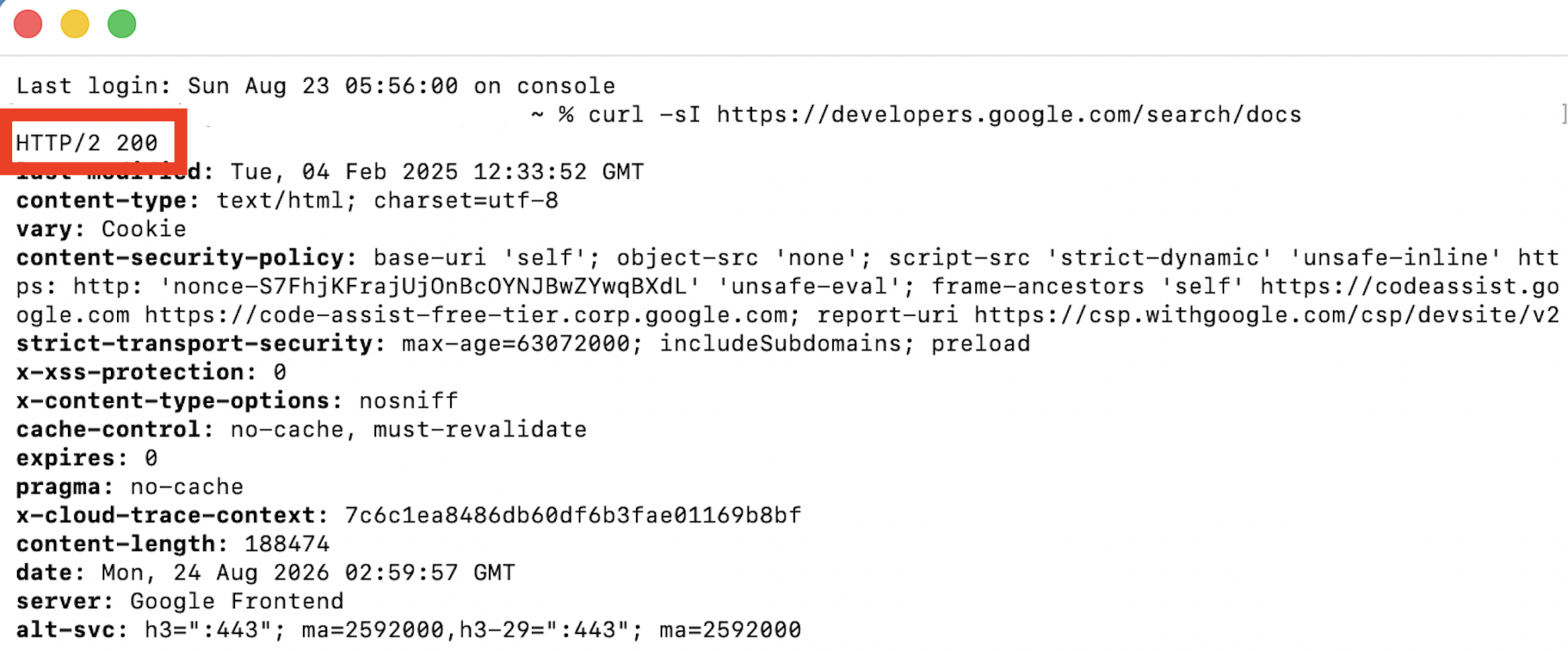
It takes a couple of minutes per finding, and it prevents a developer from spending half a day chasing a problem that was never there. Developers who’ve been sent after one phantom issue tend to read the rest of your document with suspicion.
6. Documenting symptoms instead of causes
“The site has 12,000 duplicate URLs” is an observation, not a finding. The finding is whatever produces them, which might be faceted navigation without parameter handling, session IDs appended to URLs, or a CMS that generates a second copy of every page under a different path.
A developer can delete the 12,000 URLs in an afternoon. They come back the next time someone adds a filter because nothing about the underlying behavior changed. Tracing a duplicate back to its source takes longer than exporting the list, and it’s the part of the job a tool can’t do for you.
7. Prioritizing by tool severity instead of business impact
A crawler assigns severity based on the type of issue. It has no idea which templates generate revenue, which categories the business is pushing next quarter, or which pages the sales team sends prospects to. So you get audits where tons of low-value warnings sit at the top of the list, and a rendering failure on the highest-margin product template sits on page four.
In the example below, it looks like there are some high-priority issues with Page Titles: Outside <head>. What Screaming Frog doesn’t know is that all those URLs come from a template the team is deleting in the upcoming redesign.
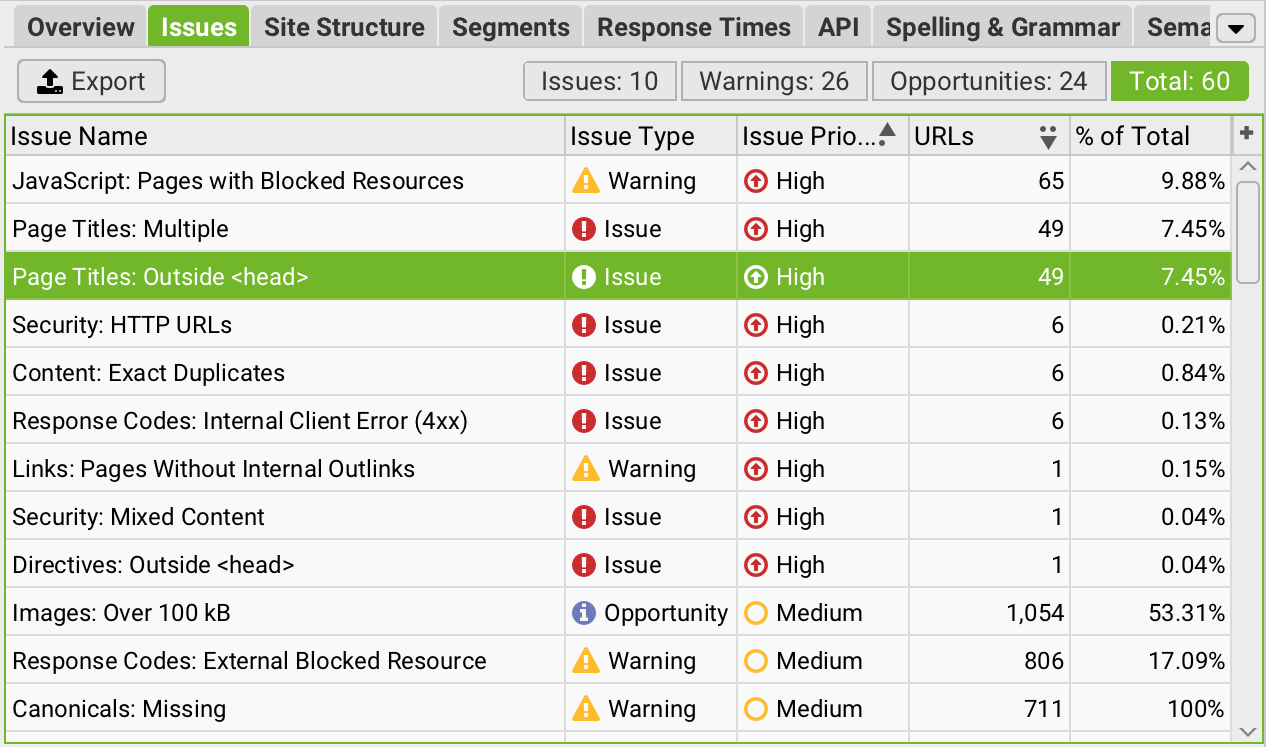
Fixing this means asking the client questions the tool can’t answer. What are the priority products or services? Which pages convert? What’s launching this year? Then rank your validated findings against those answers instead of against a severity column.
Dig deeper: The biggest technical SEO time-wasters to avoid
8. Recommending changes without understanding site architecture
Redirects, canonical changes, URL removals, and noindex directives all have second-order effects. A noindex on a filtered category eventually cuts off the internal links to the products underneath it. A batch of old URLs redirected to the homepage will often end up classified as soft 404s.
Before you recommend any of these, map what links to the pages in question and what they link to in turn. Check whether they appear in navigation, sitemaps, or breadcrumbs. What you want to know is whether the page is the only route to something else, and whether the pages it links to have another way in.
9. Writing recommendations developers can’t act on
“Improve site speed” isn’t a recommendation. Neither is “fix canonicalization” nor “strengthen internal linking.”
A usable recommendation includes the affected URLs or templates, the root cause, the expected outcome, and enough detail for someone to estimate the work. If a developer has to come back and ask what you actually want, the ticket goes to the bottom of the backlog and stays there.
Compare “improve site speed” to something a developer can pick up, like “The LCP element on the PDP template is a hero image loading through a lazy-load script, so it needs loading=”lazy” removed and fetchpriority=”high” added, with LCP under 2.5 seconds.”
10. Prescribing the implementation instead of the outcome
Write the outcome and the constraints. The canonical on paginated pages needs to be self-referencing. Primary product content must be included in the initial HTML response. Then let the developer decide how.
You can absolutely suggest an approach if you have one, and on smaller sites you might be right. But you don’t know the framework’s limitations, what else depends on that component, or what the team already has planned for that part of the codebase.
Acceptance criteria give a developer something to build against and something to check their work against when they’re done. A prescription just invites a debate about whether your approach is the right one.
See where your brand appears, where it doesn’t, and exactly how to win more visibility across search, AI, local, social, and every channel that matters.
What a good audit looks like
A crawler produces a list of problems in 10 minutes. Clients are paying for everything that happens after that, when someone checks which of those problems are real, determines which ones matter to the business, and assigns a cost to each fix.


