
New features coming to apps in iOS 27
iOS 27 brings a mix of major Apple Intelligence upgrades and smaller quality-of-life improvements across Safari, Photos, Messages, AirPods, Passwords, Wallet and other core iPhone apps. Apple is also making iOS more adaptable to different screen sizes and orientations, changes that appear to be laying some of the groundwork for its expected folding iPhone.
Safari
Safari will automatically group tabs into topics, making related pages easier to find. A new Notify Me feature will monitor webpages and alert you to changes such as price drops or products coming back into stock.
Apple is also adding Describe an Extension, which lets users create custom Safari extensions simply by explaining what they want the extension to do.

Apple
Photos
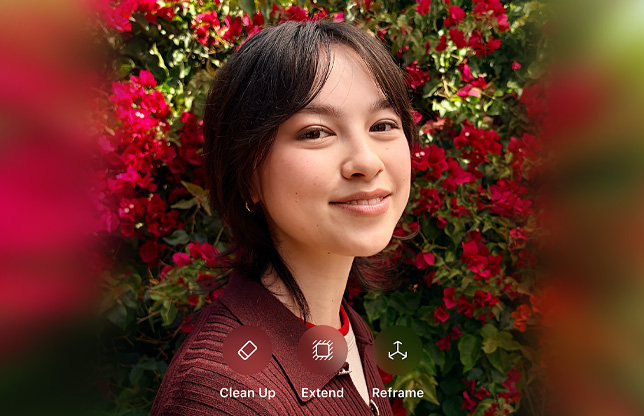
Photos gains significantly more powerful AI editing tools.
Spatial Reframing/Reframe can alter the composition and perspective of an existing photo, while Extend generates new image content beyond the original frame when straightening a horizon or changing the aspect ratio.
Apple
Clean Up has also been improved, with Fast and High Quality modes for removing unwanted objects. High Quality mode can produce considerably more natural results, although more ambitious edits can still introduce distortions or invented details.
Photos also adds new categories and the ability to save a frame from a video as a full-resolution photo. The resulting HEIF or JPG retains the video’s original resolution, date and location metadata rather than simply creating a screenshot.
Camera
Apple is developing a customizable Camera interface, although it has not appeared consistently throughout the iOS 27 beta cycle. It could arrive in a later iOS 27 update.
Apple is also reportedly developing Apple Reference Image, an authentication system designed to prove that a photo or video was genuinely captured on an iPhone and has not subsequently been manipulated.
The feature would use additional metadata and Apple’s Private Cloud Compute to authenticate an image and assign it a unique ID. Its usefulness may be greatest for journalists, insurers and investigators rather than as a general solution to AI-generated imagery, particularly because authentication would be optional and social networks frequently remove metadata.
Messages
Foundry
Messages gets several useful improvements.
You can also decide what the microphone button beside the text field does. Under Settings > Apps > Messages > Show in Text Field, it can be set to Record Audio, Start Dictation or None. Disabling it does not remove either feature: dictation remains available from the keyboard and audio messages remain in the + menu.
Voice-message playback controls are easier to access, while Apple Intelligence can suggest actions based on a conversation, such as creating a reminder, making a note or finding relevant photos.
Messages will also gain smarter suggested replies that can better reflect the user’s writing style.
Drawing
Foundry
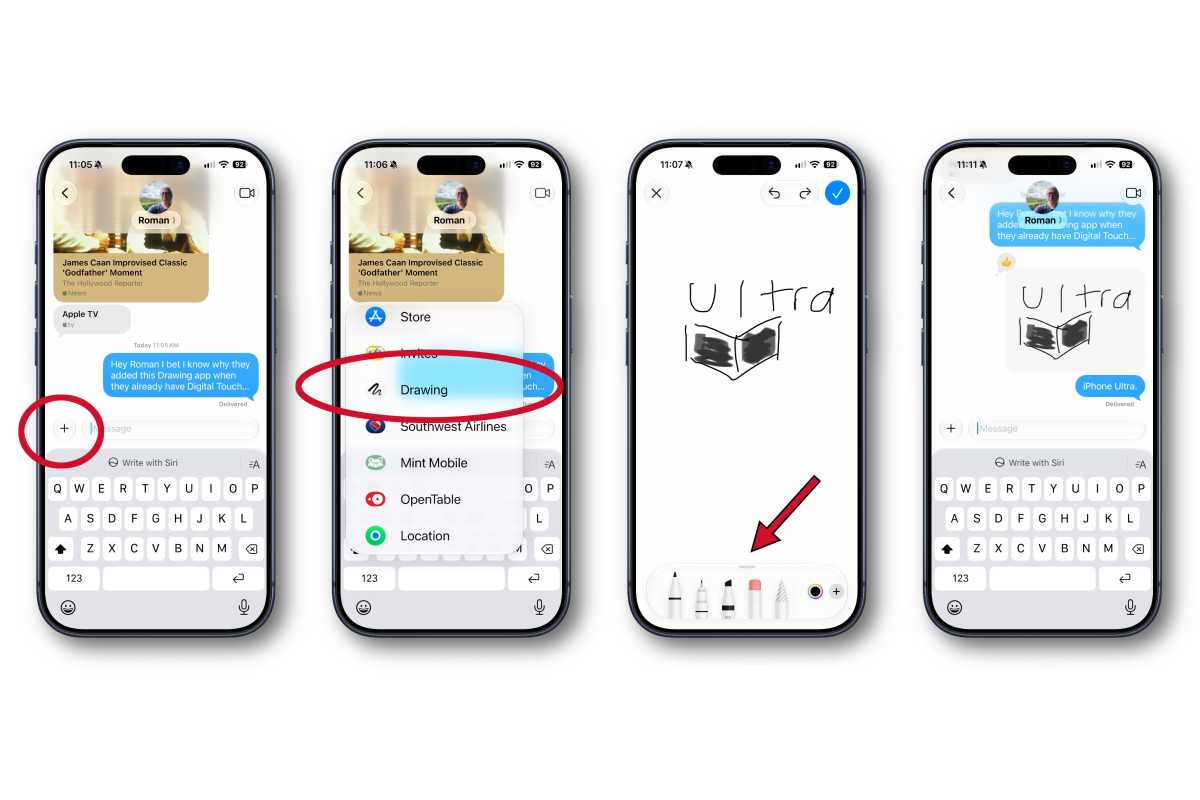
A new dedicated Drawing app replaces the old hidden handwriting interface. Accessible from the + menu, it uses the familiar pens, colours and drawing controls found in Notes and Markup, with finished drawings sent as images.
Mail gains more context-aware smart replies, including responses that can better match the user’s usual writing style.
Apple Intelligence can also surface information from Mail elsewhere in iOS. For example, the Phone app could retrieve a flight confirmation number from an email when you call an airline.
Phone
A new Call Context feature can surface information that may be useful when calling a business. Apple says the information is selected according to who you are calling rather than by listening to the conversation. For example, calling an airline could cause iOS to surface the relevant flight confirmation from Mail.
Birthday reminders can also appear when calling contacts whose birthdays are stored on the iPhone.
FaceTime
FaceTime gains Dual Capture, allowing the front and rear cameras to be used at the same time during a call.
Passwords
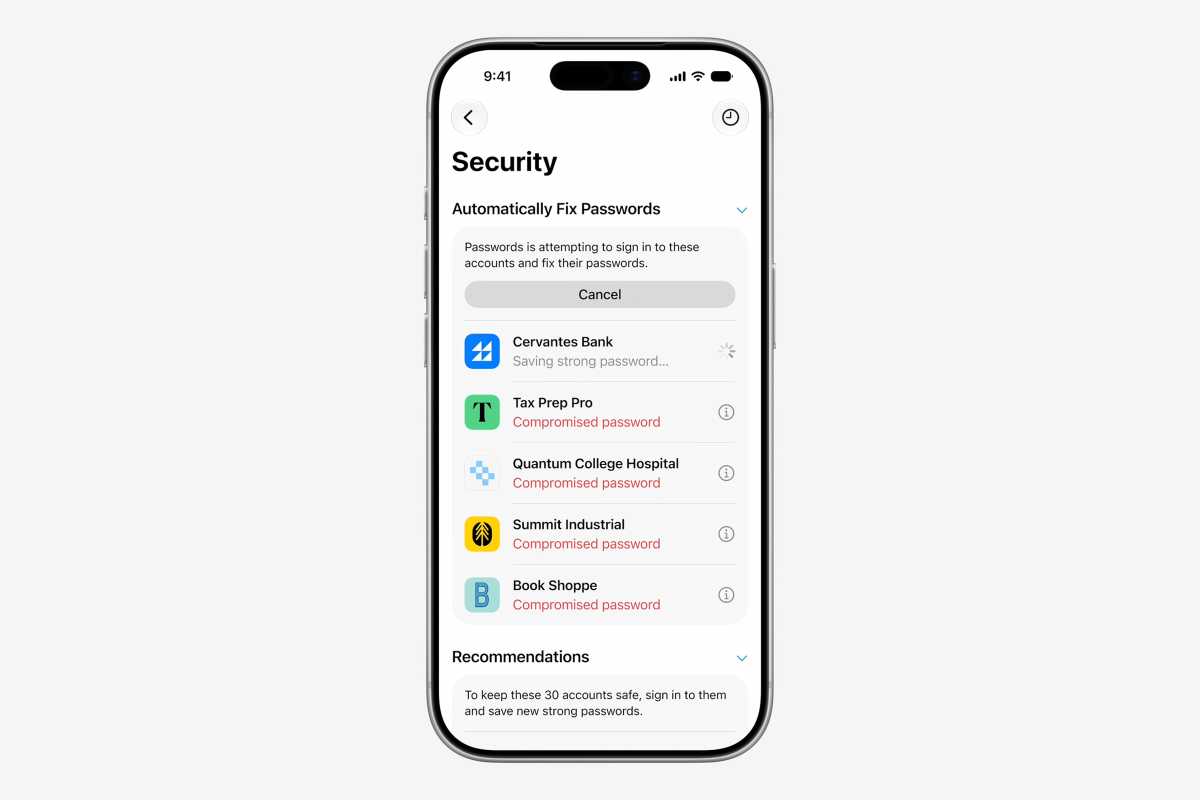
Passwords in iOS 27 will fix things for you.
Apple
The Passwords app will continue to warn about weak, reused and compromised credentials, but iOS 27 goes a step further by offering to fix some of them automatically.
Using Apple Intelligence, Passwords can visit supported websites, change a vulnerable password and save the replacement credentials. See: Apple got rid of my biggest password headache.
The usefulness of the feature will depend on how widely websites are supported and how well it handles obstacles such as two-factor authentication and unusual account-management interfaces.
Shortcuts
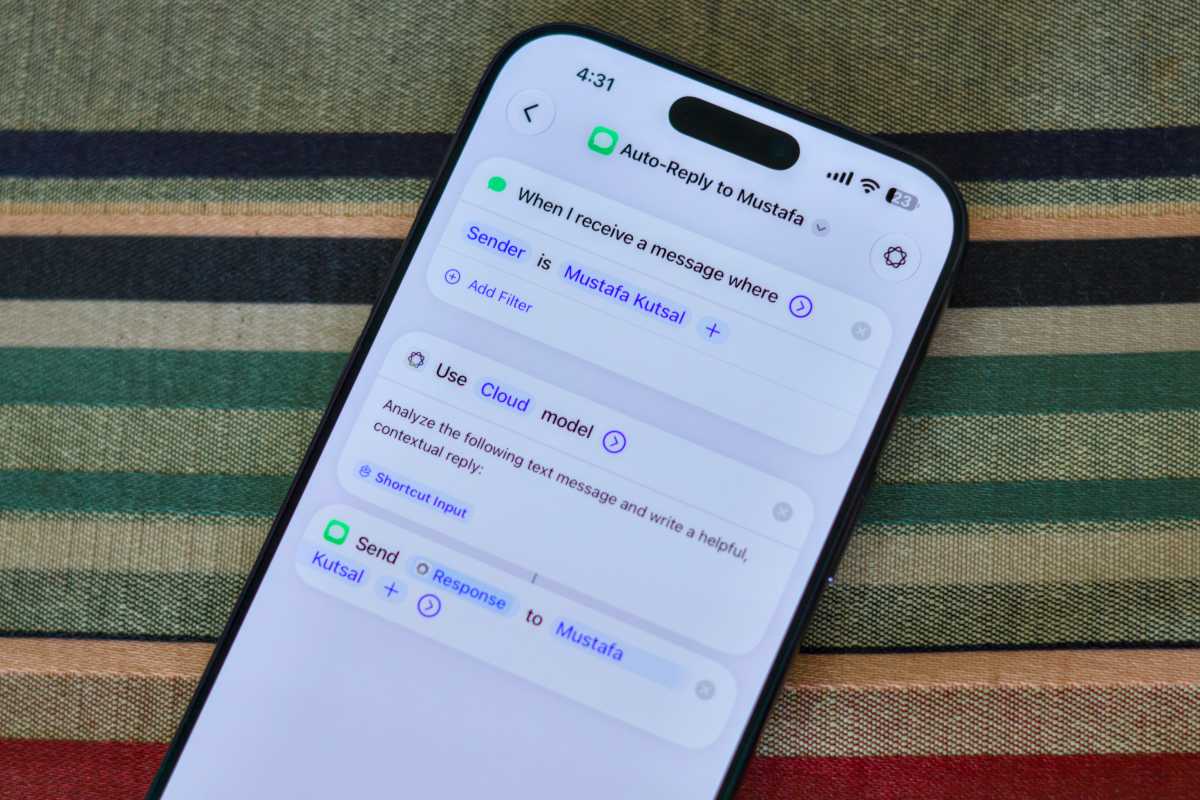
Shortcuts gains Describe a Shortcut, allowing users to create automations simply by explaining what they want to happen.
Apple Intelligence will interpret the request and assemble the appropriate actions across supported apps, potentially making Shortcuts significantly easier to use for people unfamiliar with building automations manually.
Calendar
Calendar can create or modify events from natural-language instructions.
Apple says the app can recognise contacts, locations, dates and other event details as users type, reducing the amount of information that needs to be entered manually.
Image Playground
Image Playground is becoming considerably more powerful.
Apple says it can create photorealistic images and lets users modify generated pictures simply by describing the changes they want. Individual objects can also be selected, resized or repositioned.
AI-generated images will include a SynthID watermark identifying them as synthetic content.
Wallet
Wallet can create custom passes from QR codes.
Users can add their own fields and information to the pass, and passes automatically sync to Apple Watch.
Home app
Apple Intelligence comes to the Home app for compatible HomeKit Secure Video cameras.
It can group related camera notifications, describe recorded video and highlight clips that appear particularly noteworthy.
Maps
Apple Maps improves Flyover using higher-quality aerial imagery and Visual Intelligence models.
Apple says this produces sharper architectural detail and more realistic rendering of elements such as individual trees.
Podcasts
Video podcasts become easier to use, with improved controls for switching between watching a podcast and simply listening to it.
Fitness
Workout summaries have been redesigned to make them easier to share.
Users can also hide completed Fitness+ workouts.


