
While the Wahoo RIVAL watch was discontinued a number of years ago, Wahoo’s making another go at courting runners with a new Apple Watch app. Though, the company is quick to point out they see this as the start of that journey, rather than the destination. And of course, one has to remember that Wahoo makes one of the most interesting treadmills on the market today, the Wahoo KICKR RUN, so their relationship to runners is hardly just a curiosity.
However, this launch is more than just a Wahoo ELMENT-like experience squished into an Apple Watch app. Instead, it’s actually about the platform (app) Wahoo has, and their longer-term vision. In fact, you don’t even need to use the Apple Watch app to record a run, to use the rest of the platform. You can pull in runs from other devices, like a Garmin Watch or phone app.
First though, let’s go through the watch app, then the platform, and then the future.
The Apple Watch App:
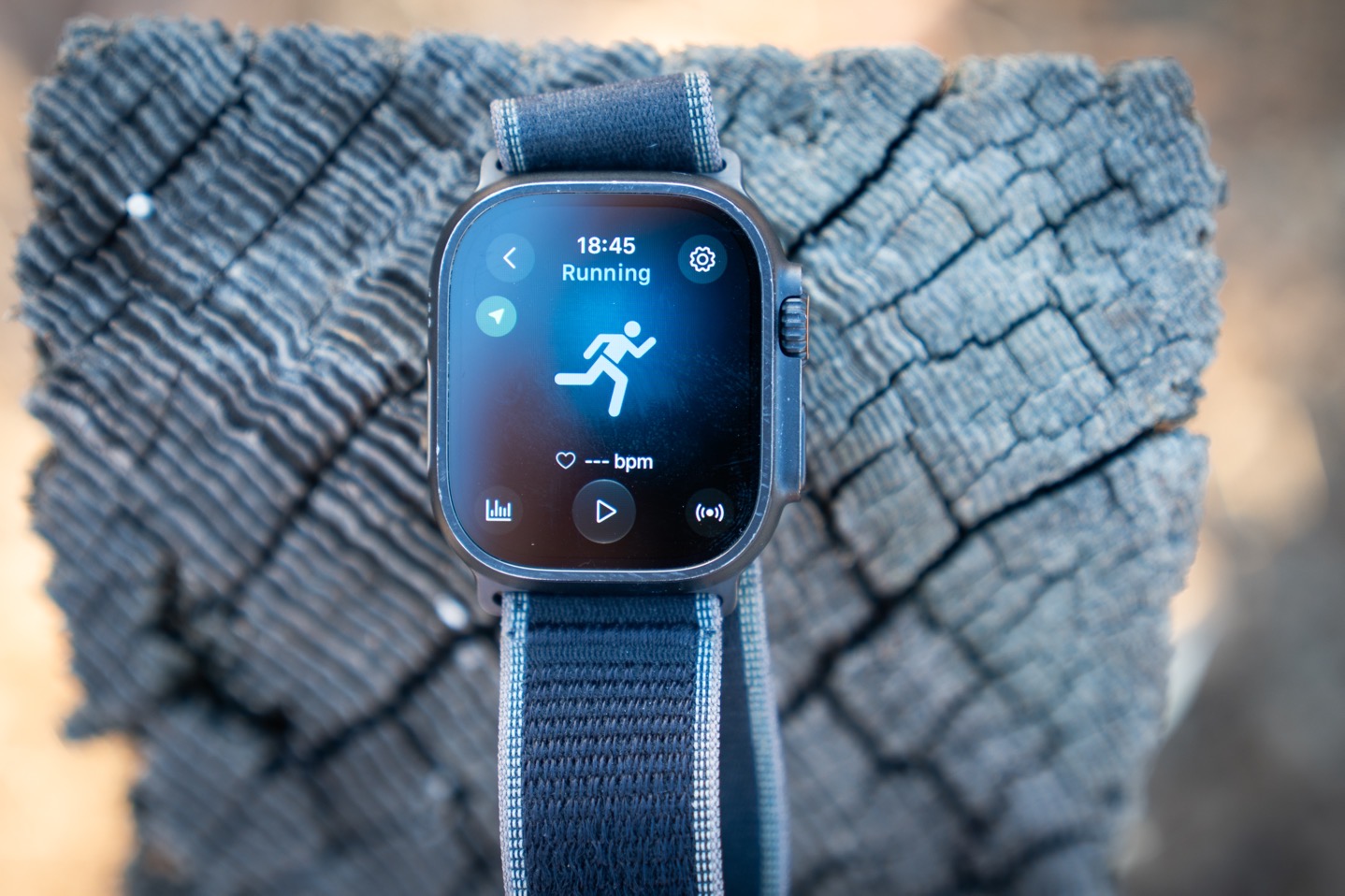
The Apple Watch app is ‘bundled’ with the Wahoo Fitness app, so effectively once you’ve got the Wahoo Fitness app installed, the Apple Watch app will usually automatically install on your watch (in the same way other companion apps install). If it doesn’t, you can just go into your Apple Watch settings in the ‘Watch’ app on your iPhone, and force it to install there.
Once installed, here’s the main recording dashboard. The thing about the Wahoo app is that it’s mostly about recording the data, rather than a recreation of something like the Wahoo Rival watch (or a Garmin watch). At the top you’ll see the running options for Treadmill and Outdoor:
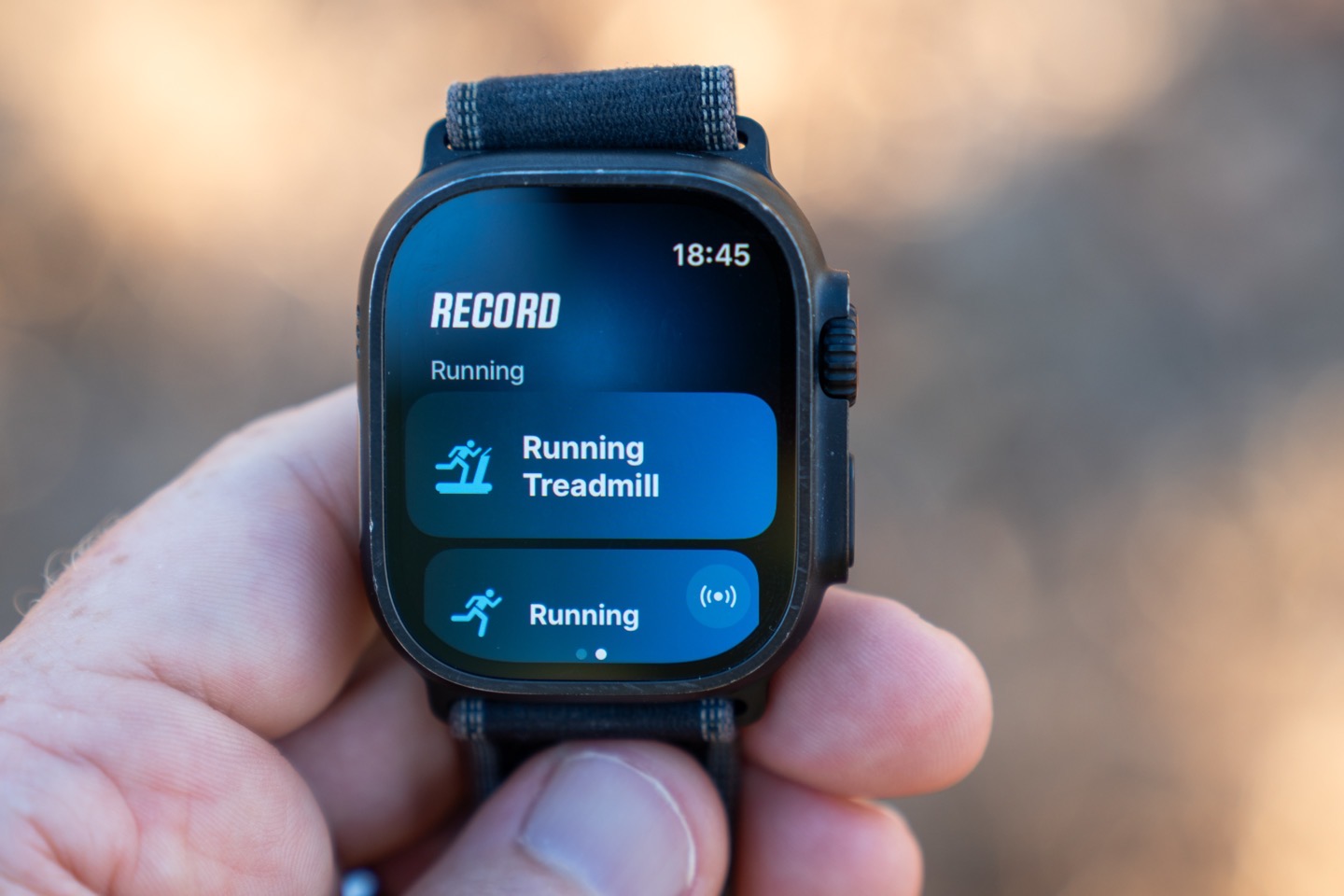
But equally, there’s a small pile of other sport profiles listed as well, seen down below:
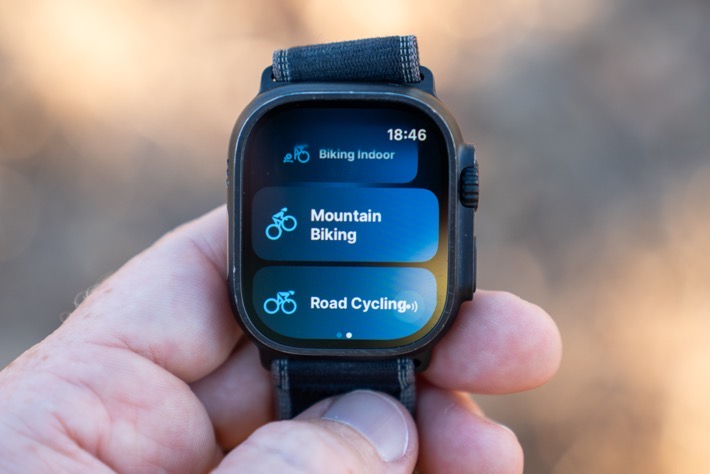
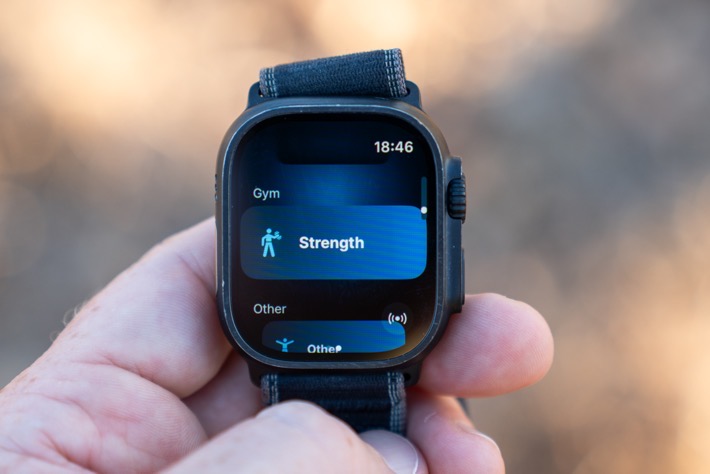
These include, in total:
Treadmill Running, Running, Biking Indoor, Mountain Biking, Road Cycling, Gravel Biking, Walking, Gym (Strength), and Other.
Next, there’s the ability to pair sensors by tapping that little sensor icon you see:
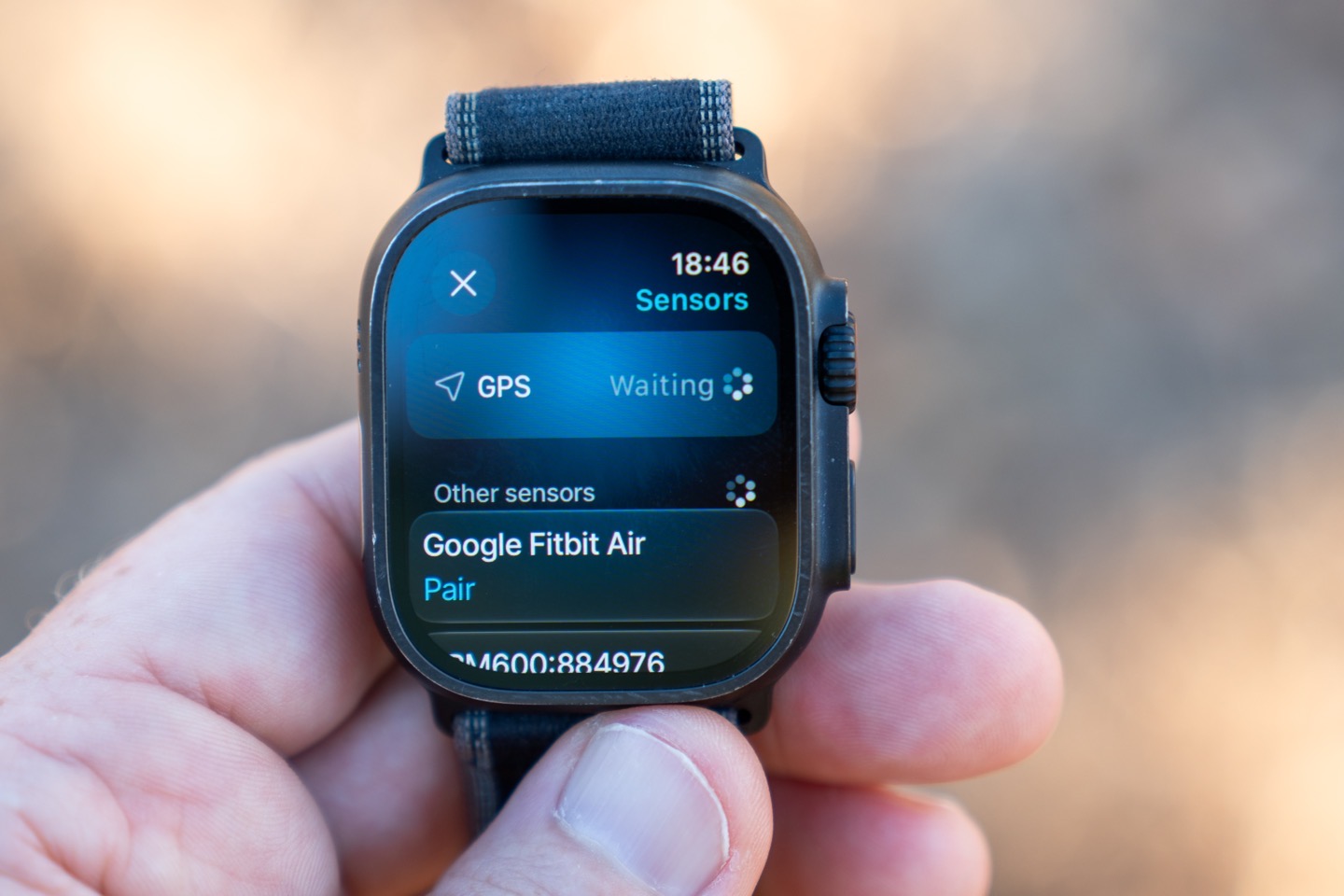
This can include heart rate sensors, the KICKR RUN treadmill, cycling power meters, cycling speed sensors, and cycling cadence sensors. Again, in theory here you can use this instead of a Wahoo ELMENT bike computer. I’m honestly not sure why you’d do that (since to most people Wahoo’s main value certainly isn’t their app, but their bike computer hardware). But as I’ll talk about in the next section, if their goal here is to court people to their platform, then maybe this fills the gap for someone.
In any case, let’s keep our eye on the price here, with the Running focus. Once you open up the Running sport mode, you’ll be here, on this pending screen:
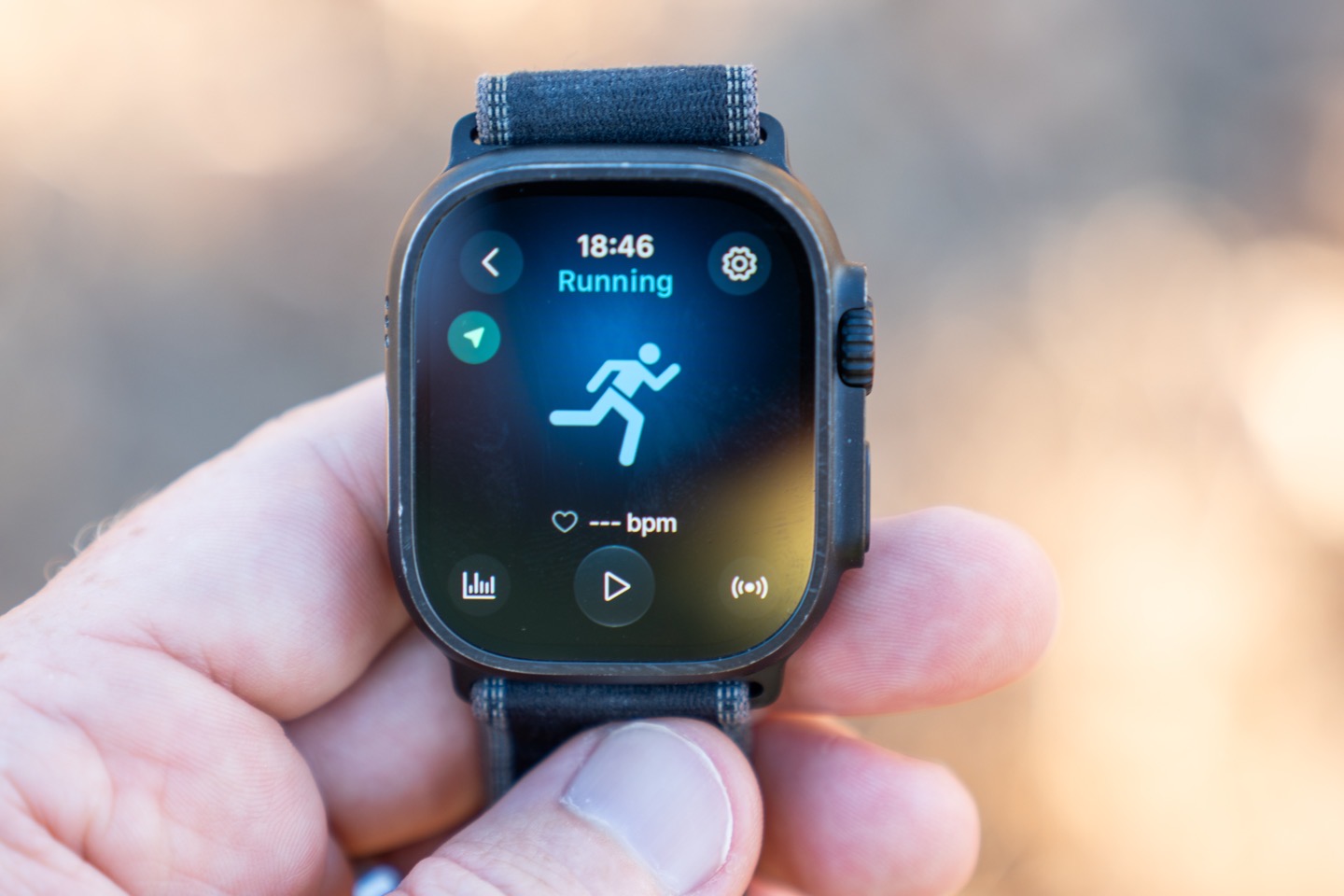
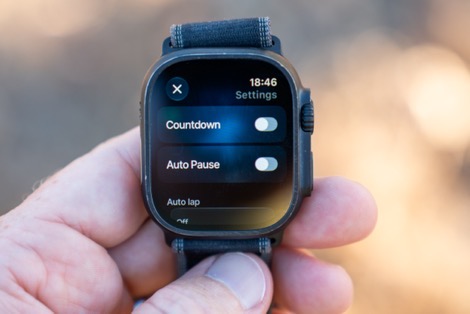
This follows the rough design language of the default Apple Watch app. In the upper right corner, you have a settings panel. This includes enabling/disabling the countdown, auto pause (yes/no), auto lap (distance or time), and then any specific plan that you have.
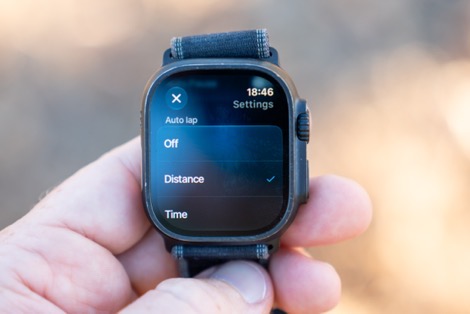
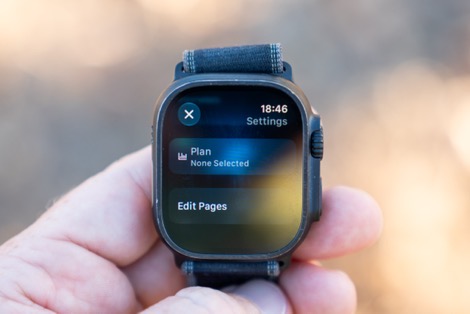
And then the main thing here is being able to edit your data pages. You can toggle on/off the titles in the upper right corner, and then use the Digital Crown to increase data pages (or decrease them). It allows up to 7 data fields per page. And you can toggle field titles on/off if you want.
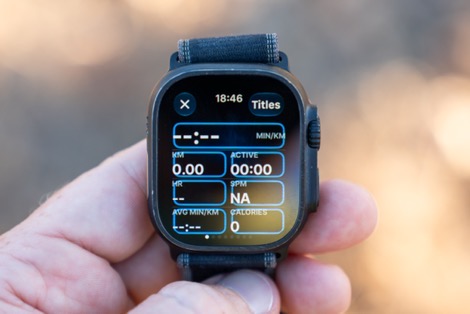
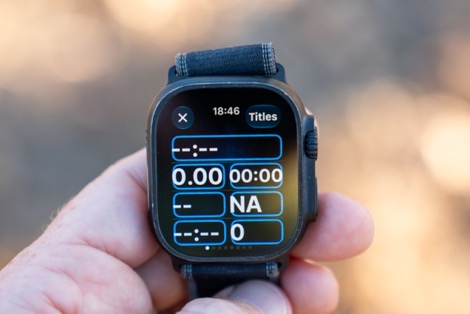
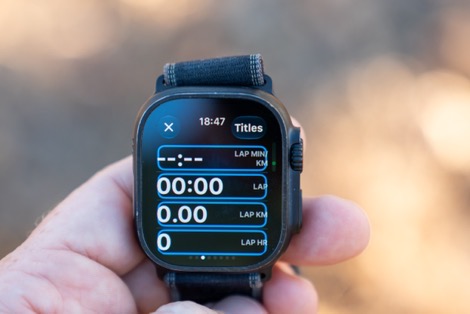
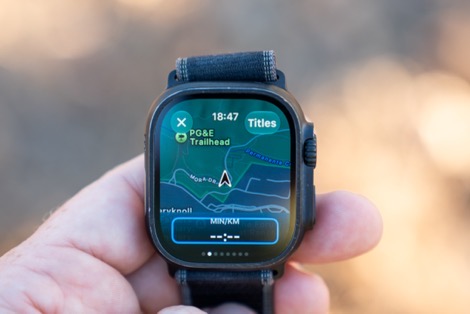
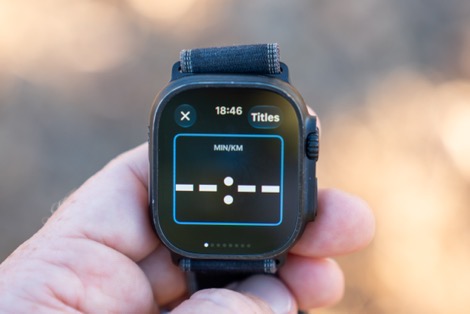
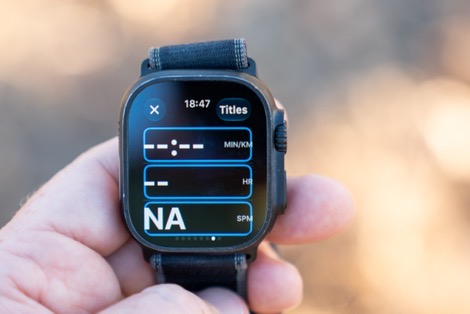
You can then swipe left/right through various data pages to tweak them. There are roughly 7 data pages, including a map page (though no routing is available here), and they’ve got a set of pre-configured data pages for you. The biggest and most important thing here is arguably that Wahoo’s got an absolutely massive set of data fields to choose from. This is where this really shines over Apple’s default implementation, or many other Apple Watch apps for workout recording. These fields mirror much of what you saw on the Wahoo Rival watch, or what you’d see on their bike computers. Geeks rejoice!
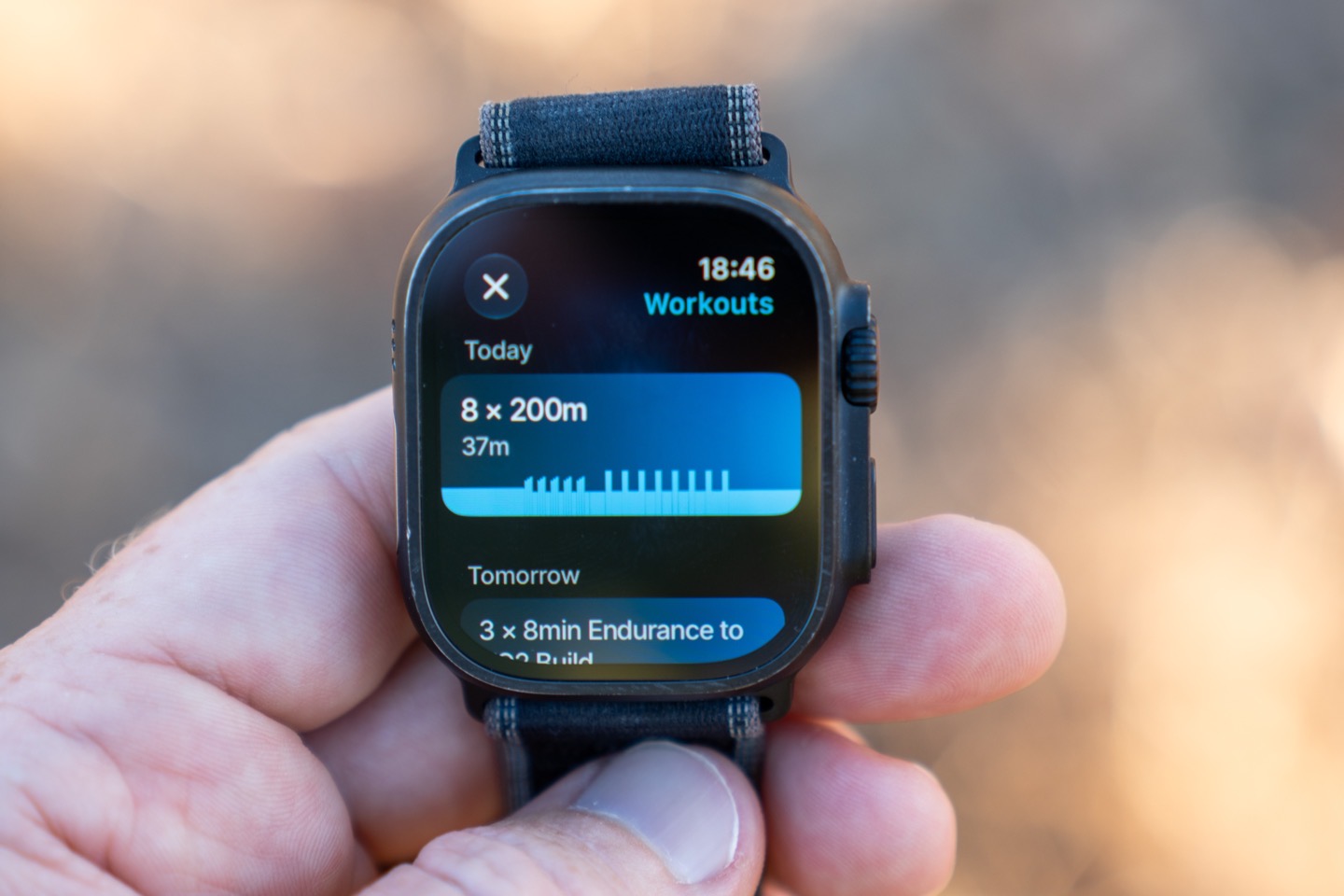
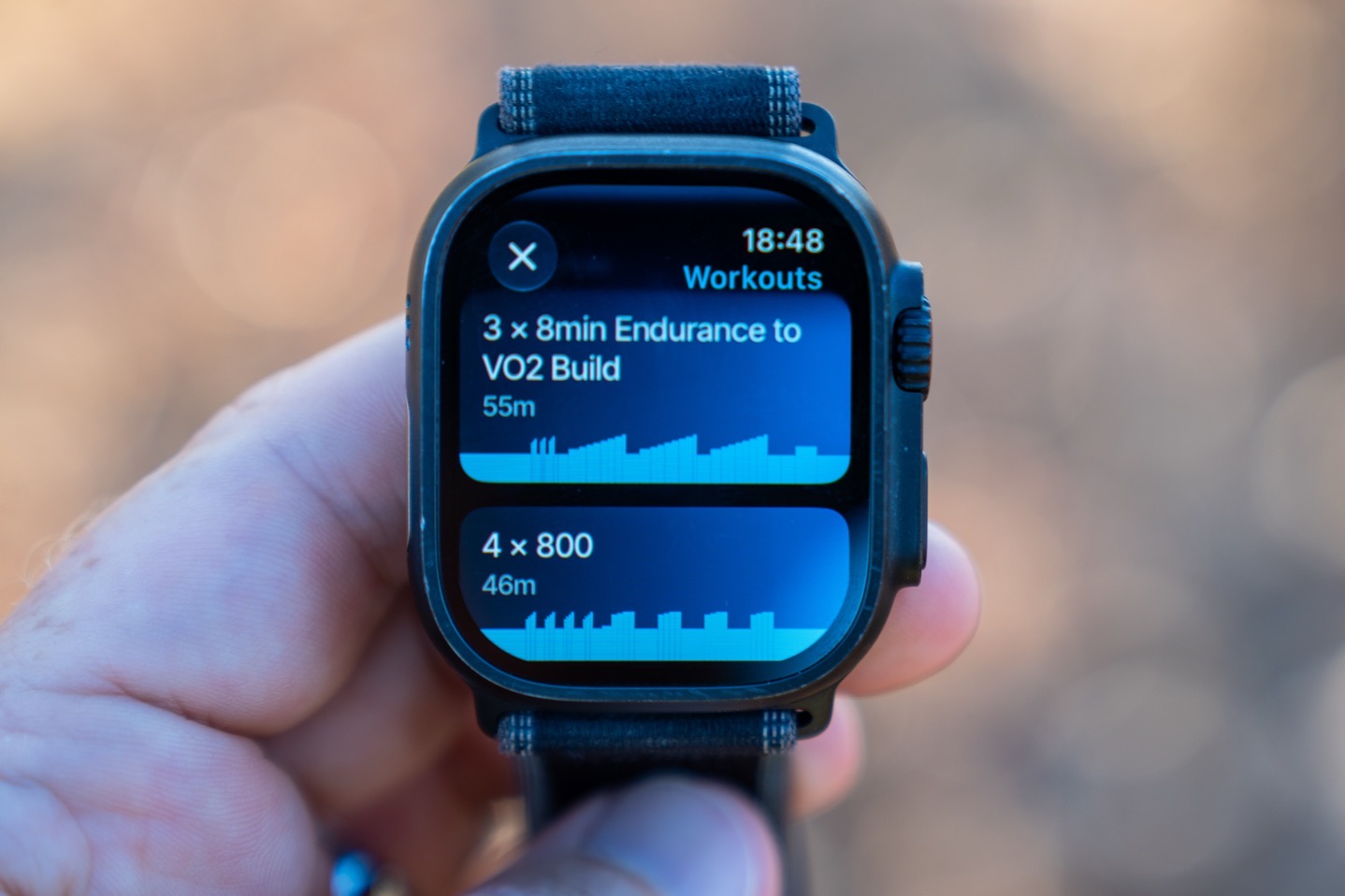
Heading back to that main page, you’ve got the ability to toggle the little chart-looking icon, which pulls from your structured workouts (in Wahoo SYSTM) that are planned. Also, if there are any workouts planned on the calendar, these will show up automatically when you open the app.
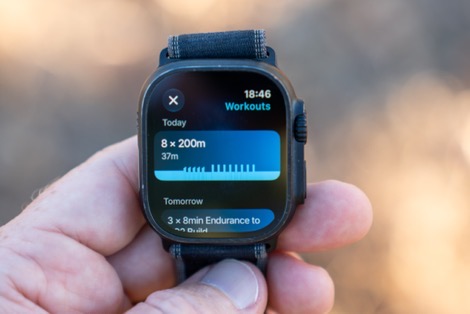
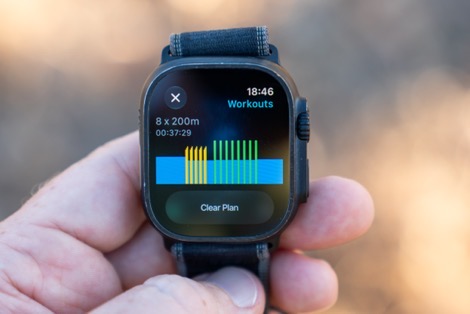
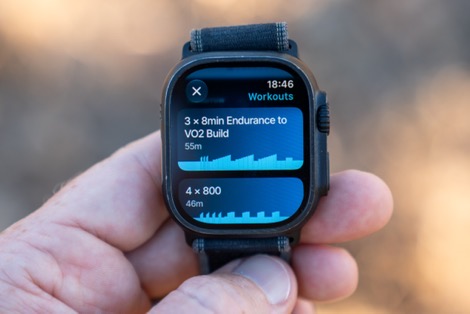
With all that settled, it’s time to go for a run. To be honest, this is pretty straightforward. You run, and you see the data populated in the data fields you’ve configured. You can see some examples from one of my runs:
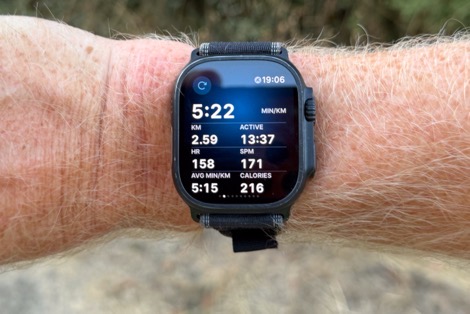
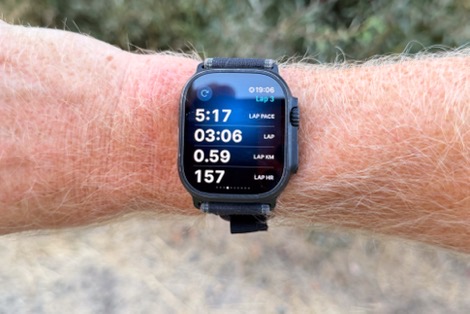
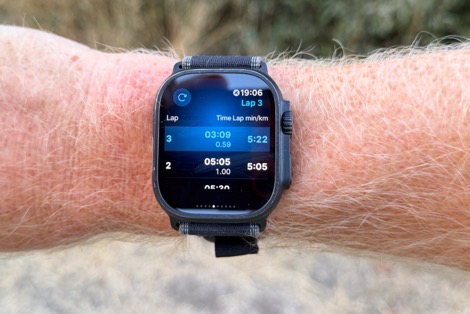
The main ‘party trick’ here from a Wahoo standpoint is that, just like their bike computers, you can use the Digital Crown here to increase/decrease data fields on a single data page (like you’d do on an ELMENT bike computer with the up/down buttons). In other words, you ‘zoom’ one way and it sheds data fields to make the fields bigger, and then you can increase the number of fields to make them smaller. You can arrange which fields are ‘lost’ first, so you can keep the most critical when you want it, and increase it otherwise. This feature is called “Perfect View Zoom”.
If you’re executing a structured workout, you’ll see alerts/notifications as you approach and begin each interval component:
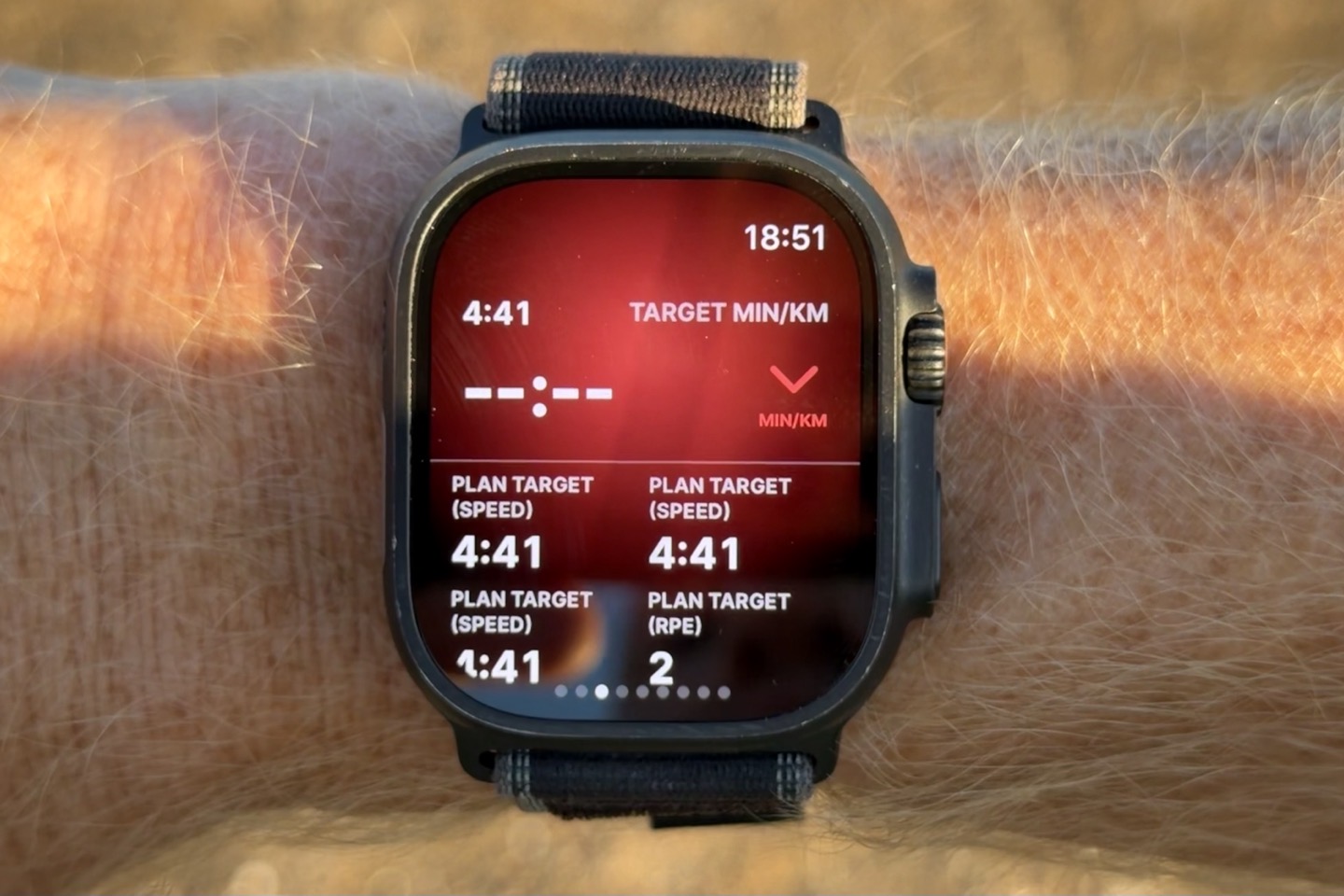
Now, once your run is done, you’ll see a nice list of summary stats from the watch, which is well done.
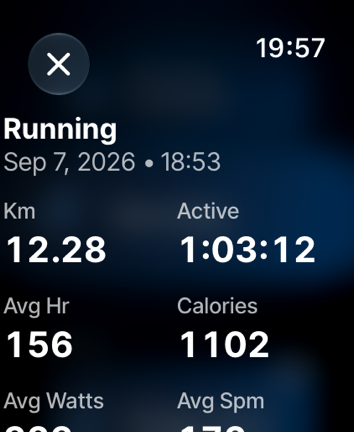
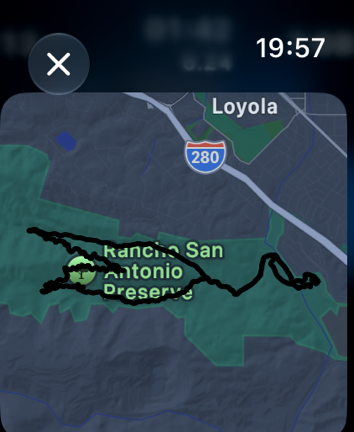
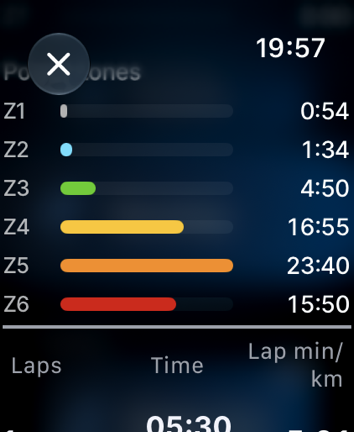
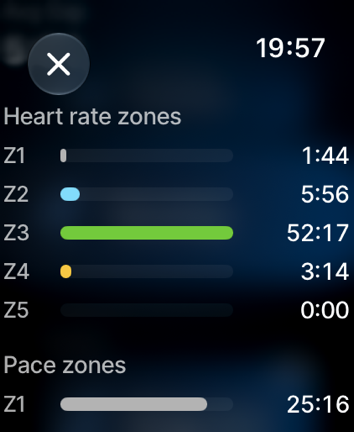
Sadly, I don’t have good photos of the watch as it was too dark when I finished this run, and my other runs (I’ve been on a sunset running streak lately). But above are some screenshots of it, from my Apple Watch.
At which point, we end the piece on the watch and head over to the phone for the next bits.
The Larger Training Platform:
To be clear, Wahoo’s play is ultimately to get you to pay money into a subscription. Obviously, like every other company right now, they want that recurring revenue. In the case of Wahoo, they’ve got two core apps, plus one legacy app. The two main apps are:
Wahoo App: This is the one for managing Wahoo devices, such as bike computers, sensors, etc… It’s also where you can see completed activities. In the case of the Apple Watch however, while you can see completed activities here, you actually can’t configure any settings here. This app is free for non structured training functions, but has paid tiers inside of it as well.
Wahoo SYSTM App: This is Wahoo’s main training app, which is sorta an evolution of the old Sufferfest content they acquired, as well as training content from other acquisitions along the way. This app is paid.
Finally, there’s the Wahoo ELEMNT app, which is the ‘older’ app that manages older Wahoo ELMENT devices, such as a Wahoo BOLT V2 or such. Newer Wahoo bike computers use the Wahoo app.
And now is a good time to point out that there are three tiers to the Wahoo app:
Free: Workout tracking on app and (future) recovery features
Wahoo CORE (US$4.99 / £4.99 / €4.99 per month): Adds raining load related features
Wahoo PRO (US$17.99 / £14.99 / €17.99): Adds personalized recommendations, a full workout library and advanced planning tools
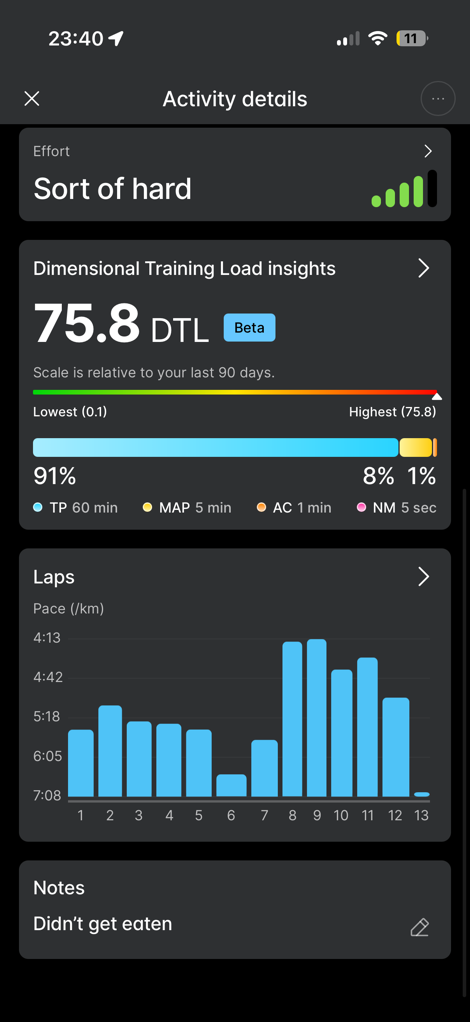
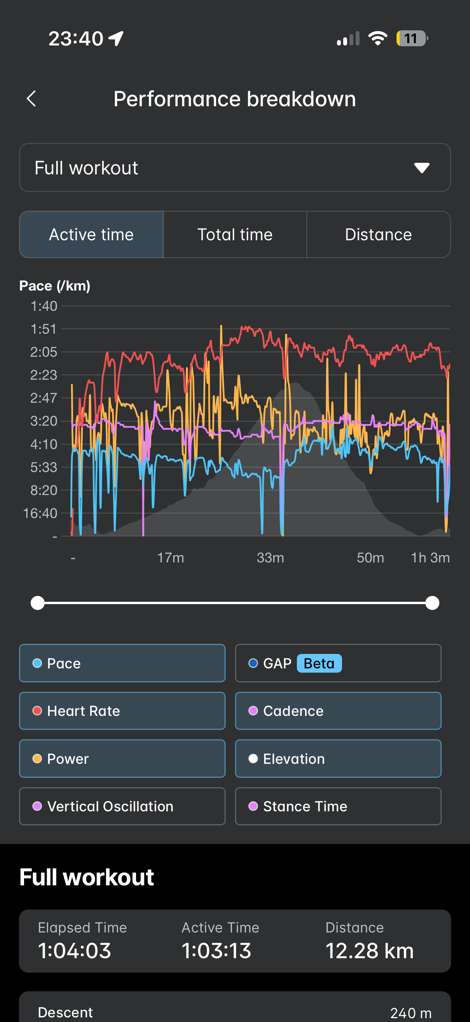
In any case, once your workout is done, you’ll see a slate of data on the Wahoo app. Outside of the dimensional training load pieces, all of this is free, and Wahoo does a good job here of organizing the data in both a data-rich UI, as well as one that’s easy to understand. You can dig into stats quickly, highlighting exact points, and it’s all pretty clean.
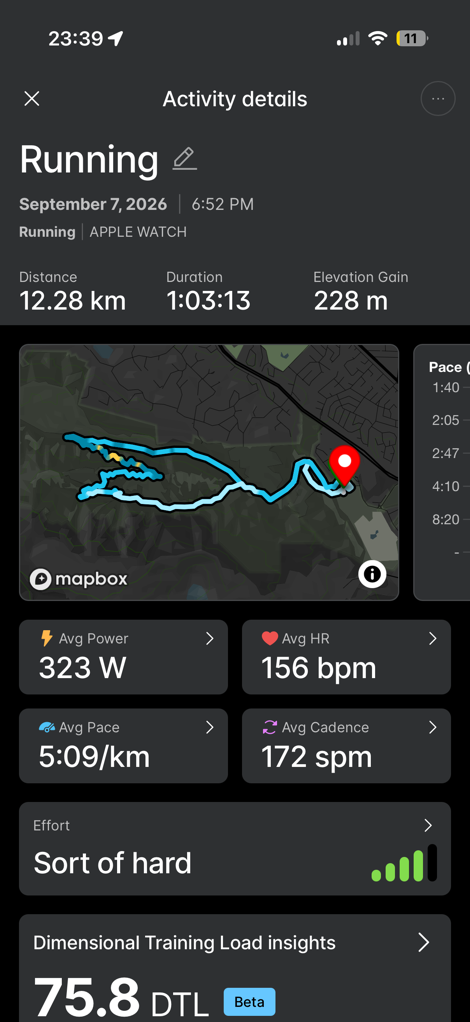
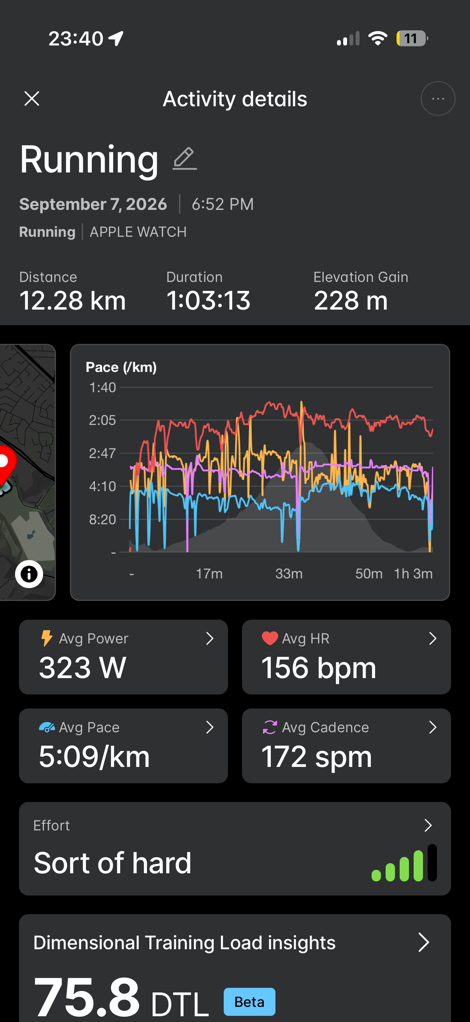
I like the ability to skim across the workout and see various stats. Roughly reminds me of things from TrainingPeaks.
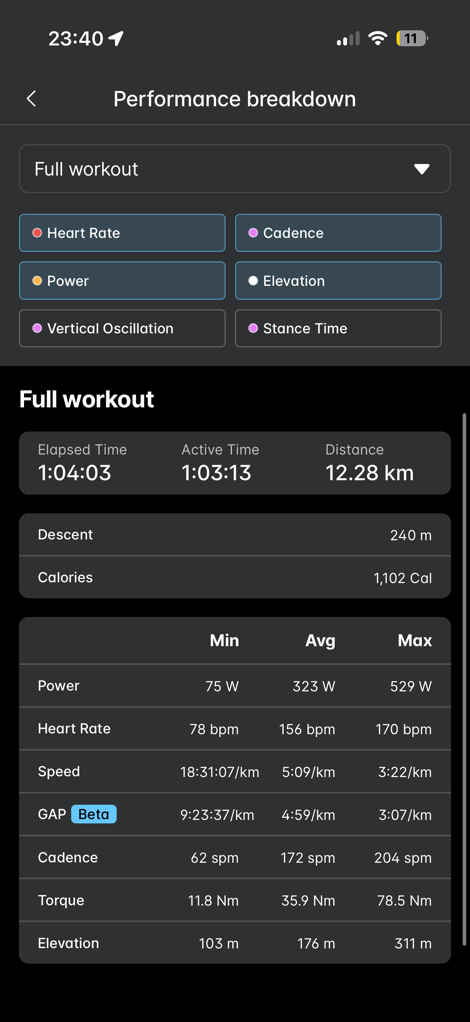
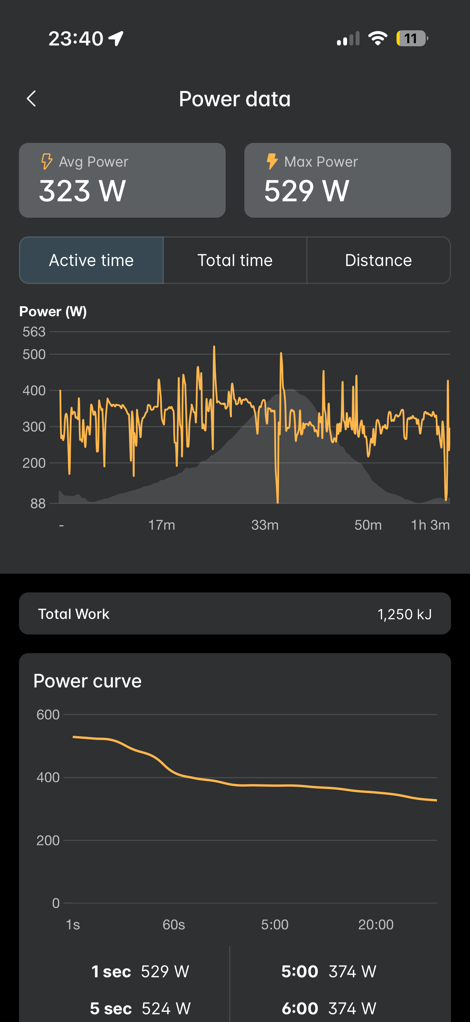
One of the items you’ll notice though, is the ‘Dimensional Training Load’. This is presented within the app, showing your holistic training load over weeks/months/etc, as well as on a per-workout basis.
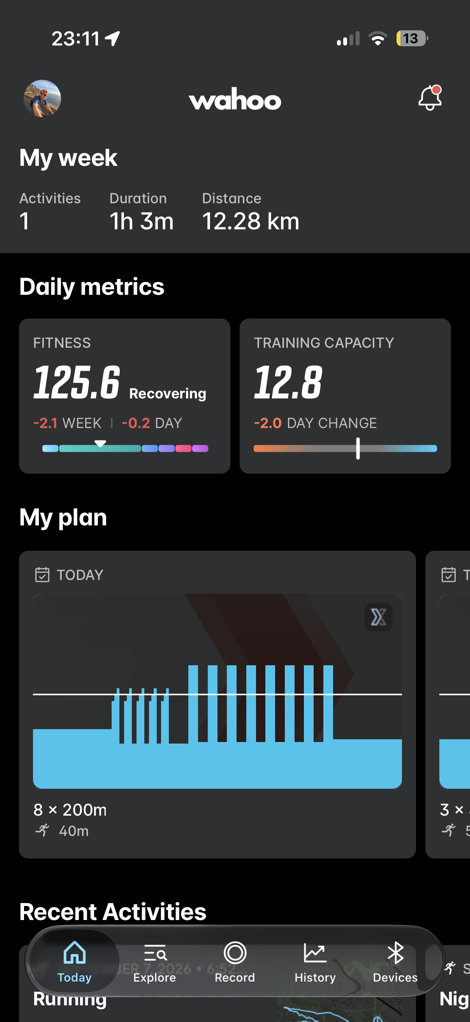
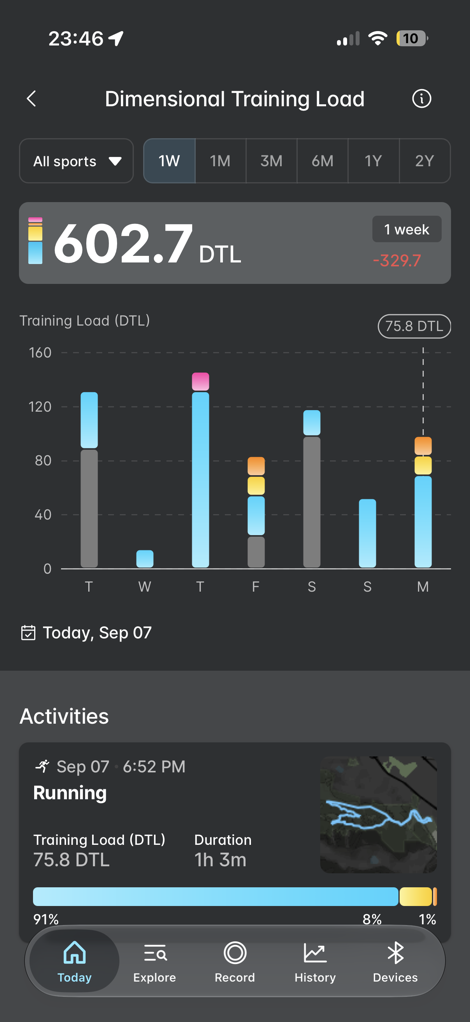
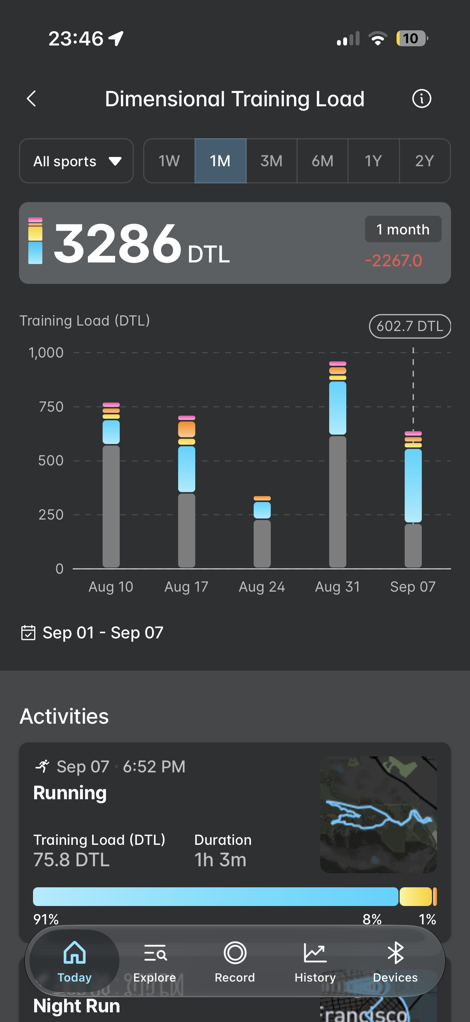
The DTL pieces do record the CORE subscription cost, yet, they equally feel somewhat incomplete. You see, Dimensional Training Load values are only calculated for Running, Cycling, and Walks. Outside of those three sport types, only the raw duration is considered. It doesn’t look at your heart rate (intensity). This is peculiar on many fronts, given Wahoo’s own app has strength and yoga workouts in it. Further, Wahoo doesn’t leverage your workout perceived effort rankings to tweak the DTL values (as Apple would in their calculations). Trust me, I tried.
Instead, a 25-minute moderate-intensity rowing or strength effort is treated exactly the same as 25 minutes of a relaxing yoga session. Or just 25 minutes of sitting still (recorded as a workout). All of which heavily skews these calculations.
Adding insult to injury, when it comes to the workouts you can get from the higher-end Wahoo plan, there aren’t any dedicated running plans. There are standalone running workouts (roughly 133 workouts), but there isn’t any plan if you wanted to train for a marathon or such. You can choose a triathlon plan (which includes swim/bike/run workouts), but no running plans.
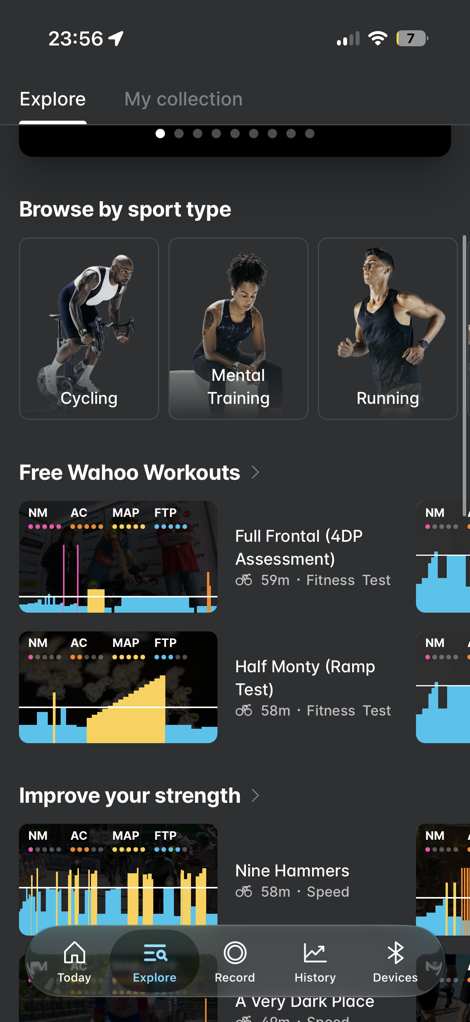
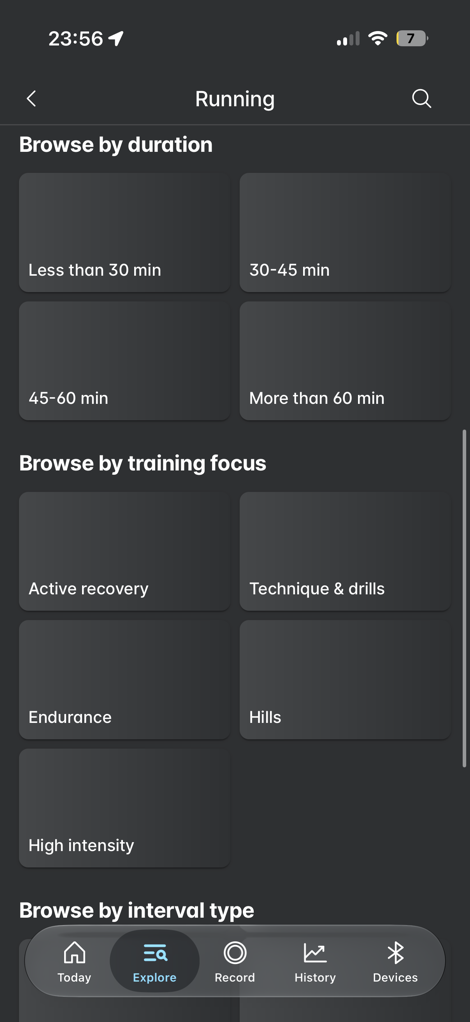
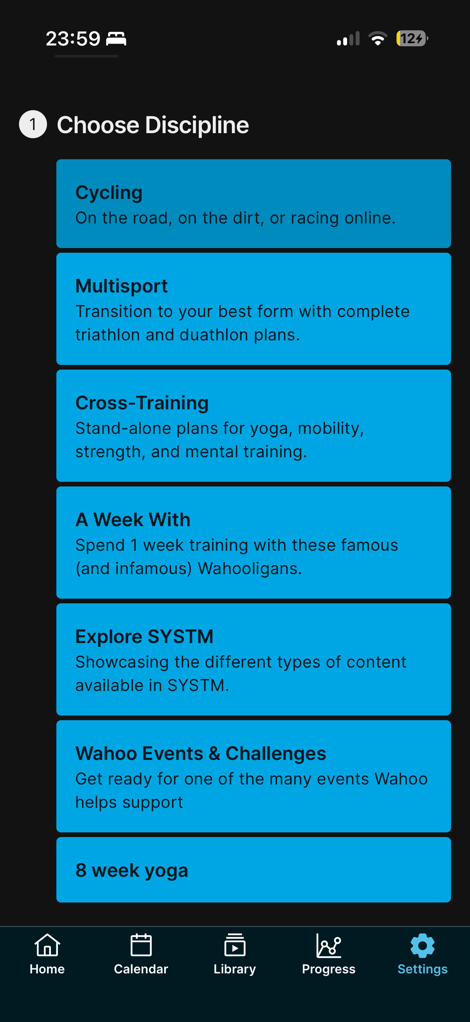
For a company that’s selling arguably the best/coolest running treadmill on the market today, it seems like a pretty big omission to not have any dedicated running plans. On top of that, the app today doesn’t provide any recommendations for you, using the individual workouts they have. Meaning, there are no such daily suggested workouts or other automatic workout recommendation engine.
Finally, the last bit of frustrating piece is if you have a secondary device (such as a Whoop device) in addition to the Apple Watch, you end up getting endless duplicates via Strava. That’s because about 18 months ago, Wahoo changed their Strava connection such that it’s always bidirectional. Thus, every workout you post to Strava ends up back in the Wahoo app. While there are certainly very useful reasons you might want that, there’s no toggle to disable the sync from Strava to Wahoo. So now you have to clean out a bunch of duplicate sessions every day. Or just give up and have broken training load.
Going Forward:
Wahoo seems to have the beginnings of an interesting concept here. The on-watch piece allows for more customization than most Apple Watch apps do (and certainly more than the stock Apple Fitness exercise app). It brings with it a ton of data fields, and data field customization that’s known to Wahoo in their bike computers. And if you were already a Wahoo cycling-focused customer who’s an occasional runner, this would get you a cohesive training picture. Likewise, Wahoo noted that they have many Apple Watch users within their KICKR Run treadmill customer base, so this gives those people the outdoor solution to Wahoo’s indoor product.
Wahoo says that in the future the app will include recovery metrics, sourced from the Apple Watch, such as your sleep-related data, in much the same way the Wahoo RIVAL used to capture that data. Eventually you might see specific workout recommendations as well. They believe that with the things in the oven, they will be a “disruptive entrant” to this portion of the market.
However, one of Wahoo’s biggest challenges is the same thing that’s challenging the rest of the structured workout industry: AI. While Wahoo has really good video-content workouts for cycling, with great content behind it, that doesn’t really exist in the Wahoo app for running. On top of that, Wahoo doesn’t have any actual running plans at the moment. Nor do they have next-run-type workout recommendations. Thus, in effect, you’re paying for structured running workouts, which are a dime a dozen these days. You don’t even need AI For that; you can find countless free ones on the interwebs with 2 seconds of work. And then beyond that, there’s a million vibe-coded apps to do structured workouts on the Apple Watch. In other words, I struggle to see what Wahoo brings to the table here for runners.
Of course, Wahoo heard my concerns, and acknowledged that if they were focused purely on runners, then this wouldn’t make much sense. Instead, it sounds like they’re looking at this from the holistic training standpoint, including a focus that if someone was in the Wahoo ecosystem already (perhaps a cyclist), and wanted to stray a bit and run, this could fit the bill in keeping their training in one spot.
And I think on paper it does, but only really for people who were already paying for SYSTM for the cycling side of things, including cycling plans and multisport plans (triathlon). But there aren’t any running-only plans today.
Later this fall, the company says the pieces involving recovery metrics, as well as 24×7 metrics health and sleep that the Apple Watch can provide will start to be integrated into the platform. How that ends up looking exactly, will be probably the biggest driver for whether or not the platform at large makes sense.
Ultimately, it’s interesting having Wahoo focus back on the running side here, and some sort of running watch aspect. I’m looking forward to seeing what those next pieces look like, and if they can pivot slightly to find a product that is appealing enough for runners to want to subscribe to.
With that, thanks for reading!
FOUND THIS POST USEFUL? SUPPORT THE SITE!
Hopefully, you found this post useful. The website is really a labor of love, so please consider becoming a DC RAINMAKER Supporter. This gets you an ad-free experience, and access to our (mostly) bi-monthly behind-the-scenes video series of “Shed Talkin’”.
Support DCRainMaker – Shop on Amazon
Otherwise, perhaps consider using the below link if shopping on Amazon. As an Amazon Associate, I earn from qualifying purchases. It doesn’t cost you anything extra, but your purchases help support this website a lot. It could simply be buying toilet paper, or this pizza oven we use and love.


