
Google is sending email notifications to Google Merchant Center users if their e-commerce platform supports Universal Commerce Protocol (UCP) and if so, telling them that “your products are now eligible for native checkout.” This means that your eligible products are automatically included, so if you don’t want people buying directly on Google, and you want them to buy on your site, then you need to turn it off.
UCP-powered checkout launched in February but last Friday, Google pushed it out more to more retailers. UCP-powered checkout lets searchers buy directly in Google Search using AI Mode or on Gemini, using Google Pay and the UCP integration that was announced in January.
According to an email received by Menachem Ani that he posted on X – it says, “To be eligible, your products must be published on your Shopify storefront and available in Merchant Center. Eligible products are automatically included. There’s nothing for you to set up.”
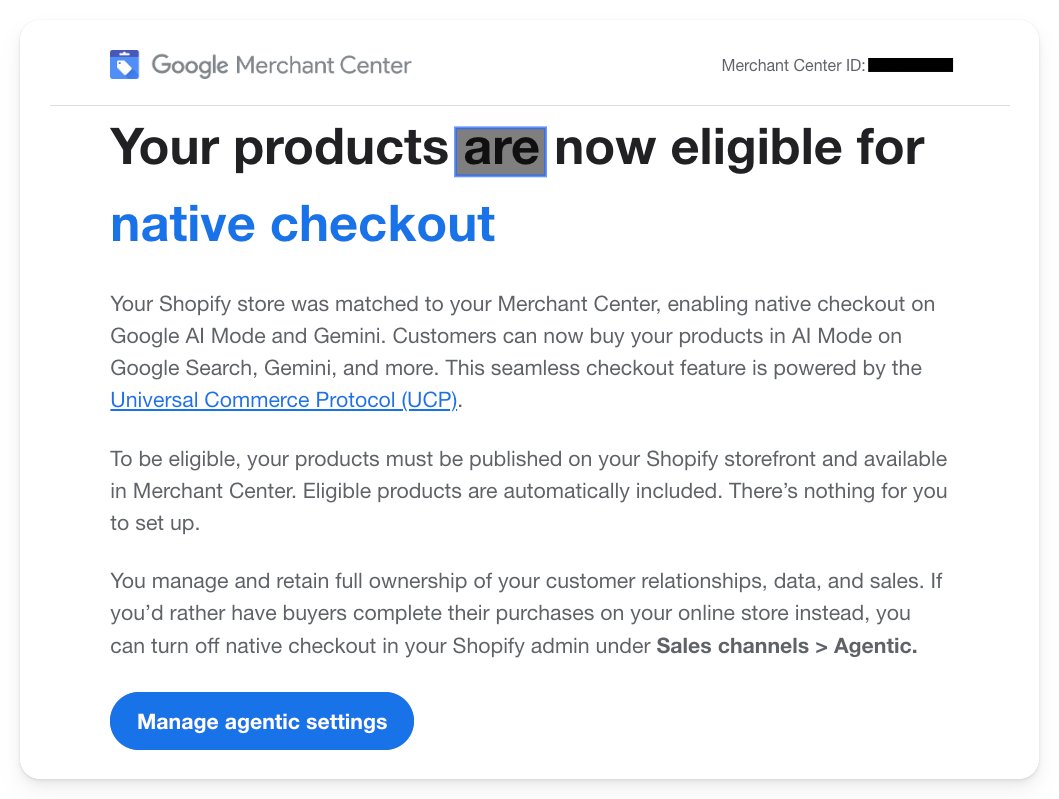
He got one because of a client (or several) have their e-commerce sites powered on Shopify and Shopify has UCP integrated built in. The email says:
Your products are now eligible for native checkout
Your Shopify store was matched to your Merchant Center, enabling native checkout on Google Al Mode and Gemini. Customers can now buy your products in Al Mode on Google Search, Gemini, and more. This seamless checkout feature is powered by the Universal Commerce Protocol (UCP).
If you do not want to let customers purchase directly on Google and you only want them to buy it from your website, then you have to disable it – because Google is enabling it by default.
Google wrote:
You manage and retain full ownership of your customer relationships, data, and sales. If you’d rather have buyers complete their purchases on your online store instead, you can turn off native checkout in your Shopify admin under Sales channels > Agentic.
Here is a screenshot of the email:
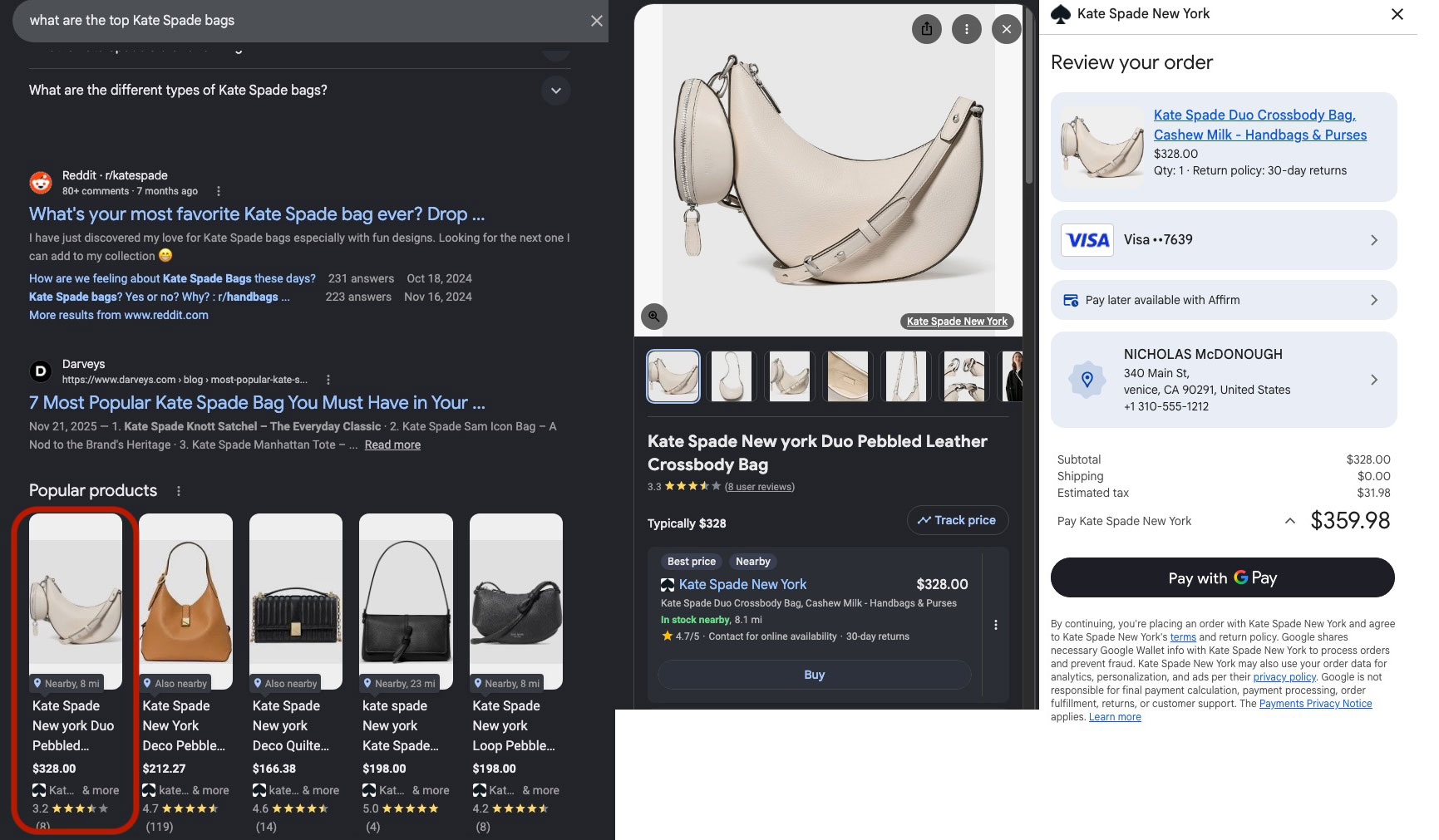
@nic_mcdonough posted this morning seeing this live – but again, it has been available on limited merchants since February. Here are the steps in a screenshot, from left to right:
Forum discussion at X.


