International marketing is a job that gets exponentially complicated with each additional region and language you add.
For example, we publish the Ahrefs blog in eight languages, which means roughly every meaningful task—refreshing an old article, checking hreflang tags, swapping internal links, tracking what a competitor just shipped—has to be done eight times, or eight times a month, or eight times per product launch. Thankfully, we have some incredible marketers on the case.
Erik Sarissky is Head of International Marketing & Product Localization at Ahrefs. He runs the international marketing team at Ahrefs, leading a small-but-mighty cadre of international marketers responsible for scaling growth in regions like Spain, France, Germany, and Japan.
Takanori Kawaharada is Ahrefs’ Regional Head of Marketing, Japan. Taka is responsible for all of Ahrefs’ marketing channels in Japan: events and webinars, content creation, social media, product marketing, and much more besides.
These are some of the AI tools Erik and Taka (and the rest of the international marketing team) have built with our marketing agent, Agent A. Each explanation includes a starter prompt you can paste into a fresh workspace to build your own version.
What is Agent A?
Agent A is a marketing agent from Ahrefs—an AI assistant with direct access to the full Ahrefs dataset that can carry out marketing tasks autonomously, rather than just answer questions.
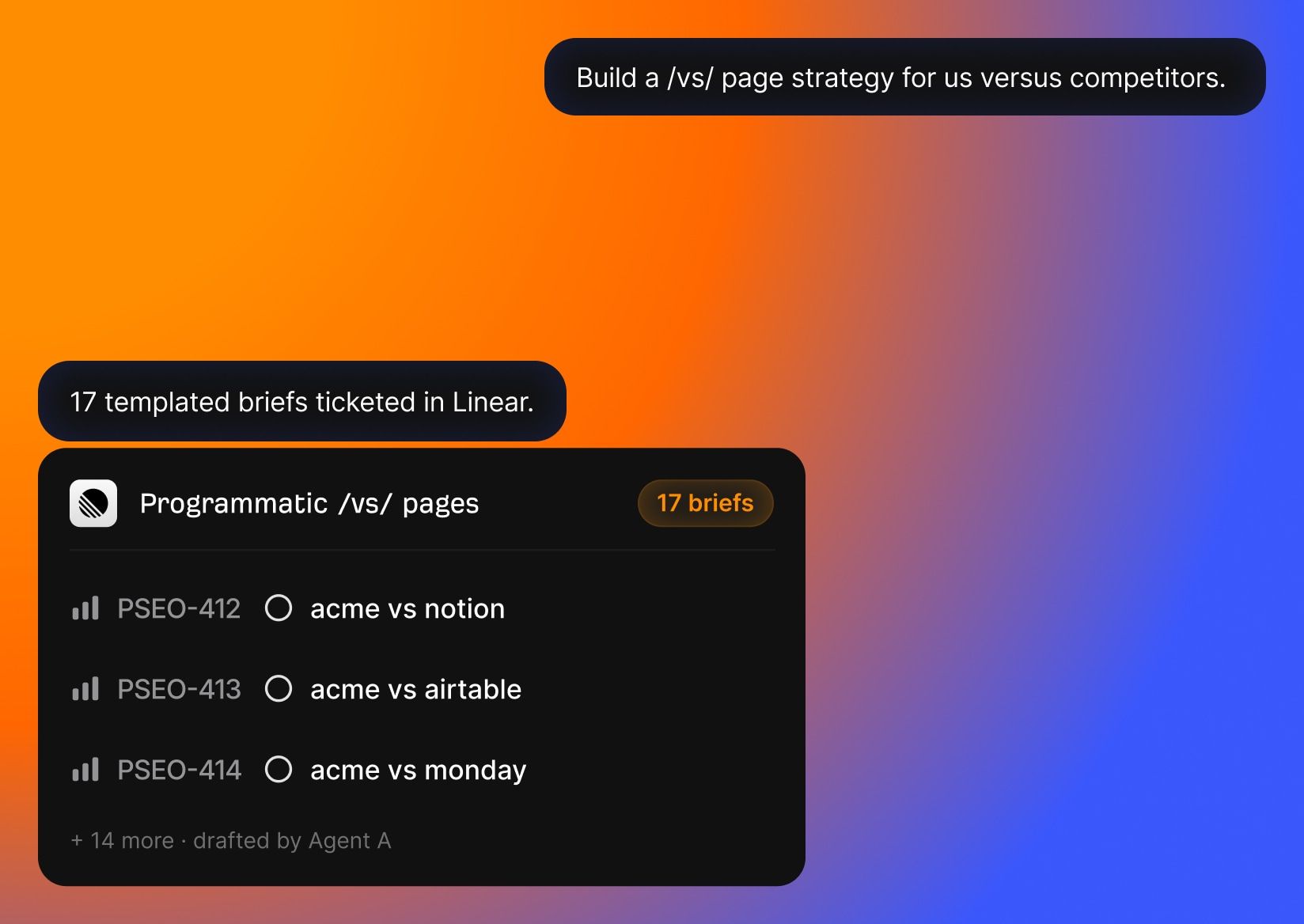
Agent A includes:
- Unrestricted access to Ahrefs endpoints. Every endpoint we use to build Ahrefs is available, including many you cannot reach via API or MCP.
- Serious tech stack underneath. Postgres for state, Flask for UIs, an OpenRouter proxy with 300+ models, web fetch with full-page parsing, PDFs, OCR, scheduled jobs.
- Native connectors to marketing tools. Slack, HubSpot, GitHub, Notion, Linear, Mailchimp, Resend, SendGrid, Stripe, Gong, WordPress, Airtable, Apify, and even Semrush.
- Expert skill library. The Ahrefs team has contributed pre-built marketing skills and applications that encode how we actually work.
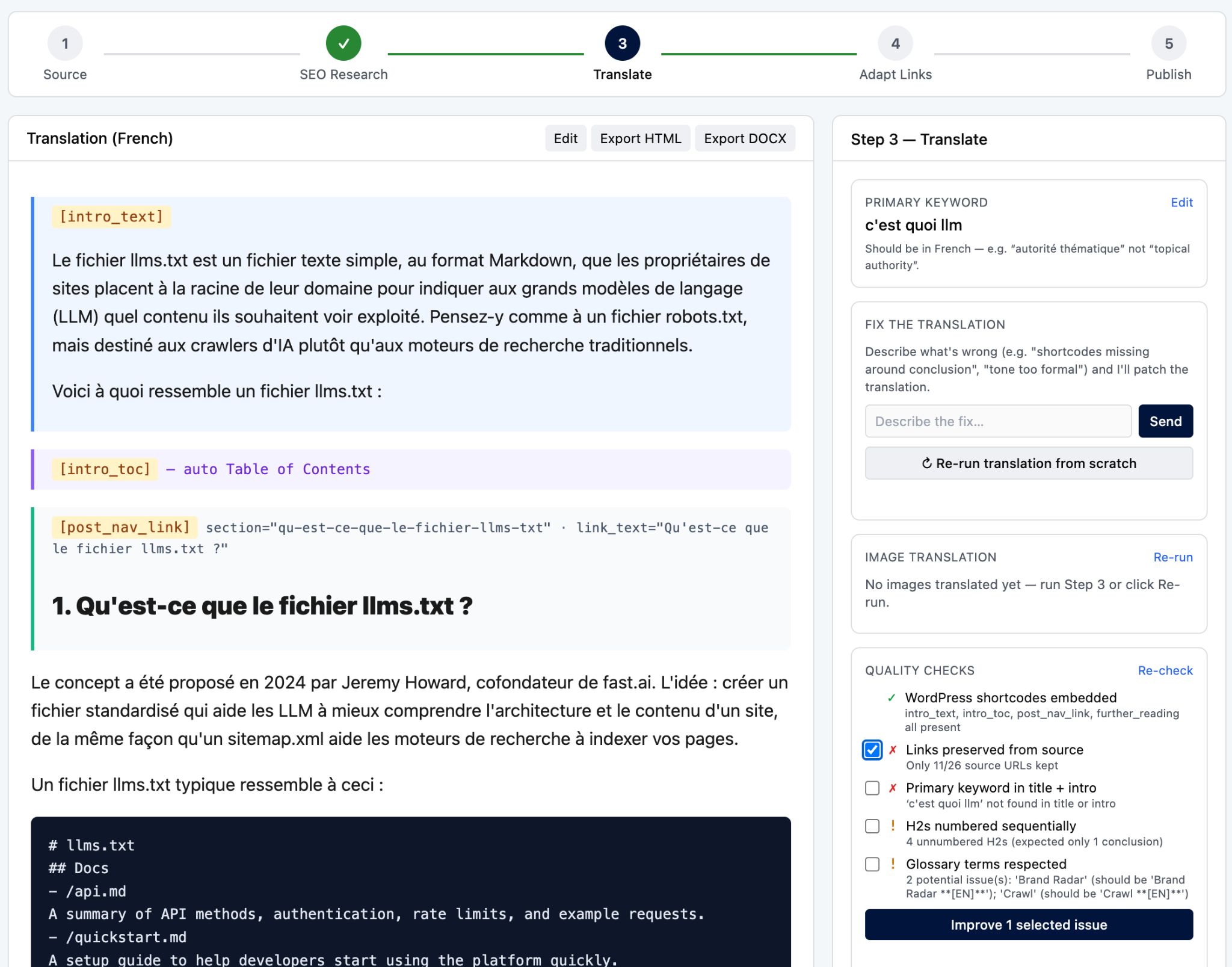
The big one. This tool takes one English-language article URL and creates up to seven publish-ready localized articles, with WordPress shortcodes embedded, internal links localized, images translated, and a one-click “publish to WordPress” button at the end.
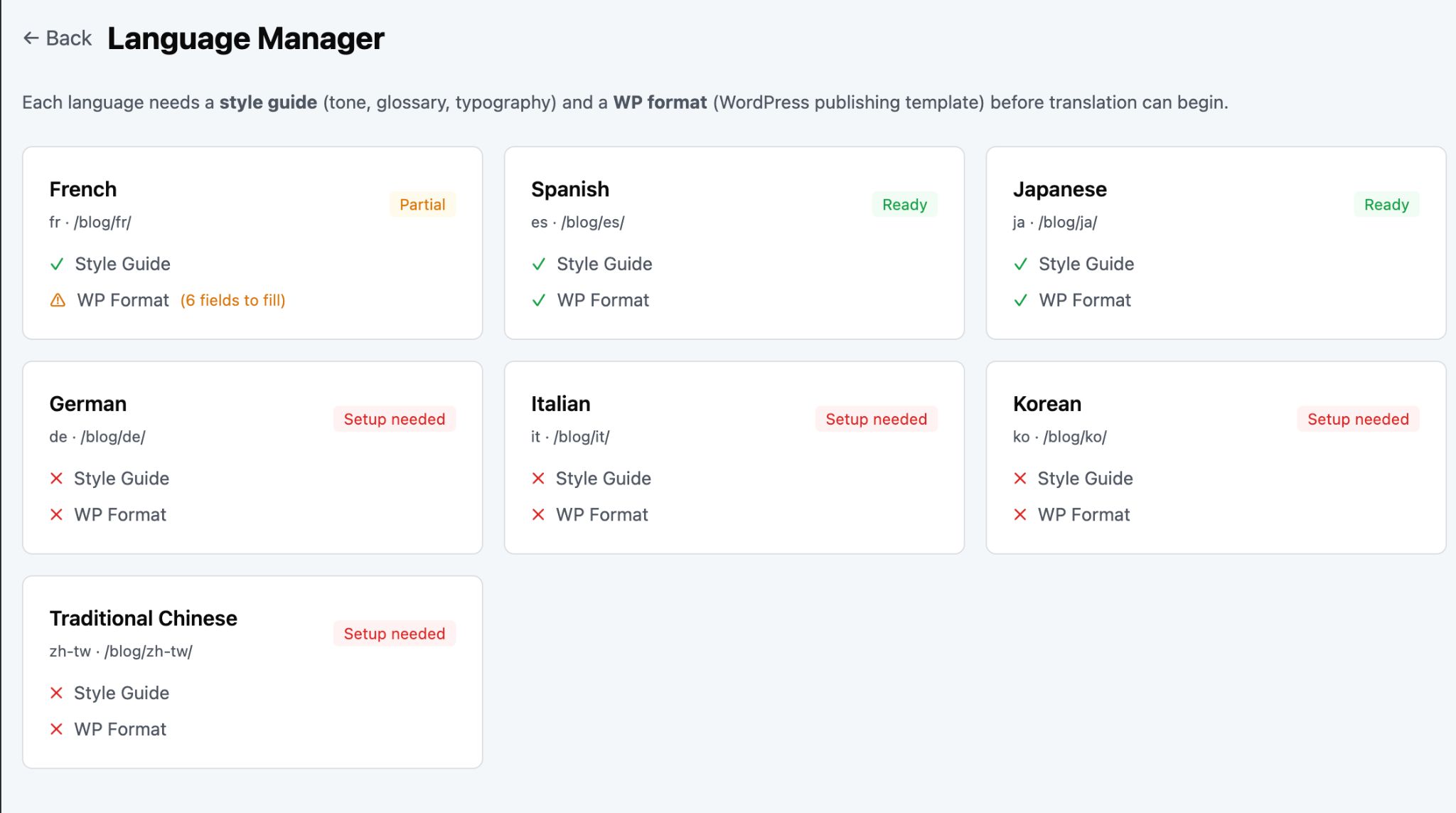
Before translation, the tool pulls keywords_explorer_matching_terms for the article’s primary keyword in the target country, then creates a shortlist of localized keywords to target:
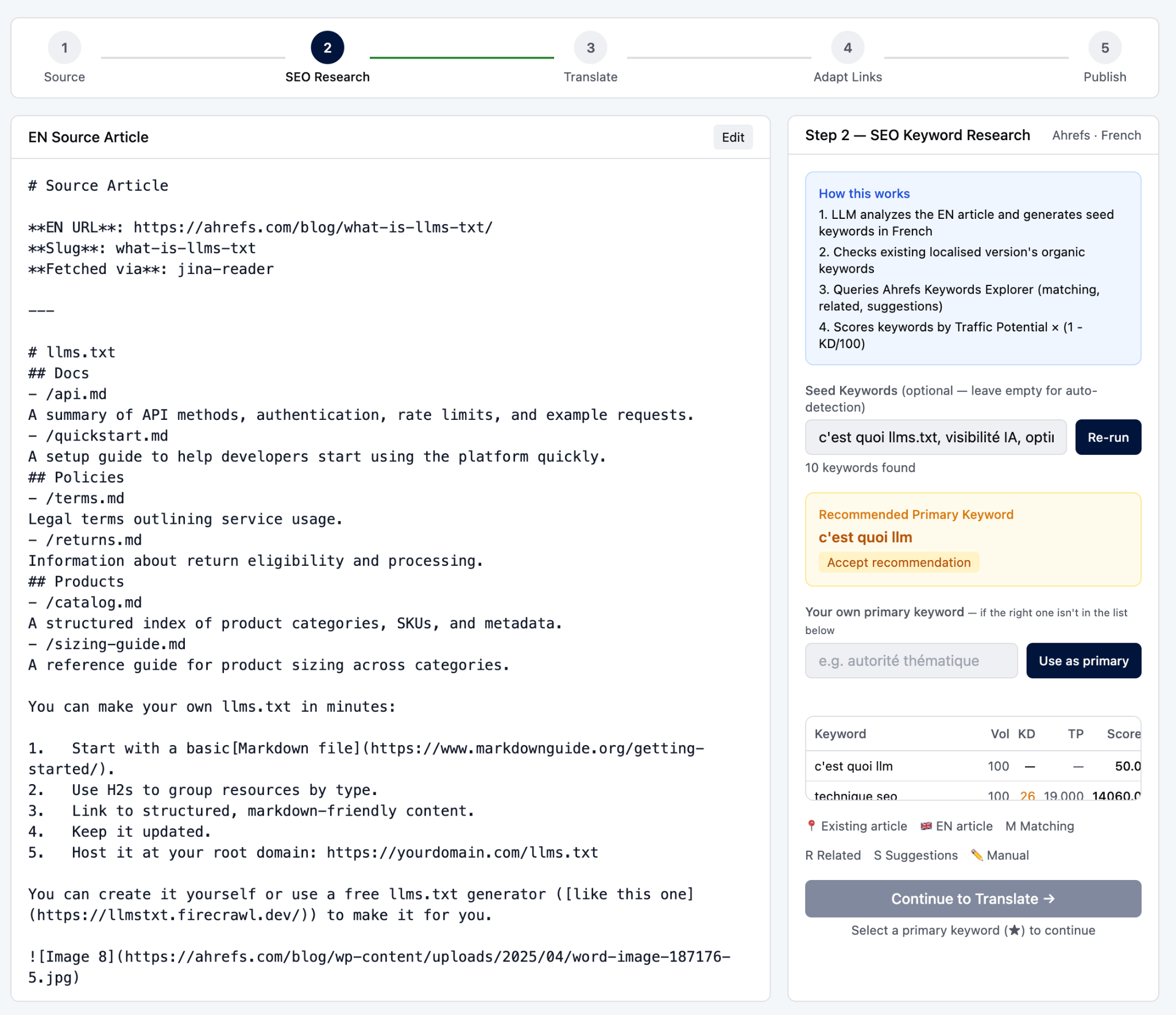
Seven languages are currently wired in—FR, ES, JA, DE, IT, KO, ZH-TW—each with their own tone guides, glossaries, and translation guidelines.
Every ahrefs.com/… link in the translated body gets swapped to the target language’s equivalent if a localized version exists, or skipped with a reason if not. Subdomains (app., help.) are left alone. The link map is rediscovered per locale and cached.
Starter prompt
Build me a multilingual translation pipeline for blog articles. Input: an EN article URL (or pasted markdown) + target language. Source fetch tries Jina Reader, Ahrefs snapshot, then direct HTTP. SEO step: keywords_explorer_matching_terms for the article’s primary keyword in target country, two-LLM curation (one fast model filters, one stronger model ranks), shortlist passed into the translation prompt. Translation enforces a per-language readiness gate — refuse to start if the style guide or WordPress shortcode footer for that language isn’t authored yet. Count source images in the prompt and require the same count in output with URLs byte-identical, alt text translated. After translation, run an internal-link adapter that rewrites every ahrefs.com/… link to its localized equivalent (using a per-locale page map) or skips with reason. Stream the translation live to the UI. Final stage: one-click publish to WordPress as a draft, plus DOCX export.
With each Ahref blog post containing a dozen graphs and flow diagrams, it’s easy to see why image translation became a real bottleneck. So Erik and team built a dedicated translation tool just for visuals—diagrams, screenshots with annotations, marketing banners.
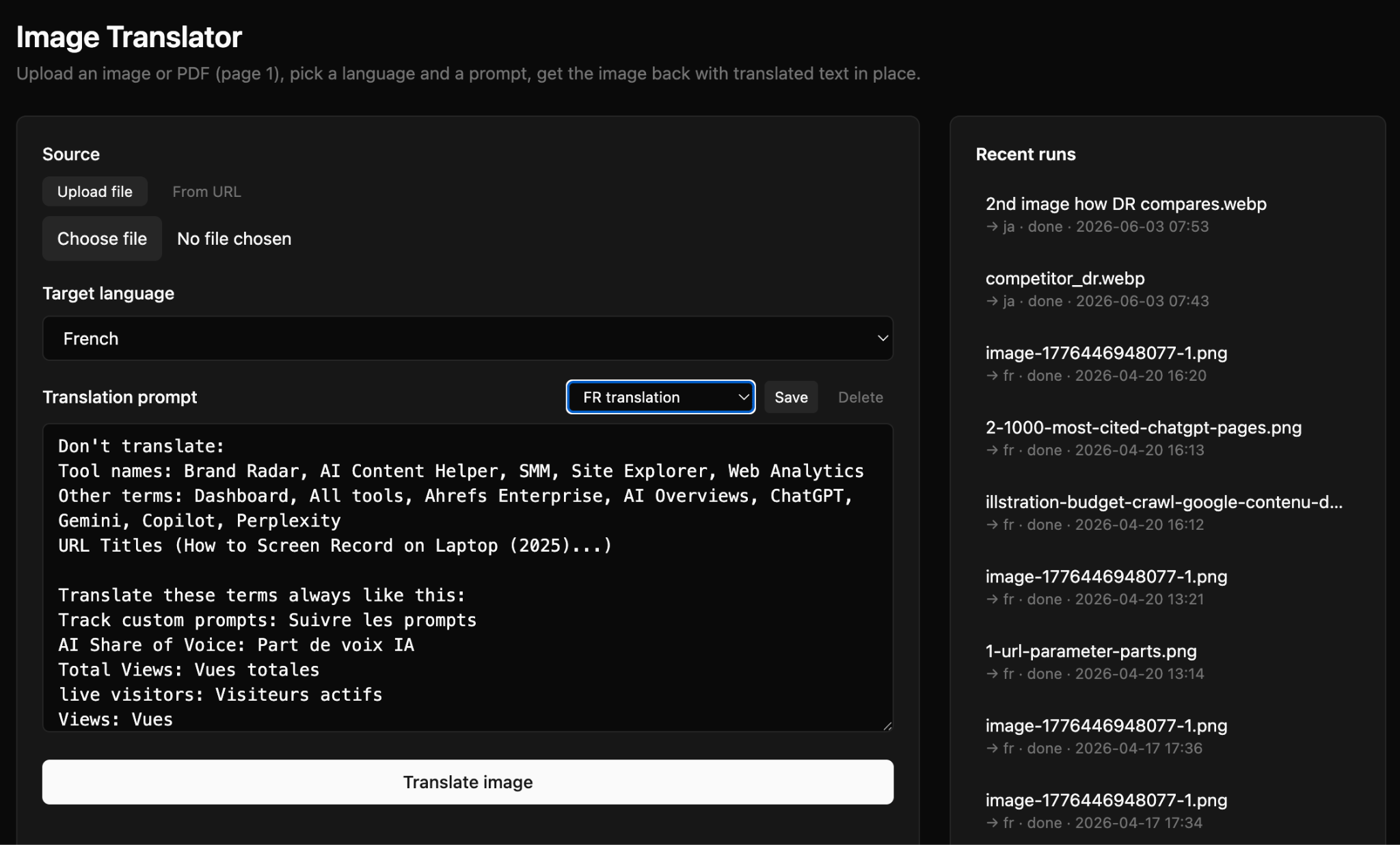
Upload a PNG, JPG, or PDF , pick a target language and region, optionally write a brief, get back a localized image:
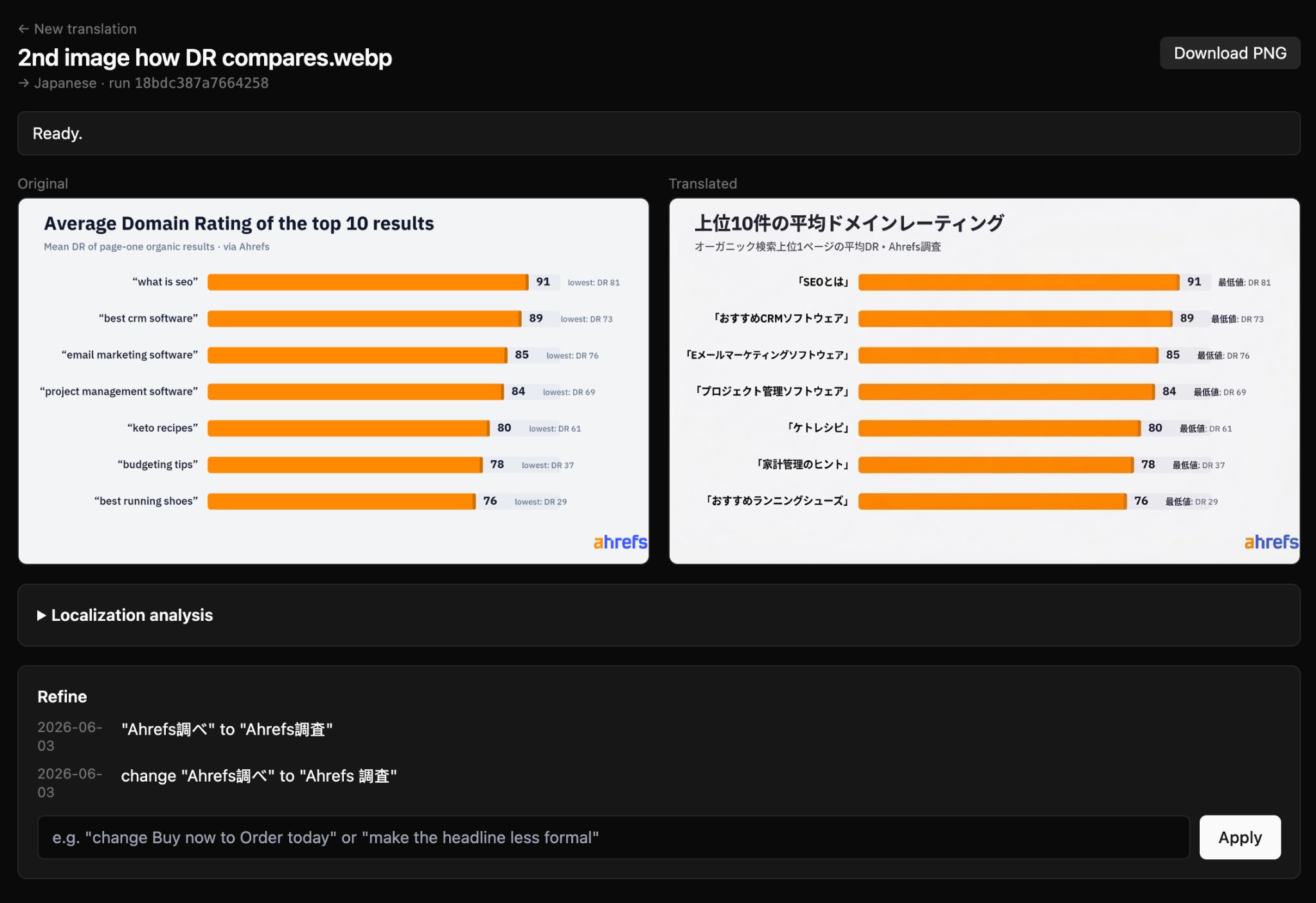
Step one uses Gemini to analyze the image and write detailed localization instructions in plain text. The tool knows that Spanish for Spain is different from Spanish for Mexico, and Portuguese for Brazil is different from Portuguese for Portugal; the model is told to “adapt cultural elements as needed for {region}”—currency symbols, example domains, name conventions all shift accordingly.
Step two passes those instructions plus the original image into Gemini 3 Pro Image Preview’s native image-output endpoint, which regenerates the image with the localization applied:
Starter prompt
Build me an image localizer for marketing visuals (diagrams, annotated screenshots, banners). Input: a PNG/JPG or PDF (rasterize page 1), target language, target region (e.g. pt → Brazil vs Portugal, zh → China vs Taiwan), optional brief. Two-pass pipeline: (1) a vision model analyzes the image and writes plain-language localization instructions, (2) a native-image-output model regenerates the image with those instructions baked into the prompt, preserving layout, brand colors, fonts. After the first render, keep a chat box open for incremental edits — feed the current rendered PNG (not the original) plus the correction back into the same model so layout doesn’t drift across iterations. Show the analysis text alongside the output so I can see what the model decided to change before it changed it.
Case studies are the highest-effort content Taka produces: a 60-minute interview, half a day of transcription, a day of writing, two days of revision. So he asked Agent A to compress that to an afternoon.
The Case Study Generator takes an audio file (mp3 / m4a / wav / mp4, anything ffmpeg can read), reference URLs, photographed handwritten notes, and a basic-info form, and turns it into a polished case study draft:
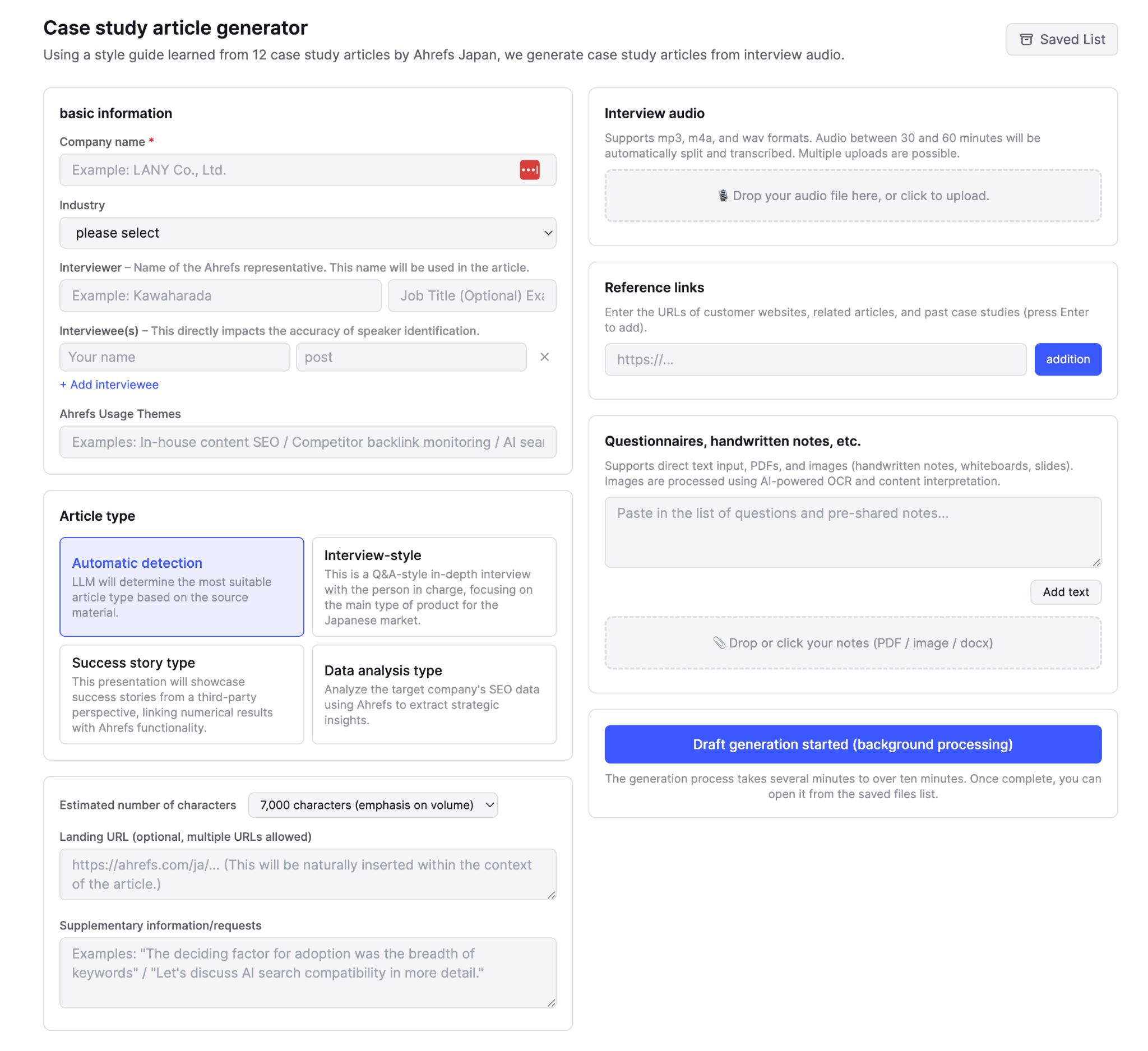
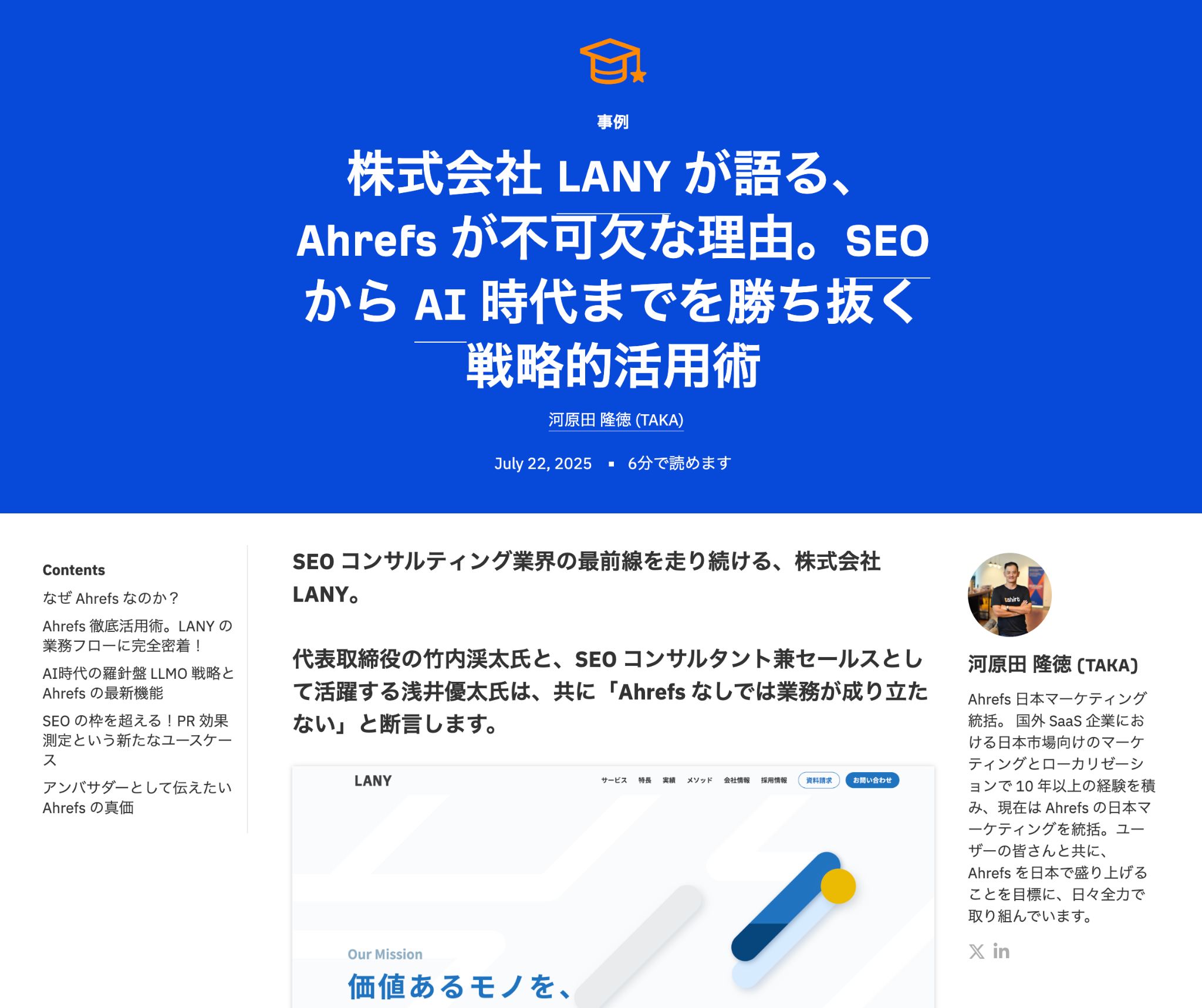
The audio is transcribed and speaker labels are assigned to every sentence based on the interviewee form data. OCR is used to extract text from photographed pages of handwritten interview notes, reference articles (like other case studies) are pulled into the pipeline, and Opus 4.6 creates a case study draft for review and publishing (like this actual case study, published on the Japanese blog):
Starter prompt
Build me a long-form interview-to-article pipeline. Input: audio file (mp3/m4a/wav/mp4, any length up to 60 min), reference URLs, photographed notes (image/PDF), basic-info form (company/industry/interviewees/theme/target chars, default 7000). Pipeline: (1) chunk audio into 10-min segments with ffmpeg, transcribe each via openai/gpt-4o-audio-preview, with a hard guard that flips draft to “error” state if every chunk fails; (2) Sonnet 4.6 assigns speaker A/B/C labels using the interviewee form, with the interviewer name auto-filled across host turns; (3) Opus 4.6 vision OCRs photographed notes; web-fetch pulls reference URLs; (4) Opus 4.6 drafts at max_tokens=16000 — if output is under 85% of target, run a second “extend” pass that adds depth from unused transcript content but keeps the same title and structure, never a part-2 split; (5) DOCX + WordPress HTML export, plus chat-refine editor with DB-backed undo/redo. Ban placeholder strings (“[needs answer]”, “[draft]”, any disclaimer text) in the system prompt.
Taka ships four kinds of videos: monthly product roundups, deep-dive demos, step-by-step tutorials, and podcast interviews. Each one has a completely different structure, so the YouTube Script Generator has four templates to choose between:
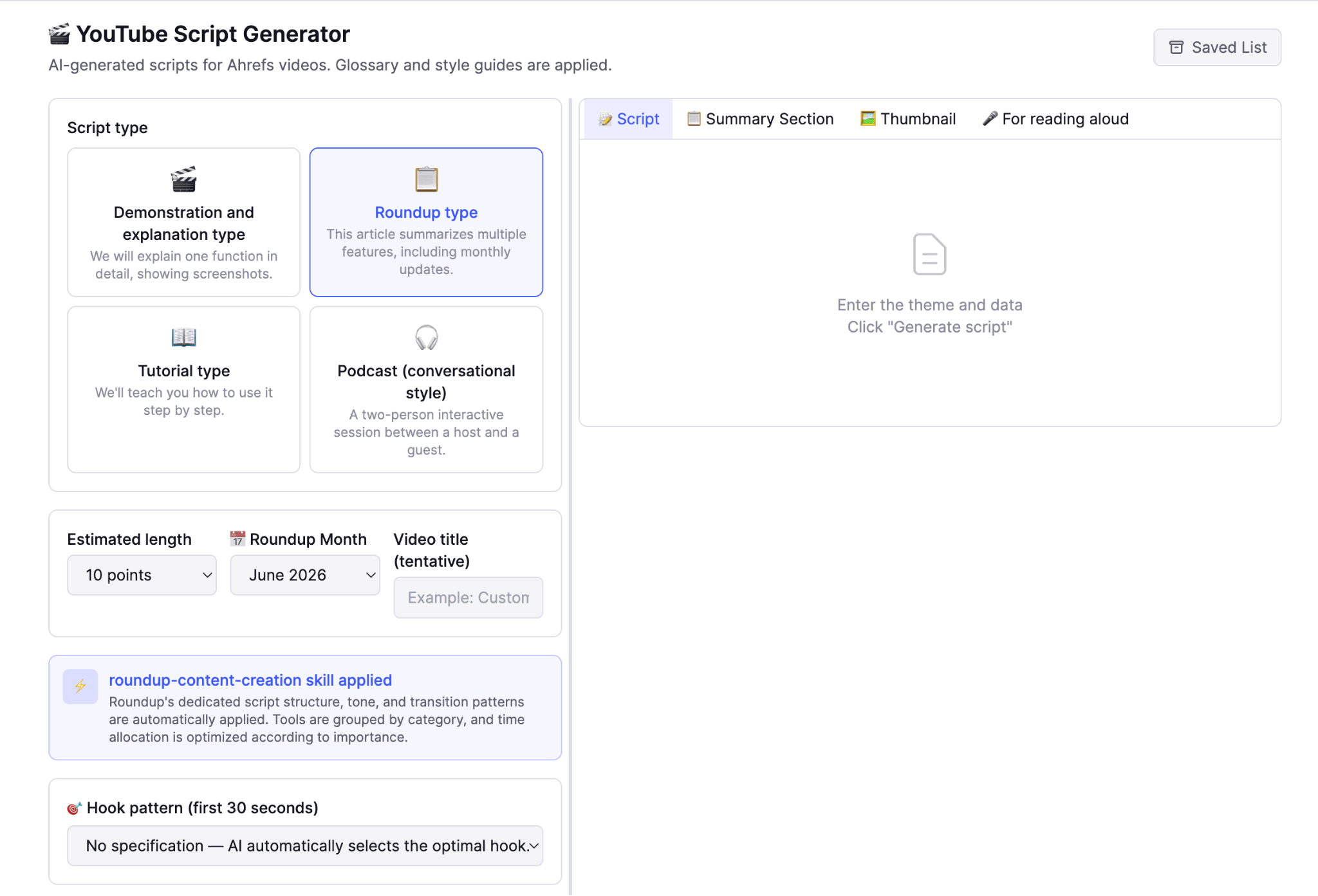
The tool also includes a hook pattern picker with six proven “hook” formats to pique the viewers’ interest (Negative Result / Social Proof / Pattern Interrupt / High Stakes / Speed Run / FOMO Gap). Taka’s choice shapes the first 30 seconds, while the rest of the script is generated by Opus 4.7 at ~300–350 Japanese characters per minute:
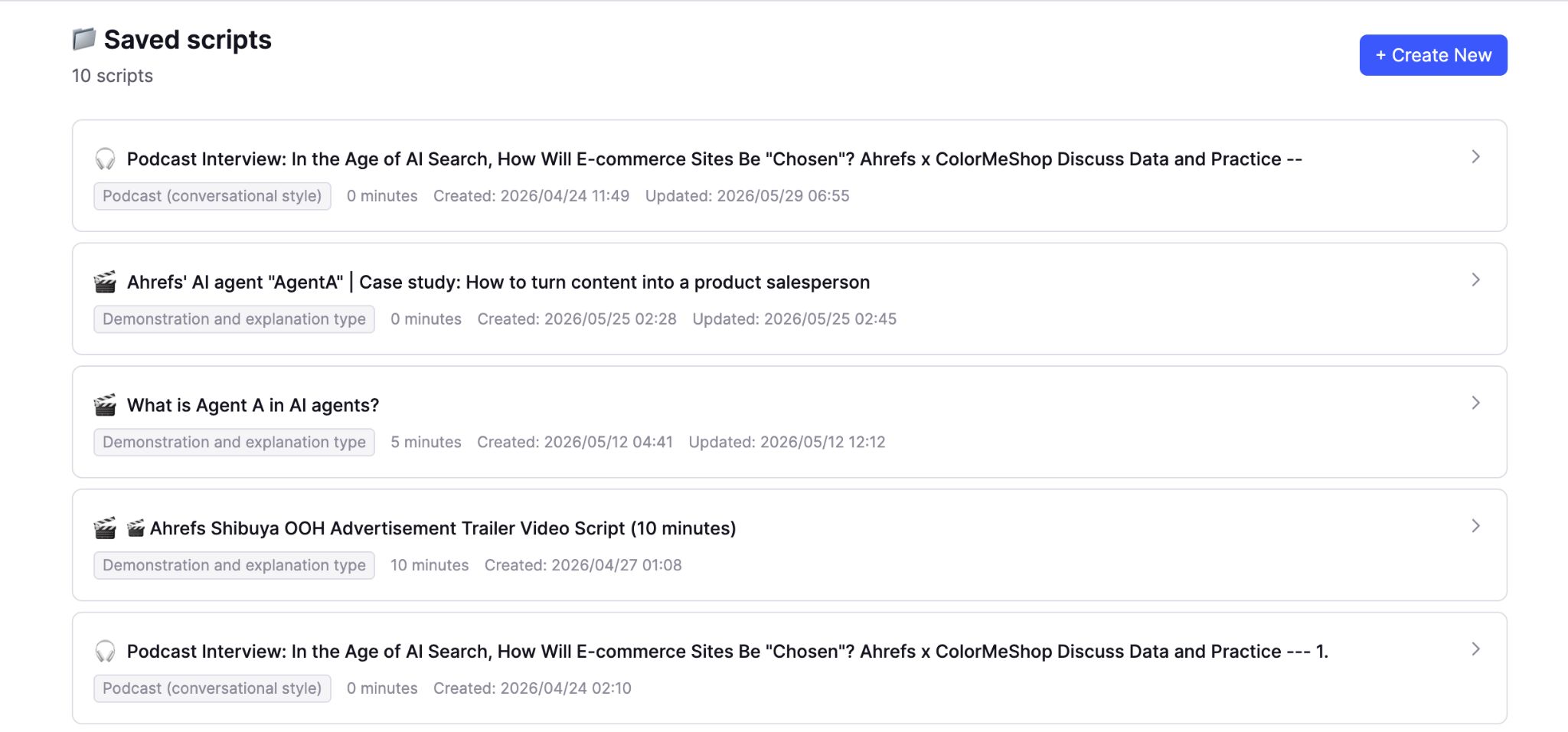
For thumbnails, GPT-5.5 proposes three text concepts (a data angle, a question angle, a story angle), inspired by a study Taka conducted looking at thumbnail trends in Japanese business-education channels; gpt-5.4-image-2 renders each at 1280×720 using brand-color palettes.
Starter prompt
Build me a YouTube script + thumbnail generator with four script-type templates: demo (7/12/50/15/8% sections with screen-direction cues every 2-3 lines), monthly product roundup (5/80/8% sections, banned hype words, exclamation marks only in outro, fixed opening/transition templates per position), step-by-step tutorial (8/7/65/10/8% sections with explicit step numbering), and podcast interview-question script (Host intro + numbered questions, each question = 2-3 sentence premise with specific stats/names + one open question, no guest answers, no dialogue). Optional hook-pattern picker for the first 30s (Negative Result / Social Proof / Pattern Interrupt / High Stakes / Speed Run / FOMO Gap). Pace at ~300-350 [native-language] chars/minute. Fetch reference URLs via web-fetch and inject content. After script is done, add a thumbnail tab: GPT-5.5 proposes 3 text concepts (data/question/story), image model generates 1280×720 thumbnails with brand-color palettes pulled from a saved local trend-study file.
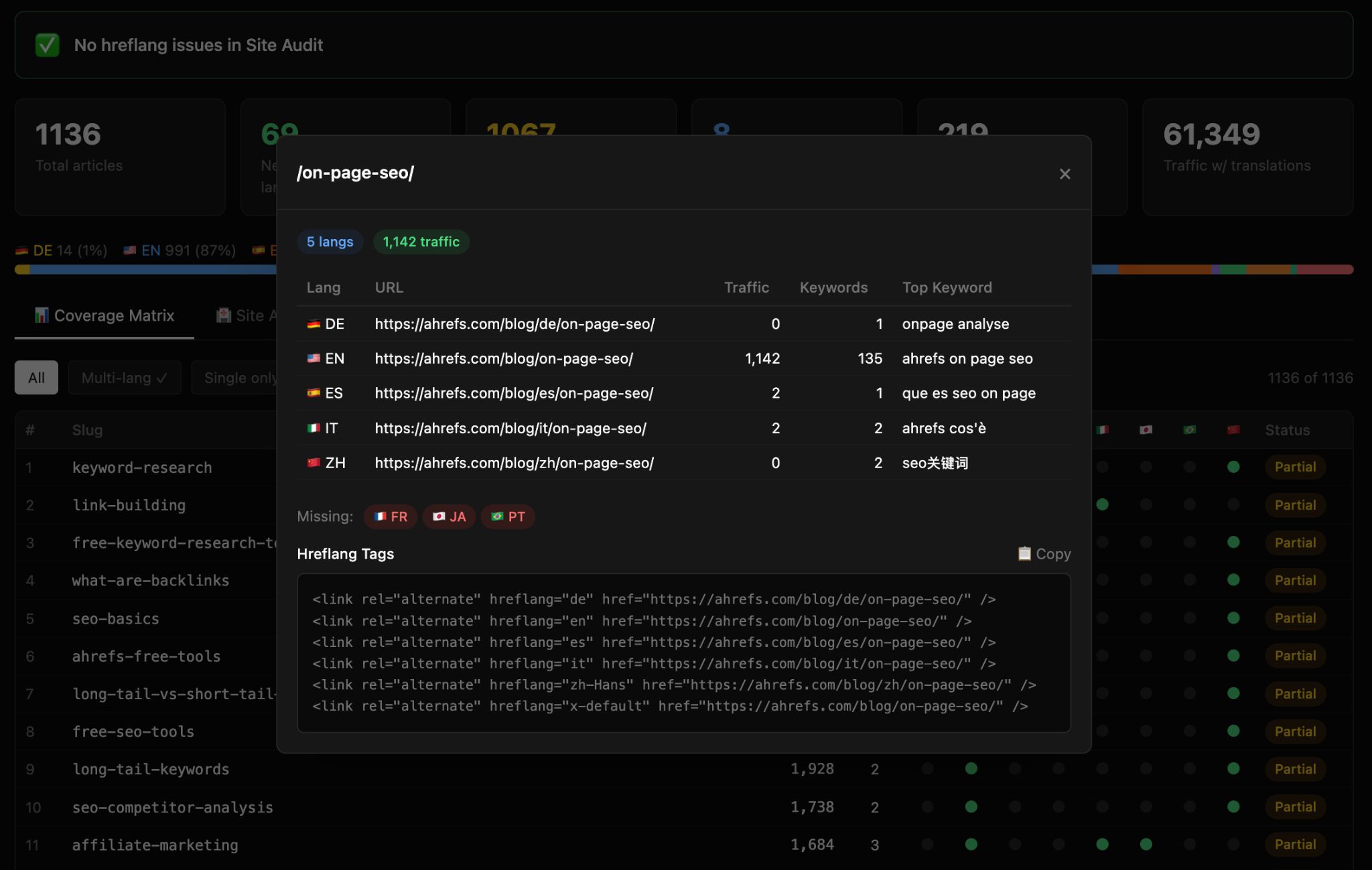
Hreflang is a very dull, very important part of international SEO. This tool generates hreflang tag sets for any international site:
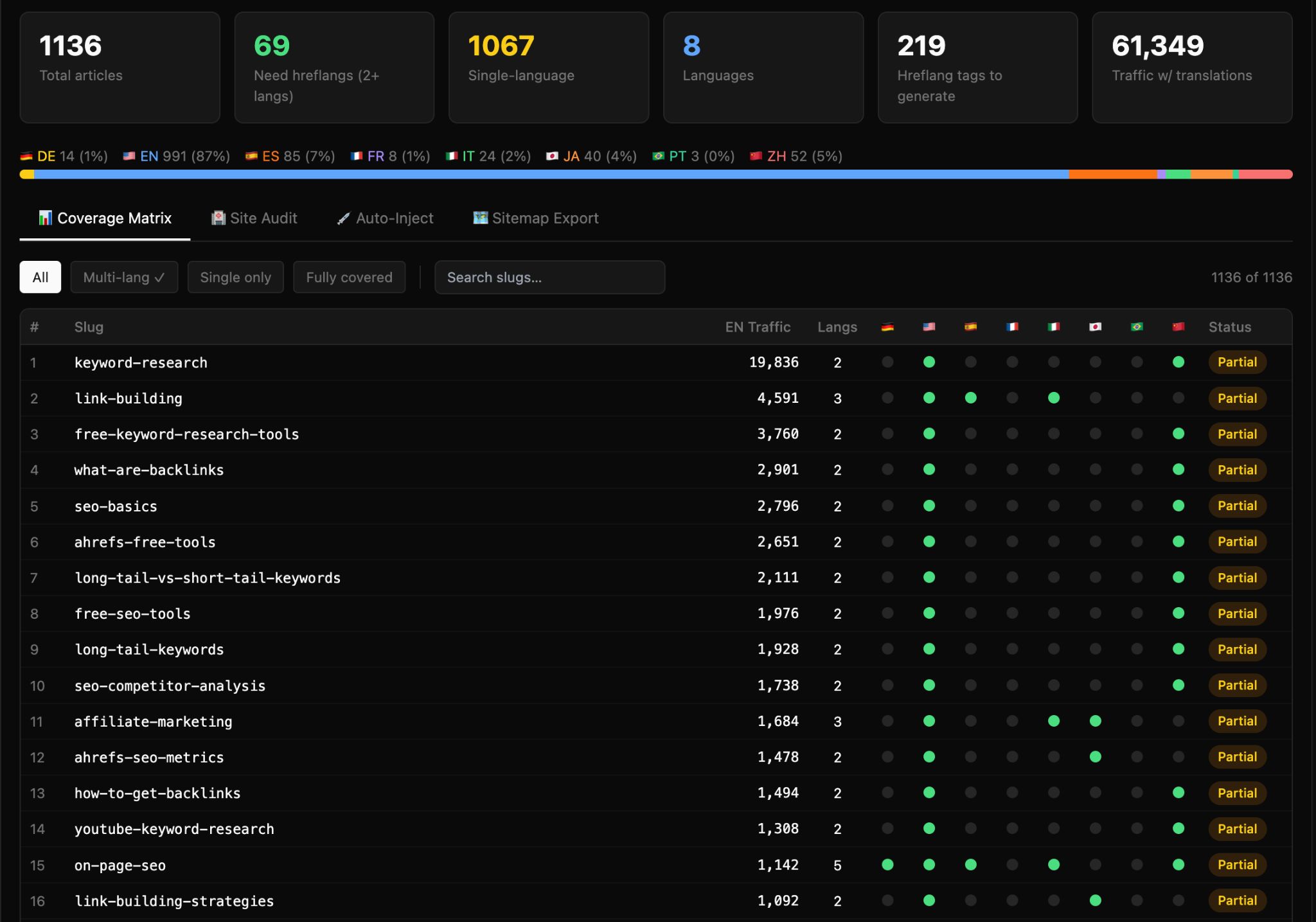
For any canonical URL, the tool returns the complete set of hreflang tags (<link rel="alternate" hreflang="https://ahrefs.com/blog/agent-a-for-international-marketing/..." href="https://ahrefs.com/blog/agent-a-for-international-marketing/...">), tailored to the international markets you care about, and ready to paste into a CMS field or a sitemap generator.
Audit mode also allows you to troubleshoot common hreflang issues. Point it at a page that already has hreflang tags and it tells you what’s wrong—missing reciprocal tags, wrong language codes, broken alternates, missing x-default. This catches the half-implemented-by-the-previous-agency state most international sites are in.
Starter prompt
Build me a hreflang generator + auditor for international sites. Support both URL patterns: path-based (ahrefs.com/blog/de/slug) and subdomain-based (de.example.com/blog/slug) via a single slug-prefix parser. Slug matching in order: (1) exact same-slug across languages, (2) Ahrefs Site Audit hreflang_audit endpoint when available (cache to disk), (3) title-similarity fallback. For a canonical URL, output the full <link rel=“alternate” hreflang> tag block including x-default. Audit mode: point at a page that already has hreflang and report missing reciprocals, wrong language codes, broken alternates. Auto-import brand configurations from my Intl Blog Monitor so I don’t reconfigure the same site twice.
Twice a year Taka hosts or sponsors an event where the speaker is in one language and half the audience is in the other. Professional simultaneous interpreters cost $2,000+/day and don’t know our product. The Live Interpreter is what Taka opens on a laptop next to the stage:
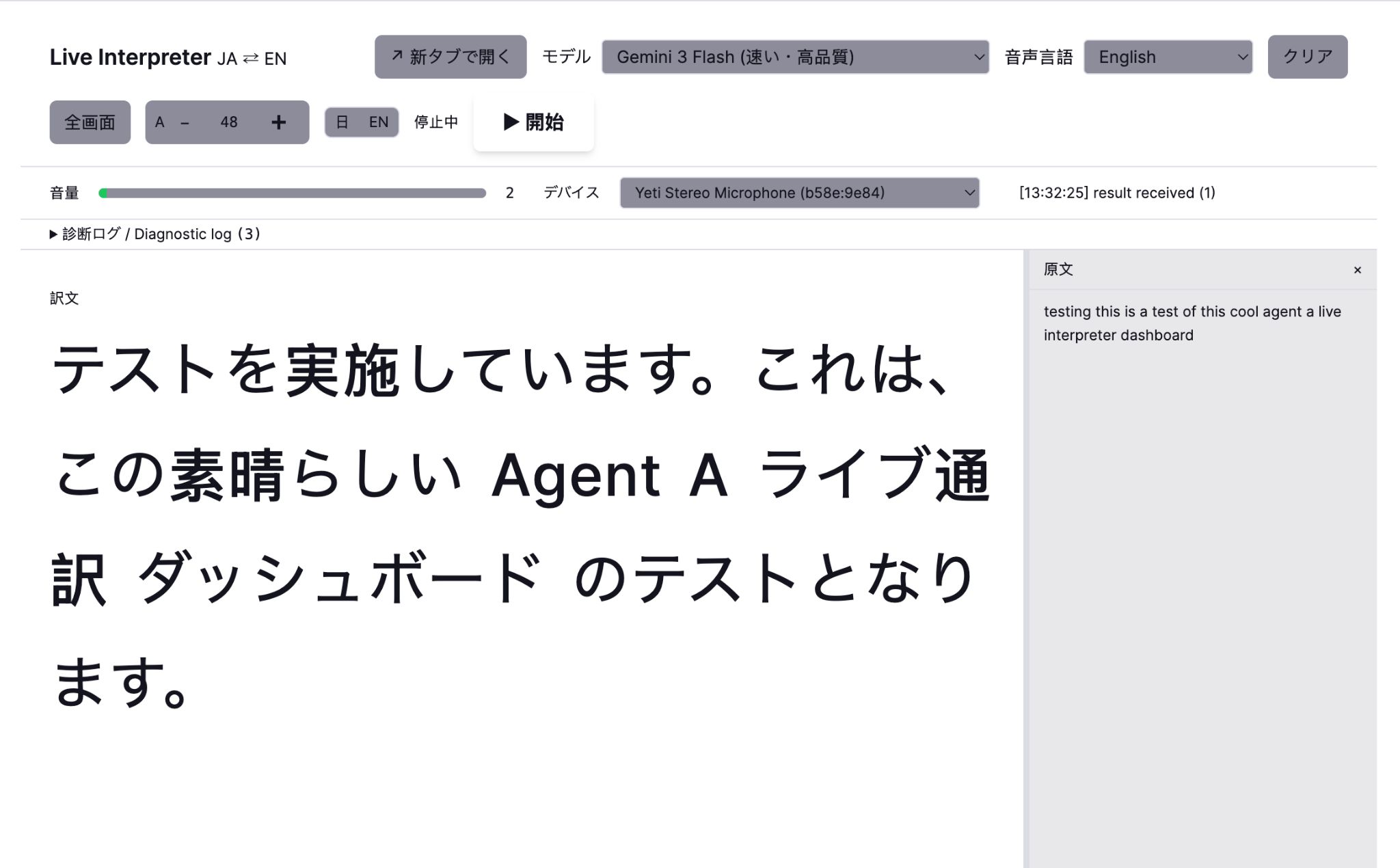
This translation tool records live audio and generates subtitles on-the-fly using Gemini 3 Flash (with a choice of other models for different situations: Claude Haiku is more accurate but too slow for live events).
At Taka’s specification, the subtitling tool forces a grammatically complete output sentence even when the input is a mid-phrase chunk of live speech: no noun-ending sentences, no trailing particles, and must close with a proper Japanese predicate (the polite-form copula or a verb conjugation).
And crucially from a product perspective: a dedicated SEO/Ahrefs glossary is injected at the top of the system prompt with the literal directive “ABSOLUTE HIGHEST PRIORITY — overrides everything else”. So “AI Overviews” always renders as the one approved Japanese term we use internally, never a near-synonym. “Backlink”, “Domain Rating”, and every other brand-controlled term map to exactly one Japanese rendering.
Starter prompt
Build me a real-time conference interpreter for [my two languages]. Browser captures audio chunks, POSTs each transcribed chunk to /translate. Server detects direction by character-set / language ID. System prompt enforces two non-negotiables: (1) every output sentence must be grammatically complete with a proper predicate even when the input is a mid-phrase chunk — if input cuts off, model adds a closing verb / clause to finish the sentence so subtitles never dangle; (2) inject my domain glossary (both directions) at the top of the system prompt with the literal directive “ABSOLUTE HIGHEST PRIORITY — overrides everything else” so brand terms never get substituted with synonyms. Pre-wire 4 model options ordered by latency, not accuracy: Gemini Flash Lite, Gemini 3 Flash (default), Claude Haiku 4.5, GPT-4.1 Nano. max_tokens=400, temperature=0.2. Show direction + model in the UI; switch model on the fly without reloading.
Final thoughts
Ahrefs creates a ton of marketing collateral each month, and the international marketing team has a mountain to climb to localize all of our blog posts, emails, product videos, YouTube tutorials, and run live events.
Erik and Taka use Agent A to automate big chunks of the less-skilled, more repetitive work each month. All of these tools started life as manual, time-consuming workflows and turned into an app over a chat session or two. The total work was probably a normal week’s worth of an engineer’s time, except that neither Erik nor Taka is an engineer.
If you’re an Ahrefs customer, Agent A is free to try for one month. Paste any of the starter prompts above into a fresh workspace and your Agent A will build the tool—with your data, your locales, and your priorities.


