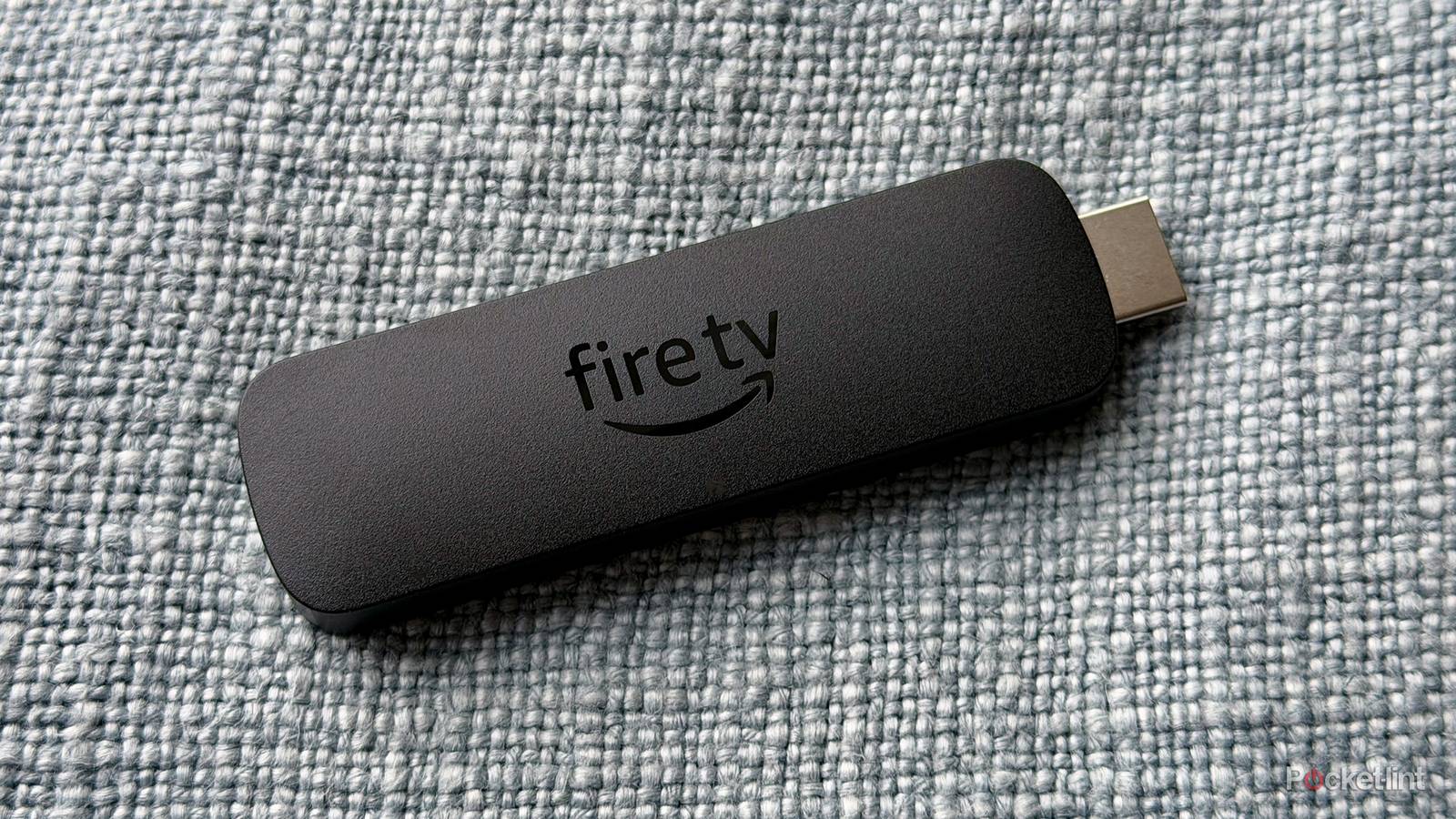
I have both a Roku Streaming Stick and an Amazon Fire TV Stick. I also have a Roku Ultra and an Apple TV 4K, so you could say that I have all my bases covered when it comes to streaming. Last year, I had the chance to review a Fire TV Omni QLED that actually replaced my Fire TV Stick because it came with built-in Alexa voice controls, and I felt like it replaced the need for a dedicated stick — at least for now.
I don’t have a problem with Fire TV Sticks, but I’ve found that my Roku and Apple TV 4K get far more use out of my Fire TV Sticks. There are a few reasons for that, and with some small tweaks, I could see myself at least unplugging that Roku Streaming Stick I have in my basement and replacing it with the Fire TV Stick. My nitpicks are largely personal, but they’re there nonetheless.

- Dimensions
-
99mm x 30mm x 14mm
- Brand
-
Amazon
- Operating System
-
Fire OS
- Downloadable Apps
-
Thousands
- Resolution
-
4K, Dolby Vision, HDR10
- Ports
-
HDMI
A less cluttered interface goes a long way
Way too many ads

I’m already an Amazon Prime subscriber, so I don’t really need to be bombarded with what’s new on Prime Video each time I turn on my Fire TV Stick, but it feels like that’s the entire experience. Seeing a ton of ads is such a shift from my Apple TV 4K and Roku, and it just spoils the experience as soon as I turn on my stick. That’s why it’s nice on my TV, because I can easily navigate using voice controls and minimize the home screen experience as much as I can. It’s really the full banner ad at the top that I’m trying to avoid, but it feels like it’d take an entire overhaul for that to ever change.
In that screenshot above, it looks like the entire page is just an advertisement for something, and the apps I want to go to are the smallest icons on the screen. I don’t like that type of interface, and I’d much rather take the Roku option if I can’t have a complete lack of ads as I have on my Apple TV 4K. This is the biggest problem I have with the Fire TV interface, and it’s why I don’t use the sticks as much as I could. At this point, it feels like this is just the Amazon identity, and I have a similar problem with the website as a whole. Amazon feels like it’s always trying to sell me something, which makes sense since it’s a shopping site, but I wish that didn’t trickle over to the streaming interface too. It feels like an absolute mess each time I use the Fire TV interface, and I hope Amazon figures out a way to make that experience better.
AirPlay support would help out
Nothing wrong with more features

This is a problem with most of the major streamers, because ever since I switched to an Apple TV 4K as my main device, I haven’t been able to cast from my Android phone. This is because the Apple TV only supports AirPlay, which isn’t a problem if you have an iPhone. Sadly, I don’t have an iPhone, so my workaround to this is to either cast to my TV itself or not cast at all. Meanwhile, my Roku Ultra lets me cast from my Android and use AirPlay, so it’s the best of both worlds in this regard.
Meanwhile, Fire TV Sticks don’t support AirPlay of any kind, so you’re stuck in the same position as the Apple TV 4K, just on the opposite end of the spectrum, where Android works and not Apple. It’d be nice if Amazon could bridge that gap, because it doesn’t really make a lot of sense for iPhones and iPads to be left out like this. Perhaps the hangup used to be that Fire TV Sticks ran on an Android-based operating system, but with the new Vega OS, that’s not an issue. New Fire TV Sticks now use a Linux-based operating system, and that might mean AirPlay support could be in the cards, even if it means no more sideloading. Personally, that’s a tradeoff I’d accept since I’m not all that interested in sideloading things onto my Fire TV Stick, mainly because I have other devices for that. We’ll just have to wait and see what the plan is.
A high-end option priced better would be phenomenal
The other brands have them

The closest thing the Fire TV ecosystem has to a high-end option is the Fire TV Stick 4K Max. Don’t get me wrong, this is a solid device, but I really don’t know if it’s worth grabbing over the 4K Select. What I’d like to see from the Fire TV line is something more akin to the Roku Ultra. Yes, there’s the Fire TV Cube, but that $140 price tag doesn’t really appeal to me. At that price, I’d much rather grab an Apple TV 4K. If Roku can provide something across all budgets, I don’t see why Fire TV can’t do the same. Amazon has nearly cornered the market on budget-friendly sticks, and it feels like a new one is coming out every day. It also helps that they’re almost always on sale, so the prices are constantly low. The saving grace of the Fire TV Cube is that it’s also on sale often, so you could possibly snag one for $90 — and that makes it a much easier pill to swallow.
I still think a more affordable Fire TV box would be a big addition, and if it could bring some more storage space and extra horsepower without forcing me to break the bank, I’d welcome it with open arms. The Fire TV Cube claims to be two times as powerful as the Fire TV 4K Stick Max, but if that means it’s more than double the price, I’m not really interested. Even the fastest and best-performing Fire TV Sticks feel like they’re bogged down over time, and while there are some fixes, I think a lot of this could be avoided if there were just something with some more juice at a more affordable price. Amazon doesn’t seem particularly interested in meeting that market, much like Apple doesn’t seem to be interested in releasing a cheaper streaming stick to go with the Apple TV 4K.
The gap between a $60 streaming stick and a $140 streaming box is wide, so it’d be cool to see something hit that $100 price range. That would get me a lot more interested because the Fire TV Cube, as it is right now, is a complete non-starter, at least for me.

- Dimensions
-
86 x 86 x 77 mm
- What’s Included
-
Power cable, Fire remote
- Wi-Fi
-
Wi-Fi 6E Tri-band. Also supports 802.11a/b/g/n/ac/ax
- Ethernet
-
Yes
- Supported video
-
Dolby Vision, plus HDR, HDR10, HDR10+, HLG
- Supported audio
-
Dolby Atmos, 7.1 surround sound, 2-channel stereo and HDMI audio pass-through up to 5.1


