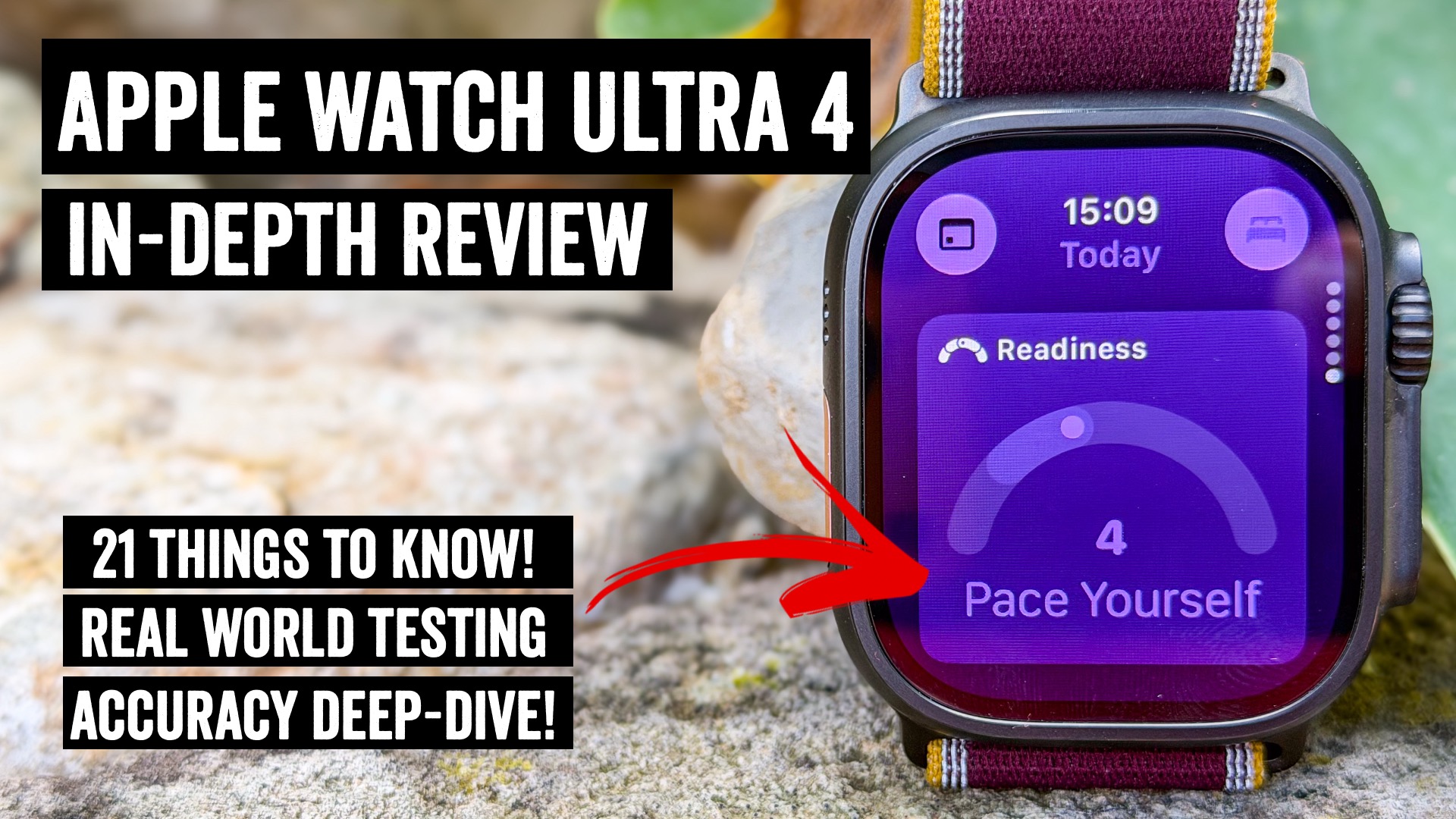

The Apple Watch Ultra 4 is arguably the biggest internal update the Apple Watch has seen in a number of years, and certainly the biggest Apple Watch Ultra series update since launch. It has a far better optical heart rate sensor than in the past, new audio intelligence features, and even a brand-new Readiness score system built atop all of that. Plus, there are promises of further new features later this year with a new Apple Health app that’s consumer-friendly, as well as more audio intelligence features.
But probably the most notable thing about both the Ultra 4 and the new Series 12 (which both my wife and I are also testing) is that new optical HR sensor, which is backed by an Apple study involving 1,400 people, including the majority of whom were dual-wristing other competitor watches. In this post (and the above video), I’m going to dive into some of those claims in that Apple-backed paper, and most critically, whether they stand up to real-life scrutiny out on the road (and trails, and gyms).
With that, let’s dive into it!
What’s New:
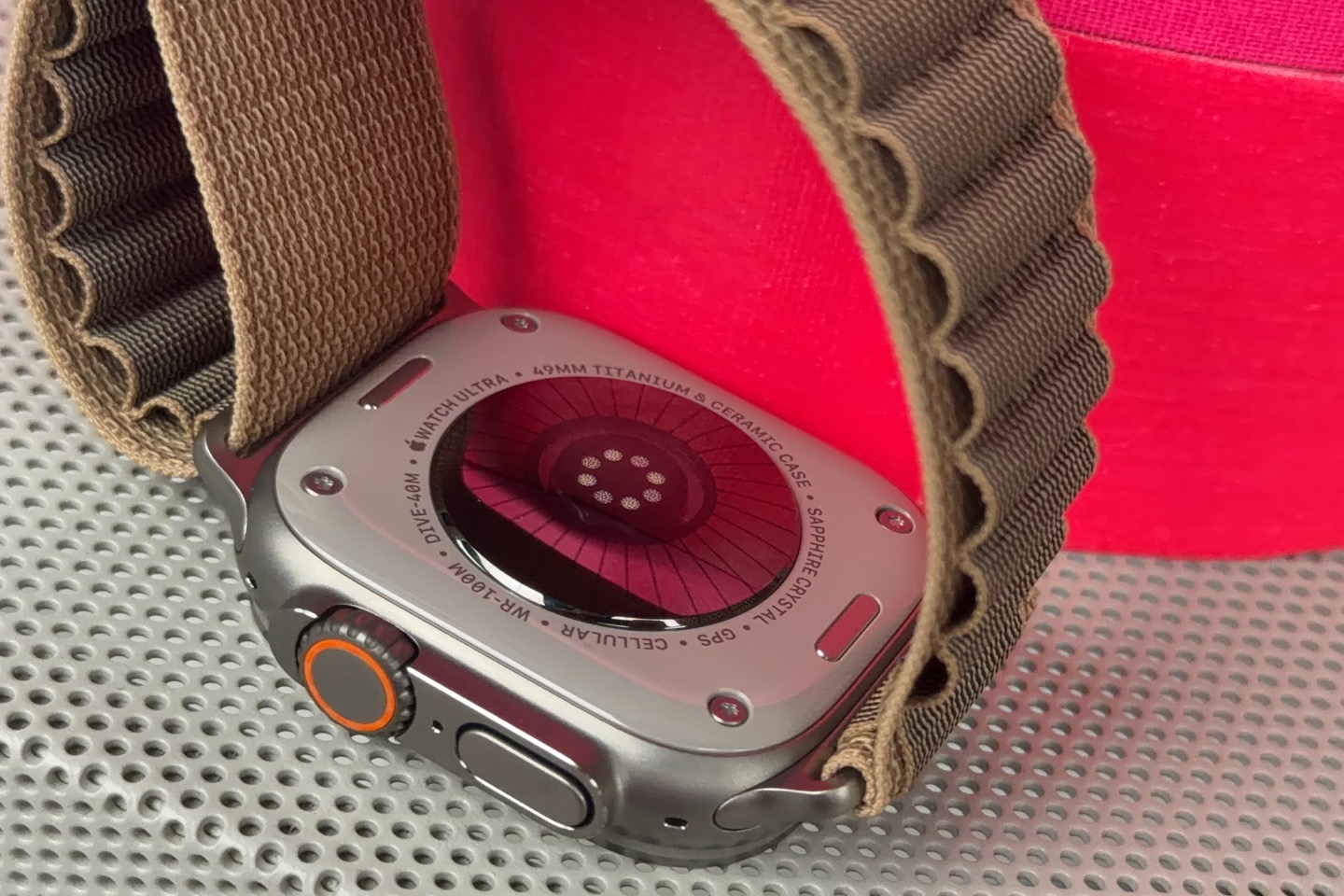
There’s a lot new in this unit, and I’m going to cover virtually all the new features throughout this review. But if you’re looking for the quick and dirty, here’s everything that’s new on the Apple Watch Ultra 4, compared to the previous Apple Watch Ultra 3:
Apple Watch Ultra 4 Hardware Updates/Changes:
– Gets new S11 chipset, which has features from the new A20 Pro chips of the iPhone 18 Pro
– Gets new secure audio processing exclave within that (for Audio Intelligence)
– Ultra 4 increased battery life to “over 2 days” (50 hours, technically)
– Ultra 4 adds revamped ‘Extended Battery’ (GPS) mode and new ‘Max Extended Mode’ (GPS workout battery life of 45 hours, without reducing either GPS or recorded HR data
– Boatloads of new bands for all of them, including new translucent Ocean bands on the Ultra
– Ultra 4 offered in same two core colors (black or silver)
Apple Watch Heart Rate Sensing Hardware Update:
– New heart rate sensor with increased electrode surface area for better ECGs
– New photodiodes below it for better workout capture
– New LED array below that for better 24×7 HR readings
– New HR sensor is thinner (bump) than in the past
– Increased background (non-workout) HR readings to every 5 seconds (60x more than before)
– Increased HRV readings to every 5 minutes (24x more than before)
– Claim of Apple Watch Series 12/Ultra 4 “Most accurate heart rate sensing in a wearable”
– Published their own white paper to support that claim, with competitor comparisons
New HRV Features:
– Added overnight HRV trending/recording within the Vitals app (as one of key metrics)
– Added new HRV into new ‘Daytime’ view in the Vitals app
– Requires 7 nights of initial data on a watch to get HRV trends in the Vitals app
New Readiness Score Feature:
– Each morning you’ll get a new score
– Score is based on a range of 0-10 (zero being worst, 10 being highest)
– Four core descriptors you can get: Recover, Pace Yourself, Ready, Go For It
– Can be viewed on the watch or the Fitness App
– Leverages your Sleep data, Vitals Metrics, Training Load, and recent Activity data
– Requires 7 nights of initial data for the HRV trends, before it can populate Readiness Scores.
New Health App Redesign (on phone, coming later this year):
– Adds new AI summary and recommendations
– Adds Apple Intelligence guidance, including suggesting intervals
– Adds new Health Age: Based on Sleep, VO2Max, HRV, Heart Rate, Exercise Minutes, Steps, and optionally Labs
– Adds new longevity Tab, based on Nutrition, Metabolic, Overall Movement, Sleep, Hearing, Heart metrics, mental wellbeing
– Adds support for pulling in lab work
– Adds new VO2Max test (test can be done in living room in 6 minutes)
– Adds new other tests for flexibility, movement mechanics, strength, and more, which can be trended.
– Health app coming later this year in beta in English
New Audio Intelligence features (on-device, some features later this year):
– Everything done on-device, without need for your phone (at least for immediate processing)
– [Available today] Adds Sound Recognition alerts for sirens, doorbells, baby crying, and more (shows up as text on watch)
– [Available today] Instant Shazam: Will instantly show you the name of songs when you raise your wrist
– [Available later 2026] Live Rewind: Double-tap the Digital Crown to get a text-only transcription of the last 15 seconds of spoken words
– [Available later 2026] Siri Recap: Will summarize conversations/spoken words heard around you into a recap that’s available on your phone.
– Can configure all features independently (enabled/disabled, plus further focus-mode-like controls for Siri Recap)
Got all that? Phew, let’s get right into the daily usage bits.
Daily Usage Basics:
In this section I’m going to dive into the daily basics of the watch – mostly from a health and activity tracking perspective. Obviously, given the wide-ranging capabilities of the Apple Watch as a smartwatch, there’s far more that I’m not going to cover here (such as music storage/playback, contactless payments, 3rd-party apps, etc…). These largely haven’t changed this time around, save for the handful of new Audio Intelligence features that I mention later in the review.
With that, the first thing you probably already know is that the Apple Watch Ultra 4 requires an iPhone be paired with it. It’s unable to pair to an Android phone, and needs an iPhone 11 or newer (it needs an iPhone capable of running iOS27, full list here). In turn, for Apple Intelligence-related features, it needs an iPhone from that list (basically an iPhone 15 Pro, or 16/17/18 anything). Said differently, if you’ve bought an iPhone in the last few years you’re probably good, but if you’ve got something distinctly older, you might be limited on features (or not work at all).
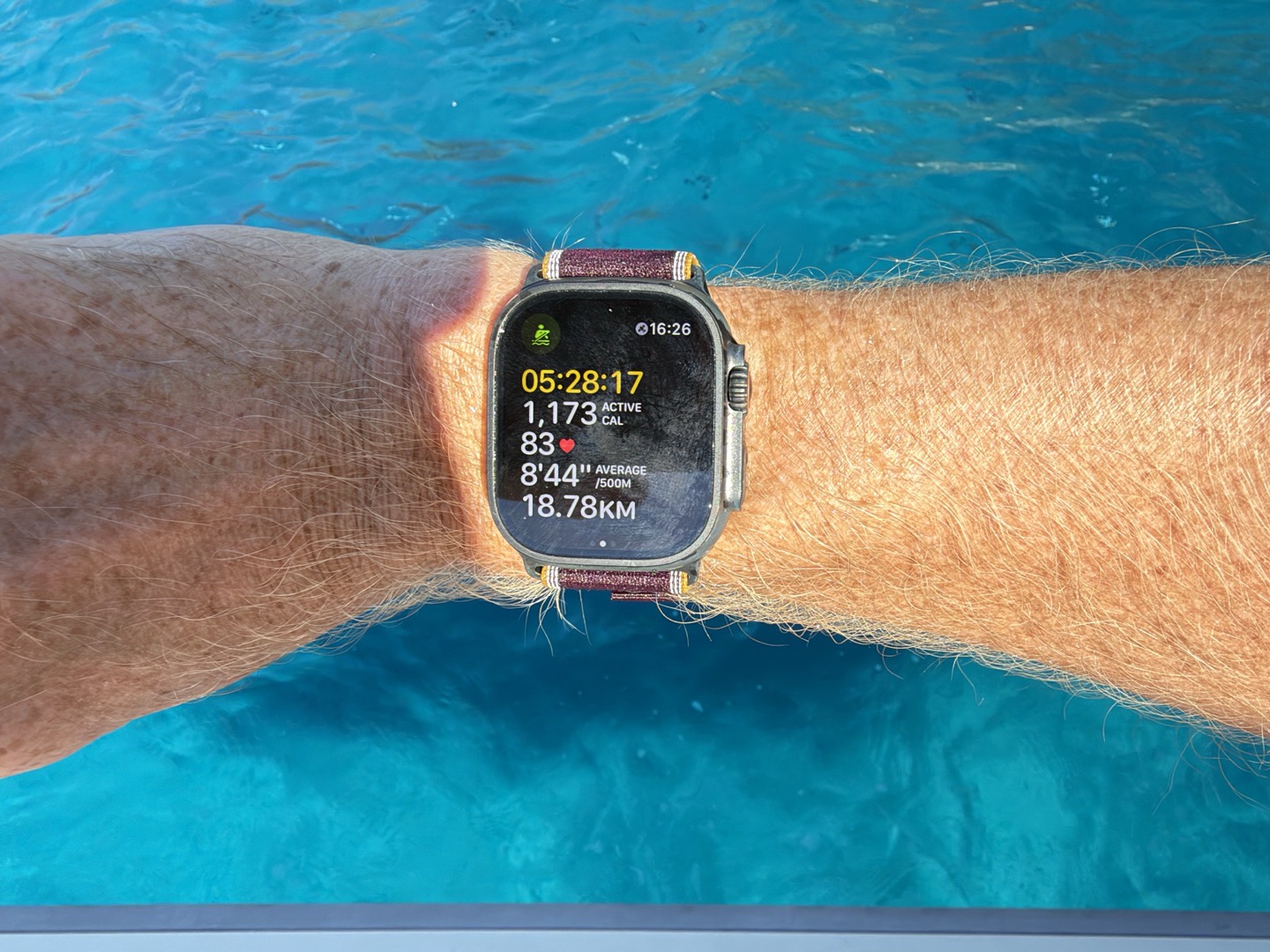
As for the watch hardware, the externals of the Apple Watch Ultra 4 haven’t changed any since last year (save for the heart rate sensor on the back I’ll discuss in a moment). It’s still the same 1.98” screen capable of up to 3,000 nits of peak brightness. I’ve had no issues seeing that screen in bright conditions, or inversely, no issues with it being too bright in dark conditions (it’s capable of dropping down to a tiny 1 nit of brightness at night). In the case below, out on the sea…albeit with not exactly the correct sports profile to track it…but hey, it worked.
On the side of the Ultra 4 you’ve got three buttons. The left side has the Action Button, which is unique within the Apple Watch lineup to just the Ultra series. This button is customizable, though in my configuration it opens up the workout app, and then once that app is opened and a workout started, it’ll act as a lap button. Again, you can choose which app to leverage, and then what you want it to do within that app.
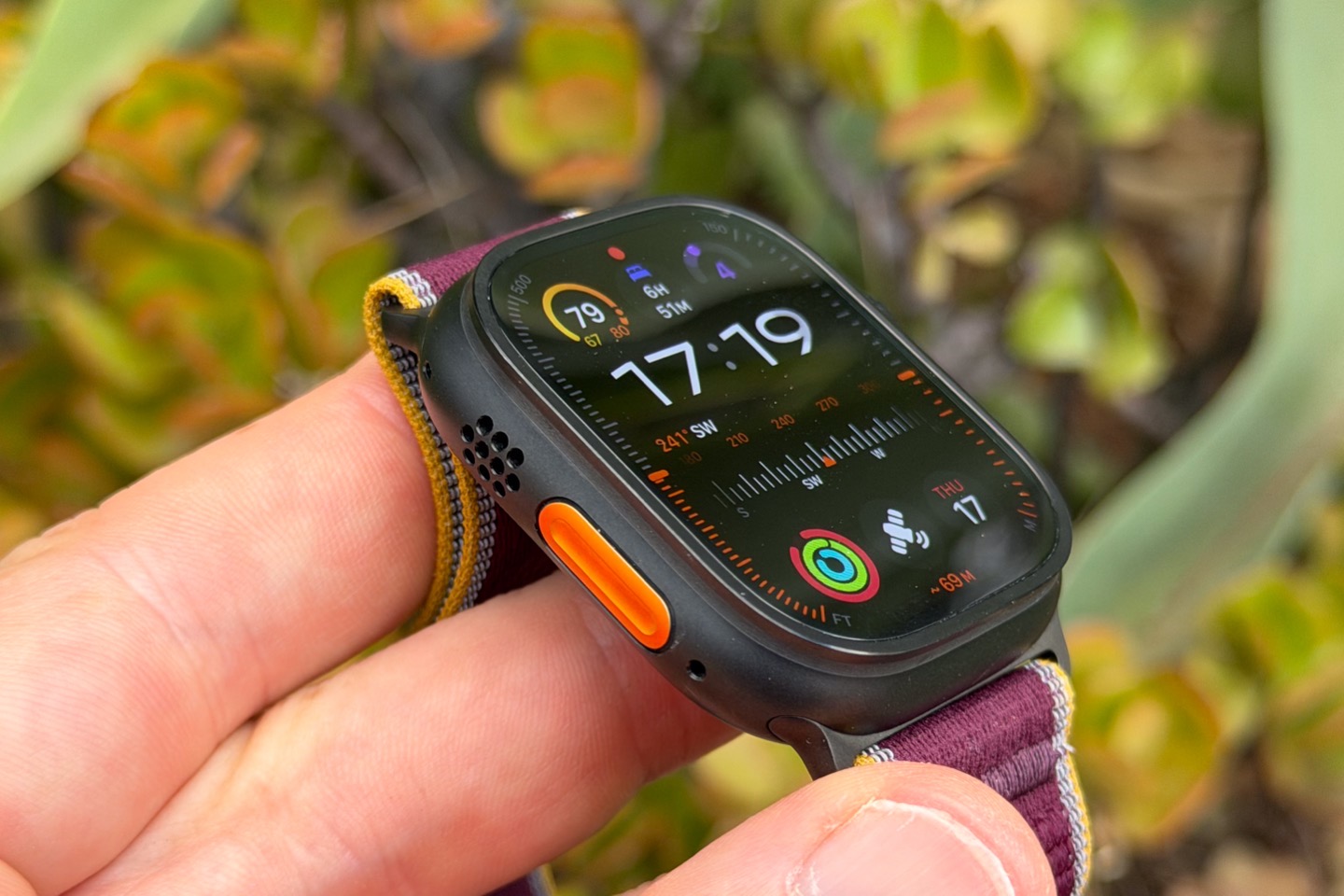
Meanwhile, on the other side you’ve got the Digital Crown and a side button. The Digital Crown is effectively your enter button and scroll wheel, while the side button gets you to the controls menu (to see battery status and other control features). Here’s that controls menu, showing battery status:
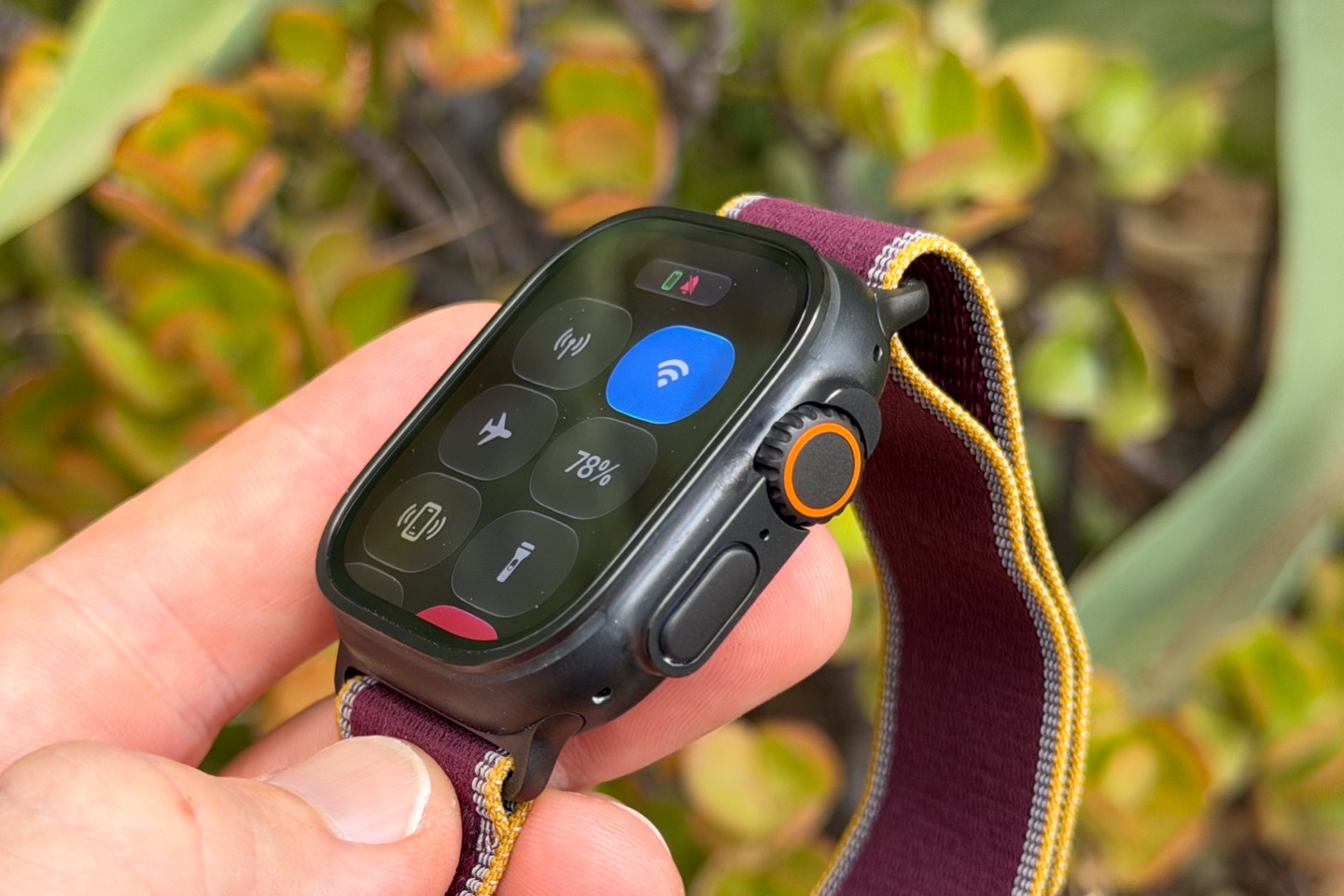
As someone who’s been wearing the Apple Watch Ultra for a few years now, I can say that all of this works reasonably well in dry conditions, is so-so in wet conditions, though it mostly falls apart in colder conditions with gloves. Specifically, when it comes to wet workouts with gloves, you’re unable to get to things like the ‘end’ workout screen, which requires a swipe to the left on the screen. Certainly lots of other touch-screen-focused watches have this problem as well (in varying forms), whereas most of the endurance-sports-focused watches have dedicated buttons for stopping a workout. Again, I’ve mostly gotten used to this quirk, but it’s really the only time Apple’s touch-forward interface becomes problematic.
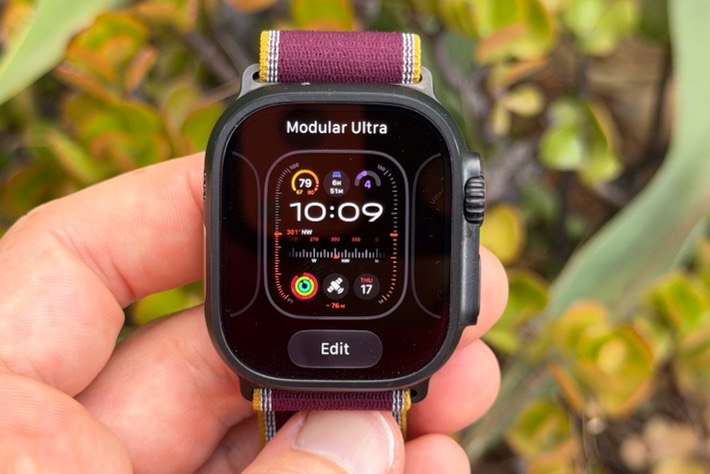
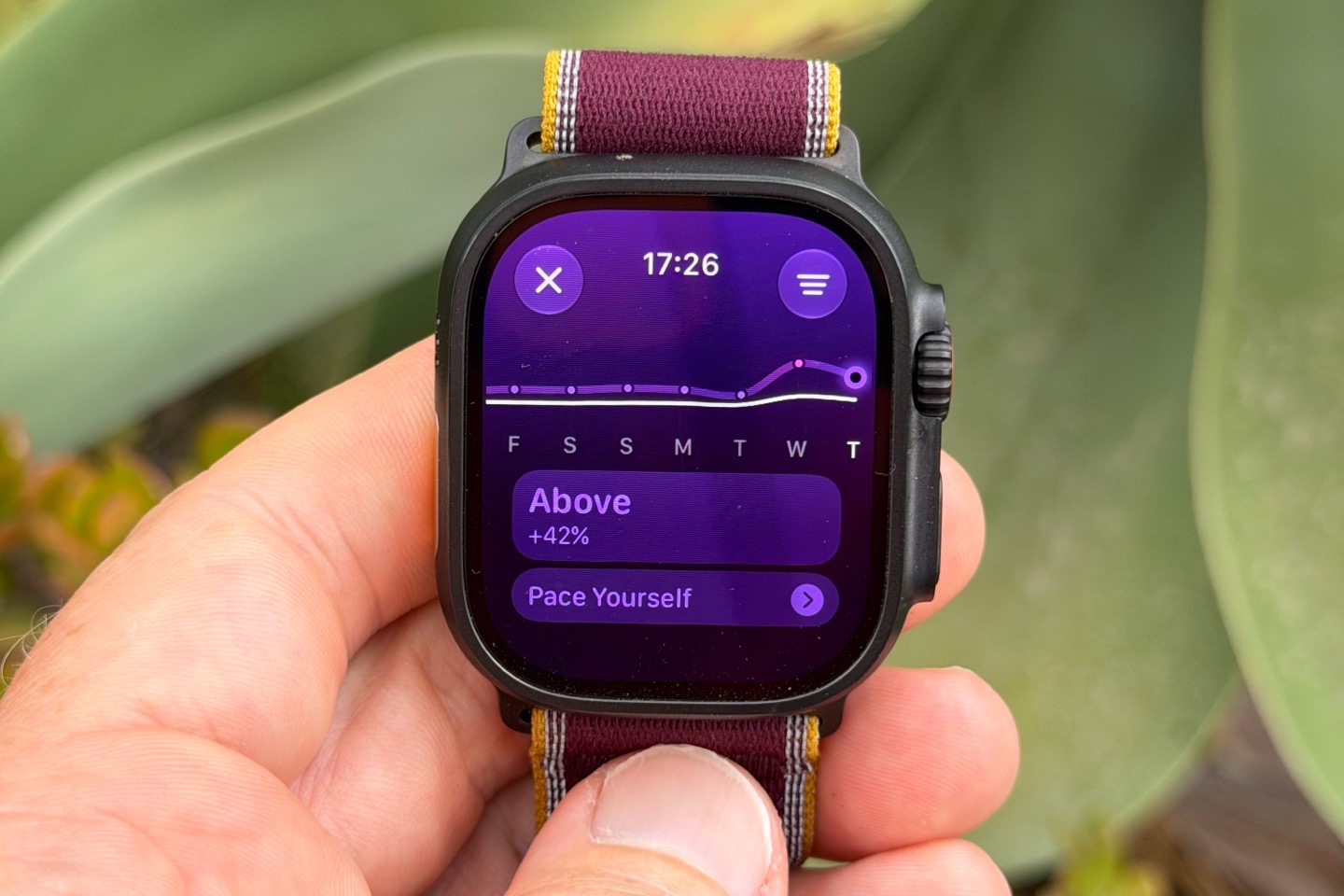
Anyway, on the watch you can customize the watch face by long-pressing, and tweaking complications as you see fit. In my case, I swapped out the upper right complication on this watch face for my Readiness score, as you can see (shown as ‘4’ here):
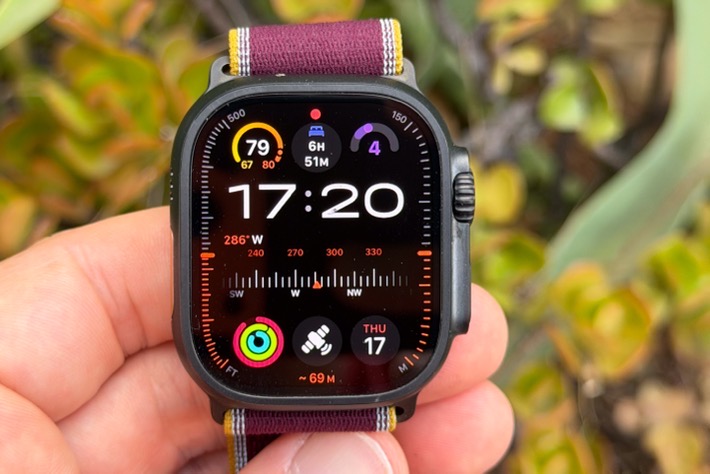
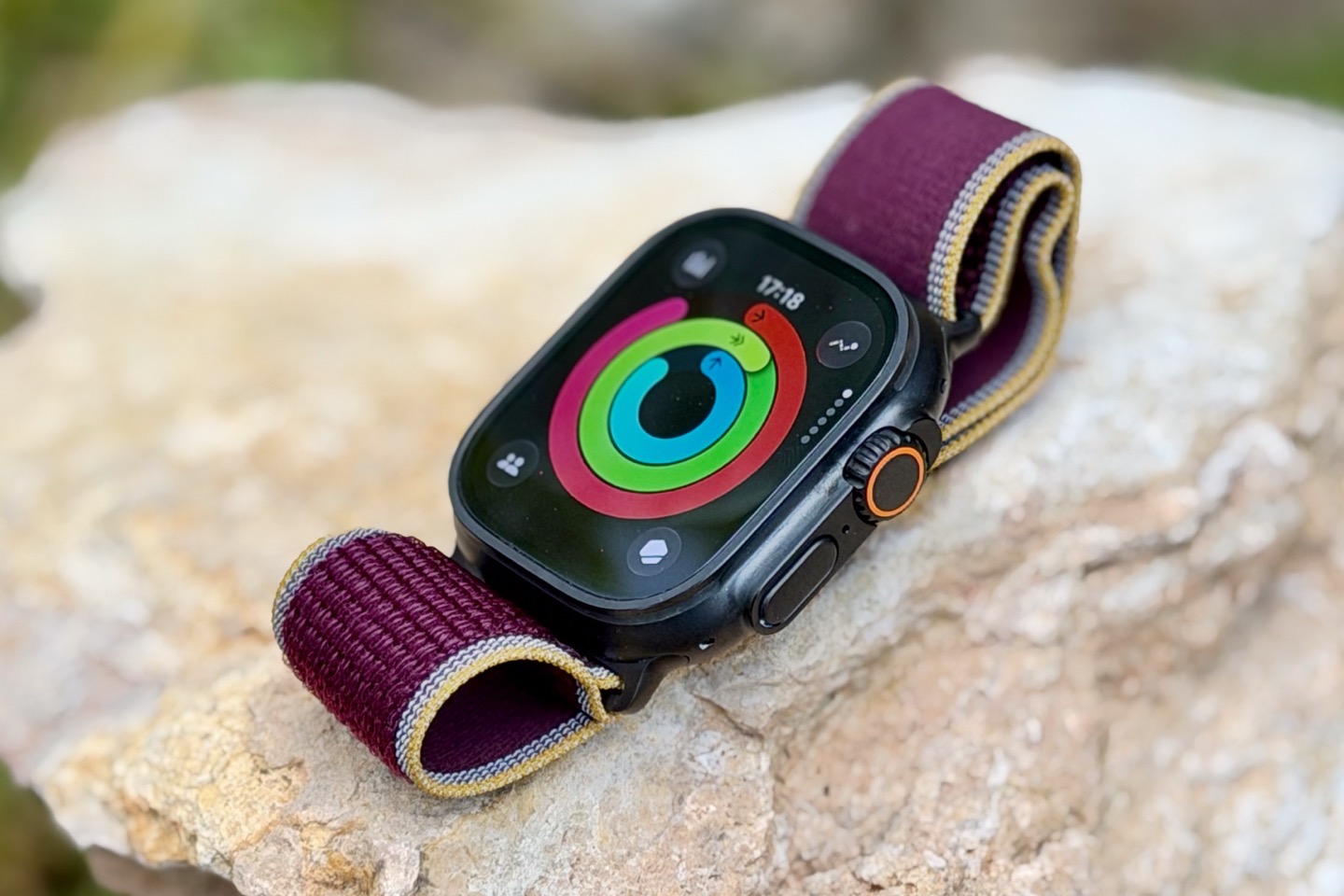
Meanwhile, one of those complications shows my activity rings. The famed ‘closing of the rings’ refers to Apple’s three ring colors, which are pinkish for movement, greenish for exercise, and blue for standing (once per hour). You can customize these levels, and even pause streaks/them in the event of some life situation.
Here you can see my rings from today, which was a reasonably busy day with a few-hour ride as well as a track workout later on.
Meanwhile, in order to sleep overnight, I can tap the little sleep stats bed icon on the watch face, or the Sleep app on the watch, to bring up my sleep stats, including some historical trends:
As always, I don’t compare/review the sleep phase/stage data, because doing so would be basically fake news. The ‘best case’ scenario for accuracy of a pro-level ‘gold-standard’ device is only in the low 80% range, and we’d never use a comparison chest strap that was only 80% accurate to judge workout accuracy. So, I’m not going to mislead you here and do the same. Instead, I look at the times I woke up and fell asleep. In this case, it’s been within a few minutes each day/night. For example, this morning’s times of 12:24 AM to 8:17 AM were spot-on within a minute or two (I can fall asleep super easily most nights, and easily track within a couple of minutes what time I woke up).
Next, switching topics entirely, is charging and daily battery life (I’ll dive into GPS battery a bit later). In this case, Apple has improved the charging specs of the Series 12 and Ultra 4. They say that’s been accomplished via both small tweaks in the charging cable itself, as well as algorithm changes in how the watch charges, especially around quick/brief charges (e.g., putting it on the charger for 15-20 minutes during a morning shower/getting ready).
Specifically, Apple has tweaked its charging numbers as follows:
– 80% in 45 minutes (same)
– 100% in 75 minutes (same)
– 18 hours of battery life in 15 minutes (was 12 hours in 15 minutes)
– 10 hours of sleep tracking in 5 minutes of charge (was 8 hours in 5 minutes)
And indeed, it’s definitely been noticeably faster, albeit more so on the Series 12 than the Ultra 4 – but still, I did a double-take one of the first times I was charging it for those short, quick charges.
As for Apple’s “2-day” battery claim (technically 50 hours), that’s been squeaking by and holding up, despite all my silly hours of workouts each day. I probably balance out the workout battery drains by not generally using it for calls or listening to music from the watch, but again, I’ve been getting those 2 days for sure (as I was in the past with the Ultra 3.
Next, note that there is a new Apple Health app coming later this year, though at present it’s not yet available. That app is dramatically revamped, and looks to finally be a proper consumer-facing Health app, rather than what was previously designed as simply a repository for Apple HealthKit data (Health data). Fear not, the HealthKit piece is still there, but a new front has been stuck on it, allowing for regular people to actually make use of the data in there.
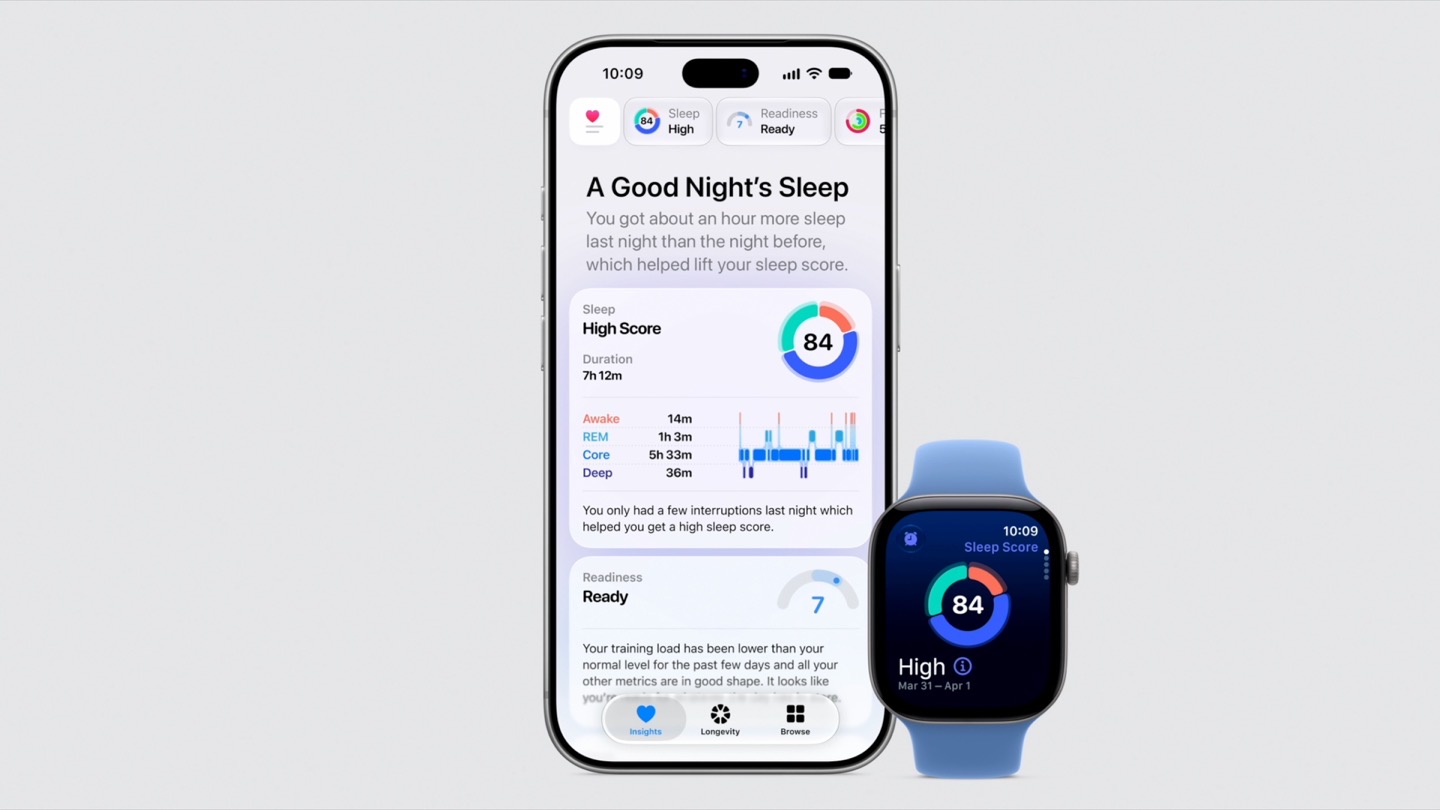
I’ll be doing a separate review of that once it releases. Thus far, from what I’ve seen, it looks really good, but again, more details once I get hands-on.
Finally, note that of course there are specific Ultra features which have largely continued as-is since the introduction of the Ultra series a few years back; they include the list below, with the satellite messaging-related features having been introduced last year in the Ultra 3:
– Action Button
– Emergency Siren
– Battery Life (longer)
– Depth gauge features, down to 40m
– Satellite Messaging, Satellite Emergency SOS, and Satellite FindMy
I’ve covered all of these previously in my Ultra 3 review, and they haven’t changed this year. I will shortly have a full comparison post/video to the Apple Watch Series 12, though you’ll find the general gist of it is the same as my Series 11 vs Ultra 3 video/post.
Readiness Score & Vitals:
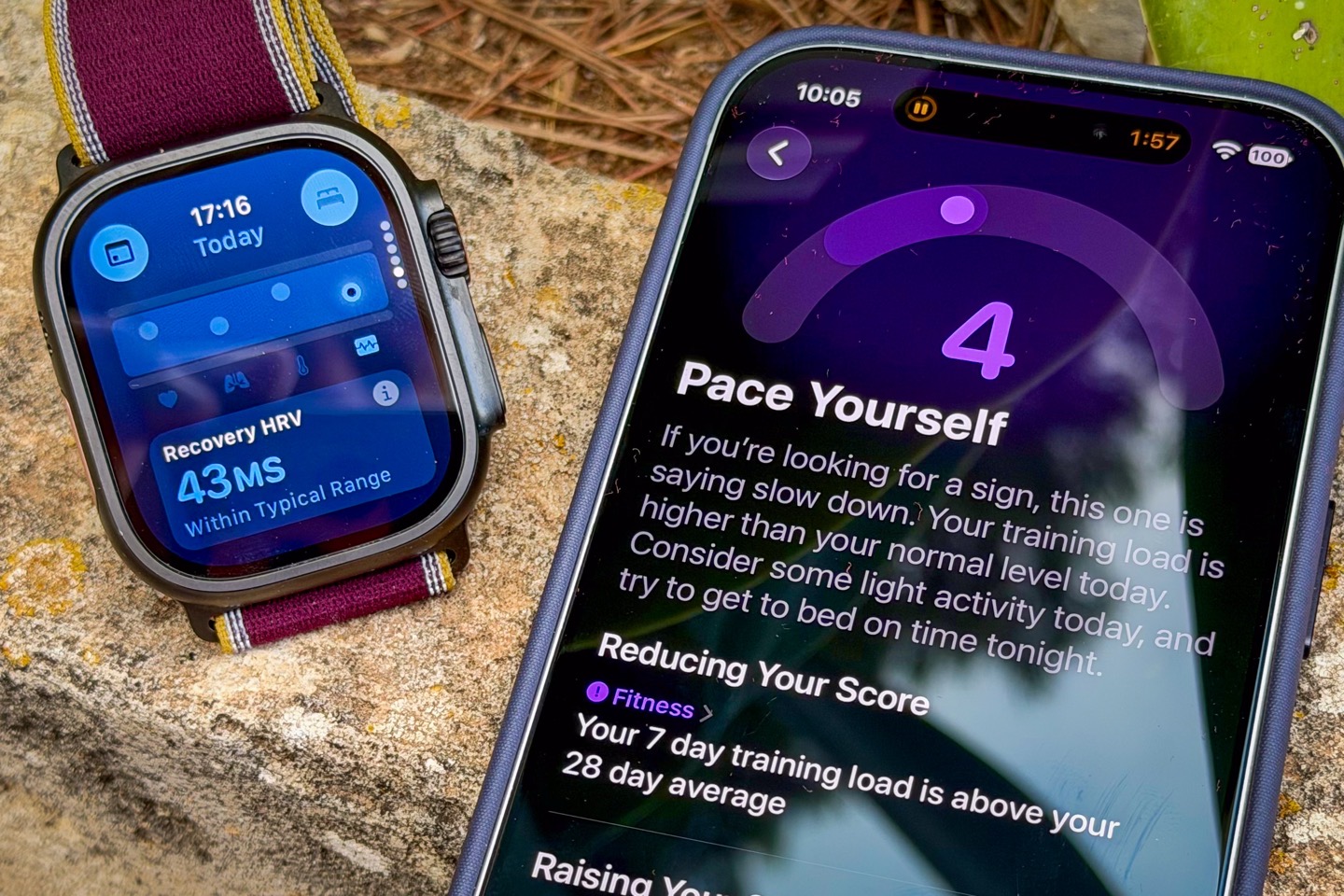
Now normally (and in the future), I’d likely just blend the Readiness Score & Vitals sections into either the Daily Basics or Sports sections, but given it’s new this year (for Readiness, and expanded Vitals), I’m gonna pull it out into its own section to make it a bit more detailed.
Apple’s new Readiness Score is effectively competing with readiness scores from Google/Fitbit, Garmin, and, to a slightly lesser extent, Whoop & Oura (those last two don’t really have the same type of dynamic and singular scores that Google or Garmin do). The score starts off with having two key components: A numerical value and a descriptor. The numerical value is from 0-10 (with zero being the worst, and 10 being the highest). And then within that, there are four descriptors you can get. Here’s an example of my score yesterday about 90 minutes after I woke up (it’ll change dynamically through the day, as I’ll show, though it hadn’t changed yet here):
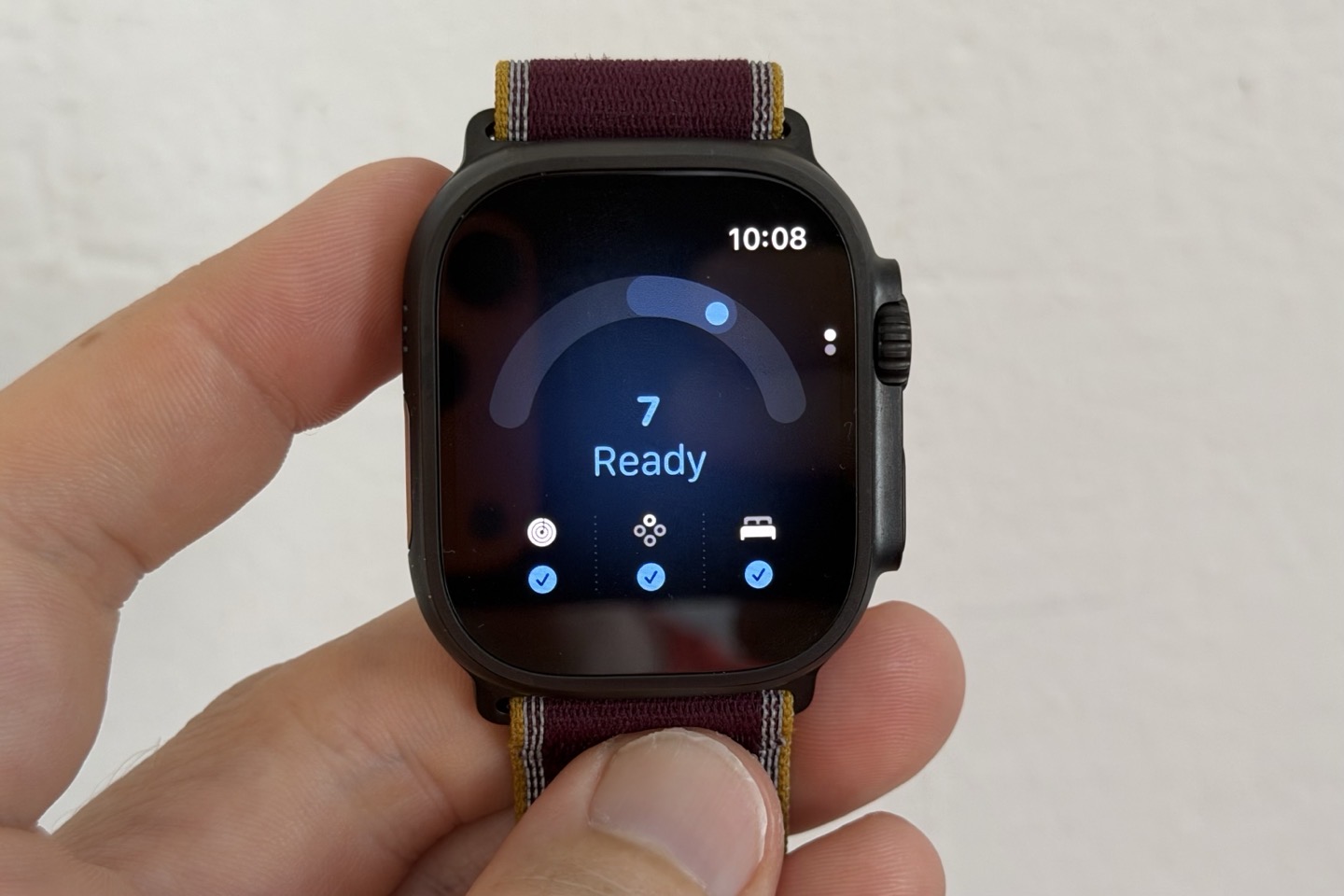
You can see my score was a ‘7’, with a descriptor of ‘Ready’. Here’s a quick look at the descriptors available, and their corresponding ranges:
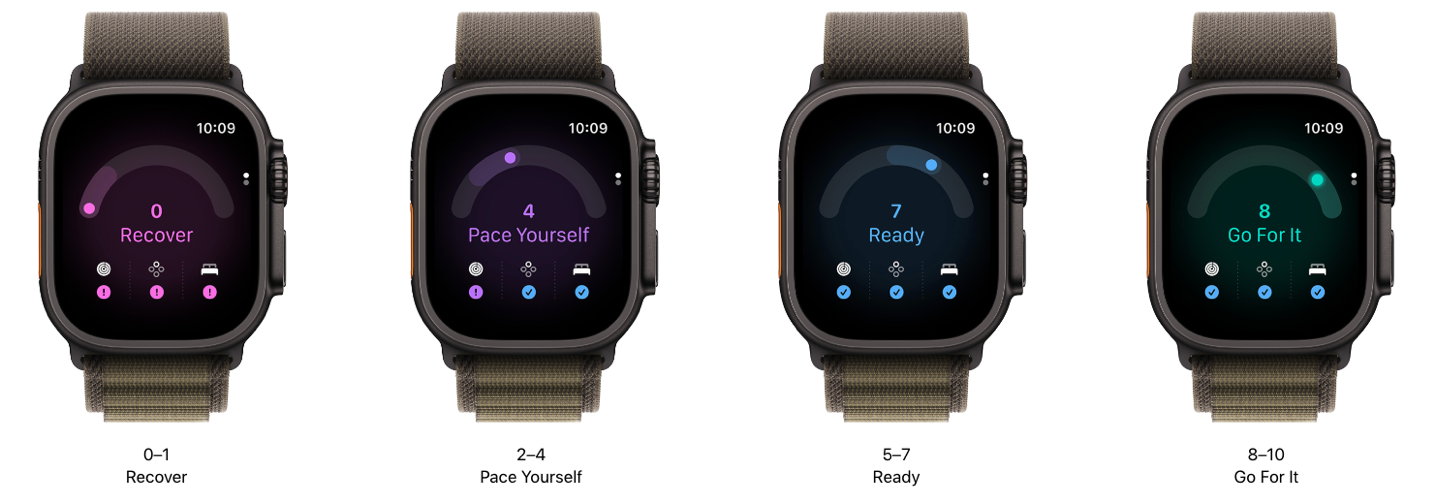
Or, numerically:
– 0-1: Recover
– 2-4: Pace Yourself
– 5-7: Ready
– 8-10: Go for it
These scores are in turn based on four core umbrella categories:
– Fitness: This is primarily your workouts, but can also include other activity
– Overnight Vitals: This includes your overnight resting heart rate, respiration rate, wrist temperature, and overnight HRV
– Daylight Vitals: This includes your resting heart rate during the day, and HRV during the day
– Sleep Score: This is your sleep score from last night, based on sleep times/durations/phases
Getting a readiness score requires some historical data. The longest period is 7 nights’ worth of HRV data before your first Readiness Score will populate, which is done on a per-watch basis. Likewise, other per-watch metrics include your wrist temperature. As well as your resting heart rate and respiration rate. Point being, it’ll be 7 nights’ worth of days (with a minimum of 4 hours of sleep per night), before you get a score. Finally, your data is then trended against a 49-day historical span (7 weeks). Apple says they found that the right balance is using historical data as a counterweight, versus being too long to not track recent fitness gains.
Now, as noted, your score is dynamic throughout the day. That’s similar to Garmin’s Readiness score, which is dynamic throughout the day, whereas Google/Fitbit’s readiness score is not dynamic throughout the day. So fast-forward a few hours later, and around 1PM I went out for a 2-hour-long road cycling ride:
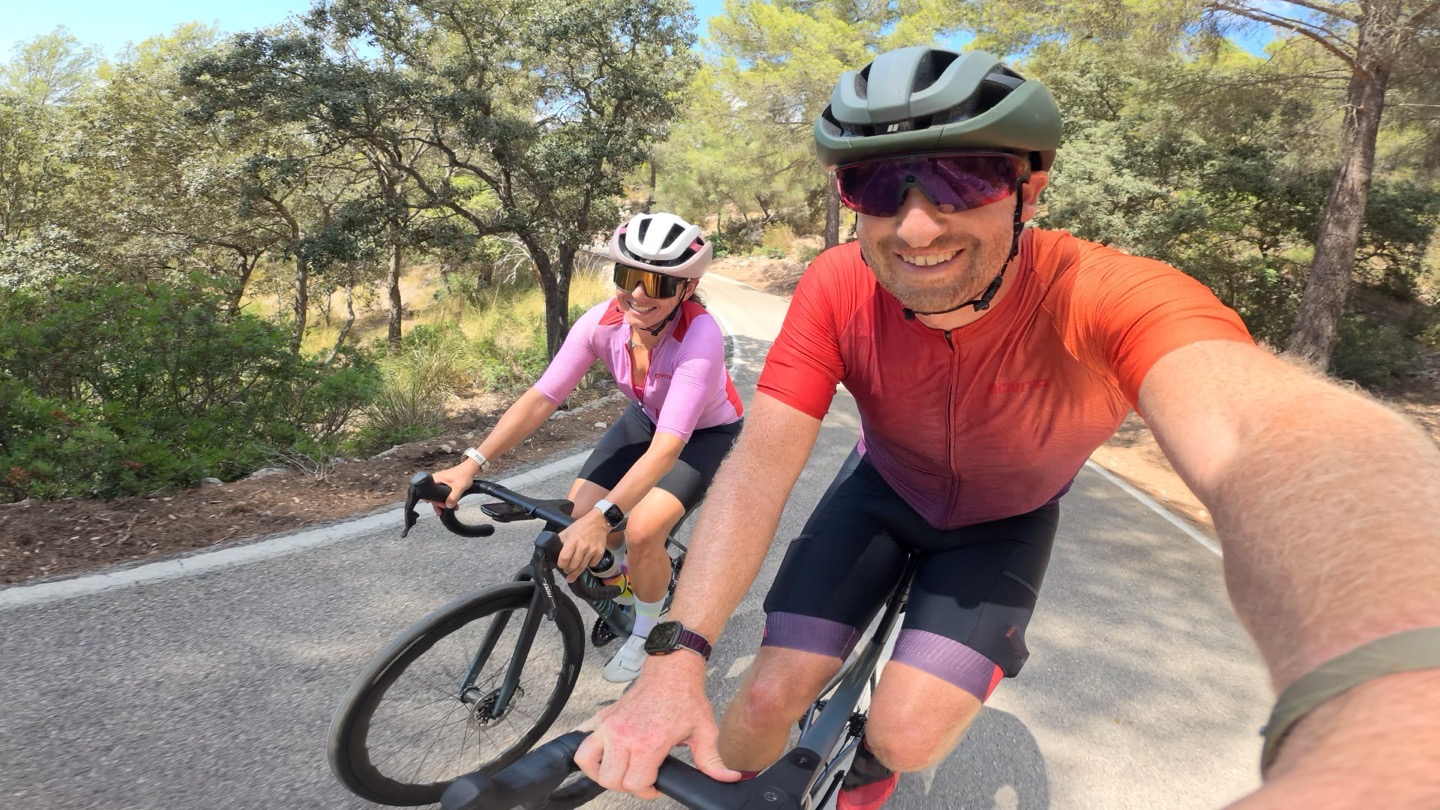
This ride was of medium intensity. Nothing too crazy. Upon returning and saving my ride, the watch immediately notified me that my Readiness score had dropped down to 5 – still ‘Ready’ (from 7). That makes sense, as my ‘readiness’ to train or tackle additional load was now lower. Inversely, had this not been crazy-busy watch review season and I somehow had time to take a nap, that score could then improve a few hours later (perhaps to 6 from 5).
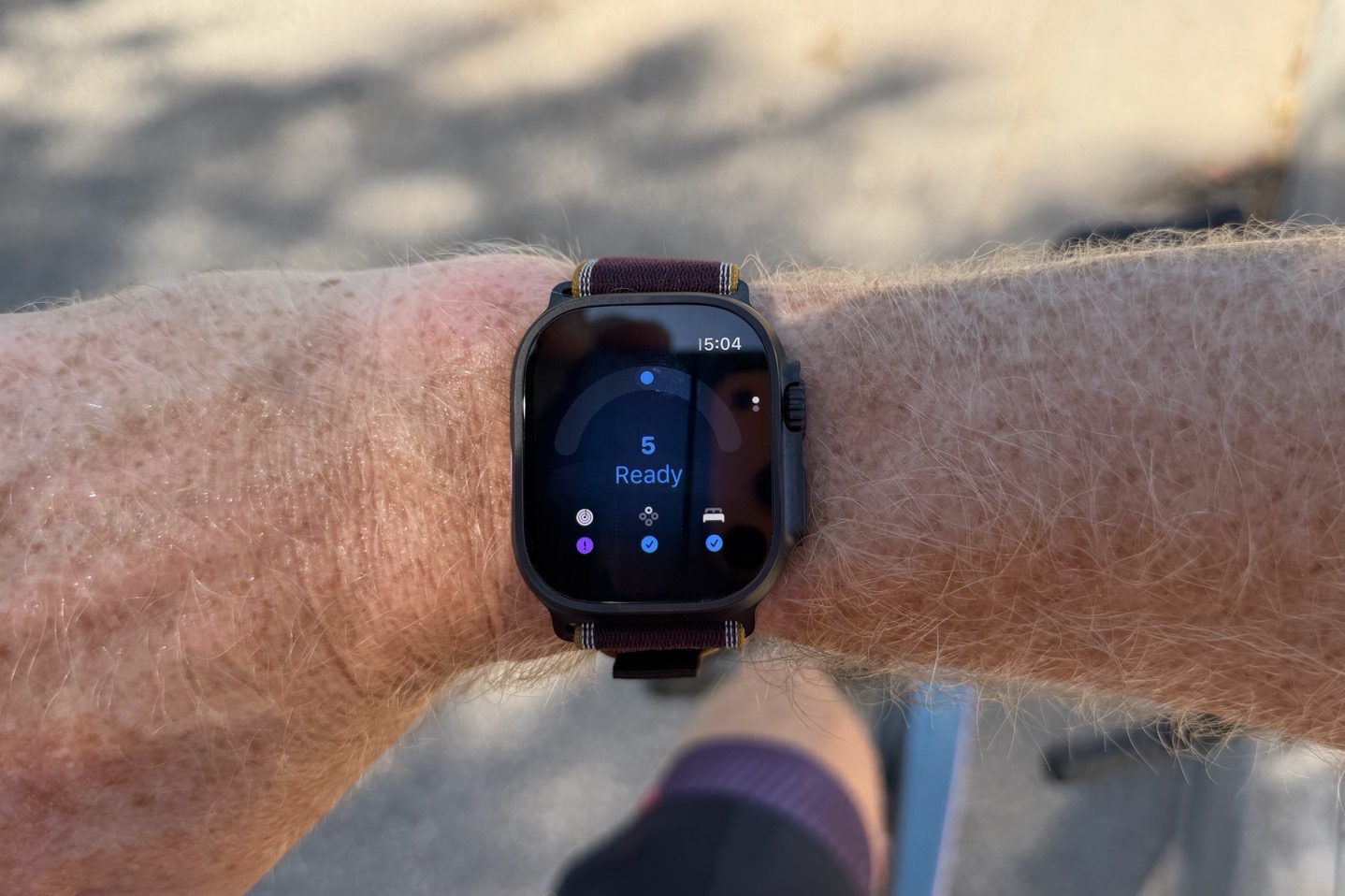
Now, fast forward again another few hours later, and it was time for a group track session under the lights. In this case, my readiness score was still 5 at the start of the session.
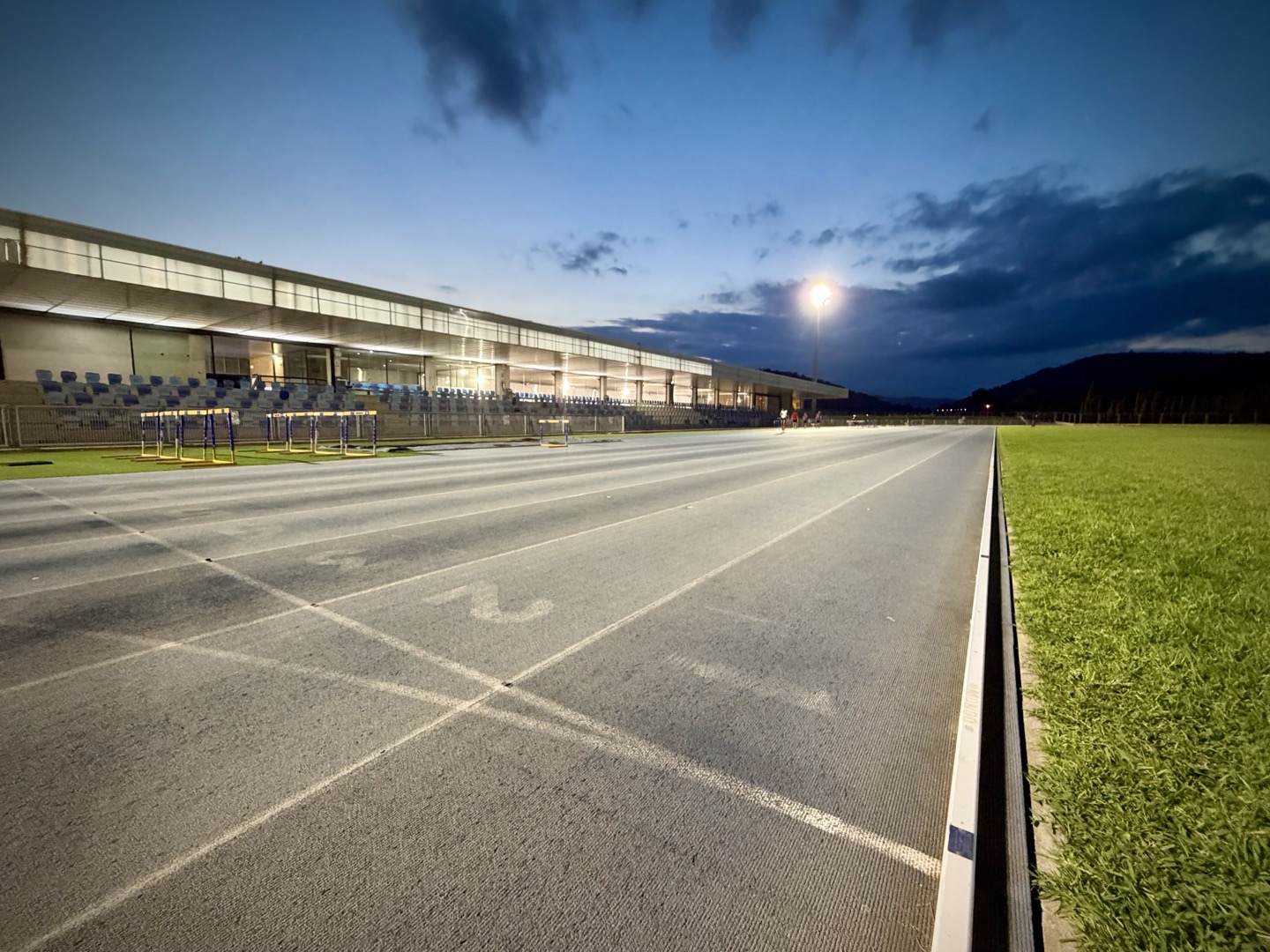
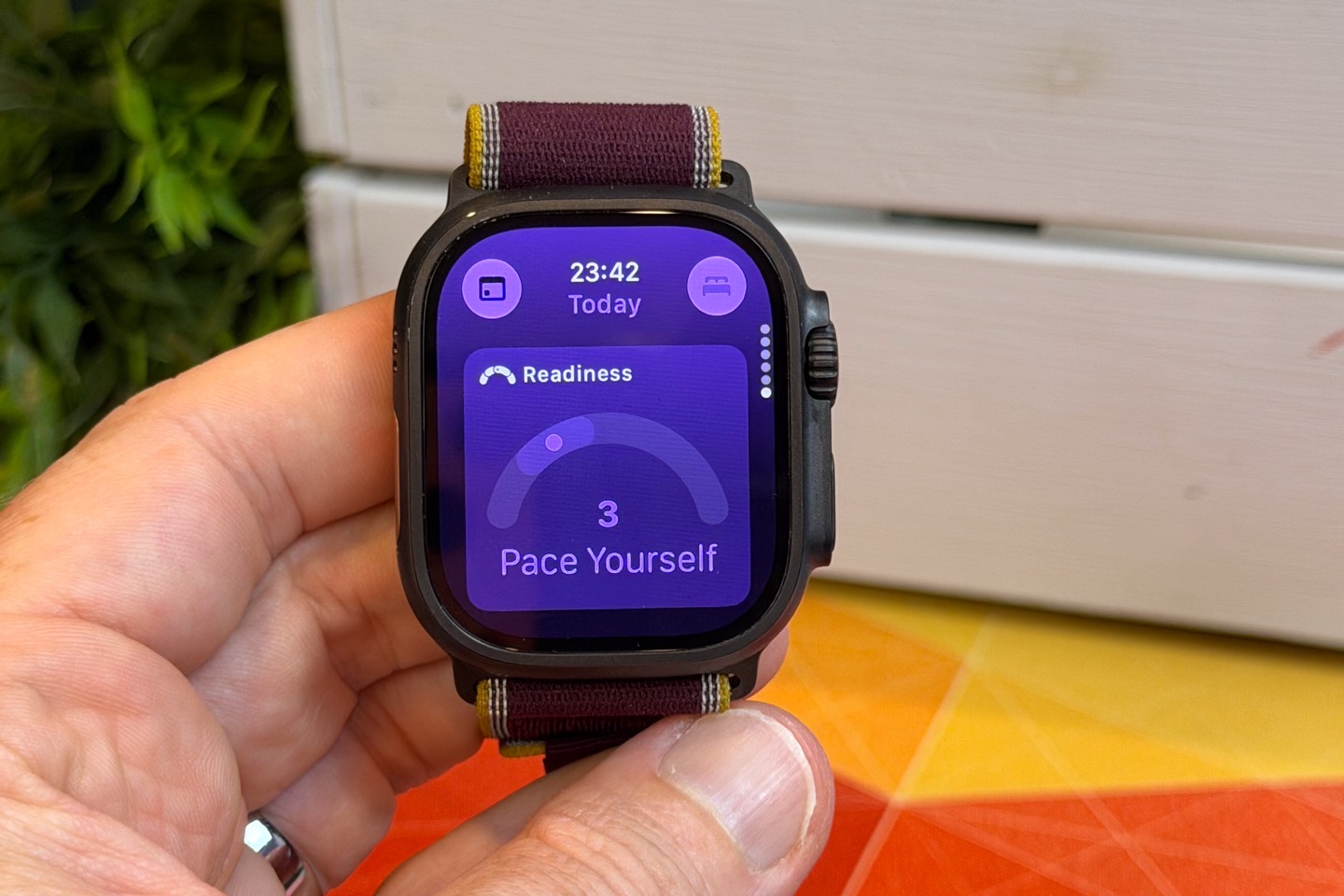
An hour later of 8x600m repeats at a reasonably strong pace, I saved my workout. Initially, the Apple Watch Ultra 4 didn’t update my Readiness score. Whereas the Series 12 worn on the other wrist immediately updated it to 3 (Pace Yourself). However, about two hours after I completed the run, the Ultra 4 finally updated its score to a ‘3’ as well, as seen below:
It was a bit odd that it took so long to show up, but it’s also a pattern I’ve seen with the Series 12 (both are paired to different phones, though they do share the same backend account). For example, the Series 12 showed my sleep score immediately on my phone, but refused for 4 hours to show the sleep score on the watch, and thus no readiness score. Then magically, it showed both. Likewise, I often get null results (as seen below), only for it to update seconds later, or show an entirely different incorrect value for a few seconds before correcting.
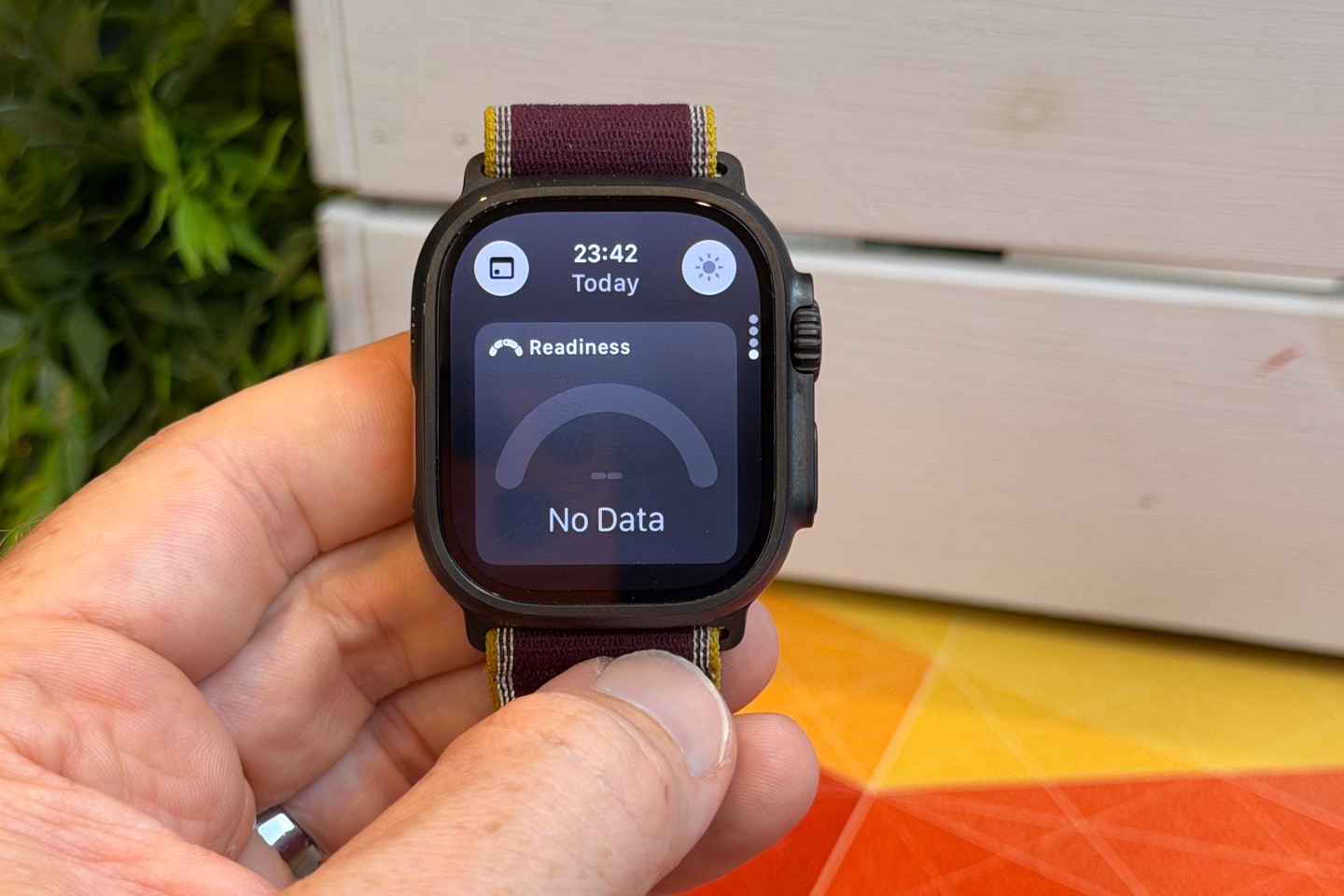
Point is, there seem to be some minor ‘speed’/display bugs to work out there. Apple says they’re working on it, and hope to have fixes shortly.
Now of course, these scores are still ‘early days’ for Readiness. I’ve only got a few days of Readiness scores as of this writing. And in fact, the Daytime HRV value trending still hasn’t shown up (I get daily values, but not yet trending). Apparently, that is a bit more picky on how it establishes that trend, despite now having 8 days of data on it. I’m not terribly sure what to do with the Daytime HRV values anyways. Huawei semi-recently started adding that on some models, but otherwise, nobody else shows consumers daytime HRV values. This is probably because they are incredibly variable minute to minute and hour to hour in a non-resting state. I’m honestly a bit surprised that Apple went down the path of exposing them, but…here we are.
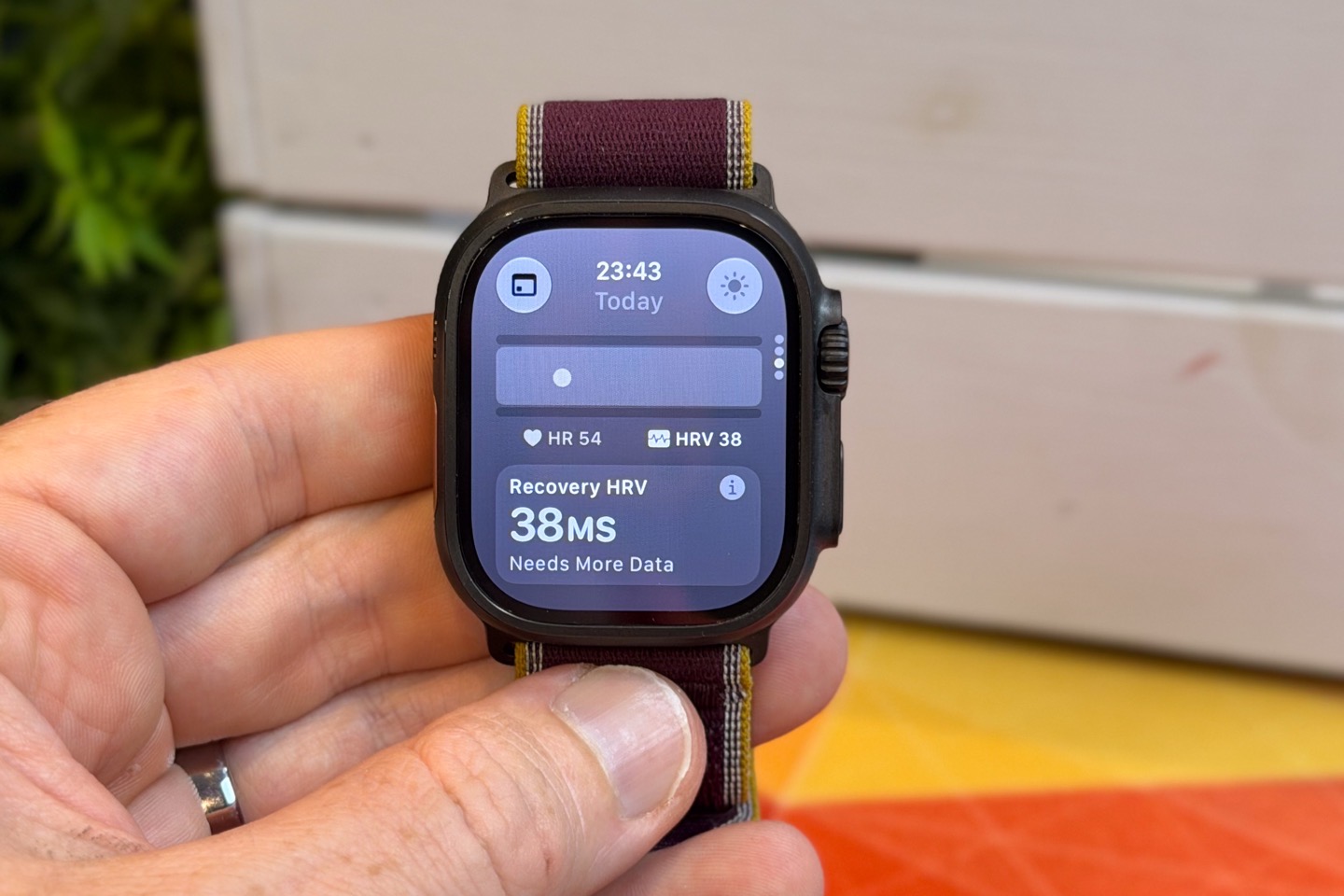
The key thing to understand here is that Apple is actually comparing to your historical values for that given time slice of the day. And those historical values exclude any periods of movement or workouts. In other words, for an active person it may take far longer to build-up a daytime HRV baseline, because you’ll get very few (if any) daytime HRV data points. For example, take a look at my data points here, and focus on the ones roughly between 9AM and 11PM. In some cases for certain days, I have zero values for a given hour time slice (e.g., 2-3PM).
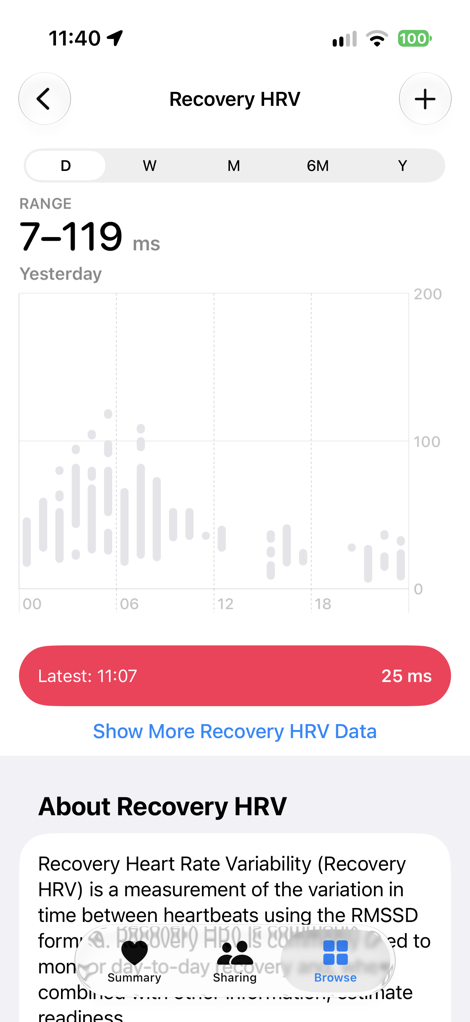
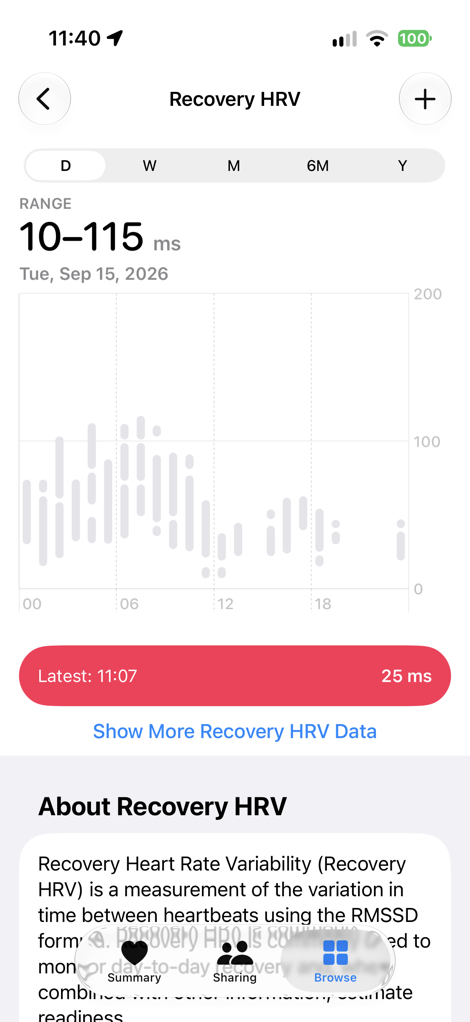
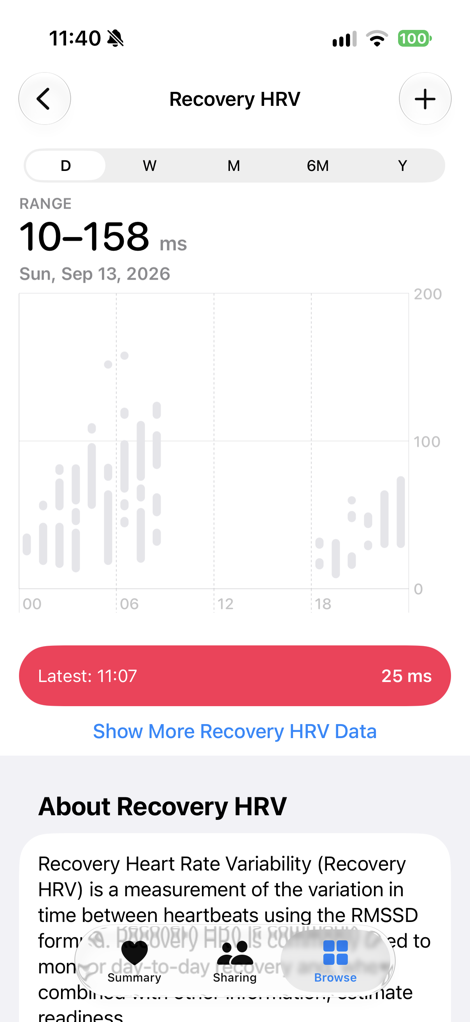
Thus, I have to keep waiting until my ‘hourly’ cup is full for a period of 7 days for each hour of the day to see the recovery HRV value during that time period. Further, it means I could see a trended vitals value from 4-5PM, but not 2-3PM. Apple says they’re doing this to ensure the data better maps to your circadian rhythm. I get the thinking here, but this just seems really complicated, in a very not-Apple-like-way.
Oh, you can also see your daytime HRV values in the revamped Heart app on the Apple Watch, for example, this: here at the end of my day:
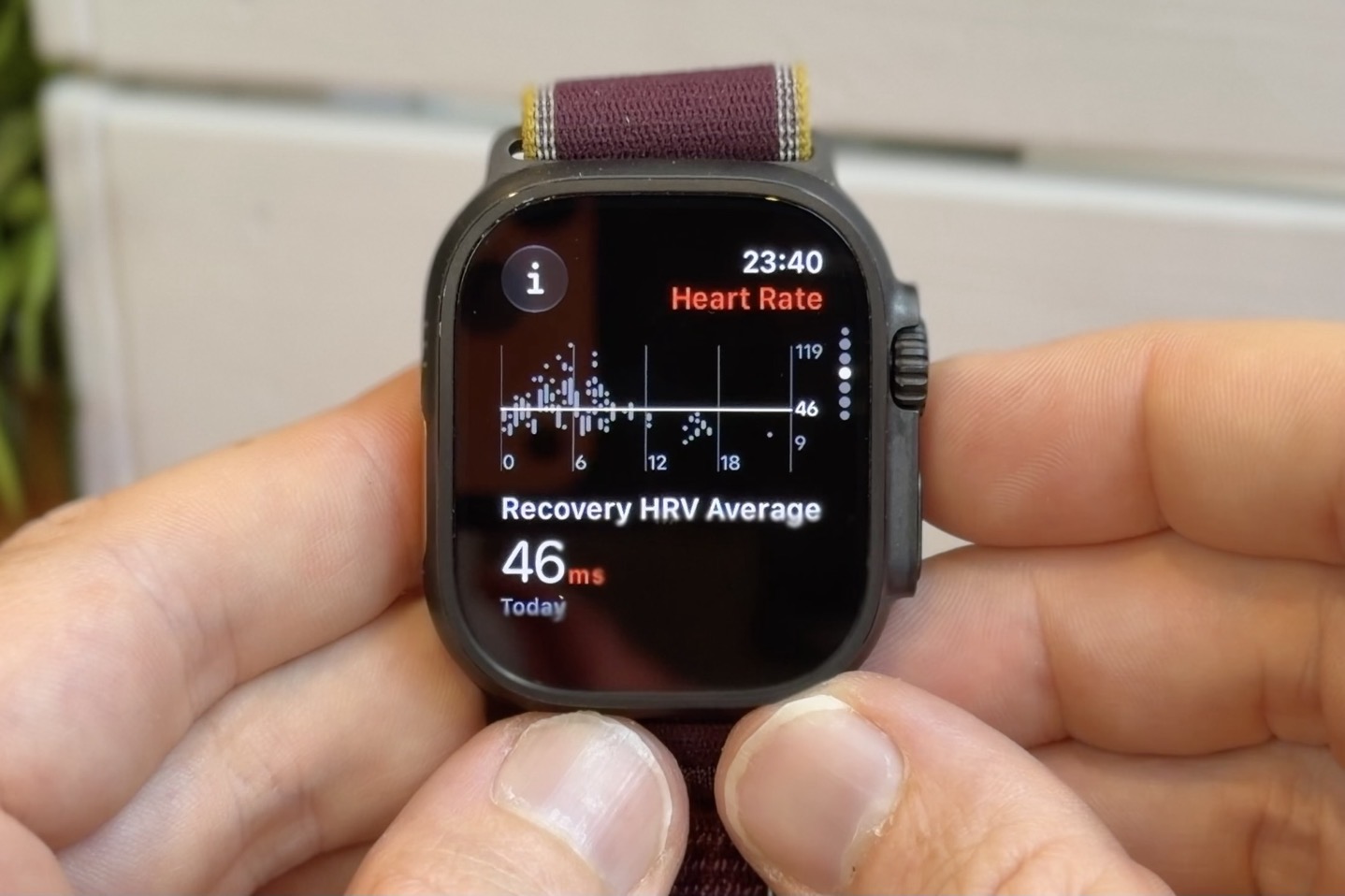
Now, as for the nighttime HRV values, Apple says it does a simple average of the in-sleep values for the night. This is great, and adheres to the industry norms of what others do. Further, Apple uses RMSSD for their nightly/recovery HRV values (and all values shown in Vitals), again, letting you compare it with others.
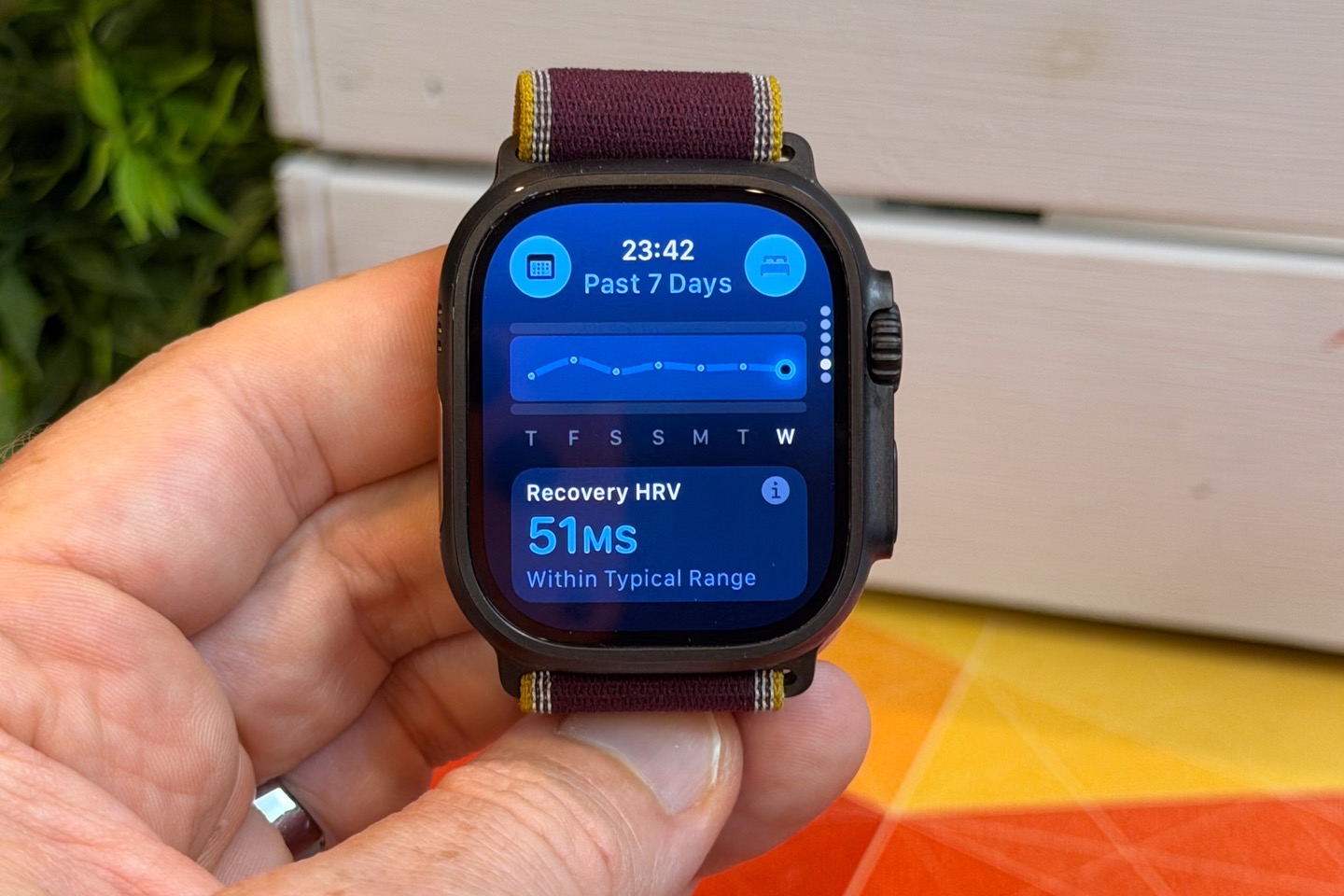
Whereas for the previous value type of SDNN, Apple says it’ll still use that for irregular rhythm notifications, an input to the Health Age feature coming in the new app, as well as some other features.
Finally, to round things out, as noted, Readiness depends on the Vitals scores that you’ve seen previously (launched previously), just with HRV added in there. Here’s how that looks each day:
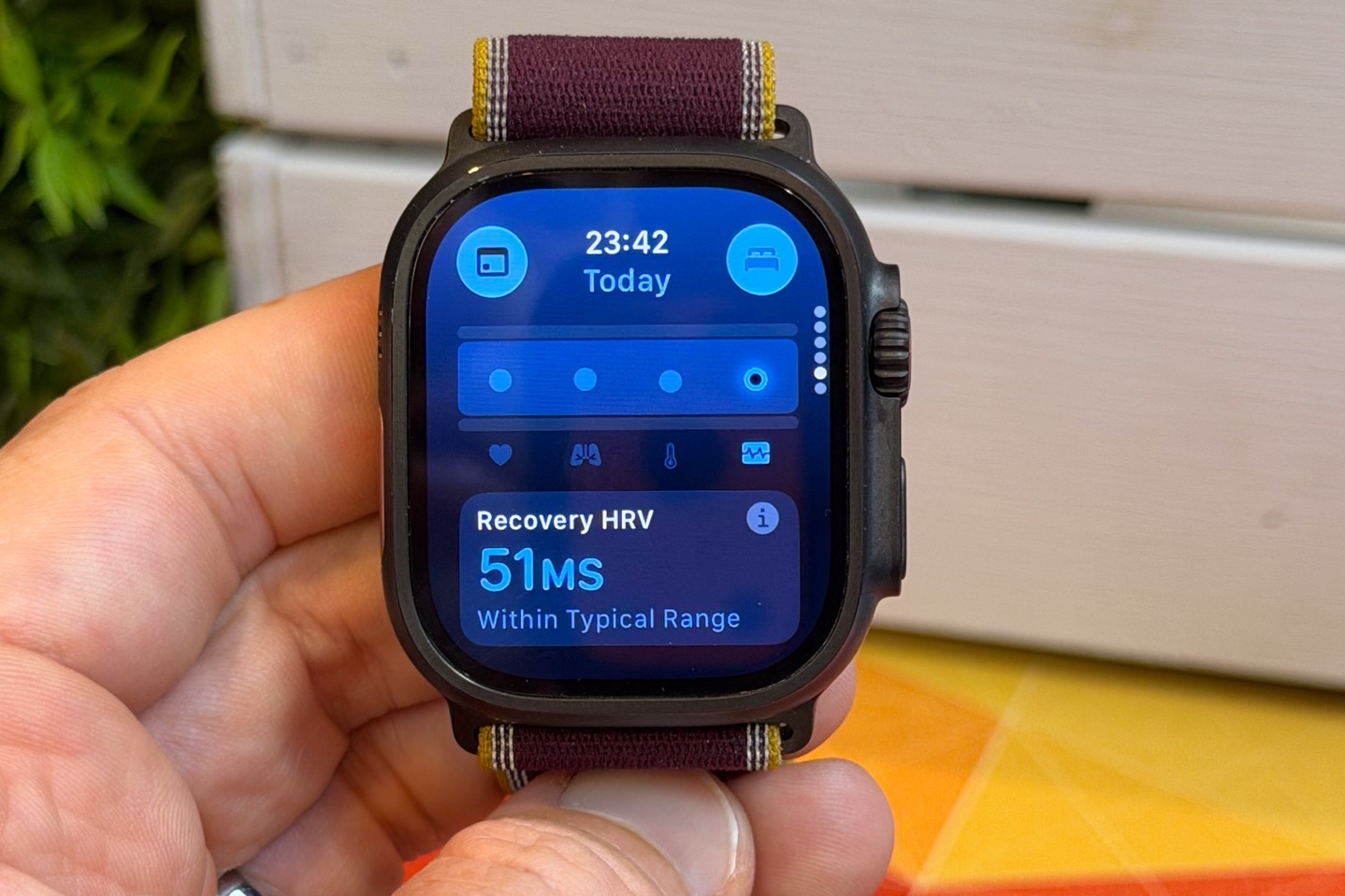
If you have an outlier (as defined as a comparison to your personal historic baseline), then it’ll turn pink. If you have multiple outliers, it’ll also push a notification to you to be aware of it. These outliers can and will also drag down your Readiness score. In fact, when it comes to ‘why’ your Readiness score is lower, you can see that both within the watch, as well as the ‘Readiness’ chunk in the Fitness app (and eventually the new Apple Health app). Here are some examples throughout the day as it changed:
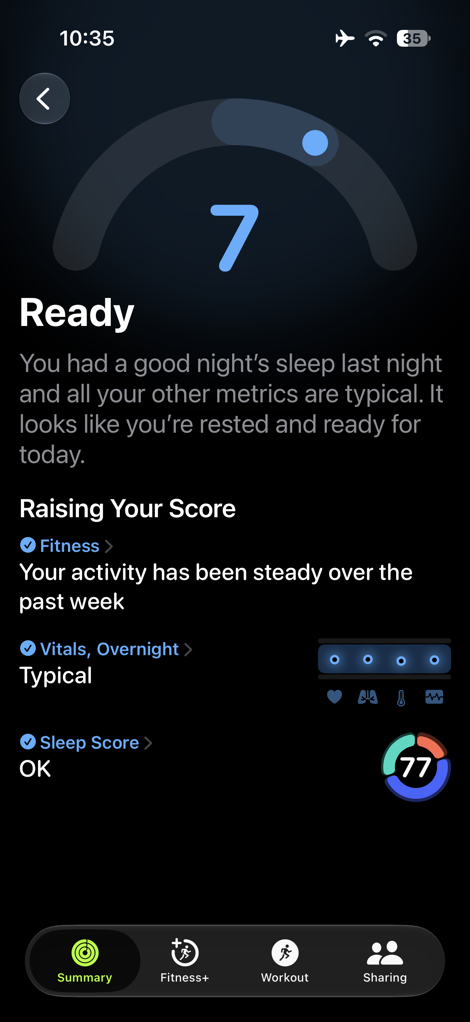
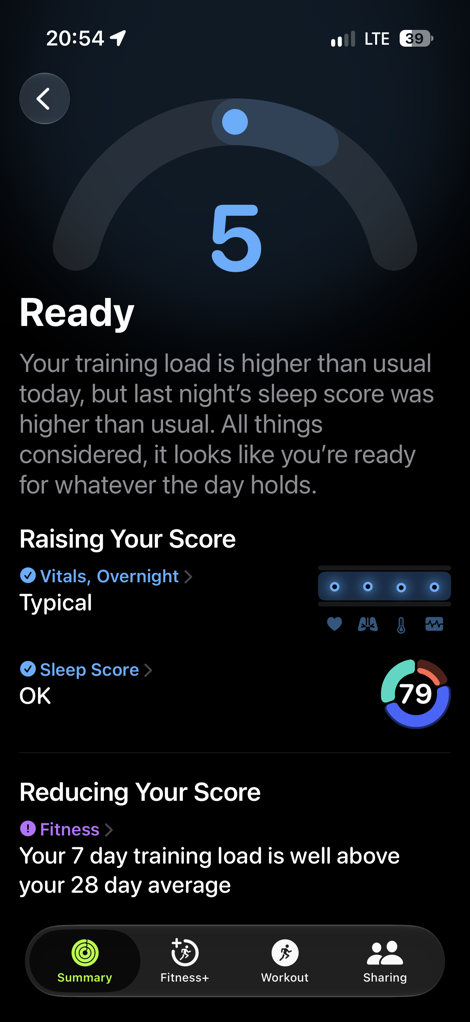
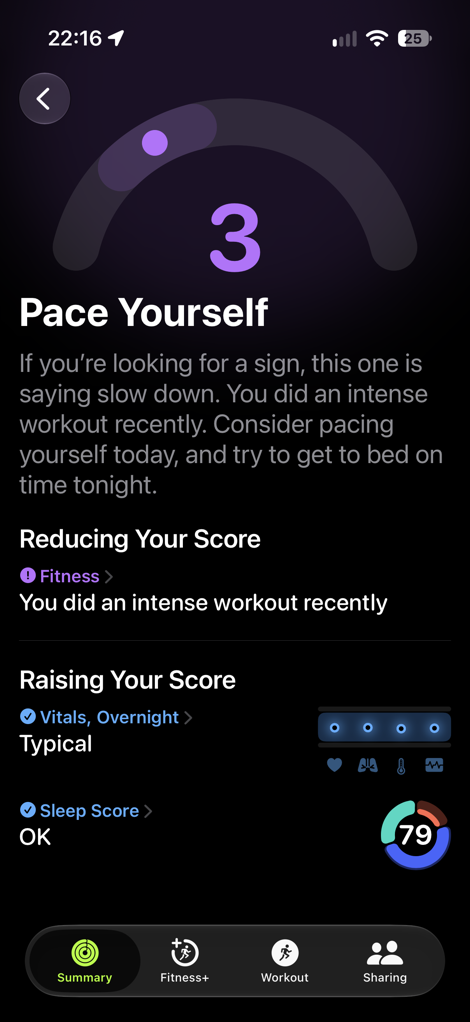
Overall, I think Apple’s Readiness implementation is pretty solid. It roughly follows what others have done, and does so in an equally easy way to understand. Very Apple-like. Though, I’m hoping the delays are merely a one-off fluke. That said, I’ll be revisiting this in a week or two with some thoughts on how the Readiness Scores compare to others. For example, last night after the track workout, you can see how these two aligned. I’d argue the truth is probably halfway in between here.
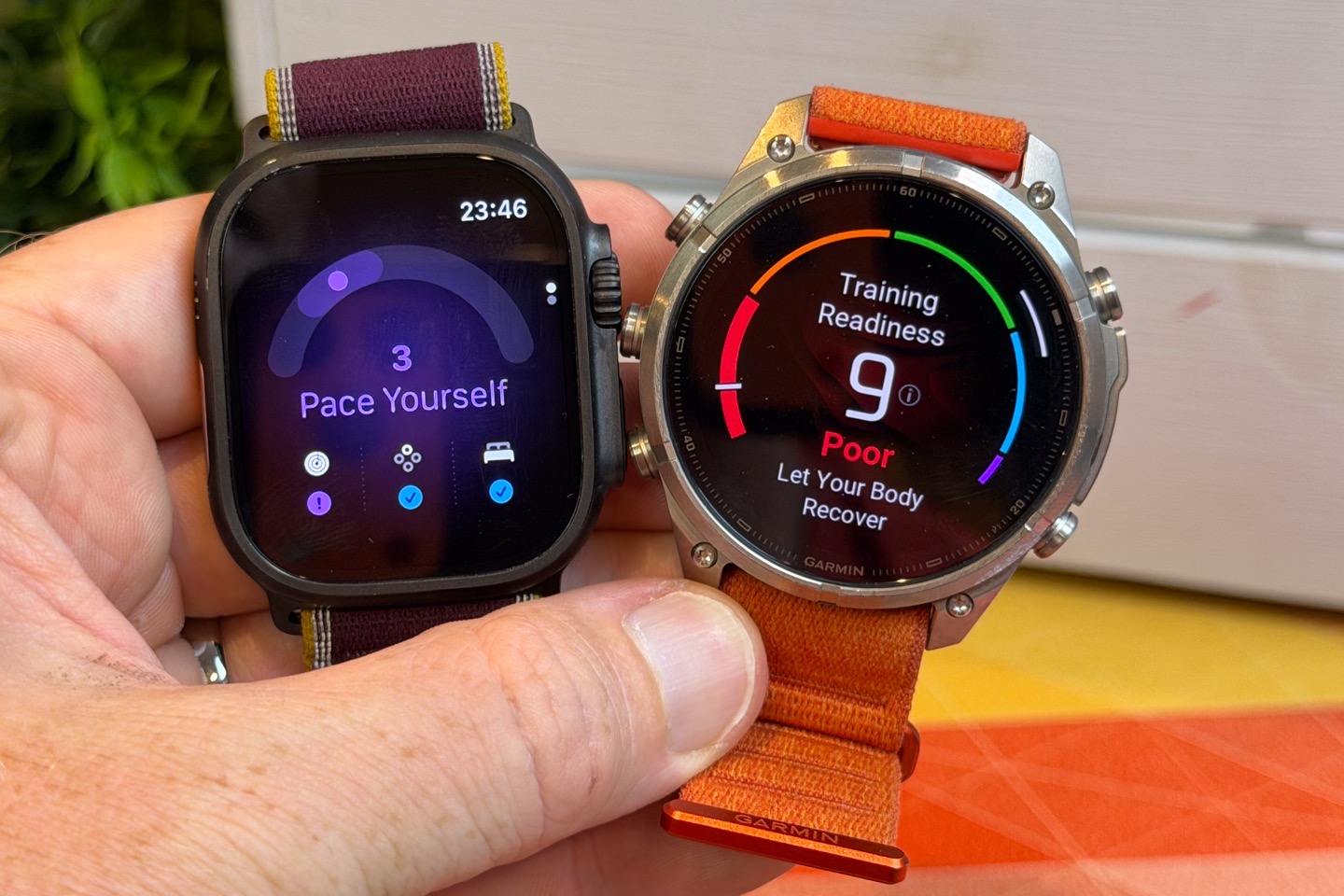
In this case, keep in mind that Garmin has *far* more HRV data in my account than Apple does, since Apple merely has 7 nights’ worth (and Garmin has years). Further, Apple doesn’t let you leverage different-watch data in these trends. So in my case, all my years of Apple Watch data is mostly irrelevant when I switched to the Ultra 4. Whereas again, Garmin has years of data (but only leverages the last 90 days). So it’s likely to have a bit of a house advantage in the short term. Still, there is no industry standard for how to define a Readiness score; it’s up to each company. Ultimately, a gut check is still required. But again, more down the road.
Sports Tracking:
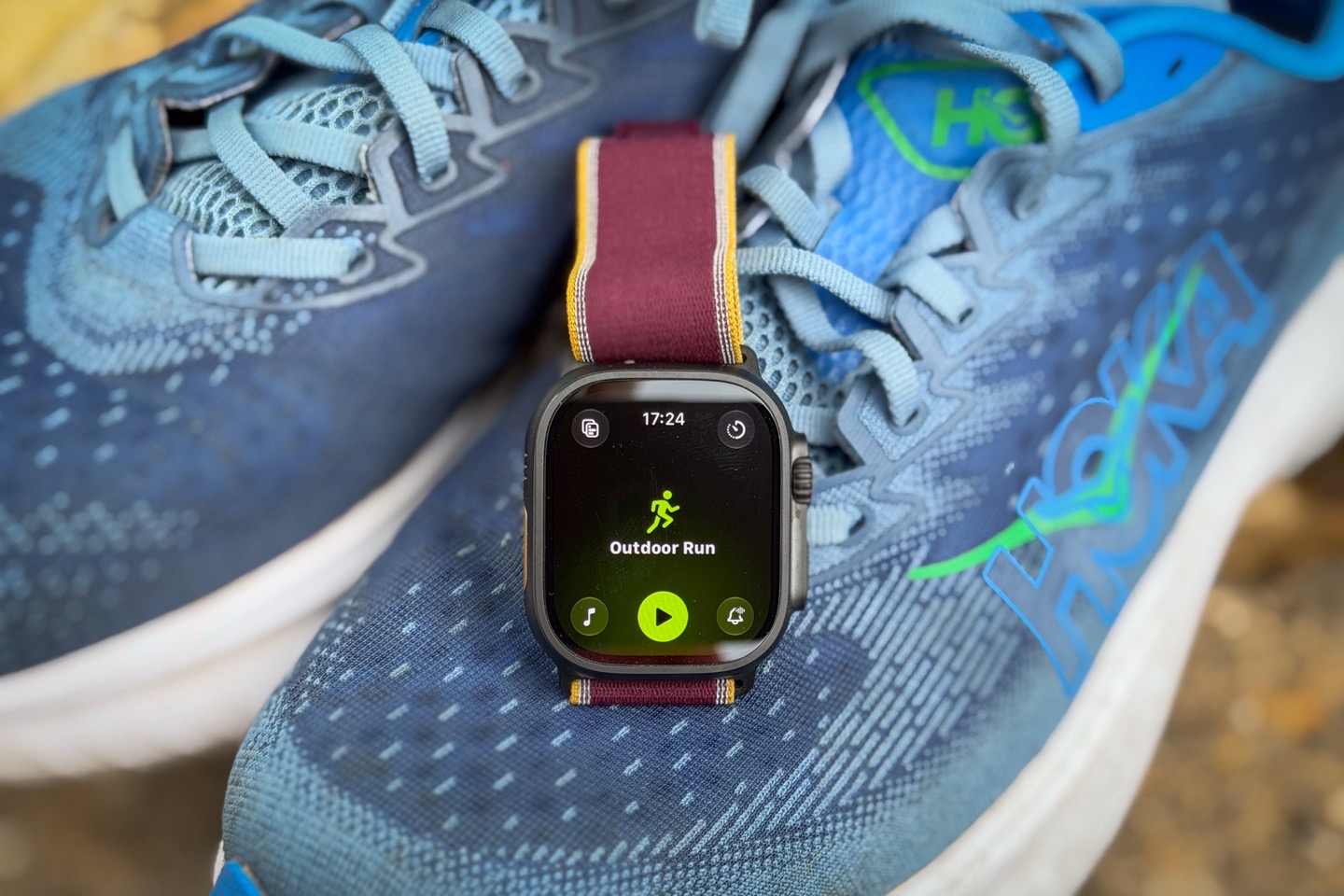
The Apple Watch Ultra series is quite a capable sports watch, depending on how you plan to use it. I’ve used it without issue in the past with the Ultra 3 for long 15-hour single-day treks 70KM into the mountains. And then with the Ultra 4, across numerous sports. Sure, it won’t have quite the depth of sports information as a Garmin Fenix series watch (especially when it comes to navigation/mapping), but if you don’t plan to get lost in the woods, then the Ultra 4 will likely cover you just fine.
To begin, you’ll open up the Workout app. That app can be accessed via the Action Button (assuming you’ve configured it in a default setting), allowing you to select a sport type. Apple has a huge list of sport types (here’s the full list). In general, the key difference between Apple and something like a Garmin/COROS/Amazfit/Suunto/etc…is that Apple will distill all cycling down to ‘Outdoor Cycle’, whereas the others will have separate sport profiles for Road Cycling, Mountain Biking, Gravel Cycling, eBike, eMTB, etc… Same goes for running just being ‘Outdoor Run’ versus others having Trail Run, Track Run, Adventure Run, etc…
In any case, while Apple announced new sport modes last year with the Ultra 3/Series 11, there are no new sport modes this year on the Ultra 4/Series 12.
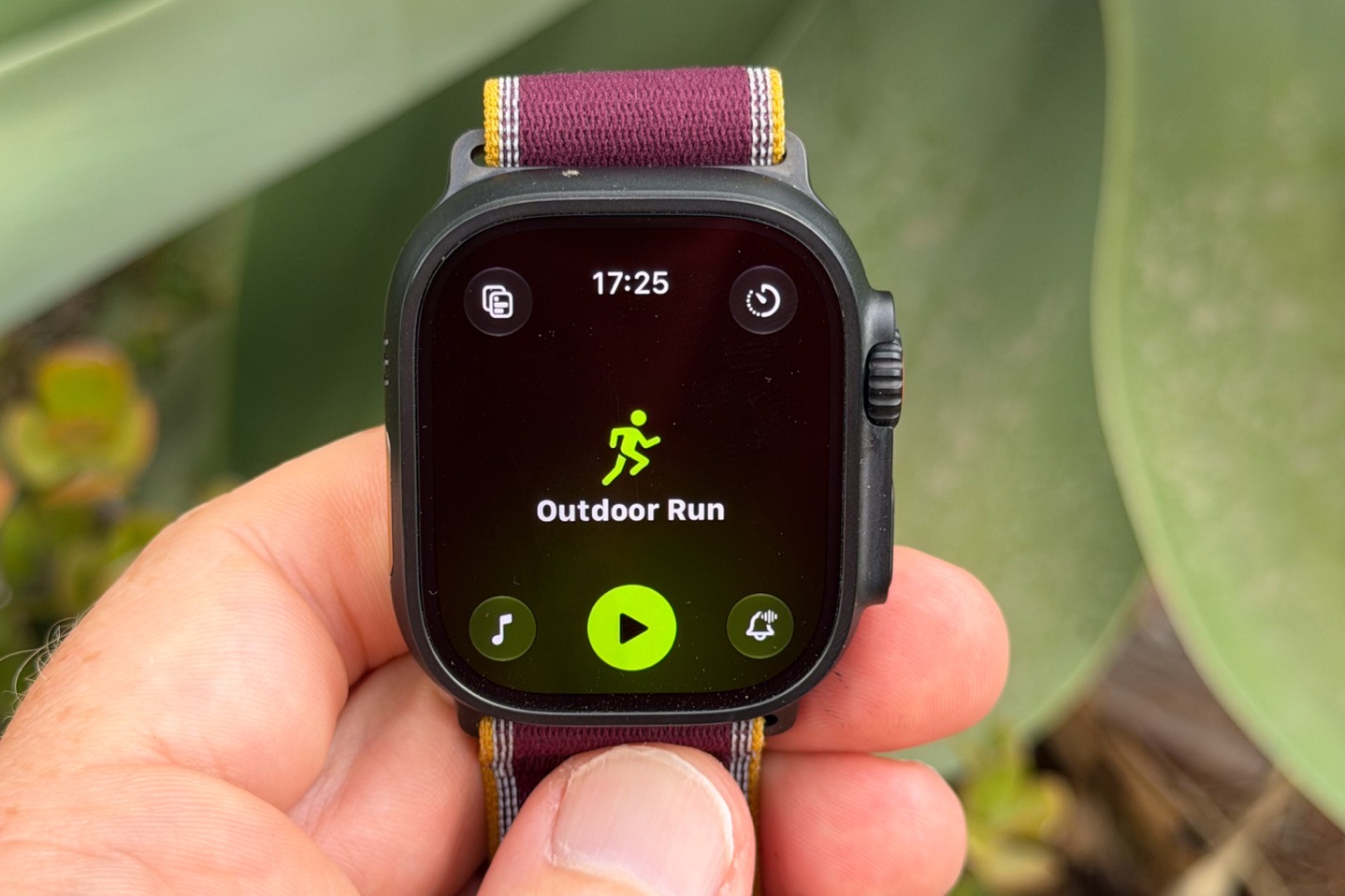
Once you’ve selected a sports mode, you’ll see in the upper corners that there are four ways to get into additional settings/features (shown above):
Upper left: Workout Views (aka your data pages/settings)
Upper right: Workout goals & structured workouts (aka the different ways you can have the watch tell you to suffer), including the new Extended and Max Extended modes
Lower left: Music (all things music)
Lower right: Workout Buddy & Voice Alerts (thus, all things voice-over related)
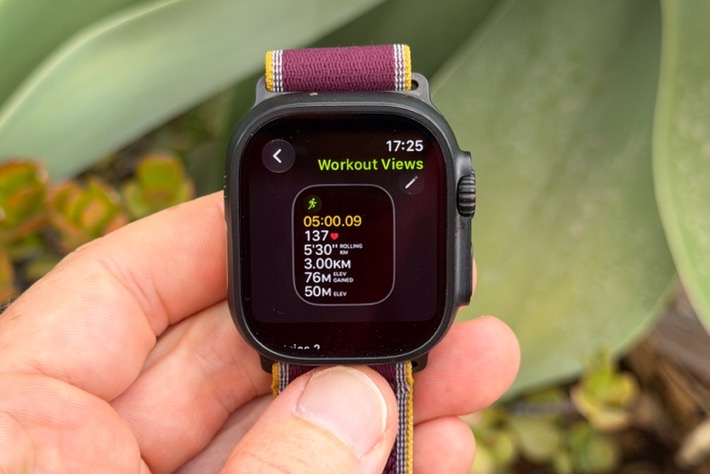
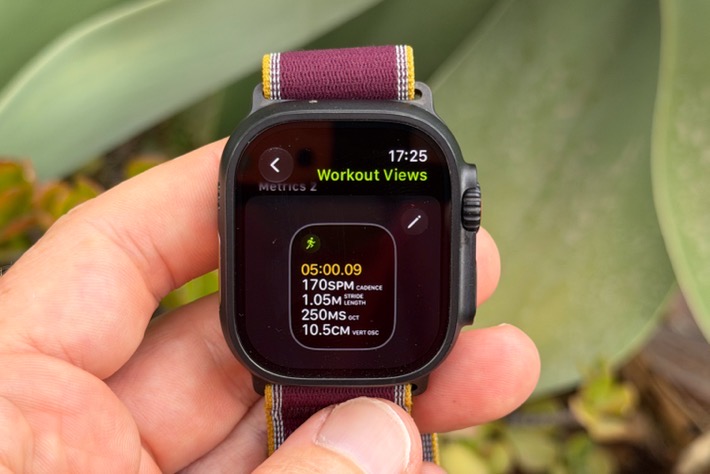
You can customize your data fields (called ‘Workout Views’), within the watch, selecting the data fields you want. Again, there’s a reasonable level of customization here, but you can’t go super-crazy with lots of hyper-specific endurance sports data fields. It’s a balance. More than Google, but less than Garmin.
There’s also the ability to do structured workouts, which can be created on the phone, or pushed from platforms like TrainingPeaks, Strava/Runna, and more:
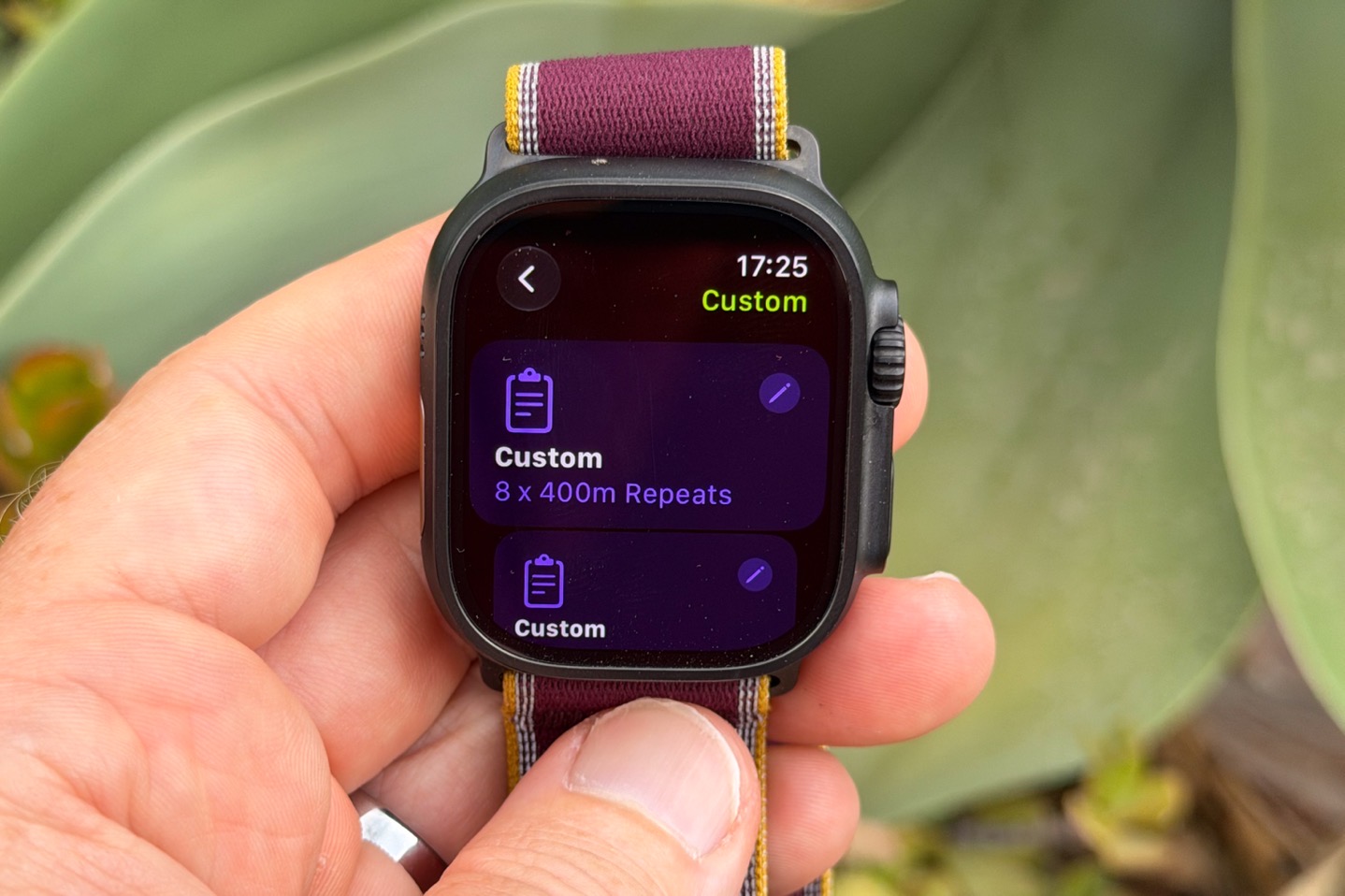
One of the new features of the Ultra 4/Series 12 is the new Extended and Max Extended modes:
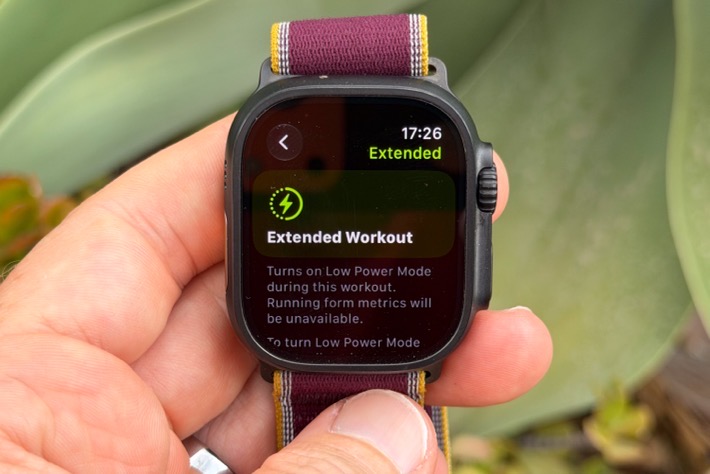
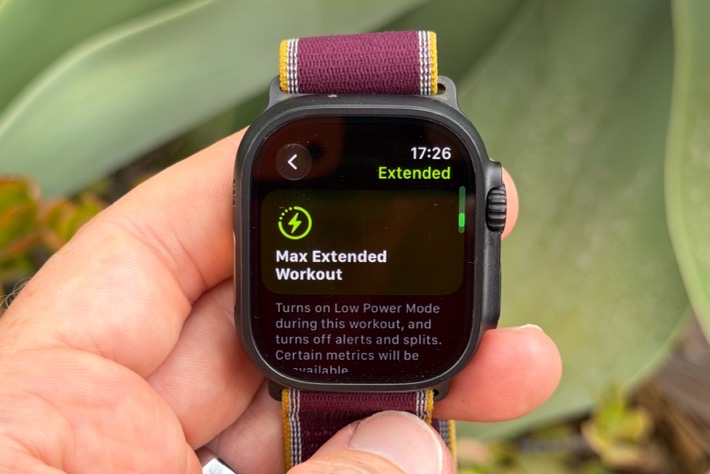
This extends out the GPS battery for the Ultra 4 from 20 hours to 25 hours in ‘Extended’ mode, whereas the ‘Max Extended’ mode gets you 45 hours of GPS battery time. Here are the trade-offs:
Extended mode (25 hours GPS): Retains everything but turns off always on display, and running form metrics turned off. Cellular operations gets batches a bit. Everything else remains on, this is effectively the previous ‘Low Power Mode’ renamed.
Max extended mode (45 hours GPS): Retains 1-second GPS update rate (with dual/multi-band satellites), HR data recorded at every 5 seconds like normal, but showing a 5 minute rolling average on screen instead of instant updates. No splits, no alerts, no custom workouts. Plus previously cellular batching, no running metrics, and display not always-on.
In any case, with all that sorted, once you start the workout, it’ll show your data pages as normal (assuming a normal configuration). There’s nothing really unique here for the Ultra 4 compared to the past. Here’s an example of some data fields:
One slightly notable thing is that Workout Buddy (which was introduced last year) will audibly tell you about your Readiness Score within the intro to each workout. Or at least, all my workouts thus far. Still, as with the past, I find it frequently hallucinates about the things it says, even over the past week. Both making up things that don’t exist and just saying downright weird stuff (phrasing especially). That said, on the whole I don’t mind it, and have learned to kinda treat it like the tipsy uncle at the wedding party. Usually entertaining, even if he says some downright wonky things. Of course, you can still turn it off if you don’t like it.
When it comes to post-workout stats, Apple has a pretty brief list on the watch itself. Nothing fancy here:
Though, you can get slightly more data in the Apple Fitness app on your phone, and see/re-arrange stats. The track workout map is a little wonky here because we were actually going on/off track in between some intervals.
One of the stats you’ll see is your training load. Within the Apple realm, training load is a combination of the duration of your workout, and the Effort Rating you give it. At the end of every workout, it’ll ask you to rate your suffering, such as this:
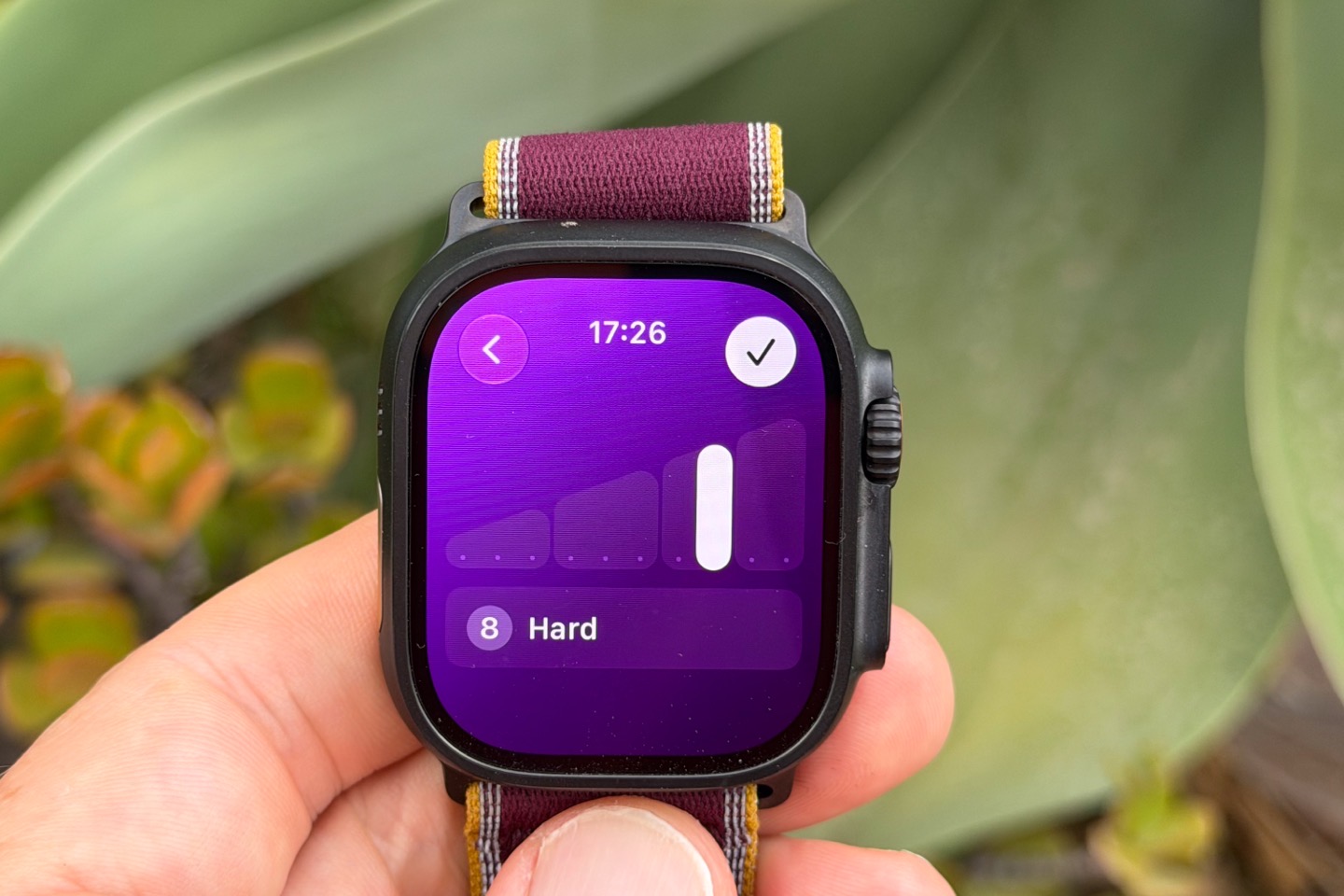
When you do so, it’ll feed into the overall Training Load that Apple has, and trends against your historical norms. This means that it’s a bit more subjective than other companies, which have a specific algorithm tied to heart rate (usually).
The downside to this is that you may not be a great judge of your effort (or specifically, how to compare a short intense track workout vs a longer duration easy run). But inversely, this ‘solves’ for the problem of dealing with really long but relatively low-heart-rate efforts (like a 15-hour trek). In the case of Garmin/etc… those tend to be given very low training load values (even less than a 5-10KM run), since the heart rates tend to be lower. Yet, those longer 12-15 hour efforts often have far greater strain on your body than a 5-10KM run.
Realistically though, if data is your jam, you’ll still probably find Apple’s Fitness app pretty thin on stats, analysis, or even the ability to dig /zoom deeper into things like heart rate charts. This area could use some love. Thankfully, there are plenty of apps that are out there, which can easily tap into the Apple Health data (via HealthKit), and slice and dice your data any number of ways.
As I’ve said before, one of my favorites continues to be HealthFit, which I use for syncing data to numerous data platforms (including any moment now the DCR Analyzer), but also tons of other platforms. And then beyond that, it has tons of ways to analyze your data.
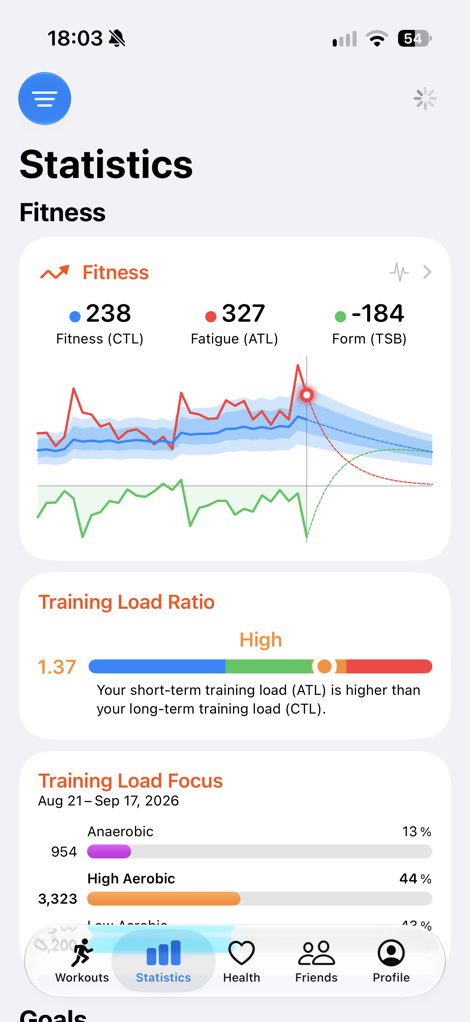
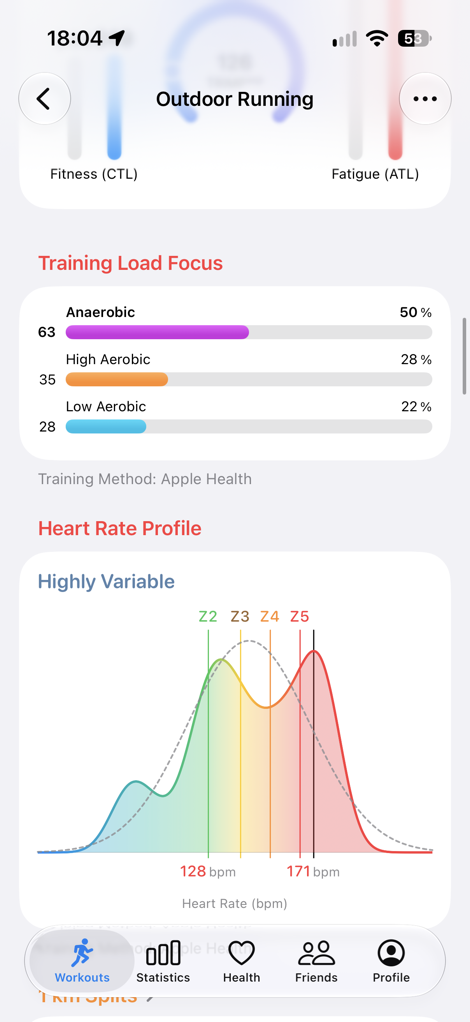
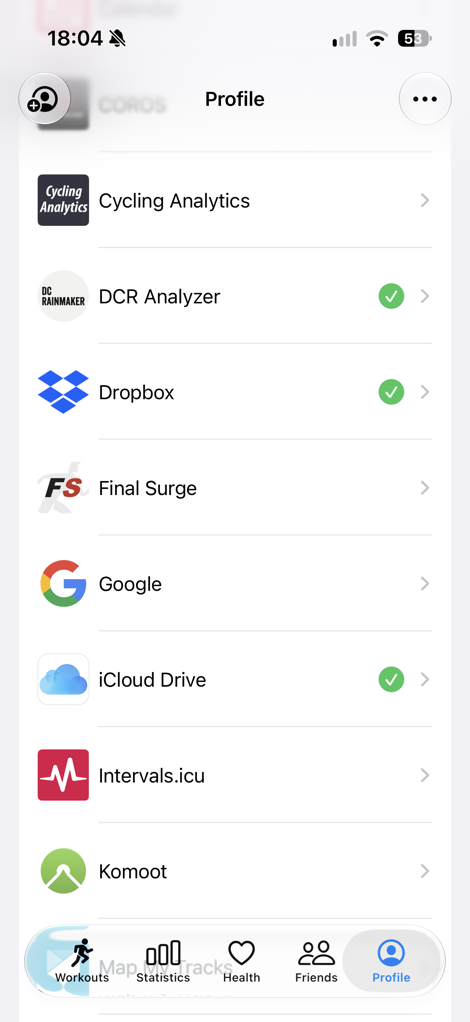
I don’t have any skin in the game there, it’s just an app I’ve been using for more years than I can count. And I appreciate that there’s a real human developer dude behind the scenes, and isn’t just another vibe-coded AI slop app. My inbox is full of those, sadly.
Likewise, when it comes to navigation and routing, you’re almost certainly going to need a 3rd-party app if you’re doing anything even mildly complicated (or, if you live outside the US). I wrote a bunch about this last year in the Ultra 3 review, and none of it has changed here either. Apple’s mapping/routing/navigation situation is probably now the single biggest gap for the company when it comes to competing with most other endurance sports watches on the market.
Oh, and one last thing – battery during workouts with GPS. I’ve been collecting some of that data for longer activities over the last week; here are a few data points to consider from my testing:
2 Hour Ride (GPS):
– Ultra 4 Start: 32%
– Exact Duration: 2hr 4mins
– Ultra 4 End: 21%
– Extrapolated battery capacity/hours: 18hr 47mins (estimate)6 Hour Activity (GPS):
– Ultra 4 Start: 82%
– Exact Duration: 6hr 36mins
– Ultra 4 End: 46%
– Extrapolated battery capacity/hours: 18hr 33mins (estimate)
These are just slightly below the 20-hour GPS battery claim in normal mode, but given my much brighter surroundings of crazy-sunny weather, it’s more likely to have to power the display brighter to compensate slightly. Or, it could be some other random factor. Either way, this is within the ballpark for me.
Audio Intelligence Features:
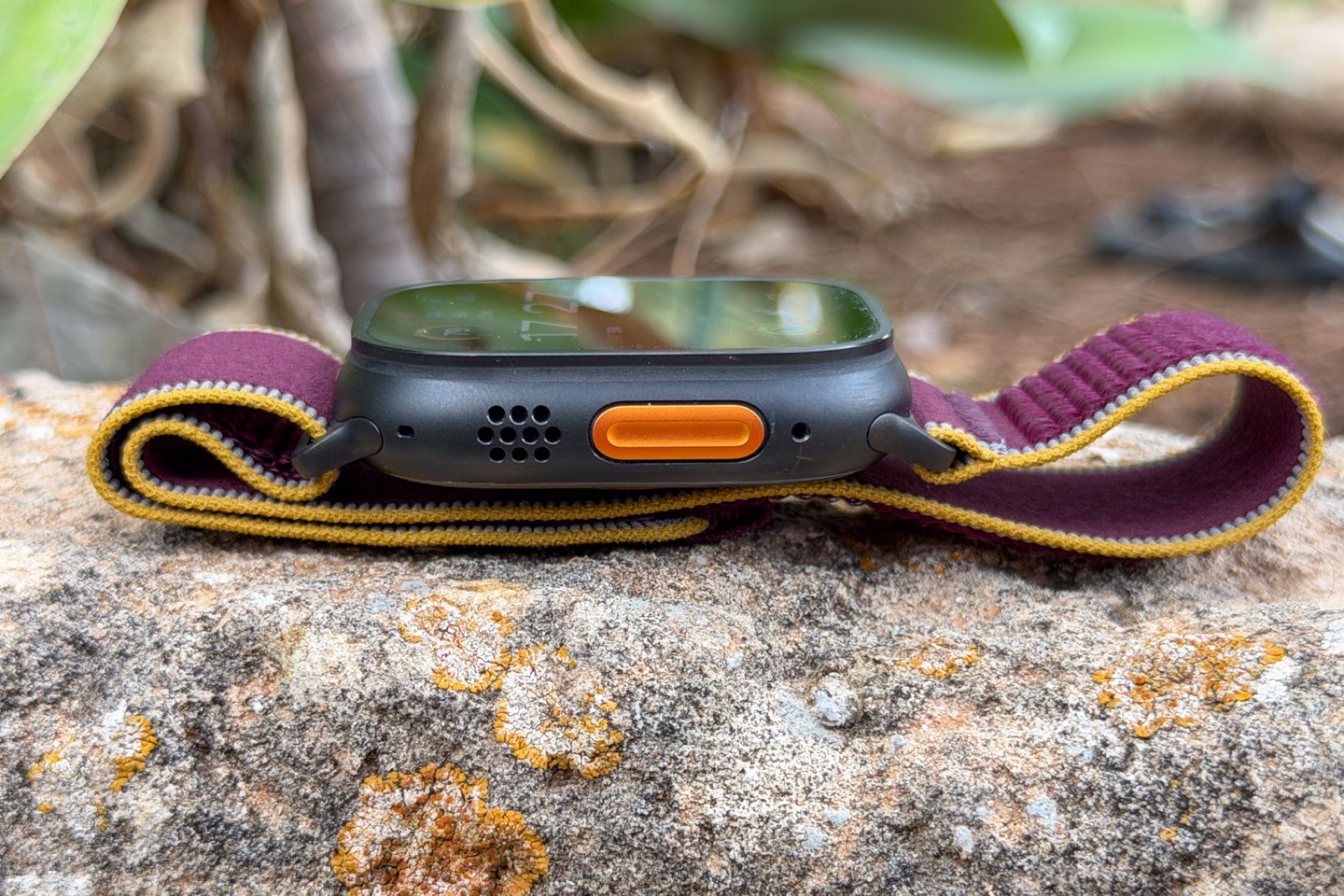
With the Apple Watch Ultra 4 and Series 12, Apple has introduced a new ‘Audio Intelligence feature set. This feature set is partially lit up today, with the remaining coming later this year. I’m going to cover the bits that are available today in this review, and then down the road I’ll cover the rest once available.
Just for quick context though, here’s the full set:
– Everything done on-device, without need for your phone (at least for immediate processing)
– [Available today] Adds Sound Recognition alerts for sirens, doorbells, baby crying, and more (shows up as text on watch)
– [Available today] Instant Shazam: Will instantly show you the name of songs when you raise your wrist
– [Available later 2026] Live Rewind: Double-tap the Digital Crown to get a text-only transcription of the last 15 seconds of spoken words
– [Available later 2026] Siri Recap: Will summarize conversations/spoken words heard around you into a recap that’s available on your phone.
– Can configure all features independently (enabled/disabled, plus further focus-mode like controls for Siri Recap)
So looking at the two that are available today, the first one is the sound recognition piece. This one will automatically notify you on your watch when it hears certain sounds. This is designed for those who may have trouble hearing certain noises/sounds and want a notification on their wrist.
You can configure these sounds on the phone, and then the watch will handle the microphone and notification pieces. Previously, this was done by the phone. Meaning, you no longer have to have your phone with you for these to work.
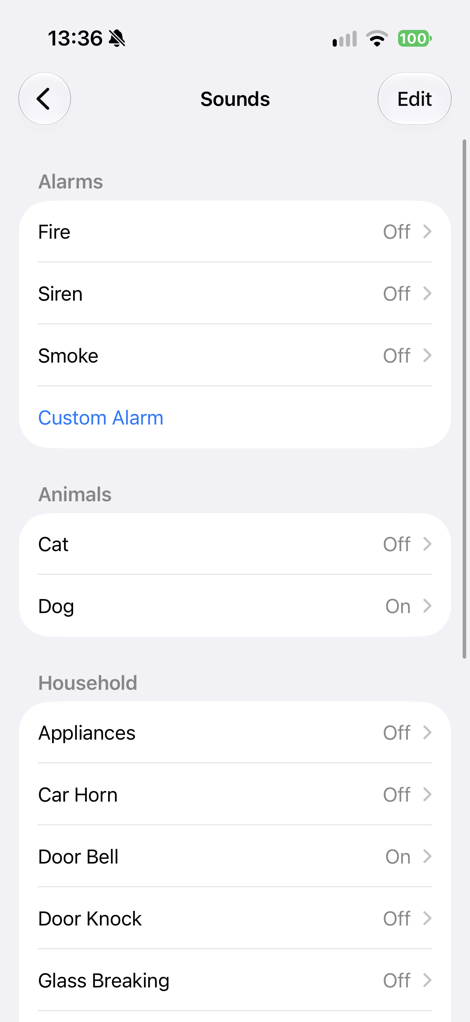
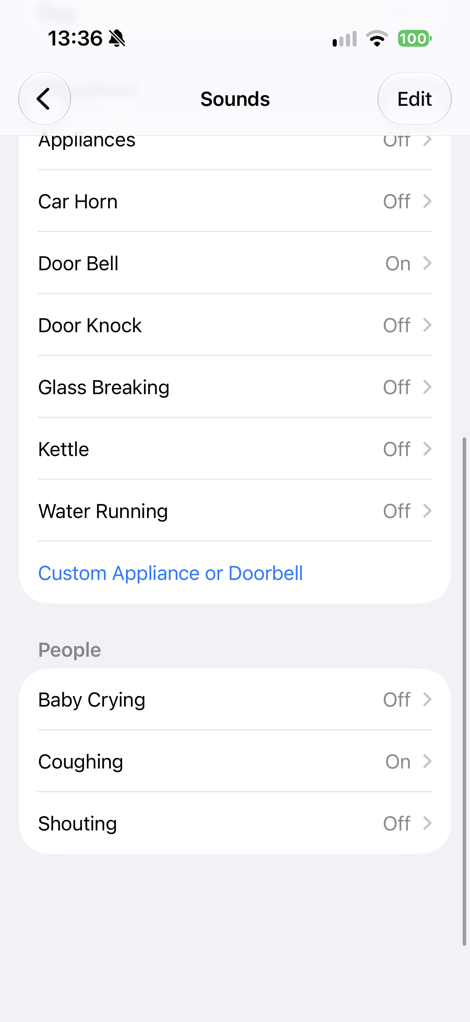
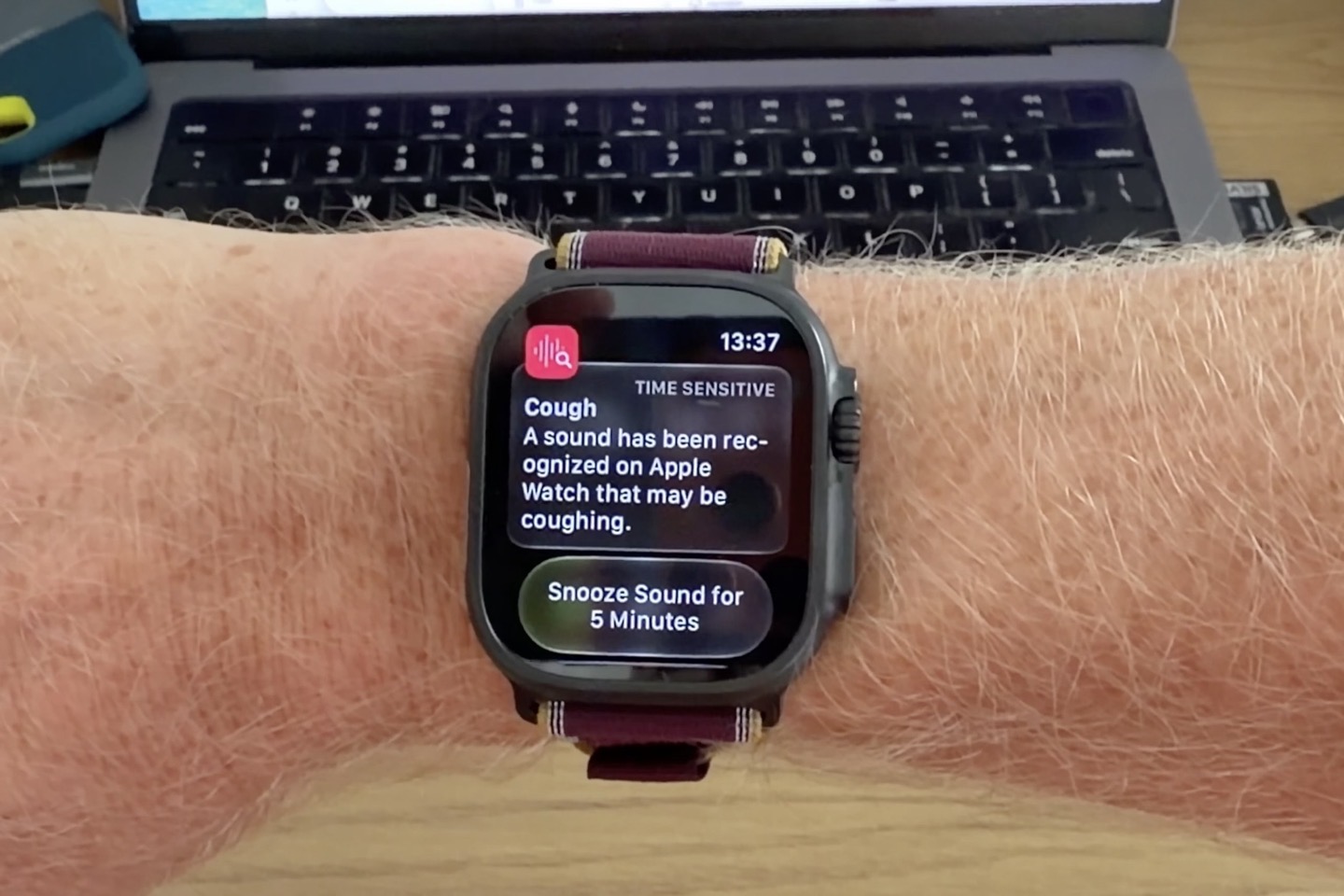
I enabled a few of these, and they worked with varying levels of success. The coughing one worked perfectly every time (ok, a bit too perfectly at the moment in our household).
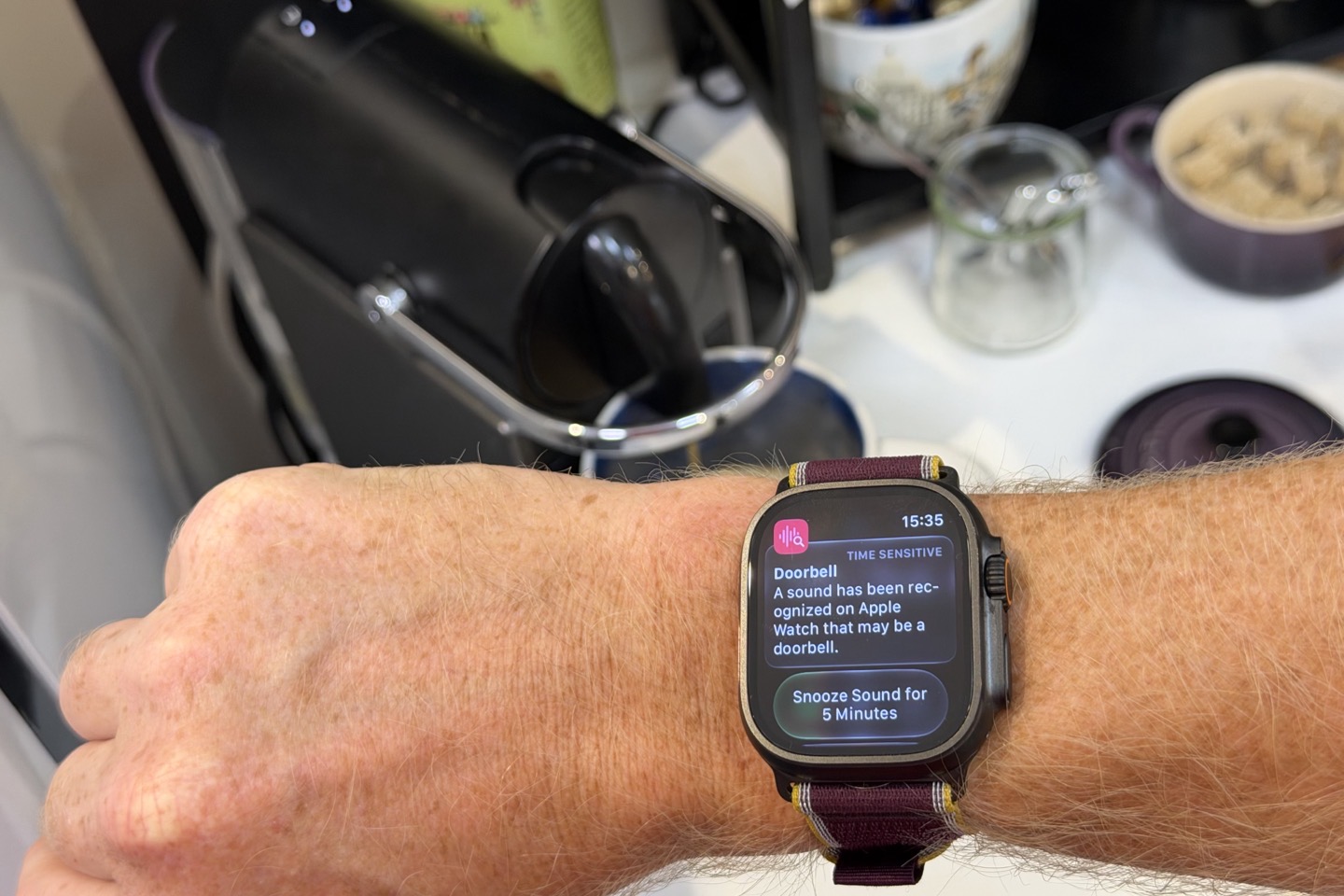
I also had the doorbell one enabled, and funny story – it triggers every time I start the Nespresso machine we have. To be fair to Apple, the pump sound on that machine does legit sound like many European-style buzzer doorbells, so…can’t fully blame Apple here. Not sure if I can rename this one “Someone is making coffee without you” or not, I’ll look into it.
I also had enabled the glass break one, and didn’t expect it to actually trigger, but sure enough, a few mins ago I was dragging some things off of the patio before a thunderstorm is about to drench it all, and it triggered there. Not exactly correct, though the metal-on-tile sound might not have been that far off, I guess.
In any case, the other one available today is the instant Shazam song recognition. This is different from the past in that historically it’d have to listen to it for a bit, then send an audio file to Shazam, and then wait for that to happen. Now you just raise your wrist, and it works instantly. That’s because it’s constantly listening/analyzing in the background, and further, they changed the architecture to now send a small audio signature, rather than the full song. It legit shows the current song the moment you raise your wrist.
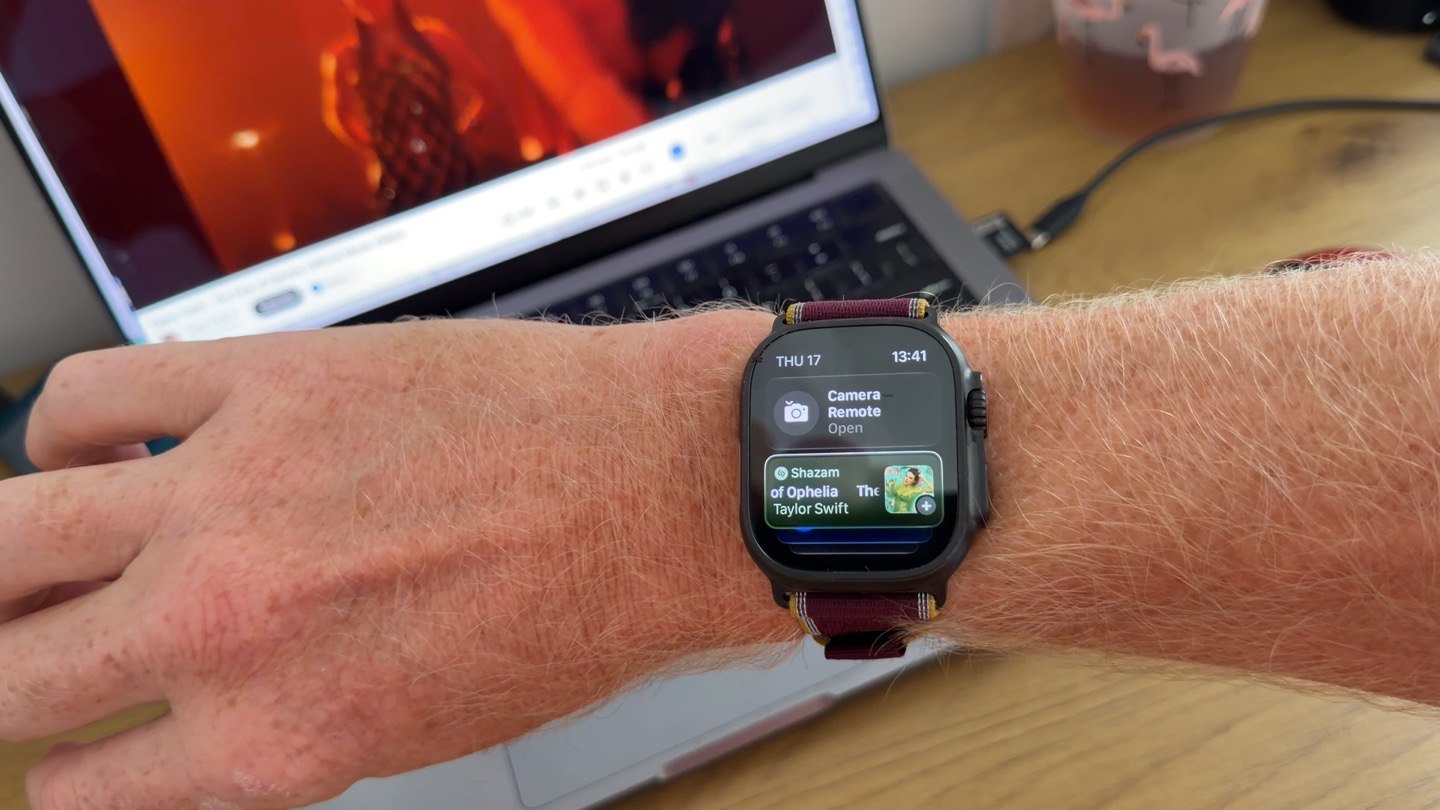
Again, I’ll dive into all the remaining Audio Intelligence features, including Live Rewind and Siri Recap later this year, once those are announced. Certainly, I’ve got some pretty legit privacy concerns there, and I’m keen to see if further changes happen before Apple rolls out these features, based on the public feedback we’ve seen thus far.
GPS & Heart Rate Accuracy:
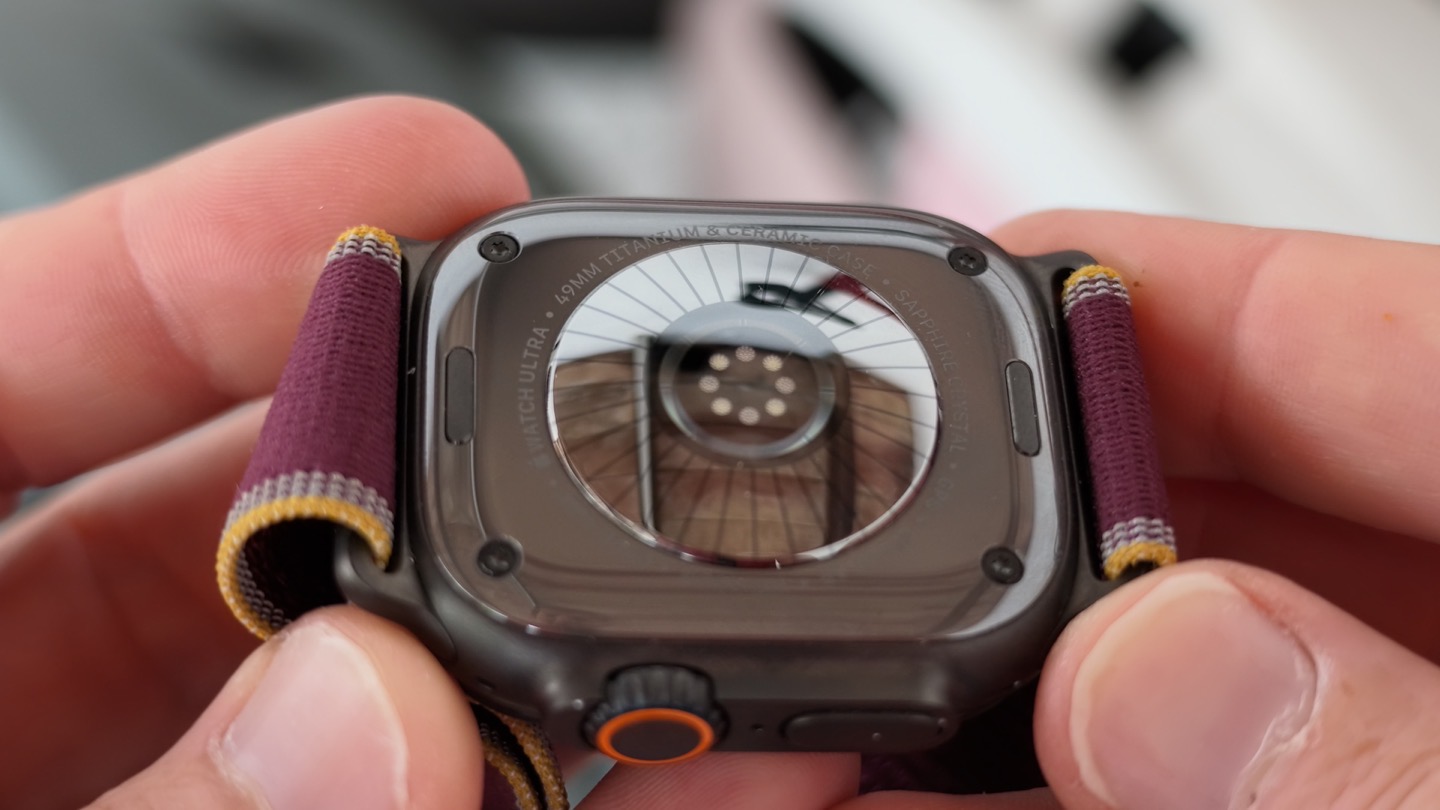
The Apple Watch Ultra has a new optical HR sensor, which includes both new hardware and new software features that I’ve outlined earlier (like the frequent HRV updates and now-5-second background HR update frequency). Here’s the quick recap on those features:
– New heart rate sensor with increased electrode surface area for better ECGs
– New photodiodes below it for better workout capture
– New LED array below that for better 24×7 HR readings
– New HR sensor is thinner (bump) than in the past
– Increased background (non-workout) HR readings to every 5 seconds (60x more than before)
– Increased HRV readings to every 5 minutes (24x more than before)
– Claim of Apple Watch Series 12/Ultra 4 “Most accurate heart rate sensing in a wearable”
– Published their own white paper to support that claim, with competitor comparisons
But the better question is whether or not that accuracy paper/study represents the real-world testing I saw, and if not, why not?
I dive into this in the video quite a bit, and will probably expand it out into a separate post. But the key thing to understand is that the Apple Watch Ultra 4 and Series 12 only have an update frequency during workouts of “on average” every 5 seconds within a workout. It can be every second, or every 3 seconds, or every 5 seconds…but it can also have gaps of 20 seconds. All of that depends on whether or not the HR sensor algorithm decides it has enough quality confidence to plot that data point. If not, it simply skips it.
Think of it like this illustration as a timeline (this is just something I quickly whipped up to show you how it works after multiple discussions with Apple):
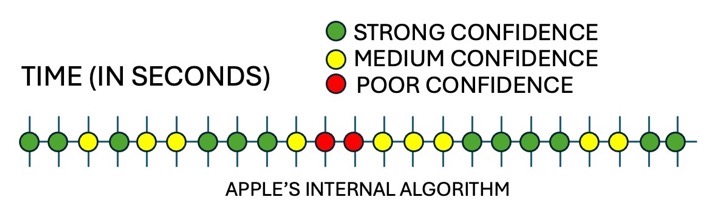
From there, Apple will throw away anything that doesn’t meet its quality confidence level, thus leaving you with something like this:
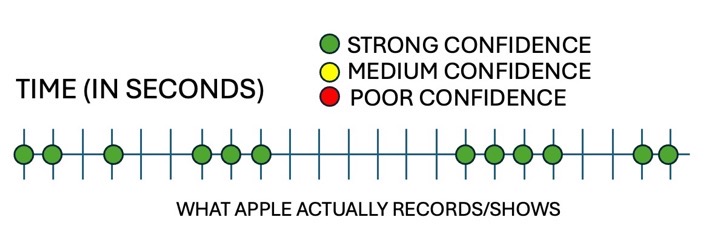
Now remember that all other wearables simply always plot a data point every second, including every one of the competitors in Apple’s study. Further, in Apple’s study they *only compared the exact data timestamps from their file, to the reference Polar H10 device”. Meaning, using the example above, they only compared the values for the green dots. Not all the missing timestamps.
And as you’ll see, Apple has a lot of missing timestamps, especially when it’s unsure. So, rather than give you the wrong answer, it simply gives you no answer at all. And from a study grading standpoint, it was designed such that “no answer” = “the correct answer”. Which…ummm…is very slanted towards Apple, to say the least.
But setting aside Apple’s lopsided study, let’s look at the actual accuracy of the data. Because, to be fair, it’s very good. Is it better than its best competitors? Probably not; it seems about the same. But again, it’s really good.
First up, a relatively steady trail run:
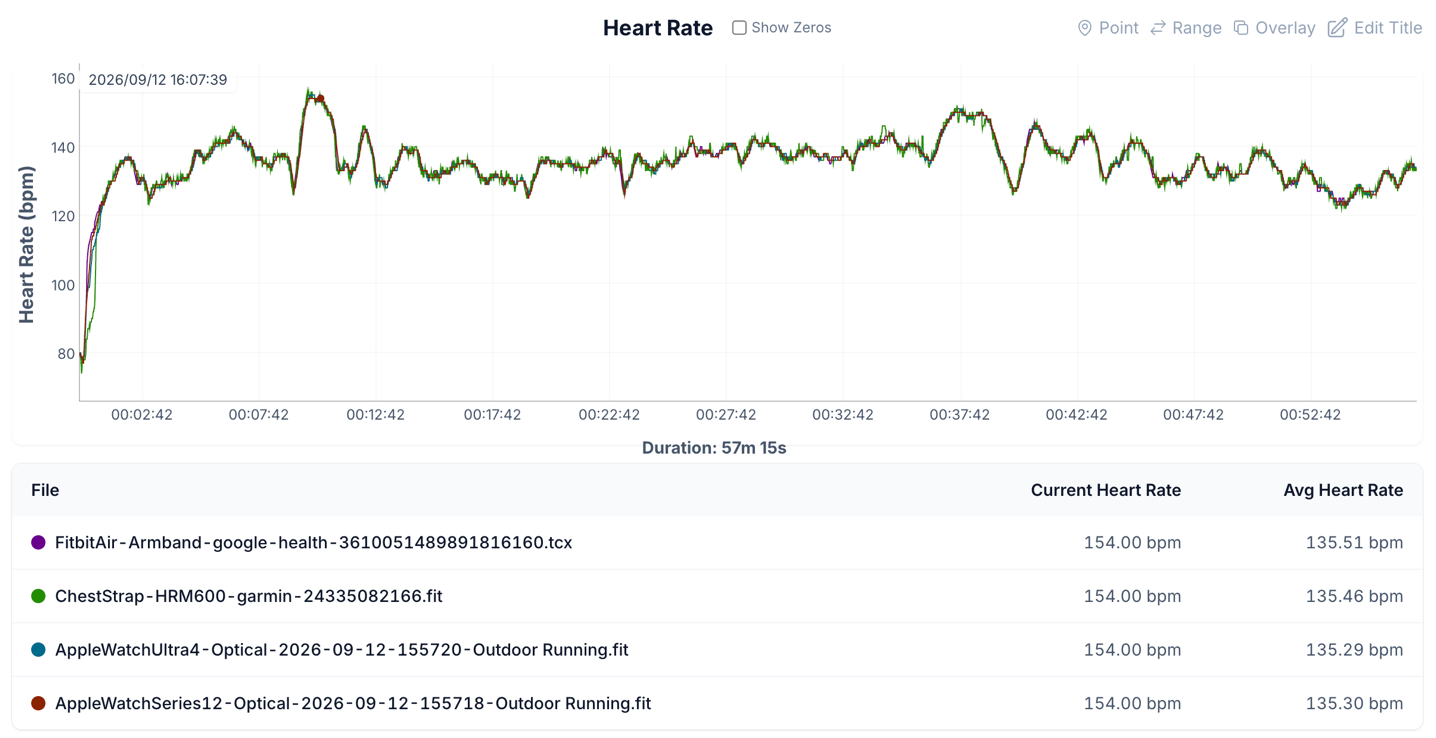
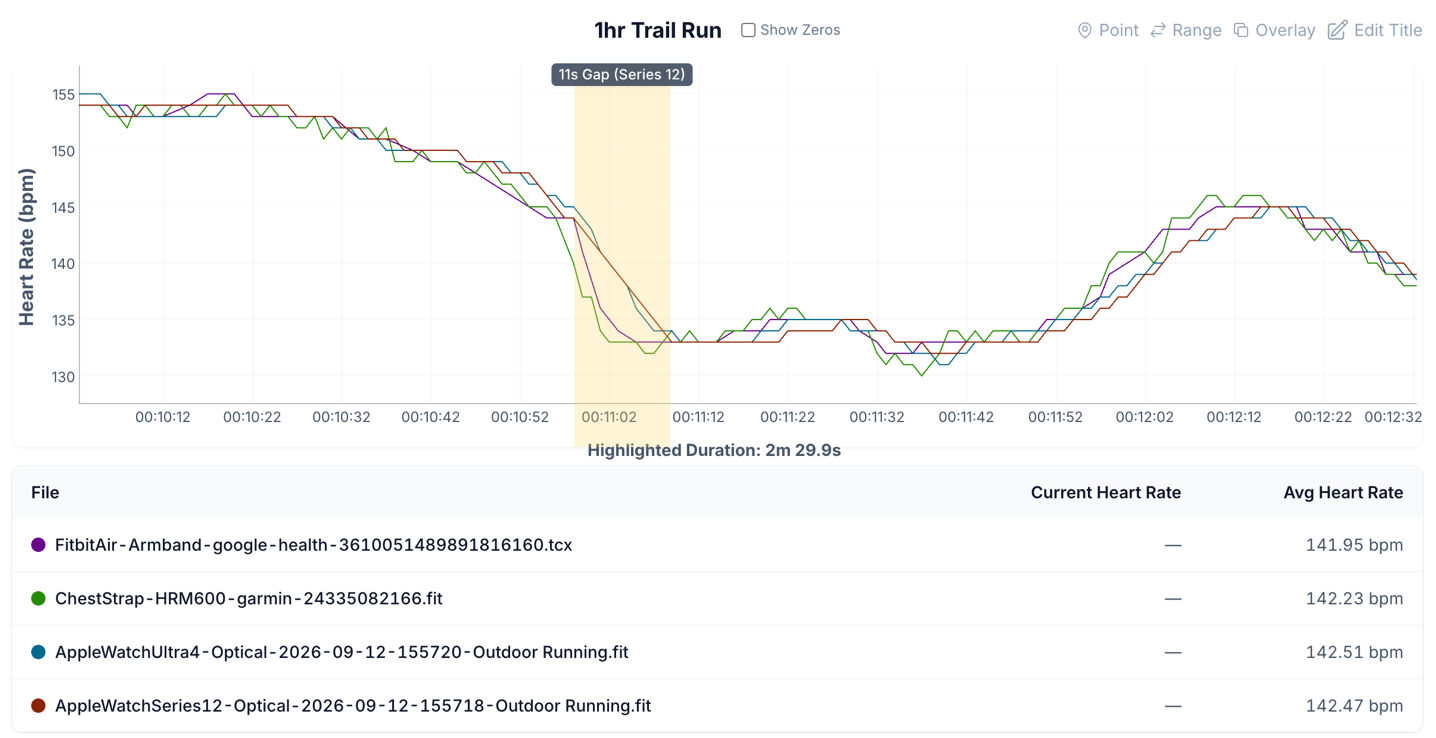
At a high level, this looks very, very good. No major concerns here. But of course, when we zoom in, we’ll find countless examples of sub-5-second gaps, and other gaps like this one here for 11 seconds. In this case, the Apple Watch is factually wrong – both with the gap and without the gap. Remember, in the study scenario, it wouldn’t have been docked points for this, because it didn’t plot a point.
Next, what about a Peloton bike ride, with some solid intervals in there? Again, at a high level, this looks really good:
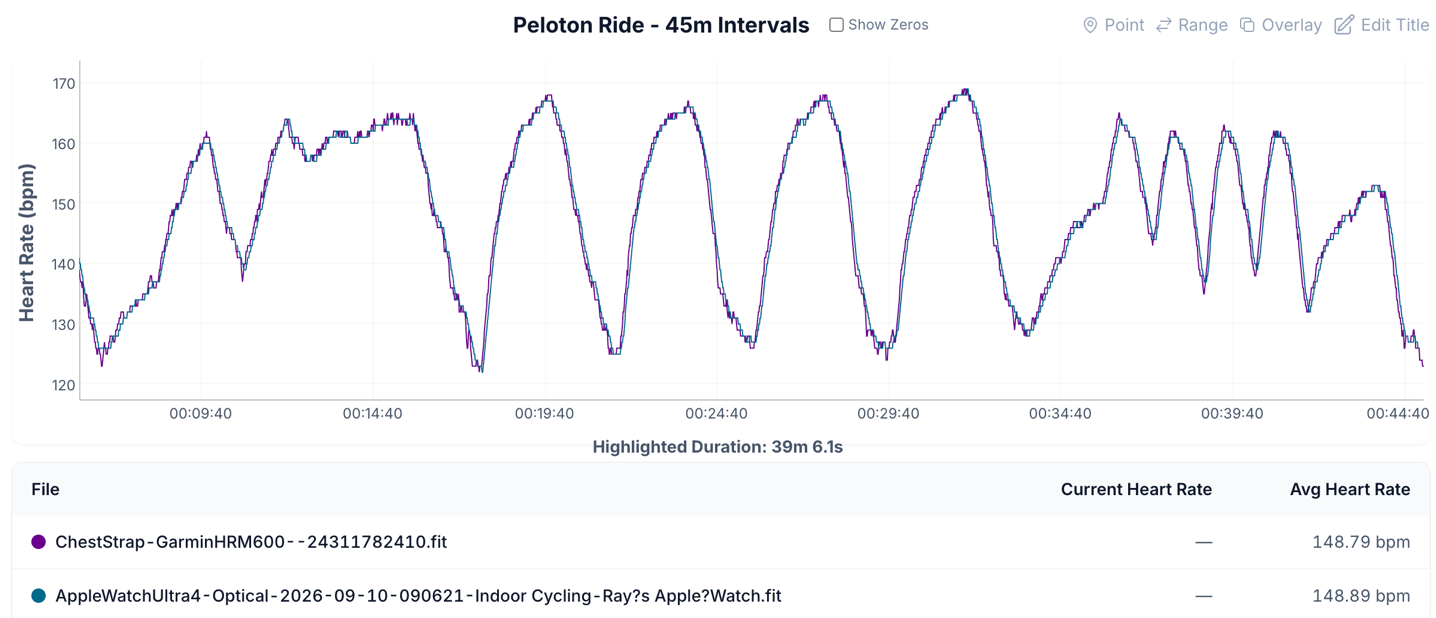
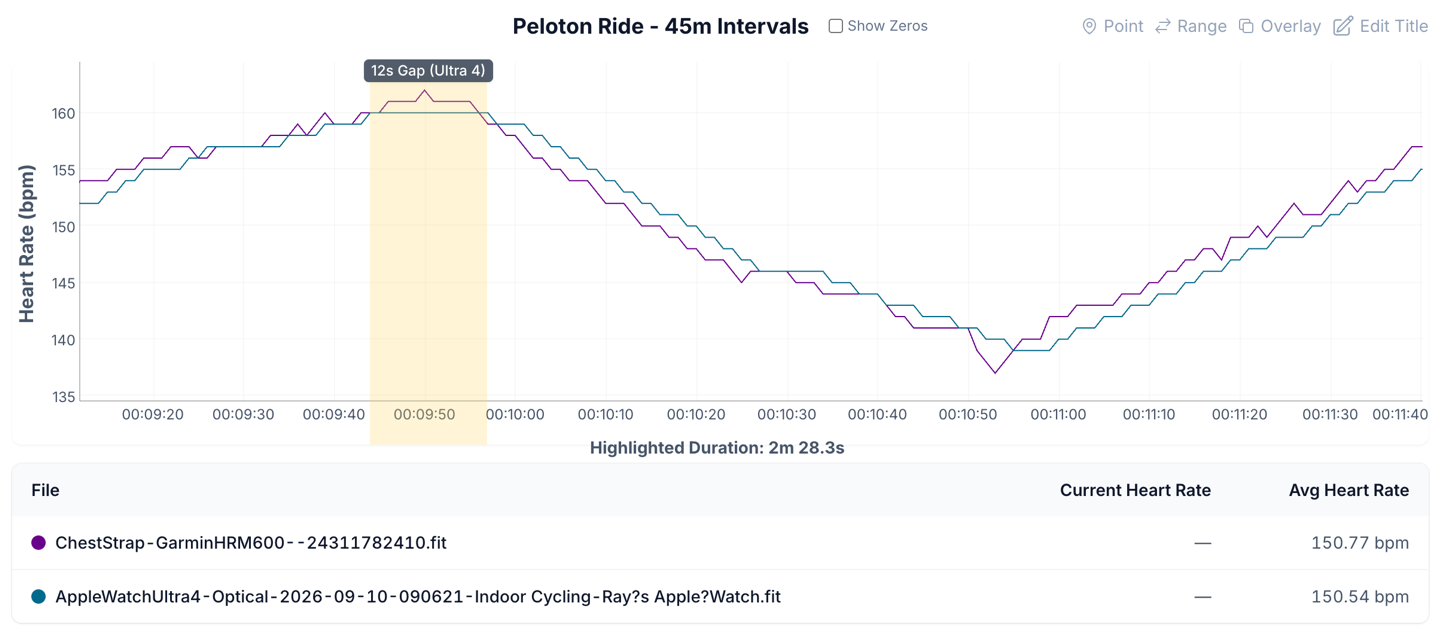
And indeed, it is good. Except there’s still plenty of gaps here, like this 12-second one. And of course, on the watch itself, it’s also only opening the heart rate display every 5 seconds (regardless of data points). So any fast-moving intervals will be wrong 80% of the time on the display.
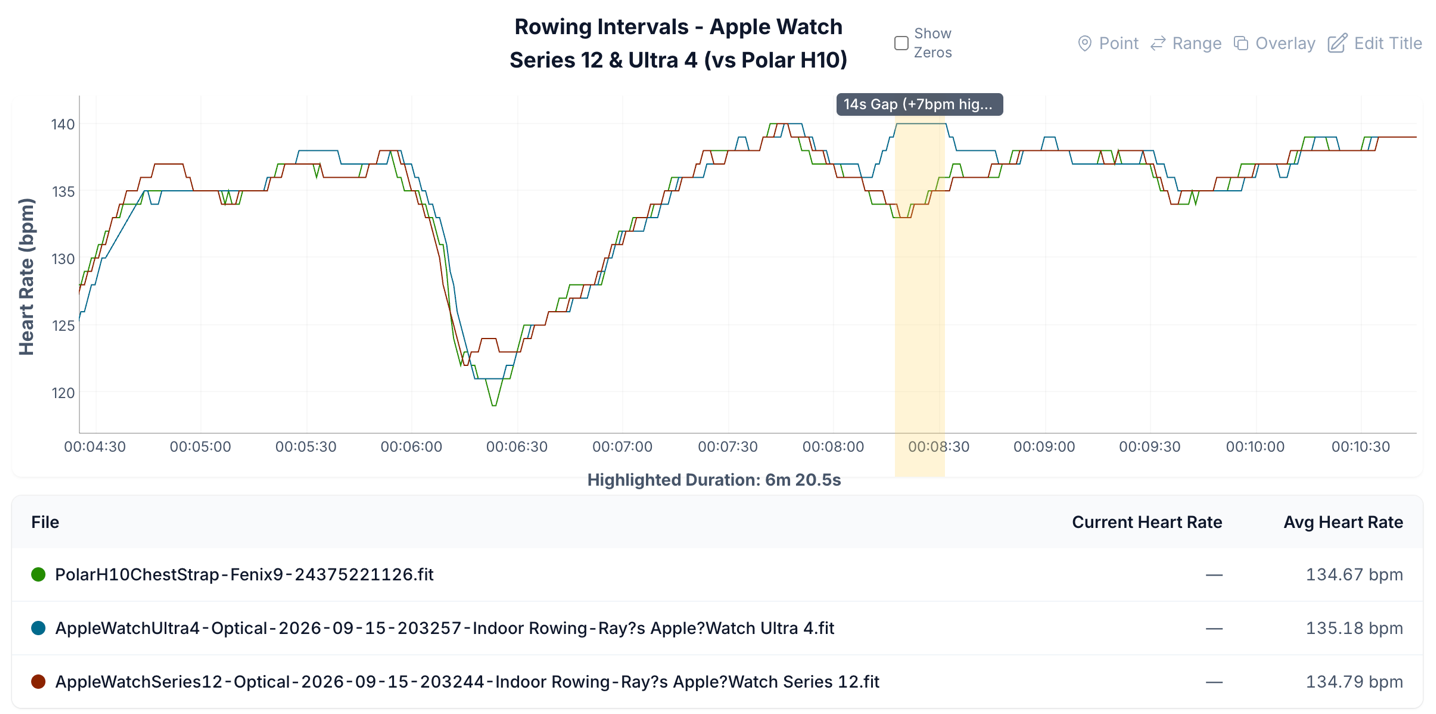
Perhaps some rowing is next? Again, at a high level things look really strong – save for that one moment we see around the 8-minute marker that it hiccups:
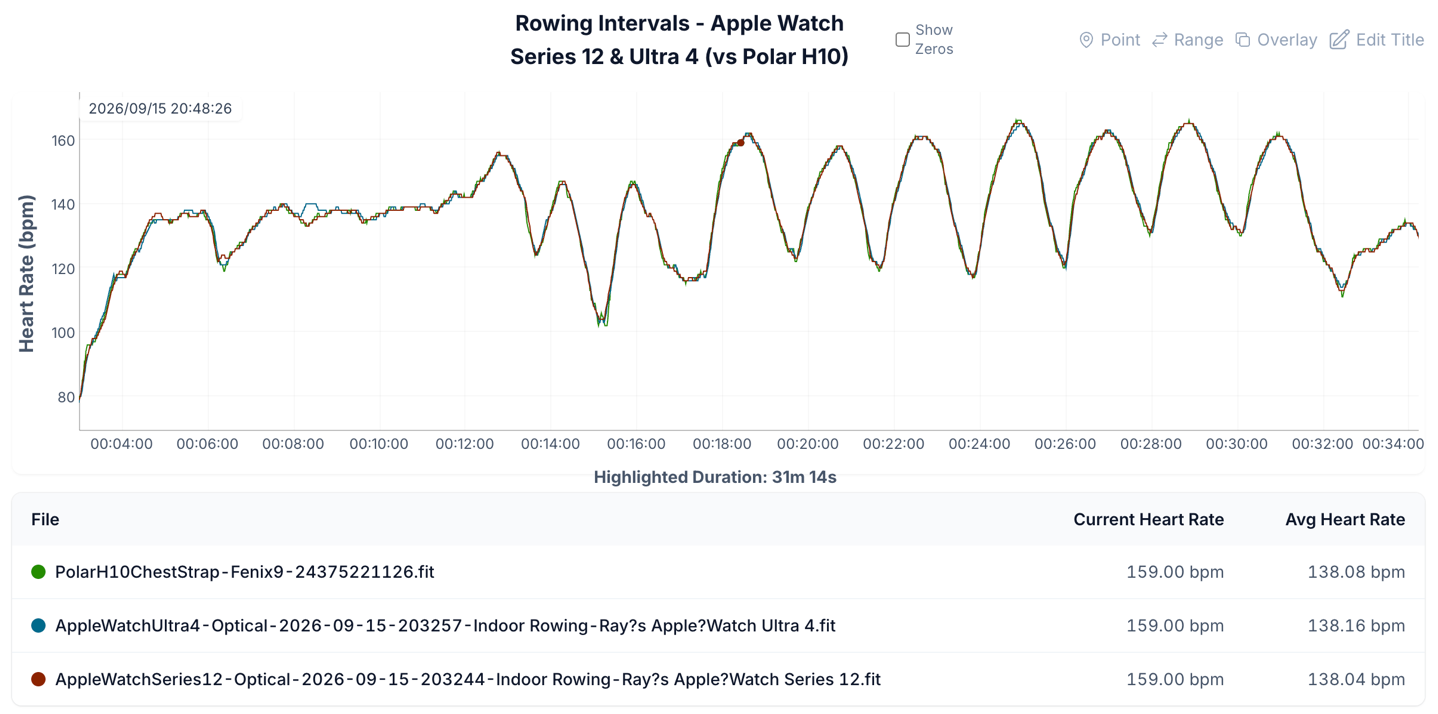
And that moment is a whole combination of errors. First it skyrockets upwards incorrectly, and then it flat-lines with a 14-second gap (when Apple probably realizes it’s wrong and goes silent), then it tries to correct and takes another 10-15 seconds to get back to being correct.
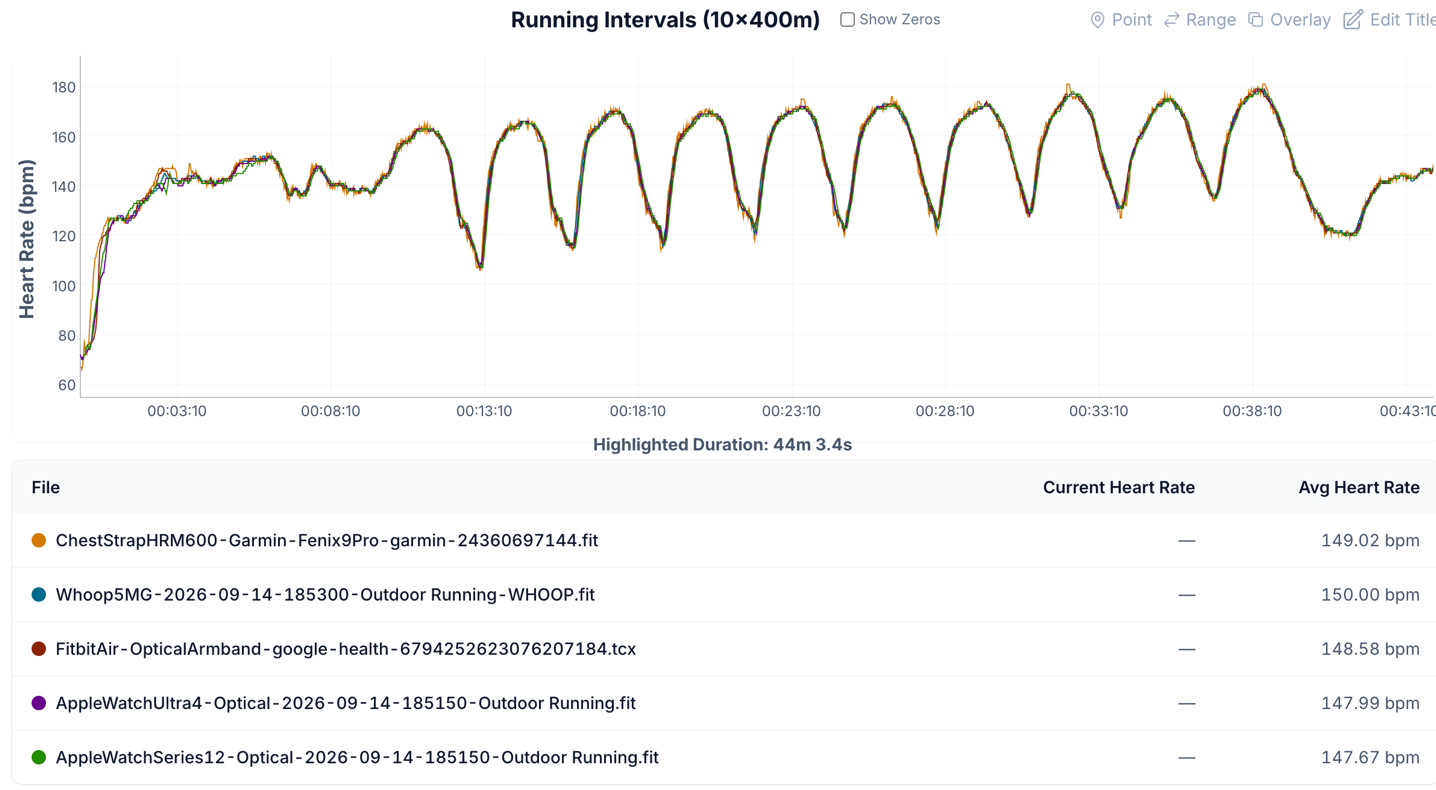
And again, we can do this all day long. Here are some 10x400m running intervals, which look very strong at a high level
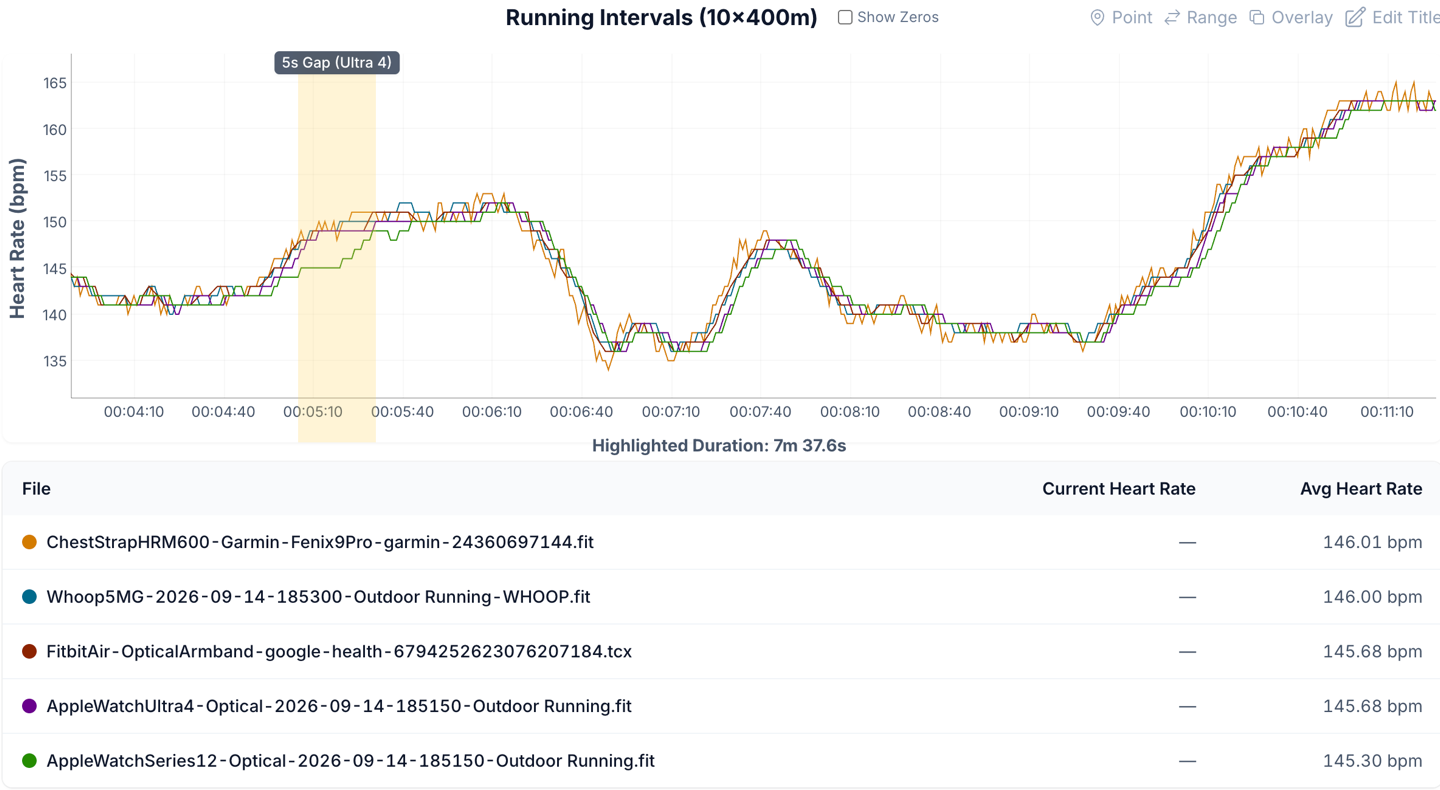
Zoomed in, it’s still strong, but also with a number of gaps in there, sometimes shorter here, but certainly present:
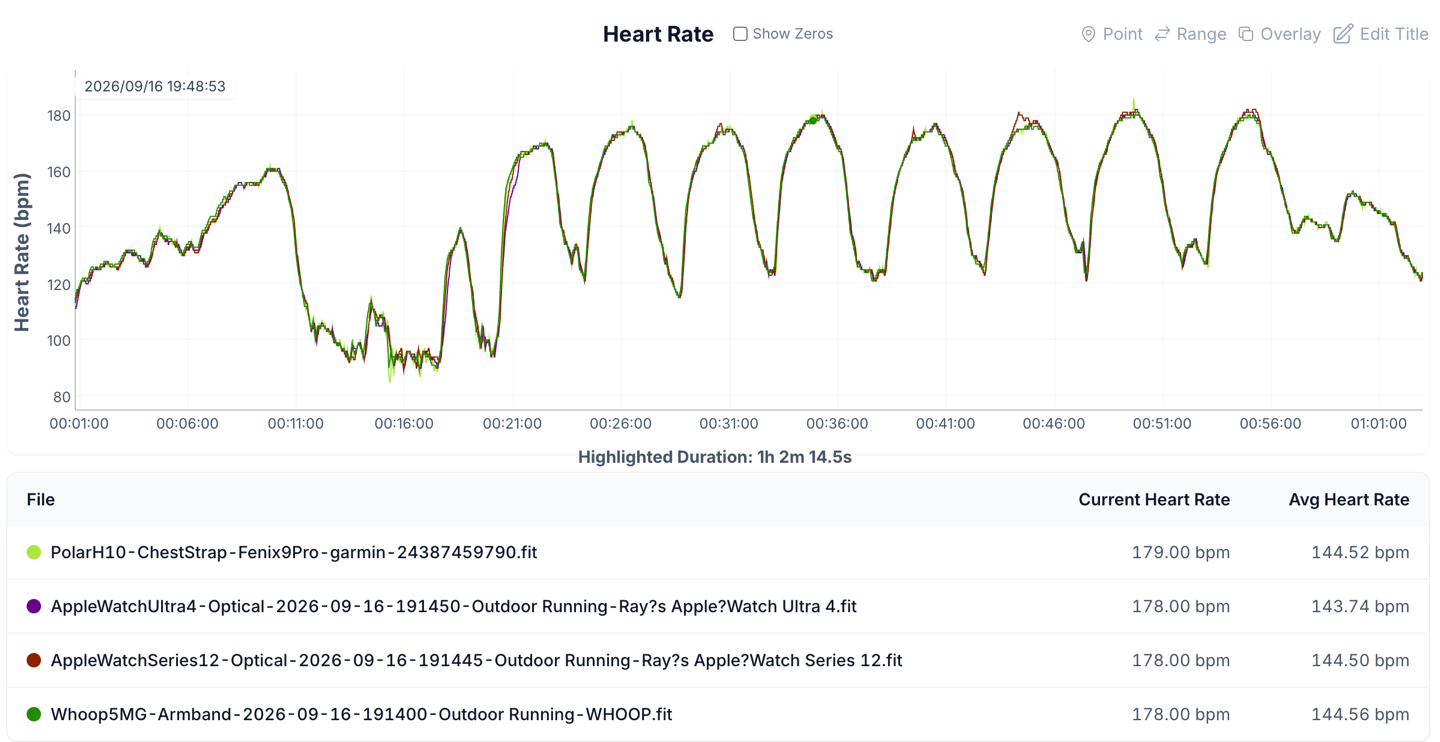
Or this track run (8x600m), which looks fairly reasonable at a high level:
But once we zoom in, we see numerous moments where there’s ‘normal’ ramp rate separation for optical heart rate sensors:
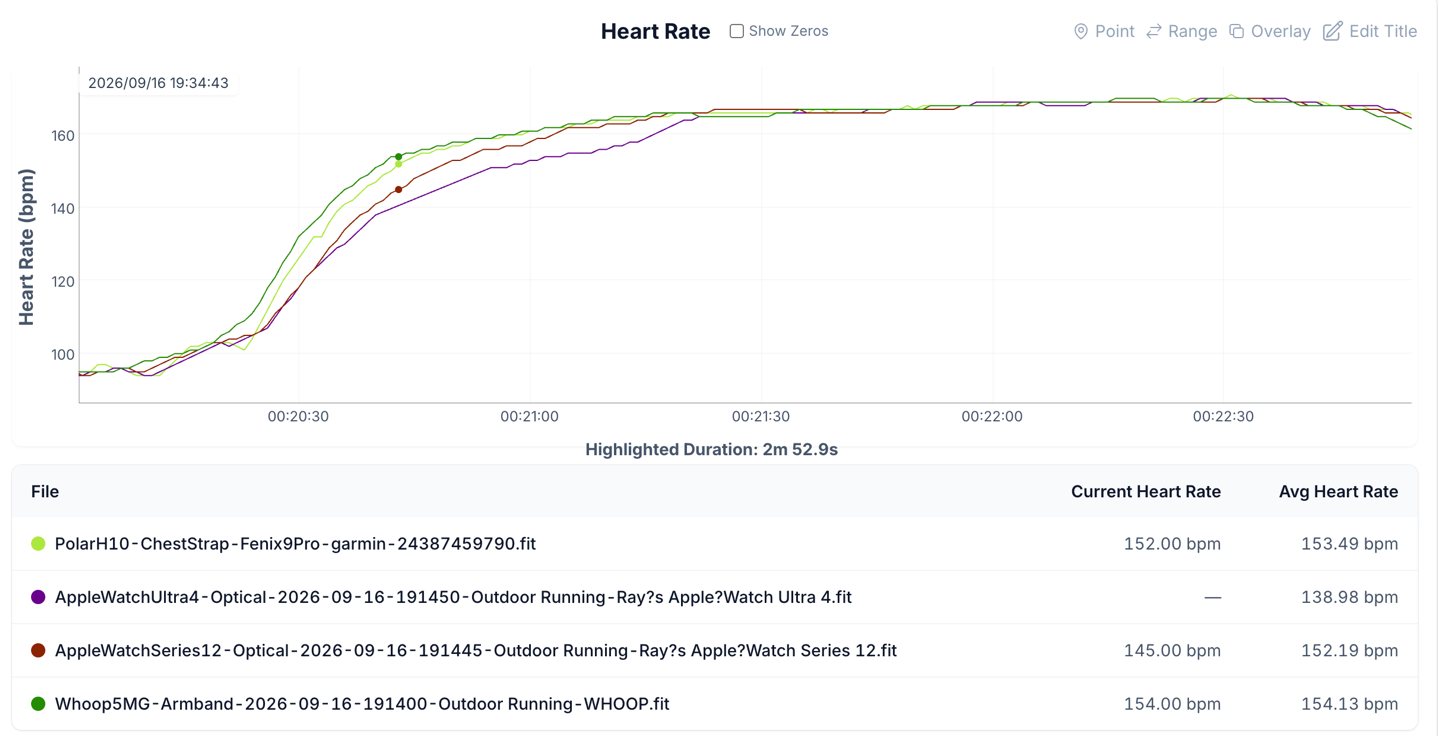
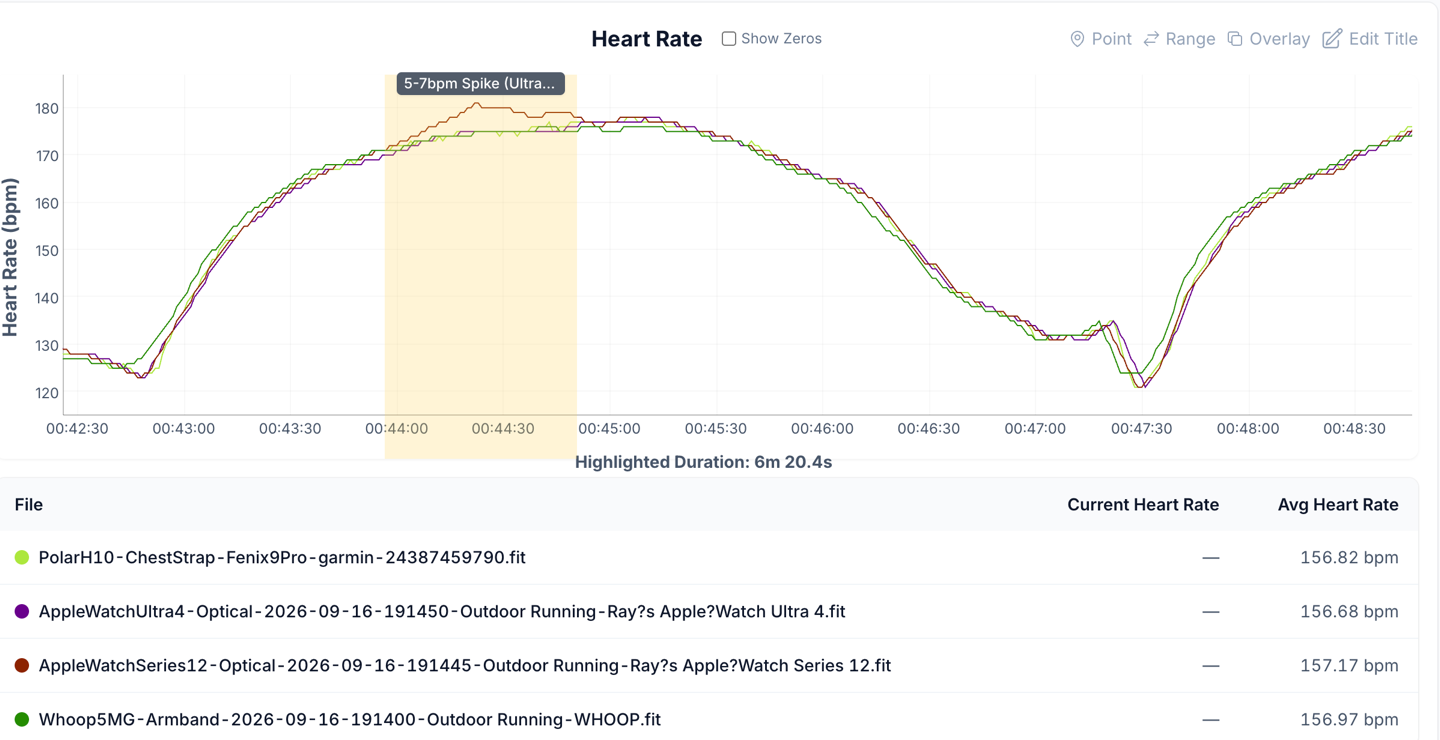
But also some heart rate spikes, such as this:
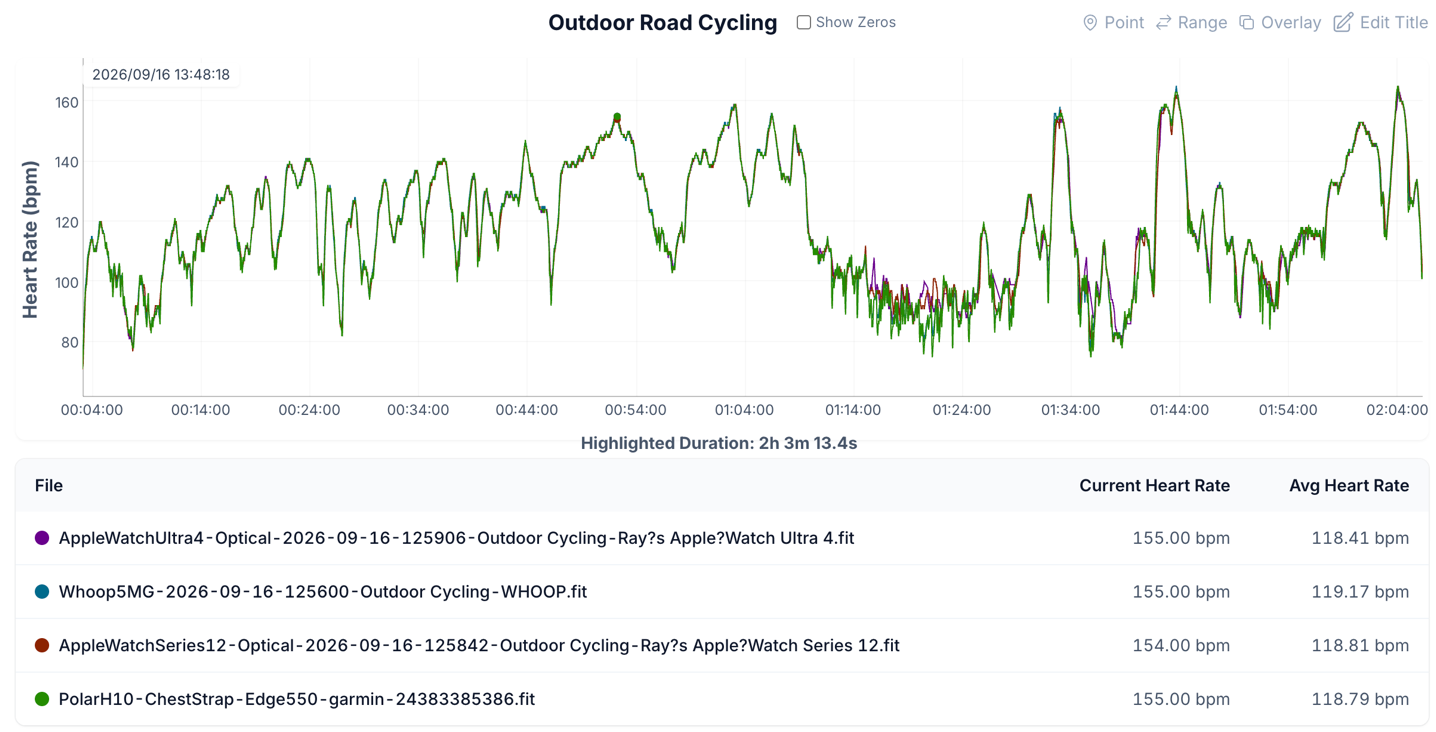
And finally, an outdoor ride of a few hours. Again, at a high level this looks really good. Like, really really good. Exceptionally good, in fact:
And had it not been for Apple’s study, I probably wouldn’t have over-thought it. But with the claims there, it’s hard to ignore moments like this:
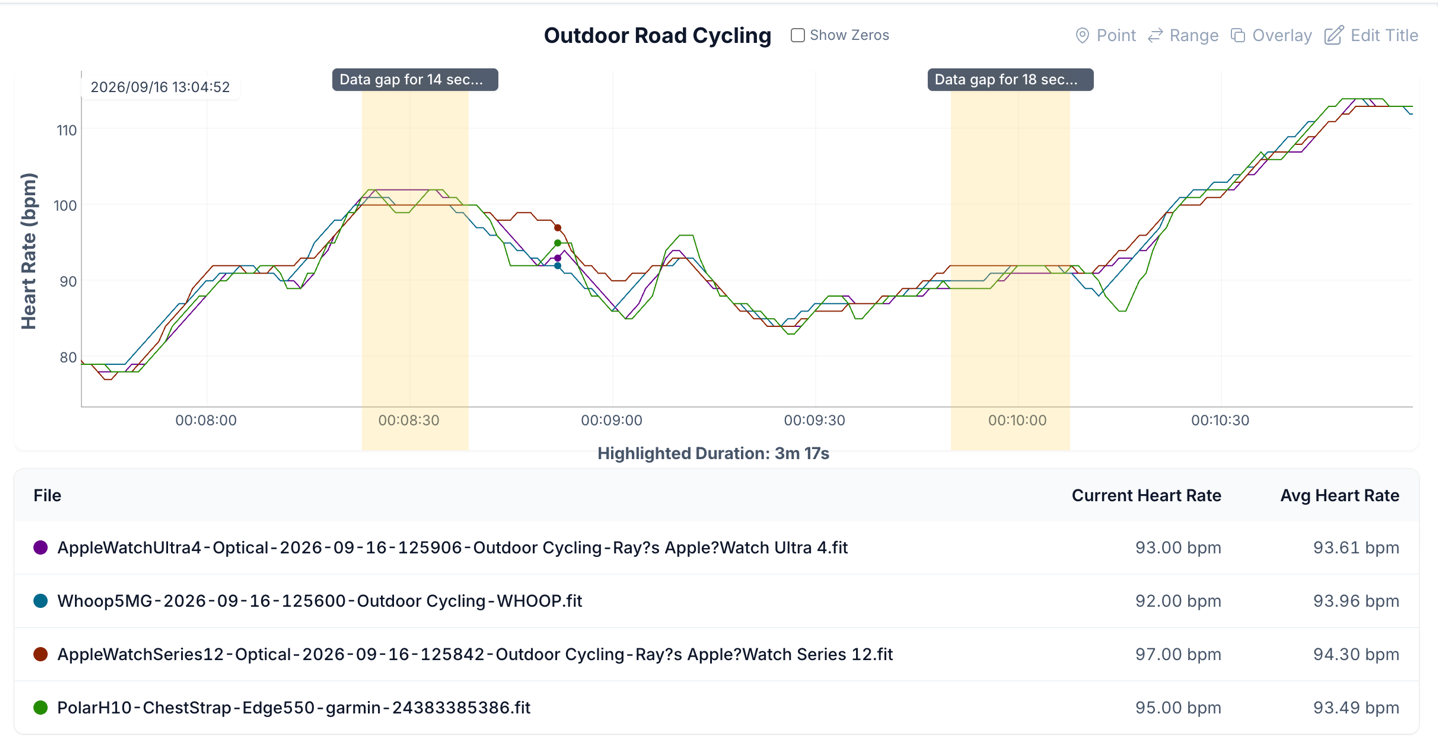
Or these:
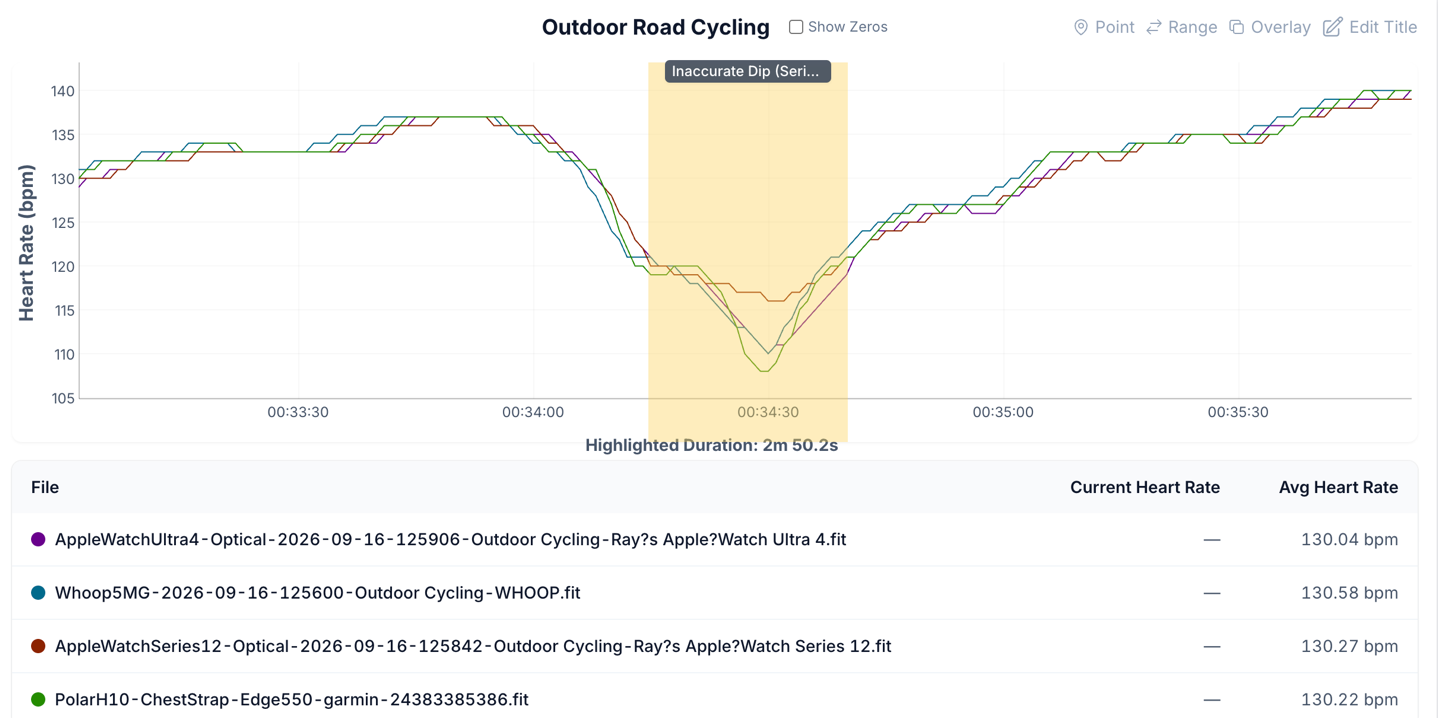
And these:
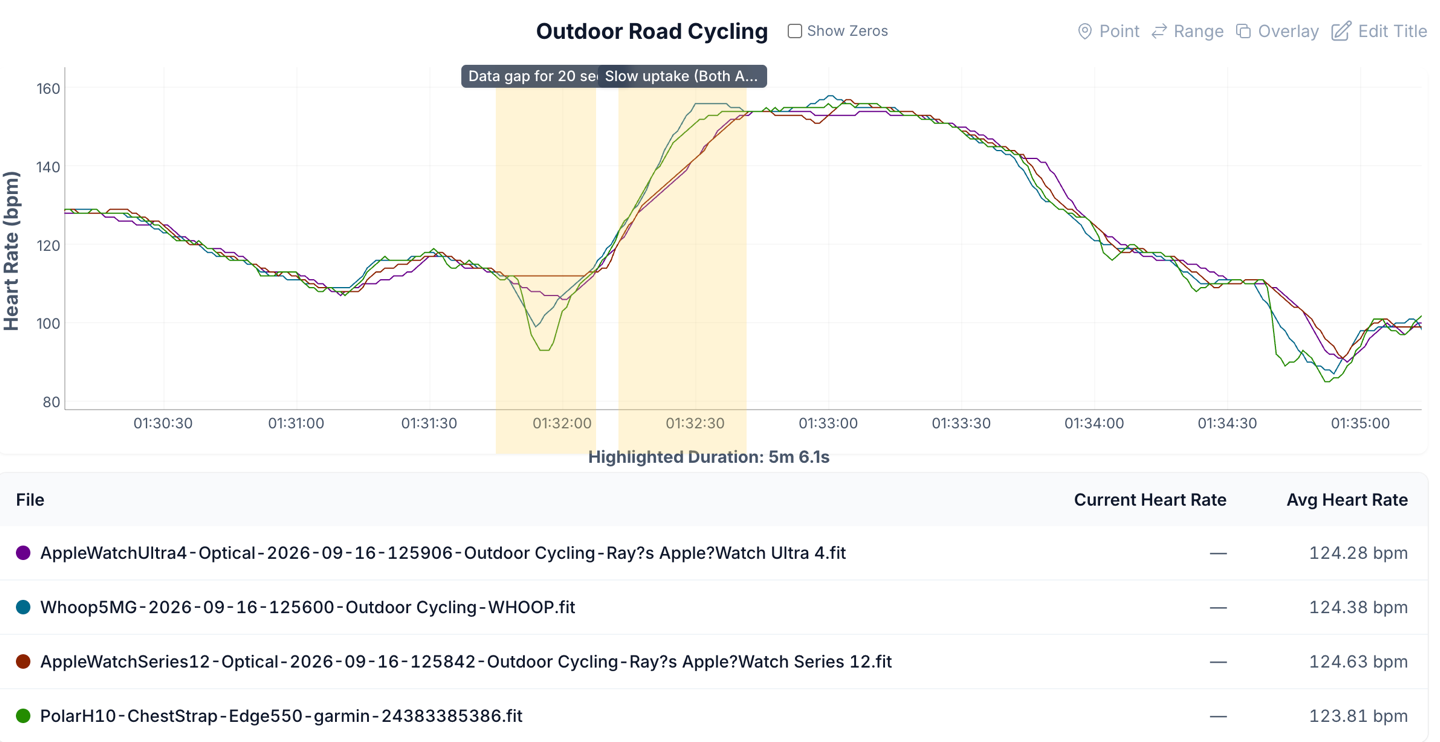
Again – I think overall Apple’s delivering on a world-class optical heart rate sensor. And I fully understand their thinking of ‘not recording data points that don’t have a good confidence level’. I’m OK with that. Really, I am. But it seems disingenuous to then judge everyone else on a full data set, while Apple gets to ignore the ‘hard parts’ it can’t be sure of.
Meanwhile, when it comes to GPS accuracy, things are nearly identical to previous, though there is one minor change. Apple has confirmed that GLONASS is no longer part of the constellations that the Apple Watch Ultra 4 will leverage. They said it should have no impact on accuracy, and based on what I see, that’s the case. This follows a trend with other companies removing it as well, given the increased satellite availability of the Galileo constellation, among others.
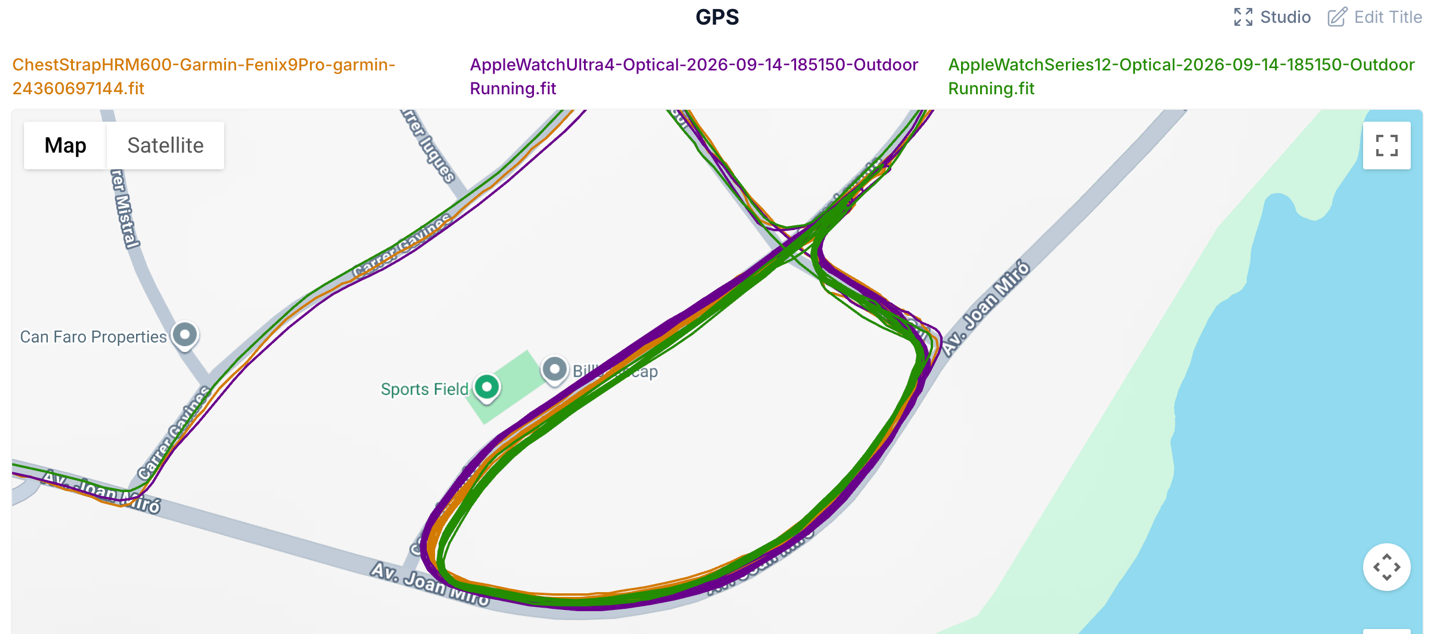
In any case, as for GPS accuracy, let’s quickly look at a few workouts. This is one of the sets of intervals I did around and around and around, and indeed, the Ultra (and others) was very good here:
Looking at this trail run next, at a wide/high level, everything looks quite good.
Once in the trails, we can see that the Ultra 4 & Fenix 9 are very close to each other, though the Series 12 isn’t quite as accurate (it lacks multiband):
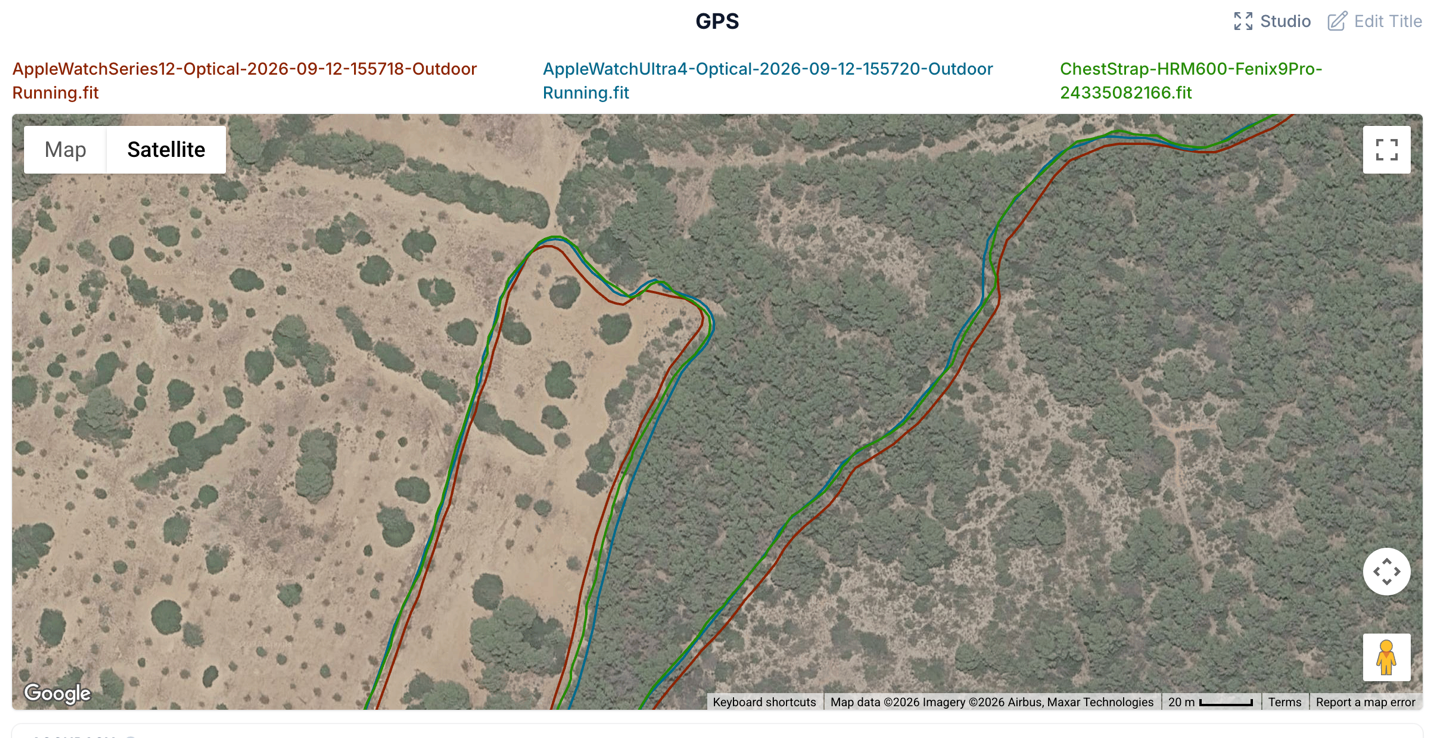
We see this in a number of places, where the Ultra 4 & Fenix 9 are very close to being perfect/are perfect:
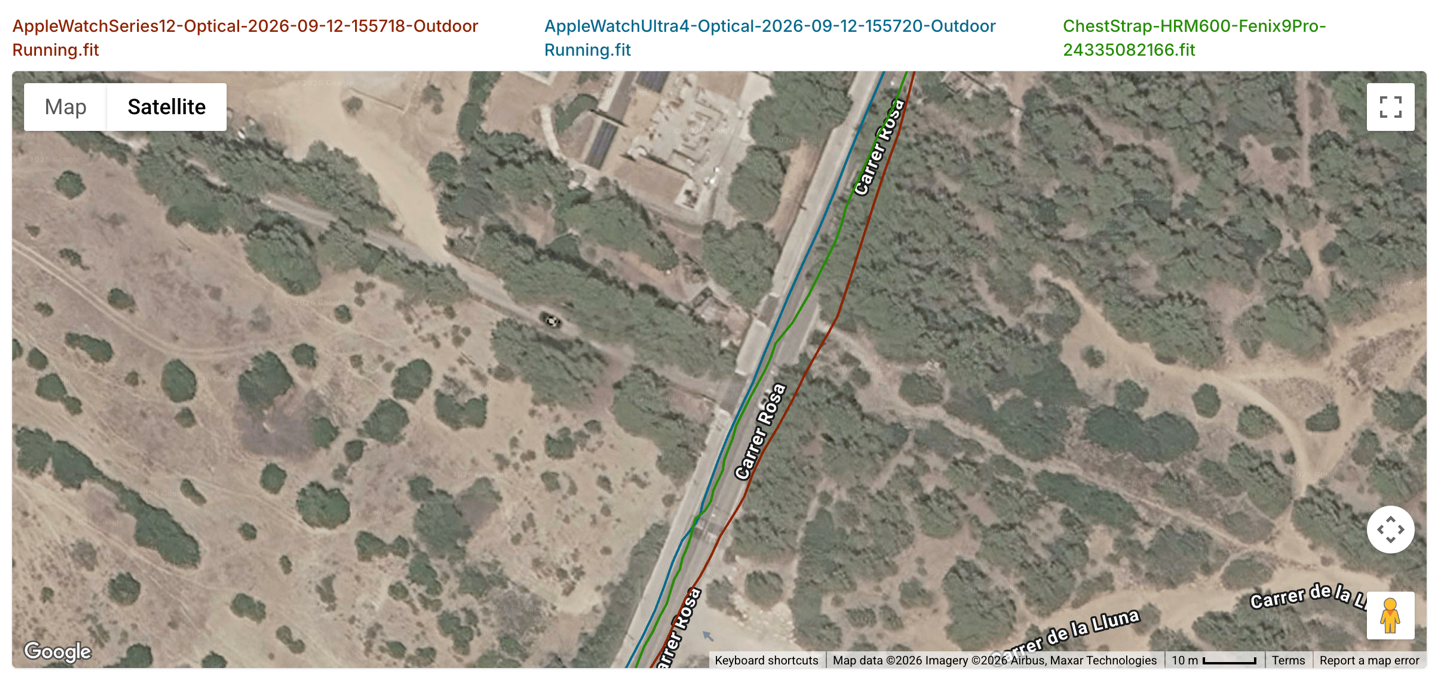
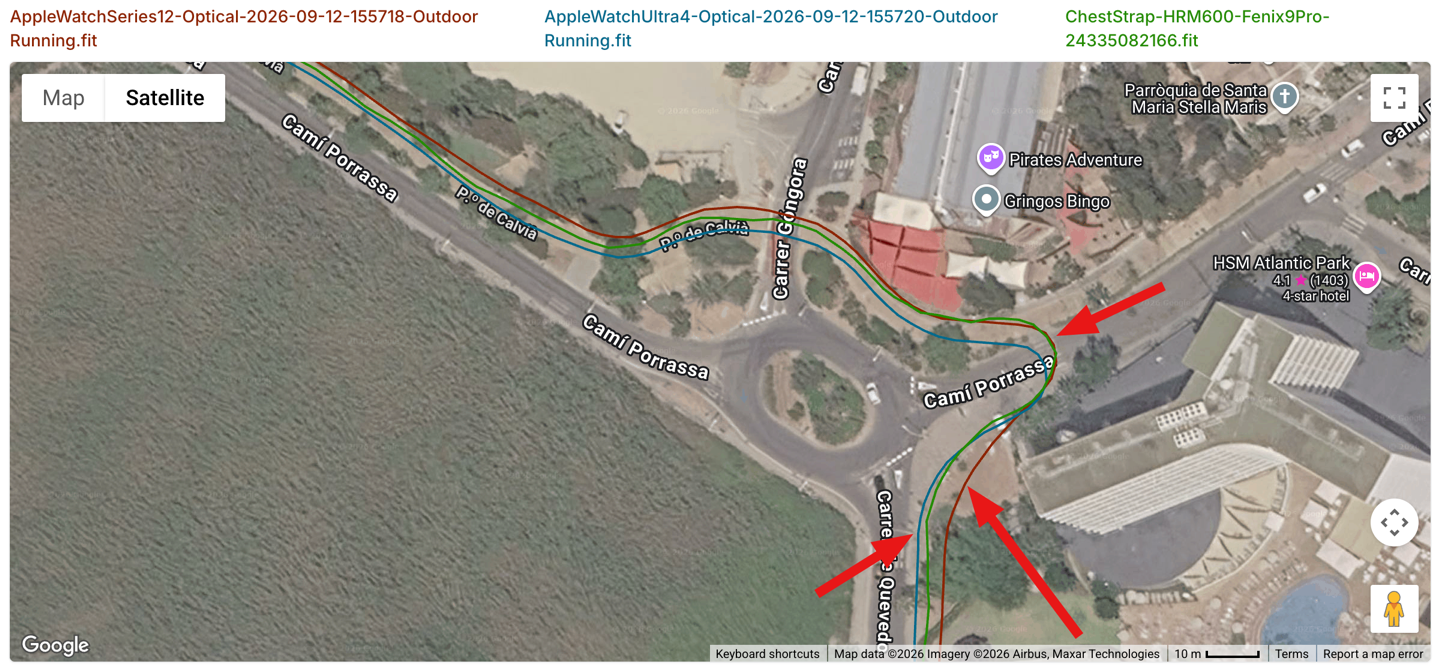
Still, there are a handful of very brief moments where the Fenix 9 outperforms it, getting my exact placement/position correctly here, and the Apple Watch Ultra 4 (and Series 12) was just slightly off (but only a couple of meters):
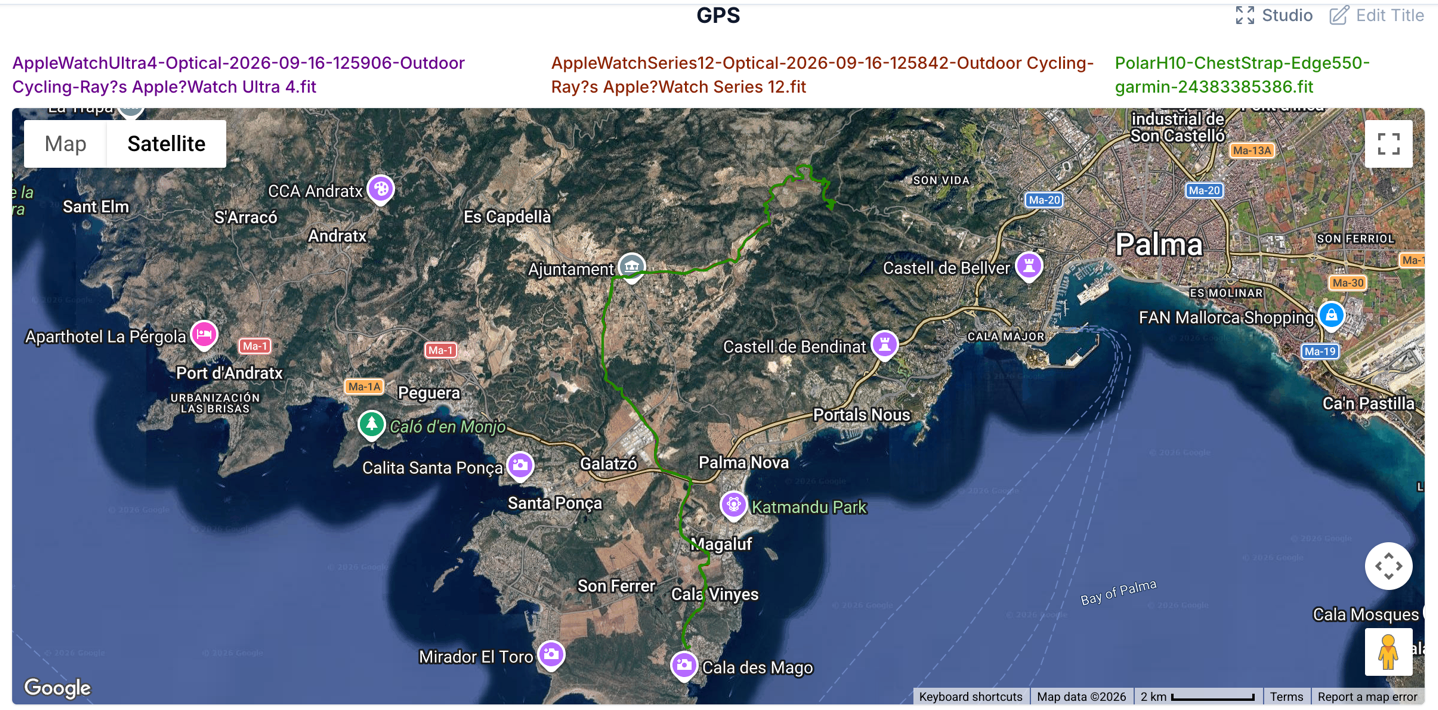
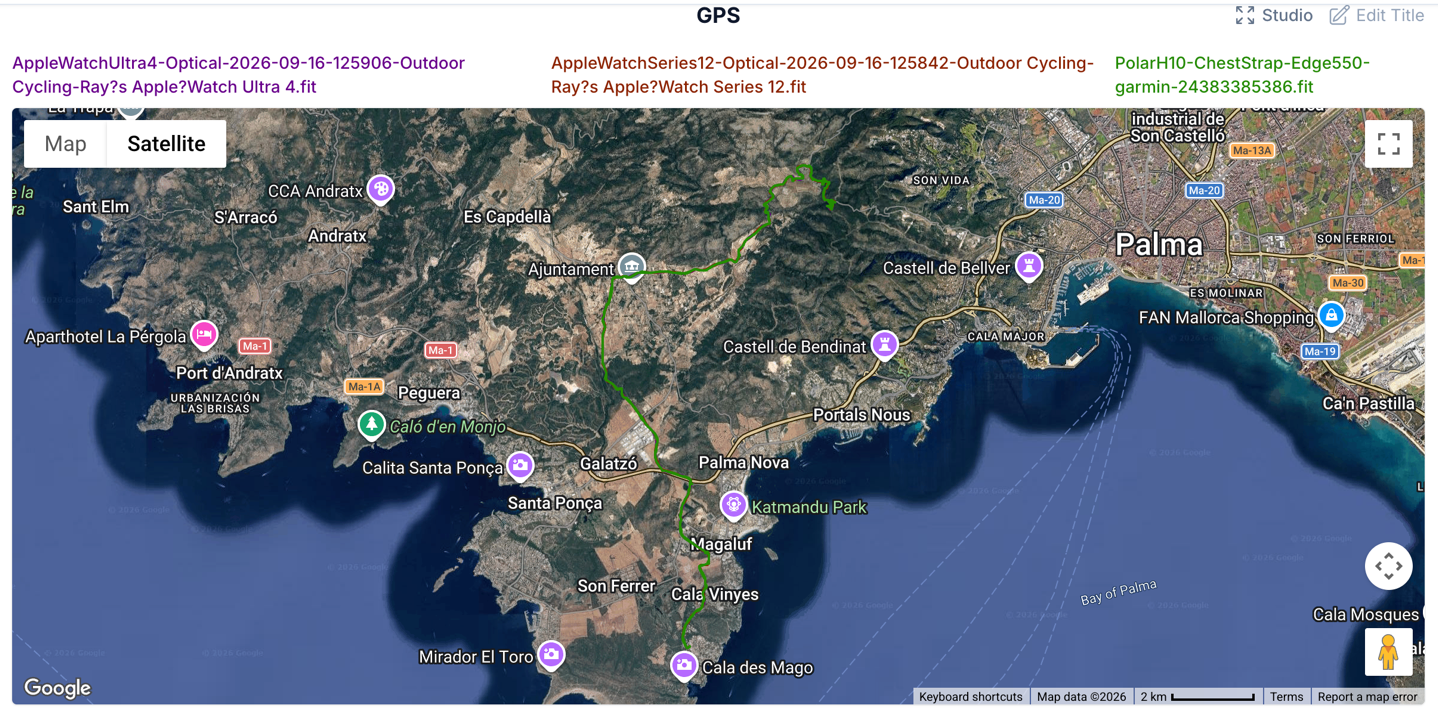
Meanwhile, on road cycling up in the mountains, things were pretty good. Here’s the high-level map:
And then, zooming in to these switchbacks, you can see things look fairly close between them, with a little bit more perfection from the Ultra 4 over the Series 12:
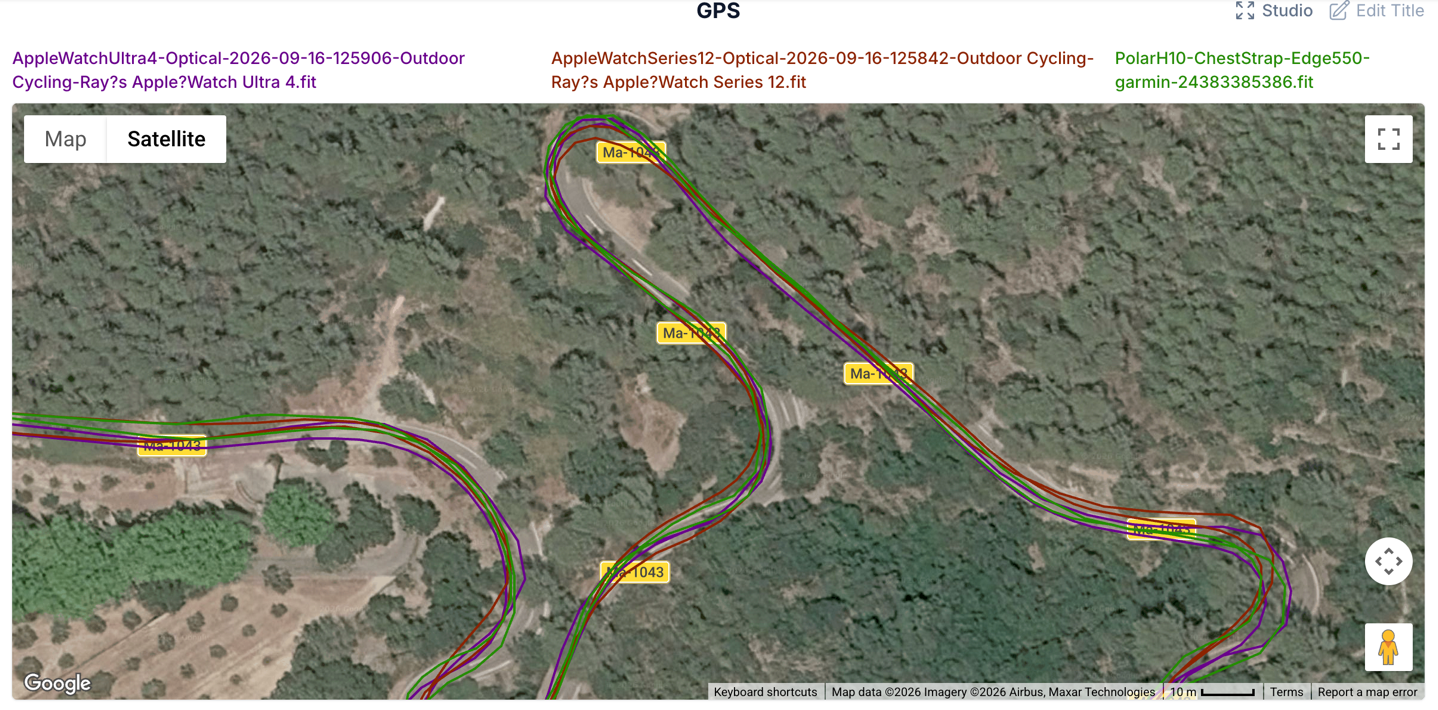
Though zoomed in further to this switchback, it’s hard to decide which one is most correct. They’re all good enough here:
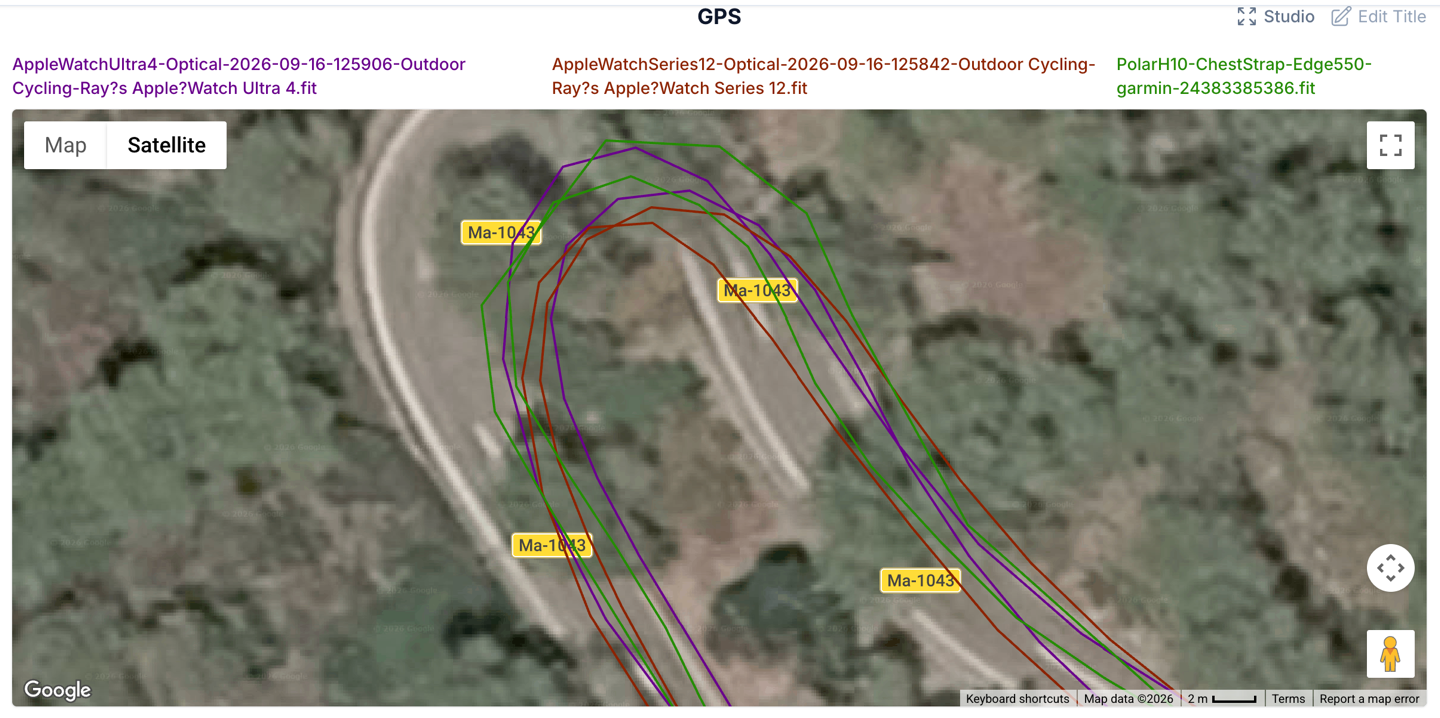
Ultimately, for GPS accuracy of the Apple Watch Ultra 4, I don’t see any meaningful change here (negative or positive) over the Ultra 3, which was largely perfectly fine across the board.
Wrap-Up:
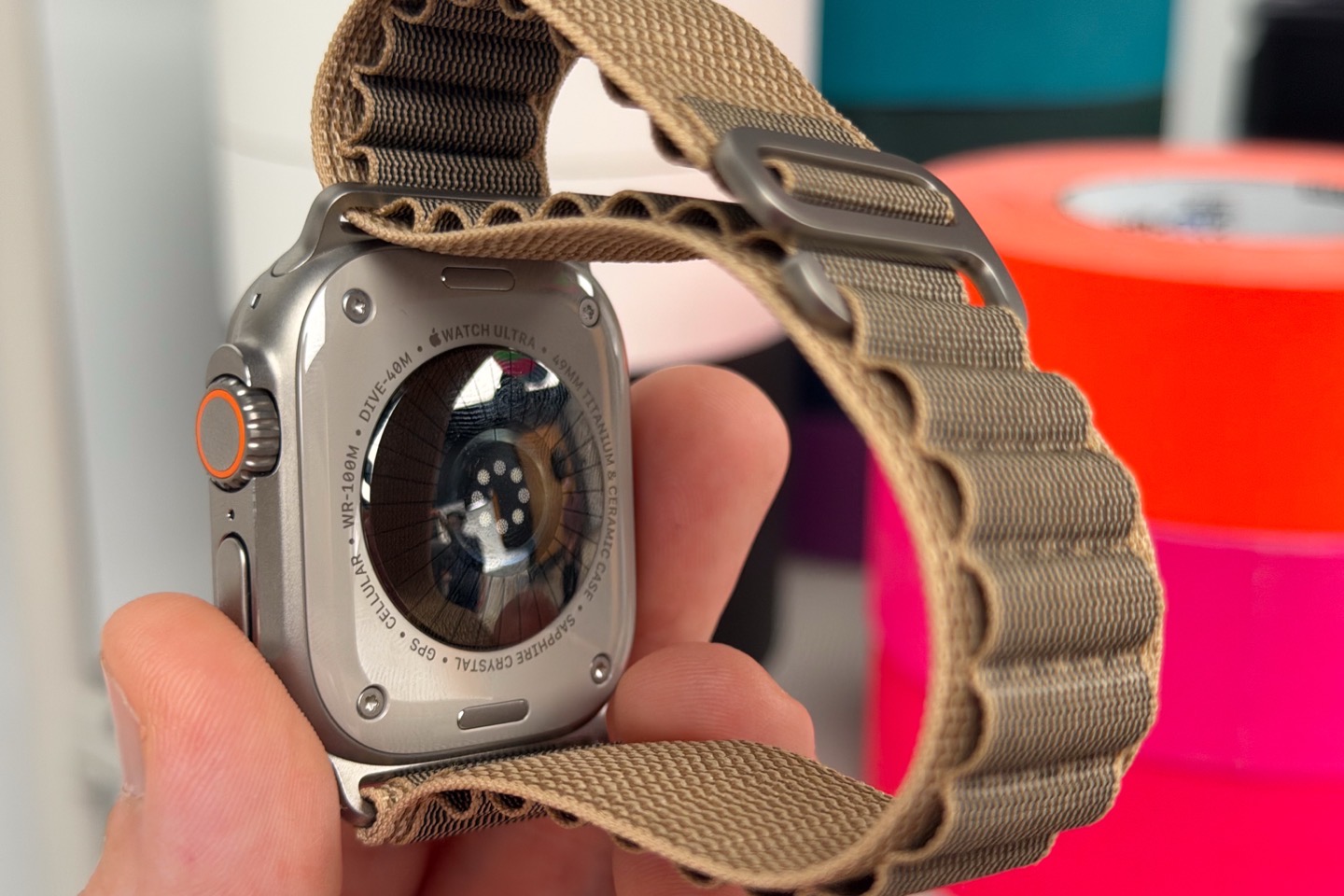
The Apple Watch Ultra 4 is a solid upgrade for earlier Apple Watch Ultra series owners, especially the Apple Watch Ultra 1 that got left behind on the WatchOS 27 train this year. Likewise, for those wanting more battery life than a conventional Apple Watch (non-Ultra), this delivers on that. The optical HR sensor is definitely the best Apple has ever made, and the results you see above in the heart rate accuracy section certainly show that. Whether or not it’s 1bpm better than their competitors, as Apple’s study suggests, is a bit harder to support. The reality is they just aren’t comparing the same data points equally, and thus making that claim in real life is quite challenging. I would agree it’s better than most sensors out there though.
As for the new Readiness features, I’m pretty happy with what Apple delivered here. Having a dynamic score throughout the day is critical, and a piece that both Whoop & Google/Fitbit are missing. Apple’s implementation is fairly close to the broad strokes of what Garmin has, though Garmin’s tends to be a bit more responsive at this point. Perhaps once Apple sorts out their initial teething bugs around disappearing readiness values, it’ll be fairly similar. My limited results thus far show both values to be reasonably similar in overall score average. But again, more longer term data is needed there.
Finally, as for the audio intelligence features, at this point the two features they have launched with will be appreciated. The instant Shazam trick is pretty good, and for those needing a hearing assistant, the sound recognition pieces should be handy. Both do seem to have occasional quirks, but neither seems like a show-stopper at this point.
Overall, I suspect the Ultra 4 will become one of the two watches that stays on my wrists year round, replacing the Ultra 3 that sat there over the past year. With that, thanks for reading!
FOUND THIS POST USEFUL? SUPPORT THE SITE!
Hopefully, you found this post useful. The website is really a labor of love, so please consider becoming a DC RAINMAKER Supporter. This gets you an ad-free experience, and access to our (mostly) bi-monthly behind-the-scenes video series of “Shed Talkin’”.
Support DCRainMaker – Shop on Amazon
Otherwise, perhaps consider using the below link if shopping on Amazon. As an Amazon Associate, I earn from qualifying purchases. It doesn’t cost you anything extra, but your purchases help support this website a lot. It could simply be buying toilet paper, or this pizza oven we use and love.


