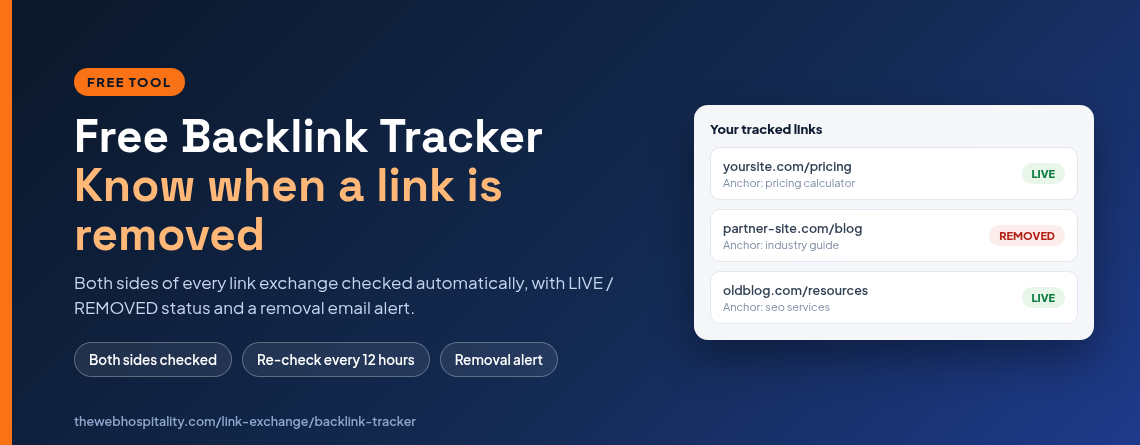
A backlink tracker checks the pages that link to your site and warns you when one of those links disappears. You need one because a link can vanish without any notification – the page stays online, the link is quietly deleted, and you only notice months later when rankings move. The TWH tracker does this check for you, free.
This guide explains what a tracker actually verifies, how to check a partner page manually in a minute, and how to automate the whole job for link exchanges, guest posts and paid placements.
What does a backlink tracker do?
A backlink tracker stores the exact page URL and anchor text of every link you build, then re-fetches those pages on a schedule and reports whether your link is still there. It answers three questions: is the page still online, is my link still on it, and has the anchor text changed. Discovery is a different job – tools like Google Search Console, Ahrefs or Semrush tell you which pages link to you in the first place. Tracking is about protecting the links you already have.
According to Google’s own documentation, Search Console’s Links report lists your top linked pages and top linking sites, but it does not send an alert when a link is removed – you have to compare exports yourself. That gap is exactly where a tracker fits.
How often do backlinks actually disappear?
More often than most site owners expect. Pew Research Center studied roughly one million web pages in 2024 and found that a quarter of the pages that existed in 2013 were no longer accessible a decade later. A linking page does not have to disappear entirely to cost you a backlink: it can drop your link during a redesign, change the anchor text, move behind a redirect, or the owner can simply delete the paragraph.
- Redesigns – the page survives, the link is dropped in the new template.
- Content edits – the paragraph that held your link is rewritten.
- Domain and URL changes – the page moves and the old URL redirects or breaks.
- Deliberate removal – common with link exchanges once the other side has what it wanted.
How to check if a partner removed your link (manual method)
For a handful of links you can check by hand. It takes about a minute per link:
- Open the exact partner page that should link to you – not their homepage.
- Use your browser’s find function (Ctrl+F or Cmd+F) and search for your domain, without the https:// prefix.
- If you find it, click the link and confirm it actually goes to your page and not to a redirect or an unrelated URL.
- Check the anchor text – if a partner promised specific text and it has changed, treat the placement as broken.
- Note the date you checked, so you have a record if you need to follow up.
That works for five links. At fifty links it stops working: the pages change, your notes go stale, and you cannot remember which ones you checked last month.
What a good link tracker checks
| Check | Why it matters | Manual effort |
|---|---|---|
| Page reachable | A 404 or 410 page passes no value, even if your record still lists it | High – must retest every link |
| Link present | The single most common failure: the page loads, your link is gone | High – changes without warning |
| Anchor text match | Anchor changes dilute relevance for the keyword you targeted | Very high – easy to miss |
| Both sides of an exchange | Tells you who is holding up a reciprocal deal before you ask | Doubles the work |
| History and alerting | You want to know the day a link drops, not the month | Impossible by hand |
Free backlink tracker vs paid monitoring tools
Paid monitors such as Ahrefs, Semrush, Linkody or Monitor Backlinks are built for large agencies: they crawl your entire profile, score toxicity, and cost anywhere from about $15 to several hundred dollars a month. They are excellent at discovery and heavy profiling.
What most small sites and bloggers actually need is narrower: a permanent record of the links they built themselves, a regular check, and an email when something breaks. That is the job the free TWH backlink tracker does. There is no credit card, no crawl of the whole web and no per-link pricing.
How the free TWH backlink tracker works
- Add your link. Send a link exchange request from the link exchange directory, or record a manual placement – guest post, paid link or an outbound partner page – with your page URL and anchor text.
- The tracker checks it. Every record is checked when you open the tracking page and re-checked automatically every 12 hours. Both directions of an exchange are verified: your link on their page, and their link on yours.
- You get a status, then an alert. Each side shows LIVE, REMOVED or NOT CHECKED. When a page loads but your link is missing, the link owner gets one email alert – and one more if the link comes back.
One design decision worth calling out: if a partner page is temporarily unreachable, the record shows NOT CHECKED rather than REMOVED. A short outage or a rate-limited server will never generate a false removal alert, so the alerts you do receive are worth acting on.
Tracking guest posts, paid links and directory listings
Directory submissions and guest posts decay in the same way as link exchanges. The tracker accepts manual records, so you can log any placement that did not come through the directory: add the partner page URL that holds your link, your anchor text, the placement type (guest post or external exchange) and the owner’s email. From then on it is checked on the same 12 hour schedule and appears in the same tracking list.
Before you build a link at all, two free checks are worth running: the Domain Rating checker for authority and the spam score checker to avoid a risky neighbourhood. If you would rather keep your outbound page clean as you trade links, the broken link checker will find dead links on your own pages.
How often should you check your backlinks?
Match the frequency to the value of the link. A useful routine:
- Best links (highest DR, most relevant): check monthly or more often – 12 hour automated checks cover this.
- Guest posts and paid placements: check in the first week after publication, then monthly for the first six months, because early edits are common.
- Link exchanges: check quarterly at minimum. Exchange partners are the most likely to remove a link once the trade is done.
- After any partner redesign or domain change: re-check immediately – that is when links disappear in bulk.
What to do when a link is removed
- Confirm it yourself – open the page and search for your domain. If the page is down, wait a day before assuming the worst.
- Contact the owner with the original placement details (page, anchor, date). Most removals during redesigns are accidental.
- If restoration is impossible and the link was paid, review the terms with the seller before asking for a replacement.
- Update your records either way, so your tracking list reflects reality.
Frequently asked questions
Is the TWH backlink tracker really free?
Yes. Recording links, automatic checks every 12 hours, LIVE or REMOVED status and removal alert emails are free, with no credit card and no per-link pricing.
Do I need to install a plugin?
No. The tracker works from the outside: it fetches the partner page over HTTP and looks for your link. Nothing is installed on your site and no server access is needed.
Can it find all my backlinks automatically?
No, and any tool that claims otherwise should be treated with caution. Discovering unknown links requires a full web index. The tracker verifies links you record, which is the part that protects your placements.
Does it detect nofollow or sponsored attributes?
Not yet. The free tracker verifies that your link is present and that the anchor text matches. rel attribute reporting is not part of the free tool, and we do not display a metric we cannot verify.
What happens if a partner page is temporarily offline?
The record is marked NOT CHECKED, not REMOVED, so a short outage does not send a false alarm.
Can I track links pointing to any page, not just my homepage?
Yes. Each record stores the exact target URL and page, so you can track a landing page, a pricing page or a blog post separately.
Start free: open the backlink tracker and record your first link, or list your website in the free link exchange directory so every exchange you make is tracked from day one.


