

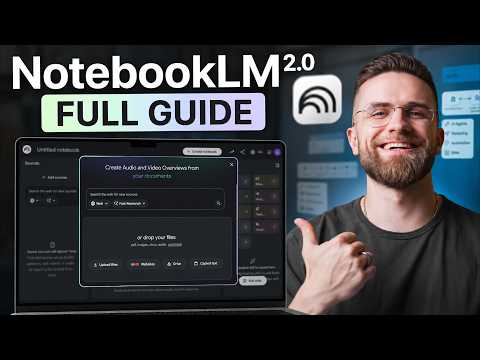
NotebookLM 2.0 introduces significant updates aimed at enhancing research and content management processes. With the addition of cloud computing integration, users can process data more efficiently, while automated workflows help minimize repetitive tasks. AI Master explains these changes in detail, including how expanded file format compatibility and topic-specific notebooks can support a variety of project needs.
Discover how to set up automated research workflows, apply bias detection to ensure credible sourcing and generate structured outputs like mind maps or slide decks. This beginner-friendly guide provides actionable steps to help you navigate these features and make the most of NotebookLM 2.0’s latest offerings.
Features of NotebookLM 2.0
TL;DR Key Takeaways :
- The latest update released by Google introduces cloud computing integration, expanded file format support and automated workflows, significantly improving productivity and efficiency for users.
- Advanced Research Capabilities: Tools like automated source discovery, source evaluation frameworks and bias detection streamline research processes and ensure high-quality, credible results.
- Content Creation Tools: Features such as audio overviews, mind mapping, flashcards, slide deck generation and infographics enable users to create polished and engaging outputs for various audiences.
- Exclusive Power User Features: The Ultra Plan offers advanced functionalities like a Python execution sandbox, autonomous source discovery and task-specific automation for professionals and researchers.
- Flexible Pricing Plans: Multiple tiers, from free to enterprise, cater to diverse user needs, with options for casual users, students, professionals and organizations.
The latest version of NotebookLM includes several innovative tools aimed at optimizing your workflow. These standout features are tailored to meet the diverse needs of its users:
- Cloud Computing Integration: Each notebook now comes with a dedicated cloud computer, allowing faster and more advanced processing for tasks such as data analysis, simulations and large-scale computations.
- Expanded File Format Support: The platform now supports 11 additional file types, including PDFs, DOCX, XLSX and PPTX, allowing you to work seamlessly with a variety of resources.
- Automated Research Workflows: You can create entire research pipelines directly from a blank notebook, significantly reducing manual effort and saving valuable time.
These features are designed to simplify complex processes, allowing you to focus on achieving your goals with greater efficiency.
Streamlined Research Workflow
NotebookLM 2.0 is engineered to make research more efficient and precise. The platform’s topic-specific notebooks allow you to focus on obtaining accurate answers, while its multi-format source integration lets you gather information from diverse mediums, such as PDFs, websites and podcasts. You can also toggle specific sources to refine your queries, making sure that your results are both targeted and relevant.
By combining these tools, NotebookLM 2.0 helps you streamline your research process, reducing the time spent on manual data collection and improving the quality of your findings.
Check out more relevant guides from our extensive collection on NotebookLM that you might find useful.
Advanced Research Capabilities
The update introduces advanced tools that elevate your research to a professional level. These include:
- Automated Source Discovery: The platform automatically identifies and compiles relevant sources for your topic, generating comprehensive reports that save you hours of manual searching.
- Source Evaluation Framework: Assess the credibility of your sources based on factors like publication date, author credentials and reliability, making sure your research is grounded in trustworthy information.
- Bias Detection: Identify potential biases in your sources to maintain balanced and objective research outcomes.
These capabilities empower you to conduct high-quality research with minimal manual intervention, making it easier to focus on analysis and interpretation.
Content Creation Tools
NotebookLM 2.0 is not just a research tool; it also excels in content creation. The platform offers a suite of features to help you present your findings effectively and creatively:
- Audio Overviews: Generate audio summaries in various formats, such as deep dives, critiques, or debates, to suit different audiences.
- Mind Mapping: Visualize complex topics with exportable mind maps in PNG format, making it easier to communicate intricate ideas.
- Flashcards and Quizzes: Create interactive study aids with built-in progress tracking, ideal for students and educators.
- Slide Deck Generation: Produce detailed or presenter-focused slide decks for professional presentations with minimal effort.
- Infographics and Video Overviews: Customize visual content to match your audience’s preferences, enhancing engagement and comprehension.
These tools enable you to transform your research into polished, engaging outputs that cater to a variety of professional and educational needs.
Exclusive Features for Power Users
For advanced users, the Ultra Plan unlocks additional functionalities that provide unparalleled customization and automation:
- Python Execution Sandbox: Run Python scripts securely in a cloud environment, allowing advanced data analysis and automation.
- Autonomous Source Discovery: Automatically locate and compile relevant sources for your projects, streamlining the research process.
- Task-Specific Automation: Access an expanded library of automation skills to handle repetitive tasks efficiently.
These features are ideal for professionals and researchers who require high levels of customization and efficiency in their workflows.
Flexible Pricing Plans
NotebookLM 2.0 offers a variety of pricing tiers to accommodate different user needs:
- Free: Includes 100 notebooks, 50 sources per notebook and 50 daily chats, making it a great option for casual users.
- Plus ($7.99/month): Provides increased limits and 200 daily chats for more frequent users.
- Pro ($19.99/month, $9.99 for students): Offers priority access, higher usage limits and additional features tailored for professionals and students.
- Ultra ($99.99/month): Grants full access to advanced features, including 5,000 daily chats and exclusive tools for power users.
- Enterprise: Custom pricing and tailored features designed for large organizations with specific needs.
These flexible options ensure that both casual users and professionals can find a plan that aligns with their requirements and budget.
Strengths and Limitations
NotebookLM 2.0 offers numerous advantages, such as source-grounded research, improved accuracy and seamless integration with Google tools. However, it does have some limitations, including restricted export options for PPTX files and mind maps, as well as occasional overreach by the automated agent. Despite these minor drawbacks, the platform remains a powerful tool for research and content creation.
Integrating NotebookLM with Other Tools
To maximize your productivity, consider integrating NotebookLM with other AI tools. This combination can help you create a more comprehensive and efficient workflow:
- Gemini/Claude: Excellent for drafting and refining content, making sure polished outputs.
- ChatGPT: Ideal for brainstorming and generating creative ideas.
- AI Master Pro: A versatile platform that combines multiple AI tools in one interface, streamlining your workflow.
By using these integrations, you can enhance your research and content creation processes, achieving better results in less time.
Media Credit: AI Master
Disclosure: Some of our articles include affiliate links. If you buy something through one of these links, Geeky Gadgets may earn an affiliate commission. Learn about our Disclosure Policy.


