
Google left one thing out of the announcement around the new Search profiles features announced today, you can now add a Search profile badge to your website. This allows users/searchers to follow you directly from your website.
The help document says, “After you’ve claimed your Search profile, you can encourage your audience to find your content from across the web by adding a Search profile badge to your website.”
Here is my button:
Here are the listed brand guidelines and best practices for this:
- Ensure accessible touch targets: Keep the clickable target at least 48 × 48 dp on Android and 44 × 44 px on iOS and web.
- Preserve logo integrity: If you’re using the official assets from Google, don’t stretch, distort, rotate, or alter the colors of the “Super G” icon and Search profile button.
- Avoid mixing and matching monochrome badges with colorful badges: For example, if you’re using monochrome for all icons, use the monochrome “G” icon.
- Maintain badge clarity: If you want to use both the Search profile badge and Preferred Sources badge together, use the higher emphasis Search profile button with the label for clarity and distinction from the Preferred Sources badge. Don’t use the “Super G” icon for the Search profile paired with the Preferred Sources badge.
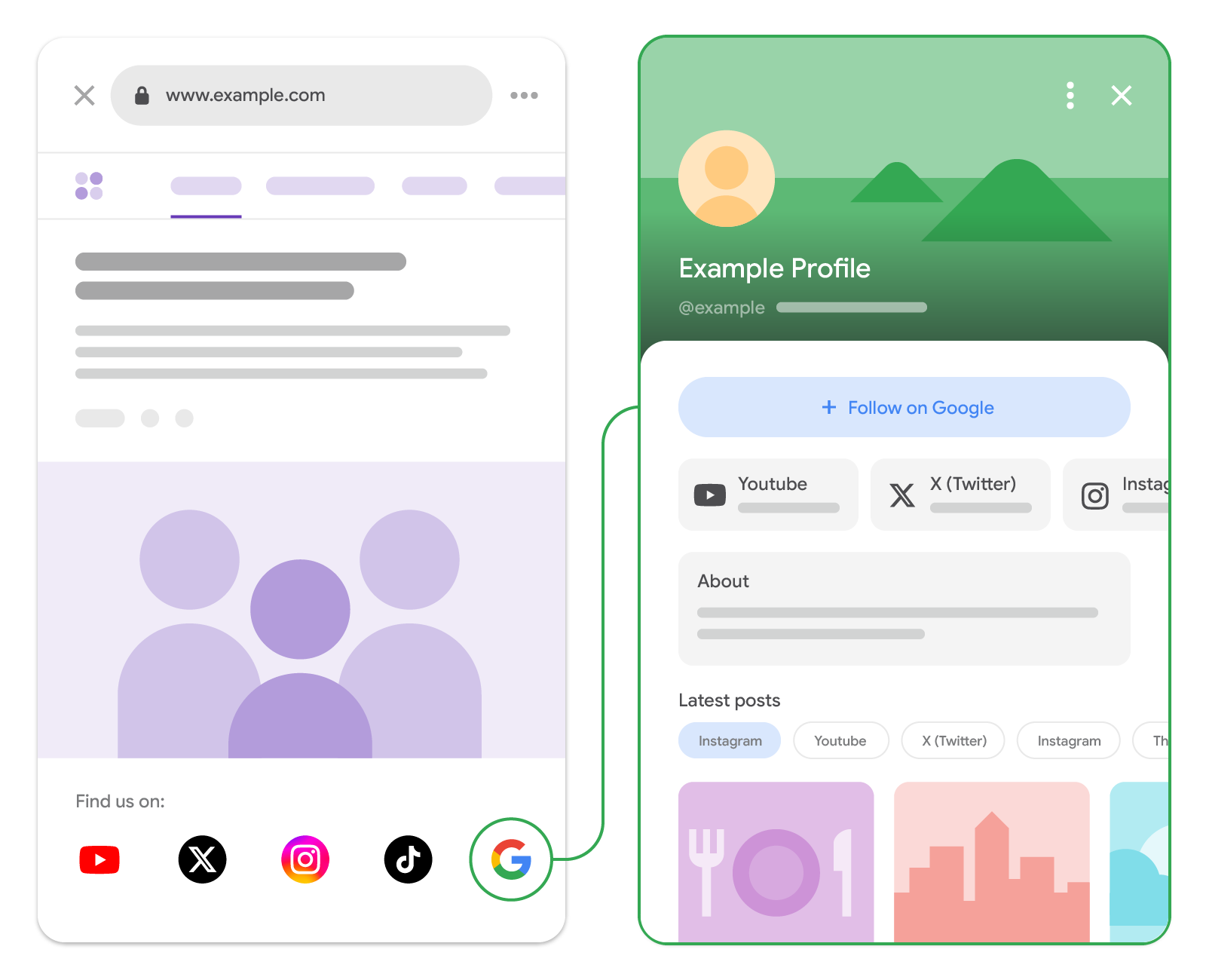
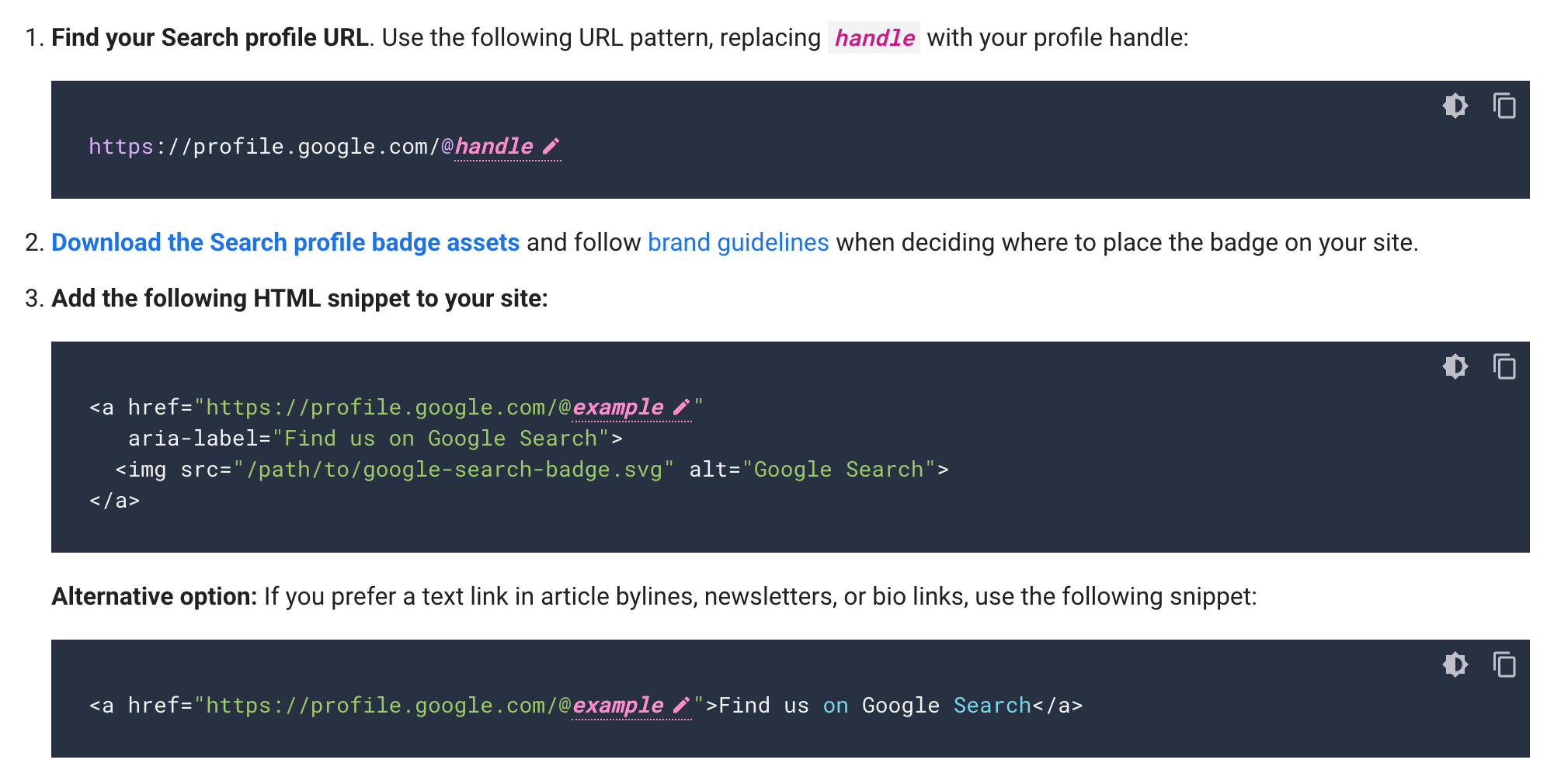
Here is the code to add the button to your site:
If you are confused between preferred sources, search profiles and tailor your feed – read that story.
Forum discussion at X.


