Narrative is one of the best AI-powered culling and editing tools I’ve tested for photographers who deal with high-volume shoots.
It makes the repetitive part of post-production dramatically quicker, while leaving the creative decisions where they belong: with you. You can read our full review of Narrative here.
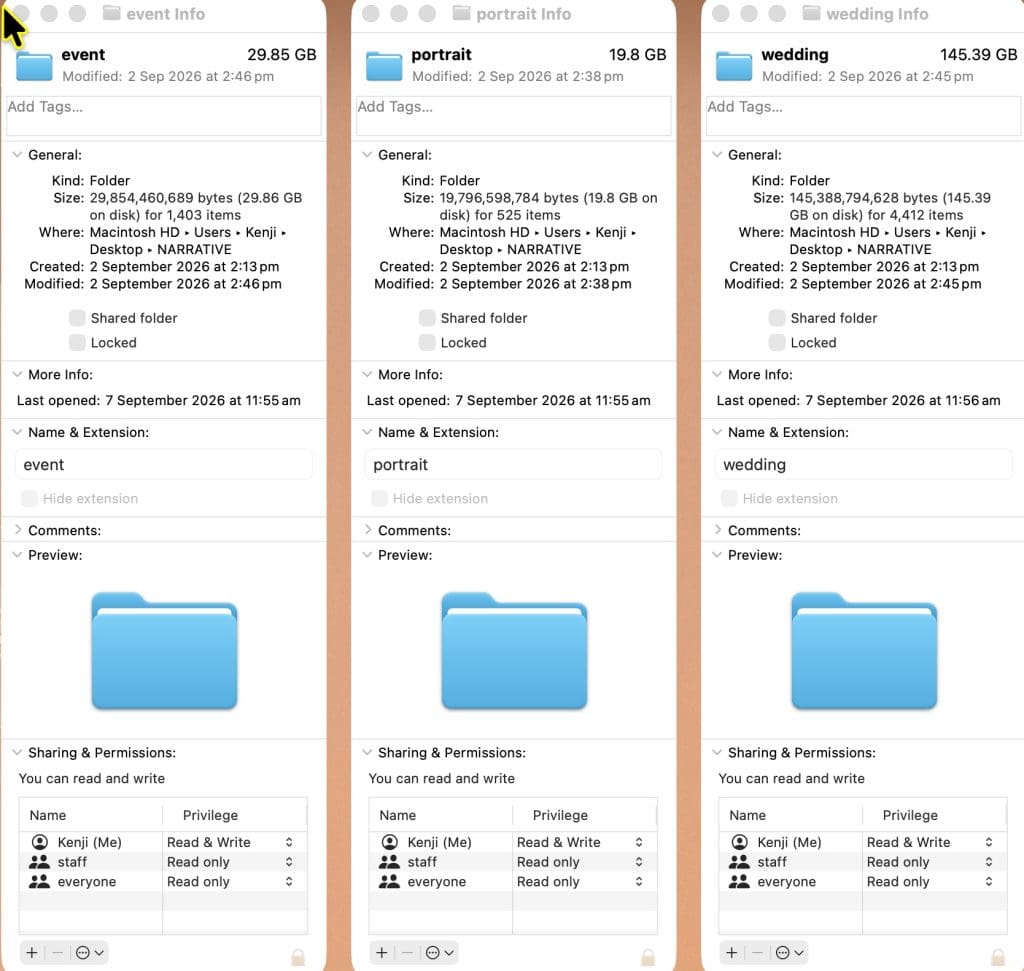
I tested Narrative with a mixed real-world workload: two events, one portrait session, and three weddings – 6,340 images in total.
Highly Recommended


Save hours with AI culling, speedy file imports, and seamless Lightroom integration.
Use code SHOTKIT10 to save 10%
My files included:
- 2 events: 1,403 images / 29.85GB
- 1 portrait session: 525 images / 19.8GB
- 3 weddings: 4,412 images
The wedding images were RAW files shot on Sony a7 IV and Sony a7 III.
My typical wedding gallery is around 1,200 images; events run to 200-300 images, with family and portrait galleries usually around half that.
In other words, this was a realistic test of the kind of volume where culling software either earns its subscription or becomes another app you never open.
My Narrative Test: Importing 6,340 Images
Getting images into Narrative was impressively straightforward. I imported 1,583 Sony wedding RAW files into the app, and the process felt instant.
There was no drawn-out import process or prolonged wait before I could start looking through the shoot.
The ingesting process reminded me of PhotoMechanic or Luminar, since they both simply reference the location of the images on your hard drive, rather than importing them like Lightroom does.
That responsiveness is great, especially when you’ve just returned from a long wedding day and want to begin the cull while the day is still fresh in your mind.
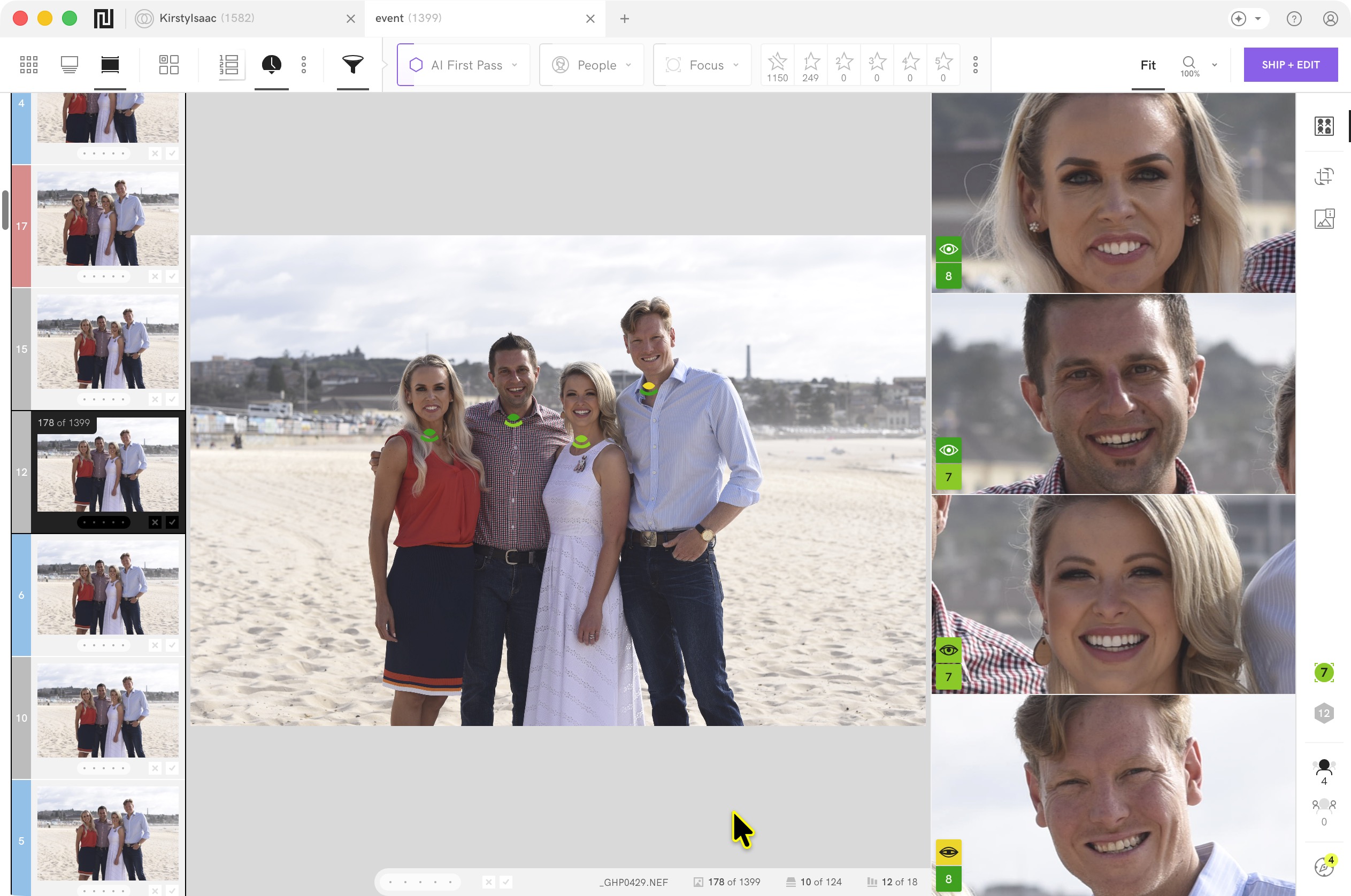
I really liked Narrative’s near-immediate RAW rendering. The app feels purpose-built for photographers working with large files, rather than like an editing add-on trying to do too much.
AI First Pass
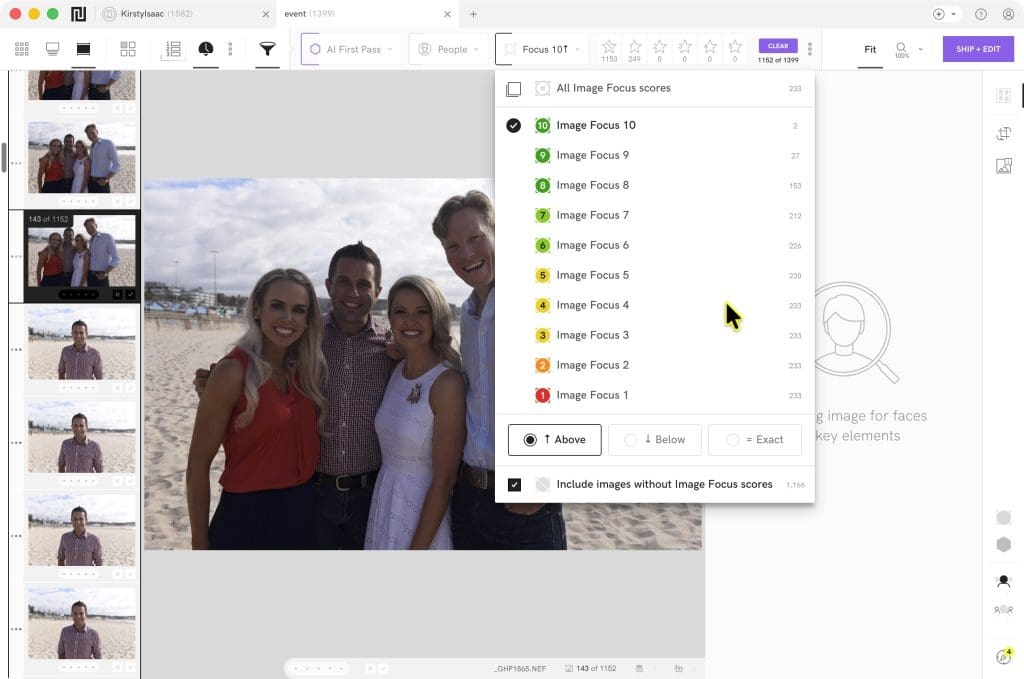
The first major feature is AI First Pass, which analyses the shoot for issues such as focus, eye state, and prominent faces.
On my 1,583-image wedding import, AI First Pass took a little over three minutes. That’s fast enough that it fits naturally into the workflow: start the analysis, make a coffee, and come back to a properly labelled shoot.
My only complaint is that the progress isn’t obvious enough. You need to hover over the AI First Pass button to see the percentage complete.
If you’ve just started using the app, it isn’t immediately clear whether the analysis is moving along, how long is left, or whether it has finished.
It also puts a genuine load on your computer. On my M1 MacBook Pro with 32GB of RAM, the fans came on pretty much straight away.
CPU activity settled around 252%, with 343 threads active and roughly 55% GPU utilisation.
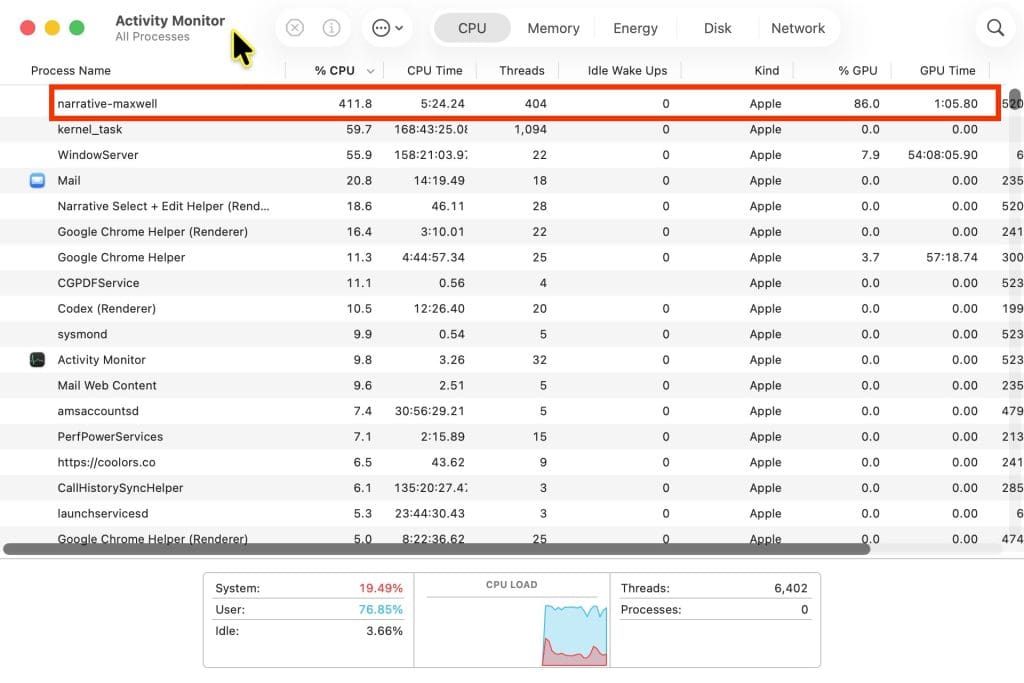
This isn’t necessarily a negative; it’s clear Narrative is using the hardware to process the shoot quickly, but it’s worth knowing if you work on an older machine, edit on battery power, or expect to run other demanding apps alongside it.
Culling
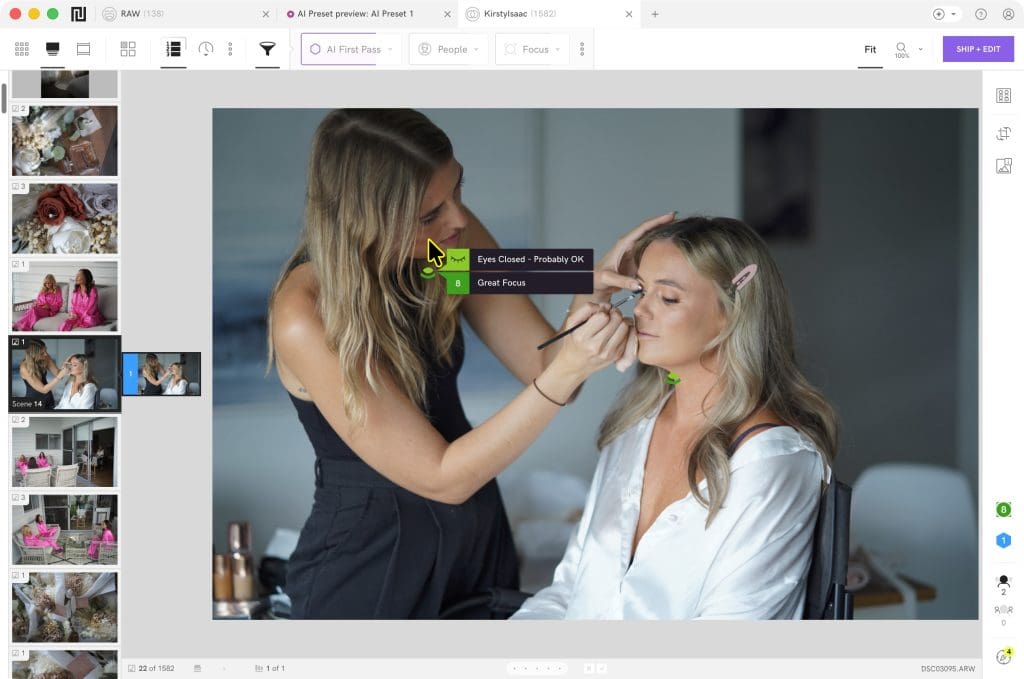
Narrative is at its best when a shoot contains lots of similar frames.
Weddings are the obvious example. You may have sequences of the first kiss, walks down the aisle, speeches, family formals, dance-floor moments, and portraits where the difference between frames is a blink, a missed focus point, or a more flattering expression.
Events bring a similar problem: a speaker may be framed well in one image and have their eyes closed in the next, while a photographer is dealing with hundreds or thousands of files.
Narrative’s Scenes View groups related images together so you can assess a moment rather than hunt through an entire timeline. It can also rank images using focus and face-assessment data, which makes it faster to identify the likely strongest frame in a burst.
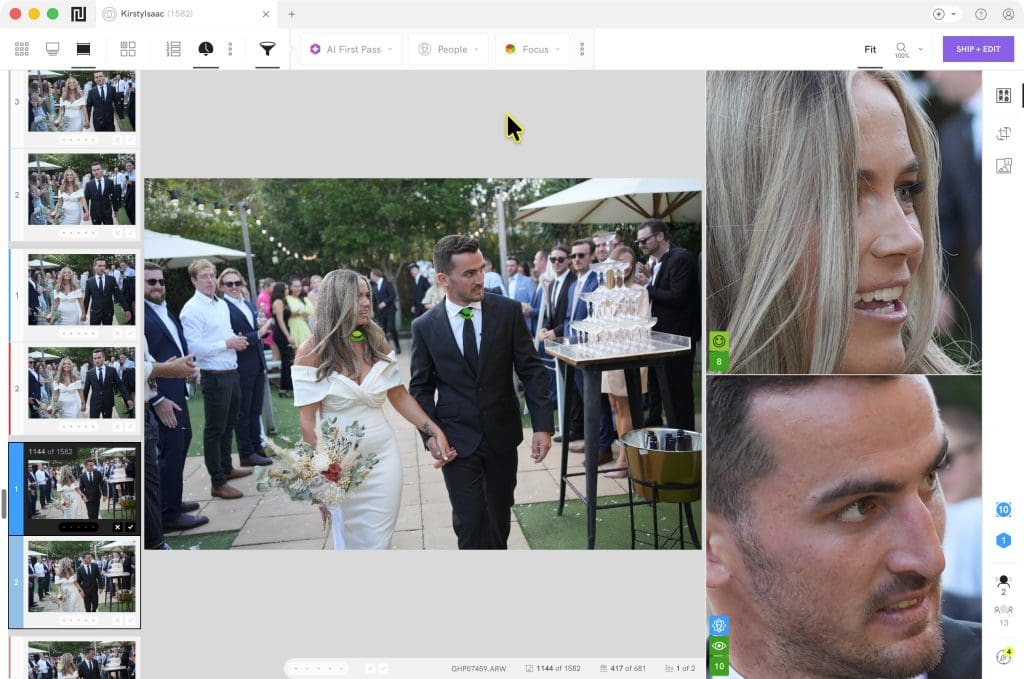 The
The
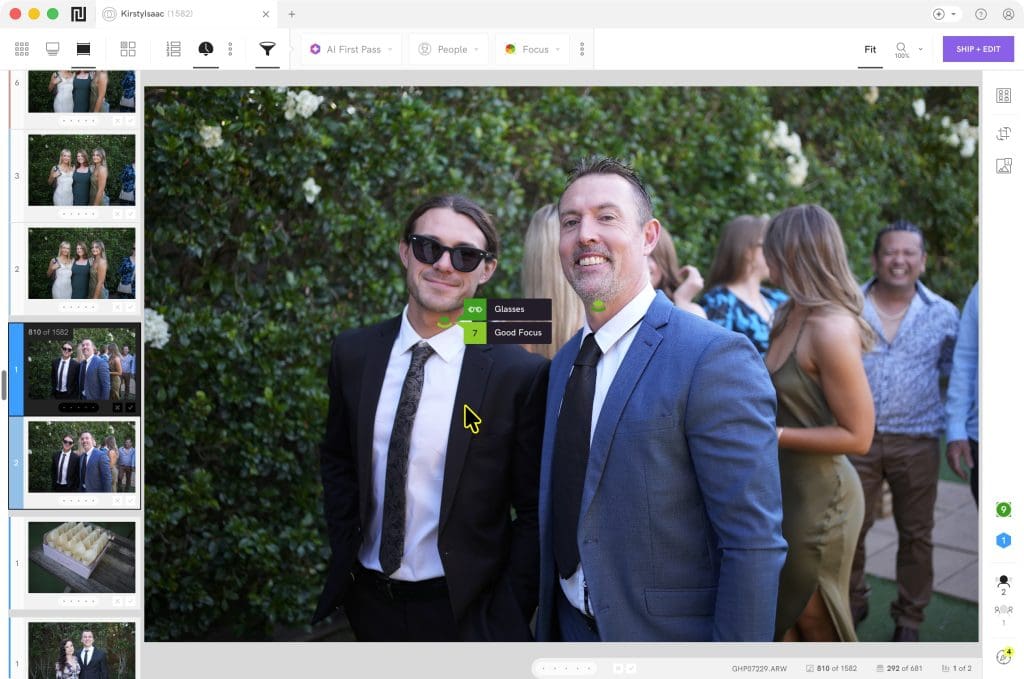
Close-Ups Panel is particularly useful for family group shots and wedding formals. Instead of zooming into every face one by one, it gives you a quick way to check whether someone blinked or was missed by the focus point.
The important point is that I wouldn’t treat Narrative’s rankings as an automatic “delete everything else” command. Creative images, candid moments, motion blur used deliberately, unusual compositions, and panoramas still need a human eye. But as a first-pass assistant, it makes the process feel much less like administrative work.
People Filter
Narrative’s People Filter deserves a mention because it solves a problem wedding photographers know well: “Did we get enough photos of this person?”
It allows you to filter a shoot by an individual, or by multiple people together. That makes it useful for checking coverage of a couple, family members, wedding party members, keynote speakers, or repeat event attendees.

For example, before delivering a wedding gallery, you could filter for the couple together and confirm you have sufficient shared portraits and candid moments. You can also quickly check whether a parent or grandparent is represented across the day, rather than scrolling through the full gallery again.
It won’t detect every face in every situation. It may not pick up people who are heavily obscured, turned away, distant, or intentionally out of focus. But for prominently featured people, it’s a genuinely practical coverage-checking tool, not just a novelty AI feature.
AI Editing and Personal Presets

Culling is only half the job. Narrative also offers AI editing, including Personal AI Presets trained on your existing Lightroom edits.
The concept is appealing because the aim is not to apply a generic “warm and moody” look to every image. Instead, Narrative learns from your own editing history and uses that as the foundation for its adjustments.
In practice, this works best as a fast, consistent starting point. It can handle routine colour, exposure, white-balance, and levelling decisions across a shoot, leaving you to make the final creative tweaks in Lightroom.
Narrative also continues learning from Lightroom adjustments after you ship and export work, so the preset can become more aligned with your editing over time.
Photographers without enough edited work to train a personal preset can use the company’s marketplace presets as a starting point.
With my 6,340 images, Narrative had more than enough to start building an accurate AI profile, and I look forward to seeing how it evolves as I feed it more over my upcoming shoots.
Lightroom Integration
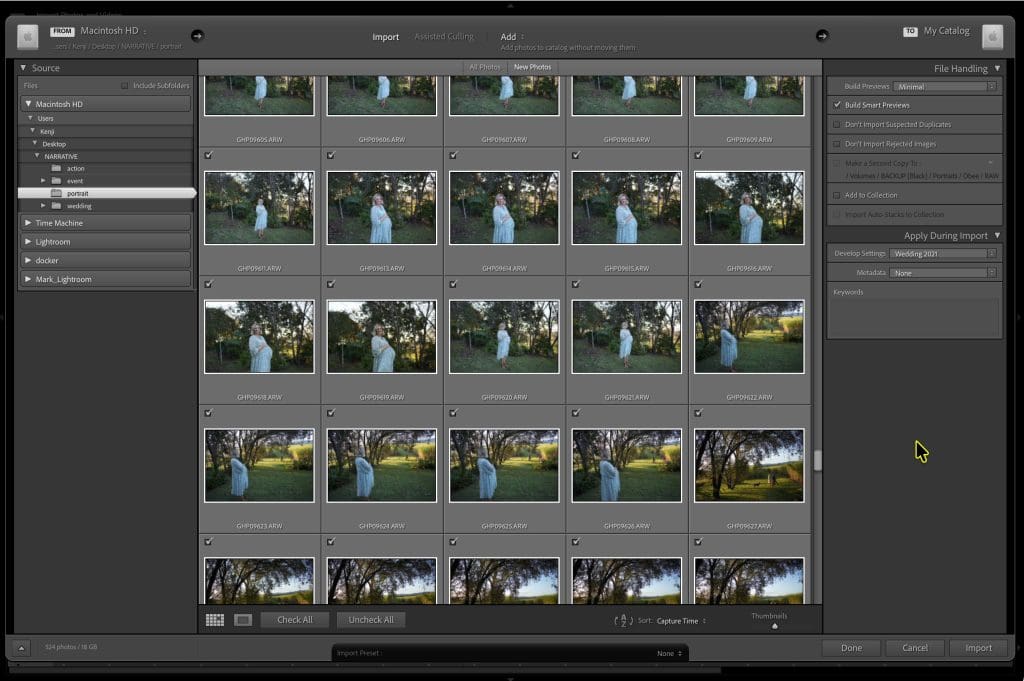
Narrative doesn’t try to replace Lightroom; it works with it.
Once the cull is complete and your AI preset has been applied, you can ship the selected files to Lightroom Classic for final review and delivery. That’s a major strength because it fits an existing professional workflow rather than forcing you into a new editing ecosystem.
I still want the final pass in Lightroom. That’s where I would refine the images that need extra attention, check critical focus at full resolution, apply local masking, make creative crops, finish panoramas, and ensure the gallery tells the story of the day in the right order.
Narrative saves time precisely because it doesn’t ask photographers to give up that control.
Final Words
Narrative makes the strongest case for wedding and event photographers, where the volume of near-duplicate images can turn culling into the longest and least enjoyable part of the job.
It also makes sense for portrait and family photographers who want a more consistent, less repetitive workflow.
The app isn’t magic, and I wouldn’t hand over client delivery decisions to any AI without reviewing the work.
However, Narrative gets the division of labour right: it handles the mechanical sorting, assessment, and baseline adjustments, while the photographer keeps the artistic judgment.
For me, that’s the value. It makes the post-production workflow faster without making it feel less personal.


