
iOS 27 continues Apple’s trend of giving you more control over the design of your iPhone’s Lock Screen. This year, there are new customization options, wallpaper settings, and more.
Extend wallpapers
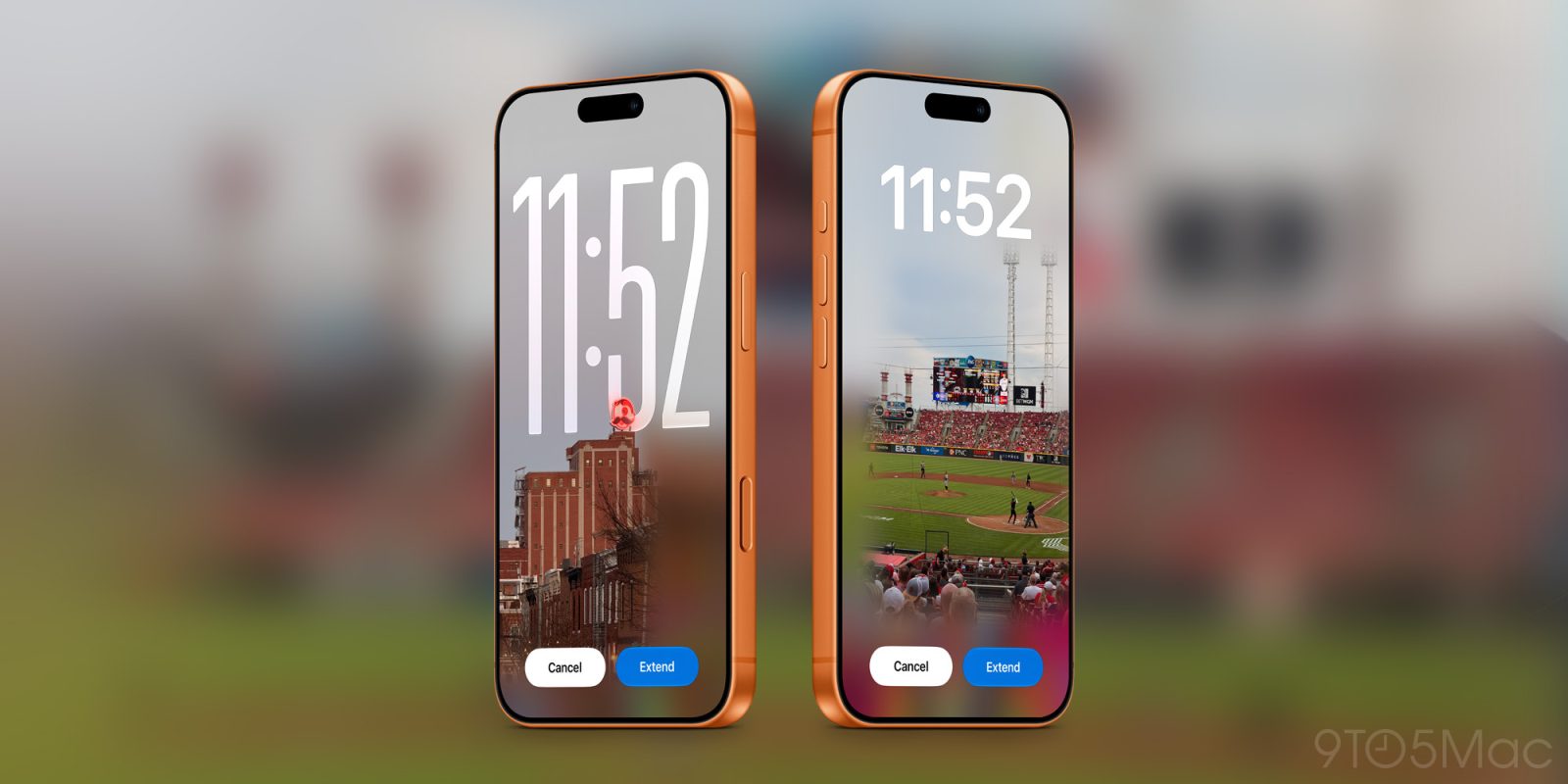
iOS 27 brings new Apple Intelligence editing features to the Photos app. This includes a revamped version of Clean Up, as well as a Reframe. Another new option is Extend, which intelligently expands your image so you can adjust its aspect ratio, straighten horizons, or just add more space around the edges.
As seen above, the Extend feature also comes to the Lock Screen in iOS 27. If a photo doesn’t match your iPhone’s aspect ratio or isn’t cropped quite right for a wallpaper, iOS 27 will automatically suggest using Extend to fix it.
Extend will use AI to generate additional image content around the edges, so you have more flexibility when setting a picture as your iPhone’s wallpaper.
Generate your own wallpapers
iOS 27 brings big improvements to Image Playground, which is Apple’s app that lets you generate images using artificial intelligence. The changes to Image Playground also come to your iPhone’s Lock Screen. Now, you can generate wallpapers using Image Playground right from the wallpaper picker in Settings or on the Lock Screen itself.
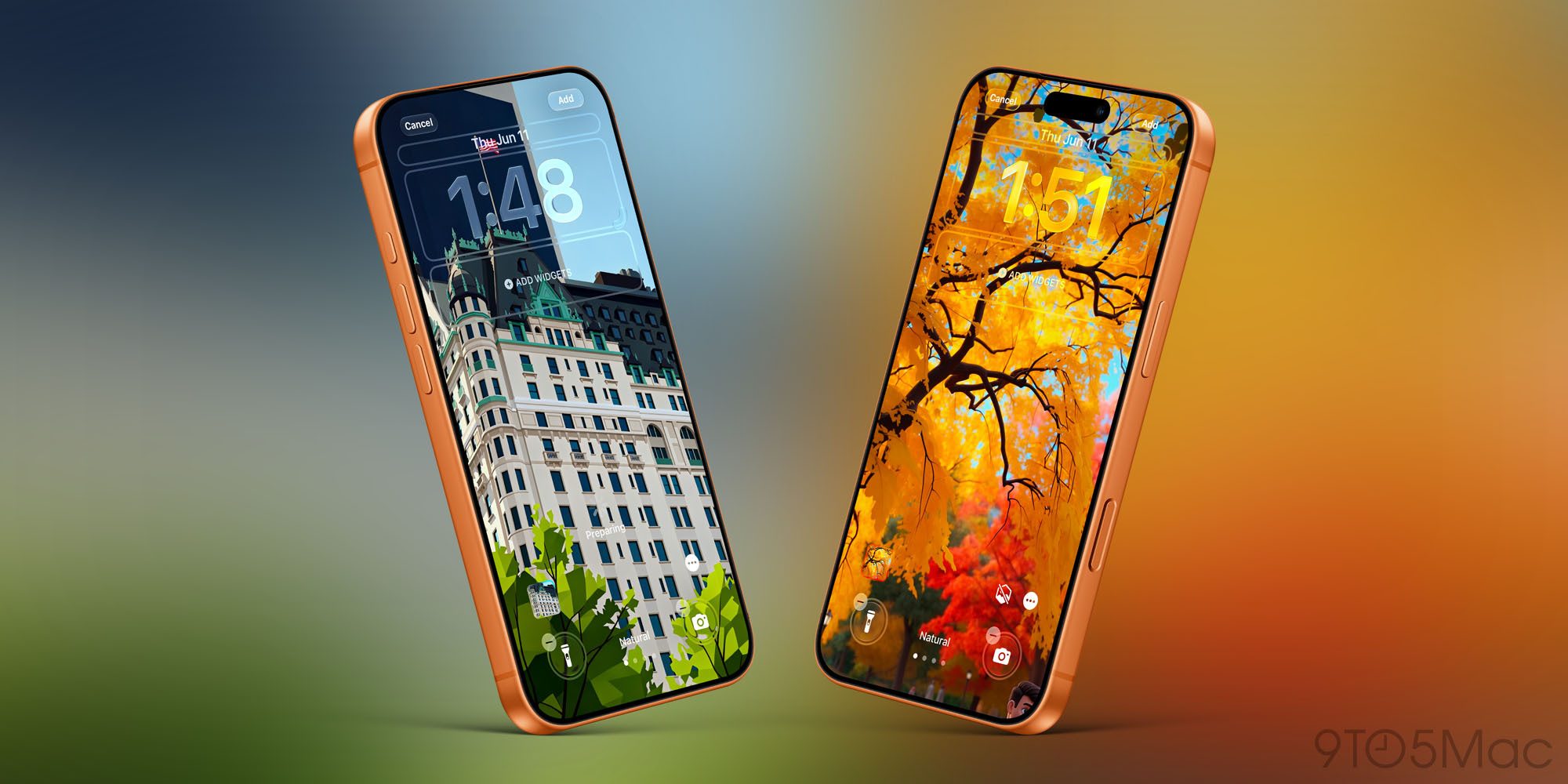
In the wallpaper picker, you’ll see a new “Image Playground” option. The feature will create stylized versions of images from your Photos library, such as “Retro Illustration” and “Animation.”
You can also create a custom wallpaper from scratch just by describing what you want in natural language.
Move the clock
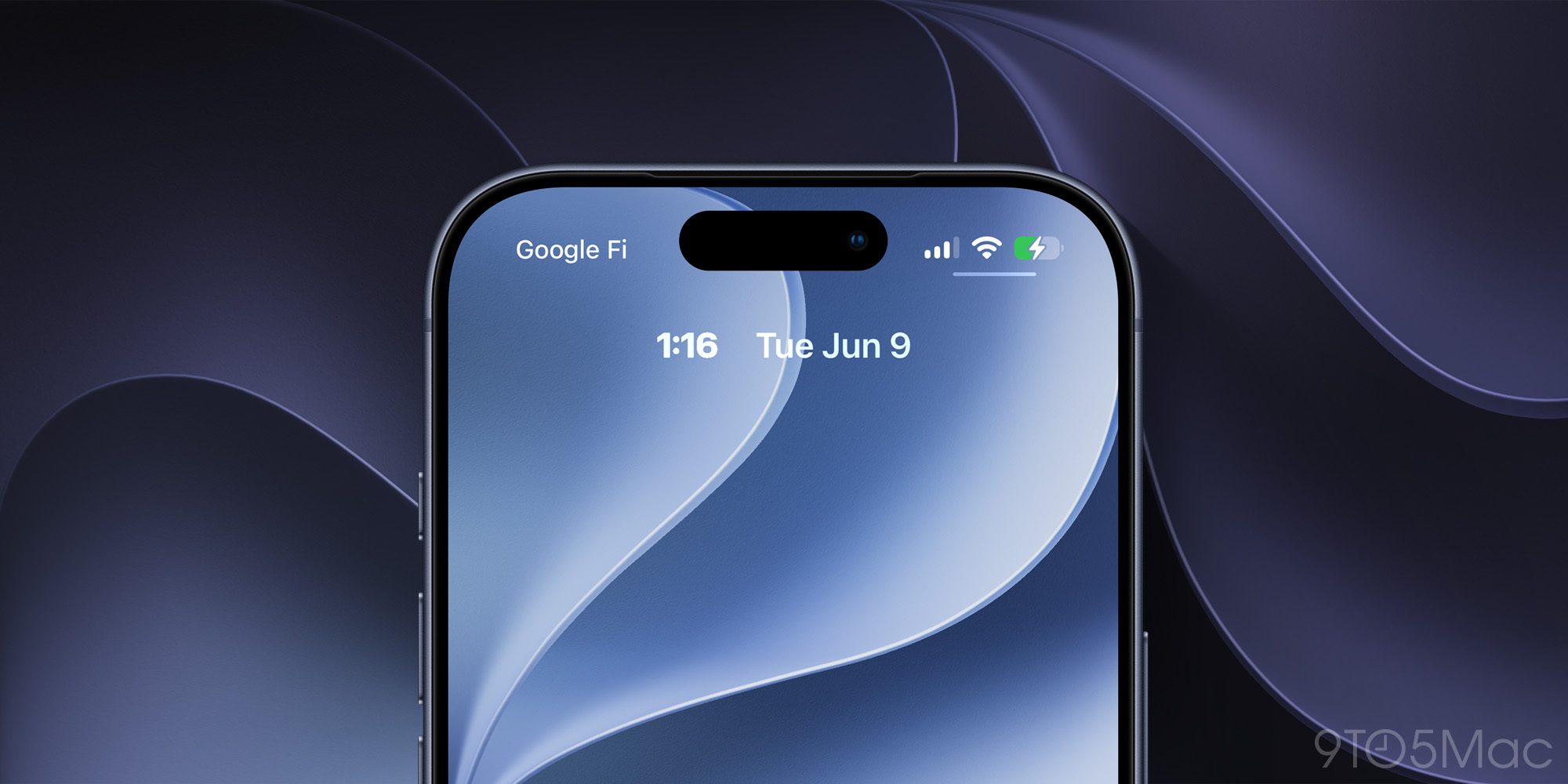
iOS 27 finally lets you shrink the clock on your iPhone’s Lock Screen. While Apple has let you customize the clock’s size for several years, iOS 27 goes a step further. Now, you can move the clock on your Lock Screen up to the top row of widgets.
This frees up space on your Lock Screen so you can see more of your wallpaper. It does, of course, come at the expense of being able to glance at the time from far away. For many people, though, the point of the Lock Screen is to show off wallpapers, and iOS 27 makes that even easier.
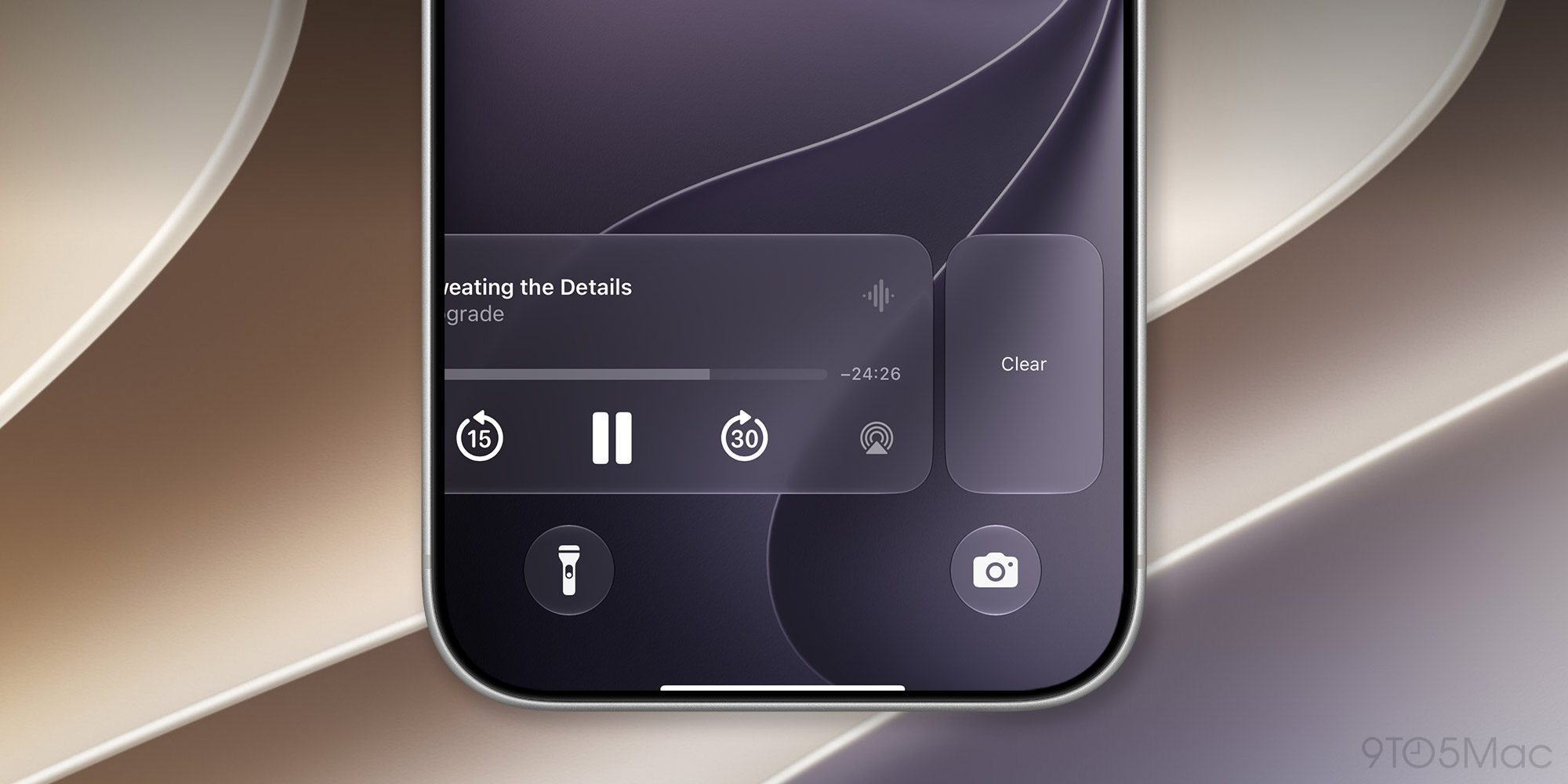
With iOS 27, you can now swipe away the Now Playing widget that appears on your iPhone’s Lock Screen. Even if you clear the Now Playing widget, whatever you’re listening to will continue playing.
This is great if you find yourself accidentally tapping the Now Playing widget on your Lock Screen.
Wrap up
iOS 27 is currently available to developers and public beta testers. It will be released to everyone later this year. What do you think of the new Lock Screen customization features in iOS 27? Let us know down in the comments.
Chance’s favorites:
Follow Chance: Threads, Bluesky, Instagram, and Mastodon.


FTC: We use income earning auto affiliate links. More.


