If you’ve experimented with AI image or video generation recently, you’ve probably noticed one frustrating trend: every top model seems to require its own subscription. One tool excels at images, another creates better videos, while a third focuses on editing or upscaling. Before long, you’re juggling multiple accounts and paying well over $100 per month.
That’s exactly what made DaVinci AI stand out during my evaluation.
Instead of building its own generation model, DaVinci AI brings many of today’s leading AI image and video models into a single platform. During my evaluation, I explored its image generation, video creation, editing tools, templates, and multi-model workflow to see whether it actually simplifies the creative process or simply adds another subscription to the list.
Here’s everything you need to know before deciding whether it’s worth using in 2026.
Key Takeaways
- Access to dozens of leading AI image and video models from a single platform.
- Images, videos, music, and AI voices, all without hopping between separate tools.
- An editing toolkit that covers the basics well — background removal, object erasing, lighting adjustments, upscaling.
- Side-by-side comparison is easy since several generations can run at the same time.
- It works best for creators, marketers, designers, and businesses that need visual content on an ongoing basis.
What Is DaVinci AI?
DaVinci AI is a web-based AI content creation platform that combines image generation, video generation, image editing, AI music, and AI voice tools into one workspace. Rather than relying on a single proprietary model, it gives users access to a wide range of leading AI models from one interface.
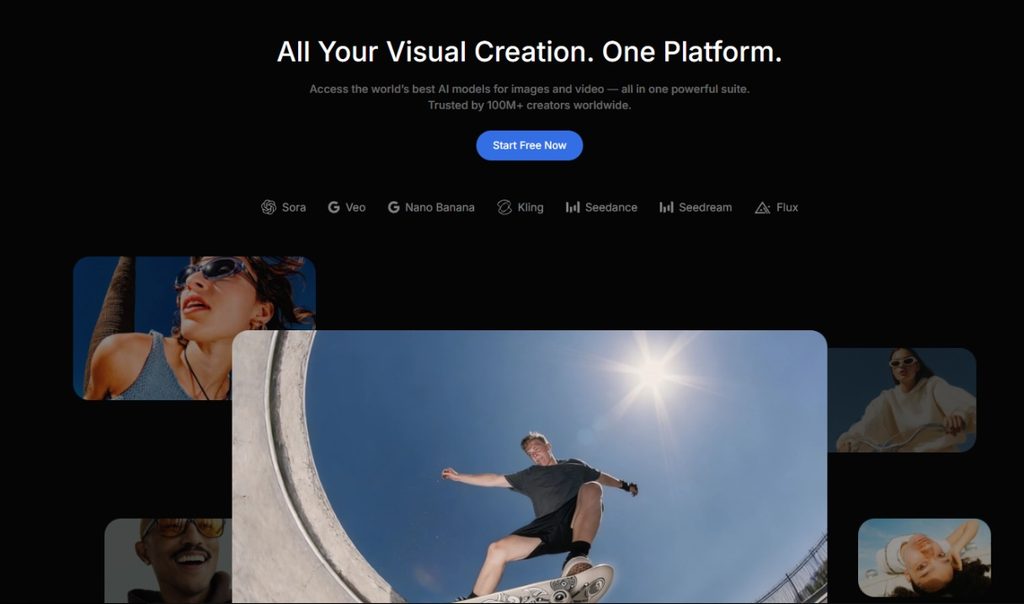
One of DaVinci AI’s biggest strengths is the flexibility to switch between different AI models depending on the task. Instead of committing to a single model, you can choose the one that best fits your project. Whether you’re creating product photos, YouTube thumbnails, social media content, concept art, or short cinematic videos, switching between models takes only a few clicks.
Since everything runs directly in your browser, you don’t need to install anything, and your projects stay accessible across desktop, tablet, and mobile devices.
Key Features
Access to Leading AI Models
One of DaVinci AI’s biggest strengths is its extensive model library.
Instead of subscribing individually to different AI services, DaVinci AI brings many popular image and video models together under one subscription. Depending on your plan, you can access a broad collection of industry-leading models, including options such as Nanobanana, Grok, Veo 3.1, Kling 3.0, Seedance 2.0, Grok Imagine, Sora 2, Wan 2.7, and Runway Gen 4.5
For creators who regularly compare different AI models before choosing a final result, having them available in one platform can save time and reduce the need for multiple subscriptions.
AI Image Generation
Image generation is one of the platform’s strongest areas.
Whether I wanted realistic product photography, stylized artwork, social media graphics, or concept illustrations, generating images was straightforward. The platform also includes dozens of artistic styles and moodboards that help produce professional-looking results without requiring advanced prompt-writing skills.
This makes it especially useful for freelancers, marketers, and small businesses that need visual content regularly.
Image quality still varies depending on the model you choose and how detailed your prompt is, so you may need to generate multiple versions before getting the result you want.
AI Video Generation
Unlike many AI tools that focus only on images, DaVinci AI also supports AI video generation.
You can create short promotional videos, cinematic clips, and social media content from the same interface without switching platforms. Combining image and video generation simplifies workflows for creators producing content across multiple channels.
Video generation quality also depends on the selected model, and more advanced models may consume more credits than standard image generation.
Image Editing Tools
Image generation is only part of the experience. DaVinci AI also includes a surprisingly capable set of editing tools that make it easy to improve existing visuals without opening separate software.
The ones I reached for most were Background Remove, Background Swap, Object Remover, and Upscale. All are genuinely useful for cleaning up marketing assets without starting from scratch, just by editing with simple text prompts.
Change Camera and Change Lighting also deserve a specific mention. Being able to shift an image’s perspective or lighting without touching traditional design software saves real time when you’re making quick revisions on a deadline.
Templates, Moodboards, AI Music & Voice
Another feature I appreciated was the variety of ready-made templates.
Whether you’re creating a YouTube thumbnail, business portrait, logo, or product advertisement, DaVinci AI provides templates that reduce the amount of prompt engineering needed. Instead of describing everything from scratch, you can start with a preset and customize it to match your project.
The platform also includes more than 40 artistic styles and moodboards, making it easier to explore different visual directions without spending time experimenting with complex prompts.
Beyond images and videos, DaVinci AI also expands into audio generation.
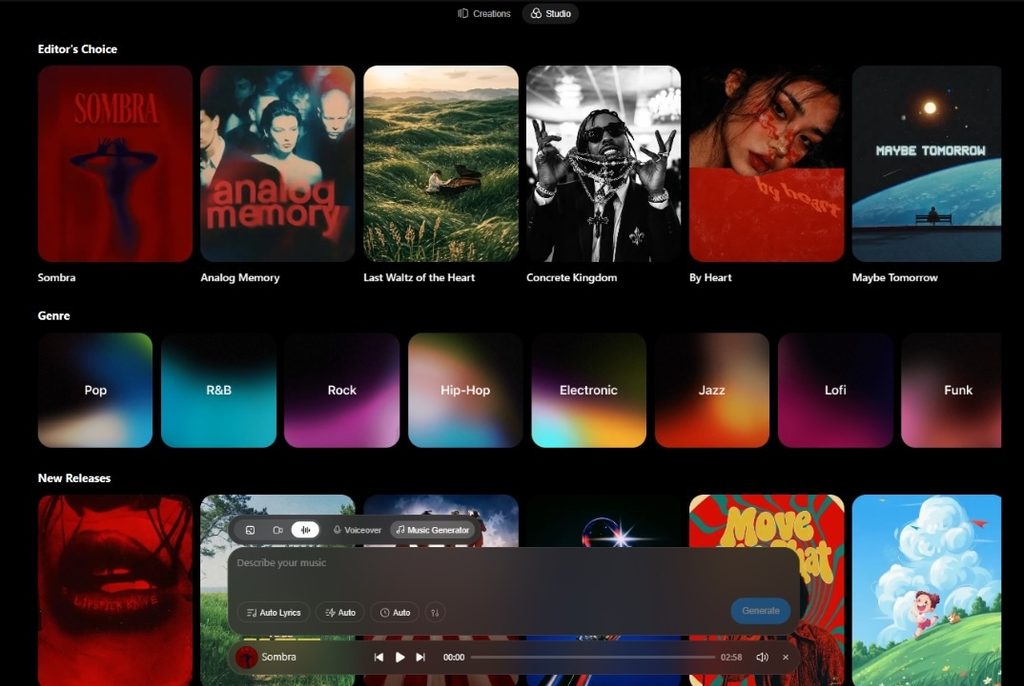
You can create background music, generate songs with vocals, choose genres and moods, or even write your own lyrics. The built-in AI voice generator supports 194 voices across 73 languages, making it useful for video narration, marketing videos, and multilingual content.
Having images, videos, music, and AI voice generation under one subscription can simplify creative workflows, especially for users who regularly produce content across multiple formats.
Pricing & Free Trial
One of DaVinci AI’s strongest selling points is the value it offers for users who regularly use multiple AI tools.
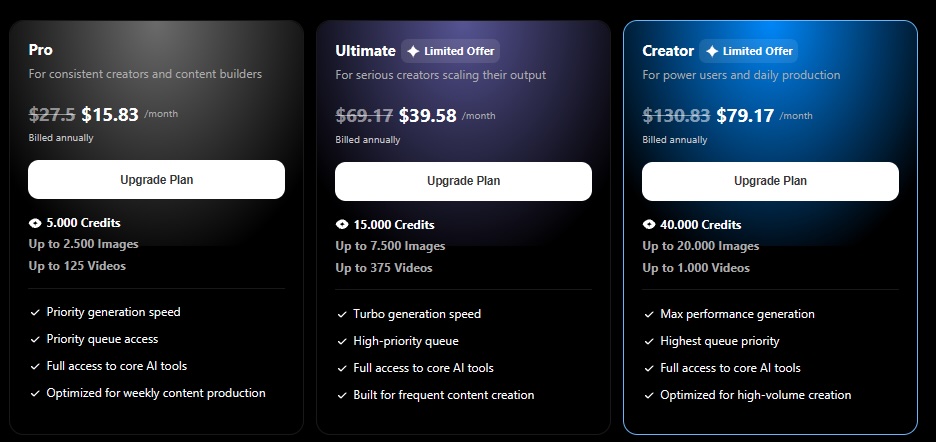
Instead of paying separately for several AI image and video tools, you can access multiple leading models through a single subscription. New users get an introductory trial at $1.99 for the first week, then $29.99 per month, with the option to cancel at any time. Because pricing and subscription offers can change over time, check DaVinci AI’s pricing page for the latest plans before subscribing.
If you’re unsure whether the platform fits your workflow, the free signup experience also lets you generate your first AI image before starting the paid trial, making it easier to evaluate the service before committing.
DaVinci AI vs. Alternatives
Rather than competing directly with individual AI tools like Midjourney or Kling, DaVinci AI brings multiple leading models together in one platform. Its biggest advantage is bringing multiple leading models together in a single platform.
If your workflow relies heavily on one specific model, subscribing directly to that service may still make sense. However, if you regularly switch between different AI tools depending on the project, DaVinci AI offers a more streamlined experience.
For marketers, agencies, freelancers, and content creators, having image generation, video creation, editing, templates, music, and voice generation in one place can simplify content production by reducing the need to switch between multiple AI platforms and subscriptions.
Who Should Use DaVinci AI?
DaVinci AI is best suited for people who create visual content regularly.
Marketing teams and e-commerce sellers are likely to benefit the most, since they often need to produce large volumes of visual content quickly. It also works well for content creators producing YouTube Shorts, TikTok, and Instagram Reels, designers who need concept art or client mockups fast, and small businesses that want branded social media content without hiring a designer.
If your work revolves around AI-powered image and video creation, the platform offers an efficient all-in-one workflow without requiring several separate tools.
Who Shouldn’t Use DaVinci AI?
If you mainly rely on a single AI model and rarely switch between different tools, a dedicated subscription to that platform may offer better value. Likewise, professional designers and video editors who require advanced manual editing and complete creative control may still prefer specialized software alongside AI tools.
Final Verdict
DaVinci AI offers much more than a traditional AI image generator. Its biggest strength lies in bringing many of today’s leading AI image and video models together under one subscription, while also adding editing, templates, music generation, and AI voice tools into the same workspace.
Although experienced creators may still have favorite standalone tools for specific tasks, DaVinci AI makes it much easier to manage an entire creative workflow from one dashboard.
If you regularly use multiple AI tools for content creation, DaVinci AI is worth considering for its flexibility, convenience, and broad model support.
Rating: 9/10
Frequently Asked Questions
Is DaVinci AI free? You can sign up and generate your first AI image without entering payment details. Full access is available through an introductory paid trial followed by a monthly subscription.
Which AI models does DaVinci AI support? The platform provides access to a wide selection of leading image and video models, including options such as Veo 3.1, Kling 3.0, Seedance 2.0, Grok imagine, Sora 2, Wan 2.7, Runway Gen 4.5, and Google Omni
Can I edit existing images? Yes. DaVinci AI includes prompt-based editing tools such as object removal, background replacement, lighting adjustments, camera changes, and image upscaling.
Does DaVinci AI generate videos? Yes. In addition to image generation, the platform supports AI video creation using multiple leading video models from the same interface.
Is DaVinci AI worth it? If you frequently use different AI image and video tools, DaVinci AI offers good value by combining multiple flagship models and creative features into a single subscription. For creators, marketers, and businesses that regularly work with AI-generated content, the platform offers strong value by combining multiple leading models into a single workflow.


