
Who these are for: Compared with similarly priced Windows laptops, Chromebooks tend to have faster performance, better build quality, longer battery life, and superior screens, keyboards, and trackpads. And Chromebooks don’t come with unnecessary manufacturer-loaded software that slows the computer down. If you spend your computing time in a browser, Chrome OS is all you need. But if you need specialized software for work or school, or if you want to play Windows-specific games, you’re better off with Windows.


Top pick
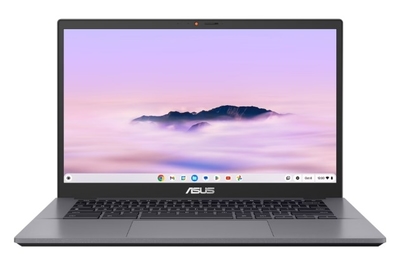
The best inexpensive Chromebook has reliable performance, long-enough battery life, and a matte touchscreen. But it lacks a 360-degree hinge, and its speakers sound bad.
Recommended configuration
| Processor: | Intel Core i3-1315U | Screen: | 14-inch 1920×1080 touch |
| Memory: | 8 GB | Weight: | 3.17 pounds |
| Storage: | 128 GB UFS | Tested battery life: | 9.5 hours |
Why we like this one: The Asus Chromebook Plus CX34 (CX3402CVA-WS388T-GR) is fast at the tasks most people use laptops for, including browsing the web (even with a ton of tabs open), making video calls, working in documents and spreadsheets, and watching movies. It’s also free of the bloatware that slows inexpensive Windows laptops down.
The Chromebook Plus CX34 has a backlit keyboard, a reliable trackpad, and a matte touchscreen. It’s also compact and portable, with just enough battery life to last a full day of work or classes. All of those features, combined with the Chromebook Plus CX34’s reasonable price, make it a great budget option.
Where it falls short: You can’t use the Chromebook Plus CX34 as a tablet; it’s a basic clamshell laptop that lacks a 360-degree hinge. And the downward-firing speakers sound quite bad — they sound harsh and buzzy if you’re using the laptop on a desk, and muffled if you’re using it on your lap.


Best for…
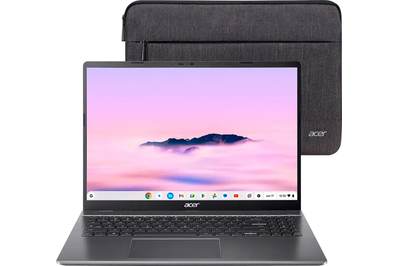
This inexpensive model offers fast performance, a roomy 16-inch screen, and a keyboard with a number pad. But it’s huge and heavy.
Recommended configuration
| Processor: | Intel Core i3-1315U | Screen: | 16-inch 1920×1200 non-touch |
| Memory: | 8 GB | Weight: | 3.75 pounds |
| Storage: | 128 GB UFS | Tested battery life: | 10 hours |
Why we like this one: If you want a Chromebook with a big screen, the Acer Chromebook Plus 516 (CB516-1H-31UE) is the best option. Its 16-inch display provides more room for you to get work done or to stream shows and movies, and this laptop is fast enough for everyday tasks. The number pad can also be useful if you do a lot of data entry. But even though this model lasts a long time away from an outlet, its size and weight make it inconvenient to carry around.
Where it falls short: The 16-inch display makes this Acer model heavier and bulkier, so it’s much less portable than our other Chromebook picks — it’s inconvenient to take to work, class, or even a coffee shop. In addition, the webcam produces a desaturated image, and the speakers sound harsh and tinny.


