
It’s 11 PM, your homework is due tomorrow, and suddenly the question you knew an hour ago makes absolutely no sense. That’s where AI homework tools like Apex Vision AI come in.
It’s a Chrome extension that sits on top of Canvas, Blackboard, Moodle, and most online quiz platforms, and claims to give you instant answers without leaving the page. It also builds flashcards, study guides, and practice exams from your coursework.
I tested Apex Vision AI on a few different things, including a multiple-choice question, a math problem, and its flashcard maker. I wanted to see if it actually worked well or if it was just another Chrome extension making big promises.
In this Apex Vision AI review, I’ll show you exactly how it worked, where it impressed me, and where I think it still falls short. I’ll finish the article by comparing it to my top three alternatives (Course Hero, Gauth, and Turbo AI). By the end, you’ll know which tool is right for you!
Verdict
Apex Vision AI is a useful Chrome extension for students who want fast answers and study materials generated from their actual coursework. However, its accuracy depends heavily on your subscription tier, and the free plan’s 30 daily requests won’t get you far during finals week.
Pros and Cons
- Get answers directly on the page for quizzes, homework, and readings, without switching tabs.
- Works across Canvas, Blackboard, and Moodle, and most other onlie LMS or quiz platforms.
- AI Image Solver solves problems from photos and graphs
- Generates flashcards, study guides, and practice exams from your own course material.
- Free plan includes 30 requests per day with no credit card required.
- Doesn’t ask for your school login or LMS credentials to function.
- Claims 93% accuracy on its top-tier plan, but results may vary.
- Setup takes about two minutes: install, sign in, and you’re answering questions.
- One account works across the Chrome extension, iOS app, and Android app.
- Publishes an Honor Code and Academic Integrity policy addressing responsible use.
- The free plan’s 30 daily requests disappear fast if you’re studying for more than one class.
- Accuracy and response speed both scale with your subscription tier, so the free and Starter plans get the least reliable results.
- It’s built for online coursework, so it’s less useful for handwritten homework unless you’re scanning it with the phone app.
- Like any AI homework tool, leaning on it too heavily instead of working through problems yourself can hurt long-term learning.
- Pricing jumps quickly between tiers if you need higher accuracy or more requests.
- Raises the same academic-integrity questions every homework helper does, so you’re responsible for knowing your school’s AI policy.
- No desktop app outside the browser extension, so users without Chrome installed are out of luck.
What is Apex Vision AI?
Apex Vision AI is a browser extension and mobile app that answers homework questions, explain concepts, and generates study materials from wherever a student is already working: a Canvas quiz, a PDF reading, or a photographed worksheet. It’s been around since June 2022, positioning itself less as a generic AI assistant and more like a tool built specifically for studying and coursework.
How It Works
Once installed, the extension sits in your Chrome toolbar.
When you land on a quiz or assignment page, you can activate it a few different ways:
- Click the pinned icon.
- Use assistance buttons that appear next to supported questions when hightlighted.
- Open a side panel and chat with the AI.
- Trigger the Image Solver with Ctrl+Shift+Z on your keyboard to capture a diagram or equation.
Here’s how Apex Vision AI works behind the scenes:
- Detects the question type (multiple choice, math, essay).
- Identifies the subject.
- Picks the AI model it thinks is best for the question, then double-checks the answer.
In my testing, the answer came with a brief explanation instead of just giving me the answer.
Beyond Just Answering Questions
What separates Apex Vision AI from a plain answer bot is the study tools layered around it.
The same platform includes an AI flashcard maker, a study guide generator, a practice exam generator, an essay writer, and a math solver that walks through equations step by step rather than just spitting out a final number.
LMS Compatibility
Apex Vision AI works directly inside the learning platforms you already use, including Canvas, Blackboard, Moodle, Top Hat, McGraw Hill, Pearson, and most other online quiz platforms.
The nice thing is that you don’t have to leave your LMS to use it. You can get help right on the page instead of copying the question into another app.
Privacy Stance
One thing worth mentioning: Apex Vision AI says it doesn’t ask for your school password or LMS login to function It has a Privacy Policy explaining what it does and doesn’t store.
For students wary of browser extensions that request broad permissions, that’s a reasonable amount of transparency. However, you should still read the privacy policy before installing anything on a school-issued device.
Who Is Apex Vision AI Best For?
Here’s who Apex Vision AI is best for:
- College students juggling multiple Canvas or Blackboard courses who want quiz and homework help without leaving the page.
- Pre-med and STEM majors who need quick math and science explanations rather than just a final answer.
- Students prepping for exams who want flashcards, study guides, and practice tests built from their actual course material.
- Anyone who studies from photographed worksheets, textbooks, or handwritten problem sets using the iOS app’s scanner.
- Students who want to double-check their homework answers before submitting.
- Busy students balancing classes with jobs or extracurriculars who want to save time while still understanding the material.
- Visual learners who benefit from the Image Solver breaking down diagrams, graphs, and charts.
- Students who prefer keyboard shortcuts and buttons on the page rather than switching between a dozen browser tabs.
Apex Vision AI Key Features
Here are Apex Vision AI’s key features:
- AI Homework Helper: Answers multiple-choice, short-answer, and open-ended questions on the page, with a brief explanation attached to each answer.
- AI Image Solver: Takes a photo or screenshot of a diagram, equation, or handwritten problem and gives you a step-by-step explanation.
- AI Math Solver: Breaks down equations into steps instead of only returning the final number, which is great for checking your own work.
- AI Essay Writer: Structures, drafts, and refines essays.
- AI Flashcard Maker: Turns your course material into flashcards you can use to study and test yourself.
- AI Study Guide Generator: Condenses readings, notes, or lecture material into a structured study guide.
- AI Practice Exam Generator: Builds practice tests based on your coursework rather than generic questions.
- AI Chat Tutor: A chat conversation with AI in the side panel for follow-up questions and deeper explanations beyond a single answer.
- Universal LMS Support: Works across Canvas, Blackboard, Moodle, Top Hat, McGraw Hill, Pearson, and other online quiz platforms.
- Access Methods: Multiple ways to trigger help, including toolbar button, on-page buttons, side panel, and image capture.
- Keyboard Shortcuts: Activate specific tools instantly, such as Ctrl+Shift+Z for the Image Solver, without touching the mouse.
- Smart Model Routing: Automatically selects what it considers the best AI model for each question type to improve accuracy.
- iOS & Android Apps: Snap a photo of a textbook or worksheet from your phone and get the same help.
- No LMS Credentials Required: Functions without requesting your school login or course platform password.
- Tiered Accuracy: Higher-tier plans unlock faster responses and what the company claims is 93%+ accuracy.
How to Use Apex Vision AI
Here’s how to set up and use Apex Vision AI to get homework help and generate study materials:
- Sign Up for Apex Vision AI
- Install the Chrome Extension
- Pin the Extension
- Create Your Free Account
- Open Your Coursework
- Try the AI Toolbar
- Use the Image Solver
- Ask a Follow-Up in the Side Panel
- Generate Flashcards from Readings
- Upgrade If You Need More Requests
Step 1: Sign Up for Apex Vision AI
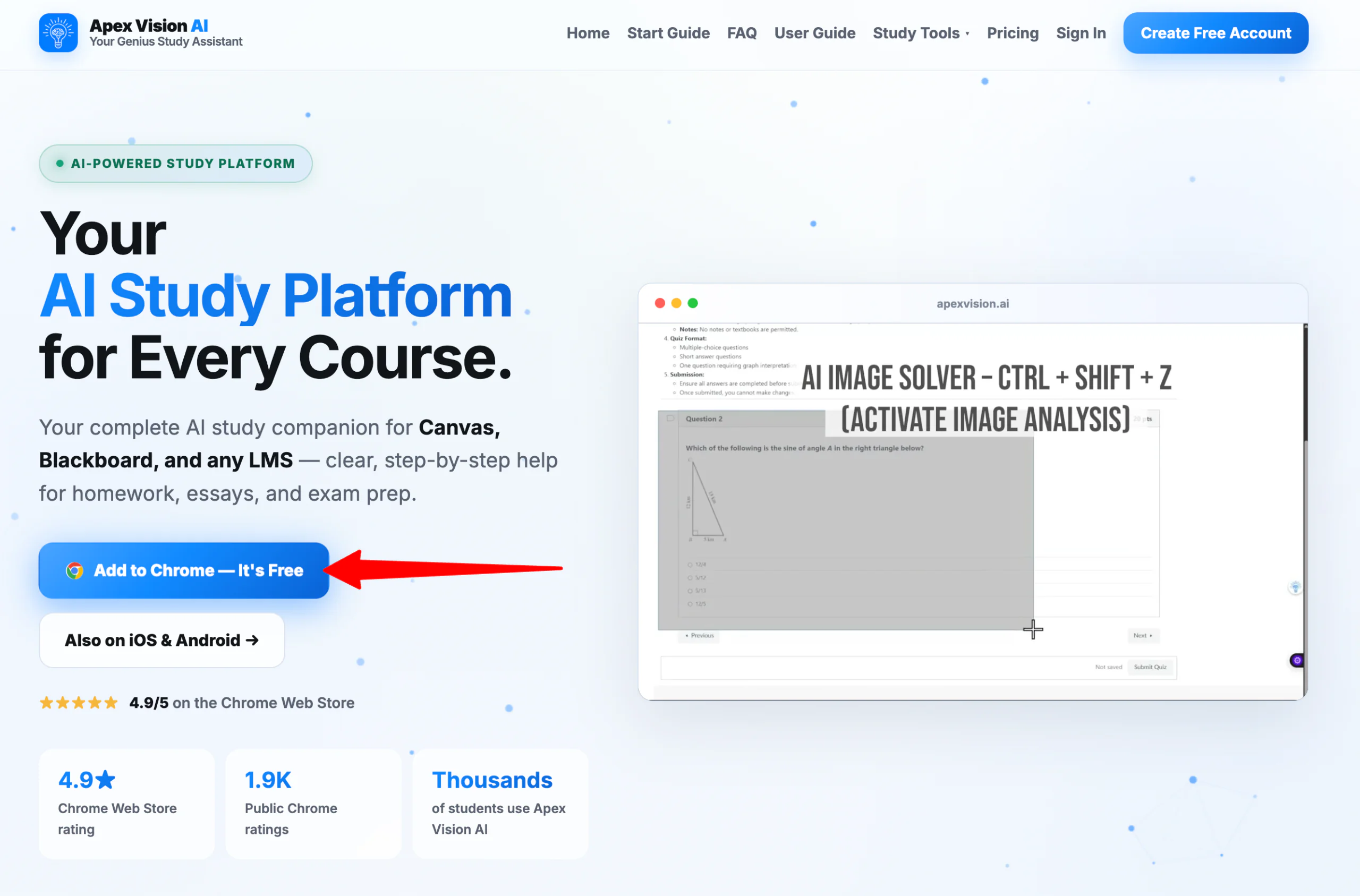
Go to apexvision.ai and select “Add to Chrome — It’s Free.”
Step 2: Install the Chrome Extension
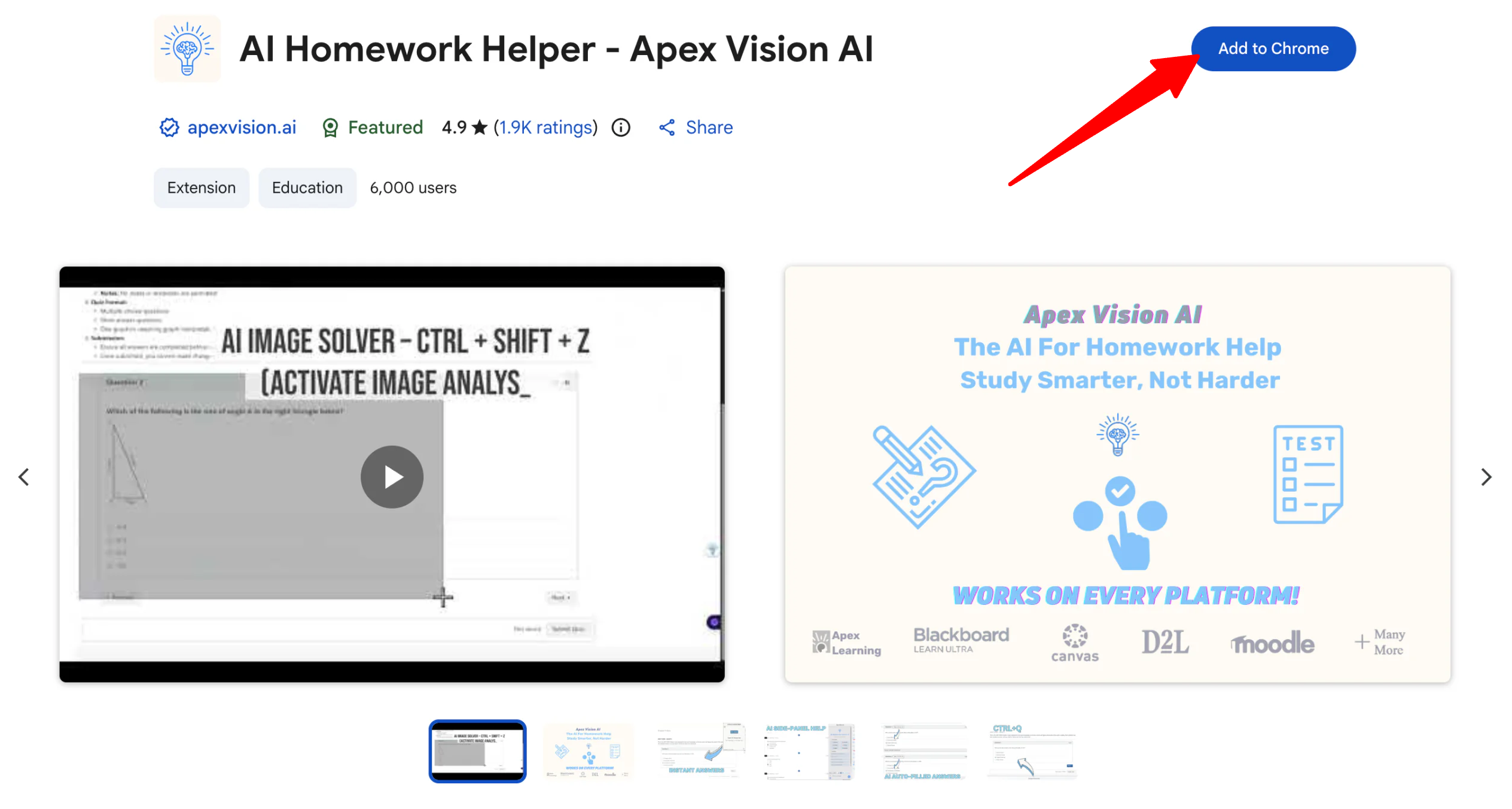
This opens the Chrome Web Store listing. Select “Add to Chrome” to install the extension.
Step 3: Pin the Extension
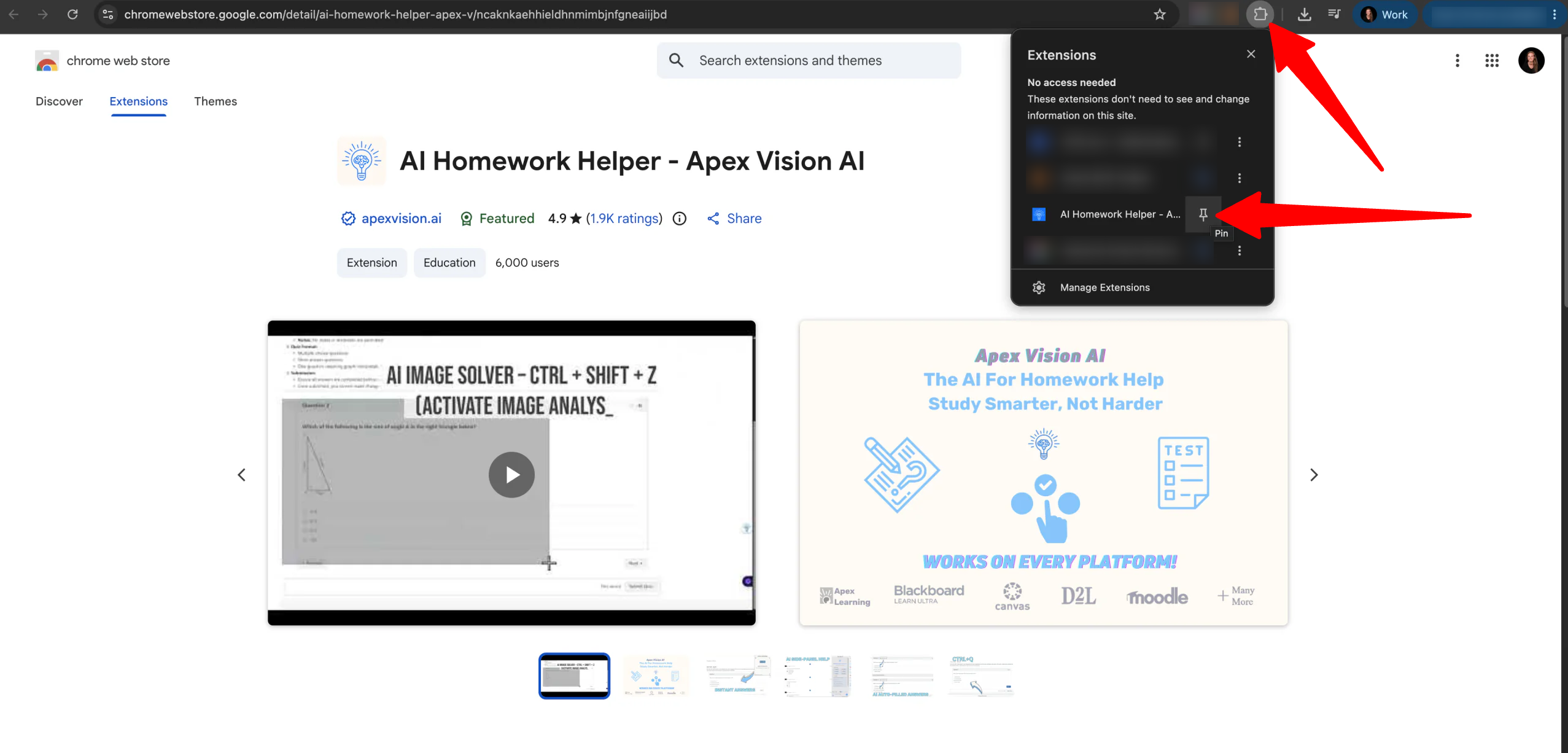
Once the extension is installed, click Chrome’s puzzle-piece icon in the toolbar. Find Apex Vision AI and pin it so it’s always one click away when you need it.
Step 4: Create Your Free Account
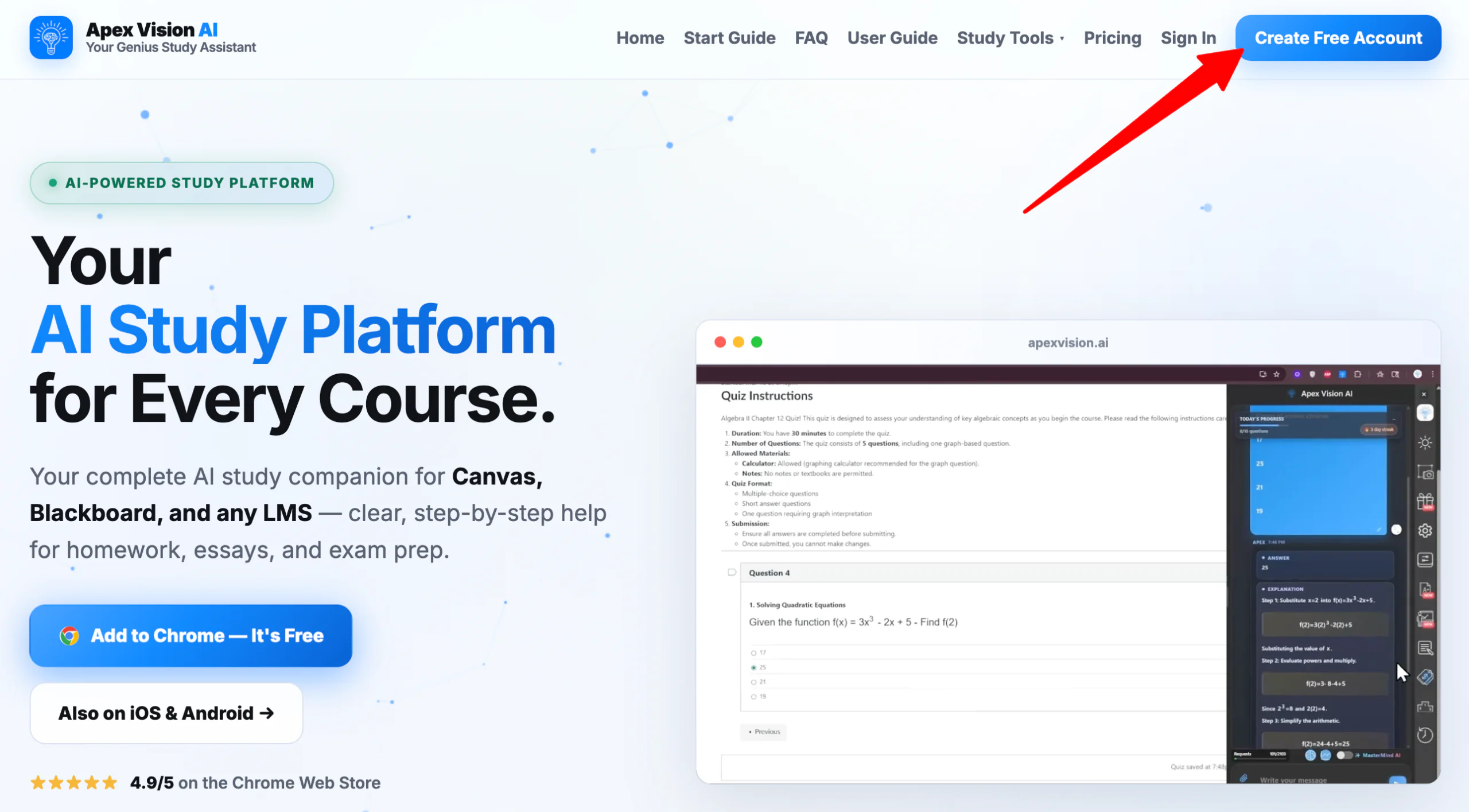
Next, go back to the homepage and select “Create Free Account.” You’ll get 30 daily requests with no credit card required.
Step 5: Open Your Coursework
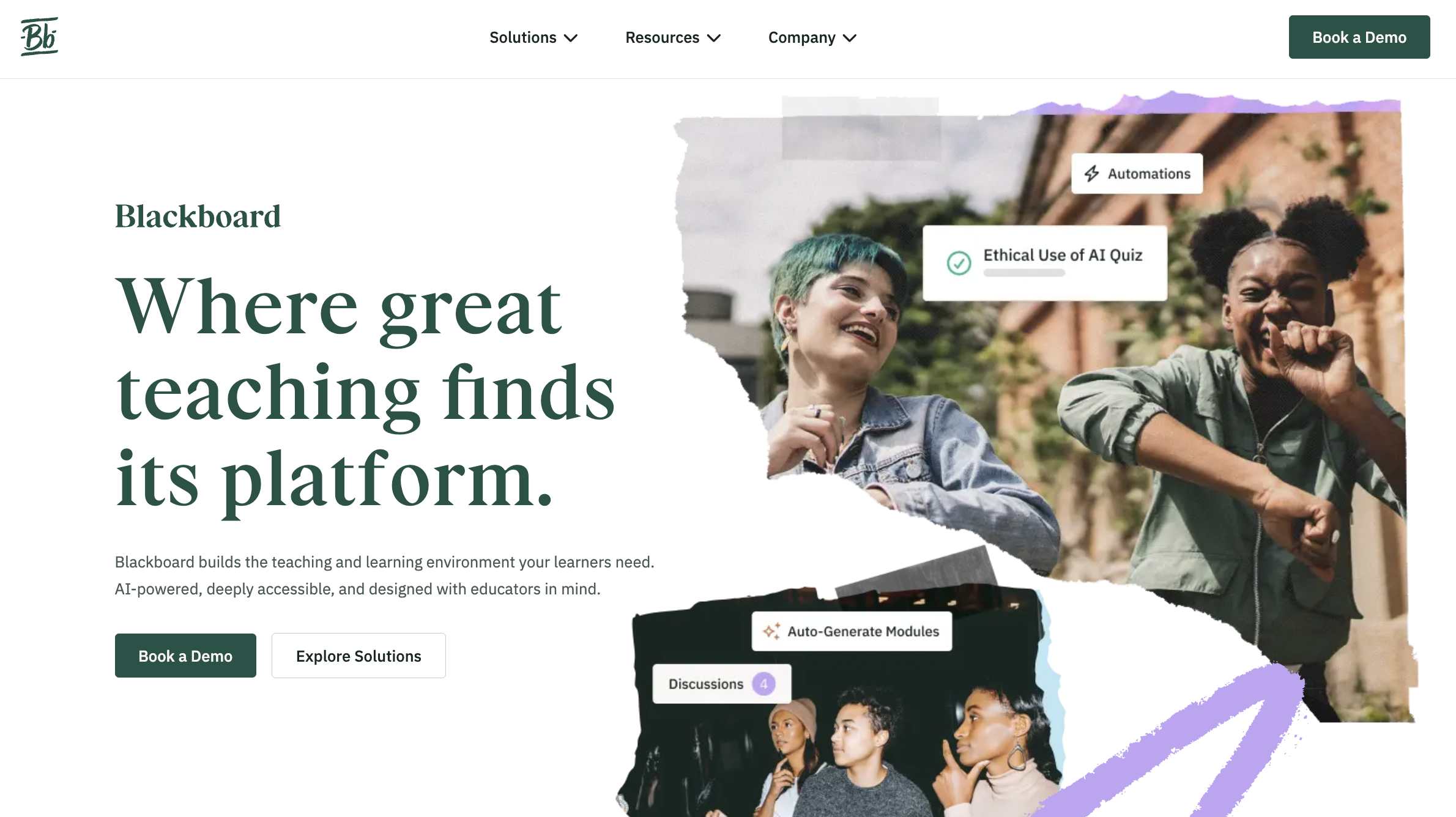
Because Apex Vision AI doesn’t host its own tests, open a practice assignment in your school’s LMS (e.g. Canvas or Blackboard).
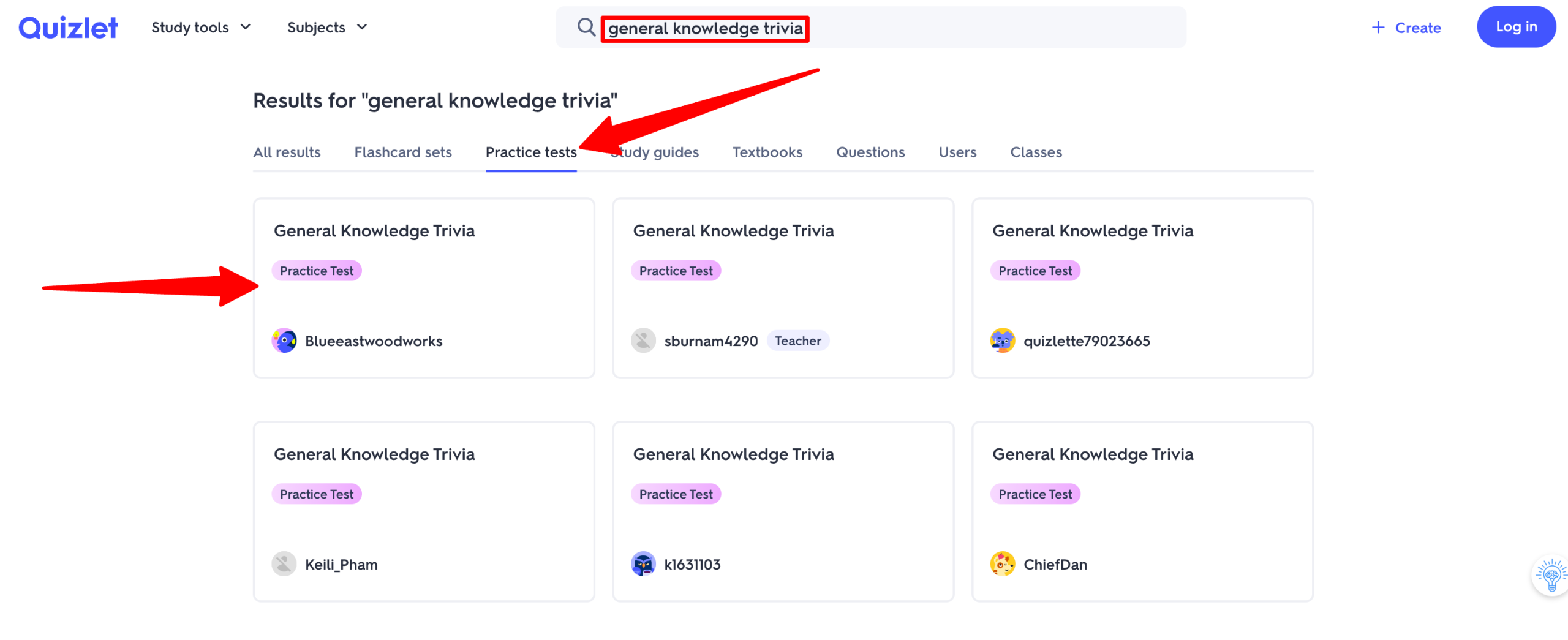
Otherwise, you don’t need a school account to test it out. You can open a public quiz on a site like Quizlet or Kahoot.
Step 6: Try the AI Toolbar
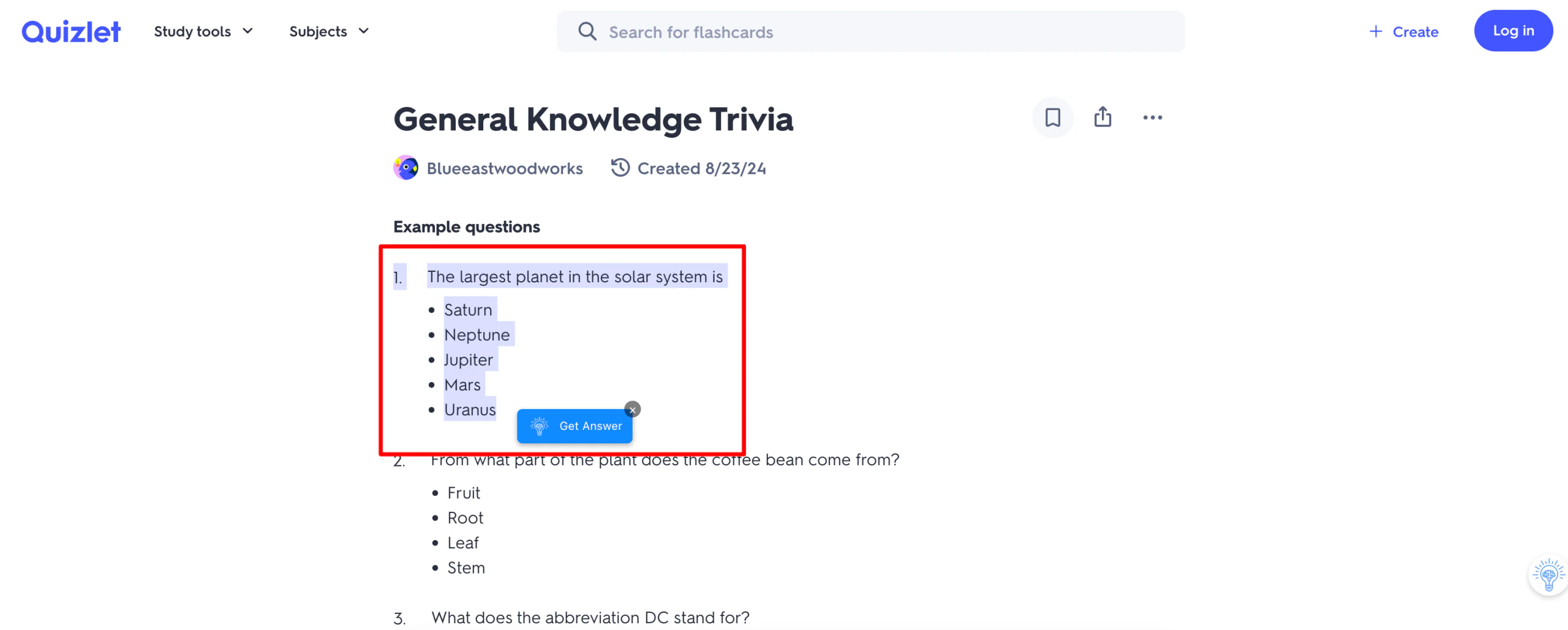
Highlight the multiple-choice question and click on the Apex Vision AI popup to reveal the answer without leaving the page.
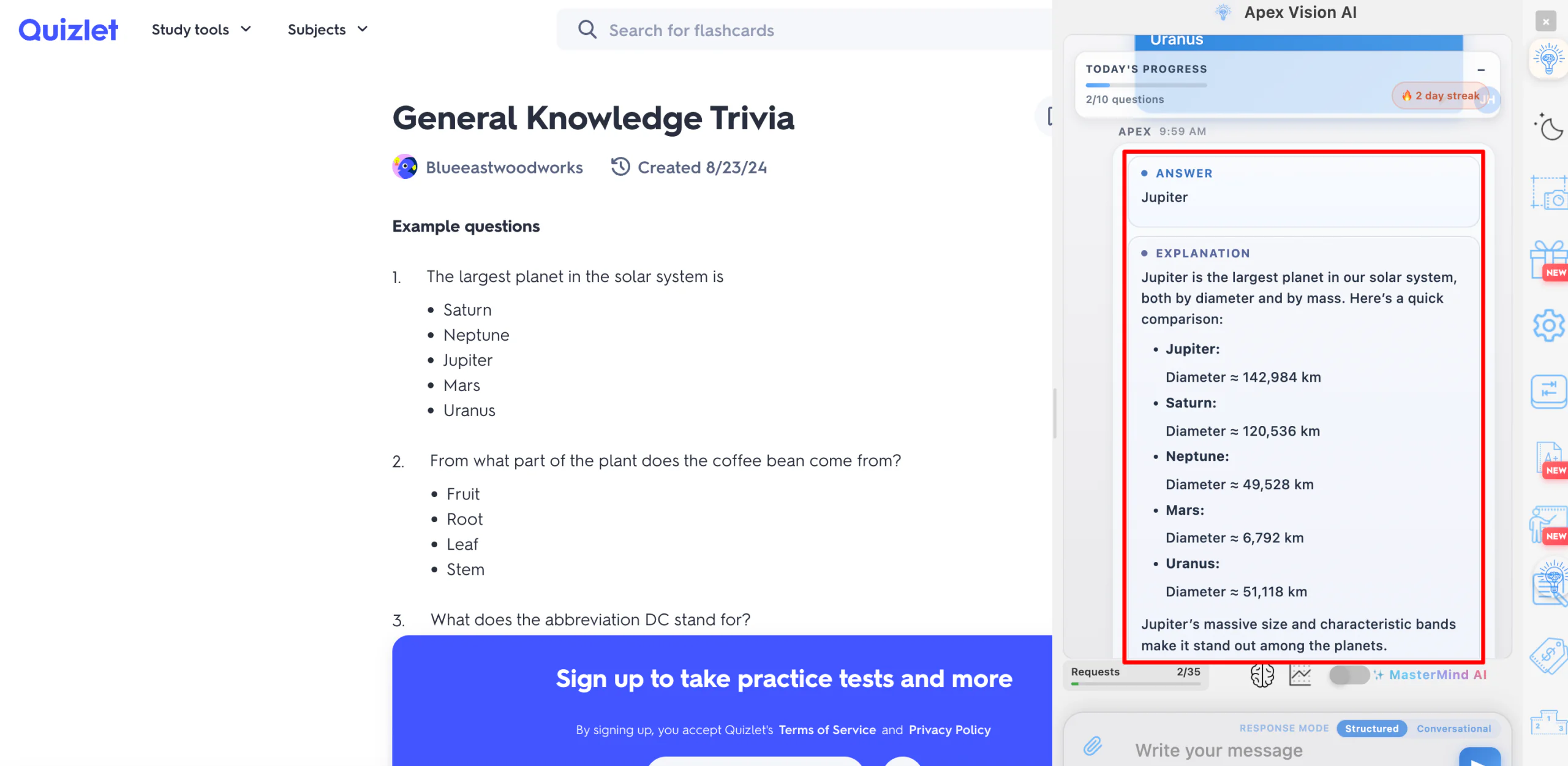
The Apex Vision AI toolbar panel will open on the right. Apex Vision AI immediately returns an answer along with a short explanation of the reasoning behind it.
Step 7: Use the Image Solver
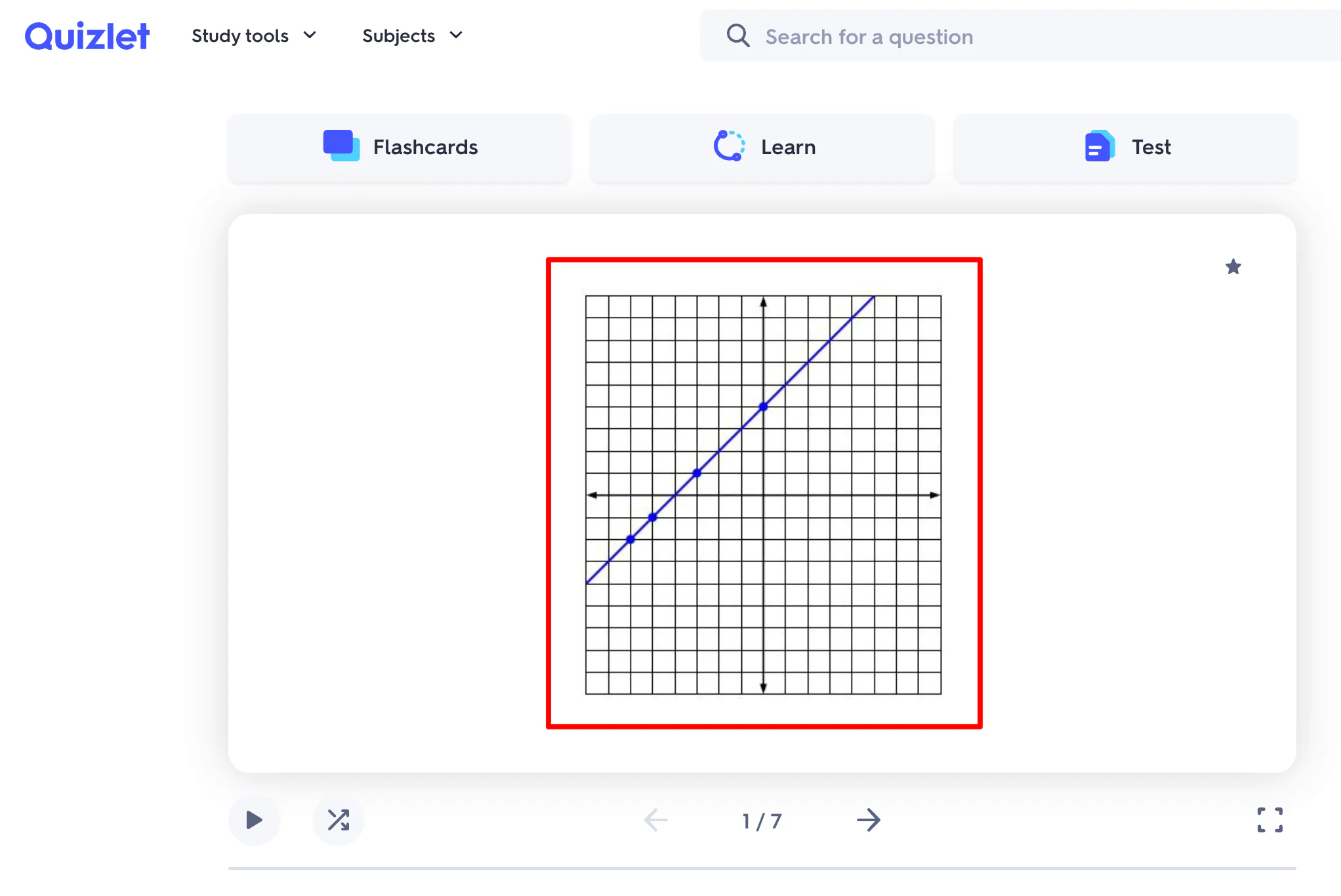
Next, try the Image Solver (Ctrl+Shift+Z) on a math problem with a graph attached.
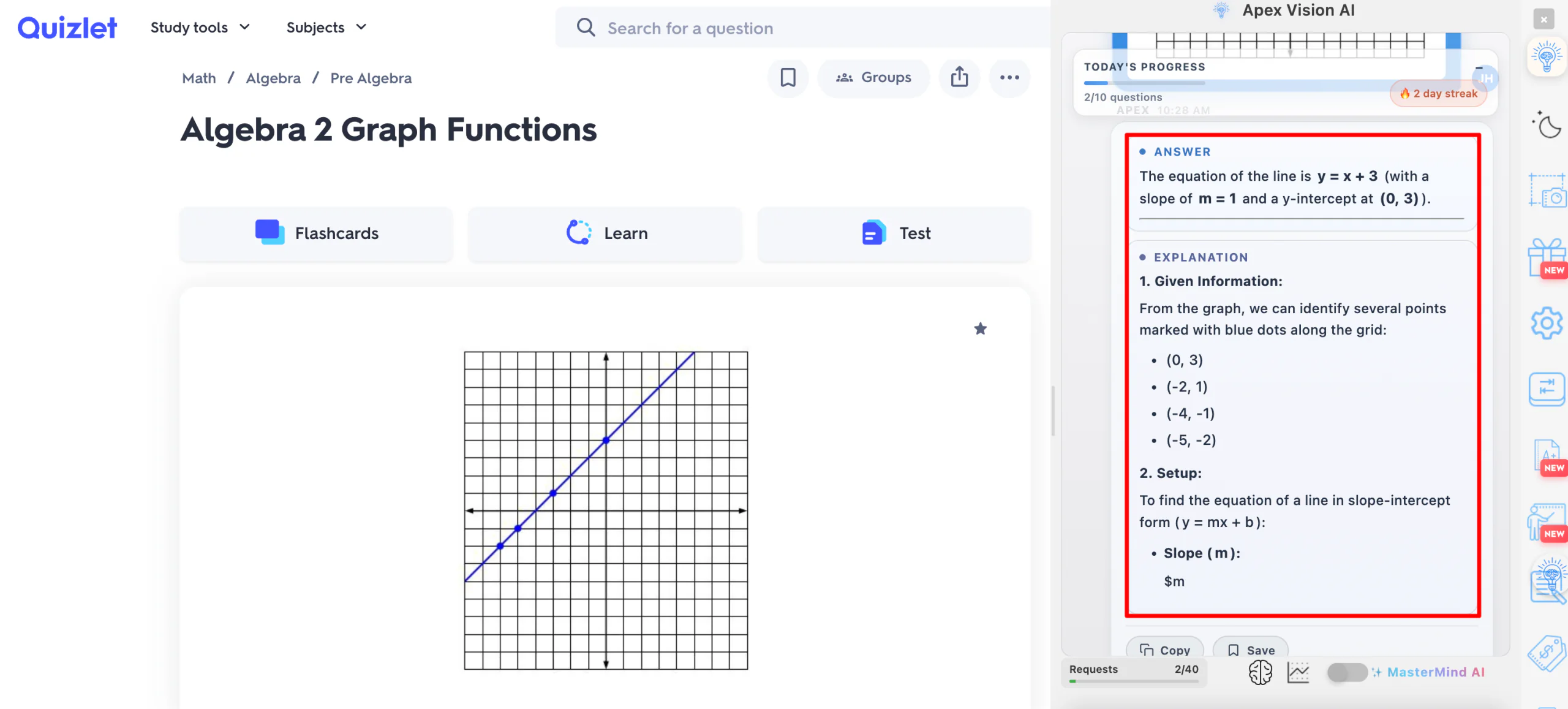
Capture the problem, and Apex Vision AI walks you through the steps instead of simply giving you the final number.
You can upload a coordinate geometry graph and a get step-by-step explanation. Just keep in mind that blurry images or tricky grid lines can sometimes throw off the AI. Double-check the coordinates if the problem is complicated.
Step 8: Ask a Follow-Up in the Side Panel
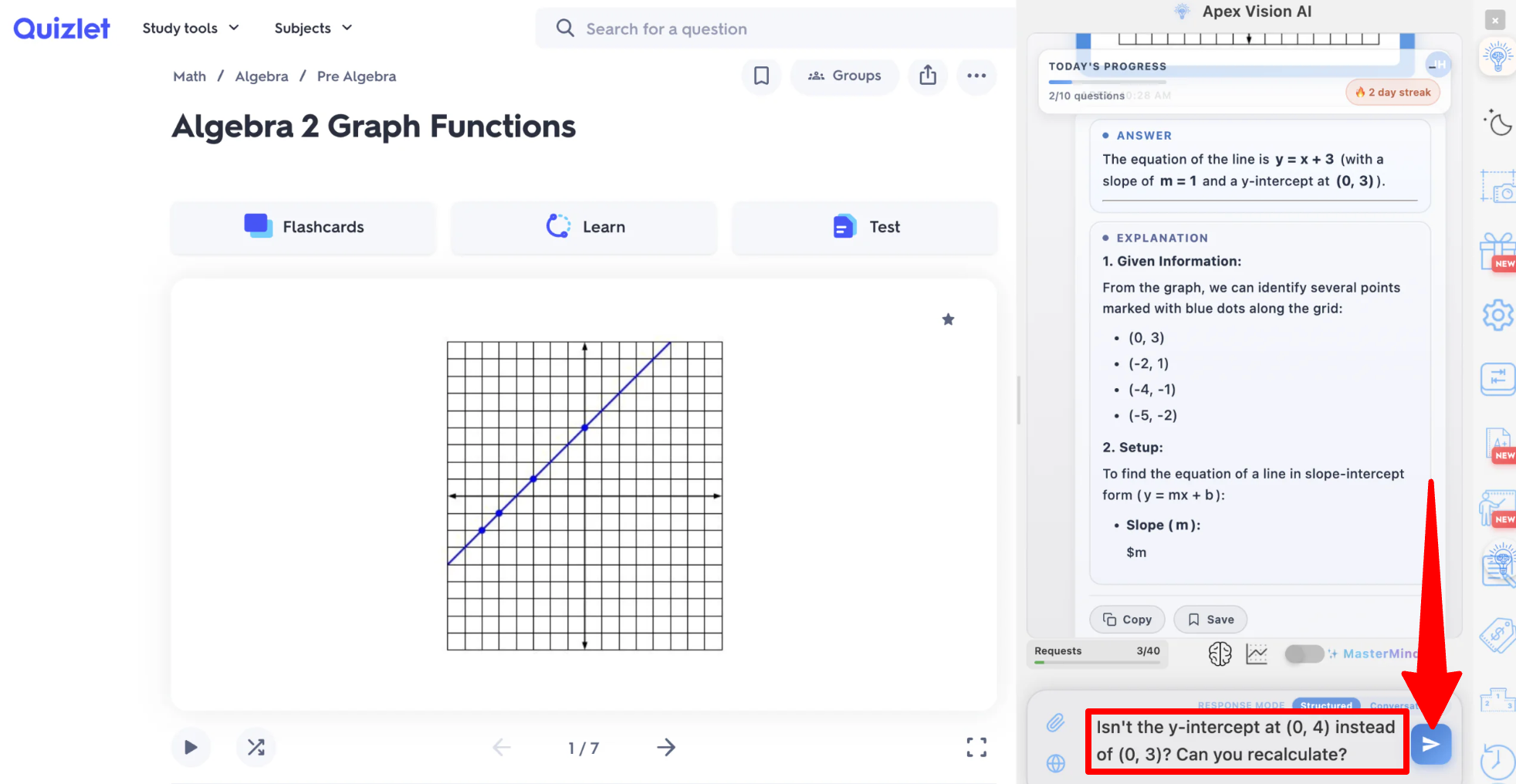
If you need a deeper breakdown or notice a visual miscount on a graph, open the Side Panel Chat. You can prompt the AI to re-evaluate specific coordinates.
For example, asking: “Isn’t the y-intercept at (0, 4) instead of (0, 3)? Can you recalculate?”
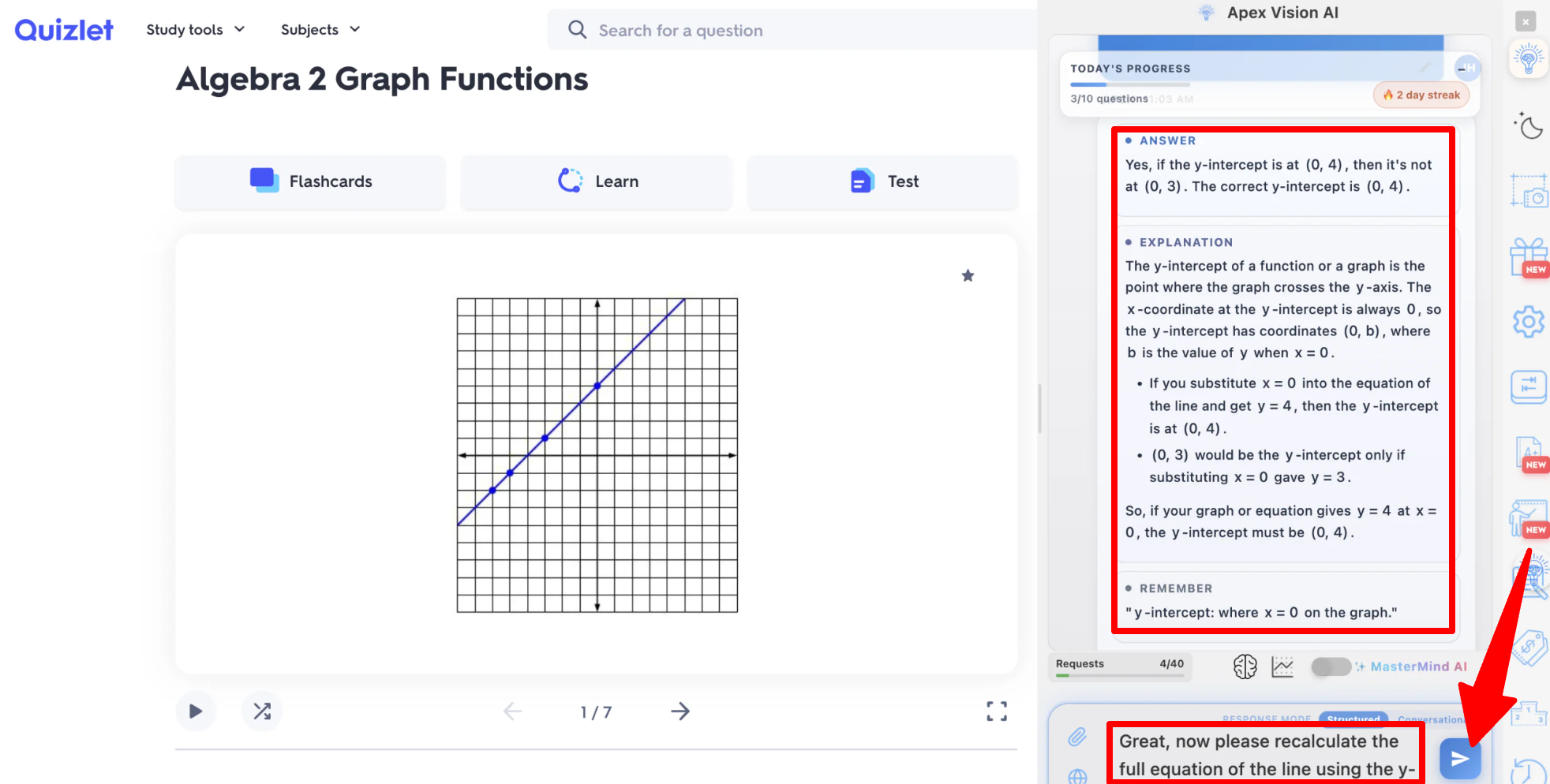
The AI will explain what a y-intercept is. From there, you’ll need a follow-up prompt to recalculate the complete equation.
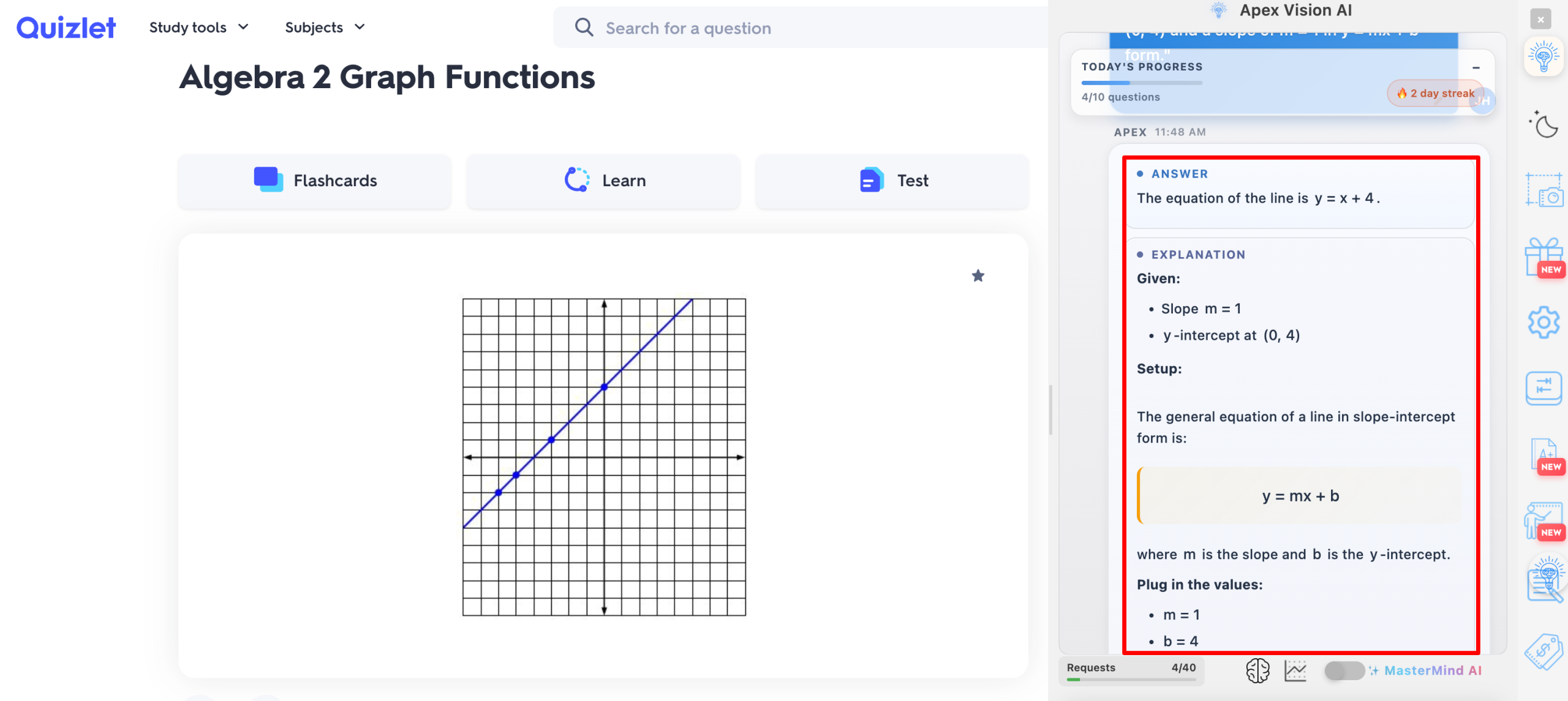
The AI will recognize the correction and update the calculation to give you the correct equation.
Step 9: Generate Flashcards from Readings
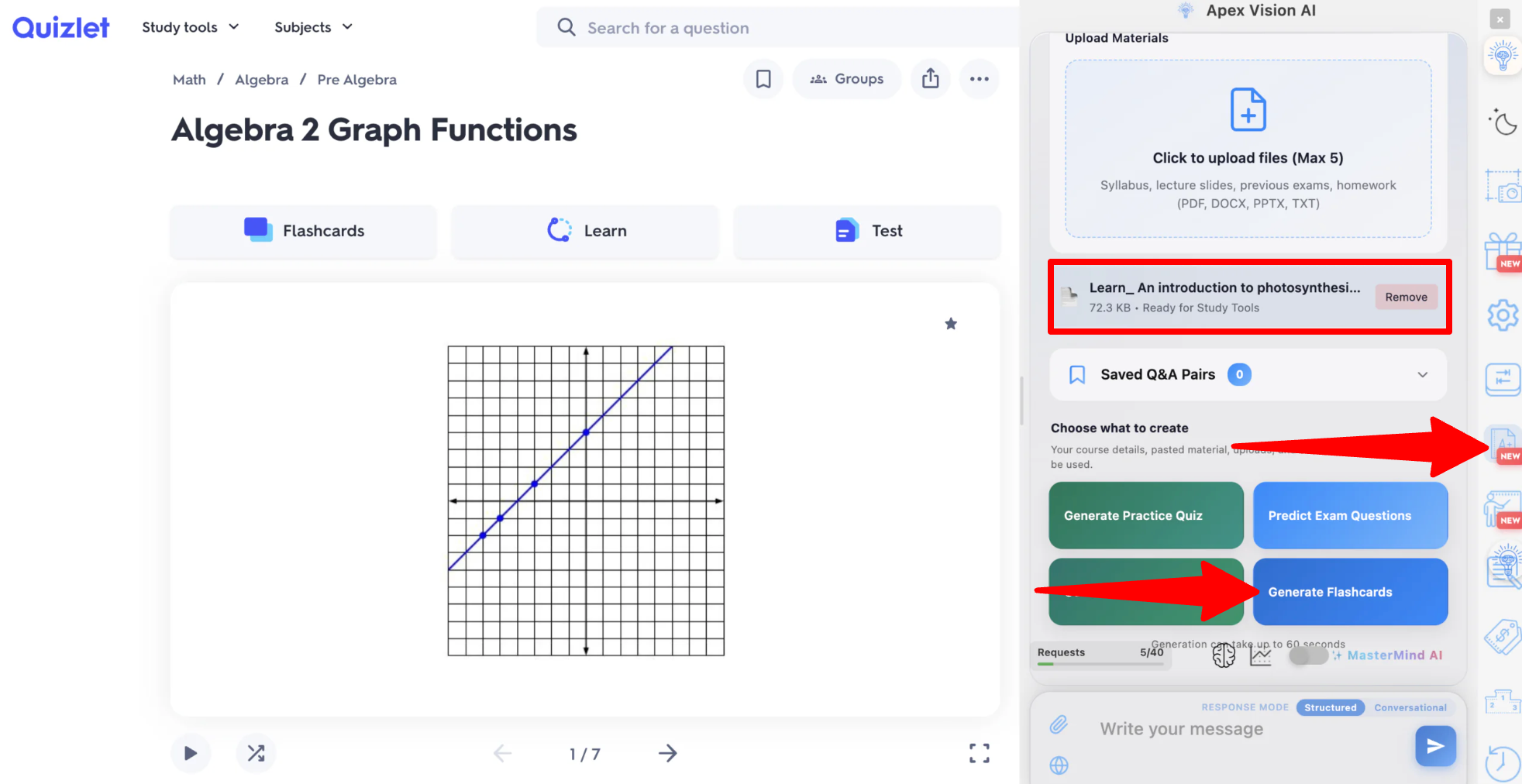
From the Study Tools menu, select AI Flashcard Maker, upload your reading, and select “Generate Flashcards.”
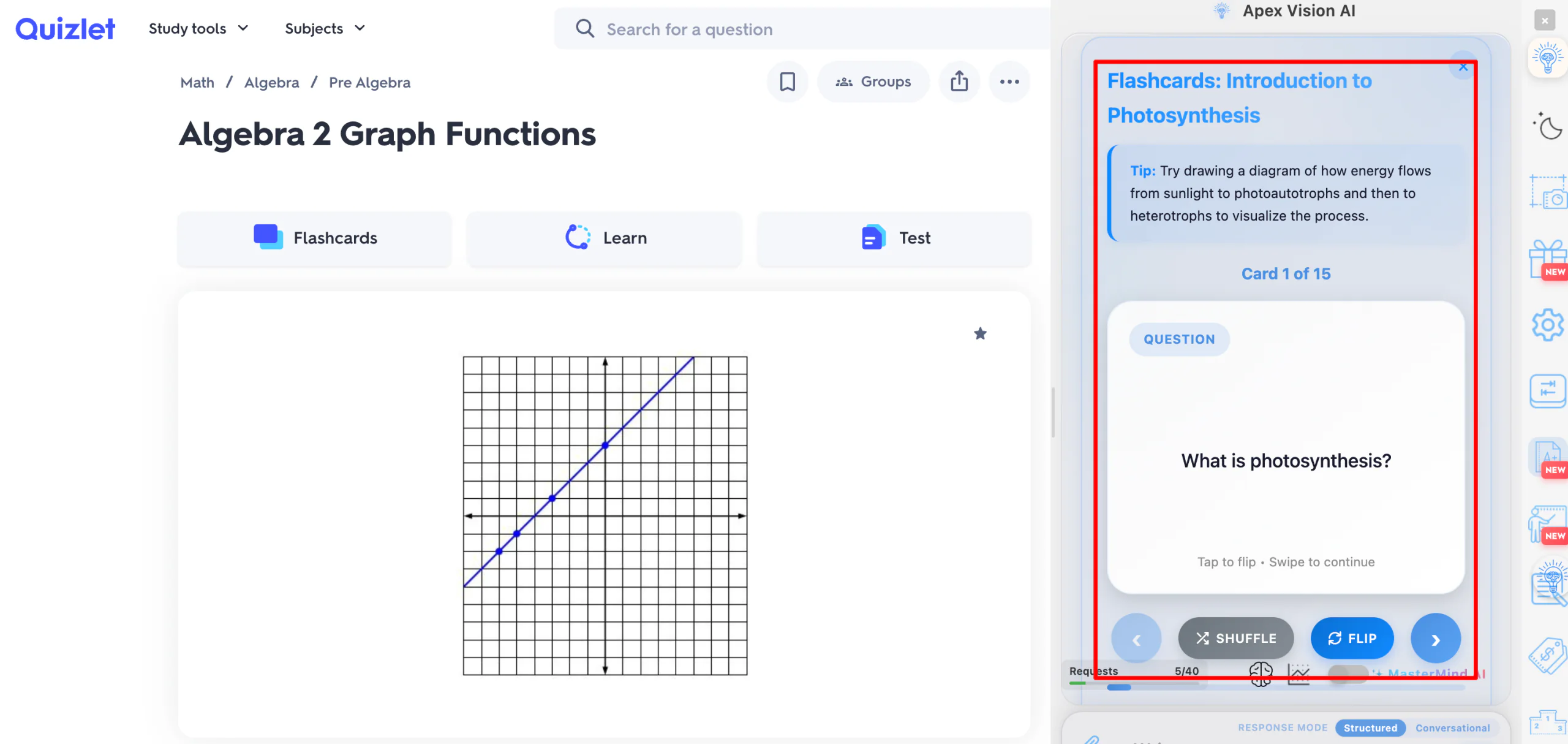
Within seconds, Apex Vision AI generates a set of flashcards based on your actual course material rather than generic terms.
Overall, Apex Vision AI was quick and easy to use. The Chrome extension made it easy to get help without constantly switching between tabs, and the Image Solver was useful for working through visual math problems. Just keep an eye on the coordinates to ensure what the AI spits out is correct.
Top 3 Apex Vision AI Alternatives
Here are the best Apex Vision AI alternatives I’ve tried that I’d recommend.
Course Hero
The first Apex Vision AI alternative I’d recommend is Course Hero. Instead of leaning purely on live AI answers, Course Hero combines a massive library of 184 million study documents with AI-generated explanations and access to expert tutors.
Both platforms give students step-by-step explanations rather than bare answers, and both work as a quick way to check your understanding before a quiz.
However, Course Hero’s strength comes from its large library of study materials tied to specific courses and textbooks. Meanwhile, Apex Vision AI works live on whatever page you’re viewing, so you don’t need an existing study document to help you.
For answers pulled from a massive library of course-specific materials and textbook solutions, choose Course Hero. For live help for whatever’s in front of you at the moment, choose Apex Vision AI.
Read my Course Hero review or visit Course Hero!
Gauth
The next Apex Vision AI alternative I’d recommend is Gauth (formerly Gauthmath). It’s a homework assistant that covers multiple subjects. You can take photos of printed or handwritten problems and get step by step explanations. If you need more help, you can also connect with a live human tutor.
Both tools offer photo-based problem solving and step-by-step reasoning instead of just an answer. Gauth leans further into human support, with a 24/7 live tutor option layered on top of its AI. Meanwhile, Apex Vision AI focuses more on helping you directly in your LMS.
If you mostly need math and science help (thought there are other subjects as well) with the option to escalate to a real tutor, choose Gauth. For an extension that works in your LMS with built-in flashcards, study guides, and essay help, choose Apex Vision AI.
Read my Gauth review or visit Gauth!
Turbo AI
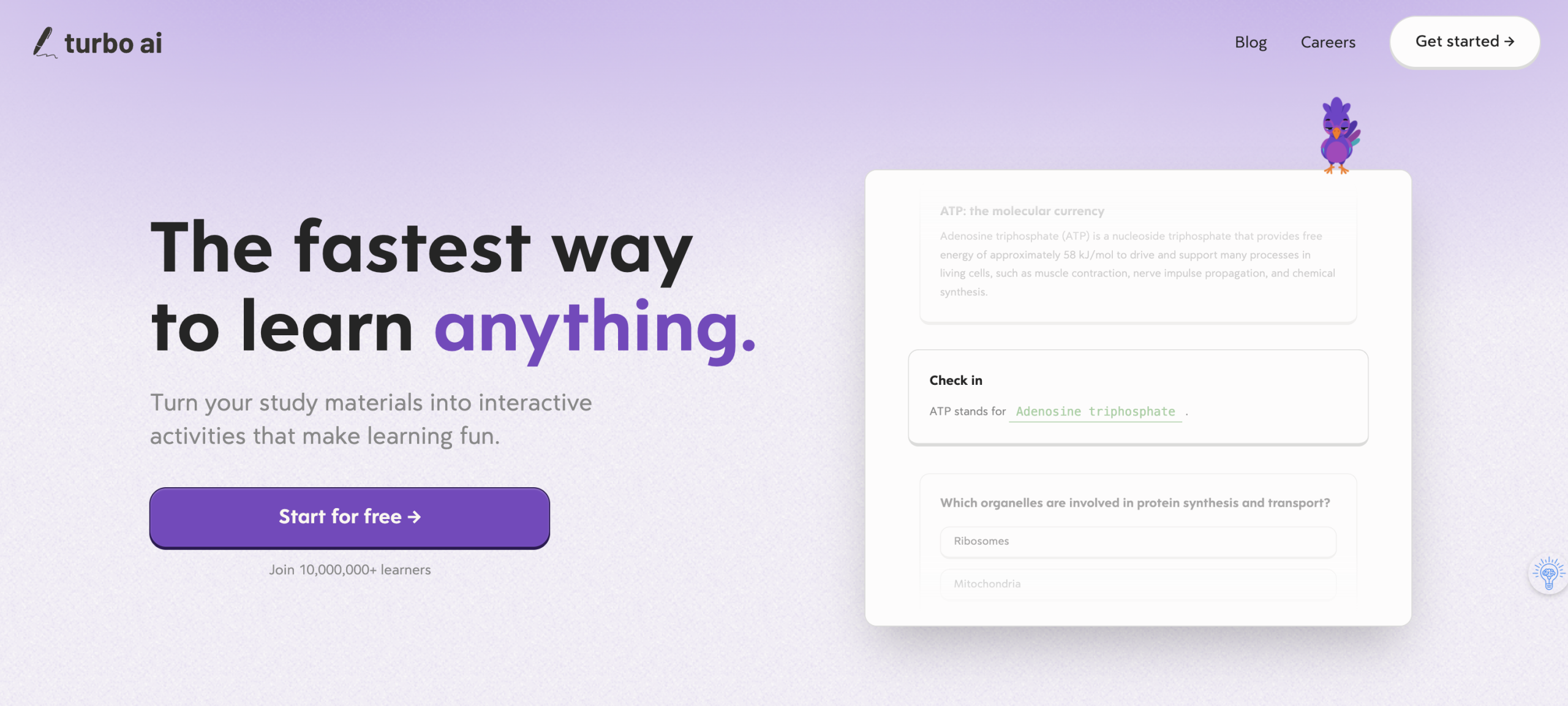
The final Apex Vision AI alternative I’d recommend is Turbo AI. It turns lectures, recordings, PDFs, and other source material into notes, diagrams, flashcards, and quizzes, and lets you ask questions grounded in your own uploaded content.
Both platforms generate flashcards, study guides, and practice materials from your actual coursework rather than generic templates.
However, Turbo AI is built around processing long-form source material like lecture recordings and PDFs into study assets after the fact. Meanwhile, Apex Vision AI is built for real-time help while you’re actively working through a quiz or assignment.
If your biggest need is turning lecture recordings and PDFs into organized study materials after class, choose Turbo AI. For live help while you’re taking a quiz or working through homework, choose Apex Vision AI.
Read my Turbo AI review or visit Turbo AI!
Apex Vision AI Review: The Right Tool for You?
After using Apex Vision AI on a multiple-choice quiz, a math problem with a graph, and its flashcard generator, I came away fairly impressed with how little friction there was. I never had to leave the page I was working on, and the explanations for each answer meant I wasn’t just copying a result without understanding it.
What I liked most was the Image Solver. Feeding it a photo of a graph and getting a breakdown back felt like the most useful part of the extension.
But the biggest downside was that it misread the coordinates on the graph, so I had to double-check its work, correct it, and ask to recalculate.
If you need more accurate answers (especially for harder math and science problems), you may want to consider a paid plan. Apex Vision AI claims its higher tiers offer better accuracy.
Otherwise, if you want to try some alternatives, here are the ones I’ve tried that I’d recommend:
- Course Hero is best for students who want answers grounded in a massive library of existing course materials and textbook solutions.
- Gauth is best for students who want hoemwork help on a variety of subjects with help from a live human tutor as backup.
- Turbo AI is best for students who want to turn lecture recordings and PDFs into organized study materials after class.
Despite the sharp rise of students using AI for homework, Apex Vision AI works best as a study aid you actively engage with, not a way to skip the thinking entirely.
Thanks for reading my Apex Vision AI review! I hope you found it helpful. If you want to try Apex Vision AI for yourself, sign up for free to get 30 requests per day and see how it can help you.
Frequently Asked Questions
Is Apex Vision AI free?
Yes. Apex Vision AI runs on a Freemium model, offering a free plan with 30 requests per day and no credit card required. For more requests, faster responses, and higher accuracy, upgrade to one of the paid plans.
Does Apex Vision AI work on Canvas?
Yes. Apex Vision AI is built to work directly inside Canvas, along with Blackboard, Moodle, Top Hat, McGraw Hill, Pearson, and most other online LMS or quiz platforms.
Is Apex Vision AI accurate?
Accuracy varies by subscription tier and question complexity. The company advertises 93% accuracy on its top-tier Mastermind plan, with detailed explanations attached to each answer so you can verify the reasoning yourself.
Does Apex Vision AI require my school login?
No. Apex Vision AI says it doesn’t ask for your school password or LMS credentials to function. However, you should review its Privacy Policy before installing any extension on a school-issued device.
Is using Apex Vision AI considered cheating?
It depends on your school’s academic integrity policy. Apex Vision AI publishes its own Honor Code and Academic Integrity page, but you’re ultimately responsible for knowing what your institution allows.
Is Apex Vision AI available on mobile?
Yes. Apex Vision AI has both iOS and Android apps that let you photograph a textbook, worksheet, or handwritten problem and get the same step-by-step explanations as the Chrome extension.


