Last updated on July 11th, 2023 at 04:35 pm
Find Out How to See Who Follows You on Facebook
Just as you follow other people, other people can follow your tool.
If your profile is set to public, people can quietly follow you without sending a friend request.
In other words, other people will regularly see your posts and updates in their News Feed without your knowledge.
Although, Facebook lets you see your followers, it’s not easy to find this option among the overcrowded interface.
If you want to understand who follows you on Facebook to grow your profile, you can easily do that on either the mobile app or the desktop.
This article will show you all the possible ways to check your setting and find out who is following you on Facebook.
About Facebook Followers
When you get a friend request from someone you don’t know and don’t accept or delete it, that person will automatically follow you.
If you don’t want particular people to follow you, you can block them on Facebook. Whatever concerns pending friends or friends, you can allow others to follow you.
Let’s learn more about how to see your followers and adjust your settings to enable public followers.
How to See Your Followers on Facebook on Desktop
If your profile is set to public, there is no difficulty in seeing who follows you on Facebook. Moreover, there are two ways you can do that on your PC.
Variant #1: From Your Profile
- Sign in to your account through your web browser;
- Tap your profile in the left-hand sidebar;
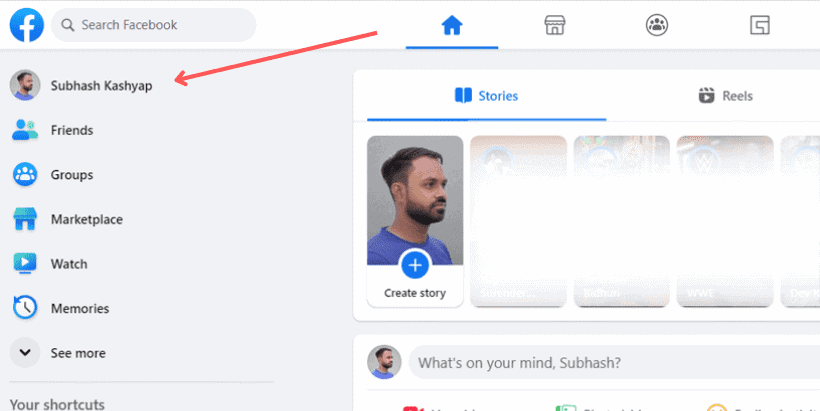
- Choose the Friends section below your profile picture;
- Pick Followers from the Friends section that appears.

Variant #2: From Settings & Privacy
How to See Your Facebook Followers on Mobile
It doesn’t matter whether you are on Android or iPhone; the steps will be the same. Like on the desktop, you can find below two variants:
Variant #1: From Your Profile
Variant #2: From Settings & Privacy
How to See Who Follows Your Facebook Business Page
Why Can’t I See Who Follows Me on Facebook?
If you still don’t see any followers, you don’t have any.
You also can’t monitor your followers because your account is new, and you have no followers, or you should switch to a different one.
Another reason is your account privacy setting which mightn’t permit people to follow you on Facebook. Let’s find out how to amend this option below.
How to Allow People to Follow You on Facebook
Conclusion
That will help you better understand your followers and monitor your Facebook activity.
Keeping in mind this guide, you can easily adjust your privacy settings and see your followers on Facebook.


