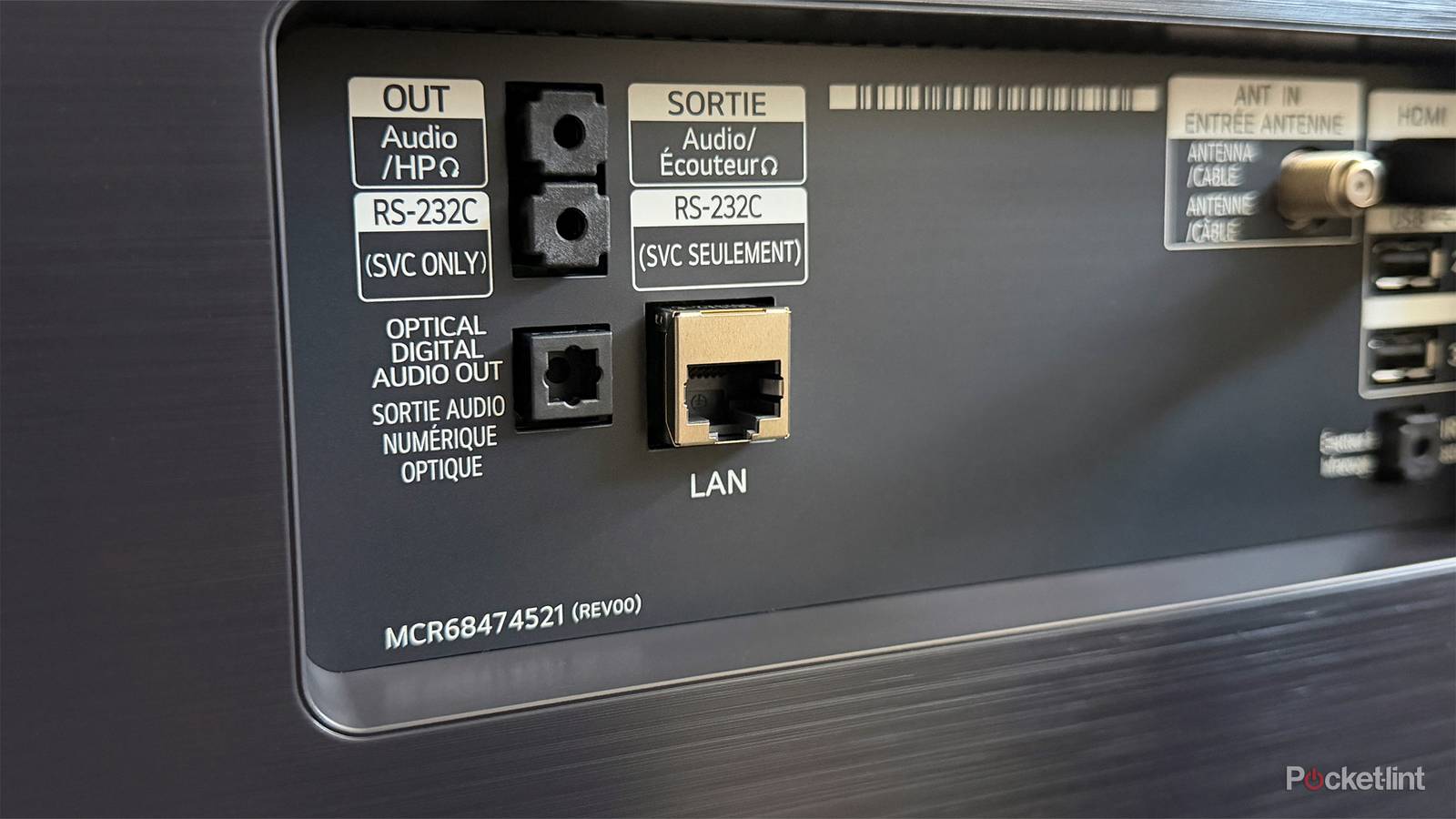
Your smart TV sitting in your living room does a lot more than just stream shows and movies. If you take a peek behind it, you’ll see there are plenty of ports you can be utilizing. Just because TVs have been getting thinner and thinner over the years doesn’t mean they’re missing their utility. My TV has multiple HDMI ports, a digital optical audio port, a USB port, and an Ethernet port — all things that I have used at some point or another. While my HDMI ports are the only things that get used with any regularity, I’ve learned that there’s quite a bit of functionality that comes with some of the other ports.
A lot of people swear by the Ethernet port, but I’m just not a believer. I have pretty much stopped using Ethernet cables in my house. My PC is the only thing that’s plugged in, and that’s because it’s right next to my router and doesn’t have Wi-Fi. The reason for this is that ever since switching over to AT&T Fiber, there hasn’t been any reason to prioritize a stable connection. There are no drops, there’s no buffering, and there are no problems.
A decade or so ago for me, Ethernet not only provided stability, but it also gave me a speedy connection. That’s still the case in some scenarios, but I’d be willing to bet that your home Wi-Fi speeds surpass what you can get on your TV. That might be surprising to hear, but it’s your TV that’s the bottleneck.

- Brand
-
LG
- Display Size
-
55
- Operating System
-
webOS
- Display Type
-
OLED
- Display Resolution
-
4K 3D
- Connectivity
-
4 HDMI
Your TV has capped speeds
Don’t expect the world

The issue with many TV Ethernet ports is that the speeds are capped at 100 Mbps. WiFi speeds often go well above that, even for cheaper plans. I pay $65 a month for my plan, and it gives me 500 Mbps up and down, so it blows my TV’s Ethernet speeds out of the water. This is when I have to go back and bring up stability, as that’s the main reason you should be relying on Ethernet today. While my TV caps my speed at one fifth of what I can get over Wi-Fi, that’s actually not a big deal.
A consistent internet connection to my TV is important for streaming, and 100 Mbps is more than enough in that regard. Most streamers such as Netflix, HBO Max, Disney+, etc., only require somewhere in the range of 15-25 Mbps for high-quality streams, so an Ethernet cable more than provides that when plugged into your TV. Whether it’s 100 Gbps or 500, it doesn’t matter if your TV isn’t using anywhere close to that. If you have a stable connection, there’s pretty much no reason to be using a cable, but there’s also not a downside to using one either, at least in a vacuum.
There are plenty of downsides to me using an Ethernet cable, and the main one is that I’d have to run it through my walls or down my stairs. My router is in my second story office, so getting my living room TV plugged in is more trouble than it’s worth. It’s no trouble for me to get a cable into either of my second floor bedrooms, and I’ve experience with getting my Roku Ultra and Xbox 360 plugged in respectively, but neither of those devices stayed plugged in for long.
There are some workarounds to unlocking these speeds on your TV, but I really don’t think it’s worth the trouble unless you have a rocky connection. If you’re deadset on doing it, you can grab a USB to Ethernet adapter for a few bucks off Amazon. These are cool because you get to use your TV’s USB port, something that’s always cool to do. This won’t magically make your Netflix stream look better, however. This is more of a novelty, and if you can find some other uses for the adapter, then I’d recommend picking it up. As it stands right now, I don’t see much of a reason for you to increase your speed just for a TV. I can see it when you want to speed up download speeds, but there’s really no need for that on a TV.
 Quiz
QuizEthernet cables and ports
Trivia challenge
From Cat5 to Cat8 — see how much you really know about the cables keeping the world connected.
StandardsHardwareHistoryNetworkingConnectors
What is the name of the standard connector used on most ethernet cables?
Correct! The RJ-45 connector is the standard 8-pin modular plug used on ethernet cables. It looks similar to a phone connector but is noticeably wider to accommodate its extra pins.
Not quite. The correct answer is RJ-45. RJ-11 is actually the smaller connector used for telephone lines, which is a common source of confusion given how similar they look.
Which ethernet cable category was the first to officially support Gigabit speeds (1 Gbps)?
Correct! Cat5e — the ‘e’ standing for ‘enhanced’ — was the first category rated to reliably support Gigabit ethernet over 100 metres. It achieved this by reducing crosstalk compared to the original Cat5.
Not quite. The answer is Cat5e. While Cat5 can sometimes handle Gigabit connections, it is not officially rated for it. Cat5e introduced tighter specifications that made 1 Gbps reliable and standardised.
Who is widely credited as the primary inventor of ethernet technology?
Correct! Bob Metcalfe co-invented ethernet at Xerox PARC in 1973 alongside David Boggs. He later founded 3Com and went on to become one of the most influential figures in networking history.
Not quite. The answer is Bob Metcalfe, who developed ethernet at Xerox PARC in the early 1970s. Vint Cerf is known for co-creating TCP/IP, while Tim Berners-Lee invented the World Wide Web — both different innovations entirely.
How many individual wires are contained inside a standard Cat5e or Cat6 ethernet cable?
Correct! A standard ethernet cable contains 8 wires arranged into 4 twisted pairs. The twisting of each pair is a deliberate design choice that helps cancel out electromagnetic interference and reduce crosstalk between pairs.
Not quite. The answer is 8 wires, grouped into 4 twisted pairs. The twisting isn’t random — each pair is twisted at a slightly different rate to minimise interference between them, which is key to maintaining signal integrity.
What maximum data transfer speed is Cat8 ethernet cable rated to support?
Correct! Cat8 is rated for speeds up to 40 Gbps over distances of up to 30 metres. It was designed primarily for data centre environments where extremely high-speed, short-range connections are essential.
Not quite. Cat8 supports up to 40 Gbps, making it the fastest standardised ethernet cable category available. It operates over shorter distances than older categories and is mostly used in professional data centre settings rather than homes.
What does the term ‘PoE’ mean in the context of ethernet networking?
Correct! Power over Ethernet (PoE) allows ethernet cables to carry electrical power alongside data. This is widely used to power devices like IP cameras, VoIP phones, and wireless access points without needing a separate power cable.
Not quite. PoE stands for Power over Ethernet. It is a genuinely useful technology that lets a single cable deliver both data and electricity to a connected device, simplifying installation and reducing cable clutter significantly.
In what decade was ethernet first commercially introduced to the market?
Correct! Although ethernet was invented in the early 1970s at Xerox PARC, it was first commercialised in the 1980s. The IEEE 802.3 standard was published in 1983, which paved the way for widespread commercial adoption.
Not quite. Ethernet was commercially introduced in the 1980s. While Bob Metcalfe’s original ethernet memo dates back to 1973, it took until the early 1980s and the publication of the IEEE 802.3 standard for it to reach the commercial market.
What wiring standard is most commonly used for ethernet patch cables in home and office environments?
Correct! T568B is the most widely used wiring standard for ethernet patch cables in North America and most of the world. While T568A is also a valid standard and preferred in some government installations, T568B dominates in homes and offices.
Not quite. The answer is T568B, which is the dominant wiring standard for ethernet cables globally. T568A and T568B differ only in the arrangement of the orange and green wire pairs — as long as both ends of a cable use the same standard, the cable will work correctly.
Your Score
/ 8
Thanks for playing!
Another port that lies dormant
Not for me

You can just count the Ethernet port as another one of my many TV ports that doesn’t see a lot of use. Don’t get me wrong, because I’m glad that my TV has the versatility that it does, and if it doesn’t cost anything extra to add an Ethernet port, I don’t see why there shouldn’t be one. Having extra ports isn’t hurting anybody, and as long as my TVs don’t get bulky again, keep on including them. Maybe I’ll find a use for my Ethernet port someday that I don’t currently have one for.
It’s very similar to both my Apple TV 4K and Roku Ultra. Both of these have Ethernet ports that I don’t use, but I can see why people would want to use them. It helps that both of those devices are far more portable than my TV, so if I need to plug them in for something, I could easily do that. The problem is that I use these devices for streaming, and since my connection has been rock solid for years, there’s no reason for me to plug them in.
TV manufacturers could also throw us a bone here and give us an Ethernet port that has some more juice. With the speeds capped at what they are, it’s just way too limiting when compared to Wi-Fi. Again, it comes down to needing those extra speeds on TV, and I just don’t see when I would need that. In that regard, I understand why the speeds are set at what they are, but the result of that is just a port that collects dust versus something that could have some use.
At the end of the day, my TV is filled with ports that don’t get used a whole lot, but that’s not a bad thing. I’d much rather have the ability to use my TV for something in the future than not have the ability to at all. It actually came in handy when I wanted to watch the de-specialized version of Star Wars. My Apple TV 4K doesn’t have a USB port for whatever reason, so I ended up plugging in a portable hard drive to my TV and watching that way. Prior to that, my USB port was used just a handful of times, but I sure was glad my TV had it in this specific scenario. Let’s see if my TV’s Ethernet port can have a similar experience.


